Ești nesigur dacă afacerea ta este obligată legal să facă codurile QR accesibile conform ADA? O greșeală în acest sens poate expune organizația ta la riscuri de conformitate și poate exclude clienții cu dizabilități de la conținutul la care au dreptul de acces. Acest ghid detaliază ce sectoare au cele mai clare obligații legale și ce standarde de accesibilitate se aplică atunci când codurile QR fac parte din comunicările tale cu clienții.
Realitatea Juridică Fundamentală: Nicio Lege Nu Impune Coduri QR, Dar Legile de Accesibilitate Se Aplică În Continuare
Înainte de a ne scufunda în industrii specifice, o clarificare importantă: nicio prevedere a Legii Americanilor cu Dizabilități nu impune în mod specific ca vreo afacere sau agenție să utilizeze coduri QR. ADA se concentrează pe asigurarea unei comunicări eficiente și egale cu persoanele cu dizabilități – indiferent de tehnologia pe care o alegi pentru a livra acea comunicare.
Implicația critică este aceasta: odată ce alegi să utilizezi un cod QR ca parte a comunicărilor tale cu clienții, obligațiile de accesibilitate urmează. Dacă codul tău QR este metoda principală sau unică de accesare a informațiilor importante, acesta trebuie să fie utilizabil de către toată lumea – inclusiv de persoanele cu deficiențe de vedere, mobilitate redusă sau alte dizabilități.
Gândește-te în felul următor: nu ești obligat să instalezi o rampă, dar dacă clădirea ta are trepte pe care clienții trebuie să le folosească pentru a-ți accesa serviciile, standardele ADA guvernează modul în care trebuie construită acea rampă. Similar, dacă un cod QR este modul în care livrezi un meniu, un formular sau informații publice critice, atunci acel cod QR și conținutul la care face legătura trebuie să fie accesibile.
Titlul II: Organizații Guvernamentale și din Sectorul Public
Guvernele de stat și locale au unele dintre cele mai explicite și bine documentate obligații de accesibilitate digitală conform ADA. Titlul II al ADA impune tuturor entităților guvernamentale de stat și locale să comunice cu persoanele cu dizabilități la fel de eficient cum comunică cu ceilalți. Aceasta acoperă fiecare nivel de operare guvernamentală – departamente de poliție, tribunale, servicii de vot, școli publice, colegii comunitare, biblioteci publice, districte de apă și alte districte cu scop special.
În 2024, Departamentul de Justiție al SUA a finalizat o regulă conform Titlului II, desemnând WCAG 2.1 Nivel AA ca standard tehnic pentru conținutul web și aplicațiile mobile ale guvernelor de stat și locale. Aceasta înseamnă că atunci când o agenție guvernamentală plasează un cod QR pe un document public, un semn sau o locație fizică, conținutul digital la care face legătura acel cod QR trebuie să respecte criteriile de succes WCAG 2.1 Nivel A și Nivel AA.
Orientările federale precizează, de asemenea, că codurile QR utilizate în publicațiile federale trebuie să respecte Secțiunea 508 din Legea privind Reabilitarea, care tratează codurile QR ca o formă de Tehnologie a Informației și Comunicațiilor (TIC). Conform Secțiunii 508, un cod QR dintr-un document digital trebuie tratat atât ca o imagine care necesită text alternativ descriptiv, cât și ca un link care necesită o alternativă de text accesibilă – astfel încât utilizatorii care nu pot scana codul să poată accesa în continuare aceleași informații.
Cerințele practice pentru utilizarea codurilor QR de către guvern includ:
- Text accesibil adiacent: Furnizați URL-ul de destinație sau o scurtă alternativă tastată lângă fiecare cod QR, astfel încât utilizatorii care nu îl pot scana să poată accesa în continuare conținutul
- Text alternativ descriptiv: În documentele digitale, textul alternativ trebuie să descrie ce face codul QR (de exemplu, “Cod QR care face legătura către cererea de permis de parcare accesibilă a orașului”), nu doar aspectul său
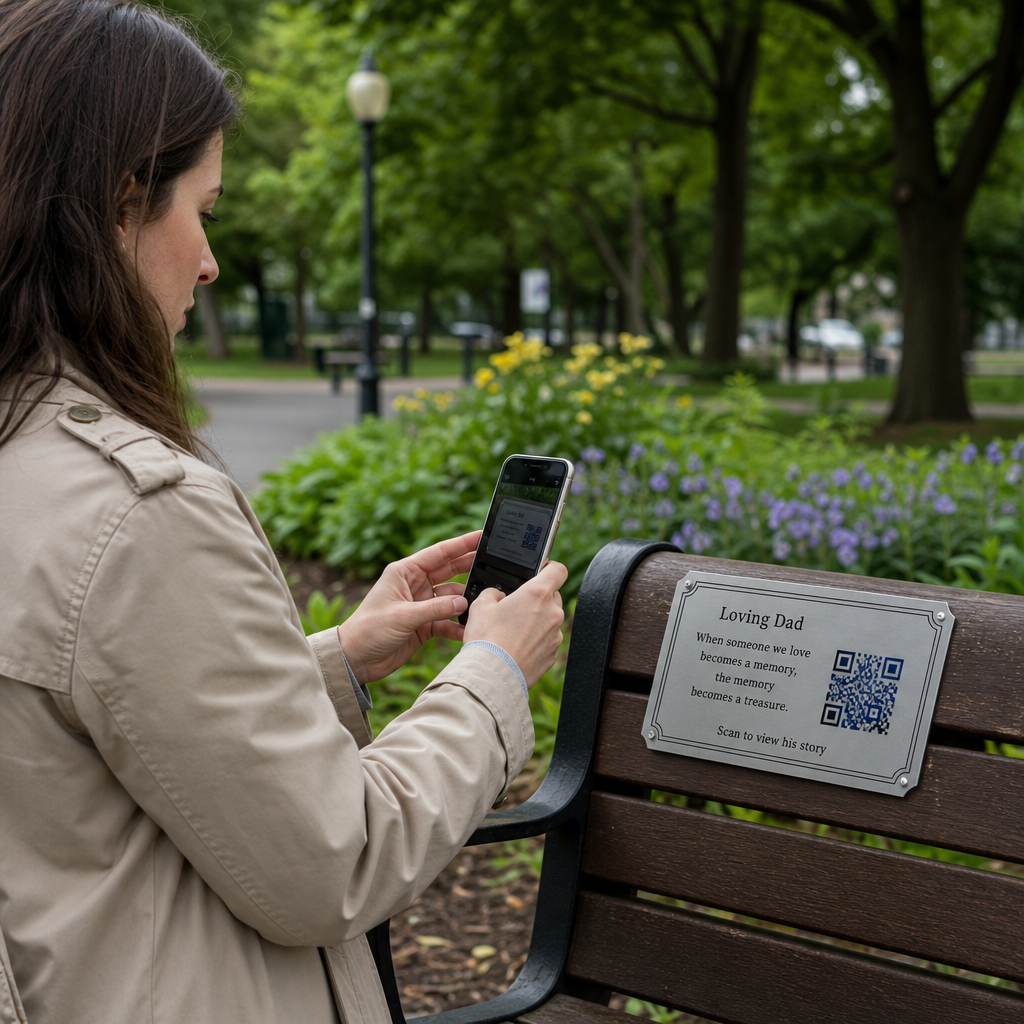
- Amplasare fizică: Codurile QR tipărite ar trebui poziționate acolo unde persoanele care utilizează scaune cu rotile le pot scana confortabil – ghidul recomandă o înălțime între 3,5 și 4,5 picioare
- Conținut de destinație accesibil: Pagina web sau documentul accesat prin codul QR trebuie să respecte el însuși WCAG 2.1 Nivel AA
Pentru ghiduri detaliate de amplasare specifice utilizării guvernamentale, consultați ghidul nostru despre cele mai bune amplasări de coduri QR pentru agențiile guvernamentale.
Mențineți codurile QR guvernamentale actualizate fără a retipări Trebuie să actualizați un URL de destinație pe un panou guvernamental afișat fără a înlocui materialul fizic? Utilizați Generator cod QR dinamic pentru a schimba conținutul legat oricând – nu este necesară retipărirea.
Titlul III: Afaceri și Organizații Deschise Publicului
Afacerile private și organizațiile non-profit care servesc publicul sunt acoperite de Titlul III al ADA, care le definește ca “spații de cazare publice”. Lista entităților acoperite este amplă și include aproape fiecare tip de afacere cu interacțiune directă cu clienții. Conform Titlului III, aceste organizații trebuie să ofere comunicare eficientă pentru clienții cu dizabilități de vedere, auz și vorbire, inclusiv prin ajutoare și servicii auxiliare atunci când este necesar.
Următoarele categorii sunt identificate explicit ca spații de cazare publice conform ADA:
| Categorie | Exemple |
|---|---|
| Locuri de cazare | Hoteluri, moteluri, hanuri |
| Unități de alimentație și băuturi | Restaurante, baruri |
| Locuri de divertisment | Teatre, stadioane, săli de concerte |
| Locuri de adunare publică | Centre de convenții, auditorii |
| Unități de vânzare și închiriere | Magazine alimentare, centre comerciale, magazine de bricolaj |
| Unități de servicii | Bănci, farmacii, furnizori de servicii medicale, cabinete de avocatură, spitale |
| Terminale de transport | Gări și autogări |
| Expoziții sau colecții publice | Muzee, biblioteci, galerii |
| Recreere | Parcuri, grădini zoologice, parcuri de distracții |
| Instituții de învățământ | Grădinițe private până la programe postuniversitare |
| Servicii sociale | Centre de zi, centre pentru vârstnici, adăposturi pentru persoanele fără adăpost, bănci de alimente |
| Exerciții fizice și recreere | Săli de sport, centre spa, piste de bowling, terenuri de golf |
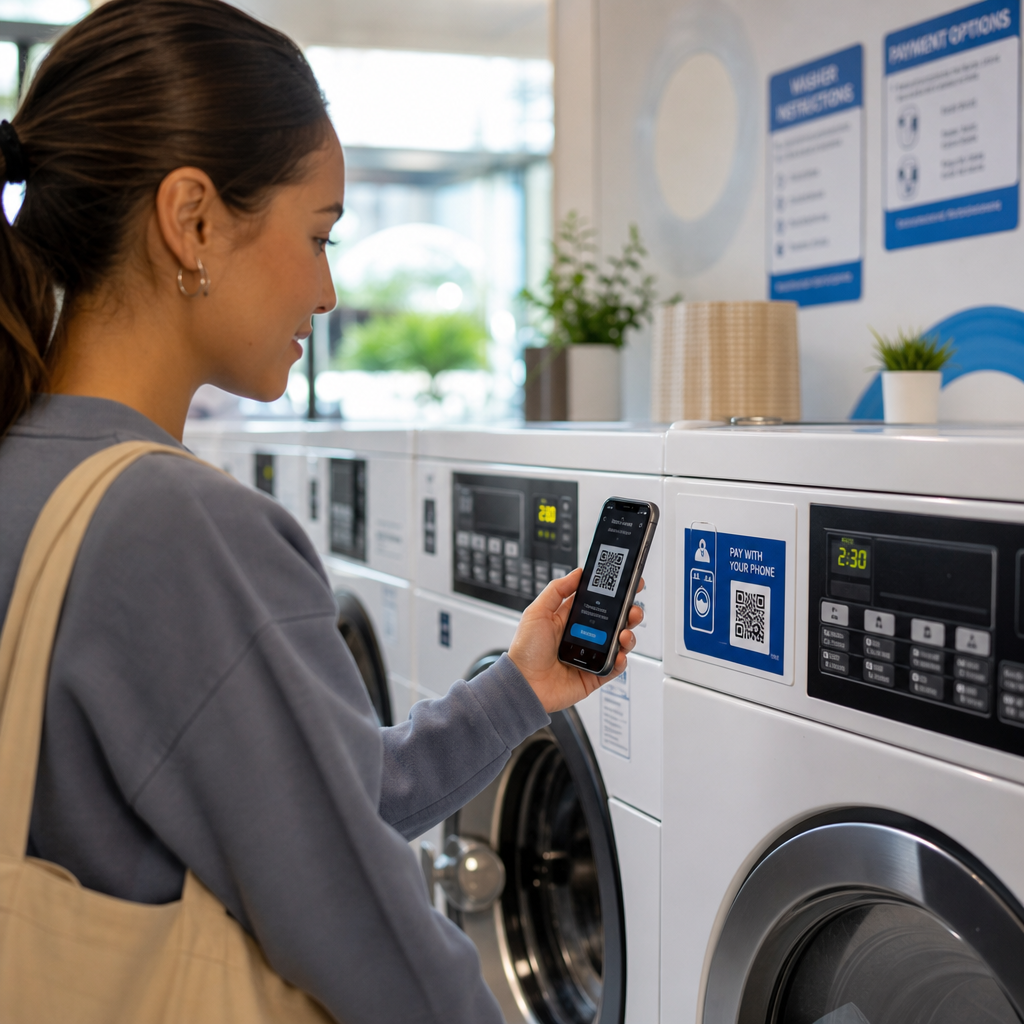
Dacă organizația dumneavoastră apare în această listă și utilizați coduri QR în orice context orientat către clienți – semnalizare, meniuri, afișaje de produse, terminale de plată sau materiale informative – se aplică obligații de comunicare eficientă pentru acea experiență cu codul QR.
Sănătate: Obligații sporite și mize practice
Spitalele, clinicile, farmaciile și furnizorii privați de servicii medicale apar sub Titlul III ca unități de servicii. Însă organizațiile din domeniul sănătății operează adesea sub standarde suplimentare de confidențialitate și informare care fac comunicarea accesibilă deosebit de importantă.
Atunci când un cod QR face legătura către instrucțiuni de externare, informații despre medicamente, programări sau formulare pentru pacienți, consecințele inaccesibilității nu sunt doar legale – sunt clinice. Un pacient cu vedere slabă care nu poate accesa instrucțiunile de dozare deoarece un cod QR nu are o opțiune de rezervă se confruntă cu un risc semnificativ pentru sănătate.
Codurile QR în unitățile medicale ar trebui să fie întotdeauna însoțite de alternative accesibile, cum ar fi materiale tipărite cu caractere mari, explicații audio sau asistență din partea personalului. Pentru unitățile de sănătate publică care sunt și entități guvernamentale, obligațiile din Titlul II se aplică pe lângă cerințele standard de comunicare în domeniul sănătății.
Explorați cum codurile QR sunt utilizate în spitale și unități medicale pentru exemple practice de implementare.
Ospitalitate: Meniuri, Check-In și Servicii pentru Oaspeți
Industria ospitalității – hoteluri, restaurante și baruri – a adoptat codurile QR într-un ritm remarcabil, în special pentru meniurile digitale. Deoarece restaurantele și hotelurile sunt enumerate explicit ca spații de cazare publice în conformitate cu Titlul III, fiecare experiență a oaspeților livrată prin QR implică o obligație de comunicare eficientă.
Un restaurant care se bazează exclusiv pe un meniu cu cod QR trebuie să se asigure că meniul este accesibil oaspeților cu deficiențe de vedere. Aceasta înseamnă că pagina de destinație la care face legătura codul QR ar trebui să fie compatibilă cu cititoarele de ecran, să utilizeze un contrast de culoare suficient și să aibă o structură logică a titlurilor. Oaspeții care nu pot utiliza un cod QR – fie din cauza deficiențelor de vedere, a necunoașterii smartphone-urilor sau a limitărilor motorii – trebuie să aibă o modalitate alternativă de a accesa aceleași informații.
Pentru implementarea accesibilă a meniului, Meniu QR pentru restaurant vă permite să faceți legătura către un meniu digital pe care îl puteți actualiza instantaneu fără a retipări materiale fizice – util atunci când disponibilitatea articolelor se modifică sau când trebuie să actualizați pagina legată pentru a îmbunătăți accesibilitatea.
Pentru îndrumări privind accesibilizarea plăților cu cod QR în unitățile de ospitalitate și retail, consultați articolul nostru despre celor mai bune practici de accesibilitate pentru plățile cu coduri QR.
Educație: Școli Publice și Private
Instituțiile de învățământ se încadrează atât sub Titlul II, cât și sub Titlul III, în funcție de faptul dacă sunt operate public sau privat. Școlile publice K–12, colegiile comunitare și universitățile de stat se încadrează sub Titlul II, inclusiv regula DOJ care impune conformitatea WCAG 2.1 Nivel AA pentru conținutul web și aplicațiile mobile. Școlile private de toate nivelurile sunt acoperite de Titlul III ca spații de cazare publice.
În oricare dintre cazuri, atunci când școlile utilizează coduri QR pentru a distribui materiale de curs, informații despre evenimente, formulare sau resurse de învățare, aceste materiale trebuie să fie accesibile. Un elev cu deficiențe de vedere trebuie să poată accesa același conținut ca și colegii săi. În practică, aceasta înseamnă:
- PDF-urile legate trebuie să fie etichetate și compatibile cu cititoarele de ecran
- Conținutul web accesat prin coduri QR trebuie să respecte standardele WCAG
- Amplasarea fizică a codurilor QR în sălile de clasă sau pe holuri ar trebui să fie la înălțimi accesibile elevilor care utilizează scaune cu rotile
Vezi cum codurile QR sunt utilizate în școli și educație pentru idei specifice de cazuri de utilizare și explorează Generator cod QR PDF pentru distribuirea documentelor de curs accesibile.
Retail: Magazine, Ambalaje și Afișaje în Magazin
Magazinele de retail, centrele comerciale și magazinele alimentare sunt enumerate ca spații de cazare publice conform Titlului III. Pe măsură ce codurile QR devin mai comune pe ambalajele produselor, pe afișajele de raft și în zonele de checkout, organizațiile de retail se confruntă cu o expunere crescândă la obligațiile de comunicare eficientă.
Un cod QR pe o etichetă de produs care face legătura cu instrucțiuni de utilizare, liste de ingrediente sau informații despre garanție trebuie să poată fi utilizat de clienții cu deficiențe de vedere. Dacă codul este principala modalitate de a accesa aceste informații – și nu este oferită nicio alternativă echivalentă – retailerul ar putea să nu își îndeplinească obligațiile de comunicare eficientă.
Considerații cheie de accesibilitate pentru implementările QR în retail includ:
- Furnizarea unei adrese URL tastate sau a unui echivalent tipărit alături de codurile QR pe ambalaj
- Asigurarea că paginile de informații despre produse legate de codurile QR respectă standardele WCAG de contrast și navigare
- Amplasarea codurilor QR în magazin la înălțimi și în poziții accesibile utilizatorilor de scaune cu rotile
Pentru strategia de amplasare, consultați ghidul nostru despre plasări de top ale codurilor QR pentru magazinele de retail.
Standardele Tehnice Care Se Aplică În Toate Industriile
Indiferent de sectorul în care activați, aceleași standarde de accesibilitate de bază se aplică atunci când implementați coduri QR. Acestea provin din ghidurile WCAG 2.1 și Secțiunea 508 și acoperă atât codul QR fizic în sine, cât și conținutul digital la care face legătura.
Pentru codul QR fizic:
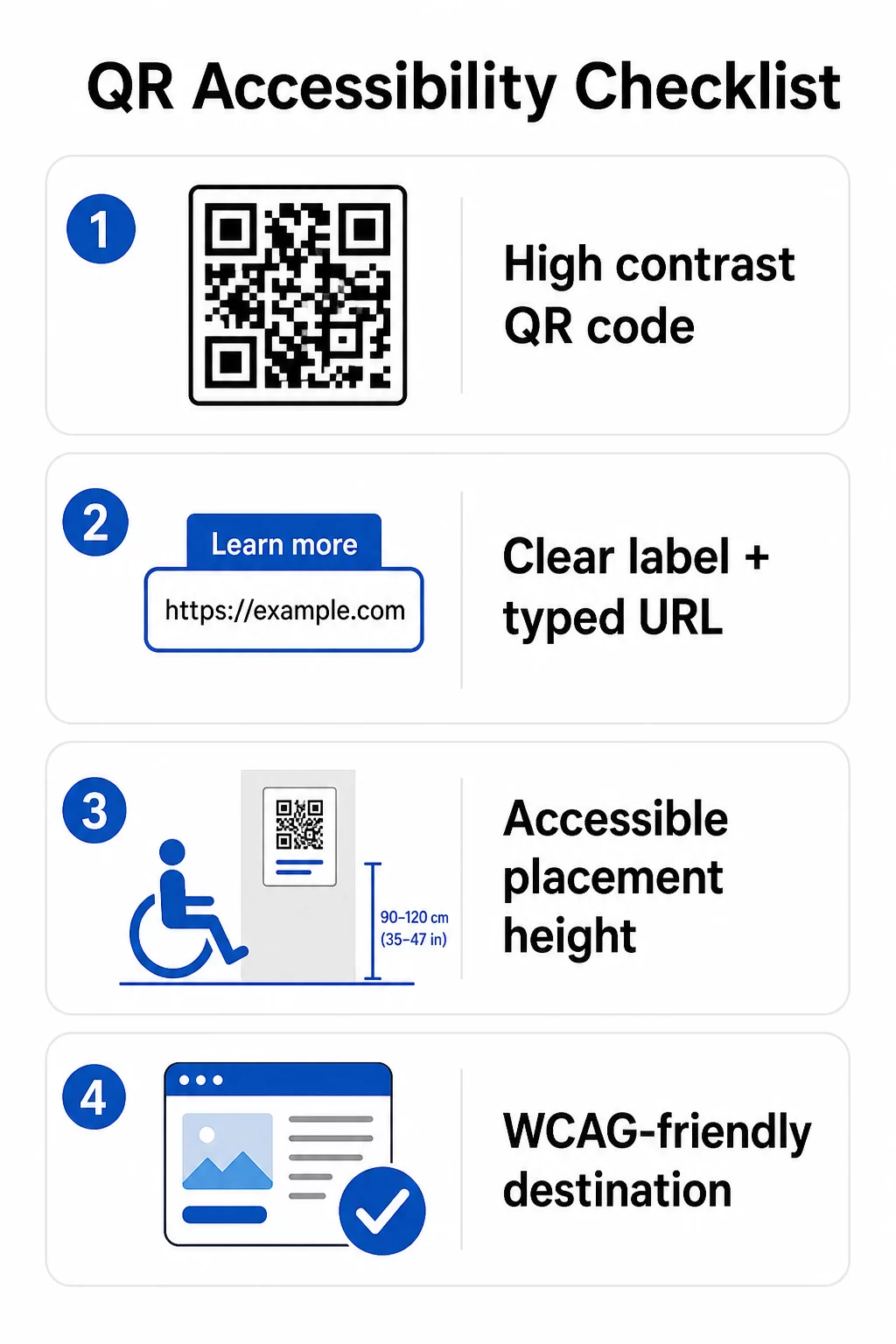
- Utilizați un prim-plan închis pe un fundal deschis, vizând un raport de contrast de cel puțin 4.5:1 pentru accesibilitate completă
- Imprimați codurile la o dimensiune minimă de 1 inch × 1 inch și respectați regula 10:1 pentru distanța de scanare (1 inch lățime de cod la fiecare 10 inch de distanță de vizualizare așteptată)
- Plasați codurile imprimate între 3.5 și 4.5 picioare de la podea, astfel încât utilizatorii de scaune cu rotile să le poată accesa confortabil
- Adăugați o etichetă clară sau un apel la acțiune în apropiere, astfel încât utilizatorii să înțeleagă ce face codul înainte de a-l scana
- Furnizați o adresă URL text adiacentă sau o alternativă echivalentă, astfel încât utilizatorii care nu pot scana codul QR să poată accesa în continuare conținutul
Pentru conținutul digital legat:
- Paginile web de destinație trebuie să îndeplinească criteriile de succes WCAG 2.1 Nivel A și AA
- În documentele digitale, codurile QR necesită text alternativ descriptiv care să explice scopul codului – nu aspectul său vizual (Criteriul de Succes WCAG 1.1.1)
- Contrastul non-textual al modulelor codului QR față de fundalul lor trebuie să îndeplinească un raport de cel puțin 3:1 (Criteriul de Succes WCAG 1.4.11)
- Dacă codul QR funcționează ca o legătură, textul alternativ trebuie să descrie unde duce (Criteriul de Succes WCAG 2.4.4)
Pentru o listă de verificare completă a implementării, consultați ghidul nostru despre cum să faceți codurile QR conforme cu ADA și a noastră mai largă cele mai bune practici de utilizare a codurilor QR.
Puteți explora și coduri QR activate vocal și indicii tactile ca strategii avansate pentru a servi utilizatorii cu deficiențe de vedere – deosebit de relevante pentru implementările în sănătate, educație și guvern.
Creați coduri QR accesibile de la început Folosește Generator de coduri QR pentru a construi coduri QR cu contrast ridicat, dimensionate corespunzător, cu etichete clare și branding – apoi legați-le la conținut accesibil care respectă standardele WCAG.
De ce codurile QR accesibile sunt o bună practică dincolo de conformitatea legală
Lăsând la o parte obligațiile legale, crearea de coduri QR accesibile extinde publicul care poate interacționa cu conținutul dumneavoastră. Un cod QR inaccesibil nu creează doar expunere legală – ci creează o lacună în experiența clientului dumneavoastră. Un oaspete la un restaurant care nu poate citi meniul QR, un pacient care nu poate accesa instrucțiunile de medicamente sau un student care nu poate descărca materiale de curs din cauza unui PDF inaccesibil, toate reprezintă momente în care organizația dumneavoastră nu a reușit să comunice eficient.
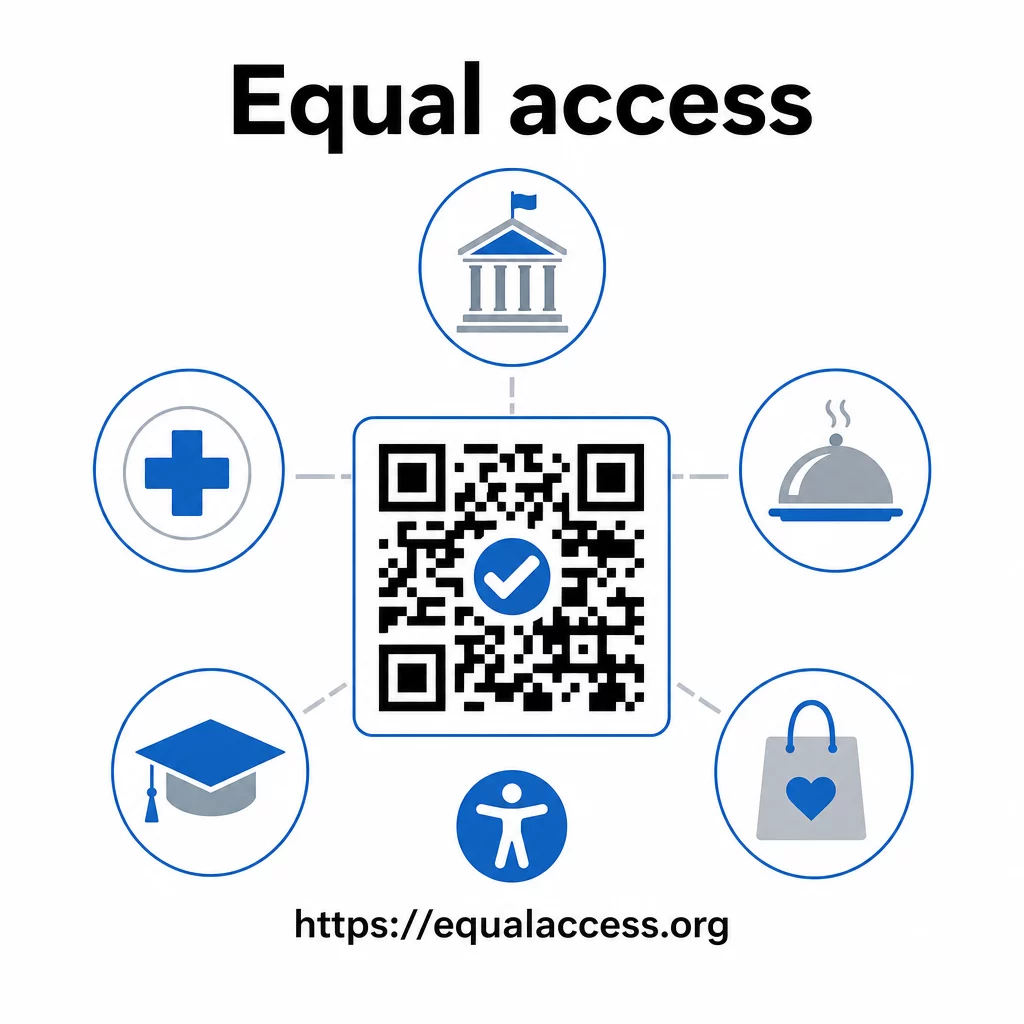
Practicile de coduri QR accesibile tind, de asemenea, să îmbunătățească experiența pentru toată lumea. Contrastul suficient ajută codurile să scaneze mai rapid în condiții de iluminare slabă. Dimensionarea corectă ajută utilizatorii de toate vârstele să scaneze de la o distanță confortabilă. Etichetele clare reduc confuzia pentru utilizatorii de coduri QR începători. Aceste îmbunătățiri beneficiază întregul dumneavoastră public, nu doar utilizatorii cu dizabilități.
Pentru o privire mai aprofundată asupra contrastului, dimensionării, lizibilității și plasării, explorați ghidurile noastre despre cele mai bune practici de lizibilitate a codurilor QR și cele mai bune practici de contrast de culoare pentru codurile QR.
Obligațiile de accesibilitate se aplică pe scară largă în guvern, sănătate, educație, ospitalitate și retail – și aceleași standarde tehnice le guvernează pe toate. Punctul de plecare practic este simplu: dacă un cod QR este modul în care comunicați informații importante, acea comunicare trebuie să fie accesibilă. Utilizați codurile QR dinamice astfel încât să puteți actualiza conținutul legat pentru a menține conformitatea fără a retipări, și explorați întreaga gamă de soluții de coduri QR specifice industriei pentru a găsi implementarea potrivită pentru sectorul dumneavoastră.
Întrebări frecvente
Nicio lege nu impune în mod specific companiilor să utilizeze coduri QR. Cu toate acestea, dacă alegeți să utilizați coduri QR ca parte a comunicărilor dumneavoastră cu clienții, se aplică cerințele ADA privind comunicarea eficientă. Dacă un cod QR este modalitatea principală sau singura prin care clienții pot accesa informații, acea experiență trebuie să fie accesibilă persoanelor cu dizabilități – inclusiv celor cu deficiențe de vedere sau mobilitate limitată.
Agențiile guvernamentale de stat și locale se confruntă cu cele mai explicite obligații în conformitate cu Titlul II al ADA și cu regula finală a DOJ din 2024, care impune conformitatea WCAG 2.1 Nivel AA pentru conținutul web și aplicațiile mobile. Afacerile private deschise publicului – inclusiv restaurante, hoteluri, spitale, magazine de retail, școli private, bănci și săli de sport – sunt acoperite de Titlul III și trebuie să ofere comunicare eficientă prin ajutoare și servicii auxiliare. Agențiile federale sunt, în plus, guvernate de Secțiunea 508 a Legii de Reabilitare.
Nu există o singură listă de verificare impusă de ADA specific pentru codurile QR, dar cele mai bune practici extrase din ghidurile WCAG 2.1 și Secțiunea 508 includ: utilizarea unui prim-plan întunecat pe un fundal deschis cu un raport de contrast de cel puțin 4.5:1; tipărirea codurilor la o dimensiune minimă de 1 inch × 1 inch; plasarea codurilor fizice la înălțimi accesibile (3.5–4.5 picioare de la podea); furnizarea unei adrese URL textuale în apropiere ca alternativă pentru utilizatorii care nu pot scana; adăugarea de text alternativ descriptiv în documentele digitale; și asigurarea că conținutul destinație îndeplinește standardele WCAG 2.1 Nivel AA.