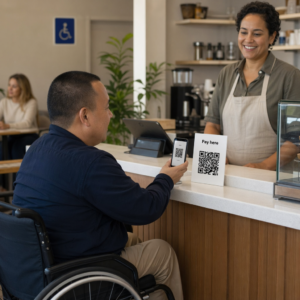
Er du usikker på om virksomheten din er juridisk forpliktet til å gjøre QR-koder tilgjengelige under ADA? Å gjøre dette feil kan utsette organisasjonen din for samsvarsrisiko og ekskludere kunder med funksjonsnedsettelser fra innhold de har rett til å få tilgang til. Denne guiden bryter ned hvilke sektorer som har de tydeligste juridiske forpliktelsene og hvilke tilgjengelighetsstandarder som gjelder når QR-koder er en del av din kundeorienterte kommunikasjon.
Den grunnleggende juridiske realiteten: Ingen lov krever QR-koder, men tilgjengelighetslover gjelder fortsatt
Før vi dykker ned i spesifikke bransjer, en viktig avklaring: ingen bestemmelse i Americans with Disabilities Act spesifikt pålegger at noen virksomhet eller etat skal bruke QR-koder. ADA fokuserer på å sikre effektiv, lik kommunikasjon med mennesker med funksjonsnedsettelser – uavhengig av hvilken teknologi du velger å levere den kommunikasjonen med.
Den kritiske implikasjonen er denne: når du velger å bruke en QR-kode som en del av din kundeorienterte kommunikasjon, følger tilgjengelighetsforpliktelser. Hvis QR-koden din er den primære eller eneste metoden for å få tilgang til viktig informasjon, må den være brukbar av alle – inkludert personer med synshemming, begrenset mobilitet eller andre funksjonsnedsettelser.
Tenk på det slik: du er ikke pålagt å installere en rampe, men hvis bygningen din har trapper som kunder må bruke for å få tilgang til tjenestene dine, styrer ADA-standarder hvordan den rampen må bygges. På samme måte, hvis en QR-kode er hvordan du leverer en meny, et skjema eller kritisk offentlig informasjon, så må den QR-koden og innholdet den lenker til være tilgjengelig.
Tittel II: Statlige og offentlige organisasjoner
Statlige og lokale myndigheter har noen av de mest eksplisitte og veldokumenterte forpliktelsene for digital tilgjengelighet under ADA. Tittel II i ADA krever at alle statlige og lokale myndighetsenheter kommuniserer med mennesker med funksjonsnedsettelser like effektivt som de kommuniserer med andre. Dette dekker alle nivåer av offentlig virksomhet – politiavdelinger, domstoler, stemmetjenester, offentlige skoler, høyskoler, folkebiblioteker, vannverk og andre spesialdistrikter.
I 2024 ferdigstilte det amerikanske justisdepartementet en regel under Tittel II som utpekte WCAG 2.1 Nivå AA som den tekniske standarden for statlige og lokale myndigheters nettinnhold og mobilapplikasjoner. Dette betyr at når et offentlig organ plasserer en QR-kode på et offentlig dokument, skilt eller fysisk sted, må det digitale innholdet som QR-koden lenker til, samsvare med WCAG 2.1 Nivå A og Nivå AA suksesskriterier.
Føderal veiledning gjør det også klart at QR-koder brukt i føderale publikasjoner forventes å oppfylle Seksjon 508 i rehabiliteringsloven, som behandler QR-koder som en form for informasjons- og kommunikasjonsteknologi (IKT). Under Seksjon 508 må en QR-kode i et digitalt dokument behandles både som et bilde som krever beskrivende alt-tekst og som en lenke som krever et tilgjengelig tekstalternativ – slik at brukere som ikke kan skanne koden fortsatt kan nå den samme informasjonen.
Praktiske krav for bruk av QR-koder i offentlig sektor inkluderer:
- Tilstøtende tilgjengelig tekst: Oppgi destinasjons-URL-en eller et kort skrevet alternativ ved siden av hver QR-kode slik at brukere som ikke kan skanne den fortsatt kan få tilgang til innholdet
- Beskrivende alt-tekst: I digitale dokumenter må alt-teksten beskrive hva QR-koden gjør (f.eks. “QR-kode som lenker til byens søknad om tilgjengelig parkeringstillatelse”), ikke bare dens utseende
- Fysisk plassering: Trykte QR-koder bør plasseres der personer som bruker rullestol komfortabelt kan skanne dem – veiledning anbefaler en høyde mellom 3,5 og 4,5 fot
- Tilgjengelig destinasjonsinnhold: Nettsiden eller dokumentet som nås via QR-koden må selv oppfylle WCAG 2.1 Nivå AA
For detaljert plasseringsveiledning spesifikk for offentlig bruk, se vår guide om beste QR-kodeplasseringer for offentlige etater.
Hold offentlige QR-koder oppdatert uten å trykke på nytt Trenger du å oppdatere en destinasjons-URL på et oppsatt offentlig skilt uten å erstatte det fysiske materialet? Bruk Dynamisk QR-kode generator å endre det lenkede innholdet når som helst – ingen ny utskrift nødvendig.
Tittel III: Bedrifter og organisasjoner åpne for publikum
Private bedrifter og ideelle organisasjoner som betjener publikum er dekket av Tittel III av ADA, som definerer disse som “offentlige tilpasninger”. Listen over dekkede enheter er bred og inkluderer nesten alle typer kundeorienterte virksomheter. Under Tittel III må disse organisasjonene tilby effektiv kommunikasjon for kunder med syns-, hørsels- og talefunksjonsnedsettelser, inkludert gjennom hjelpemidler og tjenester når det er nødvendig.
Følgende kategorier er eksplisitt identifisert som offentlige tilpasninger under ADA:
| Kategori | Eksempler |
|---|---|
| Overnattingssteder | Hoteller, moteller, vertshus |
| Mat- og drikkesteder | Restauranter, barer |
| Underholdningssteder | Teatre, stadioner, konsertsaler |
| Offentlige samlingssteder | Konferansesentre, auditorier |
| Salgs- og utleiesteder | Dagligvarebutikker, kjøpesentre, jernvareforretninger |
| Servicesteder | Banker, apoteker, helsepersonell, advokatkontorer, sykehus |
| Transportterminaler | Buss- og togstasjoner |
| Offentlig utstilling eller samling | Museer, biblioteker, gallerier |
| Rekreasjon | Parker, dyrehager, fornøyelsesparker |
| Utdanningsinstitusjoner | Private barnehager til og med masterprogrammer |
| Sosiale tjenester | Barnehager, seniorsentre, krisesentre for hjemløse, matbanker |
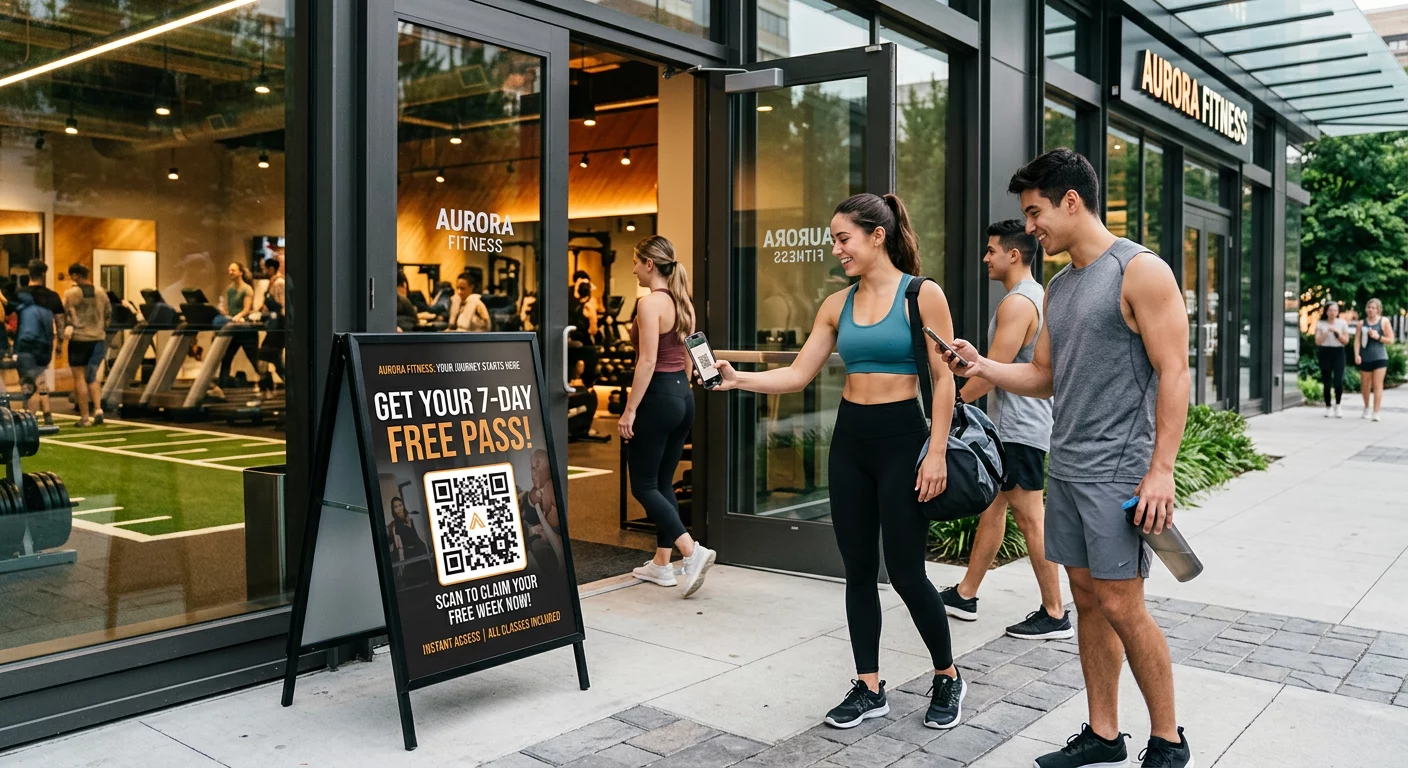
| Trening og rekreasjon | Treningssentre, helsespa, bowlingbaner, golfbaner |
Hvis organisasjonen din vises i denne listen og du bruker QR-koder i en kundevendt kontekst – skilting, menyer, produktvisninger, betalingsterminaler eller informasjonsmateriell – gjelder forpliktelser for effektiv kommunikasjon for den QR-kodeopplevelsen.
Helsevesen: Skjerpede forpliktelser og praktiske innsatser
Sykehus, klinikker, apoteker og private helsepersonell vises under Tittel III som tjenestevirksomheter. Men helseorganisasjoner opererer ofte under ytterligere personvern- og informasjonsstandarder som gjør tilgjengelig kommunikasjon spesielt viktig.
Når en QR-kode lenker til utskrivningsinstruksjoner, medisininformasjon, timebestilling eller pasientskjemaer, er konsekvensene av utilgjengelighet ikke bare juridiske – de er kliniske. En pasient med nedsatt syn som ikke får tilgang til doseringsinstruksjoner fordi en QR-kode mangler et reservealternativ, står overfor en betydelig helserisiko.
QR-koder i helsevesenet bør alltid ledsages av tilgjengelige alternativer som utskrifter med stor skrift, lydforklaringer eller personalhjelp. For offentlige helseinstitusjoner som også er statlige enheter, gjelder Tittel II-forpliktelser i tillegg til standard kommunikasjonskrav i helsevesenet.
Utforsk hvordan QR-koder brukes på sykehus og i helsevesenet for praktiske implementeringseksempler.
Servering og overnatting: Menyer, innsjekking og gjestetjenester
Serverings- og overnattingsbransjen – hoteller, restauranter og barer – har tatt i bruk QR-koder i et bemerkelsesverdig tempo, spesielt for digitale menyer. Fordi restauranter og hoteller er eksplisitt oppført som offentlige overnattingssteder under Tittel III, medfører hver QR-leverte gjesteopplevelse en forpliktelse til effektiv kommunikasjon.
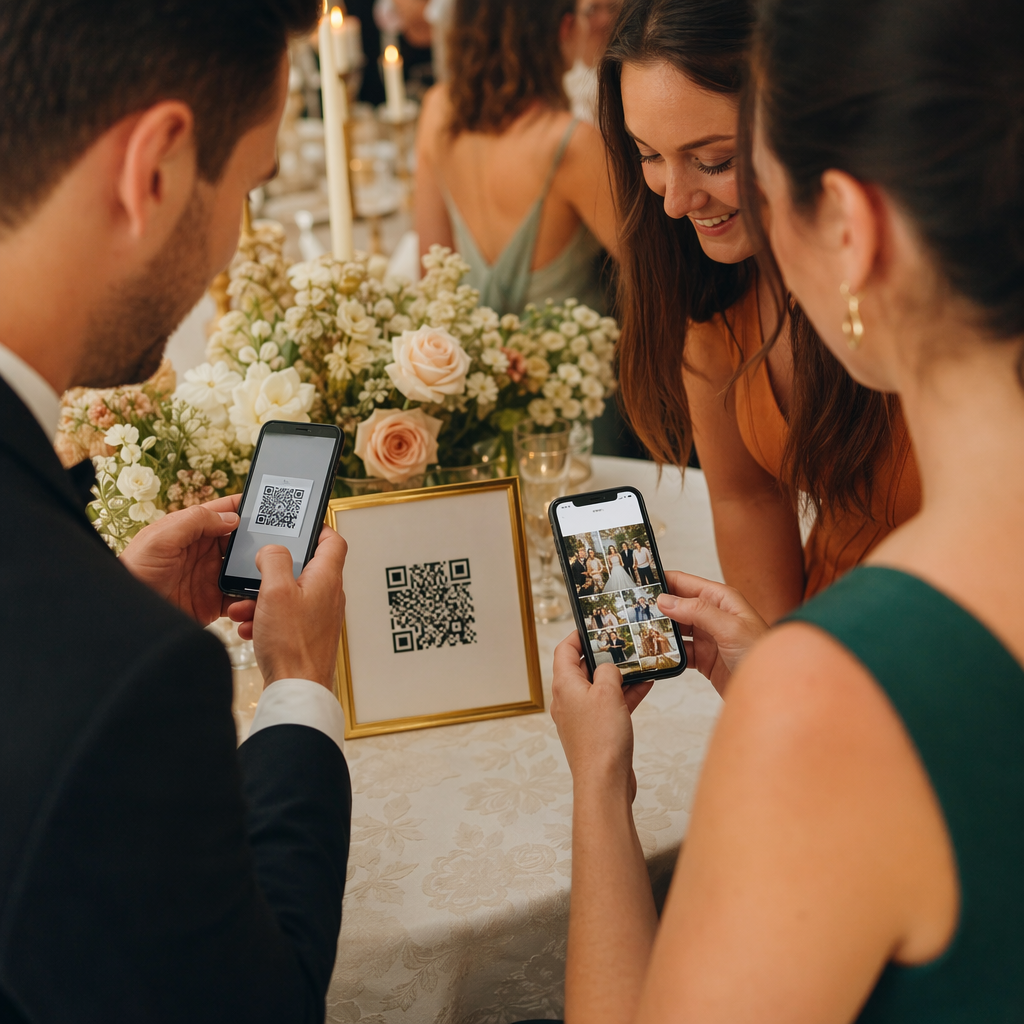
En restaurant som utelukkende baserer seg på en QR-kodemeny, må sørge for at menyen er tilgjengelig for gjester med synshemming. Dette betyr at landingssiden QR-koden lenker til, bør være kompatibel med skjermlesere, bruke tilstrekkelig fargekontrast og ha en logisk overskriftsstruktur. Gjester som ikke kan bruke en QR-kode – enten på grunn av synshemming, uvitenhet om smarttelefoner eller motoriske begrensninger – må ha en alternativ måte å få tilgang til den samme informasjonen på.
For tilgjengelig menyimplementering, er QR-kode generator for meny lar deg lenke til en digital meny som du kan oppdatere umiddelbart uten å trykke nye fysiske materialer – nyttig når tilgjengeligheten av varer endres, eller når du trenger å oppdatere den lenkede siden for å forbedre tilgjengeligheten.
For veiledning om hvordan du gjør QR-kodebetalinger tilgjengelige i serverings- og detaljhandelsmiljøer, se vår artikkel om beste praksis for tilgjengelighet for QR-kodebetaling.
Utdanning: Offentlige og private skoler
Utdanningsinstitusjoner omfatter både Tittel II og Tittel III, avhengig av om de drives offentlig eller privat. Offentlige K–12-skoler, høyskoler og statlige universiteter faller under Tittel II, inkludert DOJ-regelen som krever WCAG 2.1 Nivå AA-samsvar for nettinnhold og mobilapper. Private skoler på alle nivåer dekkes av Tittel III som offentlige overnattingssteder.
I begge tilfeller, når skoler bruker QR-koder for å distribuere kursmateriell, arrangementsinformasjon, skjemaer eller læringsressurser, må dette materialet være tilgjengelig. En elev med synshemming må kunne få tilgang til det samme innholdet som sine jevnaldrende. I praksis betyr dette:
- Lenkede PDF-er må være tagget og skjermleserkompatible
- Nettbasert innhold som nås via QR-koder må oppfylle WCAG-standarder
- Fysiske QR-kodeplasseringer i klasserom eller ganger bør være i høyder som er tilgjengelige for elever som bruker rullestol
Se hvordan QR-koder brukes i skoler og utdanning for spesifikke bruksområder, og utforsk Lag QR-kode for PDF for distribusjon av tilgjengelige kursdokumenter.
Detaljhandel: Butikker, emballasje og utstillinger i butikk
Detaljhandelsbutikker, kjøpesentre og dagligvarebutikker er oppført som offentlige tilgjengelighetssteder under Tittel III. Ettersom QR-koder blir mer vanlig på produktemballasje, hylleutstillinger og kasseområder, står detaljhandelsorganisasjoner overfor økende eksponering for forpliktelser knyttet til effektiv kommunikasjon.
En QR-kode på en produktetikett som lenker til bruksanvisninger, ingredienslister eller garantiinformasjon, må kunne brukes av kunder med synshemming. Hvis koden er den primære måten å få tilgang til denne informasjonen på – og ingen tilsvarende alternativ er gitt – kan det hende at forhandleren ikke oppfyller sine forpliktelser for effektiv kommunikasjon.
Viktige tilgjengelighetshensyn for QR-distribusjoner i detaljhandelen inkluderer:
- Å tilby en skrevet URL eller trykt ekvivalent sammen med QR-koder på emballasje
- Sikre at produktinformasjonssider lenket fra QR-koder oppfyller WCAG-standarder for kontrast og navigasjon
- Plassere QR-koder i butikk i høyder og posisjoner som er tilgjengelige for rullestolbrukere
For plasseringsstrategi, se vår guide om beste plasseringer for QR-koder i butikker.
De tekniske standardene som gjelder på tvers av bransjer
Uavhengig av hvilken sektor du opererer i, gjelder de samme grunnleggende tilgjengelighetsstandardene når du tar i bruk QR-koder. Disse kommer fra WCAG 2.1 og Section 508-veiledningen, og de dekker både selve den fysiske QR-koden og det digitale innholdet den lenker til.
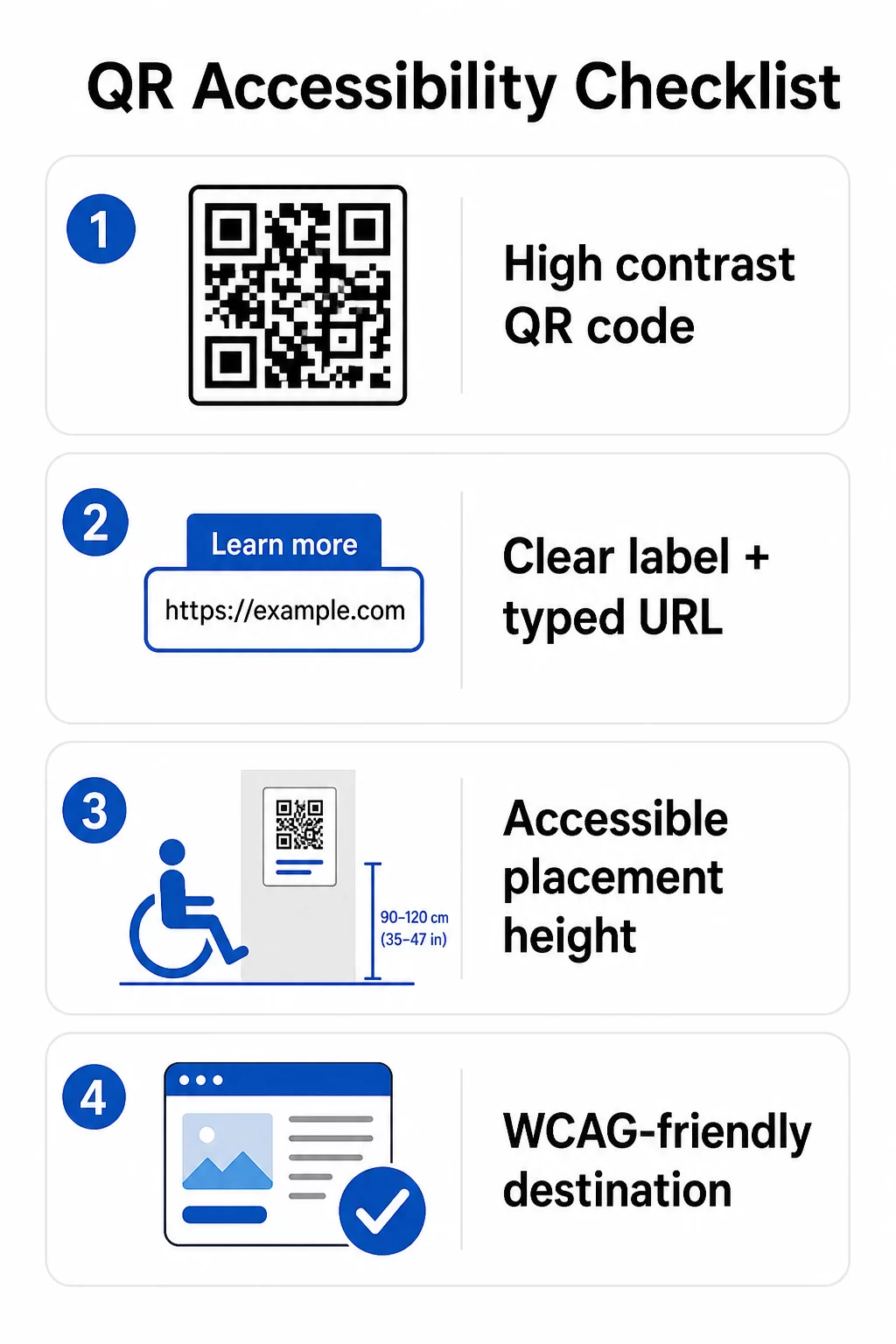
For den fysiske QR-koden:
- Bruk en mørk forgrunn på en lys bakgrunn, med et kontrastforhold på minst 4.5:1 for full tilgjengelighet
- Skriv ut koder med en minimumsstørrelse på 1 tomme × 1 tomme, og følg 10:1-regelen for skanneavstand (1 tomme kodebredde per 10 tommer forventet visningsavstand)
- Plasser utskrevne koder mellom 3,5 og 4,5 fot fra gulvet slik at rullestolbrukere komfortabelt kan nå dem
- Legg til en tydelig etikett eller oppfordring til handling i nærheten slik at brukere forstår hva koden gjør før de skanner
- Oppgi en tilstøtende tekst-URL eller tilsvarende alternativ slik at brukere som ikke kan skanne QR-koden fortsatt kan få tilgang til innholdet
For det lenkede digitale innholdet:
- Destinasjonsnettsider må oppfylle WCAG 2.1 Nivå A og AA suksesskriterier
- I digitale dokumenter trenger QR-koder beskrivende alt-tekst som forklarer kodens formål – ikke dens visuelle utseende (WCAG Suksesskriterium 1.1.1)
- Ikke-tekstkontrasten til QR-kodemoduler mot bakgrunnen deres må oppfylle minst et 3:1-forhold (WCAG Suksesskriterium 1.4.11)
- Hvis QR-koden fungerer som en lenke, må alt-teksten beskrive hvor den fører (WCAG Suksesskriterium 2.4.4)
For en komplett implementeringssjekkliste, se vår veiledning om hvordan du gjør QR-koder ADA-kompatible og vår bredere beste praksis for brukervennlighet av QR-koder.
Du kan også utforske stemmeaktiverte QR-koder og taktile signaler som avanserte strategier for å betjene brukere med synshemming – spesielt relevant for utrullinger innen helsevesen, utdanning og offentlig sektor.
Lag tilgjengelige QR-koder fra starten Bruke QR-kodegenerator for å bygge QR-koder med høy kontrast og riktig størrelse, med tydelige etiketter og merkevarebygging – og deretter lenke dem til tilgjengelig innhold som oppfyller WCAG-standarder.
Hvorfor tilgjengelige QR-koder er god praksis utover lovpålagt etterlevelse
Bortsett fra juridiske forpliktelser, utvider tilgjengeliggjøring av QR-koder publikum som kan engasjere seg i innholdet ditt. En utilgjengelig QR-kode skaper ikke bare juridisk eksponering – den skaper et gap i kundeopplevelsen din. En gjest på en restaurant som ikke kan lese QR-menyen, en pasient som ikke får tilgang til medisineringsinstruksjoner, eller en student som ikke kan laste ned kursmateriell på grunn av en utilgjengelig PDF, representerer alle øyeblikk der organisasjonen din har mislyktes i å kommunisere effektivt.
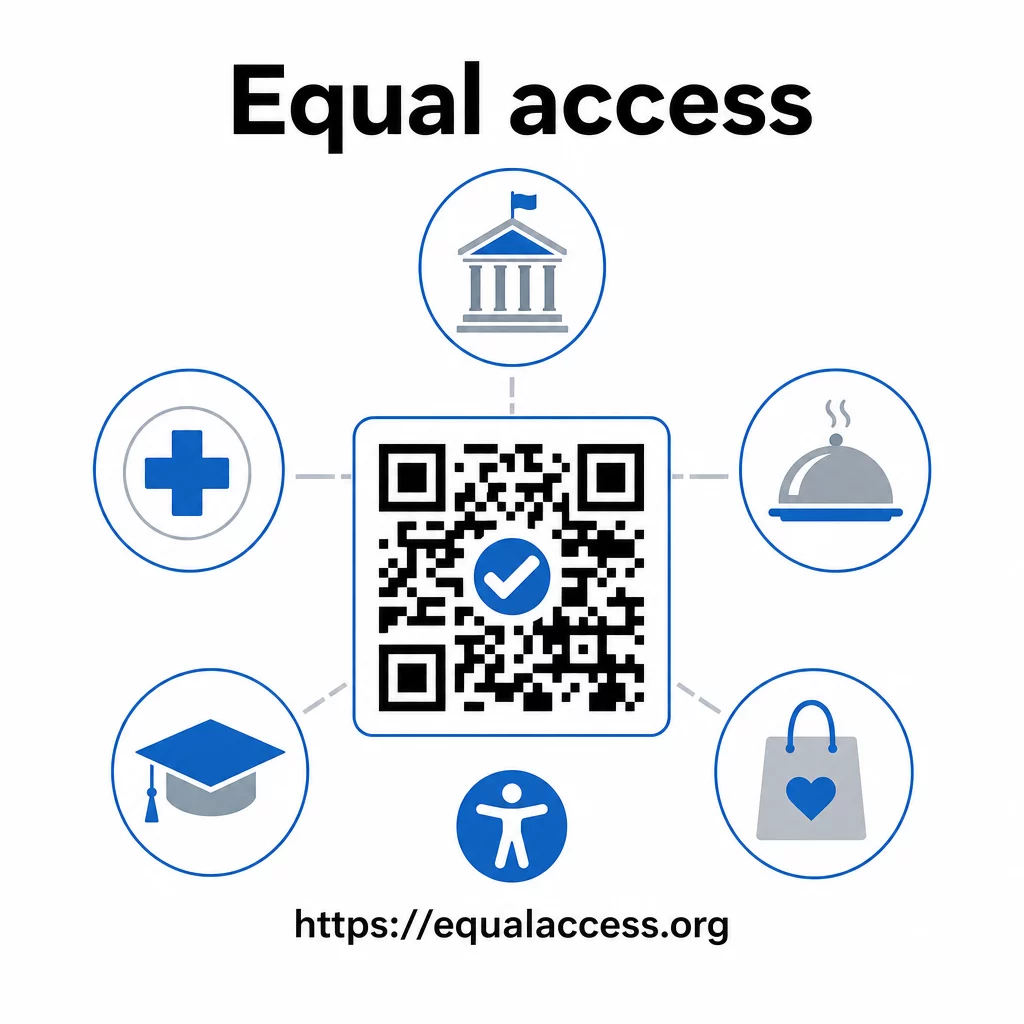
Praksis for tilgjengelige QR-koder har også en tendens til å forbedre opplevelsen for alle. Tilstrekkelig kontrast hjelper koder med å skanne raskere i dårlig belysning. Riktig størrelse hjelper brukere i alle aldre med å skanne fra en komfortabel avstand. Tydelige etiketter reduserer forvirring for førstegangsbrukere av QR-koder. Disse forbedringene kommer hele publikummet ditt til gode, ikke bare brukere med funksjonsnedsettelser.
For en dypere titt på kontrast, størrelse, lesbarhet og plassering, utforsk våre guider om beste praksis for lesbarhet av QR-koder og beste praksis for fargekontrast i QR-koder.
Tilgjengelighetsforpliktelser gjelder bredt innen offentlig sektor, helsevesen, utdanning, hotell- og restaurantbransjen og detaljhandel – og de samme tekniske standardene styrer alle. Det praktiske utgangspunktet er enkelt: hvis en QR-kode er hvordan du kommuniserer viktig informasjon, må den kommunikasjonen være tilgjengelig. Bruk dynamiske QR-koder slik at du kan oppdatere lenket innhold for å opprettholde samsvar uten å måtte trykke på nytt, og utforske hele spekteret av bransjespesifikke QR-kodeløsninger for å finne den rette implementeringen for din sektor.
Ofte stilte spørsmål
Ingen lov krever spesifikt at bedrifter skal bruke QR-koder. Men hvis du velger å bruke QR-koder som en del av din kundeorienterte kommunikasjon, gjelder ADA's krav til effektiv kommunikasjon. Hvis en QR-kode er den primære eller eneste måten kunder kan få tilgang til informasjon på, må den opplevelsen være tilgjengelig for personer med funksjonsnedsettelser – inkludert de med synshemming eller begrenset mobilitet.
Statlige og lokale myndigheter står overfor de mest eksplisitte forpliktelsene under Tittel II av ADA og DOJ's endelige regel fra 2024, som krever WCAG 2.1 Nivå AA-samsvar for nettinnhold og mobilapper. Private virksomheter som er åpne for publikum – inkludert restauranter, hoteller, sykehus, butikker, private skoler, banker og treningssentre – er dekket under Tittel III og må tilby effektiv kommunikasjon gjennom hjelpemidler og tjenester. Føderale etater er i tillegg styrt av Seksjon 508 i Rehabilitation Act.
Det finnes ingen enkelt sjekkliste pålagt av ADA spesifikt for QR-koder, men beste praksis hentet fra WCAG 2.1 og Section 508-veiledning inkluderer: bruk av mørk forgrunn på lys bakgrunn med minst et kontrastforhold på 4,5:1; utskrift av koder i en minimumsstørrelse på 1 tomme × 1 tomme; plassering av fysiske koder i tilgjengelige høyder (3,5–4,5 fot fra gulvet); tilby en tekst-URL i nærheten som et alternativ for brukere som ikke kan skanne; legge til beskrivende alt-tekst i digitale dokumenter; og sikre at destinasjonsinnholdet oppfyller WCAG 2.1 Nivå AA-standarder.