Ви не впевнені, чи ваш бізнес юридично зобов'язаний зробити QR-коди доступними відповідно до ADA? Помилка в цьому може наразити вашу організацію на ризик недотримання вимог та виключити клієнтів з інвалідністю з доступу до контенту, на який вони мають право. Цей посібник роз'яснює, які сектори несуть найчіткіші юридичні зобов'язання та які стандарти доступності застосовуються, коли QR-коди є частиною ваших комунікацій, орієнтованих на клієнтів.
Основна юридична реальність: Жоден закон не вимагає QR-кодів, але закони про доступність все ще застосовуються
Перш ніж заглиблюватися в конкретні галузі, одне важливе уточнення: жодне положення Закону про американців з інвалідністю (ADA) конкретно не вимагає від будь-якого бізнесу чи установи використовувати QR-коди. ADA зосереджується на забезпеченні ефективної, рівноправної комунікації з людьми з інвалідністю – незалежно від того, яку технологію ви обираєте для цієї комунікації.
Критичне значення полягає в наступному: як тільки ви вирішите використовувати QR-код як частину ваших комунікацій, орієнтованих на клієнтів, виникають зобов'язання щодо доступності. Якщо ваш QR-код є основним або єдиним методом доступу до важливої інформації, він повинен бути придатним для використання всіма – включаючи людей з вадами зору, обмеженою рухливістю або іншими видами інвалідності.
Подумайте про це так: ви не зобов'язані встановлювати пандус, але якщо у вашій будівлі є сходи, якими клієнти повинні користуватися для доступу до ваших послуг, стандарти ADA регулюють, як цей пандус має бути побудований. Аналогічно, якщо QR-код є способом доставки меню, форми або важливої публічної інформації, то цей QR-код і контент, на який він посилається, повинні бути доступними.
Розділ II: Урядові та громадські організації
Державні та місцеві органи влади несуть одні з найчіткіших та добре задокументованих зобов'язань щодо цифрової доступності відповідно до ADA. Розділ II ADA вимагає від усіх державних та місцевих органів влади спілкуватися з людьми з інвалідністю так само ефективно, як вони спілкуються з іншими. Це охоплює кожен рівень державної діяльності – поліцейські відділки, суди, виборчі послуги, державні школи, громадські коледжі, публічні бібліотеки, водні округи та інші округи спеціального призначення.
У 2024 році Міністерство юстиції США завершило розробку правила відповідно до Розділу II, яке визначає WCAG 2.1 Рівень AA як технічний стандарт для веб-контенту та мобільних додатків державних та місцевих органів влади. Це означає, що коли державна установа розміщує QR-код на публічному документі, вивісці або у фізичному місці, цифровий контент, на який посилається цей QR-код, повинен відповідати критеріям успішності WCAG 2.1 Рівня A та Рівня AA.
Федеральні вказівки також чітко зазначають, що QR-коди, які використовуються у федеральних публікаціях, повинні відповідати Розділу 508 Закону про реабілітацію, який розглядає QR-коди як форму інформаційно-комунікаційних технологій (ІКТ). Згідно з Розділом 508, QR-код у цифровому документі повинен розглядатися як зображення, що вимагає описового альтернативного тексту, і як посилання, що вимагає доступної текстової альтернативи – щоб користувачі, які не можуть відсканувати код, все одно могли отримати ту саму інформацію.
Практичні вимоги до використання QR-кодів урядом включають:
- Суміжний доступний текст: Надайте цільову URL-адресу або коротку набрану альтернативу поруч із кожним QR-кодом, щоб користувачі, які не можуть його відсканувати, все одно могли отримати доступ до вмісту
- Описовий альтернативний текст: У цифрових документах альтернативний текст повинен описувати, що робить QR-код (наприклад, “QR-код, що посилається на заявку міста на дозвіл на паркування для людей з обмеженими можливостями”), а не лише його зовнішній вигляд
- Фізичне розміщення: Друковані QR-коди слід розміщувати там, де люди в інвалідних візках можуть зручно їх сканувати – рекомендації пропонують висоту від 3,5 до 4,5 футів
- Доступний цільовий вміст: Веб-сторінка або документ, до якого веде QR-код, сам повинен відповідати WCAG 2.1 Рівень AA
Для детальних вказівок щодо розміщення, специфічних для урядового використання, дивіться наш посібник щодо найкращих місць розміщення QR-кодів для державних установ.
Оновлюйте урядові QR-коди без передруку Потрібно оновити цільову URL-адресу на розміщеному державному знаку без заміни фізичного матеріалу? Використовуйте Динамічний QR код: генератор змінювати пов'язаний вміст у будь-який час – передрук не потрібен.
Розділ III: Підприємства та організації, відкриті для громадськості
Приватні підприємства та неприбуткові організації, що обслуговують громадськість, підпадають під дію Розділу III ADA, який визначає їх як “місця громадського користування”. Перелік охоплених суб'єктів є широким і включає майже кожен тип бізнесу, що працює з клієнтами. Згідно з Розділом III, ці організації повинні забезпечувати ефективну комунікацію для клієнтів з порушеннями зору, слуху та мовлення, зокрема за допомогою допоміжних засобів та послуг за необхідності.
Наступні категорії чітко визначені як місця громадського користування згідно з ADA:
| Категорія | Приклади |
|---|---|
| Місця проживання | Готелі, мотелі, заїзди |
| Заклади харчування та напоїв | Ресторани, бари |
| Розважальні заклади | Театри, стадіони, концертні зали |
| Місця громадських зібрань | Конференц-центри, аудиторії |
| Заклади продажу та оренди | Продуктові магазини, торгові центри, господарські магазини |
| Заклади обслуговування | Банки, аптеки, медичні заклади, юридичні контори, лікарні |
| Транспортні термінали | Автобусні та залізничні станції |
| Публічні виставки або колекції | Музеї, бібліотеки, галереї |
| Відпочинок | Парки, зоопарки, парки розваг |
| Освітні заклади | Приватні дитячі садки до аспірантури |
| Соціальні послуги | Дитячі садки, центри для літніх людей, притулки для бездомних, продовольчі банки |
| Фізичні вправи та відпочинок | Спортивні зали, оздоровчі спа-центри, боулінг, поля для гольфу |
Якщо ваша організація фігурує в цьому списку і ви використовуєте QR-коди в будь-якому контексті, що стосується клієнтів – вивіски, меню, демонстрація товарів, платіжні термінали або інформаційні матеріали – до цього досвіду використання QR-коду застосовуються зобов'язання щодо ефективної комунікації.
Охорона здоров'я: Посилені зобов'язання та практичні ставки
Лікарні, клініки, аптеки та приватні медичні заклади фігурують у Розділі III як заклади обслуговування. Але організації охорони здоров'я часто працюють за додатковими стандартами конфіденційності та інформації, що робить доступну комунікацію особливо важливою.
Коли QR-код посилається на інструкції щодо виписки, інформацію про ліки, запис на прийом або форми для пацієнтів, наслідки недоступності є не лише юридичними – вони є клінічними. Пацієнт із слабким зором, який не може отримати доступ до інструкцій щодо дозування через відсутність резервного варіанту QR-коду, стикається зі значним ризиком для здоров'я.
QR-коди в медичних закладах завжди повинні супроводжуватися доступними альтернативами, такими як роздаткові матеріали великим шрифтом, аудіопояснення або допомога персоналу. Для закладів громадської охорони здоров'я, які також є державними установами, зобов'язання Розділу II застосовуються на додаток до стандартних вимог щодо комунікації в охороні здоров'я.
Дізнайтеся, як QR-коди використовуються в лікарнях та медичних закладах для прикладів практичної реалізації.
Гостинність: Меню, реєстрація та послуги для гостей
Індустрія гостинності – готелі, ресторани та бари – надзвичайно швидко впровадила QR-коди, особливо для цифрових меню. Оскільки ресторани та готелі чітко перераховані як громадські заклади відповідно до Розділу III, кожен досвід гостя, що надається за допомогою QR-коду, несе зобов'язання щодо ефективної комунікації.
Ресторан, який покладається виключно на меню за допомогою QR-коду, повинен забезпечити доступність цього меню для гостей з вадами зору. Це означає, що цільова сторінка, на яку посилається QR-код, повинна бути сумісною з програмами для читання з екрана, використовувати достатній колірний контраст і мати логічну структуру заголовків. Гості, які не можуть використовувати QR-код – чи то через вади зору, незнайомство зі смартфонами, чи через рухові обмеження – повинні мати альтернативний спосіб доступу до тієї ж інформації.
Для реалізації доступного меню, Як зробити QR меню дозволяє посилатися на цифрове меню, яке можна миттєво оновлювати без передруку фізичних матеріалів – це корисно, коли змінюється наявність товарів або коли вам потрібно оновити пов'язану сторінку для покращення доступності.
Щоб отримати рекомендації щодо забезпечення доступності платежів за допомогою QR-кодів у сфері гостинності та роздрібної торгівлі, дивіться нашу статтю про найкращих практик доступності платежів за QR-кодом.
Освіта: Державні та приватні школи
Освітні установи підпадають під дію як Розділу II, так і Розділу III, залежно від того, чи є вони державними чи приватними. Державні школи K–12, громадські коледжі та державні університети підпадають під дію Розділу II, включаючи правило Міністерства юстиції, що вимагає відповідності WCAG 2.1 Рівень AA для веб-контенту та мобільних додатків. Приватні школи всіх рівнів охоплюються Розділом III як громадські заклади.
У будь-якому випадку, коли школи використовують QR-коди для розповсюдження навчальних матеріалів, інформації про події, форм або навчальних ресурсів, ці матеріали повинні бути доступними. Студент із вадами зору повинен мати можливість отримати доступ до того ж вмісту, що й його однолітки. На практиці це означає:
- Пов'язані PDF-файли повинні бути позначені тегами та сумісні з програмами для читання з екрана
- Веб-вміст, доступний через QR-коди, повинен відповідати стандартам WCAG
- Розміщення фізичних QR-кодів у класах або коридорах має бути на висоті, доступній для студентів, які користуються інвалідними візками
Дивіться, як використовуються QR-коди у школах та освіті для конкретних ідей використання, а також дослідіть QR-код у форматі PDF для розповсюдження доступних навчальних документів.
Роздрібна торгівля: Магазини, упаковка та вітрини в магазинах
Роздрібні магазини, торгові центри та продуктові магазини зазначені як місця громадського користування відповідно до Розділу III. Оскільки QR-коди стають все більш поширеними на упаковці продуктів, вітринах і в зонах кас, роздрібні організації стикаються зі зростаючим ризиком щодо зобов'язань ефективної комунікації.
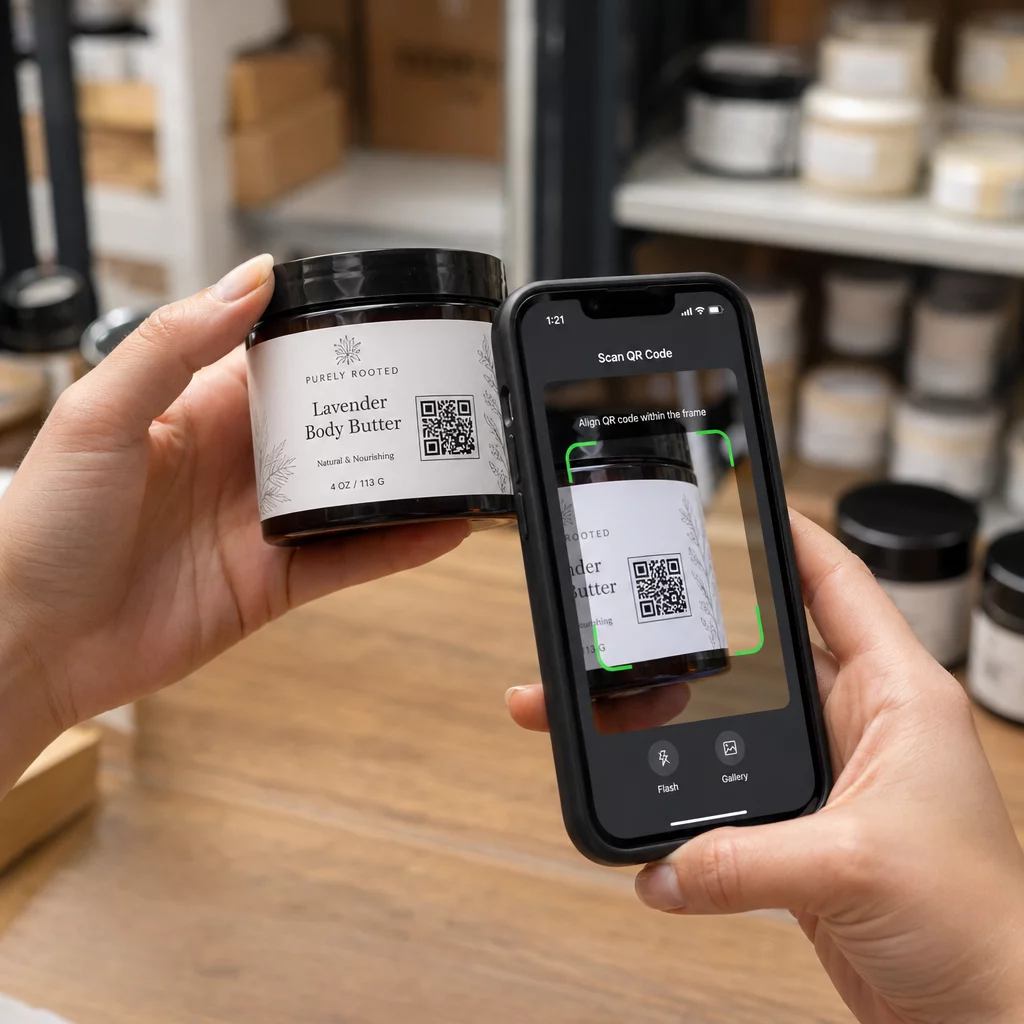
QR-код на етикетці продукту, який посилається на інструкції з використання, списки інгредієнтів або інформацію про гарантію, повинен бути придатним для використання клієнтами з вадами зору. Якщо код є основним способом доступу до цієї інформації – і не надається еквівалентна альтернатива – роздрібний продавець може не виконувати свої зобов'язання щодо ефективної комунікації.
Ключові міркування щодо доступності для розгортання QR-кодів у роздрібній торгівлі включають:
- Надання надрукованої URL-адреси або друкованого еквівалента поряд з QR-кодами на упаковці
- Забезпечення того, щоб сторінки з інформацією про продукт, пов'язані з QR-кодами, відповідали стандартам контрастності та навігації WCAG
- Розміщення QR-кодів у магазинах на висоті та в положеннях, доступних для користувачів інвалідних візків
Щодо стратегії розміщення, дивіться наш посібник щодо найкращих розміщень QR-кодів для роздрібних магазинів.
Технічні стандарти, що застосовуються в різних галузях
Незалежно від того, в якому секторі ви працюєте, одні й ті ж основні стандарти доступності застосовуються при розгортанні QR-кодів. Вони походять з рекомендацій WCAG 2.1 та Розділу 508 і охоплюють як сам фізичний QR-код, так і цифровий контент, на який він посилається.
Для фізичного QR-коду:
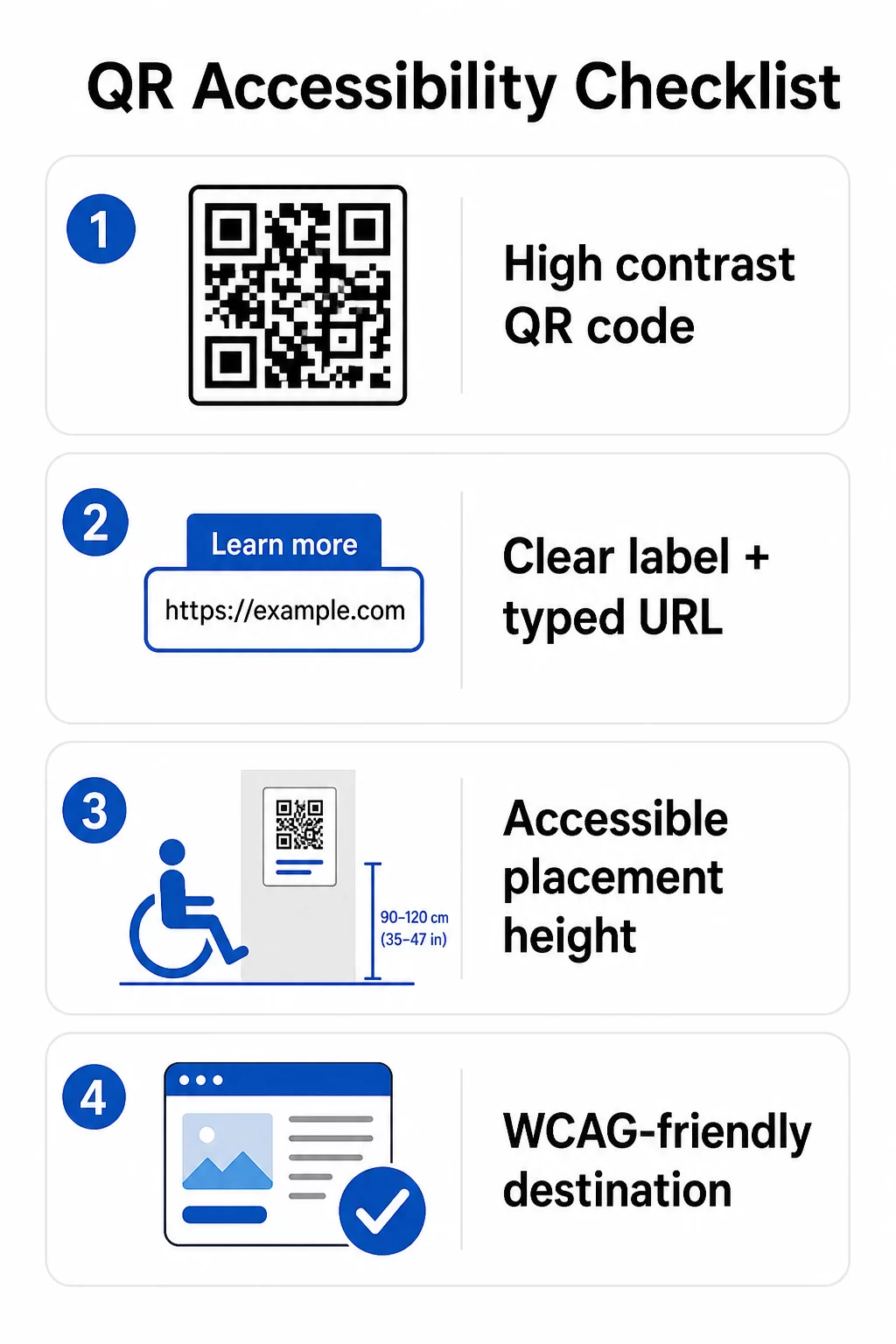
- Використовуйте темний передній план на світлому фоні, прагнучи до коефіцієнта контрастності щонайменше 4.5:1 для повної доступності
- Друкуйте коди мінімальним розміром 1 дюйм × 1 дюйм і дотримуйтесь правила 10:1 для відстані сканування (1 дюйм ширини коду на кожні 10 дюймів очікуваної відстані перегляду)
- Розміщуйте надруковані коди на висоті від 3.5 до 4.5 футів від підлоги, щоб користувачі на інвалідних візках могли зручно до них дістатися
- Додайте чітку етикетку або заклик до дії поруч, щоб користувачі розуміли, що робить код, перш ніж сканувати
- Надайте поруч текстову URL-адресу або еквівалентну альтернативу, щоб користувачі, які не можуть сканувати QR-код, все одно могли отримати доступ до контенту
Для пов'язаного цифрового контенту:
- Цільові веб-сторінки повинні відповідати критеріям успіху WCAG 2.1 Рівня A та AA
- У цифрових документах QR-коди потребують описового альтернативного тексту, що пояснює призначення коду – а не його візуальний вигляд (Критерій успіху WCAG 1.1.1)
- Нетекстовий контраст модулів QR-коду на їхньому фоні повинен відповідати співвідношенню щонайменше 3:1 (Критерій успіху WCAG 1.4.11)
- Якщо QR-код функціонує як посилання, альтернативний текст повинен описувати, куди він веде (Критерій успіху WCAG 2.4.4)
Для повного контрольного списку впровадження дивіться наш посібник щодо як зробити QR-коди сумісними з ADA і наш ширший найкращих практик використання QR-кодів.
Ви також можете дослідити QR-коди з голосовою активацією та тактильні підказки як передові стратегії для обслуговування користувачів з вадами зору – особливо актуальні для розгортання в охороні здоров'я, освіті та державному секторі.
Створюйте доступні QR-коди з самого початку Використовувати Генератор QR-кодів для створення висококонтрастних, правильно розміщених QR-кодів з чіткими мітками та брендуванням – а потім посилатися на доступний контент, що відповідає стандартам WCAG.
Чому доступні QR-коди є хорошою практикою поза межами правової відповідності
Окрім юридичних зобов'язань, створення доступних QR-кодів розширює аудиторію, яка може взаємодіяти з вашим контентом. Недоступний QR-код не просто створює юридичні ризики – він створює прогалину у вашому клієнтському досвіді. Гість у ресторані, який не може прочитати QR-меню, пацієнт, який не може отримати доступ до інструкцій щодо ліків, або студент, який не може завантажити навчальні матеріали через недоступний PDF, – все це моменти, коли ваша організація не змогла ефективно спілкуватися.
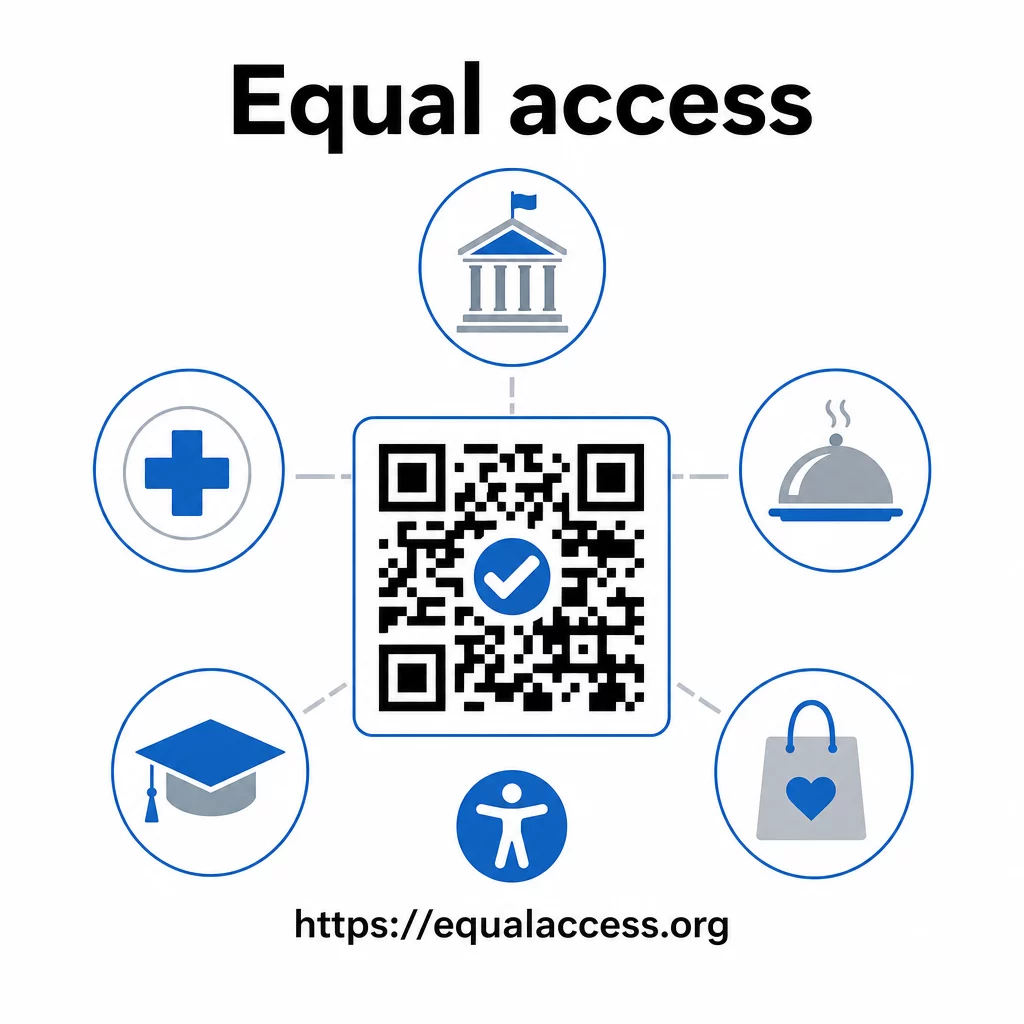
Практики доступних QR-кодів також, як правило, покращують досвід для всіх. Достатній контраст допомагає кодам швидше скануватися при поганому освітленні. Правильний розмір допомагає користувачам будь-якого віку сканувати з комфортної відстані. Чіткі мітки зменшують плутанину для користувачів QR-кодів, які використовують їх вперше. Ці покращення приносять користь всій вашій аудиторії, а не лише користувачам з інвалідністю.
Для глибшого вивчення контрасту, розміру, читабельності та розміщення, ознайомтеся з нашими посібниками щодо рекомендацій щодо читабельності QR-кодів і найкращих практик контрастності кольорів QR-коду.
Зобов'язання щодо доступності широко застосовуються в уряді, охороні здоров'я, освіті, готельному бізнесі та роздрібній торгівлі – і одні й ті ж технічні стандарти регулюють їх усі. Практична відправна точка проста: якщо QR-код є способом передачі важливої інформації, ця комунікація повинна бути доступною. Використовуйте динамічні QR-коди щоб ви могли оновлювати пов'язаний контент для підтримки відповідності без повторного друку, та досліджуйте повний спектр галузевих рішень для QR-кодів щоб знайти правильне впровадження для вашого сектору.
Поширені запитання
Жоден закон конкретно не вимагає від підприємств використовувати QR-коди. Однак, якщо ви вирішите використовувати QR-коди як частину ваших комунікацій з клієнтами, застосовуються вимоги ADA щодо ефективної комунікації. Якщо QR-код є основним або єдиним способом доступу клієнтів до інформації, цей досвід має бути доступним для людей з інвалідністю – включаючи тих, хто має вади зору або обмежену рухливість.
Державні та місцеві органи влади стикаються з найбільш чіткими зобов'язаннями згідно з Розділом II ADA та остаточним правилом DOJ 2024 року, яке вимагає відповідності WCAG 2.1 Рівень AA для веб-контенту та мобільних додатків. Приватні підприємства, відкриті для громадськості – включаючи ресторани, готелі, лікарні, роздрібні магазини, приватні школи, банки та спортзали – підпадають під дію Розділу III і повинні забезпечувати ефективну комунікацію за допомогою допоміжних засобів та послуг. Федеральні агентства додатково регулюються Розділом 508 Закону про реабілітацію.
Немає єдиного контрольного списку, обов'язкового за ADA спеціально для QR-кодів, але найкращі практики, взяті з рекомендацій WCAG 2.1 та Розділу 508, включають: використання темного переднього плану на світлому фоні зі співвідношенням контрастності щонайменше 4.5:1; друк кодів мінімальним розміром 1 дюйм × 1 дюйм; розміщення фізичних кодів на доступній висоті (3.5–4.5 футів від підлоги); надання поруч текстової URL-адреси як альтернативи для користувачів, які не можуть сканувати; додавання описового альтернативного тексту в цифрових документах; та забезпечення відповідності цільового вмісту стандартам WCAG 2.1 Рівня AA.