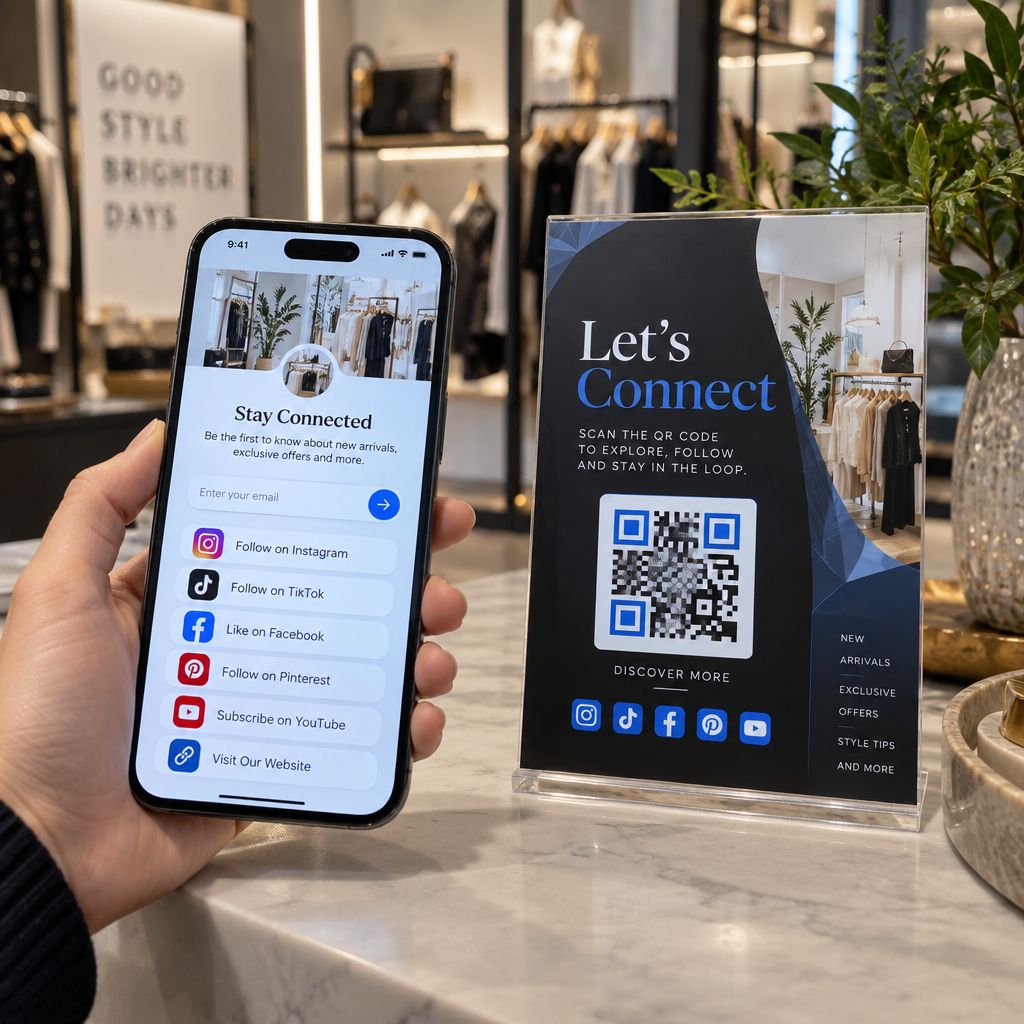
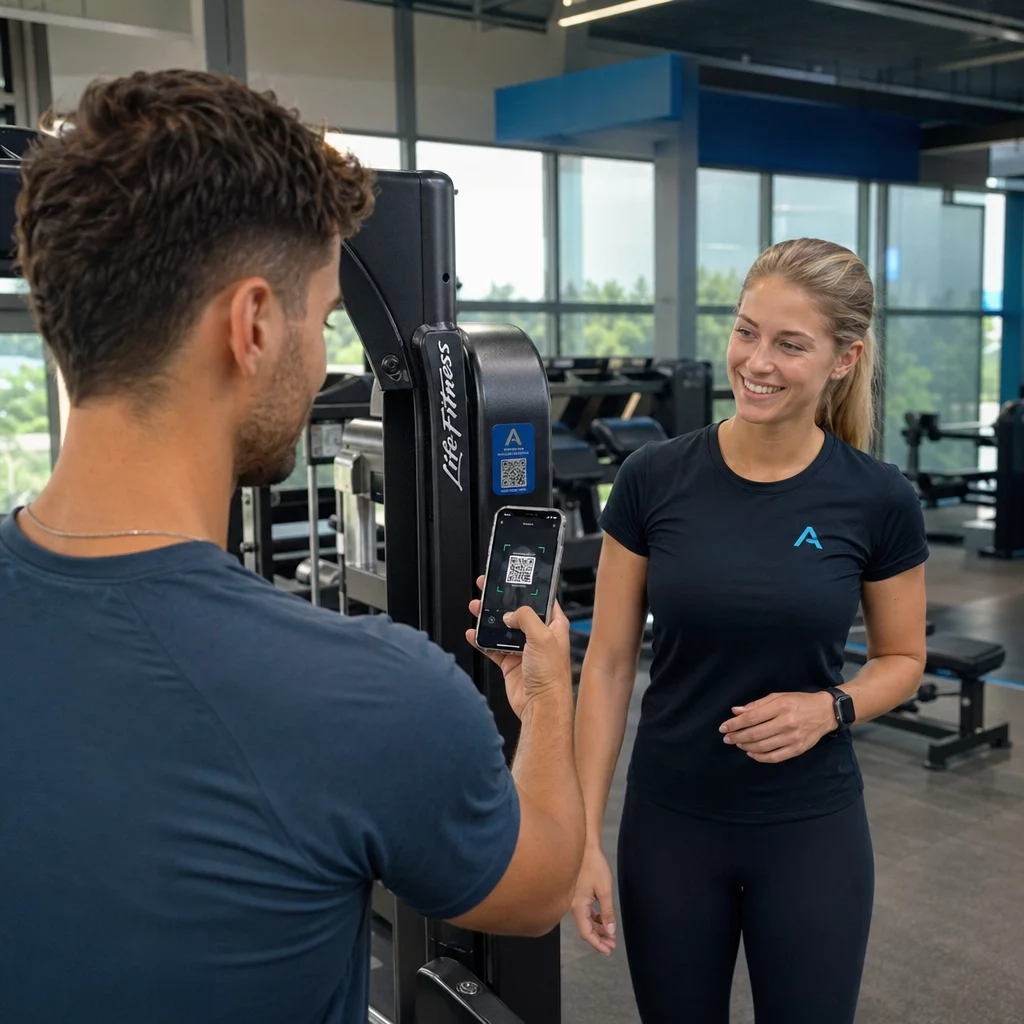
ต้องการวิธีที่รวดเร็วและสแกนได้เพื่อเชื่อมโยงวัสดุทางกายภาพเข้ากับเนื้อหาดิจิทัลใช่ไหม? สติกเกอร์รหัส QR เปลี่ยนพื้นผิวใดๆ ให้กลายเป็นจุดสัมผัสแบบโต้ตอบได้ – และการทำให้ถูกต้องหมายถึงการทำความเข้าใจวัสดุ ตัวเลือกการออกแบบ และประเภทของรหัสที่กำหนดว่าลูกค้าจะสแกนหรือไม่.
สติ๊กเกอร์ QR Code คืออะไร?
สติกเกอร์รหัส QR คือฉลากกาวที่พิมพ์ด้วยรหัส QR ที่สามารถสแกนได้ เมื่อลูกค้าใช้กล้องสมาร์ทโฟนสแกน รหัสจะนำพวกเขาไปยังเว็บไซต์ เมนูดิจิทัล หน้าติดต่อ ข้อเสนอโปรโมชัน หรือเนื้อหาอื่นๆ ที่คุณเชื่อมโยงไว้ทันที ธุรกิจต่างๆ ใช้สติกเกอร์เหล่านี้บนบรรจุภัณฑ์สินค้า หน้าร้าน ยานพาหนะ โต๊ะอาหาร ป้ายงานอีเวนต์ และวัสดุสำหรับการจัดส่ง – ทุกที่ที่พื้นผิวทางกายภาพสามารถเริ่มต้นการโต้ตอบแบบดิจิทัลได้.
ความแตกต่างที่สำคัญที่ต้องพิจารณาก่อนที่คุณจะพิมพ์สติกเกอร์แม้แต่ชิ้นเดียว: รหัสของคุณเป็นแบบ แบบสแตติกหรือไดนามิก.
- ก รหัส QR แบบคงที่ เข้ารหัสปลายทางอย่างถาวร เมื่อพิมพ์แล้ว จะไม่สามารถเปลี่ยนแปลงได้ และไม่สามารถติดตามการสแกนได้.
- ก รหัส QR แบบไดนามิก ชี้ไปยัง URL เปลี่ยนเส้นทางสั้นๆ ที่คุณสามารถอัปเดตได้ตลอดเวลา – โดยไม่ต้องพิมพ์ใหม่ นอกจากนี้ยังบันทึกข้อมูลการสแกน รวมถึงเวลา ปริมาณ และตำแหน่งทางภูมิศาสตร์.
สำหรับการใช้งานสติกเกอร์ที่คุณจะพิมพ์จำนวนมากหรือดำเนินแคมเปญที่มีเวลาจำกัด สร้าง Dynamic QR Code เป็นทางเลือกที่ใช้งานได้จริง การเปลี่ยนโปรโมชันหรืออัปเดต URL ไม่มีค่าใช้จ่ายเมื่อสติกเกอร์อยู่บนชั้นวางหรือยานพาหนะแล้ว.
ติดตามทุกการสแกนจากสติกเกอร์ของคุณ ต้องการทราบว่าตำแหน่งสติกเกอร์ใดที่กระตุ้นการมีส่วนร่วมอย่างแท้จริงใช่ไหม? ใช้ สร้าง Dynamic QR Code เพื่อสร้างรหัสที่แก้ไขได้และติดตามได้พร้อมแดชบอร์ดวิเคราะห์แบบเต็ม – ไม่จำเป็นต้องพิมพ์ใหม่เมื่อเนื้อหาของคุณเปลี่ยนแปลง.
วิธีสร้างรหัส QR สำหรับสติกเกอร์ของคุณ
การสร้างรหัส QR ที่พร้อมพิมพ์ต้องใช้สามขั้นตอน:
- สร้างรหัส QR ของคุณ. ใช้ เครื่องสร้างรหัส QR เพื่อสร้างรหัสที่เชื่อมโยงไปยังเนื้อหาเป้าหมายของคุณ – URL, PDF, เมนูดิจิทัล, vCard หรือปลายทางอื่นๆ หากคุณคาดว่าจะอัปเดตปลายทางนั้นหรือติดตามประสิทธิภาพการสแกน ให้สร้างรหัสไดนามิก.
- ปรับแต่งการออกแบบ. เพิ่มโลโก้ สีแบรนด์ และกรอบคำกระตุ้นการตัดสินใจ เพื่อให้สติกเกอร์เป็นที่จดจำและน่าสแกน The สร้าง QR Code ใส่โลโก้ ช่วยให้คุณสามารถฝังโลโก้ลงในโค้ดได้โดยตรง ซึ่งช่วยเพิ่มการจดจำแบรนด์และอัตราการสแกนเมื่อเทียบกับโค้ดขาวดำธรรมดา.
- ดาวน์โหลดในรูปแบบพร้อมพิมพ์. ส่งออกโค้ดของคุณเป็น SVG, EPS หรือ PDF สำหรับการปรับขนาดแบบเวกเตอร์ หรือเป็น PNG ความละเอียดสูง หากคุณกำลังนำไปรวมกับการออกแบบฉลาก มอบไฟล์เหล่านี้ให้กับโรงพิมพ์สติกเกอร์ของคุณ หรือใช้กับแผ่นสติกเกอร์ที่พิมพ์ได้ที่บ้าน.
การเลือกวัสดุสติกเกอร์ที่เหมาะสม
การเลือกวัสดุส่งผลโดยตรงต่อว่ารหัส QR ของคุณจะสแกนได้อย่างน่าเชื่อถือในสภาพแวดล้อมที่ตั้งใจไว้หรือไม่ ตัวเลือกหลักที่คุณจะพบจากโรงพิมพ์สติกเกอร์คือ:
- ลามิเนต BOPP หรือ PET แบบมันเงา – เหมาะสำหรับการใช้งานทั้งในร่มและกลางแจ้ง สีสันสดใส แต่สามารถสะท้อนแสงภายใต้แสงไฟเหนือศีรษะและทำให้การสแกนยากขึ้นในบางมุม.
- ลามิเนต BOPP แบบด้าน – ลดแสงสะท้อนภายใต้แสงไฟในร้านค้าและแสงแดด ทำให้เป็นตัวเลือกที่นิยมสำหรับสติกเกอร์ที่จะสแกนในร้านค้าหรือที่จุดชำระเงิน แบรนด์และนักออกแบบหลายรายยังชื่นชอบรูปลักษณ์ที่ประณีตนี้.
- วัสดุสติกเกอร์ใส – พิมพ์ด้วยหมึกสีขาวด้านหลังสีเพื่อรักษารูปแบบให้มองเห็นได้; เหมาะสำหรับฉลากขวดและบรรจุภัณฑ์ที่คุณต้องการให้มีลักษณะ “ไร้ฉลาก”.
- ไวนิลเคลือบ – ทนทานและทนต่อสภาพอากาศ แนะนำสำหรับการใช้งานกลางแจ้ง สติกเกอร์ติดรถยนต์ และพื้นผิวใดๆ ที่สัมผัสกับความชื้นหรือแสง UV สติกเกอร์รหัส QR ไวนิลมีอายุการใช้งานยาวนานกว่าฉลากกระดาษมาตรฐานอย่างมากในสภาพเหล่านั้น.
- สต็อกฉลาก BOPP แบบบาง – มีความยืดหยุ่นเพียงพอที่จะปรับให้เข้ากับพื้นผิวโค้ง ทำให้เป็นตัวเลือกที่ใช้งานได้จริงสำหรับขวดและการบรรจุผลิตภัณฑ์.
พื้นผิวแบบด้านโดยทั่วไปจะสแกนได้เร็วกว่าและน่าเชื่อถือกว่าแบบมันเงา เมื่อรหัสจะถูกสแกนภายใต้แสงจ้าหรือแสงโดยตรง หากสติกเกอร์ของคุณจะอยู่กลางแจ้งหรือบนยานพาหนะ ให้เลือกไวนิลกันน้ำมากกว่าวัสดุที่ทำจากกระดาษ.
ขนาดและข้อกำหนดการออกแบบที่ส่งผลต่อความสามารถในการสแกน
สติกเกอร์รหัส QR ที่สแกนไม่ได้อย่างน่าเชื่อถือแย่กว่าการไม่มีสติกเกอร์เลย ก่อนส่งไฟล์ไปพิมพ์ ให้ยืนยันว่าข้อกำหนดเหล่านี้เป็นไปตามที่กำหนด:
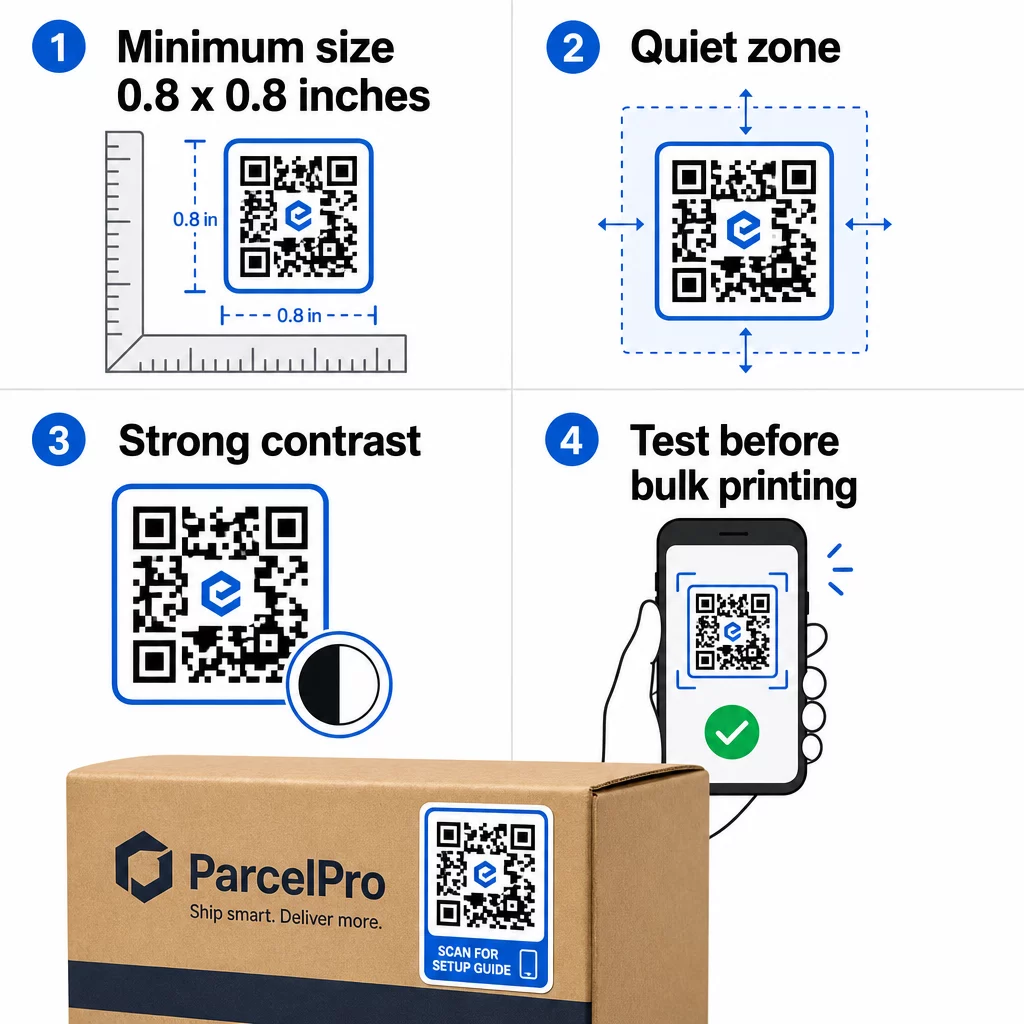
- ขนาดขั้นต่ำ: 0.8 × 0.8 นิ้ว (2 × 2 ซม.) สำหรับ URL แบบง่าย รหัสขนาดใหญ่ที่มีความหนาแน่นของข้อมูลมากขึ้นจำเป็นต้องปรับขนาดขึ้นตามสัดส่วน.
- พื้นที่ว่างรอบโค้ด (Quiet zone): เว้นพื้นที่ว่างที่ชัดเจนและไม่ได้พิมพ์อย่างน้อยสี่โมดูลรอบทั้งสี่ด้านของรหัส ข้อความ โลโก้ หรือขอบที่วางอยู่ภายในระยะขอบนี้ทำให้การสแกนล้มเหลว.
- อัตราส่วนคอนทราสต์: รักษาสัดส่วนคอนทราสต์อย่างน้อย 4:1 ระหว่างโมดูลสีเข้มและพื้นหลังสีอ่อน สีดำบนสีขาวยังคงเป็นชุดค่าผสมที่น่าเชื่อถือที่สุด หลีกเลี่ยงการกลับสีแบบอ่อนบนเข้ม – เครื่องสแกนจำนวนมากไม่สามารถอ่านรูปแบบสีที่กลับด้านได้.
- ไม่มีไล่ระดับสีบนโมดูลรหัส: การไล่ระดับสีสร้างโทนสีกลางที่เครื่องสแกนอ่านได้ยาก ใช้สีทึบเท่านั้น.
- ทดสอบก่อนพิมพ์จำนวนมาก: สแกนรหัสของคุณด้วยอุปกรณ์หลายเครื่อง – โทรศัพท์ต่างกัน แอปกล้องต่างกัน – และทดสอบในสภาพแสงที่สติกเกอร์จะถูกใช้งานจริง สำหรับสติกเกอร์กลางแจ้ง ให้ทดสอบในแสงแดด สำหรับสติกเกอร์บนชั้นวางสินค้า ให้ทดสอบภายใต้แสงฟลูออเรสเซนต์.
สำหรับรายละเอียดขนาดทั้งหมดในวัสดุการพิมพ์ที่แตกต่างกัน โปรดดูคู่มือเกี่ยวกับ การปรับขนาดรหัส QR สำหรับวัสดุการพิมพ์ที่แตกต่างกัน. สำหรับคำแนะนำเกี่ยวกับคอนทราสต์และสี, แนวทางปฏิบัติที่ดีที่สุดสำหรับความคมชัดของสีรหัส QR ครอบคลุมอัตราส่วนและชุดค่าผสมเฉพาะที่ควรใช้และหลีกเลี่ยง.
จะใช้สติกเกอร์ QR Code ได้ที่ไหน
สติกเกอร์รหัส QR ใช้งานได้หลากหลายในธุรกิจ นี่คือตำแหน่งที่พบบ่อยและมีประสิทธิภาพมากที่สุด:
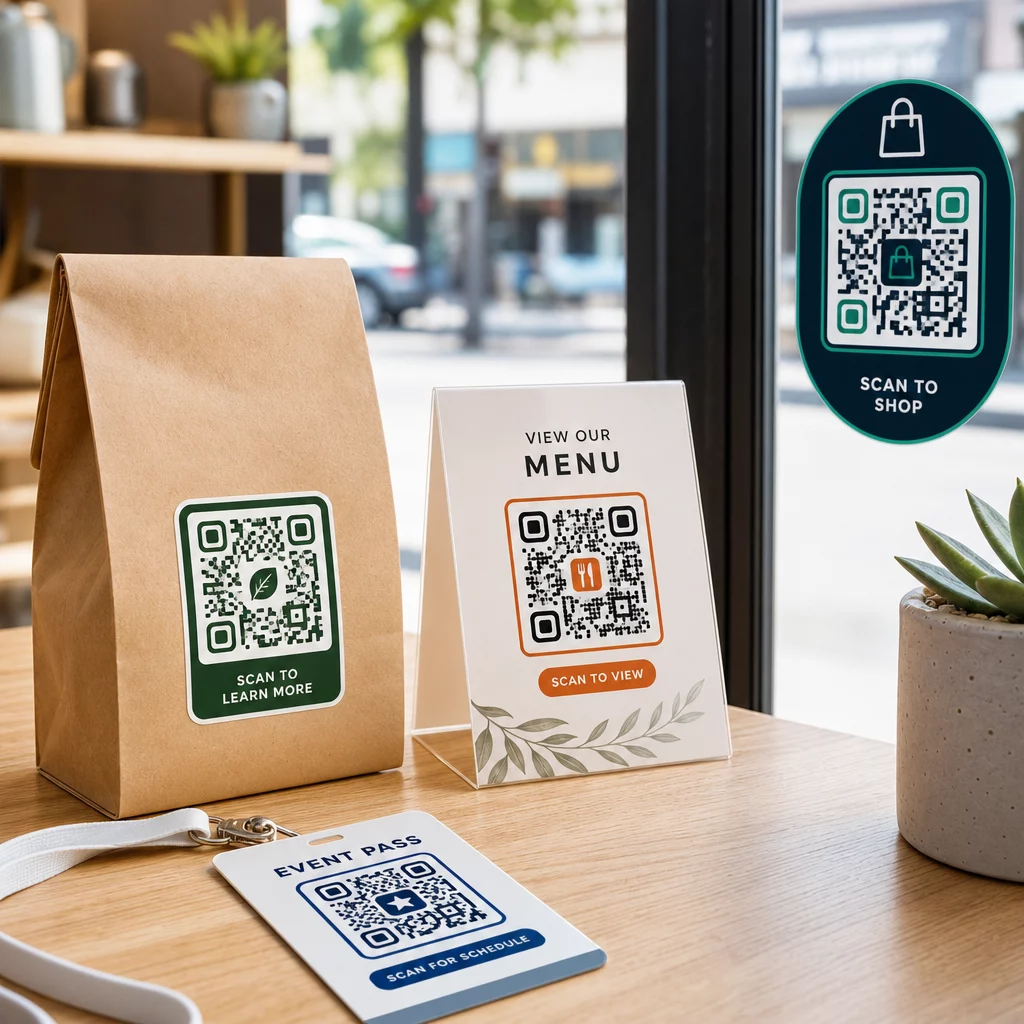
บรรจุภัณฑ์และฉลากผลิตภัณฑ์ – เชื่อมโยงลูกค้าไปยังคำแนะนำผลิตภัณฑ์ รายละเอียดส่วนผสม วิดีโอสอน รหัสส่วนลด หรือหน้าบทวิจารณ์ สติกเกอร์ใช้ได้ทั้งบนบรรจุภัณฑ์หลัก (ตัวผลิตภัณฑ์เอง) และบรรจุภัณฑ์รอง (กล่อง, ปลอก) สำหรับข้อมูลเชิงลึกเกี่ยวกับความเป็นไปได้ โปรดดู รหัส QR บนบรรจุภัณฑ์ผลิตภัณฑ์ และ คู่มือฉบับสมบูรณ์สำหรับรหัส QR สำหรับฉลากผลิตภัณฑ์.
โต๊ะในร้านอาหารและธุรกิจบริการ – สติกเกอร์รหัส QR บนโต๊ะหรือประตูจะเชื่อมโยงแขกไปยัง เมนูดิจิทัล, รหัสผ่าน Wi-Fi หรือแพลตฟอร์มรีวิว รหัสแบบไดนามิกช่วยให้คุณอัปเดตเมนูหรือโปรโมชันได้โดยไม่ต้องเปลี่ยนสติกเกอร์ทุกชิ้น.
หน้าต่างและประตูหน้าร้าน – สติกเกอร์ติดหน้าต่างที่มีรหัส QR เป็นวิธีที่มีประสิทธิภาพในการแบ่งปันเวลาทำการ โปรโมชัน หรือลิงก์โซเชียลมีเดียกับผู้คนที่เดินผ่านไปมานอกเวลาทำการ.
สติกเกอร์ติดรถยนต์ – สติกเกอร์รหัส QR บนรถยนต์ของบริษัทจะเปลี่ยนรถให้เป็นโฆษณาเคลื่อนที่ โดยเชื่อมโยงผู้ที่สแกนไปยังหน้าการจอง รายการบริการ หรือแบบฟอร์มติดต่อ.
บรรจุภัณฑ์สำหรับร้านค้าปลีกและอีคอมเมิร์ซ – สติกเกอร์บนการจัดส่งขาออกหรือกล่องผลิตภัณฑ์สามารถนำลูกค้าไปยังวิดีโอแกะกล่อง โปรแกรมสะสมคะแนน หรือหน้าขายสินค้าเพิ่มเติมได้โดยไม่ต้องเพิ่มขนาดของบรรจุภัณฑ์.
ป้ายและตั๋วงานอีเวนต์ – เพิ่มสติกเกอร์ QR ลงบนป้ายชื่อ ป้ายประกาศ หรือตั๋ว เพื่อเชื่อมโยงผู้เข้าร่วมงานไปยังตารางเวลา ขั้นตอนการเช็คอิน หรือแหล่งข้อมูลสำหรับวิทยากร.
| ประเภทสติกเกอร์ | วัสดุที่ดีที่สุด | การใช้งานทั่วไป |
|---|---|---|
| สติกเกอร์แบรนด์แบบกำหนดเอง | BOPP แบบด้านหรือแบบเงา | บรรจุภัณฑ์สินค้า, โปรโมชั่น |
| สติกเกอร์กันน้ำสำหรับภายนอกอาคาร | ไวนิลเคลือบ | สติกเกอร์ติดรถ, ป้ายกลางแจ้ง |
| สติกเกอร์ติดกระจกหรือสติกเกอร์ตกแต่ง | ไวนิลใสหรือสีขาว | หน้าร้าน, หน้าต่างร้านค้าปลีก |
| สติกเกอร์ฉลากขนาดเล็ก | BOPP แบบบาง | ขวด, ป้ายสินค้า, นามบัตร |
| สติกเกอร์ติดโต๊ะร้านอาหาร | เคลือบด้าน | ลิงก์เมนู, ลิงก์หน้ารีวิว |
การใช้คิวอาร์โค้ดแบบไดนามิกสำหรับแคมเปญสติกเกอร์
สำหรับแคมเปญใดๆ ที่ปลายทางอาจมีการเปลี่ยนแปลง – โปรโมชั่นตามฤดูกาล การอัปเดตเมนู ข้อเสนอหมุนเวียน – คิวอาร์โค้ดแบบไดนามิกเป็นสิ่งจำเป็น ตัวสติกเกอร์เองไม่เปลี่ยนแปลง มีเพียง URL ปลายทางที่อยู่เบื้องหลังเท่านั้นที่เปลี่ยนไป สิ่งนี้สำคัญเมื่อคุณพิมพ์สติกเกอร์ไปแล้วหลายพันชิ้นและ URL ของหน้า Landing Page เปลี่ยนแปลง หรือเมื่อโปรโมชั่นสิ้นสุดลงและคุณต้องการเปลี่ยนเส้นทางผู้สแกนไปยังข้อเสนอใหม่.
โค้ดแบบไดนามิกยังให้ข้อมูลวิเคราะห์การสแกนแก่คุณด้วย: จำนวนการสแกนทั้งหมด เวลาที่สแกน และข้อมูลทางภูมิศาสตร์ สิ่งนี้ช่วยให้คุณประเมินว่าตำแหน่งใดที่กระตุ้นการมีส่วนร่วมจริงและปรับเปลี่ยนตามความเหมาะสม สติกเกอร์บนบรรจุภัณฑ์ผลิตภัณฑ์มีประสิทธิภาพแตกต่างจากสติกเกอร์ในหน้าต่างร้านค้า และการวิเคราะห์ช่วยให้คุณเห็นความแตกต่างนั้นได้อย่างชัดเจน.
สำหรับ คิวอาร์โค้ดบนบรรจุภัณฑ์ที่ใช้สำหรับแคมเปญค้าปลีก, โค้ดแบบไดนามิกยังช่วยให้คุณสามารถทำการทดสอบ A/B ได้โดยการชี้ชุดโค้ดที่แตกต่างกันไปยังหน้า Landing Page ที่แตกต่างกันและเปรียบเทียบผลลัพธ์.
อัปเดตแคมเปญสติกเกอร์ของคุณโดยไม่ต้องพิมพ์ซ้ำ กำลังจัดโปรโมชั่นแบบจำกัดเวลาอยู่ใช่ไหม? สร้าง Dynamic QR Code ช่วยให้คุณสามารถเปลี่ยนเส้นทางสติกเกอร์ของคุณไปยัง URL ใหม่ได้ทันทีที่แคมเปญสิ้นสุดลง – ไม่ต้องใช้สติกเกอร์ใหม่ ไม่ต้องเสียค่าพิมพ์.
คำถามที่พบบ่อย
ขนาดที่เล็กที่สุดที่เชื่อถือได้สำหรับ URL แบบง่ายคือ 0.8 × 0.8 นิ้ว (2 × 2 ซม.) สำหรับสติกเกอร์ที่วางห่างจากเครื่องสแกนมากขึ้น – บนป้ายหรือสติกเกอร์ติดรถยนต์ – ให้ขยายขนาดตามสัดส่วน กฎทั่วไปคือทำให้โค้ดมีขนาดอย่างน้อยหนึ่งในสิบของระยะการสแกน ควรเว้นพื้นที่ว่าง (quiet zone) ที่ชัดเจนอย่างน้อยสี่โมดูลรอบโค้ดทุกด้านเสมอ และทดสอบขนาดสุดท้ายบนอุปกรณ์จริงก่อนพิมพ์จำนวนมาก.
ไม่ได้ หากเป็นคิวอาร์โค้ดแบบคงที่ – โค้ดเหล่านั้นจะเข้ารหัสปลายทางอย่างถาวร อย่างไรก็ตาม ด้วยคิวอาร์โค้ดแบบไดนามิก คุณสามารถเปลี่ยน URL ไฟล์ หรือเนื้อหาที่เชื่อมโยงได้ตลอดเวลาผ่านแดชบอร์ดบัญชีของคุณโดยไม่ต้องแตะสติกเกอร์ สิ่งนี้ทำให้โค้ดแบบไดนามิกเป็นทางเลือกที่ใช้งานได้จริงสำหรับแอปพลิเคชันใดๆ ที่ URL หรือโปรโมชั่นอาจมีการเปลี่ยนแปลง รวมถึงบรรจุภัณฑ์ผลิตภัณฑ์ แคมเปญตามฤดูกาล และเมนูร้านอาหาร.
สติกเกอร์ไวนิลที่เคลือบผิวลามิเนตเป็นตัวเลือกที่ทนทานที่สุดสำหรับการใช้งานกลางแจ้ง ทนทานต่อน้ำ รังสียูวี และการสึกหรอทางกายภาพได้ดีกว่าฉลากกระดาษหรือ BOPP มาตรฐานมาก ลามิเนตแบบด้านช่วยลดแสงสะท้อนภายใต้แสงแดดโดยตรง ซึ่งช่วยเพิ่มความสามารถในการสแกน สำหรับพื้นผิวเช่นยานพาหนะหรือป้ายภายนอกอาคาร ตรวจสอบให้แน่ใจว่าเครื่องพิมพ์ของคุณมีวัสดุที่ทนทานต่อรังสียูวีซึ่งออกแบบมาสำหรับการใช้งานกลางแจ้งในระยะยาว.