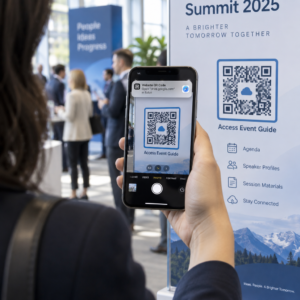
QR codes ของคุณถูกละเลยหรือไม่? อัตราการสแกนที่ต่ำมักเกิดจากปัญหาที่คาดเดาได้และแก้ไขได้ไม่กี่อย่าง – ตั้งแต่การจัดวางที่ไม่ดีไปจนถึงความไม่น่าเชื่อถือ บทความนี้จะอธิบายอุปสรรคแต่ละอย่างและให้ขั้นตอนที่เป็นรูปธรรมในการเอาชนะมัน.
ผู้คนยังคงใช้ QR Code อยู่หรือไม่?
การสแกน QR code เติบโตอย่างต่อเนื่องมาหลายปี และการใช้งานก็เร่งตัวขึ้นอย่างรวดเร็วในช่วงและหลังการระบาดใหญ่ เนื่องจากธุรกิจต่างๆ หันมาใช้การโต้ตอบแบบไร้สัมผัส หากคุณไม่ได้รับการสแกน ปัญหานั้นเกือบจะแน่นอนว่าไม่ใช่ตัวเทคโนโลยีเอง – แต่เป็นวิธีการออกแบบ จัดวาง หรือนำเสนอโค้ดของคุณ.
ทำไม QR Code ของคุณจึงไม่ได้รับการสแกน
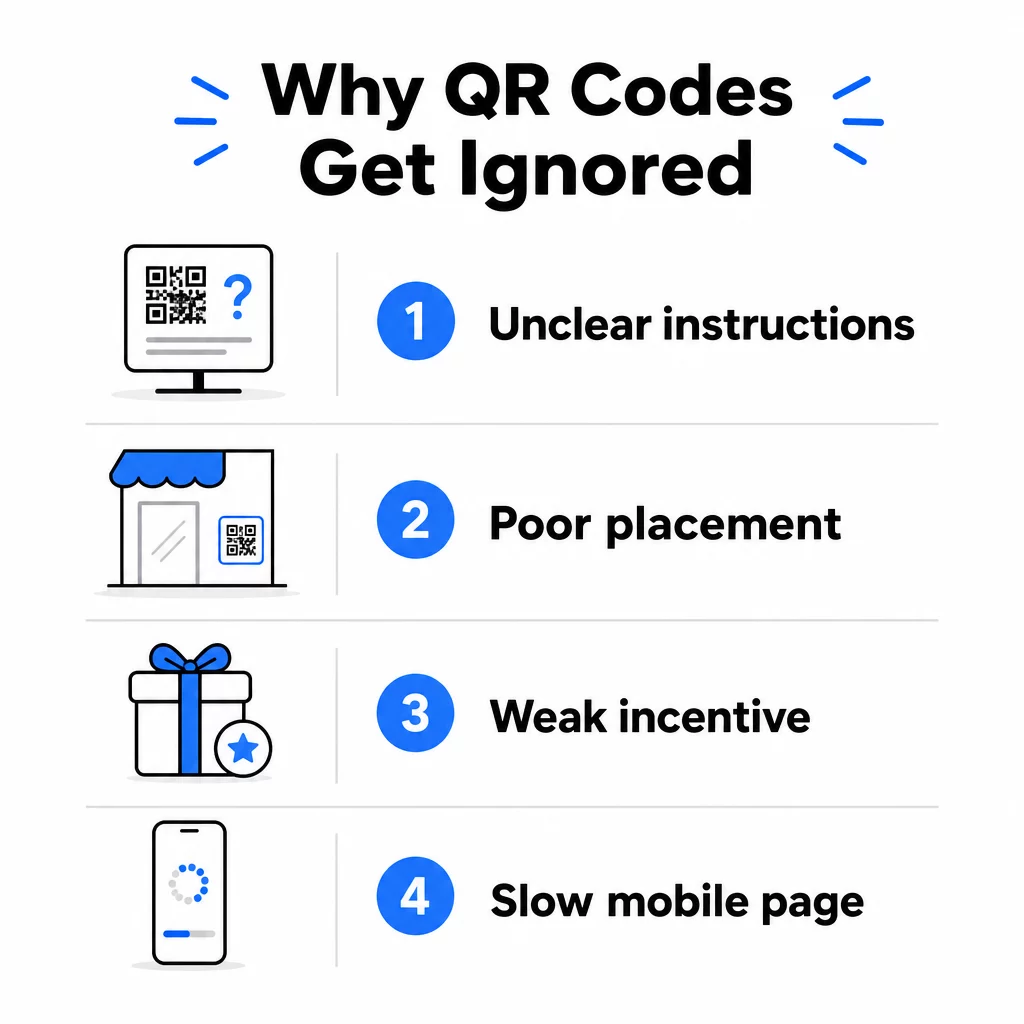
1. ผู้คนไม่รู้ว่าจะต้องทำอย่างไร
ไม่ใช่ทุกคนที่พบโค้ดของคุณจะรู้วิธีสแกน และการสันนิษฐานว่าพวกเขารู้เป็นความผิดพลาดที่มีค่าใช้จ่ายสูง โดยเฉพาะอย่างยิ่งกลุ่มประชากรสูงอายุอาจไม่คุ้นเคยกับกระบวนการนี้.
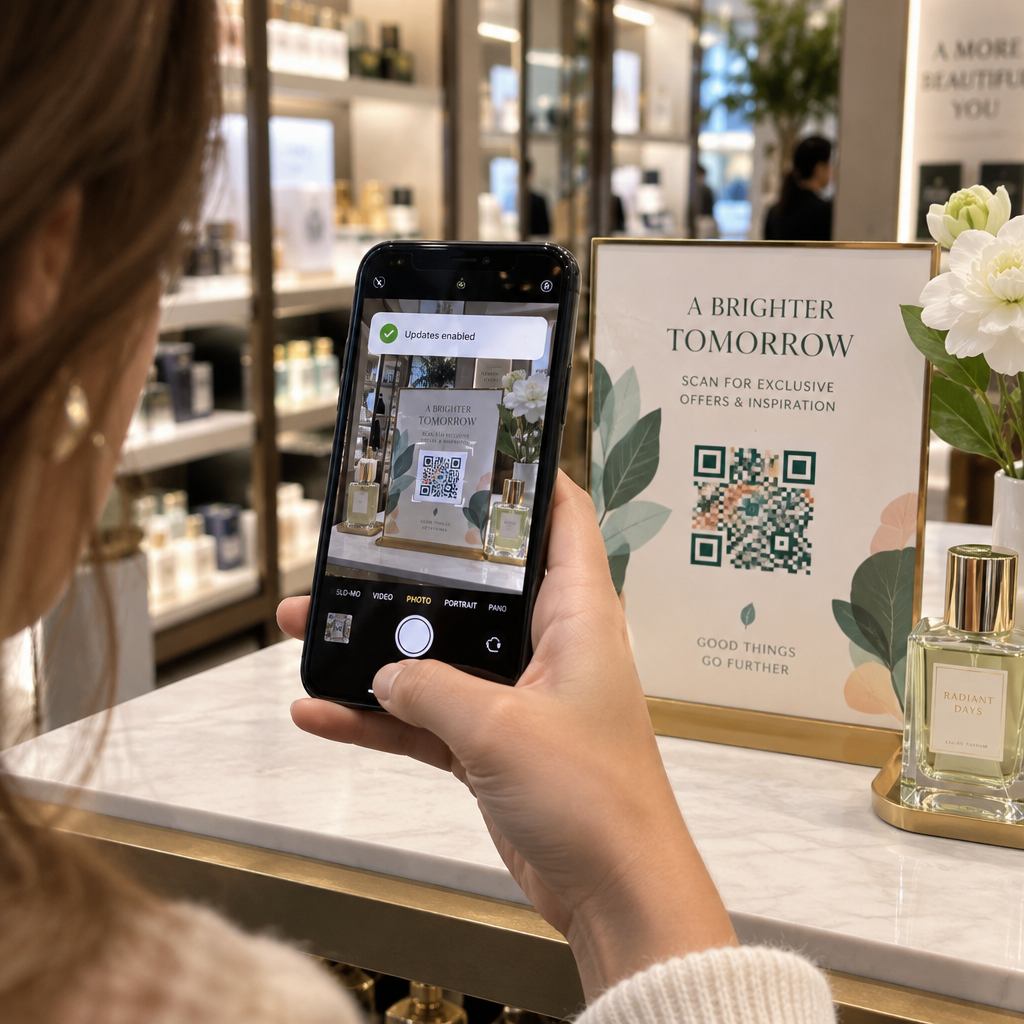
วิธีแก้ไขนั้นง่าย: เพิ่มคำแนะนำสั้นๆ ถัดจากโค้ด ข้อความเช่น “เปิดแอปกล้องของคุณแล้วชี้มาที่นี่” หรือไอคอนโทรศัพท์ขนาดเล็กจะช่วยลดความยุ่งยากสำหรับผู้ใช้ที่ลังเล สำหรับการจัดวางในพื้นที่ที่มีผู้คนพลุกพล่าน วิดีโอสอนสั้นๆ ที่แสดงอยู่ใกล้ๆ ก็สามารถช่วยได้ คุณยังสามารถใช้ กรอบ QR code ที่มีคำกระตุ้นการตัดสินใจที่ชัดเจน เช่น “สแกนฉัน” เพื่อนำทางผู้คนด้วยภาพก่อนที่พวกเขาจะอ่านคำแนะนำด้วยซ้ำ.
2. โค้ดถูกจัดวางในตำแหน่งที่ไม่ถูกต้อง
QR code ที่ไม่มีใครมองเห็น – หรือเข้าถึงได้ – จะไม่ได้รับการสแกนเลย การจัดวางเป็นตัวกำหนดว่าโค้ดของคุณจะได้รับการมีส่วนร่วมหรือถูกละเลยโดยสิ้นเชิง.
การจัดวางที่มีประสิทธิภาพจะวางโค้ดในที่ที่กลุ่มเป้าหมายของคุณมีเวลาและพื้นที่ในการหยิบโทรศัพท์ออกมา ตำแหน่งที่เหมาะสมได้แก่:
- ใบปลิวและเอกสารแจก
- บรรจุภัณฑ์และฉลากผลิตภัณฑ์
- นามบัตร
- หน้าต่างร้านค้าและส่วนหน้าอาคาร
- โปสเตอร์ แบนเนอร์ และป้ายโฆษณา
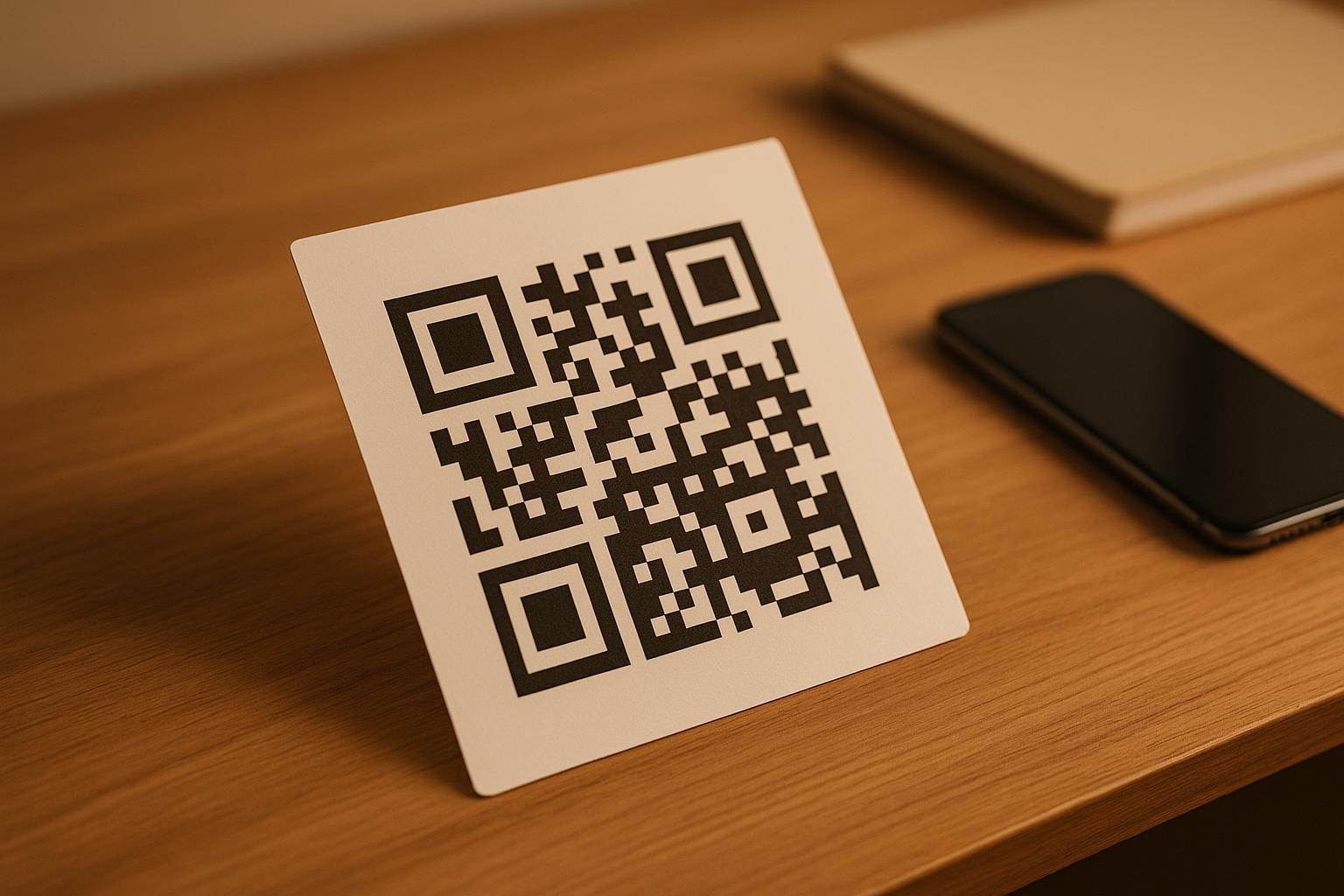
- นิตยสารและป้ายตั้งโต๊ะ
สิ่งที่สำคัญไม่แพ้กันคือสิ่งที่ควรหลีกเลี่ยง พื้นผิวโค้ง วัสดุสะท้อนแสง บริเวณที่มีแสงน้อย พื้นหลังที่ยุ่งเหยิง และสภาพแวดล้อมที่มีแสงจ้า ล้วนลดความน่าเชื่อถือในการสแกนลง คู่มือฉบับสมบูรณ์สำหรับการจัดวาง QR โค้ดในการตลาด ครอบคลุมกฎการจัดวาง รวมถึงแนวทาง 10:1 สำหรับระยะห่างต่อขนาด และคำแนะนำให้วางรหัสในระดับสายตาที่ความสูงระหว่าง 3.5 ถึง 5.5 ฟุต.
3. ไม่มีเหตุผลให้สแกน
ลูกค้าของคุณมักจะถามเสมอว่า “ฉันจะได้อะไรจากสิ่งนี้?” หากคุณไม่สามารถตอบคำถามนั้นได้ภายในสองวินาทีที่พวกเขามองรหัสของคุณ พวกเขาก็จะเดินผ่านไป.
รหัส QR ธรรมดาที่ไม่มีบริบททำให้ผู้คนไม่มีเหตุผลที่จะดำเนินการใดๆ วิธีแก้ปัญหาคือการทำให้คุณค่าชัดเจน ใช้คำกระตุ้นการตัดสินใจที่ระบุประโยชน์โดยตรง เช่น:
- “สแกนเพื่อรับส่วนลด 20%”
- “สแกนเพื่อดูเมนูวันนี้”
- “สแกนเพื่อเข้าร่วมการจับรางวัลของเรา”
การเล่นเกม ข้อเสนอพิเศษ และลีดแมกเน็ต – เช่น คู่มือ PDF ฟรี หรือโอกาสในการลุ้นรับรางวัล – ล้วนให้แรงจูงใจที่จับต้องได้แก่ลูกค้า การวิจัยของ Pageloot แสดงให้เห็นอย่างสม่ำเสมอว่า แคมเปญรหัส QR ที่ออกแบบมาอย่างดี ที่สื่อสารคุณค่าล่วงหน้ามีประสิทธิภาพเหนือกว่ารหัสทั่วไปอย่างมาก.
รับการสแกนมากขึ้นด้วยรหัส QR ที่มีแบรนด์และกระตุ้นการดำเนินการ เพิ่มกรอบมืออาชีพ สีที่กำหนดเอง และคำกระตุ้นการตัดสินใจที่ชัดเจนให้กับรหัสของคุณด้วย Pageloot เครื่องสร้างรหัส QR. ทดลองใช้ฟรี 14 วัน ไม่ต้องใช้บัตรเครดิต.
4. ข้อความไม่ตรงกับกลุ่มเป้าหมายของคุณ
รหัส QR จะมีประสิทธิภาพก็ต่อเมื่อแคมเปญที่อยู่เบื้องหลังมีประสิทธิภาพ หากภาษา การออกแบบ หรือข้อเสนอไม่เชื่อมโยงกับกลุ่มเป้าหมายเฉพาะของคุณ การมีส่วนร่วมก็จะลดลงไม่ว่ารหัสจะถูกวางไว้ดีแค่ไหนก็ตาม.
เพื่อลดช่องว่างนี้ ให้เริ่มต้นด้วยการระบุปัญหาที่ลูกค้าของคุณมีอยู่จริง จากนั้นจับคู่ข้อความกับแพลตฟอร์มและพื้นที่ทางกายภาพที่กลุ่มเป้าหมายนั้นใช้เวลาอยู่ รหัสบนใบปลิวในงานแสดงสินค้าที่มุ่งเป้าไปที่ผู้จัดการฝ่ายจัดซื้อต้องการข้อความที่แตกต่างจากรหัสบนโต๊ะอาหารในร้านอาหารที่มุ่งเป้าไปที่ลูกค้าทั่วไป ข้อความที่ไม่ตรงกันคือข้อความที่มองไม่เห็น.
5. ประสบการณ์หน้า Landing Page ไม่ดี
คิวอาร์โค้ดมีหน้าที่เพียงนำผู้ใช้ไปยังหน้าเว็บ จากจุดนั้น เนื้อหาของคุณจะต้องเปลี่ยนเป็นยอดขาย/การกระทำ โค้ดที่นำไปสู่หน้าเว็บที่โหลดช้า รก หรือใช้ได้เฉพาะบนเดสก์ท็อปจะทำให้การสแกนทุกครั้งสูญเปล่า.
เนื่องจากคิวอาร์โค้ดถูกสแกนบนสมาร์ทโฟน ปลายทางจึงต้องได้รับการปรับให้เหมาะสมกับมือถืออย่างเต็มที่ ไม่ใช่แค่เป็นมิตรกับมือถือเท่านั้น สิ่งเหล่านี้ไม่เหมือนกัน หน้าที่ปรับให้เหมาะสมกับมือถือถูกสร้างขึ้นโดยคำนึงถึงประสบการณ์การใช้งานบนมือถือ ด้วยเวลาโหลดที่รวดเร็ว การนำทางที่ใช้งานง่ายด้วยนิ้วหัวแม่มือ และเนื้อหาที่ปรับขนาดสำหรับหน้าจอขนาดเล็ก ปัจจัยสำคัญที่ต้องตรวจสอบก่อนเผยแพร่โค้ด:
- หน้าเว็บตอบสนองและโหลดเร็วบนการเชื่อมต่อเซลลูลาร์หรือไม่?
- มีปุ่มกระตุ้นการตัดสินใจที่ชัดเจนเพียงปุ่มเดียวอยู่เหนือส่วนที่มองเห็นได้ทันทีหรือไม่?
- คุณได้ลบสิ่งรบกวนที่ดึงความสนใจออกจากเป้าหมายหลักแล้วหรือยัง?
- หน้าเว็บส่งมอบตามที่คิวอาร์โค้ดสัญญาไว้หรือไม่?
เดอะ คู่มือการทดสอบคิวอาร์โค้ดสำหรับการใช้งานบนมือถือ แนะนำเวลาโหลดไม่เกินสองถึงสามวินาที และทดสอบบนอุปกรณ์และเบราว์เซอร์หลายเครื่องก่อนเปิดตัว.
6. โค้ดมีปัญหาทางเทคนิค
คิวอาร์โค้ดที่เสียทางเทคนิคเป็นวิธีที่เร็วที่สุดในการทำลายความน่าเชื่อถือและสูญเสียการสแกนไปตลอดกาล ปัญหาทั่วไปได้แก่ โค้ดที่เล็กเกินไป มีคอนทราสต์ไม่เพียงพอ หรือลิงก์ไปยัง URL ที่เสีย.
มาตรฐานทางเทคนิคที่สำคัญที่ต้องตรวจสอบ:
- ขนาด: ใช้ขนาดอย่างน้อย 2 × 2 ซม. สำหรับการสแกนระยะใกล้ และปรับขนาดตามระยะการมองเห็นที่คาดไว้โดยใช้อัตราส่วน 10:1 (ระยะการสแกน ÷ 10 = ความกว้างขั้นต่ำ).
- ความคมชัด: ใช้พื้นหน้าสีเข้มบนพื้นหลังสีอ่อน สีดำบนสีขาวให้ความน่าเชื่อถือสูงสุด หลีกเลี่ยงการใช้ชุดสีที่มีคอนทราสต์ต่ำ การไล่ระดับสี และการออกแบบแบบกลับด้าน. แนวทางปฏิบัติที่ดีที่สุดสำหรับความคมชัดของสีรหัส QR แนะนำให้ตั้งเป้าอัตราส่วนคอนทราสต์อย่างน้อย 4.5:1 เพื่อการสแกนที่เชื่อถือได้.
- พื้นที่ว่างรอบโค้ด (Quiet zone): รักษากรอบที่ชัดเจนอย่างน้อยสี่โมดูลในแต่ละด้านของโค้ด เครื่องสแกนใช้พื้นที่นี้เพื่อระบุจุดเริ่มต้นและจุดสิ้นสุดของโค้ด.
- การแก้ไขข้อผิดพลาด: ใช้ระดับการแก้ไขข้อผิดพลาดที่สูงขึ้น (Q หรือ H) หากคุณกำลังเพิ่มโลโก้หรือปรับแต่งการออกแบบ ระดับเหล่านี้สามารถชดเชยการสูญเสียข้อมูลได้ถึง 25–30% จากสิ่งกีดขวางหรือความเสียหาย.
ทดสอบโค้ดของคุณกับอุปกรณ์หลายเครื่อง แอปกล้อง และสภาพแสงต่างๆ เสมอก่อนที่จะเผยแพร่ แนวทางปฏิบัติที่ดีที่สุดในการอ่านรหัส QR และ มาตรฐานการใช้งานตาม ISO/IEC 18004 ครอบคลุมข้อกำหนดทางเทคนิคเหล่านี้โดยละเอียด คุณยังสามารถใช้ เครื่องมือสแกน QR โค้ดฟรี เพื่อตรวจสอบว่าโค้ดของคุณสแกนได้อย่างถูกต้องก่อนพิมพ์.
7. คุณกำลังใช้โค้ดแบบคงที่ที่คุณไม่สามารถอัปเดตได้
QR โค้ดแบบคงที่เข้ารหัสปลายทางที่ตายตัว หาก URL นั้นเปลี่ยนแปลง เสียหาย หรือหมดอายุหลังจากพิมพ์โค้ดไปแล้ว ทุกคนที่สแกนจะพบทางตัน และคุณไม่สามารถแก้ไขได้หากไม่พิมพ์ใหม่ทั้งหมด.
รหัส QR แบบไดนามิก แก้ปัญหานี้โดยชี้ไปยังลิงก์เปลี่ยนเส้นทางสั้นๆ ที่คุณสามารถอัปเดตได้ตลอดเวลาจากแดชบอร์ด เปลี่ยน URL ปลายทาง สลับไฟล์ PDF หรือเปลี่ยนเส้นทางไปยังข้อเสนอใหม่ โดยไม่ต้องแตะโค้ดที่พิมพ์ไว้ โค้ดแบบไดนามิกยังปลดล็อกการวิเคราะห์การสแกน ทำให้คุณได้รับข้อมูลว่ามีคนสแกนกี่คน เมื่อไหร่ ที่ไหน และบนอุปกรณ์ใด ความสามารถในการติดตามนี้คือสิ่งที่ช่วยให้คุณสามารถวัดประสิทธิภาพแคมเปญที่แท้จริงและปรับปรุงให้เหมาะสมเมื่อเวลาผ่านไป.
ทำให้แคมเปญของคุณเป็นปัจจุบันอยู่เสมอโดยไม่ต้องพิมพ์ใหม่ ใช้ สร้าง Dynamic QR Code เพื่อสร้างโค้ดที่คุณสามารถอัปเดตได้ตลอดเวลา และติดตามทุกการสแกนด้วยการวิเคราะห์ในตัว.
ปัญหาความไว้วางใจ: ทำไมบางคนไม่เคยสแกนอะไรเลย
นอกเหนือจากปัญหาทางเทคนิคและการออกแบบแล้ว ยังมีอุปสรรคที่ลึกซึ้งกว่าซึ่งไม่ได้รับความสนใจเพียงพอ นั่นคือข้อกังวลด้านความปลอดภัย ผู้ใช้บางคนไม่เต็มใจที่จะสแกน QR โค้ดจากแหล่งที่ไม่คุ้นเคย เนื่องจากพวกเขาไม่สามารถเห็นได้ว่าโค้ดนำไปสู่ที่ใดก่อนที่จะตัดสินใจ ความกังวลนี้เป็นเรื่องที่ถูกต้อง – QR โค้ดที่เป็นอันตรายสามารถเปลี่ยนเส้นทางผู้ใช้ไปยังเว็บไซต์ฟิชชิ่ง กระตุ้นการดาวน์โหลดมัลแวร์ หรือเก็บข้อมูลที่ละเอียดอ่อนได้.
ในฐานะนักการตลาดหรือเจ้าของธุรกิจ คุณสามารถลดความไม่สะดวกนี้ได้โดยการสร้างสัญญาณความไว้วางใจในการวาง QR โค้ดของคุณ:
- แสดงแบรนด์ของคุณอย่างเด่นชัดควบคู่ไปกับโค้ด เพื่อให้ผู้ใช้ทราบว่าใครเป็นผู้สร้าง
- เพิ่มคำอธิบายสั้นๆ ว่าโค้ดนำไปสู่สิ่งใด (“สแกนเพื่อดูเมนูดิจิทัลของเรา”)
- ใช้ปลายทาง HTTPS และตรวจสอบให้แน่ใจว่าหน้า Landing Page ของคุณดูเป็นมืออาชีพและน่าเชื่อถือ
- หลีกเลี่ยงการวางรหัสในสภาพแวดล้อมที่มีความน่าเชื่อถือต่ำ ซึ่งผู้ใช้ไม่มีบริบทว่าทำไมรหัสจึงอยู่ที่นั่น
รหัส QR ที่มีแบรนด์ – พร้อมโลโก้ของคุณ สีที่เข้ากับเอกลักษณ์ของคุณ และกรอบ CTA ที่ชัดเจน – บ่งบอกถึงความน่าเชื่อถือและเพิ่มโอกาสที่ผู้ใช้ที่ระมัดระวังจะสแกน.
รายการตรวจสอบขั้นสุดท้ายก่อนที่คุณจะนำไปใช้งาน
ตรวจสอบคำถามเหล่านี้ก่อนเผยแพร่แคมเปญรหัส QR ใดๆ:
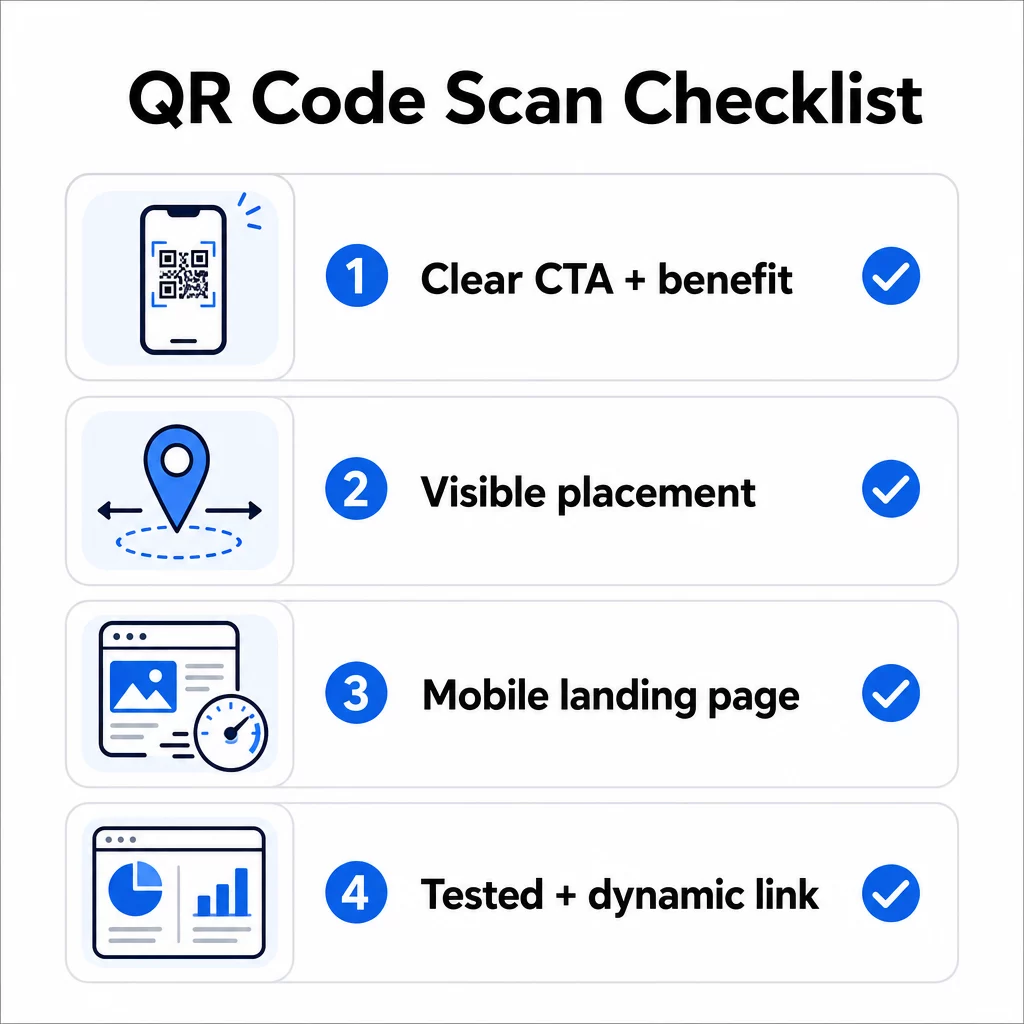
- คุณได้เพิ่มคำแนะนำหรือคำกระตุ้นการตัดสินใจที่มองเห็นได้เพื่อให้ผู้ใช้ทราบว่าต้องทำอะไรหรือไม่?
- รหัสถูกวางไว้ในตำแหน่งที่กลุ่มเป้าหมายของคุณมีเวลาและพื้นที่ในการสแกนหรือไม่?
- รหัสมีเหตุผลที่ชัดเจนและน่าสนใจในการสแกนหรือไม่?
- ข้อความตรงกับกลุ่มเป้าหมายเฉพาะของคุณหรือไม่?
- หน้าปลายทางได้รับการปรับให้เหมาะกับมือถืออย่างสมบูรณ์และโหลดเร็วหรือไม่?
- คุณได้ทดสอบรหัสบนอุปกรณ์หลายเครื่องและในสภาพความเป็นจริงแล้วหรือยัง?
- คุณใช้รหัสแบบไดนามิกเพื่อให้คุณสามารถอัปเดตปลายทางได้หากจำเป็นหรือไม่?
หากคำตอบใดเป็น “ไม่” นั่นคือปัญหาคอขวดของคุณ จัดการปัญหานั้นก่อนที่รหัสจะเผยแพร่ – ไม่ใช่หลังจากนั้น.
สำหรับคำแนะนำเชิงลึกเกี่ยวกับการออกแบบและมาตรฐานทางเทคนิค หน้าแนวทางปฏิบัติที่ดีที่สุดในการใช้งานรหัส QR และ คู่มือการติดตามการสแกนรหัส QR เป็นจุดแวะพักที่ดีต่อไป.
คำถามที่พบบ่อย
ปัจจัยด้านสิ่งแวดล้อม เช่น แสงสว่างไม่เพียงพอ แสงสะท้อนจากพื้นผิวมันวาว และระยะการสแกนที่ไกล ล้วนส่งผลต่อความน่าเชื่อถือ ตรวจสอบให้แน่ใจว่าโค้ดของคุณเป็นไปตามแนวทางขนาดต่อระยะทาง 10:1 ใช้พื้นหน้าสีเข้มบนพื้นหลังสีอ่อน และวางอยู่บนพื้นผิวเรียบด้านที่มีแสงสว่างเพียงพอ ทดสอบโค้ดในสถานที่จริงก่อนที่จะสรุปตำแหน่งการจัดวาง.
คิวอาร์โค้ดแบบคงที่เข้ารหัสปลายทางอย่างถาวร ดังนั้น หาก URL เปลี่ยนแปลงหรือใช้งานไม่ได้ โค้ดจะไร้ประโยชน์และต้องพิมพ์ใหม่ คิวอาร์โค้ดแบบไดนามิกชี้ไปยังลิงก์เปลี่ยนเส้นทางที่คุณสามารถอัปเดตได้ตลอดเวลาจากแดชบอร์ด โค้ดแบบไดนามิกยังให้ข้อมูลวิเคราะห์การสแกน – ซึ่งรวมถึงจำนวนการสแกน, ตำแหน่งที่ตั้ง, ประเภทอุปกรณ์ และเวลา – ทำให้เป็นตัวเลือกที่ดีกว่าสำหรับการรณรงค์ทางการตลาดใดๆ ที่ความยืดหยุ่นหรือการวัดผลมีความสำคัญ.
การเปลี่ยนแปลงที่มีประสิทธิภาพมากที่สุดคือการเพิ่มคำกระตุ้นการตัดสินใจที่ชัดเจนซึ่งระบุถึงประโยชน์ (เช่น “สแกนเพื่อรับส่วนลด” หรือ “สแกนเพื่อดูเมนู”) การวางรหัสในตำแหน่งที่ผู้ใช้มีเวลาหยุดและสแกน การตรวจสอบให้แน่ใจว่าหน้าปลายทางโหลดได้อย่างรวดเร็วบนมือถือ และการใช้การออกแบบที่มีแบรนด์ซึ่งบ่งบอกว่ารหัสถูกต้อง การขจัดอุปสรรคใดๆ ไม่ว่าจะเป็นคำแนะนำที่ไม่ชัดเจน หน้า Landing Page ที่โหลดช้า หรือรหัสที่วางผิดตำแหน่ง จะช่วยเพิ่มอัตราการสแกนได้โดยตรง.