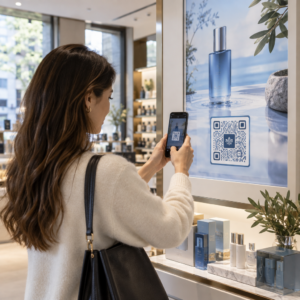
Ai nevoie de o modalitate rapidă și scanabilă de a conecta materialele fizice la conținutul digital? Autocolantele cu coduri QR transformă orice suprafață într-un punct de contact interactiv – iar pentru a le folosi corect, trebuie să înțelegi materialele, alegerile de design și tipurile de coduri care determină dacă clienții le scanează efectiv.
Ce sunt autocolantele cu coduri QR?
Autocolantele cu coduri QR sunt etichete adezive imprimate cu un cod QR scanabil. Când un client îndreaptă camera unui smartphone către unul, codul îi redirecționează instantaneu către un site web, un meniu digital, o pagină de contact, o ofertă promoțională sau orice alt conținut pe care l-ați conectat. Afacerile le folosesc pe ambalaje de produse, vitrine, vehicule, mese de restaurant, semnalistică pentru evenimente și materiale de expediere – oriunde o suprafață fizică poate iniția o interacțiune digitală.
Distincția cheie care contează înainte de a imprima un singur autocolant: dacă codul tău este STATIC SAU DINAMIC.
- A cod QR static codifică destinația sa permanent. Odată imprimat, nu poate fi modificat și nu urmărește scanările.
- A cod QR dinamic indică o adresă URL scurtă de redirecționare pe care o poți actualiza oricând – fără a reimprima. De asemenea, înregistrează datele de scanare, inclusiv ora, volumul și locația geografică.
Pentru aplicațiile de autocolante unde vei imprima în volum sau vei derula campanii cu durată limitată, Generator cod QR dinamic este alegerea practică. Schimbarea unei promoții sau actualizarea unei adrese URL nu costă nimic atunci când autocolantele sunt deja pe rafturi sau vehicule.
Urmărește Fiecare Scanare de pe Autocolantele Tale Vrei să știi exact ce plasamente de autocolante generează implicare? Folosește Generator cod QR dinamic pentru a crea coduri editabile, urmăribile, cu un tablou de bord analitic complet – nu este necesară reimprimarea atunci când conținutul tău se modifică.
Cum să Creezi un Cod QR pentru Autocolantele Tale
Obținerea unui cod QR gata de imprimare necesită trei pași:
- Generează-ți codul QR. Folosește o generatorul de coduri QR pentru a crea un cod care se leagă la conținutul tău țintă – o adresă URL, un PDF, un meniu digital, un vCard sau altă destinație. Dacă te aștepți să actualizezi acea destinație sau să urmărești performanța scanărilor, creează un cod dinamic.
- Personalizează designul. Adaugă-ți logo-ul, culorile brandului și un cadru cu apel la acțiune pentru a face autocolantul recognoscibil și demn de scanat. The Creare cod QR cu logo îți permite să încorporezi un logo direct în cod, ceea ce crește recunoașterea brandului și ratele de scanare în comparație cu codurile simple alb-negru.
- Descarcă într-un format gata de imprimare. Exportă codul tău ca SVG, EPS sau PDF pentru scalare vectorială, sau ca un PNG de înaltă rezoluție dacă îl compui într-un design de etichetă. Predă aceste fișiere tipografului tău de autocolante sau folosește-le cu foi de autocolante imprimabile acasă.
Alegerea Materialului Potrivit pentru Autocolante
Alegerea materialului afectează direct dacă codul tău QR scanează fiabil în mediul său intenționat. Principalele opțiuni pe care le vei întâlni de la tipografiile de autocolante sunt:
- Laminat lucios BOPP sau PET – potrivit pentru utilizare în interior și exterior, culori vii, dar poate reflecta sub iluminatul de deasupra și poate îngreuna scanarea din anumite unghiuri.
- Laminat mat BOPP – reduce strălucirea sub iluminatul magazinelor și lumina soarelui, făcându-l o alegere preferată pentru autocolantele care vor fi scanate în magazin sau la casa de marcat. Multe branduri și designeri preferă, de asemenea, aspectul rafinat.
- Material autocolant transparent – imprimat cu cerneală albă în spatele culorilor pentru a menține designurile vizibile; funcționează bine pentru etichetele de sticle și ambalaje unde dorești un aspect “fără etichetă”.
- Vinil cu laminat – durabil și rezistent la intemperii, recomandat pentru aplicații exterioare, autocolante pentru vehicule și orice suprafață expusă la umiditate sau lumină UV. Autocolantele cu cod QR din vinil rezistă semnificativ mai mult decât etichetele standard de hârtie în aceste condiții.
- Material subțire pentru etichete BOPP – suficient de flexibil pentru a se conforma suprafețelor curbe, făcându-l o alegere practică pentru sticle și ambalaje de produse.
Finisajele mate scanează, în general, mai rapid și mai fiabil decât cele lucioase atunci când codurile vor fi scanate sub lumină puternică sau directă. Dacă autocolantele dvs. vor fi folosite în exterior sau pe vehicule, prioritizați vinilul impermeabil în detrimentul materialelor pe bază de hârtie.
Specificații de Dimensiune și Design Care Afectează Scanabilitatea
Un autocolant cu cod QR care nu scanează fiabil este mai rău decât niciun autocolant. Înainte de a trimite fișierele la imprimare, confirmați că aceste cerințe sunt îndeplinite:
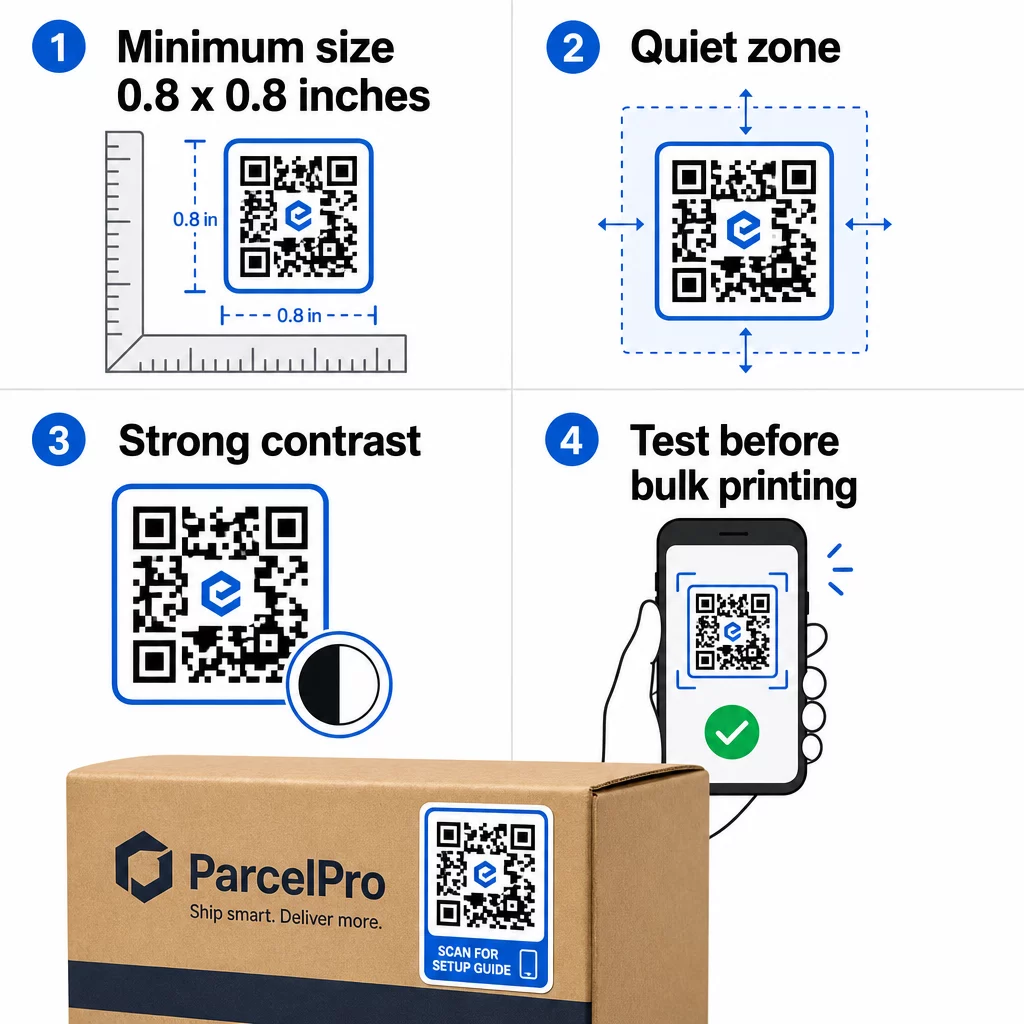
- Dimensiune minimă: 0,8 × 0,8 inchi (2 × 2 cm) pentru o adresă URL simplă. Codurile mai mari cu o densitate mai mare de date trebuie să fie scalate proporțional.
- Zonă de liniște: Lăsați cel puțin patru module de spațiu clar, neimprimat, în jurul tuturor celor patru laturi ale codului. Textul, logo-urile sau chenarele plasate în interiorul acestei margini cauzează eșecuri de scanare.
- Raport de contrast: Mențineți un raport de contrast de cel puțin 4:1 între modulele întunecate și fundalul deschis. Negrul pe alb rămâne cea mai fiabilă combinație. Evitați inversările deschis-pe-întunecat – multe scannere eșuează la schemele de culori inversate.
- Fără gradienți pe modulele codului: Gradienții creează tonuri intermediare pe care scanerele se chinuie să le citească. Folosiți doar culori solide.
- Testați înainte de a imprima în volum: Scanați codul cu mai multe dispozitive – telefoane diferite, aplicații de cameră diferite – și testați în condițiile de iluminare în care autocolantul va fi efectiv utilizat. Pentru autocolantele de exterior, testați în lumina soarelui. Pentru autocolantele de raft din magazine, testați sub iluminare fluorescentă.
Pentru o defalcare completă a dimensionării pe diferite materiale de imprimare, consultați ghidul de pe dimensionarea codurilor QR pentru diferite materiale de imprimare. Pentru ghiduri privind contrastul și culoarea, cele mai bune practici de contrast de culoare pentru codurile QR acoperă rapoartele și combinațiile specifice de utilizat și de evitat.
Unde să folosiți autocolante cu coduri QR
Autocolantele cu cod QR funcționează într-o gamă largă de aplicații de afaceri. Iată cele mai comune și eficiente plasamente:
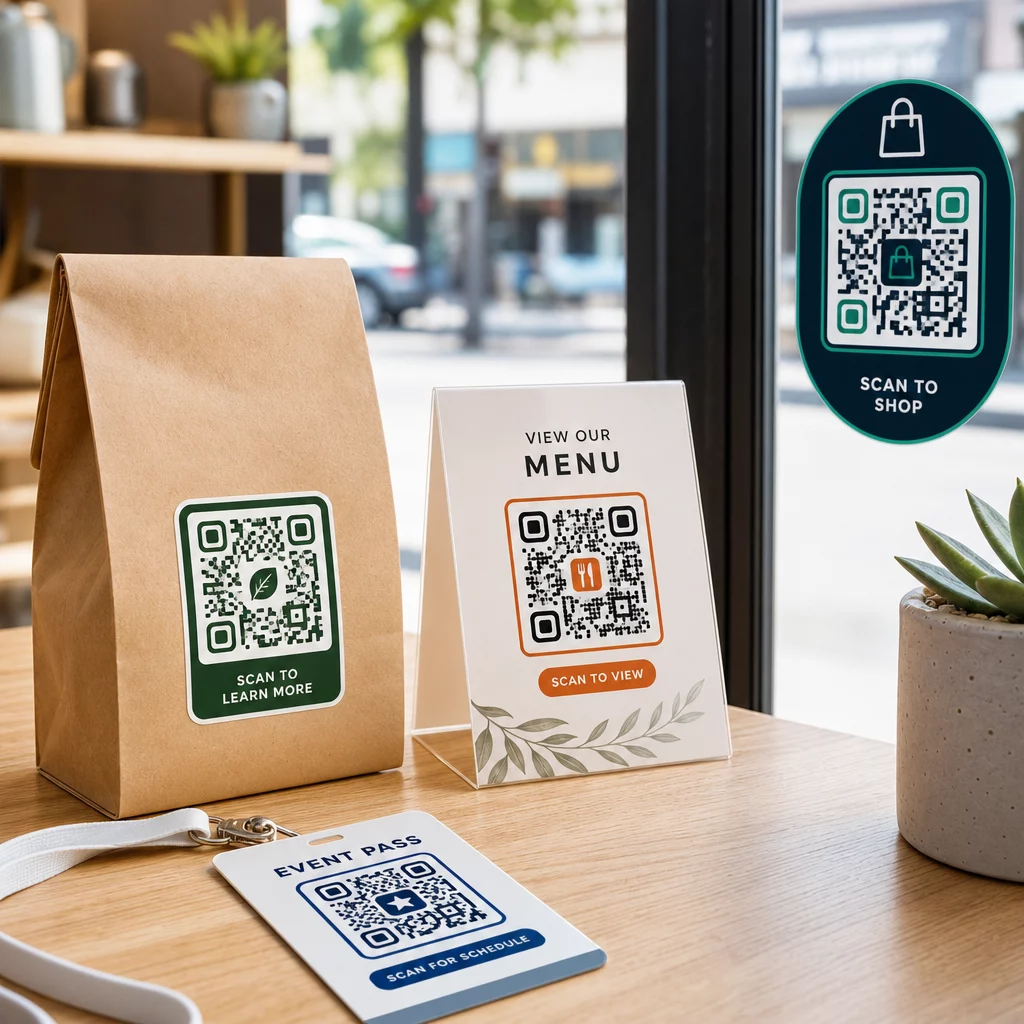
Ambalaje și etichete de produs – Conectați clienții la instrucțiuni de produs, detalii despre ingrediente, tutoriale video, coduri de reducere sau pagini de recenzii. Autocolantele funcționează atât pe ambalajul primar (produsul în sine), cât și pe ambalajul secundar (cutii, manșoane). Pentru o privire mai aprofundată asupra posibilităților, consultați coduri QR pe ambalajul produselor și ghid suprem pentru codurile QR pentru etichetele de produse.
Mese de restaurant și ospitalitate – Un autocolant cu cod QR pe o masă sau ușă conectează oaspeții la un meniu digital, parolă Wi-Fi sau platformă de recenzii. Codurile dinamice vă permit să actualizați meniul sau promoția fără a înlocui fiecare autocolant.
Vitrine și uși de magazin – Decalcomaniile de fereastră care conțin un cod QR sunt o modalitate eficientă de a partaja orele de funcționare, promoțiile sau linkurile de social media cu traficul pietonal care trece în afara orelor de program.
Decalcomanii pentru vehicule – O decalcomanie cu cod QR pe un vehicul al companiei îl transformă într-o reclamă mobilă, conectând pe oricine o scanează la o pagină de rezervări, o listă de servicii sau un formular de contact.
Ambalaje pentru retail și e-commerce – Autocolantele de pe expedierile sau cutiile de produse pot direcționa clienții către videoclipuri de unboxing, programe de fidelitate sau pagini de vânzare încrucișată fără a adăuga volum pachetului.
Semnalistică și bilete pentru evenimente – Adăugați autocolante QR la ecusoane, semnalistică sau bilete pentru a conecta participanții la programe, fluxuri de check-in sau resurse pentru vorbitori.
| Tip autocolant | Cel mai bun material | Utilizare tipică |
|---|---|---|
| Autocolant personalizat cu brand | BOPP mat sau lucios | Ambalaje de produse, promoții |
| Autocolant exterior rezistent la apă | Vinil cu laminat | Decaluri pentru vehicule, semnalizare exterioară |
| Folie adezivă sau decal pentru fereastră | Vinil transparent sau alb | Vitrine de magazine, ferestre de retail |
| Autocolant mic pentru etichetă | BOPP subțire | Sticle, etichete de produse, cărți de vizită |
| Autocolant pentru masă de restaurant | Laminare mată | Linkuri de meniu, linkuri către pagini de recenzii |
Folosind coduri QR dinamice pentru campanii cu stickere
Pentru orice campanie în care destinația s-ar putea schimba – promoții sezoniere, actualizări de meniu, oferte rotative – codurile QR dinamice sunt esențiale. Stickerul în sine nu se schimbă; doar URL-ul de destinație din spatele acestuia se modifică. Acest lucru contează atunci când ați imprimat mii de stickere și un URL al unei pagini de destinație se schimbă, sau când o promoție se încheie și doriți să redirecționați scanerii către o nouă ofertă.
Codurile dinamice vă oferă, de asemenea, analize de scanare: număr total de scanări, momentul scanării și date geografice. Acest lucru vă permite să evaluați ce plasamente generează de fapt implicare și să ajustați în consecință. Un sticker pe un ambalaj de produs performează diferit față de unul într-o vitrină de magazin, iar analizele vă ajută să vedeți clar această diferență.
Pentru Coduri QR pe ambalaje care servesc campaniilor de retail, codurile dinamice vă permit, de asemenea, să rulați teste A/B prin direcționarea diferitelor loturi de coduri către pagini de destinație diferite și compararea rezultatelor.
Actualizați-vă campania cu stickere fără a re-imprima Rulați o promoție cu durată limitată? The Generator cod QR dinamic vă permite să redirecționați stickerele către un nou URL în momentul în care o campanie se încheie – fără stickere noi, fără tiraje irosite.
Întrebări frecvente
Dimensiunea minimă fiabilă pentru un URL simplu este de 0,8 × 0,8 inchi (2 × 2 cm). Pentru autocolantele plasate mai departe de scaner – pe panouri publicitare sau decaluri de vehicule – măriți proporțional. O regulă generală este să faceți codul de cel puțin o zecime din distanța de scanare. Lăsați întotdeauna o zonă liniștită clară de cel puțin patru module în jurul codului pe toate părțile, și testați dimensiunea finală pe dispozitive reale înainte de a imprima în volum.
Nu dacă este un cod QR static – acelea își codifică destinația permanent. Cu un cod QR dinamic, însă, puteți schimba URL-ul, fișierul sau conținutul legat în orice moment prin intermediul tabloului de bord al contului dvs. fără a atinge stickerul. Acest lucru face ca codurile dinamice să fie alegerea practică pentru orice aplicație în care URL-urile sau promoțiile s-ar putea schimba, inclusiv ambalajele produselor, campaniile sezoniere și meniurile restaurantelor.
Autocolantele de vinil cu un finisaj laminat sunt cea mai durabilă opțiune pentru utilizare în exterior. Ele rezistă apei, expunerii la UV și uzurii fizice mult mai bine decât etichetele de hârtie sau BOPP standard. Laminatul mat reduce strălucirea sub lumina directă a soarelui, ceea ce îmbunătățește scanabilitatea. Pentru suprafețe precum vehiculele sau semnalizarea exterioară, confirmați că imprimanta dvs. oferă materiale rezistente la UV, concepute pentru aplicații exterioare pe termen lung.