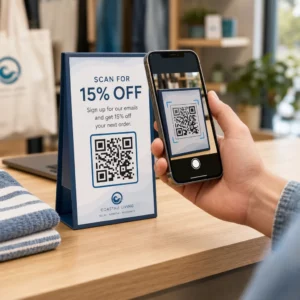
Chcesz, aby ludzie znaleźli Twój profil Twitter/X bez wpisywania ani jednego znaku? Ręczne wyszukiwanie kont tworzy tarcia, które kosztują Cię obserwujących. Ta strona pokazuje dokładnie, jak utworzyć kod QR dla Twojego profilu Twitter/X, tweeta lub konta i efektywnie go używać w punktach styku drukowanych i cyfrowych.
Co faktycznie robi kod QR Twitter/X
Kod QR Twitter/X to skanowalny obraz, który koduje publiczny adres URL `x.com` lub `twitter.com`. Gdy ktoś zeskanuje go aparatem swojego telefonu, otwiera on bezpośrednio połączony zasób X – profil, post, wątek, wynik wyszukiwania, a nawet konkretną stronę hashtagu – w aplikacji X lub przeglądarce mobilnej. Przekierowanie działa automatycznie między domenami `twitter.com` i `x.com`, więc nie musisz martwić się, której wersji adresu URL używasz. Ważne jest, aby adres URL był publiczny i poprawny, zanim go zakodujesz.
Możesz utworzyć kod QR dla dowolnego z następujących miejsc docelowych X:
- Twój profil X (np. `x.com/yourusername`)
- Konkretny post lub tweet
- Zapytanie wyszukiwania lub strona hashtagu
- Lista lub społeczność
- Przestrzeń (Space) lub wątek
Jak uzyskać właściwy adres URL X
Przed wygenerowaniem kodu QR potrzebujesz poprawnego adresu URL dla dowolnego miejsca docelowego X, do którego chcesz linkować.
Dla Twojego profilu: Przejdź do strony swojego profilu X w przeglądarce i skopiuj adres URL bezpośrednio z paska adresu. Będzie on miał format `x.com/yourusername`.
Dla konkretnego posta: Otwórz post na X, następnie dotknij lub kliknij ikonę Udostępnij (ikonę strzałki pod postem) i wybierz Link do kopiowania. Spowoduje to skopiowanie bezpośredniego adresu URL posta – nie tekstu posta – do schowka. Adres URL będzie wyglądał mniej więcej tak: `x.com/yourusername/status/1234567890`.
Dla hashtagu lub wyszukiwania: Uruchom wyszukiwanie lub dotknij hashtagu w X, a następnie skopiuj wynikowy adres URL z paska adresu przeglądarki.
Gdy masz już poprawny adres URL, jesteś gotowy do wygenerowania kodu QR.
Jak utworzyć kod QR dla Twitter/X
Opcja 1: Kod QR linku dla pojedynczego profilu lub posta
Najszybszą metodą linkowania do jednego konkretnego miejsca docelowego X jest użycie generator kodów QR z linkiem. Proces jest prosty:
- Skopiuj adres URL swojego profilu X lub posta, jak opisano powyżej
- Otwórz generator kodów QR Pageloot i wybrać Link lub URL rodzaj
- Wklej swój adres URL X do pola URL
- Dostosuj projekt – dodaj swoje logo, dostosuj kolory i wybierz styl ramki
- Przetestuj kod, skanując go przed pobraniem
- Pobierz plik w formacie gotowym do druku (SVG, PDF lub EPS) i wdróż go
Utwórz swój kod QR Twitter/X teraz Wygeneruj konfigurowalny kod QR połączony z Twoim profilem X w kilka sekund za pomocą Pageloot Generator kodów QR. Bezpłatny 14-dniowy okres próbny. Karta kredytowa nie jest wymagana.
Opcja 2: Kod QR mediów społecznościowych dla wielu platform
Jeśli chcesz linkować do X obok innych platform społecznościowych – Instagram, Facebook, LinkedIn i innych – narzędzie Pageloot do kodów QR mediów społecznościowych pozwala skonsolidować wszystkie Twoje profile w jeden skanowalny kod, który otwiera niestandardową stronę docelową. Konfiguracja działa następująco:
- Skopiuj publiczny link do profilu z każdej platformy społecznościowej osobno, w tym Twój adres URL X
- Dodaj każdy link do kreatora strony docelowej w narzędziu Pageloot
- Dostosuj stronę docelową za pomocą nagłówka, opisu, koloru tła i stylów banerów
- Zaprojektuj sam kod QR z kolorami i logo Twojej marki
- Zapisz, przetestuj i pobierz kod
Możesz dodać tyle profili społecznościowych, ile potrzebujesz, a strona docelowa aktualizuje się dynamicznie bez ponownego drukowania kodu. To podejście sprawdza się szczególnie dobrze w przypadku wizytówek, opakowań produktów i materiałów eventowych, gdzie przestrzeń jest ograniczona, ale chcesz zaoferować wiele opcji śledzenia w jednym skanowaniu.
Używaj dynamicznych kodów QR do bieżących kampanii
Jeśli umieszczasz swój kod QR Twitter/X na materiałach drukowanych – plakatach, ulotkach, towarach lub opakowaniach – dynamiczne kody QR są mądrzejszym wyborem niż statyczne.
Dynamiczny kod QR przechowuje krótki adres URL przekierowania w samym kodzie. Rzeczywiste miejsce docelowe (Twój profil X lub adres URL posta) znajduje się na serwerach Pageloot i może być zmienione w dowolnym momencie bez zmiany wydrukowanego kodu. Oznacza to, że możesz naprawić uszkodzony lub nieaktualny link X po wydrukowaniu bez ponownego drukowania czegokolwiek, tymczasowo przekierować ten sam kod do konkretnego tweeta podczas kampanii, a następnie ponownie skierować go do swojego profilu, a także uzyskać dostęp do pełnych analiz skanowania, w tym całkowitej liczby skanów, unikalnych skanów, znaczników czasu, typów urządzeń, systemów operacyjnych i lokalizacji geograficznych.

Dla każdego, kto prowadzi bieżące kampanie społeczne, możliwość aktualizowania miejsc docelowych kodów QR bez ponownego drukowania jest znaczącą praktyczną zaletą. Chronisz swoją inwestycję w druk, jednocześnie kierując swoją publiczność do aktualnych, odpowiednich treści.
Śledź każde skanowanie z Twojej kampanii X Zobacz dokładnie, kiedy i gdzie ludzie skanują Twoje kody QR Twitter/X za pomocą wbudowanego panelu analitycznego Pageloot. Użyj Generator kodów QR do linków aby rozpocząć.
Wytyczne projektowe dla niezawodnego skanowania
Źle zaprojektowany kod QR nie zostanie zeskanowany, bez względu na to, jak dobra jest Twoja treść na X. Postępuj zgodnie z tymi wytycznymi, aby upewnić się, że Twój kod działa za każdym razem.
Rozmiar i odległość skanowania: Wydrukuj swój kod QR o minimalnej wielkości 0,8 × 0,8 cala (2 × 2 cm) do skanowania z bliskiej odległości. W przypadku materiałów oglądanych z daleka – plakatów lub oznakowania – użyj zasady 10:1: kod powinien mieć co najmniej jedną dziesiątą oczekiwanej odległości skanowania. Kod przeznaczony do skanowania z odległości 10 stóp musi mieć co najmniej 1 stopę szerokości.
Strefa ciszy: Pozostaw wyraźny biały margines o szerokości co najmniej 4 moduły szerokości po wszystkich stronach kodu QR. Ta pusta ramka jest wymagana, aby skanery mogły wykryć, gdzie kod się zaczyna i kończy. Wcinanie się w tę strefę powoduje błędy skanowania.
Kontrast: Zachowaj ciemne moduły na jasnym tle. Unikaj odwracania tego (jasne na ciemnym) lub używania kolorów, które znacznie zmniejszają kontrast. Niższy kontrast oznacza wolniejsze i mniej niezawodne skanowanie.
Umiejscowienie logo: Jeśli dodajesz logo, umieść je centralnie i ogranicz jego rozmiar do nie więcej niż 20–30% całkowitej powierzchni kodu QR. Nigdy nie zakrywaj trzech wzorców wyszukiwania w rogach (kwadratowych “oczu”) ani pasków synchronizacyjnych, ponieważ są one niezbędne do prawidłowego zorientowania kodu przez skaner.
Korekcja błędów: Kody QR wykorzystują korekcję błędów Reed–Solomon, która dodaje nadmiarowe dane, dzięki czemu częściowo zasłonięty kod nadal może zostać zdekodowany. Istnieją cztery poziomy: L (odzyskuje ~7% uszkodzonych danych), M (~15%), Q (~25%) i H (~30%). Jeśli dodajesz logo lub umieszczasz kod na teksturowanej powierzchni, użyj poziomu Q lub H aby skompensować utraconą powierzchnię. Pamiętaj, że wyższe poziomy korekcji błędów nieznacznie zwiększają gęstość wizualną kodu, ponieważ więcej modułów jest przeznaczonych na redundancję.
Gdzie używać kodu QR Twitter/X
Kody QR Twitter/X działają wszędzie tam, gdzie Twoja publiczność styka się z materiałami fizycznymi:
- Wizytówki – pozwól nowym kontaktom śledzić Cię natychmiast, zamiast szukać później
- Oznakowanie i identyfikatory wydarzeń – kieruj uczestników konferencji na żywo do Twojej relacji z wydarzenia w czasie rzeczywistym
- Opakowania produktów – link do posta ogłaszającego wprowadzenie produktu lub promocję
- Reklama drukowana – połącz reklamę w magazynie lub gazecie z tweetem lub hashtagiem kampanii
- Ekspozycje w sklepie – zaproś klientów do śledzenia Twojego konta lub przeglądania aktualnego posta promocyjnego
- Slajdy prezentacji – pozwól publiczności skanować, aby śledzić Cię po prelekcji
Dla małych firm, które polegają na ruchu pieszym i materiałach drukowanych, połączenie kodu QR z wyraźnym wezwaniem do działania eliminuje wszelkie tarcia z procesu śledzenia. Dowiedz się więcej o tym, jak małe firmy używają kodów QR aby napędzać cyfrowe zaangażowanie z fizycznych lokalizacji.

Dodawanie wyraźnego wezwania do działania
Kod QR bez kontekstu jest ignorowany. Zawsze mów ludziom, co otrzymają po zeskanowaniu. Konkretne komunikaty konsekwentnie przewyższają te niejasne. Na przykład:
- “Zeskanuj, aby śledzić nas na X po codzienne aktualizacje”
- “Zeskanuj, aby zobaczyć oferty tego tygodnia na X”
- “Zeskanuj, aby dołączyć do rozmowy – relacjonujemy wydarzenie na żywo na Twitterze”
Umieść tekst instrukcji bezpośrednio nad lub pod kodem QR, w rozmiarze czcionki wystarczająco dużym, aby można go było odczytać z odległości skanowania. Celem jest danie ludziom powodu do działania, zanim jeszcze podniosą telefon. Aby uzyskać głębsze spojrzenie na pisanie skutecznych komunikatów i strukturyzowanie kampanii, zobacz pełny przewodnik po najlepszych praktykach dla kodów QR w kampaniach w mediach społecznościowych.
Porównanie statycznych i dynamicznych kodów QR Twitter/X
| FUNKCJA | Statyczny kod QR | Dynamiczny kod QR |
|---|---|---|
| Miejsce docelowe edytowalne po wydrukowaniu | Nie | Tak |
| Analityka skanów | Nie | Tak |
| Przekierowanie między adresami URL X bez ponownego drukowania | Nie | Tak |
| Branding i personalizacja | Ograniczony | Pełne |
| Najlepsze dla | Jednorazowe użycie, proste linki | Kampanie, bieżące materiały |
Dla każdego materiału drukowanego o żywotności dłuższej niż pojedyncza kampania, dynamiczny jest lepszą inwestycją. Unikasz kosztów ponownego drukowania, gdy zmienia się treść, i zyskujesz dane skanowania potrzebne do oceny, co faktycznie działa.
Łączenie X z innymi platformami społecznościowymi
Jeśli Twitter/X jest jedną z kilku platform, które promujesz, nie potrzebujesz osobnego kodu QR dla każdej z nich. Narzędzie Pageloot do kodów QR mediów społecznościowych tworzy jeden kod, który otwiera markową stronę docelową z linkami do wszystkich Twoich profili. Jest to szczególnie przydatne, gdy prowadzisz również Kod QR na Instagramie lub Kod QR na Facebooku kampanie równolegle – jeden kod może obsłużyć wszystkie trzy, zamiast zaśmiecać Twoje materiały wieloma kodami. Aby uzyskać szersze spojrzenie na to, jak kody QR działają na różnych platformach i w różnych przypadkach użycia, zobacz przegląd kodów QR dla mediów społecznościowych.
Przeniesienie ludzi z fizycznego punktu styku do Twojego profilu X to dwusekundowa interakcja, gdy Twój kod QR jest prawidłowo skonfigurowany. Użyj dynamicznego kodu, aby móc aktualizować miejsce docelowe bez ponownego drukowania, postępuj zgodnie z wytycznymi projektowymi, aby skanował się niezawodnie za każdym razem, i zawsze łącz go z wyraźnym wezwaniem do działania, aby ludzie dokładnie wiedzieli, dlaczego skanują.
Rozpocznij z Pageloot Stwórz markowy, śledzalny kod QR dla swojego profilu Twitter/X lub dowolnego linku do mediów społecznościowych. Użyj Pageloot Generator kodów QR – bezpłatny 14-dniowy okres próbny, karta kredytowa nie jest wymagana.
Najczęściej zadawane pytania
Tak. Otwórz post na X, dotknij ikony Udostępnij i wybierz “Kopiuj link”, aby uzyskać bezpośredni adres URL posta. Wklej ten adres URL do generatora kodów QR linków Pageloot, aby utworzyć kod, który otwiera ten konkretny post po zeskanowaniu.
Jeśli użyłeś statycznego kodu QR, przestanie działać, ponieważ zakodowany URL nie pasuje już do Twojego profilu. Jeśli użyłeś dynamicznego kodu QR, możesz zaktualizować docelowy URL w swoim panelu Pageloot bez dotykania wydrukowanego kodu – nie jest potrzebny ponowny wydruk.
Niekoniecznie. Narzędzie Pageloot do tworzenia kodów QR mediów społecznościowych pozwala dodać wiele linków do profili – w tym X, Instagram, Facebook i inne – do jednej strony docelowej, wszystkie dostępne z jednego zeskanowanego kodu. Dzięki temu Twoje materiały drukowane są uporządkowane, jednocześnie dając ludziom dostęp do wszystkich Twoich profili naraz.