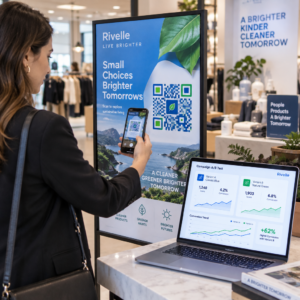
Хотите, чтобы люди находили ваш профиль Twitter/X, не вводя ни единого символа? Ручной поиск аккаунтов создает трение, которое стоит вам подписчиков. Эта страница покажет вам, как именно создать QR-код для вашего профиля Twitter/X, твита или аккаунта и эффективно использовать его в печатных и цифровых точках контакта.
Что на самом деле делает QR-код Twitter/X
QR-код Twitter/X — это сканируемое изображение, которое кодирует общедоступный URL-адрес `x.com` или `twitter.com`. Когда кто-то сканирует его камерой своего телефона, он напрямую открывает связанный ресурс X – профиль, публикацию, ветку, результат поиска или даже страницу определенного хэштега – в приложении X или мобильном браузере. Перенаправление работает автоматически между доменами `twitter.com` и `x.com`, поэтому вам не нужно беспокоиться о том, какую версию URL-адреса вы используете. Важно, чтобы URL-адрес был общедоступным и правильным, прежде чем вы его закодируете.
Вы можете создать QR-код для любого из следующих направлений X:
- Ваш профиль X (например, `x.com/yourusername`)
- Определенная публикация или твит
- Поисковый запрос или страница хэштега
- Список или сообщество
- Пространство (Space) или ветка
Как получить правильный URL-адрес X
Перед созданием QR-кода вам нужен правильный URL-адрес для любого направления X, на которое вы хотите сослаться.
Для вашего профиля: Перейдите на страницу вашего профиля X в браузере и скопируйте URL-адрес непосредственно из адресной строки. Он будет иметь формат `x.com/yourusername`.
Для определенной публикации: Откройте публикацию в X, затем нажмите или щелкните значок «Поделиться» (значок стрелки под публикацией) и выберите Копировать ссылку. Это копирует прямой URL-адрес публикации – не текст публикации – в ваш буфер обмена. URL-адрес будет выглядеть примерно так: `x.com/yourusername/status/1234567890`.
Для хэштега или поиска: Выполните поиск или нажмите на хэштег в X, затем скопируйте полученный URL-адрес из адресной строки вашего браузера.
Как только у вас есть правильный URL-адрес, вы готовы сгенерировать QR-код.
Как создать QR-код для Twitter/X
Вариант 1: QR-код ссылки для одного профиля или публикации
Самый быстрый способ связать с одним конкретным направлением X — использовать генератор QR-кодов ссылок. Процесс прост:
- Скопируйте URL-адрес вашего профиля X или URL-адрес публикации, как описано выше
- Открыть Генератор QR-кодов Pageloot и выбрать Ссылка или URL-адрес тип
- Вставьте ваш URL-адрес X в поле URL-адреса
- Настройте дизайн – добавьте свой логотип, настройте цвета и выберите стиль рамки
- Проверьте код, отсканировав его перед загрузкой
- Загрузите файл в формате, готовом к печати (SVG, PDF или EPS), и разверните его
Создайте свой QR-код Twitter/X сейчас Создайте настраиваемый QR-код, связанный с вашим профилем X, за считанные секунды с помощью Генератор QR-кодов. Бесплатная 14-дневная пробная версия. Кредитная карта не требуется.
Вариант 2: QR-код для социальных сетей для нескольких платформ
Если вы хотите связать X с другими социальными платформами – Instagram, Facebook, LinkedIn и другими – инструмент Pageloot для QR-кодов для социальных сетей позволяет объединить все ваши профили в один сканируемый код, который открывает настраиваемую целевую страницу. Настройка работает следующим образом:
- Скопируйте общедоступную ссылку на профиль с каждой социальной платформы отдельно, включая ваш URL-адрес X
- Добавьте каждую ссылку в конструктор целевых страниц внутри инструмента Pageloot
- Настройте целевую страницу с заголовком, описанием, цветом фона и стилями баннеров
- Разработайте сам QR-код с использованием цветов вашего бренда и логотипа
- Сохраните, протестируйте и загрузите код
Вы можете добавить столько социальных профилей, сколько вам нужно, и целевая страница обновляется динамически без перепечатки кода. Этот подход особенно хорошо работает для визитных карточек, упаковки продуктов и материалов для мероприятий, где пространство ограничено, но вы хотите предложить несколько вариантов подписки за одно сканирование.
Используйте динамические QR-коды для текущих кампаний
Если вы размещаете свой QR-код Twitter/X на печатных материалах – плакатах, листовках, товарах или упаковке – динамические QR-коды являются более разумным выбором по сравнению со статическими.
Динамический QR-код хранит короткий URL-адрес перенаправления в самом коде. Фактическое назначение (ваш профиль X или URL-адрес публикации) находится на серверах Pageloot и может быть изменено в любое время без изменения напечатанного кода. Это означает, что вы можете исправить неработающую или устаревшую ссылку X после печати, не перепечатывая ничего, временно перенаправить тот же код на определенный твит во время кампании, а затем перенаправить его на ваш профиль, а также получить доступ к полной аналитике сканирования, включая общее количество сканирований, уникальные сканирования, временные метки, типы устройств, операционные системы и географические местоположения.

Для тех, кто проводит текущие социальные кампании, возможность обновлять назначения QR-кодов без перепечатки является значительным практическим преимуществом. Вы защищаете свои инвестиции в печать, сохраняя при этом внимание вашей аудитории к актуальному и релевантному контенту.
Отслеживайте каждое сканирование из вашей кампании X Смотрите точно, когда и где люди сканируют ваши QR-коды Twitter/X с помощью встроенной аналитической панели Pageloot. Используйте Генератор QR-кодов для ссылок чтобы приступить к работе.
Рекомендации по дизайну для надежного сканирования
Плохо разработанный QR-код не будет сканироваться, независимо от того, насколько хорош ваш контент в X. Следуйте этим рекомендациям, чтобы ваш код работал каждый раз.
Размер и расстояние сканирования: Печатайте ваш QR-код минимум 0,8 × 0,8 дюйма (2 × 2 см) для сканирования с близкого расстояния. Для материалов, просматриваемых издалека – плакатов или вывесок – используйте правилу 10:1: код должен быть не менее одной десятой от ожидаемого расстояния сканирования. Код, предназначенный для сканирования с расстояния 10 футов, должен быть не менее 1 фута в ширину.
Тихая зона: Оставьте четкий белый отступ не менее Ширина 4 модуля со всех сторон QR-кода. Эта пустая граница необходима для сканеров, чтобы определить, где код начинается и заканчивается. Вторжение в эту зону приводит к сбоям сканирования.
Контрастность: Держите темные модули на светлом фоне. Избегайте обратного (светлое на темном) или использования цветов, которые значительно снижают контрастность. Низкий контраст означает более медленное и менее надежное сканирование.
Размещение логотипа: Если вы добавляете логотип, держите его по центру и ограничьте его не более чем 20–30% от общей площади QR-кода. Никогда не закрывайте три угловых поисковых шаблона (квадратные “глаза”) или синхронизирующие полосы, так как они необходимы для сканера, чтобы правильно ориентировать код.
Коррекция ошибок: QR-коды используют коррекцию ошибок Рида-Соломона, которая добавляет избыточные данные, чтобы частично скрытый код все еще мог быть декодирован. Существует четыре уровня: L (восстанавливает ~7% поврежденных данных), M (~15%), Q (~25%) и H (~30%). Если вы добавляете логотип или размещаете код на текстурированной поверхности, используйте уровень Q или H чтобы компенсировать потерянную область. Имейте в виду, что более высокие уровни коррекции ошибок немного увеличивают визуальную плотность кода, так как больше модулей отводится под избыточность.
Где использовать ваш QR-код Twitter/X
QR-коды Twitter/X работают везде, где ваша аудитория сталкивается с физическими материалами:
- Визитки – позвольте новым контактам мгновенно подписаться на вас, вместо того чтобы искать позже
- Вывески мероприятий и бейджи – направляйте участников живых конференций к вашему освещению событий в реальном времени
- Упаковка товаров – ссылка на пост, анонсирующий запуск продукта или акцию
- Печатная реклама – свяжите объявление в журнале или газете с твитом или хэштегом кампании
- Витрины в магазинах – пригласите клиентов подписаться на ваш аккаунт или просмотреть текущий рекламный пост
- Презентационные слайды – позвольте аудитории сканировать, чтобы подписаться на вас после выступления
Для малых предприятий, которые полагаются на пешеходный трафик и печатные материалы, сопряжение QR-кода с четким призывом к действию устраняет все препятствия из процесса подписки. Узнайте больше о том, как малые предприятия используют QR-коды для стимулирования цифрового взаимодействия из физических мест.

Добавление четкого призыва к действию
QR-код без контекста игнорируется. Всегда говорите людям, что они получат при сканировании. Конкретные подсказки постоянно превосходят расплывчатые. Например:
- “Сканируйте, чтобы подписаться на нас в X для ежедневных обновлений”
- “Сканируйте, чтобы увидеть предложения этой недели в X”
- “Сканируйте, чтобы присоединиться к разговору – мы ведем прямую трансляцию события в Twitter”
Разместите текст инструкции непосредственно над или под QR-кодом, шрифтом, достаточно крупным для чтения на расстоянии сканирования. Цель состоит в том, чтобы дать людям повод действовать, прежде чем они даже поднимут свой телефон. Для более глубокого изучения написания эффективных подсказок и структурирования кампаний см. полное руководство по лучшим практикам для QR-кодов в кампаниях в социальных сетях.
Сравнение статических и динамических QR-кодов Twitter/X
| ФУНКЦИЯ | Статический QR-код | Динамический QR-код |
|---|---|---|
| Пункт назначения редактируется после печати | Нет | Да |
| Аналитика сканирований | Нет | Да |
| Перенаправление между URL-адресами X без перепечатки | Нет | Да |
| Брендинг и кастомизация | Ограниченный | Полный |
| Лучше всего для | Одноразовое использование, простые ссылки | Кампании, текущие материалы |
Для любого печатного материала со сроком службы дольше одной кампании динамический — лучшая инвестиция. Вы избегаете затрат на перепечатку, когда контент меняется, и получаете данные сканирования, необходимые для оценки того, что на самом деле работает.
Подключение X к другим социальным платформам
Если Twitter/X — одна из нескольких платформ, которые вы продвигаете, вам не нужен отдельный QR-код для каждой. Инструмент Pageloot для QR-кодов социальных сетей создает один код, который открывает брендированную целевую страницу со ссылками на все ваши профили. Это особенно полезно, когда вы также запускаете QR-код Instagram или QR-код Facebook кампании параллельно – один код может обслуживать все три, вместо того чтобы загромождать ваши материалы несколькими кодами. Для более широкого взгляда на то, как работают QR-коды на разных платформах и в различных сценариях использования, см. обзор QR-кодов для социальных сетей.
Перевод людей из физической точки контакта в ваш профиль X — это двухсекундное взаимодействие, когда ваш QR-код настроен правильно. Используйте динамический код, чтобы вы могли обновлять место назначения без перепечатки, следуйте рекомендациям по дизайну, чтобы он надежно сканировался каждый раз, и всегда сочетайте его с четким призывом к действию, чтобы люди точно знали, почему они сканируют.
Начните работу с Pageloot Создайте брендированный, отслеживаемый QR-код для вашего профиля Twitter/X или любой ссылки в социальных сетях. Используйте Генератор QR-кодов – бесплатная 14-дневная пробная версия, кредитная карта не требуется.
Часто задаваемые вопросы
Да. Откройте пост в X, нажмите значок “Поделиться” и выберите «Копировать ссылку», чтобы получить прямую ссылку на пост. Вставьте этот URL-адрес в генератор QR-кодов ссылок Pageloot, чтобы создать код, который открывает этот конкретный пост при сканировании.
Если вы использовали статический QR-код, он перестанет работать, потому что закодированный URL больше не соответствует вашему профилю. Если вы использовали динамический QR-код, вы можете обновить целевой URL в вашей панели управления Pageloot, не трогая напечатанный код – перепечатка не требуется.
Не обязательно. Инструмент QR-кода для социальных сетей Pageloot позволяет вам добавлять несколько ссылок на профили – включая X, Instagram, Facebook и другие – на одну целевую страницу, все доступные с одного отсканированного кода. Это сохраняет ваши печатные материалы в чистоте, предоставляя людям доступ ко всем вашим профилям одновременно.