Želite, da ljudje najdejo vaš profil Twitter/X, ne da bi vnesli en sam znak? Ročno iskanje računov ustvarja trenje, ki vas stane sledilcev. Ta stran vam natančno pokaže, kako ustvariti QR kodo za vaš profil Twitter/X, tvit ali račun in jo učinkovito uporabiti na tiskanih in digitalnih stičnih točkah.
Kaj dejansko počne QR koda Twitter/X
QR koda Twitter/X je slika, ki jo je mogoče skenirati in kodira javni URL `x.com` ali `twitter.com`. Ko jo nekdo skenira s kamero telefona, neposredno odpre povezan vir X – profil, objavo, nit, rezultat iskanja ali celo določeno stran z oznako hashtag – v aplikaciji X ali mobilnem brskalniku. Preusmeritev deluje samodejno med domenama `twitter.com` in `x.com`, tako da vam ni treba skrbeti, katero različico URL-ja uporabljate. Pomembno je, da je URL javen in pravilen, preden ga kodirate.
QR kodo lahko ustvarite za katero koli od naslednjih destinacij X:
- Vaš profil X (npr. `x.com/yourusername`)
- Določena objava ali tvit
- Iskalna poizvedba ali stran z oznako hashtag
- Seznam ali skupnost
- Prostor ali nit
Kako dobiti pravi URL X
Preden ustvarite svojo QR kodo, potrebujete pravilen URL za katero koli destinacijo X, na katero se želite povezati.
Za vaš profil: Pojdite na stran svojega profila X v brskalniku in kopirajte URL neposredno iz naslovne vrstice. Sledil bo formatu `x.com/yourusername`.
Za določeno objavo: Odprite objavo na X, nato tapnite ali kliknite ikono za skupno rabo (ikona puščice pod objavo) in izberite Kopiraj povezavo. To kopira neposredni URL objave – ne besedila objave – v vaše odložišče. URL bo videti nekako takole: `x.com/yourusername/status/1234567890`.
Za hashtag ali iskanje: Zaženite iskanje ali tapnite hashtag v X, nato kopirajte nastali URL iz naslovne vrstice brskalnika.
Ko imate pravilen URL, ste pripravljeni ustvariti QR kodo.
Kako ustvariti QR kodo za Twitter/X
Možnost 1: QR koda povezave za en sam profil ali objavo
Najhitrejša metoda za povezovanje na eno določeno destinacijo X je uporaba generator QR kod za povezave. Postopek je preprost:
- Kopirajte URL svojega profila X ali URL objave, kot je opisano zgoraj
- Odprite Generator QR kod Pageloot in izberite Povezava ali URL tip
- Prilepite svoj URL X v polje za URL
- Prilagodite dizajn – dodajte svoj logotip, prilagodite barve in izberite slog okvirja
- Preizkusite kodo tako, da jo skenirate pred prenosom
- Prenesite datoteko v formatu, pripravljenem za tisk (SVG, PDF ali EPS), in jo namestite
Ustvarite svojo QR kodo Twitter/X zdaj Ustvarite prilagodljivo QR kodo, povezano z vašim profilom X, v nekaj sekundah z Generator QR kode Pageloot. Brezplačna 14-dnevna preizkusna doba. Kreditna kartica ni potrebna.
Možnost 2: QR koda za družabna omrežja za več platform
Če se želite povezati na X poleg drugih družabnih platform – Instagram, Facebook, LinkedIn in druge – Pagelootovo orodje za QR kode družabnih medijev vam omogoča, da združite vse svoje profile v eno skenabilno kodo, ki odpre prilagojeno ciljno stran. Nastavitev deluje takole:
- Kopirajte javno povezavo profila iz vsake družabne platforme posebej, vključno z vašim URL-jem X
- Dodajte vsako povezavo v graditelj ciljnih strani znotraj Pagelootovega orodja
- Prilagodite ciljno stran z naslovom, opisom, barvo ozadja in slogi pasic
- Oblikujte samo QR kodo z barvami in logotipom vaše blagovne znamke
- Shranite, preizkusite in prenesite kodo
Dodate lahko poljubno število družabnih profilov, ciljna stran pa se dinamično posodablja, ne da bi bilo treba kodo ponovno tiskati. Ta pristop je še posebej primeren za vizitke, embalažo izdelkov in dogodkovne materiale, kjer je prostor omejen, vendar želite ponuditi več možnosti sledenja z enim samim skeniranjem.
Uporabite dinamične QR kode za tekoče kampanje
Če postavljate svojo QR kodo Twitter/X na tiskane materiale – plakate, letake, blago ali embalažo – dinamične QR kode so pametnejša izbira kot statične.
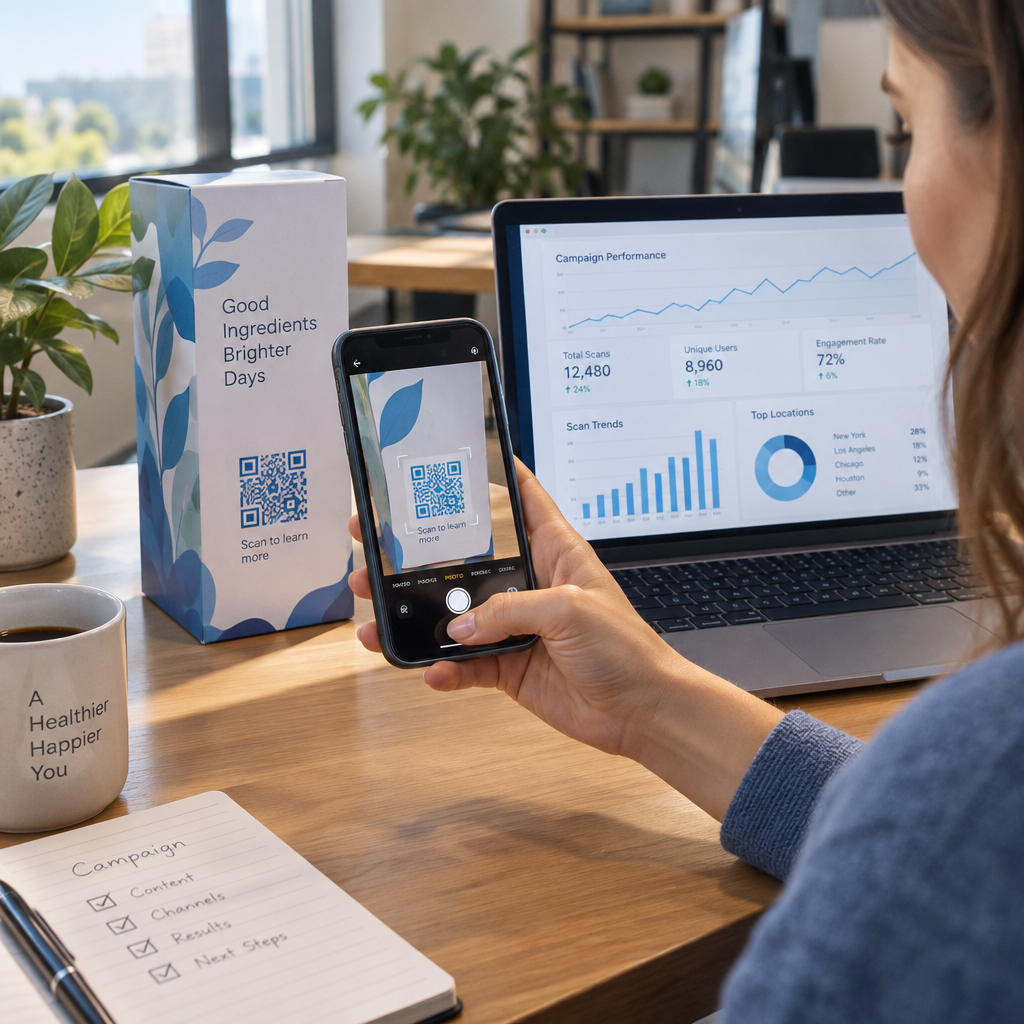
Dinamična QR koda shranjuje kratek preusmeritveni URL v sami kodi. Dejanska destinacija (vaš profil X ali URL objave) se nahaja na Pagelootovih strežnikih in jo je mogoče kadar koli spremeniti, ne da bi spremenili natisnjeno kodo. To pomeni, da lahko po tiskanju popravite pokvarjeno ali zastarelo povezavo X, ne da bi karkoli ponovno tiskali, začasno preusmerite isto kodo na določen tvit med kampanjo in jo nato preusmerite nazaj na svoj profil, ter dostopate do celotne analitike skeniranja, vključno s skupnim številom skeniranj, edinstvenimi skeniranji, časovnimi žigi, vrstami naprav, operacijskimi sistemi in geografskimi lokacijami.

Za vsakogar, ki izvaja tekoče družabne kampanje, je zmožnost posodabljanja destinacij QR kod brez ponovnega tiskanja pomembna praktična prednost. Zaščitite svojo naložbo v tisk, hkrati pa ohranjate svoje občinstvo usmerjeno na trenutno, relevantno vsebino.
Spremljajte vsako skeniranje iz vaše kampanje X Natančno si oglejte, kdaj in kje ljudje skenirajo vaše QR kode Twitter/X z vgrajeno analitično nadzorno ploščo Pageloot. Uporabite Generator QR kod za povezave za začetek.
Smernice za oblikovanje za zanesljivo skeniranje
Slabo oblikovana QR koda se ne bo skenirala, ne glede na to, kako dobra je vaša vsebina na X. Sledite tem smernicam, da zagotovite, da vaša koda deluje vsakič.
Velikost in razdalja skeniranja: Natisnite svojo QR kodo v minimalni velikosti 0,8 × 0,8 palca (2 × 2 cm) za skeniranje od blizu. Za materiale, ki se gledajo z razdalje – plakate ali oznake – uporabite pravilu 10:1: koda naj bo vsaj ena desetina pričakovane razdalje skeniranja. Koda, namenjena skeniranju z razdalje 10 čevljev, mora biti široka vsaj 1 čevelj.
Tiha cona: Pustite jasen bel rob vsaj 4 moduli široko na vseh straneh QR kode. Ta prazen rob je potreben, da skenerji zaznajo, kje se koda začne in konča. Rezanje v to območje povzroča napake pri skeniranju.
Kontrast: Temne module ohranite na svetlem ozadju. Izogibajte se obračanju tega (svetlo na temnem) ali uporabi barv, ki bistveno zmanjšujejo kontrast. Nižji kontrast pomeni počasnejše in manj zanesljivo skeniranje.
Postavitev logotipa: Če dodate logotip, ga ohranite centriranega in ga omejite na največ 20–30% celotne površine QR kode. Nikoli ne prekrivajte treh vogalnih iskalnih vzorcev (kvadratnih “oči”) ali časovnih trakov, saj so ti bistveni za pravilno orientacijo kode s strani skenerja.
Popravljanje napak: QR kode uporabljajo Reed–Solomonovo korekcijo napak, ki dodaja odvečne podatke, tako da je delno zakrito kodo še vedno mogoče dekodirati. Obstajajo štiri ravni: L (obnovi ~7% poškodovanih podatkov), M (~15%), Q (~25%) in H (~30%). Če dodajate logotip ali postavljate kodo na teksturirano površino, uporabite raven Q ali H za kompenzacijo izgubljenega območja. Upoštevajte, da višje ravni korekcije napak nekoliko povečajo vizualno gostoto kode, saj je več modulov namenjenih redundanci.
Kje uporabiti svojo Twitter/X QR kodo
Twitter/X QR kode delujejo povsod, kjer se vaše občinstvo sreča s fizičnimi materiali:
- Vizitke – naj vas novi stiki takoj spremljajo, namesto da bi vas iskali pozneje
- Oznake in značke dogodkov – usmerite udeležence konference v živo na vaše sprotno poročanje o objavah
- Embalaža izdelka – povežite se z objavo, ki napoveduje lansiranje izdelka ali promocijo
- Tiskano oglaševanje – povežite oglas v reviji ali časopisu s tvitom ali hashtagom kampanje
- Razstavni prostori v trgovinah – povabite stranke, da spremljajo vaš račun ali si ogledajo trenutno promocijsko objavo
- Predstavitvene diapozitive – naj občinstvo skenira, da vas spremlja po predavanju
Za mala podjetja, ki se zanašajo na peš promet in tiskane materiale, združitev QR kode z jasnim pozivom k dejanju odstrani vse trenje iz procesa sledenja. Izvedite več o tem, kako mala podjetja uporabljajo QR kode za spodbujanje digitalne angažiranosti s fizičnih lokacij.

Dodajanje jasnega poziva k dejanju
QR koda brez konteksta je prezrta. Vedno povejte ljudem, kaj bodo dobili, ko skenirajo. Specifični pozivi dosledno prekašajo nejasne. Na primer:
- “Skenirajte, da nas spremljate na X za dnevne posodobitve”
- “Skenirajte, da si ogledate ponudbe tega tedna na X”
- “Skenirajte, da se pridružite pogovoru – dogodek tvitamo v živo”
Besedilo z navodili postavite neposredno nad ali pod QR kodo, v velikosti pisave, ki je dovolj velika za branje na razdalji skeniranja. Cilj je dati ljudem razlog za ukrepanje, še preden dvignejo telefon. Za podrobnejši vpogled v pisanje učinkovitih pozivov in strukturiranje kampanj si oglejte celoten vodnik za najboljše prakse za QR kode v kampanjah družbenih medijev.
Primerjava statičnih in dinamičnih Twitter/X QR kod
| FUNKCIJA | Statična koda QR | Dinamična QR koda |
|---|---|---|
| Cilj je mogoče urejati po tiskanju | Ne | Da |
| Analitika skeniranj | Ne | Da |
| Preusmeritev med URL-ji X brez ponovnega tiskanja | Ne | Da |
| Blagovna znamka in prilagajanje | Omejeno | Polno |
| Najboljše za | Enkratna uporaba, preproste povezave | Kampanje, tekoči materiali |
Za vsak tiskan material z življenjsko dobo, daljšo od ene same kampanje, je dinamična koda boljša naložba. Izognete se stroškom ponovnega tiskanja, ko se vsebina spremeni, in pridobite podatke o skeniranju, potrebne za oceno, kaj dejansko deluje.
Povezovanje X z drugimi družbenimi platformami
Če je Twitter/X ena izmed več platform, ki jih promovirate, ne potrebujete ločene QR kode za vsako. Orodje za QR kode družbenih medijev Pageloot ustvari eno kodo, ki odpre blagovno znamko pristajalne strani s povezavami do vseh vaših profilov. To je še posebej uporabno, ko izvajate tudi Koda QR Instagrama ali Facebook QR koda kampanje vzporedno – ena koda lahko služi vsem trem, namesto da bi vaše materiale obremenjevali z več kodami. Za širši vpogled v to, kako QR kode delujejo na različnih platformah in primerih uporabe, si oglejte pregled QR kod za družbene medije.
Pripeljati ljudi od fizične točke stika do vašega profila X je dvosekundna interakcija, če je vaša QR koda pravilno nastavljena. Uporabite dinamično kodo, da lahko posodobite destinacijo brez ponovnega tiskanja, sledite smernicam oblikovanja, da se bo zanesljivo skenirala vsakič, in jo vedno združite z jasnim pozivom k dejanju, da ljudje vedo, zakaj točno skenirajo.
Začnite s Pagelootom Ustvarite blagovno znamko, sledljivo QR kodo za svoj Twitter/X profil ali katero koli povezavo do družbenih medijev. Uporabite Generator QR kode Pageloot – brezplačna 14-dnevna preizkusna doba, kreditna kartica ni potrebna.
Pogosta vprašanja
Da. Odprite objavo na X, tapnite ikono za skupno rabo in izberite “Kopiraj povezavo”, da dobite neposredni URL objave. Prilepite ta URL v Pagelootov generator QR kod za povezave, da ustvarite kodo, ki ob skeniranju odpre to specifično objavo.
Če ste uporabili statično QR kodo, se bo prekinila, ker se kodiran URL ne ujema več z vašim profilom. Če ste uporabili dinamično QR kodo, lahko posodobite ciljni URL na vaši Pageloot nadzorni plošči, ne da bi se dotaknili natisnjene kode – ponatis ni potreben.
Ni nujno. Pagelootovo orodje za QR kode za družabna omrežja vam omogoča dodajanje več povezav do profilov – vključno z X, Instagramom, Facebookom in drugimi – na eno pristajalno stran, vse dostopne z ene skenirane kode. To ohranja vaše tiskane materiale.