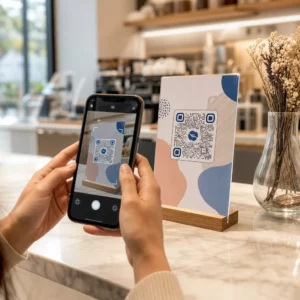
Vil du have folk til at finde din Twitter/X-profil uden at taste et eneste tegn? Manuel søgning efter konti skaber friktion, der koster dig følgere. Denne side viser dig præcis, hvordan du opretter en QR-kode til din Twitter/X-profil, tweet eller konto og bruger den effektivt på tværs af print- og digitale berøringspunkter.
Hvad en Twitter/X QR-kode faktisk gør
En Twitter/X QR-kode er et scannbart billede, der koder en offentlig `x.com` eller `twitter.com` URL. Når nogen scanner den med deres telefonkamera, åbner den den linkede X-ressource direkte – en profil, et opslag, en tråd, et søgeresultat eller endda en specifik hashtag-side – i X-appen eller en mobilbrowser. Omdirigeringen fungerer automatisk mellem `twitter.com`- og `x.com`-domænerne, så du behøver ikke at bekymre dig om, hvilken version af URL'en du bruger. Det vigtigste er, at URL'en er offentlig og korrekt, før du koder den.
Du kan oprette en QR-kode til enhver af følgende X-destinationer:
- Din X-profil (f.eks. `x.com/ditbrugernavn`)
- Et specifikt opslag eller tweet
- En søgeforespørgsel eller hashtag-side
- En liste eller et fællesskab
- Et Space eller en tråd
Sådan får du den rigtige X URL
Før du genererer din QR-kode, skal du have den korrekte URL til den X-destination, du vil linke til.
Til din profil: Gå til din X-profilside i en browser og kopier URL'en direkte fra adresselinjen. Den vil følge formatet `x.com/ditbrugernavn`.
Til et specifikt opslag: Åbn opslaget på X, tryk eller klik derefter på Del-ikonet (pileikonet under opslaget) og vælg Kopier link. Dette kopierer opslagets direkte URL – ikke opslagsteksten – til din udklipsholder. URL'en vil se ud som `x.com/ditbrugernavn/status/1234567890`.
Til et hashtag eller en søgning: Udfør søgningen eller tryk på hashtagget i X, og kopier derefter den resulterende URL fra din browsers adresselinje.
Når du har den korrekte URL, er du klar til at generere QR-koden.
Sådan opretter du en QR-kode til Twitter/X
Mulighed 1: Link QR-kode til en enkelt profil eller et opslag
Den hurtigste metode til at linke til en specifik X-destination er at bruge en link QR-kodegenerator. Processen er ligetil:
- Kopiér din X-profil-URL eller opslags-URL som beskrevet ovenfor
- Åbn Pageloot QR-kodegenerator og vælg Link eller URL skriv
- Indsæt din X-URL i URL-feltet
- Tilpas designet – tilføj dit logo, juster farver, og vælg en rammestil
- Test koden ved at scanne den, før du downloader
- Download filen i et printklart format (SVG, PDF eller EPS), og implementer den
Opret din Twitter/X QR-kode nu Generer en tilpasselig QR-kode, der er linket til din X-profil på få sekunder med Pageloot QR-kodegenerator. Gratis 14-dages prøveperiode. Intet kreditkort påkrævet.
Mulighed 2: QR-kode til sociale medier for flere platforme
Hvis du vil linke til X sammen med andre sociale platforme – Instagram, Facebook, LinkedIn og andre – er Pageloots værktøj til QR-koder til sociale medier lader dig samle alle dine profiler i én scanbar kode, der åbner en tilpasset landingsside. Opsætningen fungerer således:
- Kopiér det offentlige profillink fra hver social platform separat, inklusive din X-URL
- Tilføj hvert link til landingssidebyggeren inde i Pageloots værktøj
- Tilpas landingssiden med en overskrift, beskrivelse, baggrundsfarve og bannerstile
- Design selve QR-koden med dine brandfarver og logo
- Gem, test og download koden
Du kan tilføje så mange sociale profiler, som du har brug for, og landingssiden opdateres dynamisk uden at genudskrive koden. Denne tilgang fungerer særligt godt til visitkort, produktemballage og eventmaterialer, hvor pladsen er begrænset, men du ønsker at tilbyde flere følgemuligheder i en enkelt scanning.
Brug dynamiske QR-koder til igangværende kampagner
Hvis du placerer din Twitter/X QR-kode på trykte materialer – plakater, flyers, merchandise eller emballage – dynamiske QR-koder er det smartere valg frem for statiske.
En dynamisk QR-kode gemmer en kort omdirigerings-URL i selve koden. Den faktiske destination (din X-profil eller opslags-URL) ligger på Pageloots servere og kan ændres når som helst uden at ændre den printede kode. Dette betyder, at du kan rette et ødelagt eller forældet X-link efter print uden at genprinte noget, midlertidigt omdirigere den samme kode til et specifikt tweet under en kampagne og derefter pege den tilbage til din profil bagefter, samt få adgang til fuld scanningsanalyse inklusive samlede scanninger, unikke scanninger, tidsstempler, enhedstyper, operativsystemer og geografiske placeringer.

For enhver, der kører igangværende sociale kampagner, er muligheden for at opdatere QR-kodedestinationer uden genprint en betydelig praktisk fordel. Du beskytter din printinvestering, samtidig med at du holder dit publikum rettet mod aktuelt, relevant indhold.
Spor hver scanning fra din X-kampagne Se præcis, hvornår og hvor folk scanner dine Twitter/X QR-koder med Pageloots indbyggede analyse-dashboard. Brug den Link QR-kodegenerator for at komme i gang.
Designretningslinjer for pålidelig scanning
En dårligt designet QR-kode vil ikke scanne, uanset hvor godt dit X-indhold er. Følg disse retningslinjer for at sikre, at din kode virker hver gang.
Størrelse og scanningsafstand: Udskriv din QR-kode med et minimum af 0,8 × 0,8 tommer (2 × 2 cm) til scanning på kort afstand. For materialer set på afstand – plakater eller skiltning – brug 10:1-reglen: koden skal være mindst en tiendedel af den forventede scanningsafstand. En kode, der er beregnet til at blive scannet fra 10 fod væk, skal være mindst 1 fod bred.
Stillezone: Efterlad en klar hvid margen på mindst 4 moduler bred på alle sider af QR-koden. Denne tomme kant er påkrævet for, at scannere kan registrere, hvor koden begynder og slutter. At skære ind i denne zone forårsager scanningsfejl.
Kontrast: Hold mørke moduler på en lys baggrund. Undgå at vende dette (lys på mørk) eller at bruge farver, der reducerer kontrasten betydeligt. Lavere kontrast betyder langsommere og mindre pålidelig scanning.
Logoplacering: Hvis du tilføjer et logo, hold det centreret og begræns det til ikke mere end 20–30% af det samlede QR-kodeområde. Dæk aldrig de tre hjørne-finder-mønstre (de firkantede “øjne”) eller timingstrimlerne, da disse er afgørende for, at scanneren kan orientere koden korrekt.
Fejlkorrektion: QR-koder bruger Reed–Solomon fejlkorrektion, som tilføjer redundant data, så en delvist skjult kode stadig kan afkodes. Der er fire niveauer: L (genopretter ~7% af beskadiget data), M (~15%), Q (~25%) og H (~30%). Hvis du tilføjer et logo eller placerer koden på en tekstureret overflade, brug niveau Q eller H for at kompensere for det tabte område. Husk på, at højere fejlkorrektionsniveauer øger kodens visuelle tæthed en smule, da flere moduler er afsat til redundans.
Hvor du skal bruge din Twitter/X QR-kode
Twitter/X QR-koder virker overalt, hvor dit publikum støder på fysiske materialer:
- Visitkort – lad nye kontakter følge dig øjeblikkeligt i stedet for at søge senere
- Begivenhedsskiltning og badges – led live konferencegæster til din realtids-postdækning
- Produktemballage – link til et opslag, der annoncerer en produktlancering eller kampagne
- Printannoncering – forbind en magasin- eller avisannonce med et tweet eller kampagne-hashtag
- Butiksudstillinger – inviter kunder til at følge din konto eller se et aktuelt kampagneopslag
- Præsentationsslides – lad publikum scanne for at følge dig efter et foredrag
For små virksomheder, der er afhængige af kundestrøm og trykte materialer, fjerner parring af en QR-kode med en klar opfordring til handling al friktion fra følg-processen. Lær mere om, hvordan små virksomheder bruger QR-koder til at drive digitalt engagement fra fysiske steder.

Tilføjelse af en klar opfordring til handling
En QR-kode uden kontekst bliver ignoreret. Fortæl altid folk, hvad de får, når de scanner. Specifikke opfordringer overgår konsekvent vage. For eksempel:
- “Scan for at følge os på X for daglige opdateringer”
- “Scan for at se denne uges tilbud på X”
- “Scan for at deltage i samtalen – vi live-tweeter begivenheden”
Placer instruktionsteksten direkte over eller under QR-koden, i en skriftstørrelse, der er stor nok til at læse på scanningsafstand. Målet er at give folk en grund til at handle, før de overhovedet tager deres telefon frem. For et dybere kig på at skrive effektive opfordringer og strukturere kampagner, se den fulde guide til bedste praksis for QR-koder i sociale mediekampagner.
Sammenligning af statiske vs. dynamiske Twitter/X QR-koder
| FUNKTION | Statisk QR-kode | Dynamisk QR-kode |
|---|---|---|
| Destination kan redigeres efter udskrivning | Nej, det er det ikke | Ja |
| Scanningsanalyser | Nej, det er det ikke | Ja |
| Omdiriger mellem X URL'er uden genudskrivning | Nej, det er det ikke | Ja |
| Branding og tilpasning | Begrænset | Fuld |
| Bedst til | Engangsbrug, simple links | Kampagner, løbende materialer |
For ethvert trykt materiale med en levetid længere end en enkelt kampagne er dynamisk den bedre investering. Du undgår genudskrivningsomkostninger, når indhold ændres, og får de scanningsdata, der er nødvendige for at evaluere, hvad der faktisk virker.
Forbinder X til andre sociale platforme
Hvis Twitter/X er en af flere platforme, du promoverer, behøver du ikke en separat QR-kode for hver enkelt. Pageloots værktøj til sociale medier QR-koder skaber en enkelt kode, der åbner en brandet landingsside med links til alle dine profiler. Dette er især nyttigt, når du også kører Instagram QR-kode eller Facebook QR-kode kampagner parallelt – én kode kan tjene alle tre i stedet for at fylde dine materialer med flere koder. For et bredere kig på, hvordan QR-koder fungerer på tværs af forskellige platforme og brugsscenarier, se QR-koder til sociale medier – oversigt.
At få folk fra et fysisk kontaktpunkt til din X-profil er en to-sekunders interaktion, når din QR-kode er sat korrekt op. Brug en dynamisk kode, så du kan opdatere destinationen uden genudskrivning, følg designretningslinjerne, så den scanner pålideligt hver gang, og par den altid med en klar opfordring til handling, så folk ved præcis, hvorfor de scanner.
Kom i gang med Pageloot Opret en brandet, sporbar QR-kode til din Twitter/X-profil eller ethvert socialt medielink. Brug Pageloot QR-kodegenerator – gratis 14-dages prøveperiode, intet kreditkort påkrævet.
Ofte stillede spørgsmål
Ja. Åbn opslaget på X, tryk på Del-ikonet, og vælg “Kopiér link” for at få den direkte URL til opslaget. Indsæt den URL i Pageloots link QR-kode generator for at oprette en kode, der åbner det specifikke opslag, når den scannes.
Hvis du brugte en statisk QR-kode, vil den bryde sammen, fordi den kodede URL ikke længere matcher din profil. Hvis du brugte en dynamisk QR-kode, kan du opdatere destinations-URL'en i dit Pageloot-dashboard uden at røre den printede kode – ingen genprint nødvendig.
Ikke nødvendigvis. Pageloots værktøj til sociale medier QR-koder lader dig tilføje flere profillinks – herunder X, Instagram, Facebook og andre – til en enkelt landingsside, alle tilgængelige fra én scannet kode. Dette holder dine trykte materialer rene, samtidig med at det giver folk adgang til alle dine profiler på én gang.