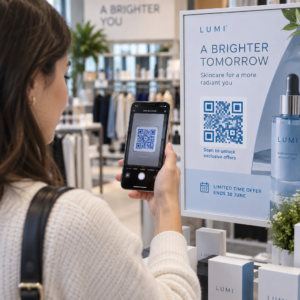
Wil je dat mensen je Twitter/X-profiel vinden zonder één enkel teken te typen? Handmatig zoeken naar accounts creëert frictie die je volgers kost. Deze pagina laat je precies zien hoe je een QR-code voor je Twitter/X-profiel, tweet of account maakt en deze effectief gebruikt voor zowel print als digitale contactpunten.
Wat een Twitter/X QR-code eigenlijk doet
Een Twitter/X QR-code is een scanbare afbeelding die een openbare `x.com` of `twitter.com` URL codeert. Wanneer iemand deze scant met de camera van zijn telefoon, opent het direct de gekoppelde X-bron – een profiel, een bericht, een thread, een zoekresultaat, of zelfs een specifieke hashtag-pagina – in de X-app of een mobiele browser. De omleiding werkt automatisch tussen de `twitter.com` en `x.com` domeinen, dus je hoeft je geen zorgen te maken over welke versie van de URL je gebruikt. Wat belangrijk is, is dat de URL openbaar en correct is voordat je deze codeert.
Je kunt een QR-code maken voor elk van de volgende X-bestemmingen:
- Je X-profiel (bijv. `x.com/yourusername`)
- Een specifiek bericht of tweet
- Een zoekopdracht of hashtag-pagina
- Een lijst of community
- Een Space of thread
Hoe je de juiste X URL krijgt
Voordat je je QR-code genereert, heb je de juiste URL nodig voor elke X-bestemming waarnaar je wilt linken.
Voor je profiel: Ga naar je X-profielpagina in een browser en kopieer de URL direct uit de adresbalk. Deze volgt het formaat `x.com/yourusername`.
Voor een specifiek bericht: Open het bericht op X, tik of klik vervolgens op het deelicoon (het pijltje onder het bericht) en selecteer Kopieer link. Dit kopieert de directe URL van het bericht – niet de berichttekst – naar je klembord. De URL zal eruitzien als `x.com/yourusername/status/1234567890`.
Voor een hashtag of zoekopdracht: Voer de zoekopdracht uit of tik op de hashtag in X, kopieer vervolgens de resulterende URL uit de adresbalk van je browser.
Zodra je de juiste URL hebt, ben je klaar om de QR-code te genereren.
Hoe je een QR-code maakt voor Twitter/X
Optie 1: Link QR-code voor één profiel of bericht
De snelste methode om naar één specifieke X-bestemming te linken, is door een link QR-codegenerator. Het proces is eenvoudig:
- Kopieer je X-profiel-URL of bericht-URL zoals hierboven beschreven
- Open de Pageloot QR-codegenerator en selecteer de Link of URL type
- Plak je X URL in het URL-veld
- Pas het ontwerp aan – voeg je logo toe, pas kleuren aan en kies een framestijl
- Test de code door deze te scannen voordat je downloadt
- Download het bestand in een printklaar formaat (SVG, PDF of EPS) en implementeer het
Maak nu je Twitter/X QR-code Genereer binnen enkele seconden een aanpasbare QR-code gekoppeld aan je X-profiel met de Pageloot QR-codegenerator. Gratis proefperiode van 14 dagen. Geen creditcard vereist.
Optie 2: Sociale Media QR-code voor meerdere platforms
Als je naast X ook naar andere sociale platforms wilt linken – Instagram, Facebook, LinkedIn en andere – dan kun je met Pageloot's sociale media QR-codetool al je profielen consolideren in één scanbare code die een aangepaste landingspagina opent. De instelling werkt als volgt:
- Kopieer de openbare profiellink van elk sociaal platform afzonderlijk, inclusief je X URL
- Voeg elke link toe aan de landingspagina-bouwer binnen de tool van Pageloot
- Pas de landingspagina aan met een kop, beschrijving, achtergrondkleur en bannerstijlen
- Ontwerp de QR-code zelf met je merkkleuren en logo
- Opslaan, testen en de code downloaden
Je kunt zoveel sociale profielen toevoegen als je nodig hebt, en de landingspagina wordt dynamisch bijgewerkt zonder de code opnieuw af te drukken. Deze aanpak werkt bijzonder goed voor visitekaartjes, productverpakkingen en evenementmaterialen waar de ruimte beperkt is, maar je meerdere volgopties wilt bieden in één enkele scan.
Gebruik dynamische QR-codes voor lopende campagnes
Als je je Twitter/X QR-code op gedrukt materiaal plaatst – posters, flyers, merchandise of verpakkingen – dynamische QR-codes zijn de slimmere keuze boven statische.
Een dynamische QR-code slaat een korte omleidings-URL op in de code zelf. De daadwerkelijke bestemming (je X-profiel of bericht-URL) bevindt zich op de servers van Pageloot en kan op elk moment worden gewijzigd zonder de gedrukte code aan te passen. Dit betekent dat je een kapotte of verouderde X-link na het afdrukken kunt repareren zonder iets opnieuw af te drukken, dezelfde code tijdelijk kunt omleiden naar een specifieke tweet tijdens een campagne en deze daarna weer naar je profiel kunt laten verwijzen, en toegang hebt tot volledige scananalyses, inclusief totale scans, unieke scans, tijdstempels, apparaattypen, besturingssystemen en geografische locaties.

Voor iedereen die lopende sociale campagnes uitvoert, is de mogelijkheid om QR-codebestemmingen bij te werken zonder opnieuw af te drukken een aanzienlijk praktisch voordeel. Je beschermt je printinvestering terwijl je je publiek gericht houdt op actuele, relevante inhoud.
Volg elke scan van je X-campagne Zie precies wanneer en waar mensen je Twitter/X QR-codes scannen met het ingebouwde analyse-dashboard van Pageloot. Gebruik de Link QR-codegenerator om te beginnen.
Ontwerprichtlijnen voor Betrouwbaar Scannen
Een slecht ontworpen QR-code scant niet, hoe goed je X-content ook is. Volg deze richtlijnen om ervoor te zorgen dat je code elke keer werkt.
Grootte en scanafstand: Print je QR-code met een minimum van 0,8 × 0,8 inch (2 × 2 cm) voor scannen van dichtbij. Voor materialen die van een afstand worden bekeken – posters of bewegwijzering – gebruik de 10:1 regel: de code moet minstens een tiende van de verwachte scanafstand zijn. Een code die bedoeld is om van 10 voet afstand te worden gescand, moet minstens 1 voet breed zijn.
Stille zone: Laat een duidelijke witte marge van minstens 4 modules breed aan alle zijden van de QR-code. Deze blanco rand is vereist voor scanners om te detecteren waar de code begint en eindigt. Het snijden in deze zone veroorzaakt scanfouten.
Contrast: Houd donkere modules op een lichte achtergrond. Vermijd het omkeren hiervan (licht op donker) of het gebruik van kleuren die het contrast aanzienlijk verminderen. Lager contrast betekent langzamer en minder betrouwbaar scannen.
Logoplaatsing: Als je een logo toevoegt, houd het dan gecentreerd en beperk het tot niet meer dan 20–30% van het totale QR-codegebied. Bedek nooit de drie hoekzoekpatronen (de vierkante “ogen”) of de timingstrips, aangezien deze essentieel zijn voor de scanner om de code correct te oriënteren.
Foutcorrectie: QR-codes gebruiken Reed–Solomon foutcorrectie, die redundante gegevens toevoegt zodat een gedeeltelijk verborgen code nog steeds kan worden gedecodeerd. Er zijn vier niveaus: L (herstelt ~7% van beschadigde gegevens), M (~15%), Q (~25%) en H (~30%). Als je een logo toevoegt of de code op een gestructureerd oppervlak plaatst, gebruik dan niveau Q of H om het verloren gebied te compenseren. Houd er rekening mee dat hogere foutcorrectieniveaus de visuele dichtheid van de code enigszins verhogen, aangezien meer modules zijn gewijd aan redundantie.
Waar je je Twitter/X QR-code kunt gebruiken
Twitter/X QR-codes werken overal waar je publiek fysieke materialen tegenkomt:
- Visitekaartjes – laat nieuwe contacten je direct volgen in plaats van later te zoeken
- Evenementenbewegwijzering en badges – leid live conferentiebezoekers naar je real-time verslaggeving van posts
- Productverpakkingen – link naar een post die een productlancering of promotie aankondigt
- Printadvertenties – verbind een tijdschrift- of krantenadvertentie met een tweet of campagnehashtag
- Displays in de winkel – nodig klanten uit om uw account te volgen of een actuele promotiepost te bekijken
- Presentatiedia's – laat het publiek scannen om u te volgen na een presentatie
Voor kleine bedrijven die afhankelijk zijn van loopverkeer en gedrukt materiaal, verwijdert het koppelen van een QR-code aan een duidelijke call-to-action alle frictie uit het volgproces. Lees meer over hoe kleine bedrijven QR-codes gebruiken om digitale betrokkenheid te stimuleren vanaf fysieke locaties.

Een duidelijke call-to-action toevoegen
Een QR-code zonder context wordt genegeerd. Vertel mensen altijd wat ze krijgen als ze scannen. Specifieke aanwijzingen presteren consequent beter dan vage. Bijvoorbeeld:
- “Scan om ons te volgen op X voor dagelijkse updates”
- “Scan om de aanbiedingen van deze week op X te zien”
- “Scan om deel te nemen aan het gesprek – we tweeten live over het evenement”
Plaats de instructietekst direct boven of onder de QR-code, in een lettergrootte die groot genoeg is om op scanafstand te lezen. Het doel is om mensen een reden te geven om te handelen voordat ze hun telefoon zelfs maar opheffen. Voor een diepere blik op het schrijven van effectieve aanwijzingen en het structureren van campagnes, zie de volledige gids voor beste praktijken voor QR-codes in socialmediacampagnes.
Vergelijking van statische versus dynamische Twitter/X QR-codes
| FUNCTIE | Statische QR Code | Dynamische QR-code |
|---|---|---|
| Bestemming bewerkbaar na afdrukken | Geen | Ja |
| Scananalyse | Geen | Ja |
| Doorverwijzen tussen X URL's zonder opnieuw te printen | Geen | Ja |
| Branding en maatwerk | Beperkt | Volledig |
| Het beste voor | Eenmalig gebruik, eenvoudige links | Campagnes, doorlopend materiaal |
Voor elk gedrukt materiaal met een levensduur langer dan één campagne, is dynamisch de betere investering. U vermijdt herdrukkosten wanneer de inhoud verandert en verkrijgt de scangegevens die nodig zijn om te evalueren wat daadwerkelijk werkt.
X verbinden met andere sociale platforms
Als Twitter/X een van de platforms is die u promoot, heeft u geen aparte QR-code nodig voor elk platform. De socialmediatool voor QR-codes van Pageloot creëert één enkele code die een branded landingspagina opent met links naar al uw profielen. Dit is vooral handig wanneer u ook campagnes voert Instagram QR-code of Facebook QR-code parallelle campagnes – één code kan alle drie bedienen in plaats van uw materialen te overladen met meerdere codes. Voor een bredere kijk op hoe QR-codes werken op verschillende platforms en gebruiksscenario's, zie de QR-codes voor sociale media overzicht.
Mensen van een fysiek contactpunt naar uw X-profiel krijgen is een interactie van twee seconden wanneer uw QR-code correct is ingesteld. Gebruik een dynamische code zodat u de bestemming kunt bijwerken zonder opnieuw te printen, volg de ontwerprichtlijnen zodat deze elke keer betrouwbaar scant, en combineer het altijd met een duidelijke call-to-action zodat mensen precies weten waarom ze scannen.
Ga aan de slag met Pageloot Maak een merkgebonden, traceerbare QR-code voor uw Twitter/X-profiel of elke sociale media link. Gebruik de Pageloot QR-codegenerator – gratis proefperiode van 14 dagen, geen creditcard vereist.
Veelgestelde vragen
Ja. Open de post op X, tik op het Deel-icoon, en selecteer “Link kopiëren” om de directe post-URL te krijgen. Plak die URL in de link QR-code generator van Pageloot om een code te maken die die specifieke post opent wanneer gescand.
Als u een statische QR-code gebruikte, zal deze niet meer werken omdat de gecodeerde URL niet langer overeenkomt met uw profiel. Als u een dynamische QR-code gebruikte, kunt u de bestemmings-URL bijwerken in uw Pageloot-dashboard zonder de geprinte code aan te raken – opnieuw afdrukken is niet nodig.
Niet noodzakelijk. De social media QR-code tool van Pageloot laat je meerdere profiellinks toevoegen – inclusief X, Instagram, Facebook en andere – aan een enkele landingspagina, allemaal toegankelijk via één gescande code. Dit houdt je gedrukte materialen netjes terwijl het mensen toegang geeft tot al je profielen tegelijk.