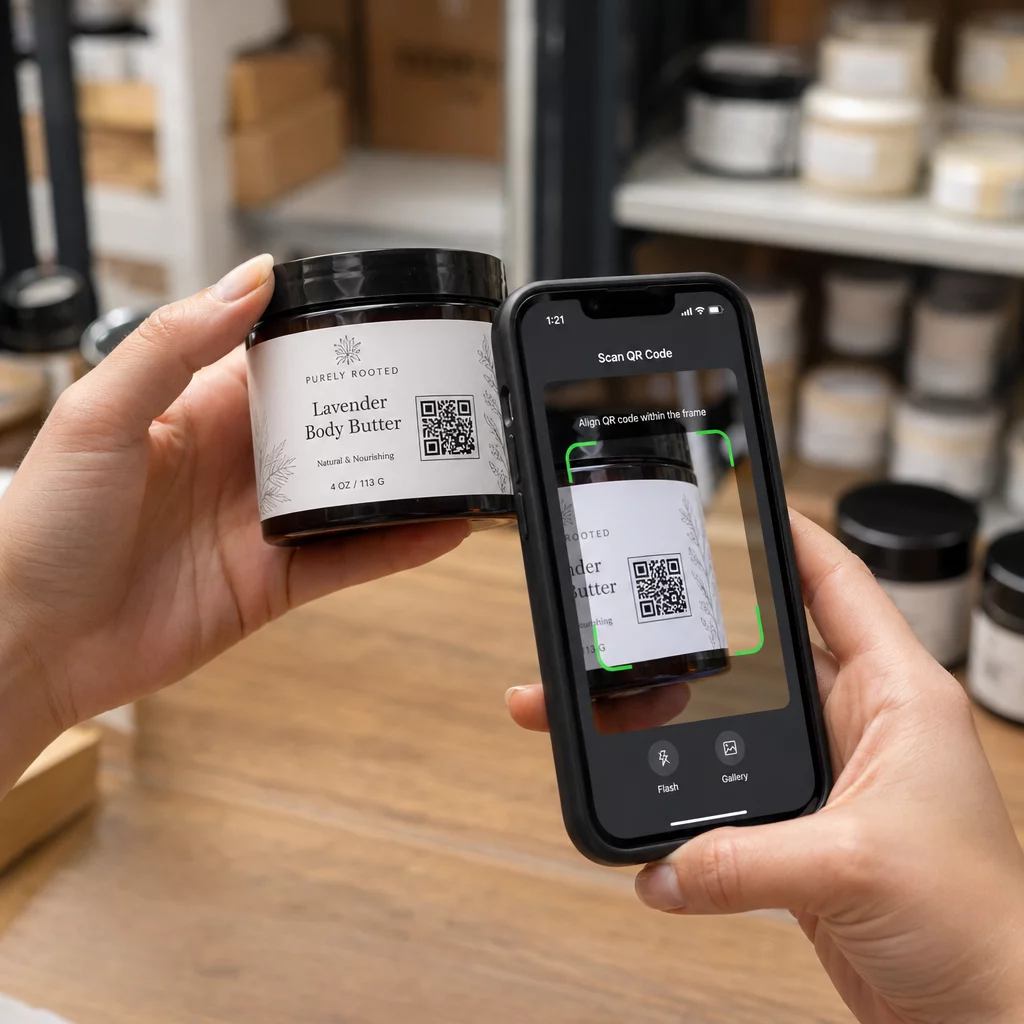
İnsanların Twitter/X profilinizi tek bir karakter bile yazmadan bulmasını ister misiniz? Hesapları manuel olarak aramak, size takipçi kaybettiren bir sürtünme yaratır. Bu sayfa, Twitter/X profiliniz, tweet'iniz veya hesabınız için bir QR kodu nasıl oluşturacağınızı ve bunu basılı ve dijital temas noktalarında etkili bir şekilde nasıl kullanacağınızı tam olarak gösterir.
Bir Twitter/X QR Kodu Gerçekte Ne Yapar?
Bir Twitter/X QR kodu, herkese açık bir `x.com` veya `twitter.com` URL'sini kodlayan taranabilir bir görüntüdür. Biri onu telefon kamerasıyla taradığında, bağlantılı X kaynağını doğrudan – bir profil, bir gönderi, bir konu, bir arama sonucu veya hatta belirli bir hashtag sayfası – X uygulamasında veya bir mobil tarayıcıda açar. Yönlendirme, `twitter.com` ve `x.com` alan adları arasında otomatik olarak çalışır, bu nedenle URL'nin hangi sürümünü kullandığınız konusunda endişelenmenize gerek yoktur. Önemli olan, URL'yi kodlamadan önce herkese açık ve doğru olmasıdır.
Aşağıdaki X hedeflerinden herhangi biri için bir QR kodu oluşturabilirsiniz:
- X profiliniz (örn., `x.com/kullanıcıadınız`)
- Belirli bir gönderi veya tweet
- Bir arama sorgusu veya hashtag sayfası
- Bir liste veya topluluk
- Bir Alan veya konu
Doğru X URL'sini Nasıl Alırsınız?
QR kodunuzu oluşturmadan önce, bağlantı vermek istediğiniz X hedefi için doğru URL'ye ihtiyacınız var.
Profiliniz için: Bir tarayıcıda X profil sayfanıza gidin ve URL'yi doğrudan adres çubuğundan kopyalayın. `x.com/kullanıcıadınız` formatını takip edecektir.
Belirli bir gönderi için: X'te gönderiyi açın, ardından Paylaş simgesine (gönderinin altındaki ok simgesi) dokunun veya tıklayın ve seçin Bağlantıyı kopyala. Bu, gönderinin doğrudan URL'sini – gönderi metnini değil – panonuza kopyalar. URL, `x.com/kullanıcıadınız/status/1234567890` gibi görünecektir.
Bir hashtag veya arama için: Aramayı çalıştırın veya X'teki hashtag'e dokunun, ardından ortaya çıkan URL'yi tarayıcınızın adres çubuğundan kopyalayın.
Doğru URL'ye sahip olduğunuzda, QR kodunu oluşturmaya hazırsınız.
Twitter/X için QR Kodu Nasıl Oluşturulur?
Seçenek 1: Tek Bir Profil veya Gönderi için Bağlantı QR Kodu
Belirli bir X hedefine bağlantı vermenin en hızlı yolu, bir bağlantı QR kod oluşturucunuzun. Süreç basittir:
- X profil URL'nizi veya gönderi URL'nizi yukarıda açıklandığı gibi kopyalayın
- Aç Pageloot QR kod oluşturucu ve seçin Link veya Bağlantı Adresi tip
- X URL'nizi URL alanına yapıştırın
- Tasarımı özelleştirin – logonuzu ekleyin, renkleri ayarlayın ve bir çerçeve stili seçin
- Kodu indirmeden önce tarayarak test edin
- Dosyayı baskıya hazır bir formatta (SVG, PDF veya EPS) indirin ve dağıtın
Twitter/X QR Kodunuzu Şimdi Oluşturun X profilinize saniyeler içinde bağlantılı özelleştirilebilir bir QR kodu oluşturun Pageloot QR Kodu Oluşturucu. 14 günlük ücretsiz deneme. Kredi kartı gerekmez.
Seçenek 2: Birden Fazla Platform için Sosyal Medya QR Kodu
X'e diğer sosyal platformlarla (Instagram, Facebook, LinkedIn ve diğerleri) birlikte bağlantı vermek istiyorsanız, Pageloot'un sosyal medya QR kodu aracı tüm profillerinizi özel bir açılış sayfası açan tek bir taranabilir kodda birleştirmenizi sağlar. Kurulum şu şekildedir:
- X URL'niz dahil olmak üzere her sosyal platformdan herkese açık profil bağlantısını ayrı ayrı kopyalayın
- Her bağlantıyı Pageloot'un aracının içindeki açılış sayfası oluşturucusuna ekleyin
- Açılış sayfasını bir başlık, açıklama, arka plan rengi ve banner stilleriyle özelleştirin
- QR kodunun kendisini marka renkleriniz ve logonuzla tasarlayın
- Kodu kaydedin, test edin ve indirin
İhtiyacınız olduğu kadar sosyal profil ekleyebilirsiniz ve açılış sayfası kodu yeniden yazdırmadan dinamik olarak güncellenir. Bu yaklaşım, alanın sınırlı olduğu ancak tek bir taramada birden fazla takip seçeneği sunmak istediğiniz kartvizitler, ürün ambalajları ve etkinlik materyalleri için özellikle iyi çalışır.
Devam Eden Kampanyalar için Dinamik QR Kodları Kullanın
Twitter/X QR kodunuzu basılı materyallere – posterler, el ilanları, ürünler veya ambalajlar – yerleştiriyorsanız, dinamik QR kodları statik olanlara göre daha akıllı bir seçimdir.
Dinamik bir QR kodu, kodun kendisinde kısa bir yönlendirme URL'si depolar. Gerçek hedef (X profiliniz veya gönderi URL'niz) Pageloot'un sunucularında bulunur ve basılı kodu değiştirmeden herhangi bir zamanda değiştirilebilir. Bu, baskıdan sonra bozuk veya güncel olmayan bir X bağlantısını hiçbir şeyi yeniden yazdırmadan düzeltebileceğiniz, aynı kodu bir kampanya sırasında geçici olarak belirli bir tweet'e yönlendirebileceğiniz ve ardından profilinize geri yönlendirebileceğiniz ve toplam taramalar, benzersiz taramalar, zaman damgaları, cihaz türleri, işletim sistemleri ve coğrafi konumlar dahil olmak üzere tam tarama analizlerine erişebileceğiniz anlamına gelir.

Devam eden sosyal kampanyalar yürüten herkes için, QR kodu hedeflerini yeniden yazdırmadan güncelleme önemli bir pratik avantajdır. Hedef kitlenizi güncel, alakalı içeriğe yönlendirirken baskı yatırımınızı korursunuz.
X Kampanyanızdan Her Taramayı Takip Edin Pageloot'un yerleşik analiz panosu ile insanların Twitter/X QR kodlarınızı tam olarak ne zaman ve nerede taradığını görün. Kullanın Bağlantı QR Kod Oluşturucu Başlamak için.
Güvenilir Tarama için Tasarım Yönergeleri
Kötü tasarlanmış bir QR kodu, X içeriğiniz ne kadar iyi olursa olsun taranmaz. Kodunuzun her zaman çalıştığından emin olmak için bu yönergeleri takip edin.
Boyut ve tarama mesafesi: QR kodunuzu en az 0.8 × 0.8 inç (2 × 2 cm) yakın mesafeli tarama için. Uzaktan görülen materyaller – posterler veya tabelalar – için kullanın 10:1 kuralı: kod, beklenen tarama mesafesinin en az onda biri olmalıdır. 10 fit uzaktan taranması amaçlanan bir kod, en az 1 fit genişliğinde olmalıdır.
Sessiz bölge: En az net bir beyaz kenar boşluğu bırakın 4 modül genişliğinde QR kodunun tüm kenarlarında. Bu boş kenarlık, tarayıcıların kodun nerede başlayıp bittiğini algılaması için gereklidir. Bu bölgeye müdahale etmek tarama hatalarına neden olur.
Kontrast: Koyu modülleri açık bir arka plan üzerinde tutun. Bunu tersine çevirmekten (koyu üzerinde açık) veya kontrastı önemli ölçüde azaltan renkler kullanmaktan kaçının. Daha düşük kontrast, daha yavaş ve daha az güvenilir tarama demektir.
Logo yerleşimi: Bir logo eklerseniz, ortalanmış tutun ve en fazla toplam QR kod alanının –30'u. Üç köşedeki bulucu desenleri (kare “gözler”) veya zamanlama şeritlerini asla kapatmayın, çünkü bunlar tarayıcının kodu doğru bir şekilde yönlendirmesi için gereklidir.
Hata düzeltme: QR kodları, kısmen gizlenmiş bir kodun hala çözülebilmesi için yedek veri ekleyen Reed–Solomon hata düzeltmesi kullanır. Dört seviye vardır: L (hasarlı verinin yaklaşık %7'sini kurtarır), M (yaklaşık ), Q (yaklaşık ) ve H (yaklaşık ). Bir logo ekliyorsanız veya kodu dokulu bir yüzeye yerleştiriyorsanız, seviye kullanın Q veya H kayıp alanı telafi etmek için. Unutmayın ki daha yüksek hata düzeltme seviyeleri, daha fazla modül yedekliliğe ayrıldığı için kodun görsel yoğunluğunu biraz artırır.
Twitter/X QR Kodunuzu Nerede Kullanabilirsiniz
Twitter/X QR kodları, kitlenizin fiziksel materyallerle karşılaştığı her yerde çalışır:
- Kartvizitler – yeni kişilerin daha sonra aramak yerine sizi anında takip etmesini sağlayın
- Etkinlik tabelaları ve rozetleri – canlı konferans katılımcılarını gerçek zamanlı gönderi kapsamınıza yönlendirin
- Ürün ambalajı – bir ürün lansmanını veya promosyonu duyuran bir gönderiye bağlantı verin
- Basılı reklamlar – bir dergi veya gazete reklamını bir tweete veya kampanya hashtag'ine bağlayın
- Mağaza içi ekranlar – müşterileri hesabınızı takip etmeye veya güncel bir promosyon gönderisini görüntülemeye davet edin
- Sunum slaytları – dinleyicilerin bir konuşmadan sonra sizi takip etmek için taramasını sağlayın
Yaya trafiğine ve basılı materyallere dayanan küçük işletmeler için, bir QR kodunu net bir harekete geçirici mesajla eşleştirmek, takip sürecindeki tüm sürtünmeyi ortadan kaldırır. Nasıl olduğunu öğrenin küçük işletmeler QR kodlarını kullanır fiziksel konumlardan dijital etkileşimi artırmak için.

Net Bir Harekete Geçirici Mesaj Ekleme
Bağlamı olmayan bir QR kodu göz ardı edilir. İnsanlara taradıklarında ne elde edeceklerini her zaman söyleyin. Belirli istemler, belirsiz olanlardan sürekli olarak daha iyi performans gösterir. Örneğin:
- “Günlük güncellemeler için bizi X'te takip etmek için tarayın”
- “Bu haftanın X'teki fırsatlarını görmek için tarayın”
- “Sohbete katılmak için tarayın – etkinliği canlı tweetliyoruz”
Talimat metnini doğrudan QR kodunun üstüne veya altına, tarama mesafesinden okunabilecek kadar büyük bir yazı tipi boyutunda yerleştirin. Amaç, insanlara telefonlarını kaldırmadan önce bile harekete geçmeleri için bir neden vermektir. Etkili istemler yazma ve kampanyaları yapılandırma konusunda daha derin bir bakış için, tam kılavuza bakın sosyal medya kampanyalarında QR kodları için en iyi uygulamalar.
Statik ve Dinamik Twitter/X QR Kodlarını Karşılaştırma
| ÖZELLİK | Statik QR Kodu | Dinamik QR Kodu |
|---|---|---|
| Baskıdan sonra düzenlenebilir hedef | Hayır | Evet |
| Tarama analizi | Hayır | Evet |
| Yeniden yazdırmadan X URL'leri arasında yönlendirme yapın | Hayır | Evet |
| Markalaşma ve özelleştirme | Sınırlı | Tam |
| En iyisi | Tek kullanımlık, basit bağlantılar | Kampanyalar, devam eden materyaller |
Tek bir kampanyadan daha uzun ömürlü herhangi bir basılı materyal için dinamik daha iyi bir yatırımdır. İçerik değiştiğinde yeniden yazdırma maliyetlerinden kaçınır ve neyin gerçekten işe yaradığını değerlendirmek için gerekli tarama verilerini elde edersiniz.
X'i Diğer Sosyal Platformlara Bağlama
Twitter/X, tanıttığınız birkaç platformdan biriyse, her biri için ayrı bir QR koduna ihtiyacınız yoktur. Pageloot'un sosyal medya QR kod aracı, tüm profillerinize bağlantılar içeren markalı bir açılış sayfası açan tek bir kod oluşturur. Bu, ayrıca çalıştırıyorsanız özellikle kullanışlıdır Instagram QR kodu veya Facebook QR kodu paralel kampanyalar – materyallerinizi birden fazla kodla doldurmak yerine tek bir kod üçüne de hizmet edebilir. QR kodlarının farklı platformlarda ve kullanım durumlarında nasıl çalıştığına daha geniş bir bakış için, bakın sosyal medya için QR kodları genel bakışı.
İnsanları fiziksel bir temas noktasından X profilinize ulaştırmak, QR kodunuz doğru ayarlandığında iki saniyelik bir etkileşimdir. Hedefi yeniden yazdırmadan güncelleyebilmek için dinamik bir kod kullanın, her zaman güvenilir bir şekilde taranması için tasarım yönergelerini takip edin ve insanların neden taradıklarını tam olarak bilmeleri için her zaman net bir harekete geçirici mesajla eşleştirin.
Pageloot ile Başlayın Twitter/X profiliniz veya herhangi bir sosyal medya bağlantısı için markalı, izlenebilir bir QR kodu oluşturun. Kullanın Pageloot QR Kodu Oluşturucu – ücretsiz 14 günlük deneme, kredi kartı gerekmez.
Sıkça sorulan sorular
Evet. X'teki gönderiyi açın, Paylaş simgesine dokunun ve doğrudan gönderi URL'sini almak için “Bağlantıyı kopyala”yı seçin. Tarandığında o belirli gönderiyi açan bir kod oluşturmak için bu URL'yi Pageloot'un bağlantı QR kod oluşturucusuna yapıştırın.
Eğer statik bir QR kod kullandıysanız, kodlanmış URL artık profilinizle eşleşmediği için bozulacaktır. Eğer dinamik bir QR kod kullandıysanız, basılı koda dokunmadan Pageloot kontrol panelinizde hedef URL'yi güncelleyebilirsiniz – yeniden baskıya gerek yok.
Şart değil. Pageloot'un sosyal medya QR kod aracı, X, Instagram, Facebook ve diğerleri dahil olmak üzere birden fazla profil bağlantısını tek bir açılış sayfasına eklemenizi sağlar; hepsi tek bir taranmış koddan erişilebilir. Bu, basılı materyallerinizi temiz tutarken insanlara tüm profillerinize aynı anda erişim sağlar.