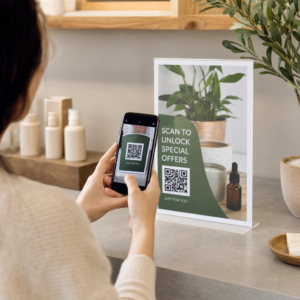
ต้องการให้ผู้คนค้นหาโปรไฟล์ Twitter/X ของคุณโดยไม่ต้องพิมพ์แม้แต่ตัวอักษรเดียวใช่ไหม การค้นหาบัญชีด้วยตนเองสร้างความยุ่งยากที่ทำให้คุณเสียผู้ติดตาม หน้านี้แสดงให้คุณเห็นอย่างชัดเจนถึงวิธีการสร้างโค้ด QR สำหรับโปรไฟล์ Twitter/X ทวีต หรือบัญชีของคุณ และนำไปใช้อย่างมีประสิทธิภาพทั้งในสื่อสิ่งพิมพ์และสื่อดิจิทัล.
โค้ด QR ของ Twitter/X ทำอะไรได้บ้าง
โค้ด QR ของ Twitter/X คือรูปภาพที่สแกนได้ซึ่งเข้ารหัส URL สาธารณะของ `x.com` หรือ `twitter.com` เมื่อมีคนสแกนด้วยกล้องโทรศัพท์ จะเปิดแหล่งข้อมูล X ที่เชื่อมโยงโดยตรง ไม่ว่าจะเป็นโปรไฟล์ โพสต์ เธรด ผลการค้นหา หรือแม้แต่หน้าแฮชแท็กเฉพาะ ในแอป X หรือเบราว์เซอร์มือถือ การเปลี่ยนเส้นทางทำงานโดยอัตโนมัติระหว่างโดเมน `twitter.com` และ `x.com` ดังนั้นคุณจึงไม่ต้องกังวลว่าจะใช้ URL เวอร์ชันใด สิ่งสำคัญคือ URL ต้องเป็นสาธารณะและถูกต้องก่อนที่คุณจะเข้ารหัส.
คุณสามารถสร้างโค้ด QR สำหรับปลายทาง X ต่อไปนี้ได้:
- โปรไฟล์ X ของคุณ (เช่น `x.com/yourusername`)
- โพสต์หรือทวีตเฉพาะ
- การค้นหาหรือหน้าแฮชแท็ก
- รายการหรือชุมชน
- Space หรือเธรด
วิธีรับ URL X ที่ถูกต้อง
ก่อนสร้างโค้ด QR คุณต้องมี URL ที่ถูกต้องสำหรับปลายทาง X ที่คุณต้องการเชื่อมโยงไป.
สำหรับโปรไฟล์ของคุณ: ไปที่หน้าโปรไฟล์ X ของคุณในเบราว์เซอร์แล้วคัดลอก URL โดยตรงจากแถบที่อยู่ จะเป็นไปตามรูปแบบ `x.com/yourusername`.
สำหรับโพสต์เฉพาะ: เปิดโพสต์บน X จากนั้นแตะหรือคลิกไอคอนแชร์ (ไอคอนลูกศรใต้โพสต์) แล้วเลือก คัดลอกลิงค์. ซึ่งจะคัดลอก URL โดยตรงของโพสต์ ไม่ใช่ข้อความโพสต์ ไปยังคลิปบอร์ดของคุณ URL จะมีลักษณะคล้ายกับ `x.com/yourusername/status/1234567890`.
สำหรับแฮชแท็กหรือการค้นหา: เรียกใช้การค้นหาหรือแตะแฮชแท็กใน X จากนั้นคัดลอก URL ที่ได้จากแถบที่อยู่ของเบราว์เซอร์ของคุณ.
เมื่อคุณมี URL ที่ถูกต้องแล้ว คุณก็พร้อมที่จะสร้างโค้ด QR.
วิธีสร้างโค้ด QR สำหรับ Twitter/X
ตัวเลือกที่ 1: โค้ด QR ลิงก์สำหรับโปรไฟล์หรือโพสต์เดียว
วิธีที่เร็วที่สุดในการเชื่อมโยงไปยังปลายทาง X ที่เฉพาะเจาะจงคือการใช้ เครื่องสร้างรหัส QR สำหรับลิงก์. .
- กระบวนการนี้ตรงไปตรงมา:
- เปิด เครื่องสร้าง QR โค้ด Pageloot และเลือกไฟล์ ลิงก์ หรือ URL ชนิด
- คัดลอก URL โปรไฟล์ X หรือ URL โพสต์ของคุณตามที่อธิบายไว้ข้างต้น
- วาง URL X ของคุณลงในช่อง URL
- ปรับแต่งการออกแบบ – เพิ่มโลโก้ของคุณ ปรับสี และเลือกสไตล์กรอบ
- ทดสอบโค้ดโดยการสแกนก่อนดาวน์โหลด
ดาวน์โหลดไฟล์ในรูปแบบพร้อมพิมพ์ (SVG, PDF หรือ EPS) และนำไปใช้งาน สร้างโค้ด QR ของ Twitter/X ของคุณตอนนี้ Pageloot เครื่องสร้างรหัส QR. ทดลองใช้ฟรี 14 วัน ไม่ต้องใช้บัตรเครดิต.
สร้างโค้ด QR ที่ปรับแต่งได้ซึ่งเชื่อมโยงกับโปรไฟล์ X ของคุณในไม่กี่วินาทีด้วย
. ตัวเลือกที่ 2: โค้ด QR โซเชียลมีเดียสำหรับหลายแพลตฟอร์ม หากคุณต้องการเชื่อมโยงไปยัง X พร้อมกับแพลตฟอร์มโซเชียลอื่น ๆ เช่น Instagram, Facebook, LinkedIn และอื่น ๆ เครื่องมือ
- โค้ด QR โซเชียลมีเดียของ Pageloot
- ช่วยให้คุณรวมโปรไฟล์ทั้งหมดของคุณไว้ในโค้ดที่สแกนได้เพียงโค้ดเดียว ซึ่งจะเปิดหน้า Landing Page ที่กำหนดเอง การตั้งค่าทำงานดังนี้:
- คัดลอกลิงก์โปรไฟล์สาธารณะจากแต่ละแพลตฟอร์มโซเชียลแยกกัน รวมถึง URL X ของคุณ
- เพิ่มแต่ละลิงก์ลงในเครื่องมือสร้างหน้า Landing Page ภายในเครื่องมือของ Pageloot
- ปรับแต่งหน้า Landing Page ด้วยหัวข้อ คำอธิบาย สีพื้นหลัง และสไตล์แบนเนอร์
ออกแบบโค้ด QR ด้วยสีแบรนด์และโลโก้ของคุณ.
บันทึก ทดสอบ และดาวน์โหลดโค้ด
คุณสามารถเพิ่มโปรไฟล์โซเชียลได้มากเท่าที่คุณต้องการ และหน้า Landing Page จะอัปเดตแบบไดนามิกโดยไม่ต้องพิมพ์โค้ดใหม่ วิธีนี้เหมาะอย่างยิ่งสำหรับนามบัตร บรรจุภัณฑ์ผลิตภัณฑ์ และวัสดุสำหรับกิจกรรมที่พื้นที่จำกัด แต่คุณต้องการเสนอตัวเลือกการติดตามหลายรายการในการสแกนครั้งเดียว คิวอาร์โค้ดแบบไดนามิก ใช้โค้ด QR แบบไดนามิกสำหรับแคมเปญต่อเนื่อง.
หากคุณกำลังวางโค้ด QR ของ Twitter/X บนสื่อสิ่งพิมพ์ เช่น โปสเตอร์ ใบปลิว สินค้า หรือบรรจุภัณฑ์ –.

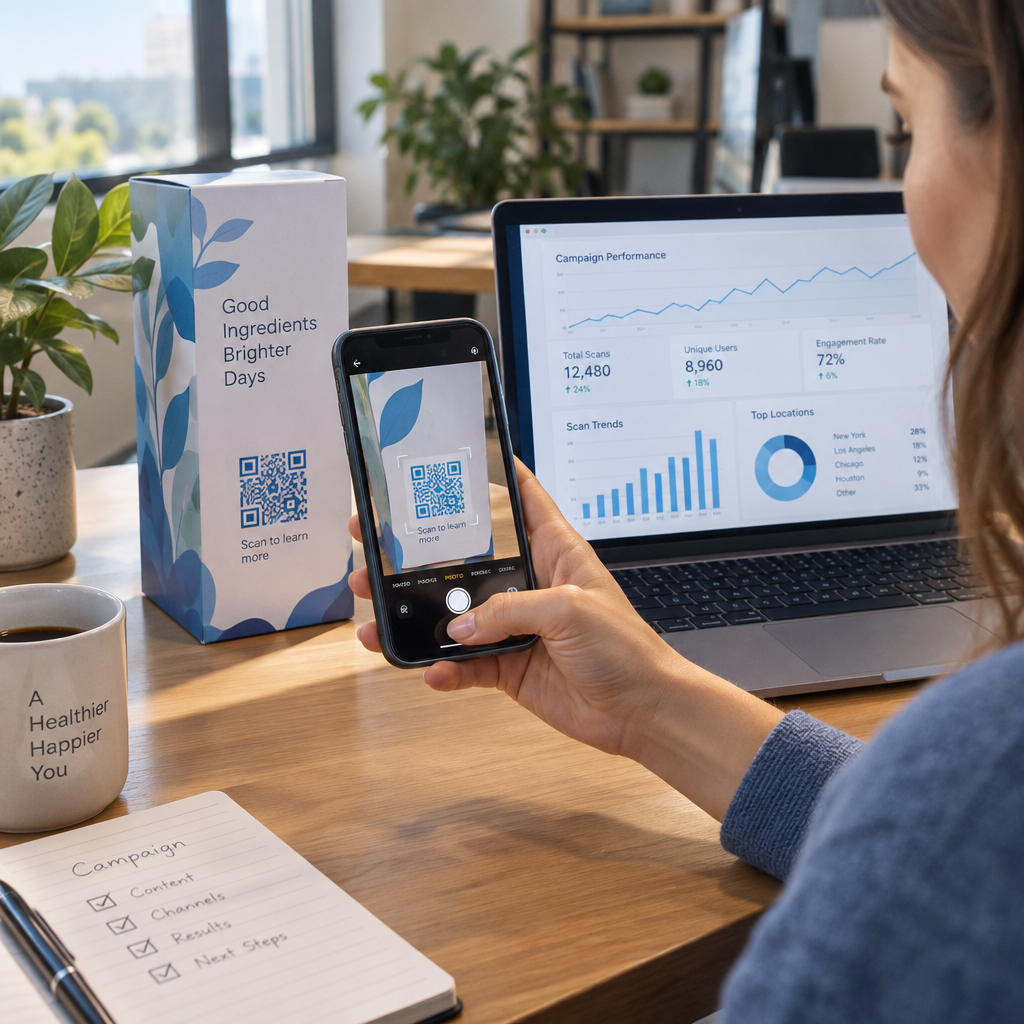
เป็นทางเลือกที่ชาญฉลาดกว่าแบบคงที่ โค้ด QR แบบไดนามิกจะเก็บ URL เปลี่ยนเส้นทางแบบสั้นไว้ในโค้ดเอง ปลายทางจริง (โปรไฟล์ X หรือ URL โพสต์ของคุณ) อยู่บนเซิร์ฟเวอร์ของ Pageloot และสามารถเปลี่ยนแปลงได้ตลอดเวลาโดยไม่ต้องแก้ไขโค้ดที่พิมพ์ ซึ่งหมายความว่าคุณสามารถแก้ไขลิงก์ X ที่เสียหรือล้าสมัยหลังจากพิมพ์โดยไม่ต้องพิมพ์ซ้ำอะไรเลย ชั่วคราวเปลี่ยนเส้นทางโค้ดเดียวกันไปยังทวีตเฉพาะระหว่างแคมเปญแล้วเปลี่ยนกลับไปยังโปรไฟล์ของคุณในภายหลัง และเข้าถึงการวิเคราะห์การสแกนแบบเต็ม รวมถึงจำนวนการสแกนทั้งหมด การสแกนที่ไม่ซ้ำกัน การประทับเวลา ประเภทอุปกรณ์ ระบบปฏิบัติการ และตำแหน่งทางภูมิศาสตร์ สำหรับทุกคนที่ดำเนินแคมเปญโซเชียลอย่างต่อเนื่อง ความสามารถในการ.
อัปเดตปลายทางโค้ด QR โดยไม่ต้องพิมพ์ซ้ำ เป็นข้อได้เปรียบในทางปฏิบัติที่สำคัญ คุณปกป้องการลงทุนในการพิมพ์ของคุณในขณะที่ยังคงให้ผู้ชมของคุณมุ่งเน้นไปที่เนื้อหาที่เป็นปัจจุบันและเกี่ยวข้อง เครื่องสร้างรหัส QR สำหรับลิงก์ ที่จะเริ่มต้น.
แนวทางการออกแบบเพื่อการสแกนที่เชื่อถือได้
คิวอาร์โค้ดที่ออกแบบไม่ดีจะไม่สามารถสแกนได้ ไม่ว่าเนื้อหา X ของคุณจะดีแค่ไหนก็ตาม ปฏิบัติตามแนวทางเหล่านี้เพื่อให้แน่ใจว่าโค้ดของคุณใช้งานได้ทุกครั้ง.
ขนาดและระยะการสแกน: พิมพ์คิวอาร์โค้ดของคุณที่ขนาดขั้นต่ำ 0.8 × 0.8 นิ้ว (2 × 2 ซม.) สำหรับการสแกนระยะใกล้ สำหรับวัสดุที่ดูจากระยะไกล – โปสเตอร์หรือป้าย – ใช้ กฎ 10:1: โค้ดควรมีขนาดอย่างน้อยหนึ่งในสิบของระยะการสแกนที่คาดไว้ โค้ดที่ตั้งใจให้สแกนจากระยะ 10 ฟุต จะต้องมีขนาดอย่างน้อย 1 ฟุต.
พื้นที่ว่างรอบโค้ด (Quiet zone): เว้นระยะขอบสีขาวที่ชัดเจนอย่างน้อย กว้าง 4 โมดูล รอบด้านของคิวอาร์โค้ด ขอบว่างนี้จำเป็นสำหรับเครื่องสแกนเพื่อตรวจจับว่าโค้ดเริ่มต้นและสิ้นสุดที่ใด การตัดเข้าไปในโซนนี้ทำให้การสแกนล้มเหลว.
ความคมชัด: รักษาโมดูลสีเข้มบนพื้นหลังสีอ่อน หลีกเลี่ยงการกลับด้านนี้ (สีอ่อนบนสีเข้ม) หรือใช้สีที่ลดคอนทราสต์ลงอย่างมาก คอนทราสต์ที่ต่ำลงหมายถึงการสแกนที่ช้าลงและเชื่อถือได้น้อยลง.
การจัดวางโลโก้: หากคุณเพิ่มโลโก้ ให้จัดให้อยู่ตรงกลางและจำกัดไม่ให้เกิน 20–30% ของพื้นที่คิวอาร์โค้ดทั้งหมด. ห้ามปิดบังรูปแบบตัวค้นหามุมทั้งสาม (สี่เหลี่ยม “ตา”) หรือแถบเวลา เนื่องจากสิ่งเหล่านี้จำเป็นสำหรับเครื่องสแกนในการวางแนวโค้ดให้ถูกต้อง.
การแก้ไขข้อผิดพลาด: คิวอาร์โค้ดใช้การแก้ไขข้อผิดพลาดแบบ Reed–Solomon ซึ่งเพิ่มข้อมูลสำรองเพื่อให้โค้ดที่ถูกบดบังบางส่วนยังคงสามารถถอดรหัสได้ มีสี่ระดับ: L (กู้คืนข้อมูลที่เสียหายได้ประมาณ 7%), M (ประมาณ 15%), Q (ประมาณ 25%) และ H (ประมาณ 30%) หากคุณกำลังเพิ่มโลโก้หรือวางโค้ดบนพื้นผิวที่มีลวดลาย ให้ใช้ระดับ Q หรือ H เพื่อชดเชยพื้นที่ที่หายไป โปรดจำไว้ว่าระดับการแก้ไขข้อผิดพลาดที่สูงขึ้นจะเพิ่มความหนาแน่นของภาพของโค้ดเล็กน้อย เนื่องจากมีโมดูลจำนวนมากถูกใช้เพื่อความซ้ำซ้อน.
สถานที่ใช้คิวอาร์โค้ด Twitter/X ของคุณ
คิวอาร์โค้ด Twitter/X ใช้งานได้ทุกที่ที่กลุ่มเป้าหมายของคุณพบเจอวัสดุทางกายภาพ:
- นามบัตร – ให้ผู้ติดต่อใหม่ติดตามคุณได้ทันทีแทนที่จะต้องค้นหาในภายหลัง
- ป้ายและป้ายชื่อกิจกรรม – ดึงดูดผู้เข้าร่วมการประชุมสดไปยังการรายงานโพสต์แบบเรียลไทม์ของคุณ
- บรรจุภัณฑ์ผลิตภัณฑ์ – เชื่อมโยงไปยังโพสต์ที่ประกาศการเปิดตัวผลิตภัณฑ์หรือโปรโมชัน
- โฆษณาสิ่งพิมพ์ – เชื่อมโยงโฆษณานิตยสารหรือหนังสือพิมพ์ไปยังทวีตหรือแฮชแท็กแคมเปญ
- การแสดงผลในร้านค้า – เชิญลูกค้าให้ติดตามบัญชีของคุณหรือดูโพสต์โปรโมชันปัจจุบัน
- สไลด์นำเสนอ – ให้ผู้ชมสแกนเพื่อติดตามคุณหลังจากการบรรยาย
สำหรับธุรกิจขนาดเล็กที่พึ่งพาการสัญจรของผู้คนและวัสดุสิ่งพิมพ์ การจับคู่คิวอาร์โค้ดกับการกระตุ้นการตัดสินใจที่ชัดเจนจะช่วยขจัดอุปสรรคทั้งหมดออกจากกระบวนการติดตาม เรียนรู้เพิ่มเติมเกี่ยวกับวิธี ธุรกิจขนาดเล็กใช้คิวอาร์โค้ด เพื่อขับเคลื่อนการมีส่วนร่วมทางดิจิทัลจากสถานที่จริง.

การเพิ่มการกระตุ้นการตัดสินใจที่ชัดเจน
คิวอาร์โค้ดที่ไม่มีบริบทจะถูกละเลย บอกผู้คนเสมอว่าพวกเขาจะได้อะไรเมื่อสแกน ข้อความกระตุ้นที่เฉพาะเจาะจงมักจะให้ผลลัพธ์ที่ดีกว่าข้อความที่ไม่ชัดเจน ตัวอย่างเช่น:
- “สแกนเพื่อติดตามเราบน X สำหรับการอัปเดตรายวัน”
- “สแกนเพื่อดูข้อเสนอประจำสัปดาห์นี้บน X”
- “สแกนเพื่อเข้าร่วมการสนทนา – เรากำลังทวีตสดเหตุการณ์นี้”
วางข้อความคำแนะนำไว้เหนือหรือใต้คิวอาร์โค้ดโดยตรง ด้วยขนาดตัวอักษรที่ใหญ่พอที่จะอ่านได้ในระยะการสแกน เป้าหมายคือการให้เหตุผลแก่ผู้คนในการดำเนินการก่อนที่พวกเขาจะยกโทรศัพท์ขึ้น สำหรับข้อมูลเชิงลึกเกี่ยวกับการเขียนข้อความกระตุ้นที่มีประสิทธิภาพและการจัดโครงสร้างแคมเปญ โปรดดูคู่มือฉบับเต็มเกี่ยวกับ แนวทางปฏิบัติที่ดีที่สุดสำหรับคิวอาร์โค้ดในแคมเปญโซเชียลมีเดีย.
การเปรียบเทียบคิวอาร์โค้ด Twitter/X แบบคงที่กับแบบไดนามิก
| ฟีเจอร์ | รหัส QR แบบคงที่ | รหัส QR แบบไดนามิก |
|---|---|---|
| ปลายทางสามารถแก้ไขได้หลังจากการพิมพ์ | เลขที่ | ใช่ |
| การวิเคราะห์การสแกน | เลขที่ | ใช่ |
| เปลี่ยนเส้นทางระหว่าง URL ของ X โดยไม่ต้องพิมพ์ซ้ำ | เลขที่ | ใช่ |
| การสร้างแบรนด์และการปรับแต่ง | จำกัด | เต็ม |
| เหมาะสำหรับ | ใช้ครั้งเดียว, ลิงก์ง่ายๆ | แคมเปญ, วัสดุต่อเนื่อง |
สำหรับวัสดุสิ่งพิมพ์ใดๆ ที่มีอายุการใช้งานยาวนานกว่าแคมเปญเดียว แบบไดนามิกเป็นการลงทุนที่ดีกว่า คุณหลีกเลี่ยงค่าใช้จ่ายในการพิมพ์ซ้ำเมื่อเนื้อหาเปลี่ยนแปลง และได้รับข้อมูลการสแกนที่จำเป็นในการประเมินว่าอะไรใช้งานได้จริง.
การเชื่อมต่อ X กับแพลตฟอร์มโซเชียลอื่นๆ
หาก Twitter/X เป็นหนึ่งในหลายแพลตฟอร์มที่คุณกำลังโปรโมต คุณไม่จำเป็นต้องมีคิวอาร์โค้ดแยกต่างหากสำหรับแต่ละแพลตฟอร์ม เครื่องมือคิวอาร์โค้ดโซเชียลมีเดียของ Pageloot สร้างโค้ดเดียวที่เปิดหน้า Landing Page ที่มีแบรนด์พร้อมลิงก์ไปยังโปรไฟล์ทั้งหมดของคุณ สิ่งนี้มีประโยชน์อย่างยิ่งเมื่อคุณกำลังดำเนินการ รหัส QR ของอินสตาแกรม หรือ รหัส QR Facebook แคมเปญคู่ขนาน – โค้ดเดียวสามารถใช้ได้ทั้งสามอย่าง แทนที่จะทำให้วัสดุของคุณรกด้วยโค้ดหลายอัน สำหรับภาพรวมที่กว้างขึ้นว่าคิวอาร์โค้ดทำงานอย่างไรในแพลตฟอร์มและกรณีการใช้งานที่แตกต่างกัน โปรดดู ภาพรวมคิวอาร์โค้ดสำหรับโซเชียลมีเดีย.
การนำผู้คนจากจุดสัมผัสทางกายภาพไปยังโปรไฟล์ X ของคุณเป็นการโต้ตอบสองวินาทีเมื่อคิวอาร์โค้ดของคุณตั้งค่าอย่างถูกต้อง ใช้โค้ดแบบไดนามิกเพื่อให้คุณสามารถอัปเดตปลายทางได้โดยไม่ต้องพิมพ์ซ้ำ ปฏิบัติตามแนวทางการออกแบบเพื่อให้สแกนได้อย่างน่าเชื่อถือทุกครั้ง และจับคู่กับคำกระตุ้นการตัดสินใจที่ชัดเจนเสมอเพื่อให้ผู้คนรู้ว่าพวกเขากำลังสแกนไปเพื่ออะไร.
เริ่มต้นใช้งาน Pageloot สร้างคิวอาร์โค้ดที่มีแบรนด์และติดตามได้สำหรับโปรไฟล์ Twitter/X ของคุณหรือลิงก์โซเชียลมีเดียใดๆ ใช้ Pageloot เครื่องสร้างรหัส QR – ทดลองใช้ฟรี 14 วัน ไม่ต้องใช้บัตรเครดิต.
คำถามที่พบบ่อย
ใช่ เปิดโพสต์บน X แตะไอคอนแชร์ และเลือก “คัดลอกลิงก์” เพื่อรับ URL โพสต์โดยตรง วาง URL นั้นลงในเครื่องสร้างรหัส QR ลิงก์ของ Pageloot เพื่อสร้างรหัสที่จะเปิดโพสต์นั้นเมื่อสแกน.
หากคุณใช้คิวอาร์โค้ดแบบคงที่ มันจะเสียเพราะ URL ที่เข้ารหัสไม่ตรงกับโปรไฟล์ของคุณอีกต่อไป หากคุณใช้คิวอาร์โค้ดแบบไดนามิก คุณสามารถอัปเดต URL ปลายทางในแดชบอร์ด Pageloot ของคุณได้โดยไม่ต้องแตะโค้ดที่พิมพ์ – ไม่จำเป็นต้องพิมพ์ซ้ำ.
ไม่จำเป็นเสมอไป เครื่องมือสร้างรหัส QR โซเชียลมีเดียของ Pageloot ให้คุณเพิ่มลิงก์โปรไฟล์ได้หลายรายการ – รวมถึง X, Instagram, Facebook และอื่นๆ – ไปยังหน้า Landing Page เดียว ทั้งหมดสามารถเข้าถึงได้จากรหัสที่สแกนเพียงรหัสเดียว สิ่งนี้ช่วยให้สื่อสิ่งพิมพ์ของคุณดูสะอาดตา ในขณะที่ให้ผู้คนเข้าถึงโปรไฟล์ทั้งหมดของคุณได้ในคราวเดียว.