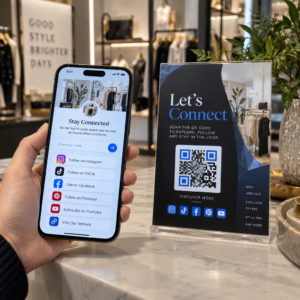
Norite, kad žmonės rastų jūsų „Twitter“/„X“ profilį neįvedę nė vieno simbolio? Rankinis paskyrų ieškojimas sukelia trintį, kuri kainuoja jums sekėjų. Šiame puslapyje tiksliai parodoma, kaip sukurti QR kodą savo „Twitter“/„X“ profiliui, įrašui ar paskyrai ir efektyviai jį naudoti spausdintiniuose bei skaitmeniniuose taškuose.
Ką iš tikrųjų daro „Twitter“/„X“ QR kodas
„Twitter“/„X“ QR kodas yra nuskaitomas vaizdas, kuriame užkoduotas viešas `x.com` arba `twitter.com` URL. Kai kas nors jį nuskaito savo telefono kamera, jis tiesiogiai atidaro susietą „X“ išteklių – profilį, įrašą, giją, paieškos rezultatą ar net konkretaus žymos grotažymės puslapį – „X“ programėlėje arba mobiliojoje naršyklėje. Nukreipimas veikia automatiškai tarp `twitter.com` ir `x.com` domenų, todėl jums nereikia jaudintis, kurią URL versiją naudojate. Svarbu, kad URL būtų viešas ir teisingas prieš jį užkoduojant.
Galite sukurti QR kodą bet kuriai iš šių „X“ paskirties vietų:
- Jūsų „X“ profilis (pvz., `x.com/yourusername`)
- Konkretus įrašas arba tviteris
- Paieškos užklausa arba grotažymės puslapis
- Sąrašas arba bendruomenė
- Erdvė (Space) arba gija
Kaip gauti tinkamą „X“ URL
Prieš generuodami QR kodą, jums reikia teisingo URL, skirtą bet kuriai „X“ paskirties vietai, į kurią norite nukreipti.
Jūsų profiliui: Eikite į savo „X“ profilio puslapį naršyklėje ir nukopijuokite URL tiesiai iš adreso juostos. Jis atitiks formatą `x.com/yourusername`.
Konkrečiam įrašui: Atidarykite įrašą „X“, tada bakstelėkite arba spustelėkite bendrinimo piktogramą (rodyklės piktogramą po įrašu) ir pasirinkite Nukopijuoti nuorodą. Tai nukopijuoja tiesioginį įrašo URL – ne įrašo tekstą – į jūsų iškarpinę. URL atrodys maždaug taip: `x.com/yourusername/status/1234567890`.
Grotažymei arba paieškai: Atlikite paiešką arba bakstelėkite grotažymę „X“, tada nukopijuokite gautą URL iš naršyklės adreso juostos.
Kai turėsite teisingą URL, būsite pasiruošę generuoti QR kodą.
Kaip sukurti QR kodą „Twitter“/„X“
1 variantas: nuorodos QR kodas vienam profiliui arba įrašui
Greičiausias būdas susieti su viena konkrečia „X“ paskirties vieta yra naudoti nuorodos QR kodo generatorius. Procesas yra paprastas:
- Nukopijuokite savo X profilio URL arba įrašo URL, kaip aprašyta aukščiau
- Atidaryk Pageloot QR kodo generatorius ir pasirinkite Nuoroda arba URL tipo
- Įklijuokite savo X URL į URL laukelį
- Tinkinkite dizainą – pridėkite savo logotipą, koreguokite spalvas ir pasirinkite rėmelio stilių
- Išbandykite kodą nuskaitydami jį prieš atsisiųsdami
- Atsisiųskite failą spausdinimui paruoštu formatu (SVG, PDF arba EPS) ir jį įdiekite
Sukurkite savo Twitter/X QR kodą dabar Sukurkite tinkinamą QR kodą, susietą su jūsų X profiliu per kelias sekundes, naudodami „Pageloot“ QR kodų generatorius. Nemokamas 14 dienų bandymas. Kredito kortelė nereikalinga.
2 variantas: socialinės medijos QR kodas kelioms platformoms
Jei norite susieti su X kartu su kitomis socialinėmis platformomis – Instagram, Facebook, LinkedIn ir kitomis – Pageloot socialinės medijos QR kodo įrankis leidžia sujungti visus jūsų profilius į vieną nuskaitomą kodą, kuris atidaro tinkintą nukreipimo puslapį. Sąranka veikia taip:
- Atskirai nukopijuokite viešojo profilio nuorodą iš kiekvienos socialinės platformos, įskaitant jūsų X URL
- Pridėkite kiekvieną nuorodą į nukreipimo puslapio kūrimo įrankį Pageloot įrankyje
- Tinkinkite nukreipimo puslapį su antrašte, aprašymu, fono spalva ir reklamjuostės stiliais
- Sukurkite patį QR kodą su savo prekės ženklo spalvomis ir logotipu
- Išsaugokite, išbandykite ir atsisiųskite kodą
Galite pridėti tiek socialinių profilių, kiek jums reikia, o nukreipimo puslapis dinamiškai atnaujinamas be kodo perspausdinimo. Šis metodas ypač tinka vizitinėms kortelėms, produktų pakuotėms ir renginių medžiagai, kur erdvė yra ribota, bet norite pasiūlyti kelias sekimo parinktis vienu nuskaitymu.
Naudokite dinaminius QR kodus nuolatinėms kampanijoms
Jei savo Twitter/X QR kodą dedate ant spausdintos medžiagos – plakatų, skrajučių, prekių ar pakuočių – dinaminiai QR kodai yra protingesnis pasirinkimas nei statiniai.
Dinaminis QR kodas saugo trumpą nukreipimo URL pačiame kode. Tikrasis tikslas (jūsų X profilis arba įrašo URL) yra Pageloot serveriuose ir gali būti pakeistas bet kuriuo metu, nekeičiant atspausdinto kodo. Tai reiškia, kad galite pataisyti neveikiančią ar pasenusią X nuorodą po spausdinimo, nieko neperspausdinant, laikinai nukreipti tą patį kodą į konkretų įrašą kampanijos metu ir vėliau nukreipti jį į savo profilį, ir pasiekti išsamią nuskaitymo analizę, įskaitant bendrą nuskaitymų skaičių, unikalius nuskaitymus, laiko žymas, įrenginių tipus, operacines sistemas ir geografines vietas.

Kiekvienam, vykdantiems nuolatines socialines kampanijas, galimybė atnaujinti QR kodo paskirties vietas be perspausdinimo yra didelis praktinis pranašumas. Jūs apsaugote savo spausdinimo investicijas, tuo pačiu nukreipdami savo auditoriją į dabartinį, aktualų turinį.
Stebėkite kiekvieną nuskaitymą iš savo X kampanijos Tiksliai matykite, kada ir kur žmonės nuskaito jūsų Twitter/X QR kodus, naudodami Pageloot integruotą analizės prietaisų skydelį. Naudokite Nuorodos QR kodo generatorius pradėti.
Dizaino gairės patikimam nuskaitymui
Prastai suprojektuotas QR kodas nebus nuskaitomas, kad ir koks geras būtų jūsų X turinys. Laikykitės šių gairių, kad jūsų kodas veiktų kiekvieną kartą.
Dydis ir nuskaitymo atstumas: Spausdinkite savo QR kodą mažiausiai 0.8 × 0.8 colio (2 × 2 cm) artimo nuotolio nuskaitymui. Medžiagoms, matomoms iš toli – plakatams arba iškaboms – naudokite 10:1 taisyklės: kodas turėtų būti bent dešimtadalis numatomo nuskaitymo atstumo. Kodas, skirtas nuskaityti iš 10 pėdų atstumo, turi būti bent 1 pėdos pločio.
Tylioji zona: Palikite aiškų baltą kraštą, bent 4 modulių pločio visose QR kodo pusėse. Šis tuščias kraštas yra būtinas, kad skaitytuvai aptiktų, kur kodas prasideda ir baigiasi. Įsikišimas į šią zoną sukelia nuskaitymo klaidas.
Kontrastas: Laikykite tamsius modulius ant šviesaus fono. Venkite to atvirkštinio (šviesus ant tamsaus) arba spalvų, kurios žymiai sumažina kontrastą. Mažesnis kontrastas reiškia lėtesnį ir mažiau patikimą nuskaitymą.
Logotipo išdėstymas: Jei pridedate logotipą, laikykite jį centre ir apribokite jį ne daugiau kaip 20–30% viso QR kodo ploto. Niekada neuždenkite trijų kampinių ieškiklio raštų (kvadratinių “akių”) arba laiko juostų, nes jos yra būtinos skaitytuvui, kad teisingai orientuotų kodą.
Klaidų taisymas: QR kodai naudoja Reed–Solomon klaidų taisymą, kuris prideda perteklinės informacijos, kad iš dalies uždengtas kodas vis tiek galėtų būti iššifruotas. Yra keturi lygiai: L (atkuria ~7% pažeistų duomenų), M (~15%), Q (~25%) ir H (~30%). Jei pridedate logotipą arba dedate kodą ant tekstūruoto paviršiaus, naudokite lygį Q arba H kad kompensuotumėte prarastą plotą. Turėkite omenyje, kad aukštesni klaidų taisymo lygiai šiek tiek padidina kodo vizualinį tankį, nes daugiau modulių skiriama pertekliui.
Kur naudoti savo Twitter/X QR kodą
Twitter/X QR kodai veikia visur, kur jūsų auditorija susiduria su fizinėmis medžiagomis:
- Vizitinės kortelės – leiskite naujiems kontaktams sekti jus iškart, o ne ieškoti vėliau
- Renginių iškabos ir ženkleliai – nukreipkite gyvus konferencijos dalyvius į jūsų realaus laiko įrašų aprėptį
- Produkto pakuotė – nuoroda į įrašą, skelbiantį produkto pristatymą arba akciją
- Spausdinta reklama – susiekite žurnalo ar laikraščio skelbimą su tviterio įrašu arba kampanijos žyma
- Parduotuvių vitrinos – pakvieskite klientus sekti jūsų paskyrą arba peržiūrėti dabartinį reklaminį įrašą
- Pristatymo skaidrės – leiskite auditorijai nuskaityti, kad sektų jus po pokalbio
Mažoms įmonėms, kurios priklauso nuo pėsčiųjų srauto ir spausdintų medžiagų, QR kodo sujungimas su aiškiu raginimu veikti pašalina visą trintį iš sekimo proceso. Sužinokite daugiau apie tai, kaip mažos įmonės naudoja QR kodus skatinti skaitmeninį įsitraukimą iš fizinių vietų.

Aiškus raginimas veikti
QR kodas be konteksto ignoruojamas. Visada pasakykite žmonėms, ką jie gaus, kai nuskaitys. Konkretūs raginimai nuolat pranoksta neaiškius. Pavyzdžiui:
- “Nuskaitykite, kad sektumėte mus X tinkle ir gautumėte kasdienius atnaujinimus”
- “Nuskaitykite, kad pamatytumėte šios savaitės pasiūlymus X tinkle”
- “Nuskaitykite, kad prisijungtumėte prie pokalbio – mes tiesiogiai transliuojame renginį X tinkle”
Instrukcijos tekstą padėkite tiesiai virš arba po QR kodu, pakankamai dideliu šriftu, kad būtų galima perskaityti nuskaitymo atstumu. Tikslas yra suteikti žmonėms priežastį veikti dar prieš jiems pakeliant telefoną. Norėdami giliau pažvelgti į efektyvių raginimų rašymą ir kampanijų struktūrizavimą, žr. visą vadovą apie geriausią praktiką naudojant QR kodus socialinės žiniasklaidos kampanijose.
Statinio ir dinaminio Twitter/X QR kodų palyginimas
| FUNKCIJA | Statinis QR kodas | Dinaminis QR kodas |
|---|---|---|
| Paskirtis redaguojama po spausdinimo | Ne | Taip |
| Nuskaitymų analizė | Ne | Taip |
| Nukreipimas tarp X URL be pakartotinio spausdinimo | Ne | Taip |
| Prekės ženklo kūrimas ir pritaikymas | Ribotas | Pilnas |
| Geriausiai tinka | Vienkartinis naudojimas, paprastos nuorodos | Kampanijos, nuolatinės medžiagos |
Bet kokiai spausdintai medžiagai, kurios gyvavimo trukmė ilgesnė nei viena kampanija, dinaminis yra geresnė investicija. Jūs išvengiate pakartotinio spausdinimo išlaidų, kai keičiasi turinys, ir gaunate nuskaitymo duomenis, reikalingus įvertinti, kas iš tikrųjų veikia.
X prijungimas prie kitų socialinių platformų
Jei Twitter/X yra viena iš kelių platformų, kurias reklamuojate, jums nereikia atskiro QR kodo kiekvienai. Pageloot socialinės žiniasklaidos QR kodo įrankis sukuria vieną kodą, kuris atidaro firminį nukreipimo puslapį su nuorodomis į visus jūsų profilius. Tai ypač naudinga, kai taip pat vykdote "Instagram" QR kodas arba „Facebook“ QR kodas kampanijas lygiagrečiai – vienas kodas gali aptarnauti visus tris, o ne užgriozdinti jūsų medžiagas keliais kodais. Norėdami plačiau pažvelgti į tai, kaip QR kodai veikia skirtingose platformose ir naudojimo atvejais, žr. QR kodų socialinei žiniasklaidai apžvalga.
Žmonių nukreipimas iš fizinio sąlyčio taško į jūsų X profilį yra dviejų sekundžių sąveika, kai jūsų QR kodas yra tinkamai nustatytas. Naudokite dinaminį kodą, kad galėtumėte atnaujinti paskirties vietą be pakartotinio spausdinimo, laikykitės dizaino gairių, kad jis būtų patikimai nuskaitomas kiekvieną kartą, ir visada suporuokite jį su aiškiu raginimu veikti, kad žmonės tiksliai žinotų, kodėl jie skenuoja.
Pradėkite naudotis Pageloot Sukurkite firminį, sekamą QR kodą savo Twitter/X profiliui arba bet kuriai socialinės žiniasklaidos nuorodai. Naudokite „Pageloot“ QR kodų generatorius – nemokamas 14 dienų bandymas, kreditinė kortelė nereikalinga.
Dažniausiai užduodami klausimai
Taip. Atidarykite įrašą X, bakstelėkite bendrinimo piktogramą ir pasirinkite “Kopijuoti nuorodą”, kad gautumėte tiesioginį įrašo URL. Įklijuokite tą URL į Pageloot nuorodos QR kodo generatorių, kad sukurtumėte kodą, kuris atidaro tą konkretų įrašą, kai jis nuskaitomas.
Jei naudojote statinį QR kodą, jis neveiks, nes užkoduotas URL nebeatitinka jūsų profilio. Jei naudojote dinaminį QR kodą, galite atnaujinti paskirties URL savo Pageloot prietaisų skydelyje, neliesdami atspausdinto kodo – nereikia pakartotinai spausdinti.
Nebūtinai. Pageloot socialinės medijos QR kodo įrankis leidžia jums pridėti kelias profilio nuorodas – įskaitant X, Instagram, Facebook ir kitus – į vieną nukreipimo puslapį, visi pasiekiami iš vieno nuskaityto kodo. Tai išlaiko jūsų spausdintą medžiagą tvarkingą, suteikiant žmonėms prieigą prie visų jūsų profilių vienu metu.