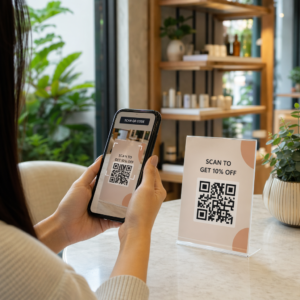
Szeretné, ha az emberek egyetlen karakter beírása nélkül megtalálnák az Ön Twitter/X profilját? A fiókok manuális keresése súrlódást okoz, ami követőket veszít. Ez az oldal pontosan megmutatja, hogyan hozhat létre QR-kódot Twitter/X profiljához, tweetjéhez vagy fiókjához, és hogyan használhatja azt hatékonyan nyomtatott és digitális érintkezési pontokon.
Mire való valójában egy Twitter/X QR-kód
Egy Twitter/X QR-kód egy szkennelhető kép, amely egy nyilvános `x.com` vagy `twitter.com` URL-t kódol. Amikor valaki beolvassa a telefonja kamerájával, közvetlenül megnyitja a hivatkozott X erőforrást – egy profilt, egy bejegyzést, egy szálat, egy keresési eredményt, vagy akár egy specifikus hashtag oldalt – az X alkalmazásban vagy egy mobil böngészőben. Az átirányítás automatikusan működik a `twitter.com` és `x.com` domainek között, így nem kell aggódnia, hogy az URL melyik verzióját használja. Az a fontos, hogy az URL nyilvános és helyes legyen, mielőtt kódolja.
A következő X célhelyek bármelyikéhez létrehozhat QR-kódot:
- Az Ön X profilja (pl. `x.com/yourusername`)
- Egy specifikus bejegyzés vagy tweet
- Egy keresési lekérdezés vagy hashtag oldal
- Egy lista vagy közösség
- Egy Space vagy szál
Hogyan szerezze meg a megfelelő X URL-t
Mielőtt létrehozná a QR-kódot, szüksége van a megfelelő URL-re ahhoz az X célhelyhez, amelyre hivatkozni szeretne.
Az Ön profiljához: Lépjen az X profiloldalára egy böngészőben, és másolja ki az URL-t közvetlenül a címsorból. Az `x.com/yourusername` formátumot fogja követni.
Egy specifikus bejegyzéshez: Nyissa meg a bejegyzést az X-en, majd koppintson vagy kattintson a Megosztás ikonra (a bejegyzés alatti nyíl ikonra), és válassza ki a Link másolása. Ez a bejegyzés közvetlen URL-jét – nem a bejegyzés szövegét – másolja a vágólapra. Az URL valahogy így fog kinézni: `x.com/yourusername/status/1234567890`.
Egy hashtaghez vagy kereséshez: Futtassa a keresést, vagy koppintson a hashtagre az X-en, majd másolja ki az eredményül kapott URL-t a böngészője címsorából.
Miután megvan a megfelelő URL, készen áll a QR-kód generálására.
Hogyan hozzunk létre QR-kódot Twitter/X-hez
opció: Link QR-kód egyetlen profilhoz vagy bejegyzéshez
A leggyorsabb módszer egy specifikus X célhelyre való hivatkozáshoz egy link QR-kód generátor. A folyamat egyszerű:
- Másolja ki az X profil URL-jét vagy a bejegyzés URL-jét a fent leírtak szerint
- Nyissa meg a Pageloot QR-kód generátor és válassza ki a Link vagy URL típus
- Illessze be az X URL-jét az URL mezőbe
- Szabja testre a designt – adja hozzá logóját, állítsa be a színeket, és válasszon keretstílust
- Tesztelje a kódot a letöltés előtt történő beolvasással
- Töltse le a fájlt nyomtatásra kész formátumban (SVG, PDF vagy EPS), és telepítse
Hozza létre Twitter/X QR-kódját most Hozzon létre egy testreszabható QR-kódot, amely másodpercek alatt kapcsolódik az X profiljához a Pageloot QR Kód Generátor. Ingyenes 14 napos próbaverzió. Bankkártya nem szükséges.
opció: Közösségi média QR-kód több platformhoz
Ha az X-re más közösségi platformok – Instagram, Facebook, LinkedIn és mások – mellett szeretne hivatkozni, a Pageloot közösségi média QR-kód eszköze lehetővé teszi, hogy az összes profilját egyetlen szkennelhető kódba vonja össze, amely egy egyedi céloldalt nyit meg. A beállítás így működik:
- Másolja ki az egyes közösségi platformok nyilvános profil linkjét külön-külön, beleértve az X URL-jét is
- Adja hozzá az egyes linkeket a céloldal-építőhöz a Pageloot eszközén belül
- Szabja testre a céloldalt címmel, leírással, háttérszínnel és bannerstílusokkal
- Tervezze meg magát a QR-kódot a márkaszíneivel és logójával
- Mentse, tesztelje és töltse le a kódot
Annyi közösségi profilt adhat hozzá, amennyire szüksége van, és a céloldal dinamikusan frissül a kód újranyomtatása nélkül. Ez a megközelítés különösen jól működik névjegykártyák, termékcsomagolások és rendezvényanyagok esetében, ahol a hely korlátozott, de több követési lehetőséget szeretne kínálni egyetlen beolvasással.
Használjon dinamikus QR-kódokat folyamatos kampányokhoz
Ha Twitter/X QR-kódját nyomtatott anyagokra – poszterekre, szórólapokra, árucikkekre vagy csomagolásra – helyezi, dinamikus QR kódok okosabb választás, mint a statikusak.
Egy dinamikus QR-kód egy rövid átirányítási URL-t tárol magában a kódban. A tényleges célhely (az Ön X profilja vagy bejegyzés URL-je) a Pageloot szerverein található, és bármikor megváltoztatható a nyomtatott kód módosítása nélkül. Ez azt jelenti, hogy a nyomtatás után kijavíthat egy hibás vagy elavult X linket anélkül, hogy bármit is újranyomtatna, ideiglenesen átirányíthatja ugyanazt a kódot egy specifikus tweetre egy kampány során, majd utána visszairányíthatja a profiljára, és hozzáférhet a teljes beolvasási analitikához, beleértve az összes beolvasást, egyedi beolvasásokat, időbélyegeket, eszköz típusokat, operációs rendszereket és földrajzi helyeket.

Bárki számára, aki folyamatos közösségi kampányokat futtat, a képesség, hogy frissítse a QR-kód célhelyeit újranyomtatás nélkül jelentős gyakorlati előny. Megvédi nyomtatási befektetését, miközben közönségét az aktuális, releváns tartalomra irányítja.
Kövesse nyomon minden beolvasást az X kampányából Pontosan láthatja, mikor és hol szkennelik az emberek az Ön Twitter/X QR-kódjait a Pageloot beépített analitikai műszerfalával. Használja a Link QR-kód generátor hogy elkezdhessük.
Tervezési irányelvek a megbízható szkenneléshez
Egy rosszul megtervezett QR-kód nem fog beolvasódni, nem számít, milyen jó az X tartalmad. Kövesse ezeket az irányelveket, hogy a kódja mindig működjön.
Méret és szkennelési távolság: Nyomtassa ki a QR-kódját minimum 0,8 × 0,8 hüvelyk (2 × 2 cm) közeli szkenneléshez. Távolról megtekintett anyagokhoz – plakátokhoz vagy táblákhoz – használja a 10:1 szabályt: a kódnak legalább az elvárt szkennelési távolság egytizedének kell lennie. Egy 10 láb távolságból szkennelendő kódnak legalább 1 láb szélesnek kell lennie.
Csendes zóna: Hagyjon egy tiszta fehér margót legalább 4 modul széles a QR-kód minden oldalán. Ez az üres szegély szükséges a szkennerek számára annak észleléséhez, hogy hol kezdődik és végződik a kód. Ha belelóg ebbe a zónába, az szkennelési hibákat okoz.
Kontraszt: Tartsa a sötét modulokat világos háttéren. Kerülje ennek megfordítását (világos sötéten) vagy olyan színek használatát, amelyek jelentősen csökkentik a kontrasztot. Az alacsonyabb kontraszt lassabb és kevésbé megbízható szkennelést jelent.
Logó elhelyezése: Ha logót ad hozzá, tartsa középen és korlátozza legfeljebb a teljes QR-kód területének 20–30%-ára. Soha ne takarja le a három sarokkereső mintát (a négyzet alakú “szemeket”) vagy az időzítő csíkokat, mivel ezek elengedhetetlenek a szkenner számára a kód helyes tájolásához.
Hibajavítás: A QR-kódok Reed–Solomon hibajavítást használnak, amely redundáns adatokat ad hozzá, így egy részben eltakart kód is dekódolható marad. Négy szint létezik: L (a sérült adatok ~7%-át állítja helyre), M (~15%), Q (~25%) és H (~30%). Ha logót ad hozzá, vagy a kódot texturált felületre helyezi, használja a szintet Q vagy H az elveszett terület kompenzálására. Ne feledje, hogy a magasabb hibajavítási szintek enyhén növelik a kód vizuális sűrűségét, mivel több modul van a redundanciára szánva.
Hol használja Twitter/X QR-kódját
A Twitter/X QR-kódok bárhol működnek, ahol a közönsége fizikai anyagokkal találkozik:
- Névjegykártyák – hagyja, hogy az új kapcsolatok azonnal kövessék Önt ahelyett
- Event signage and badges – drive live conference attendees to your real-time post coverage
- Termékcsomagolás – link to a post announcing a product launch or promotion
- Print advertising – kössön össze egy magazin- vagy újsághirdetést egy tweet-tel vagy kampány hashtag-gel
- Bolti kijelzők – hívja meg az ügyfeleket, hogy kövessék fiókját, vagy nézzenek meg egy aktuális promóciós bejegyzést
- Prezentációs diák – engedje, hogy a közönség beolvassa a kódot, hogy kövesse Önt egy előadás után
Kisvállalkozások számára, amelyek a gyalogos forgalomra és a nyomtatott anyagokra támaszkodnak, egy QR-kód párosítása egy világos cselekvésre ösztönzéssel teljesen megszünteti a súrlódást a követési folyamatból. Tudjon meg többet arról, hogyan a kisvállalkozások használják a QR-kódokat hogy digitális elkötelezettséget generáljanak fizikai helyszínekről.

Világos cselekvésre ösztönzés hozzáadása
Egy kontextus nélküli QR-kódot figyelmen kívül hagynak. Mindig mondja el az embereknek, mit kapnak, ha beolvassák. A konkrét felszólítások következetesen felülmúlják az általánosakat. Például:
- “Olvassa be, hogy kövessen minket az X-en napi frissítésekért”
- “Olvassa be, hogy megtekintse a hét ajánlatait az X-en”
- “Olvassa be, hogy csatlakozzon a beszélgetéshez – élőben tweetelünk az eseményről”
Helyezze az utasítás szövegét közvetlenül a QR-kód fölé vagy alá, olyan betűméretben, amely elég nagy ahhoz, hogy beolvasási távolságból is olvasható legyen. A cél az, hogy okot adjunk az embereknek a cselekvésre, mielőtt még felemelnék a telefonjukat. Az effektív felszólítások írásáról és a kampányok strukturálásáról bővebben a teljes útmutatóban olvashat, a QR-kódok közösségi média kampányokban való használatára vonatkozó legjobb gyakorlatokról.
Statikus vs. dinamikus Twitter/X QR-kódok összehasonlítása
| FUNKCIÓ | Statikus QR-kód | Dinamikus QR-kód |
|---|---|---|
| Cél szerkeszthető nyomtatás után | Nem | Igen |
| Szkennelési analitika | Nem | Igen |
| Átirányítás X URL-ek között újra nyomtatás nélkül | Nem | Igen |
| Márkaépítés és testreszabás | Korlátozott | Teljes |
| Legjobb: | Egyszeri használat, egyszerű linkek | Kampányok, folyamatos anyagok |
Bármely nyomtatott anyag esetében, amelynek élettartama hosszabb, mint egyetlen kampány, a dinamikus a jobb befektetés. Elkerülheti az újranyomtatási költségeket, amikor a tartalom változik, és hozzájut a szükséges beolvasási adatokhoz annak értékeléséhez, hogy mi működik valójában.
Az X összekapcsolása más közösségi platformokkal
Ha a Twitter/X egyike azon több platformnak, amelyeket népszerűsít, nincs szüksége külön QR-kódra mindegyikhez. A Pageloot közösségi média QR-kód eszkö Instagram QR-kód vagy Facebook QR-kód párhuzamos kampányok – egy kód szolgálhatja mindhármat, ahelyett, hogy több kóddal zsúfolná az anyagaidat. A QR-kódok különböző platformokon és felhasználási esetekben való működésének átfogóbb áttekintéséért lásd a A közösségi média QR-kódjainak áttekintése.
Az emberek fizikai érintkezési pontról az X profilodra juttatása egy két másodperces interakció, ha a QR-kódod helyesen van beállítva. Használj dinamikus kódot, hogy újranyomtatás nélkül frissíthesd a célállomást, kövesd a tervezési irányelveket, hogy minden alkalommal megbízhatóan szkennelhető legyen, és mindig párosítsd egy világos cselekvésre ösztönzéssel, hogy az emberek pontosan tudják, miért szkennelnek.
Kezdje el a Pageloot-tal Hozz létre egy márkás, nyomon követhető QR-kódot a Twitter/X profilodhoz vagy bármely közösségi média linkhez. Használd a Pageloot QR Kód Generátor – ingyenes 14 napos próbaverzió, bankkártya nem szükséges.
Gyakori kérdések
Igen. Nyissa meg a bejegyzést az X-en, koppintson a Megosztás ikonra, és válassza a “Link másolása” lehetőséget, hogy megkapja a közvetlen bejegyzés URL-jét. Illessze be ezt az URL-t a Pageloot link QR kód generátorába, hogy létrehozzon egy kódot, amely megnyitja azt a specifikus bejegyzést, amikor beolvassák.
Ha Ön statikus QR-kódot használt, az elromlik, mert a kódolt URL már nem egyezik a profiljával. Ha Ön dinamikus QR-kódot használt, frissítheti a cél URL-t a Pageloot irányítópultján anélkül, hogy hozzáérne a nyomtatott kódhoz – nincs szükség újranyomtatásra.
Nem feltétlenül. A Pageloot közösségi média QR kód eszköze lehetővé teszi, hogy több profil linket adjon hozzá – beleértve az X-et, Instagramot, Facebookot és másokat – egyetlen céloldalra, mind hozzáférhető egy beolvasott kódból. Ez tisztán tartja a nyomtatott anyagait, miközben egyszerre biztosít hozzáférést az összes profiljához az embereknek.