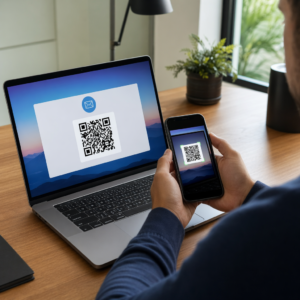
Želite da ljudi pronađu vaš Twitter/X profil bez upisivanja ijednog znaka? Ručno pretraživanje računa stvara trenje koje vas košta pratitelja. Ova stranica vam pokazuje točno kako stvoriti QR kod za vaš Twitter/X profil, tweet ili račun i učinkovito ga koristiti na tiskanim i digitalnim dodirnim točkama.
Što Twitter/X QR kod zapravo radi
Twitter/X QR kod je slika koja se može skenirati i koja kodira javni `x.com` ili `twitter.com` URL. Kada ga netko skenira kamerom svog telefona, izravno otvara povezani X resurs – profil, objavu, nit, rezultat pretraživanja ili čak određenu stranicu s hashtagom – u X aplikaciji ili mobilnom pregledniku. Preusmjeravanje radi automatski između domena `twitter.com` i `x.com`, tako da se ne morate brinuti koju verziju URL-a koristite. Važno je da je URL javan i ispravan prije nego što ga kodirate.
Možete stvoriti QR kod za bilo koju od sljedećih X destinacija:
- Vaš X profil (npr., `x.com/yourusername`)
- Određena objava ili tweet
- Upit za pretraživanje ili stranica s hashtagom
- Popis ili zajednica
- Prostor ili nit
Kako dobiti pravi X URL
Prije generiranja vašeg QR koda, potreban vam je ispravan URL za bilo koju X destinaciju na koju želite povezati.
Za vaš profil: Idite na stranicu vašeg X profila u pregledniku i kopirajte URL izravno iz adresne trake. Slijedit će format `x.com/yourusername`.
Za određenu objavu: Otvorite objavu na X-u, zatim dodirnite ili kliknite ikonu Dijeli (ikona strelice ispod objave) i odaberite Kopiraj link. Ovo kopira izravni URL objave – ne tekst objave – u vaš međuspremnik. URL će izgledati otprilike ovako `x.com/yourusername/status/1234567890`.
Za hashtag ili pretraživanje: Pokrenite pretraživanje ili dodirnite hashtag u X-u, zatim kopirajte dobiveni URL iz adresne trake vašeg preglednika.
Kada imate ispravan URL, spremni ste za generiranje QR koda.
Kako stvoriti QR kod za Twitter/X
Opcija 1: Poveznica QR kod za jedan profil ili objavu
Najbrža metoda za povezivanje na jednu specifičnu X destinaciju je korištenje generator QR koda veze. Proces je jednostavan:
- Kopirajte URL vašeg X profila ili URL objave kao što je gore opisano
- Otvori Pageloot generator QR kodova i odaberite Poveznica ili URL tip
- Zalijepite vaš X URL u polje za URL
- Prilagodite dizajn – dodajte svoj logotip, prilagodite boje i odaberite stil okvira
- Testirajte kod skeniranjem prije preuzimanja
- Preuzmite datoteku u formatu spremnom za ispis (SVG, PDF ili EPS) i implementirajte je
Stvorite svoj Twitter/X QR kod sada Generirajte prilagodljiv QR kod povezan s vašim X profilom u sekundama pomoću Pageloot Generator QR kodova. Besplatno 14-dnevno probno razdoblje. Kreditna kartica nije potrebna.
Opcija 2: QR kod za društvene mreže za više platformi
Ako želite povezati na X uz druge društvene platforme – Instagram, Facebook, LinkedIn i druge – Pagelootov alat za QR kod za društvene mreže omogućuje vam da konsolidirate sve svoje profile u jedan kod koji se može skenirati i koji otvara prilagođenu odredišnu stranicu. Postavka funkcionira ovako:
- Kopirajte javnu poveznicu profila sa svake društvene platforme zasebno, uključujući vaš X URL
- Dodajte svaku poveznicu u alat za izradu odredišnih stranica unutar Pagelootovog alata
- Prilagodite odredišnu stranicu naslovom, opisom, bojom pozadine i stilovima bannera
- Dizajnirajte sam QR kod s bojama vašeg brenda i logotipom
- Spremite, testirajte i preuzmite kod
Možete dodati koliko god društvenih profila trebate, a odredišna stranica se dinamički ažurira bez ponovnog ispisa koda. Ovaj pristup posebno dobro funkcionira za posjetnice, pakiranje proizvoda i materijale za događaje gdje je prostor ograničen, ali želite ponuditi više opcija praćenja u jednom skeniranju.
Koristite dinamičke QR kodove za tekuće kampanje
Ako postavljate svoj Twitter/X QR kod na tiskane materijale – plakate, letke, robu ili ambalažu – dinamični QR kodovi su pametniji izbor od statičnih.
Dinamički QR kod pohranjuje kratki URL za preusmjeravanje u samom kodu. Stvarna destinacija (vaš X profil ili URL objave) nalazi se na Pagelootovim poslužiteljima i može se promijeniti u bilo kojem trenutku bez mijenjanja tiskanog koda. To znači da možete popraviti pokvarenu ili zastarjelu X poveznicu nakon ispisa bez ponovnog ispisa ičega, privremeno preusmjeriti isti kod na određeni tweet tijekom kampanje, a zatim ga ponovno usmjeriti na vaš profil nakon toga, te pristupiti potpunoj analitici skeniranja uključujući ukupan broj skeniranja, jedinstvena skeniranja, vremenske oznake, vrste uređaja, operativne sustave i geografske lokacije.

Za svakoga tko vodi tekuće društvene kampanje, mogućnost ažuriranja destinacija QR koda bez ponovnog ispisa je značajna praktična prednost. Štitite svoje ulaganje u tisak dok svoju publiku usmjeravate na aktualan, relevantan sadržaj.
Pratite svako skeniranje iz vaše X kampanje Pogledajte točno kada i gdje ljudi skeniraju vaše Twitter/X QR kodove pomoću Pagelootove ugrađene analitičke nadzorne ploče. Koristite Generator QR kodova za linkove započeti.
Smjernice za dizajn za pouzdano skeniranje
Loše dizajniran QR kod neće se skenirati, bez obzira koliko je dobar vaš X sadržaj. Slijedite ove smjernice kako biste bili sigurni da vaš kod radi svaki put.
Veličina i udaljenost skeniranja: Ispišite svoj QR kod na minimalno 0.8 × 0.8 inča (2 × 2 cm) za skeniranje iz blizine. Za materijale koji se gledaju s udaljenosti – plakate ili natpise – koristite pravilo 10:1: kod bi trebao biti najmanje jedna desetina očekivane udaljenosti skeniranja. Kod namijenjen skeniranju s udaljenosti od 10 stopa mora biti širok najmanje 1 stopu.
Tiha zona: Ostavite jasan bijeli rub od najmanje 4 modula širine sa svih strana QR koda. Ovaj prazan rub je potreban skenerima za otkrivanje gdje kod počinje i završava. Rezanje u ovu zonu uzrokuje neuspjehe skeniranja.
Kontrast: Držite tamne module na svijetloj pozadini. Izbjegavajte obrnuto (svijetlo na tamnom) ili korištenje boja koje značajno smanjuju kontrast. Niži kontrast znači sporije i manje pouzdano skeniranje.
Položaj logotipa: Ako dodate logotip, držite ga centriranim i ograničite ga na najviše 20–30% ukupne površine QR koda. Nikada ne prekrivajte tri kutna uzorka za pronalaženje (kvadratne “oči”) ili trake za mjerenje vremena, jer su oni ključni za skener da ispravno orijentira kod.
Ispravljanje pogrešaka: QR kodovi koriste Reed–Solomon korekciju pogrešaka, koja dodaje redundantne podatke tako da se djelomično zaklonjen kod i dalje može dekodirati. Postoje četiri razine: L (oporavlja ~7% oštećenih podataka), M (~15%), Q (~25%) i H (~30%). Ako dodajete logotip ili postavljate kod na teksturiranu površinu, koristite razinu Q ili H kako biste nadoknadili izgubljeno područje. Imajte na umu da više razine korekcije pogrešaka neznatno povećavaju vizualnu gustoću koda, budući da je više modula posvećeno redundanciji.
Gdje koristiti svoj Twitter/X QR kod
Twitter/X QR kodovi rade svugdje gdje vaša publika nailazi na fizičke materijale:
- Posjetnice – neka vas novi kontakti prate odmah, umjesto da vas kasnije traže
- Oznake i bedževi za događaje – usmjerite sudionike konferencije uživo na vaše izvještavanje u stvarnom vremenu
- Pakiranje proizvoda – povežite se s objavom koja najavljuje lansiranje proizvoda ili promociju
- Tiskano oglašavanje – povežite oglas u časopisu ili novinama s tweetom ili hashtagom kampanje
- Izlozi u trgovinama – pozovite kupce da prate vaš račun ili pogledaju trenutnu promotivnu objavu
- Prezentacijski slajdovi – neka publika skenira kako bi vas pratila nakon predavanja
Za mala poduzeća koja se oslanjaju na pješački promet i tiskane materijale, uparivanje QR koda s jasnim pozivom na akciju uklanja sve prepreke iz procesa praćenja. Saznajte više o tome kako mala poduzeća koriste QR kodove potaknuti digitalni angažman s fizičkih lokacija.

Dodavanje jasnog poziva na akciju
QR kod bez konteksta se ignorira. Uvijek recite ljudima što će dobiti kada skeniraju. Specifični pozivi dosljedno nadmašuju nejasne. Na primjer:
- “Skenirajte kako biste nas pratili na X-u za dnevne novosti”
- “Skenirajte kako biste vidjeli ovotjedne ponude na X-u”
- “Skenirajte kako biste se pridružili razgovoru – uživo tvitamo događaj”
Postavite tekst uputa izravno iznad ili ispod QR koda, u veličini fonta dovoljno velikoj za čitanje na udaljenosti skeniranja. Cilj je dati ljudima razlog za djelovanje prije nego što uopće podignu telefon. Za dublji uvid u pisanje učinkovitih poziva i strukturiranje kampanja, pogledajte cijeli vodič za najbolje prakse za QR kodove u kampanjama na društvenim mrežama.
Usporedba statičnih i dinamičnih Twitter/X QR kodova
| ZNAČAJKA | Statički QR kod | Dinamični QR kod |
|---|---|---|
| Odredište se može uređivati nakon ispisa | Ne | Da |
| Analitika skeniranja | Ne | Da |
| Preusmjeravanje između X URL-ova bez ponovnog ispisa | Ne | Da |
| Brendiranje i prilagodba | ograničeno | Potpuno |
| Najbolje za | Jednokratna upotreba, jednostavne veze | Kampanje, tekući materijali |
Za bilo koji tiskani materijal s vijekom trajanja duljim od jedne kampanje, dinamički je bolja investicija. Izbjegavate troškove ponovnog ispisa kada se sadržaj promijeni i dobivate podatke o skeniranju potrebne za procjenu što zapravo funkcionira.
Povezivanje X-a s drugim društvenim platformama
Ako je Twitter/X jedna od nekoliko platformi koje promovirate, ne trebate zaseban QR kod za svaku. Pagelootov alat za QR kodove društvenih medija stvara jedan kod koji otvara brendiranu odredišnu stranicu s vezama na sve vaše profile. Ovo je posebno korisno kada također provodite Instagram QR kod ili Facebook QR kod kampanje paralelno – jedan kod može poslužiti za sve tri, umjesto da zatrpavate svoje materijale s više kodova. Za širi pogled na to kako QR kodovi funkcioniraju na različitim platformama i slučajevima upotrebe, pogledajte pregled QR kodova za društvene medije.
Dovođenje ljudi s fizičke dodirne točke na vaš X profil je interakcija od dvije sekunde kada je vaš QR kod ispravno postavljen. Koristite dinamički kod kako biste mogli ažurirati odredište bez ponovnog ispisa, slijedite smjernice za dizajn kako bi se pouzdano skenirao svaki put, i uvijek ga uparite s jasnim pozivom na akciju kako bi ljudi znali zašto točno skeniraju.
Započnite s Pagelootom Stvorite brendirani QR kod koji se može pratiti za svoj Twitter/X profil ili bilo koju vezu na društvenim mrežama. Koristite Pageloot Generator QR kodova – besplatno 14-dnevno probno razdoblje, nije potrebna kreditna kartica.
Često postavljana pitanja
Da. Otvorite objavu na X-u, dodirnite ikonu Dijeli i odaberite “Kopiraj vezu” kako biste dobili izravni URL objave. Zalijepite taj URL u Pagelootov generator QR kodova za veze kako biste stvorili kod koji otvara tu specifičnu objavu kada se skenira.
Ako ste koristili statični QR kod, on će se pokvariti jer se kodirani URL više ne podudara s vašim profilom. Ako ste koristili dinamični QR kod, možete ažurirati odredišni URL na svojoj Pageloot nadzornoj ploči bez dodirivanja ispisanog koda – nije potrebno ponovno ispisivanje.
Ne nužno. Pagelootov alat za QR kodove društvenih medija omogućuje vam dodavanje više veza profila – uključujući X, Instagram, Facebook i druge – na jednu odredišnu stranicu, sve dostupno s jednog skeniranog koda. Ovo održava vaše tiskane materijale čistima dok ljudima daje pristup svim vašim profilima odjednom.