Bagaimana Anda memberikan lebih banyak kepada pemirsa daripada yang muat di plakat – tanpa mengacaukan karya seni itu sendiri? Label statis tidak dapat memuat wawancara seniman, sejarah lisan, atau pengalaman realitas tertambah, dan celah itu membuat audiens terputus dari cerita lengkap di balik karya tersebut. Panduan ini mencakup strategi praktis untuk mengintegrasikan kode QR ke dalam seni publik dan mural, mulai dari desain dan penempatan hingga jenis konten dan analitik.
Mengapa Kode QR Berfungsi dalam Pengaturan Seni Publik
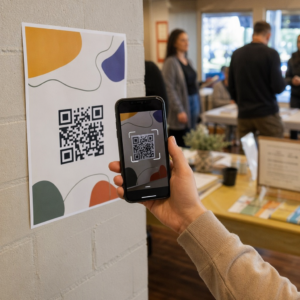
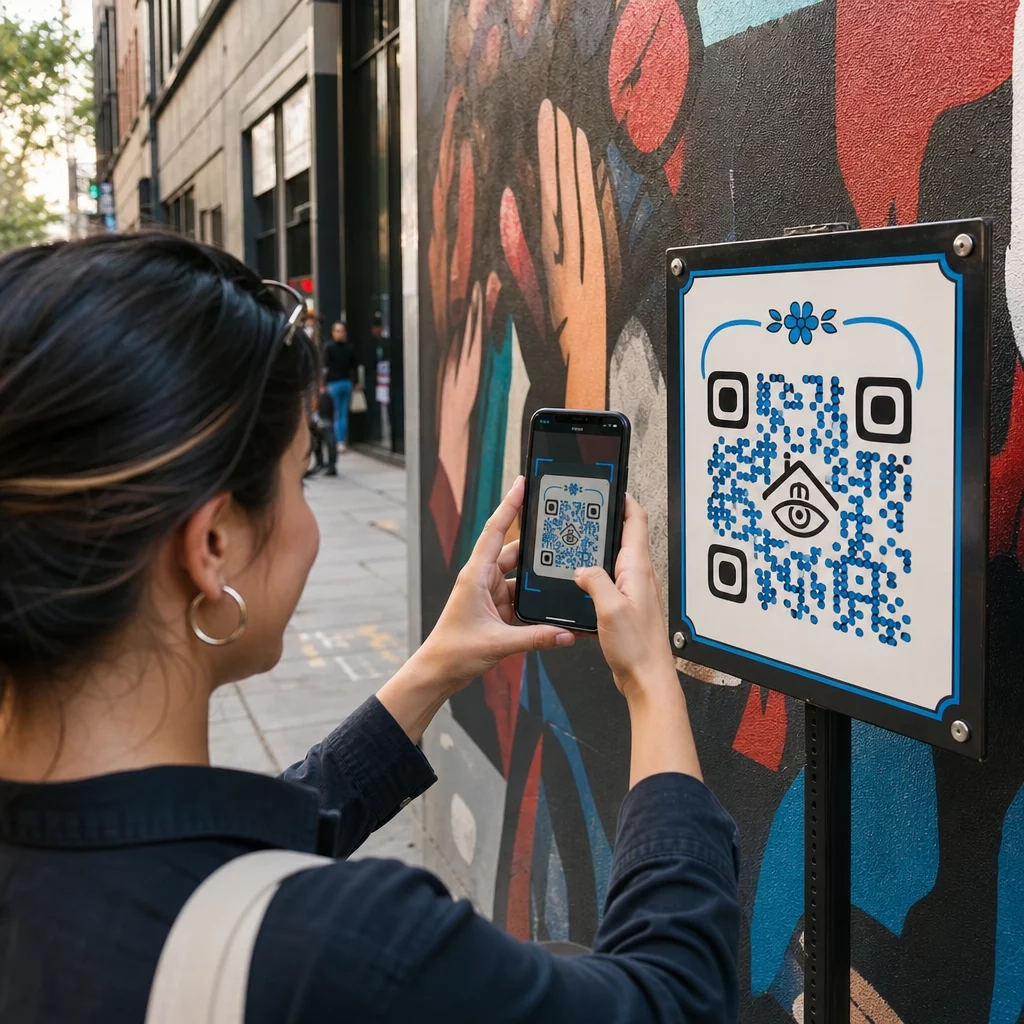
Kode QR yang ditempatkan di samping – atau terjalin ke dalam – mural berfungsi sebagai jembatan antara karya fisik dan kekayaan konten digital. Pemirsa dengan ponsel cerdas dapat memindai secara instan, tanpa mengunduh aplikasi terpisah, dan dibawa ke panduan audio, wawancara video, halaman donasi, atau pengalaman AR interaktif.
Beberapa program seni publik telah menunjukkan model ini:
- Di Raleigh, Carolina Utara, Proyek Kode Q-Art menempatkan kode pintar QR dengan karya seni publik di seluruh kota sehingga anggota komunitas dapat langsung mengakses informasi tentang setiap karya dan penciptanya.
- Di lingkungan Wynwood Miami, seniman Ruben Ubiera menyematkan kode QR langsung ke mural yang menggambarkan delapan imigran, menghubungkan setiap wajah ke sejarah lisan yang direkam – termasuk kisah pemisahan keluarga dan deportasi.
- Di pusat kota Syracuse, S.Alt City mural dibangun seluruhnya dari ubin kode QR, dengan setiap ubin terhubung ke organisasi seni kontemporer yang berbeda di wilayah tersebut, secara efektif mengubah dinding menjadi direktori yang dapat dipindai.
- Di Punta Gorda, Florida, sebuah perkumpulan mural lokal memasang tanda kode QR di dinding mural bersejarah sehingga pengunjung dapat memandu diri sendiri melalui koleksi di luar musim, mengakses pelajaran sejarah singkat dari ponsel mereka.
Proyek-proyek ini memiliki prinsip yang sama: kode QR tidak menggantikan seni – melainkan memperluasnya.
Hubungkan Seni Publik Anda ke Konten Digital Menggunakan Generator Kode QR Tautan untuk membuat kode yang dapat dipindai yang mengarahkan pemirsa ke biografi seniman, panduan audio, wawancara video, atau tujuan web apa pun yang Anda pilih.
Konten Apa yang Akan Dihubungkan dari Kode QR Seni Publik
Nilai sebuah pemindaian sepenuhnya bergantung pada apa yang diberikannya. Memilih format konten yang tepat untuk konteks membuat perbedaan antara ketukan yang penasaran dan interaksi yang bermakna.
Informasi dan konteks seniman
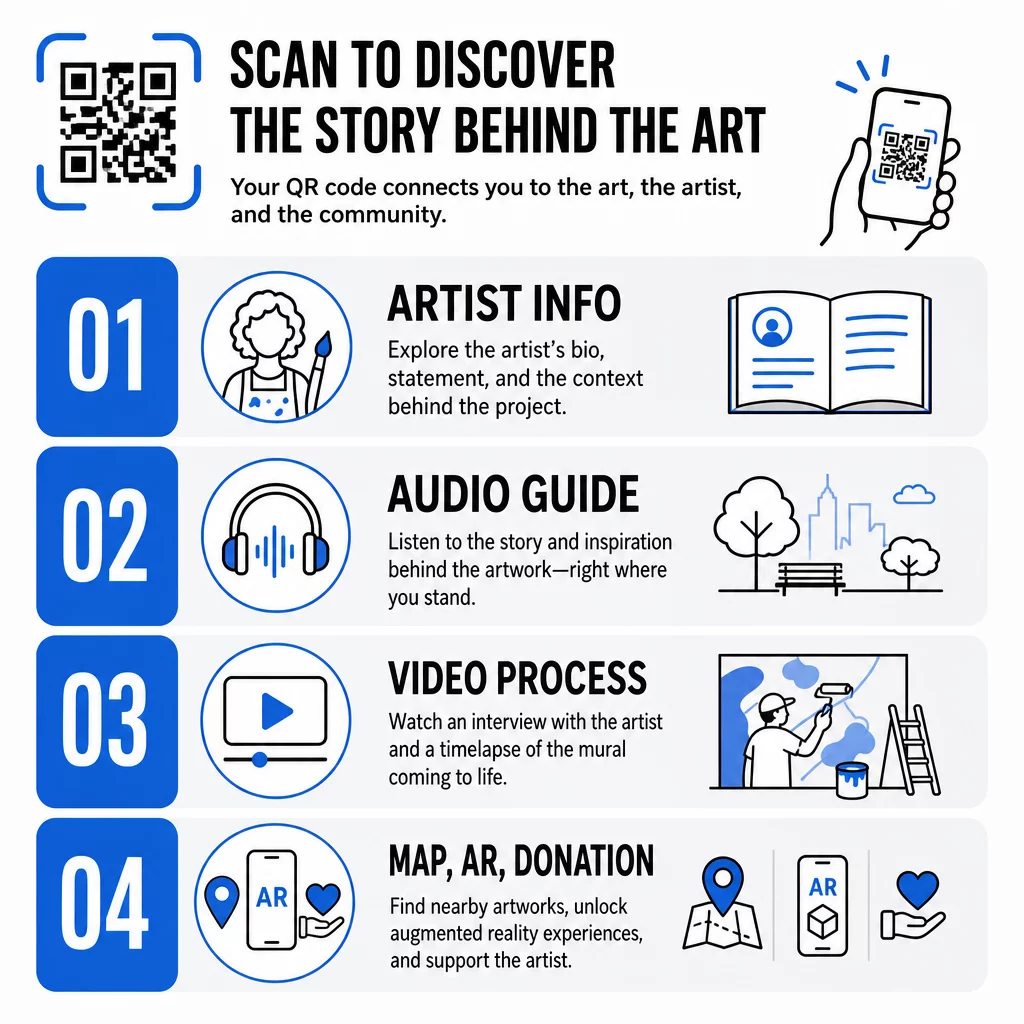
Tautan ke biografi singkat, pernyataan tentang karya, atau garis waktu yang menunjukkan pengembangan proyek. Ini sangat berharga untuk instalasi sementara di mana ruang dinding terbatas.
Pemandu audio
Narasi lisan berfungsi dengan baik di luar ruangan, di mana pengunjung mungkin bergerak atau di lingkungan yang bising. Anda dapat meng-host file audio secara langsung menggunakan sebuah kode QR MP3 yang diputar di smartphone apa pun.
Wawancara video dan dokumentasi proses
Menautkan ke wawancara seniman atau rekaman selang waktu (time-lapse) mural yang sedang dilukis memberikan pemirsa perspektif di balik layar yang memperdalam apresiasi terhadap karya yang telah selesai.
Panduan PDF dan peta tur
Untuk instalasi yang merupakan bagian dari jalur atau distrik yang lebih besar, sebuah Kode QR PDF dapat menyediakan peta tur jalan kaki yang dapat diunduh atau panduan cetak yang setara – tanpa biaya pencetakan.
Lokasi dan penunjuk arah
Untuk koleksi seni publik multi-lokasi, sebuah Kode QR Google Maps memungkinkan pengunjung menavigasi dari satu karya ke karya berikutnya tanpa harus mencari secara manual.
Pengalaman realitas tertambah
Kode QR yang terhubung dengan AR memungkinkan pemirsa untuk membuka animasi, overlay 3D, atau narasi yang berkembang yang berlapis di atas karya fisik. Museum seperti Smithsonian dan tempat interaktif seperti Convergence Station Meow Wolf di Denver telah menggunakan pendekatan ini untuk mengubah tampilan statis menjadi pengalaman partisipatif. Untuk melihat lebih dalam bagaimana AR mengubah penceritaan di ruang seni, lihat bagaimana kode QR AR mengubah penceritaan museum.
Tautan donasi dan dukungan
Seniman jalanan Prancis Pascal “PBOY” Boyart menyematkan kode QR Bitcoin ke dalam muralnya, memungkinkan penonton untuk mengirim donasi mata uang kripto dengan memindai. Kode-kode tersebut dirancang sebagai elemen integral dari karya seni, bukan sekadar tambahan, dan menghasilkan dukungan komunitas langsung untuk karyanya.
Mendesain Kode QR yang Menyatu dengan Seni
Kode QR yang secara visual bertabrakan dengan karya di sekitarnya akan merusak imersi penonton. Desain yang cermat menjaga kode tetap fungsional sambil menghormati konteks artistik.
Kontras tidak bisa ditawar
Pola gelap pada latar belakang terang dapat dipindai dengan andal. Skema warna terbalik – terang pada gelap – lebih sulit dideteksi oleh sebagian besar pembaca. Apa pun palet warna yang Anda pilih, prioritaskan kontras yang cukup antara latar depan dan latar belakang kode.
Jaga zona tenang tetap bersih
Sisakan setidaknya empat modul ruang kosong di sekitar tepi luar kode. Teks, gambar, dan elemen dekoratif yang melanggar batas ini akan mengganggu pemindaian.
Gunakan koreksi kesalahan tinggi saat menambahkan logo
Menyematkan logo atau simbol di tengah kode QR adalah cara umum untuk mengintegrasikan branding atau tanda tangan seniman. Atur koreksi kesalahan ke Level H sebelum menambahkan overlay apa pun – level ini dapat memulihkan hingga 30% data yang rusak, yang mengkompensasi bagian kode yang tertutup oleh logo.
Sesuaikan ukuran dengan jarak pandang
Aturan umumnya adalah kode harus kira-kira sepersepuluh dari lebar jarak pemindaian yang diharapkan. Pengunjung yang berdiri 10 kaki dari mural membutuhkan kode setidaknya selebar 12 inci agar dapat dipindai dengan nyaman. Untuk papan nama jarak dekat, berlaku minimum 1 × 1 inci. Untuk mural skala besar, rencanakan kode selebar 1 hingga 1,5 kaki.
Pilih bahan yang tahan lama untuk penggunaan di luar ruangan
Tinta tahan UV, logam atau plastik terukir, dan laminasi tahan cuaca semuanya memperpanjang masa pakai fungsional kode luar ruangan. Lapisan mengkilap menciptakan silau; substrat matte berkinerja lebih baik dalam pencahayaan bervariasi. Uji kode pada waktu yang berbeda dalam sehari dan di bawah kondisi pencahayaan yang sebenarnya akan dihadapi instalasi.
Ekspor dalam format vektor untuk dicetak
Unduh kode QR Anda sebagai file SVG, EPS, atau PDF daripada gambar raster beresolusi rendah. Format vektor dapat diskalakan dengan bersih ke ukuran apa pun tanpa pikselasi, yang penting untuk aplikasi luar ruangan skala besar.
Untuk rincian lengkap rasio kontras, zona tenang, dan tingkat koreksi kesalahan, lihat praktik terbaik kegunaan kode QR dan praktik terbaik untuk keterbacaan kode QR.
Di Mana Menempatkan Kode QR pada Mural dan Instalasi
Bahkan kode yang dirancang sempurna tidak akan dipindai jika berada di lokasi yang salah. Keputusan penempatan memengaruhi kemampuan ditemukan dan kemudahan penggunaan.
Setinggi mata dan terjangkau
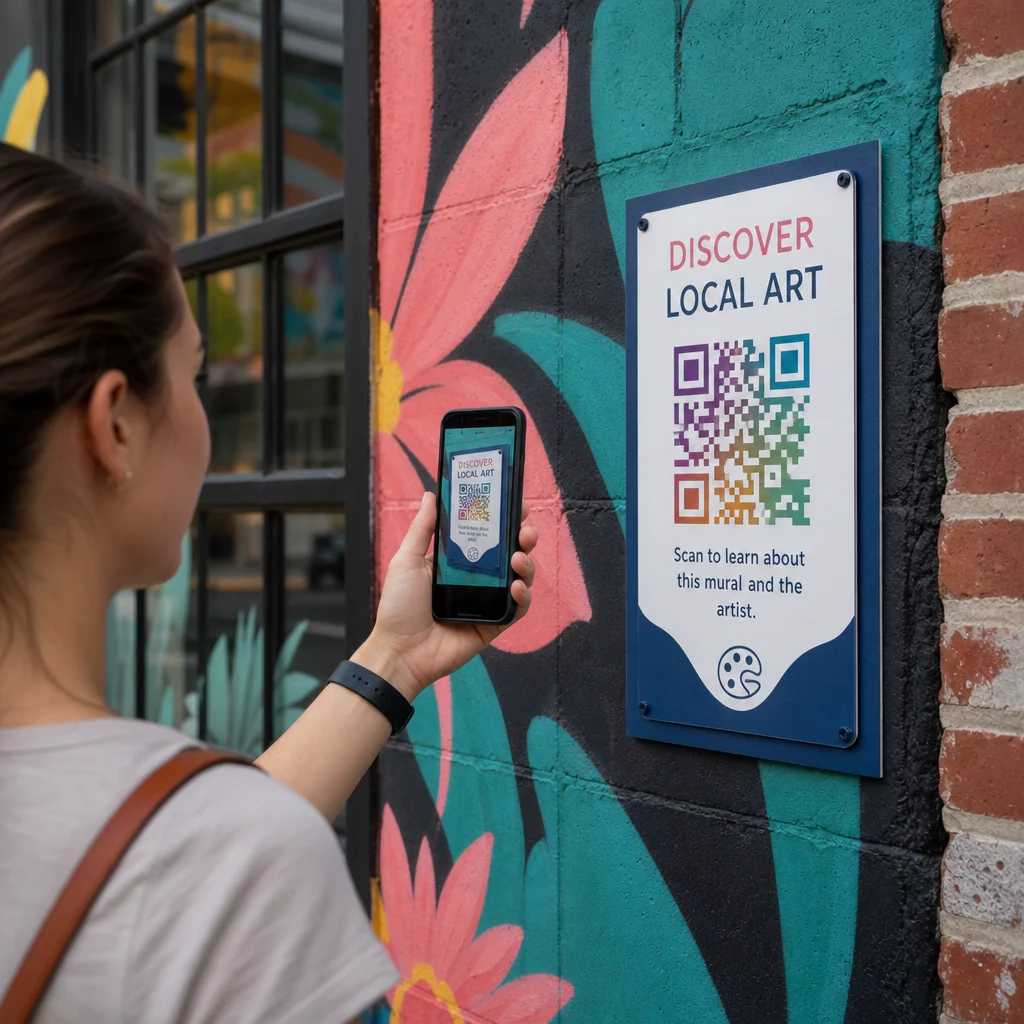
Posisikan kode sekitar 4 hingga 5 kaki dari tanah – posisi pemindaian alami bagi sebagian besar orang dewasa. Kode yang ditempatkan terlalu tinggi mengharuskan pemirsa mengangkat ponsel mereka dengan canggung; kode yang ditempatkan di permukaan tanah mudah terlewatkan.
Di mana orang-orang sudah berhenti
Pemirsa yang diam jauh lebih mungkin untuk memindai daripada pemirsa yang berjalan lewat. Identifikasi titik-titik berhenti alami – area tempat duduk, tempat teduh, sudut-sudut di mana orang berkumpul – dan tempatkan kode di sana daripada di posisi tengah langkah di sepanjang jalan setapak yang sibuk.
Permukaan datar, stabil
Permukaan datar memberikan pemindaian yang bersih dan tidak terdistorsi kepada pemindai. Permukaan yang sedikit melengkung atau bertekstur dapat berfungsi jika kode cukup besar, tetapi mereka meningkatkan kemungkinan kegagalan pemindaian. Hindari permukaan yang sangat reflektif yang menghasilkan silau.
Petunjuk tanda yang jelas
Tambahkan ajakan bertindak singkat di dekat kode: “Pindai untuk mendengar cerita seniman” atau “Pindai untuk panduan lengkap.” Pemirsa yang tidak segera mengenali fungsi kode cenderung tidak akan mencoba. Untuk panduan menulis CTA yang efektif, lihat Praktik terbaik penempatan kode QR.
Menggunakan Kode QR Dinamis untuk Mengelola dan Melacak Seni Publik
Kode QR statis mengkodekan tujuan tetap. Setelah dicetak atau dipasang, konten yang ditautkan tidak dapat diubah tanpa mengganti kode fisik. Untuk instalasi seni publik jangka panjang – atau proyek di mana konten berkembang – ini menciptakan masalah pemeliharaan yang nyata.
Kode QR dinamis mengatasi ini dengan menunjuk ke URL pengalihan singkat yang Anda kontrol. Kode fisik tetap sama, tetapi Anda dapat memperbarui tujuan kapan saja dari dasbor. Jika situs web seniman berubah, video di-hosting ulang, atau pemandu wisata musiman menggantikan yang lama, pembaruan terjadi di platform tanpa menyentuh kode yang terpasang.
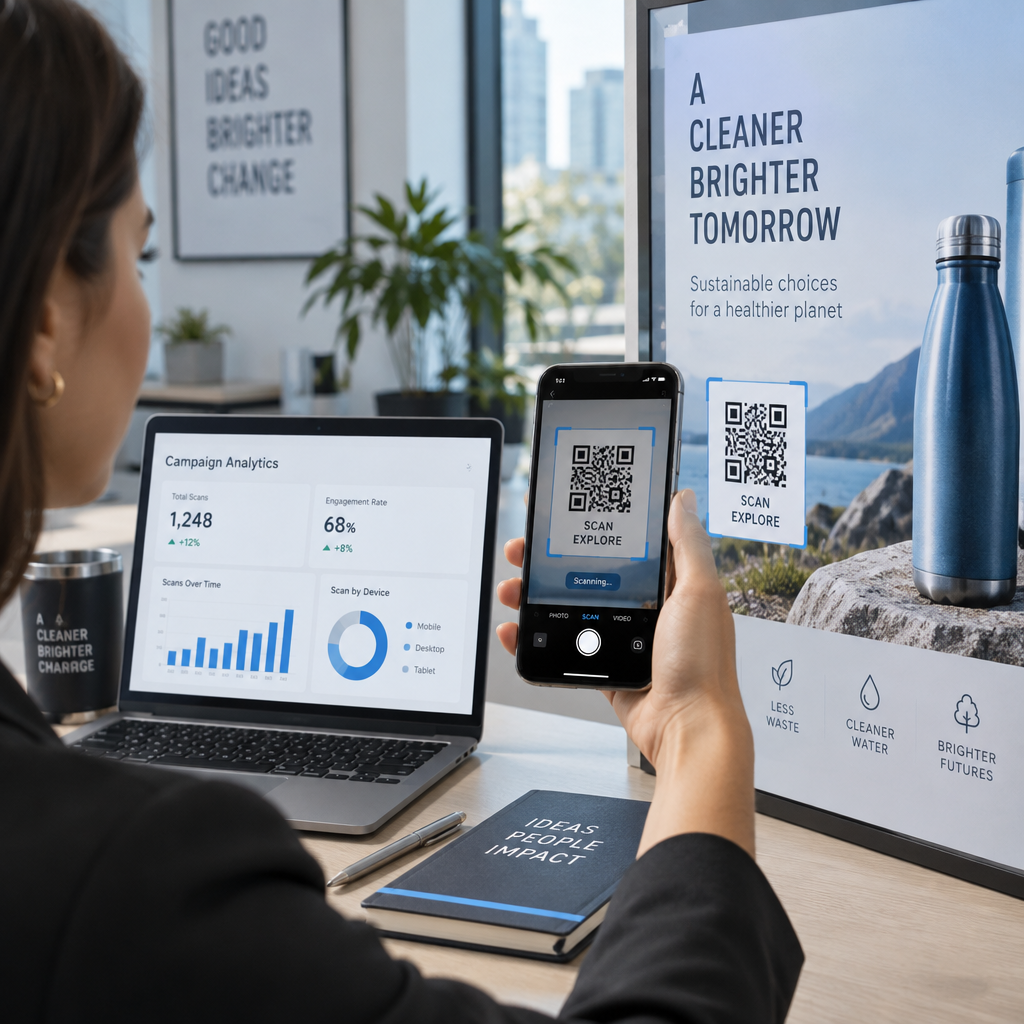
Kode dinamis juga menyediakan analitik. Anda dapat melacak berapa kali kode telah dipindai, kapan pemindaian terjadi, dan di mana di dunia pemindai berada. Bagi kurator dan penyelenggara pameran, data ini mengungkapkan karya mana dalam koleksi yang menghasilkan keterlibatan paling banyak, waktu-waktu apa dalam sehari yang melihat aktivitas puncak, dan apakah lokasi tertentu mengungguli yang lain. Wawasan tersebut mendukung keputusan penempatan yang lebih baik dan pembaruan konten yang lebih relevan seiring waktu.
Bagi seniman yang mengelola instalasi sementara atau proyek yang berkembang, kemampuan untuk melapisi konten – memberikan informasi dasar pada pemindaian pertama dan membuka materi yang lebih mendalam dengan kunjungan berulang – mendorong keterlibatan berkelanjutan dengan karya yang sama.
Lacak Setiap Pindai di Seluruh Koleksi Seni Publik Anda Itu Generator QR Code Dinamis memungkinkan Anda memperbarui konten tertaut tanpa mencetak ulang dan menyediakan dasbor analitik lengkap untuk memantau keterlibatan di setiap instalasi.
Kode QR di Museum dan Institusi Budaya
Tempat budaya dalam ruangan beroperasi di bawah batasan yang berbeda dari mural luar ruangan, tetapi prinsip yang sama berlaku. Museum telah mengadopsi kode QR untuk memperluas apa yang dapat dikomunikasikan oleh label pameran, menawarkan konten multibahasa kepada pengunjung internasional, dan mengganti brosur cetak dengan alternatif digital yang dapat diperbarui.
Kasus penggunaan dalam pengaturan museum meliputi:
- Panduan audio interaktif dan tur mandiri
- Peta digital ruang pameran
- Pengalaman AR yang menghidupkan artefak atau mengungkapkan lapisan tersembunyi lukisan
- Jadwal lokakarya, pendaftaran kuliah, dan promosi acara
- Formulir umpan balik pengunjung yang tertaut di pintu keluar atau di seluruh galeri
Museum M+ di Hong Kong mencatat 148.000 interaksi pengunjung melalui kode QR, menunjukkan kesiapan audiens yang kuat untuk keterlibatan berbasis ponsel cerdas di ruang seni. Musea Brugge telah menggunakan kode QR Pageloot secara khusus untuk memperkaya keterlibatan pengunjung dan menyederhanakan akses ke informasi pameran.
Untuk melihat lebih luas bagaimana institusi menerapkan teknologi ini, lihat Kode QR untuk museum, Kode QR untuk galeri seni: praktik terbaik, dan studi kasus tentang kode QR dalam instalasi seni modern.
Keamanan, Privasi, dan Pemeliharaan Jangka Panjang
Kode QR publik dapat diakses setiap saat dan oleh semua audiens, yang membuat pemeliharaan berkelanjutan menjadi penting. Tautan yang rusak atau tujuan yang usang merusak kepercayaan pemirsa dan menyia-nyiakan peluang yang diciptakan oleh pemindaian.
Praktik utama untuk penerapan jangka panjang yang bertanggung jawab:
- Uji secara teratur di berbagai perangkat dan dalam kondisi pencahayaan yang berbeda untuk memastikan kode tetap dapat dipindai dan tautan berfungsi.
- Gunakan tujuan HTTPS untuk menandakan legitimasi dan melindungi pengunjung dari pengalihan yang tidak aman.
- Pasang papan petunjuk yang jelas tentang data apa, jika ada, yang dikumpulkan saat pemirsa memindai, dan patuhi peraturan privasi yang berlaku.
- Gunakan bahan fisik yang tahan lama yang sesuai dengan lingkungan luar ruangan – tinta tahan UV, laminasi tahan cuaca, atau layar digital yang terlindungi untuk instalasi permanen.
- Audit konten yang tertaut secara berkala untuk memastikan video, PDF, dan halaman artis tetap terkini dan dapat diakses.
Kode QR dinamis mengurangi beban pemeliharaan secara signifikan, karena pembaruan konten dan perubahan tautan terjadi di platform daripada memerlukan penggantian fisik kode yang terpasang. Ketika kode QR dirancang dengan perhatian yang sama seperti karya seni yang menyertainya – ukuran yang tepat, kontras yang sesuai, ditempatkan dengan cermat, dan ditautkan ke konten yang benar-benar berharga – kode tersebut memperpanjang masa pakai dan jangkauan seni publik jauh melampaui apa yang dapat ditawarkan oleh satu kali tampilan. Baik Anda mendokumentasikan mural jalanan, membangun jalur patung interaktif, atau mendigitalkan koleksi museum, alat kode QR untuk seni yang tersedia melalui Pageloot memberi Anda jalur yang mudah dari instalasi fisik ke keterlibatan digital yang terukur.
Pertanyaan yang sering diajukan
Ukuran tergantung pada jarak pemindaian. Aturan praktisnya adalah membuat kode setidaknya sepersepuluh lebar dari jarak yang Anda harapkan pemirsa untuk memindai. Untuk seseorang yang berdiri 10 kaki jauhnya, kode harus setidaknya 12 inci lebarnya. Untuk papan nama jarak dekat, minimal 1 × 1 inci sudah cukup. Mural berskala besar biasanya memerlukan kode antara 1 dan 1,5 kaki lebarnya agar tetap dapat dipindai dari jarak yang nyaman.
Kode QR dalam seni publik dapat menautkan ke hampir semua konten digital: biografi artis, panduan audio, wawancara video, pengalaman AR, panduan tur jalan kaki PDF, halaman donasi, navigasi Google Maps, profil media sosial, atau formulir umpan balik. Jenis konten yang tepat tergantung pada konteks karya seni – mural luar ruangan sering kali mendapat manfaat dari audio atau video pendek, sementara instalasi museum mungkin mendukung panduan multimedia yang lebih detail.
Kode QR statis mengkodekan tujuan tetap yang tidak dapat diubah setelah kode dicetak atau dipasang. Kode QR dinamis mengarah ke URL pengalihan yang dapat Anda perbarui kapan saja dari dasbor manajemen, sehingga kode fisik tetap di tempatnya sementara konten yang terhubung berkembang. Kode dinamis juga menyediakan analitik – jumlah pemindaian, waktu, dan data geografis – yang membantu kurator memahami instalasi mana yang menghasilkan keterlibatan paling banyak dan menyempurnakan pendekatan mereka seiring waktu.