Warna kode QR terbaik adalah modul gelap (kotak-kotak) dengan latar belakang terang, dan ya, kode QR dapat diberi warna. Aturannya sederhana: modul harus jelas lebih gelap daripada latar belakang. Hitam di atas putih memberikan rasio kontras 21:1 dan merupakan pilihan teraman. Untuk kode bermerek, targetkan setidaknya 4:1, dan gunakan 7:1 atau lebih untuk papan reklame luar ruangan, di mana sinar matahari dan jarak menurunkan kontras efektif. Panduan ini memberikan angka-angka, tabel warna, dan rutinitas pengujian.
Warna Kode QR Mana yang Berfungsi, dan Bisakah Kode QR Diberi Warna?
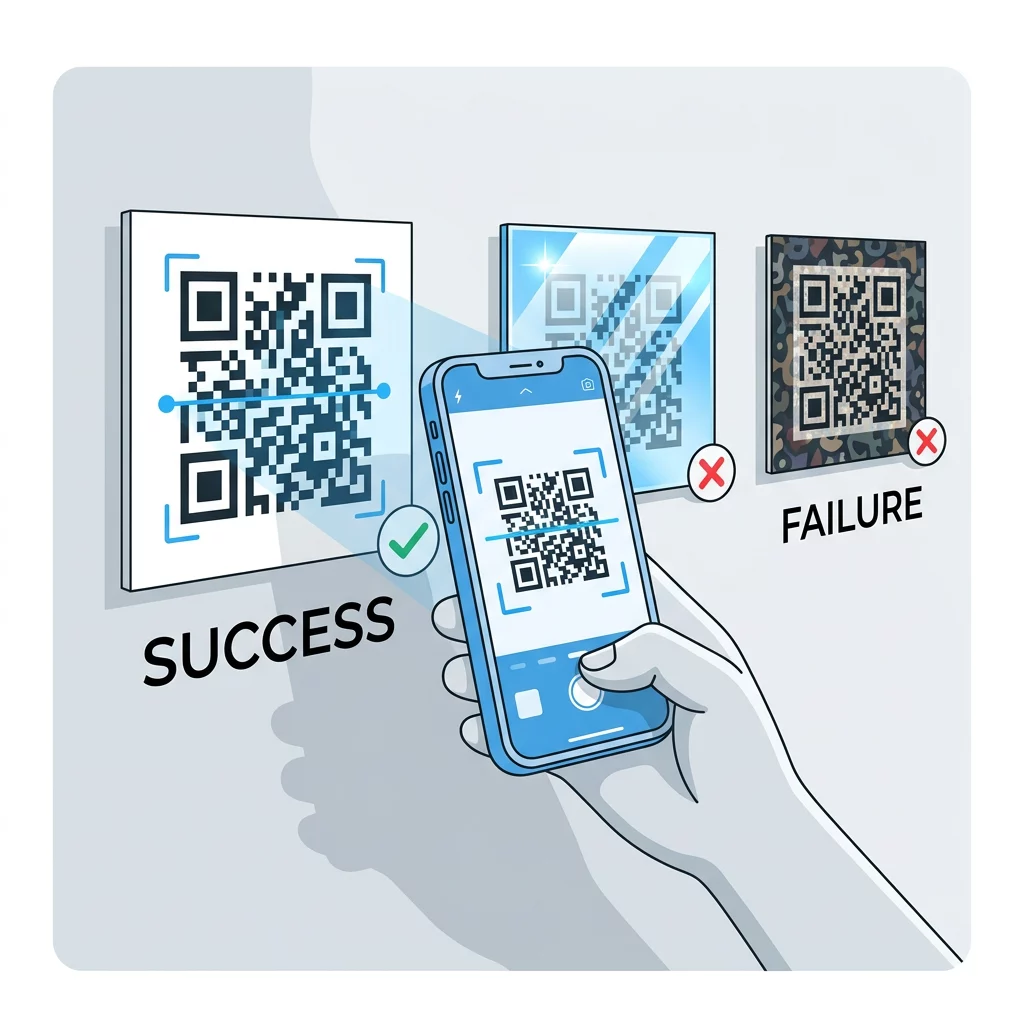
Kode QR bisa memiliki hampir semua warna, dan bisa menggunakan warna berbeda untuk modul dan latar belakang. Kamera ponsel tidak melihat rona warna. Kamera mengubah gambar menjadi skala abu-abu dan memutuskan, kotak demi kotak, mana yang gelap dan mana yang terang. Jadi pertanyaannya bukan warna apa yang Anda pilih, tetapi seberapa berbeda kedua nilai skala abu-abu tersebut.
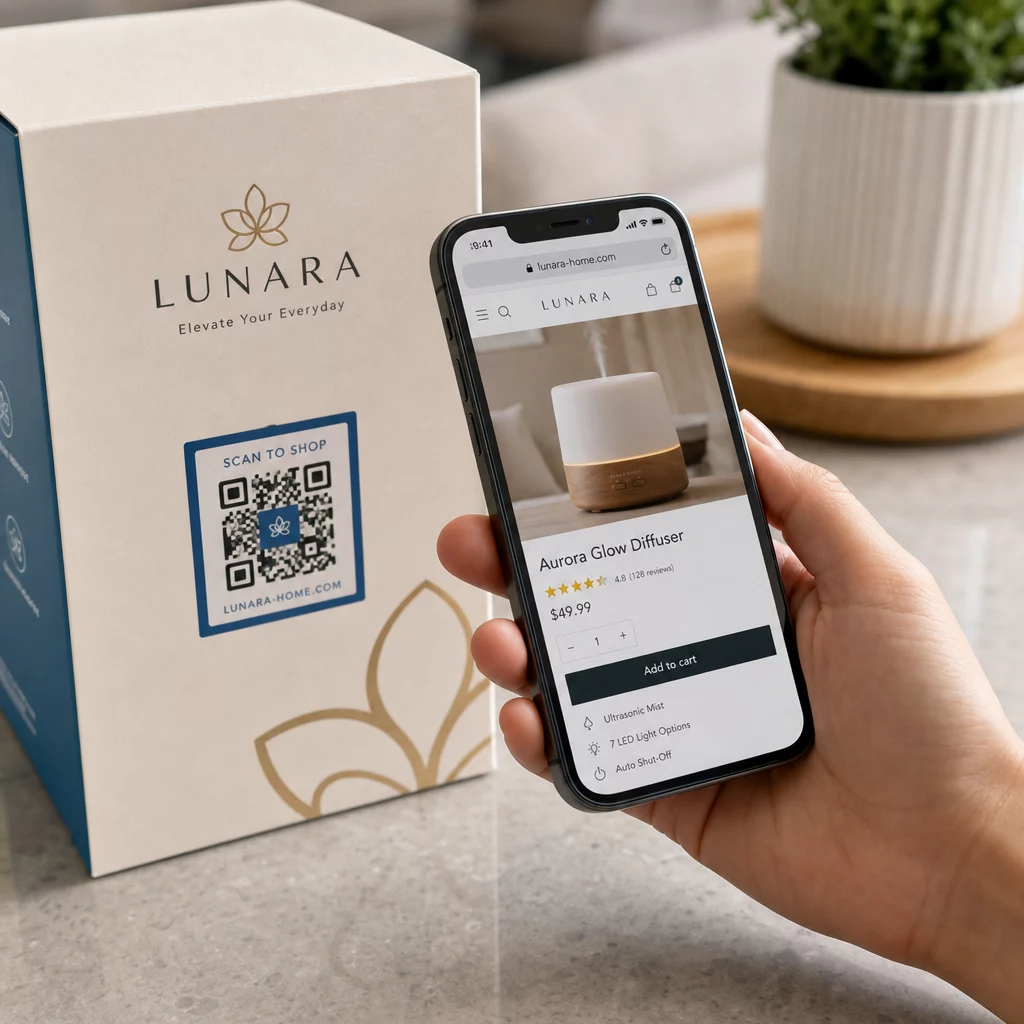
- Berfungsi: modul biru dongker, hijau tua, arang, ungu tua, coklat tua atau hitam di atas latar belakang putih, krem atau latar belakang sangat terang lainnya.
- Berfungsi dengan pengujian: merah tua, teal tua, dan oranye tua di atas putih. Periksa rasio terlebih dahulu, dan pindai bukti cetak.
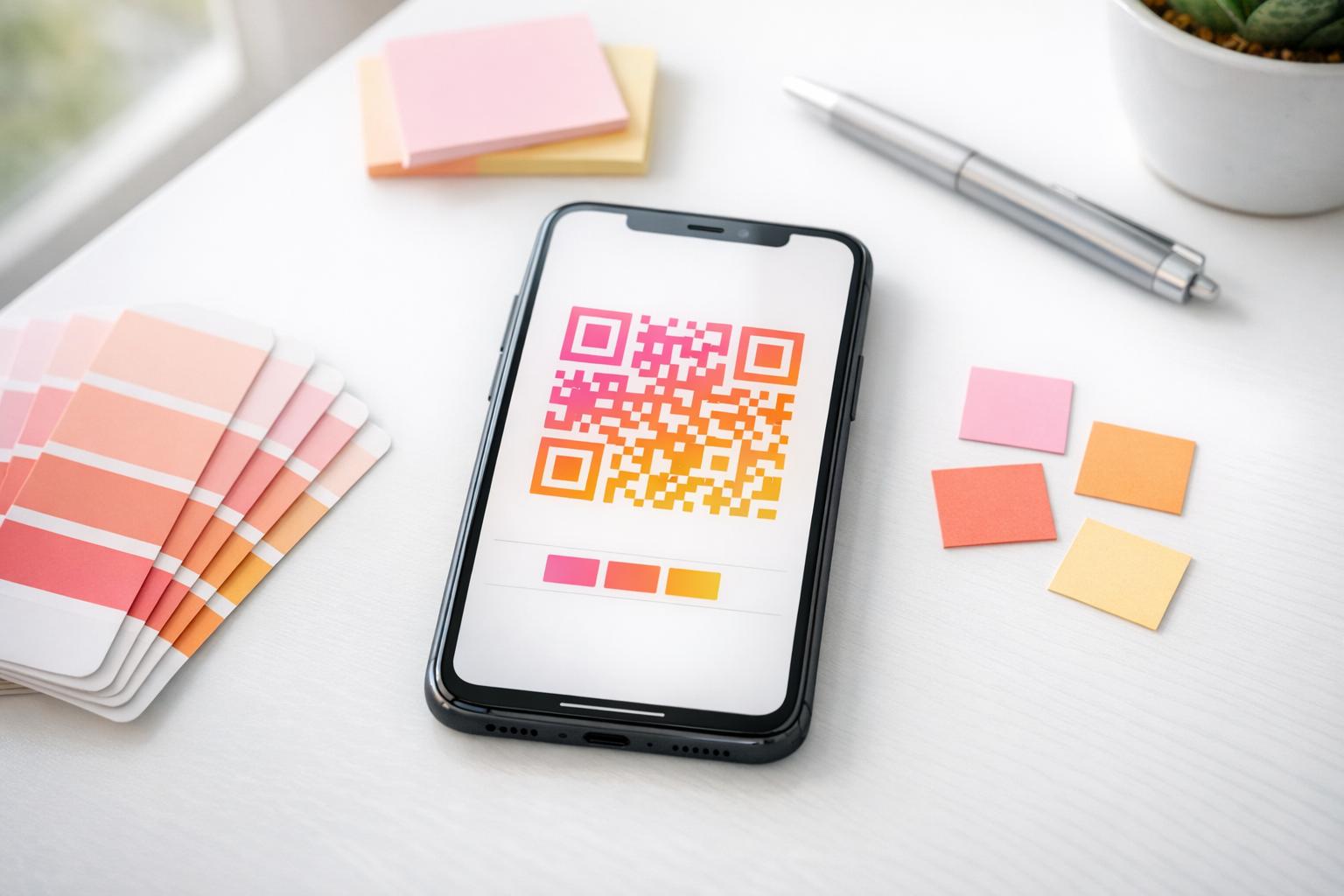
- Tidak berfungsi: modul kuning, abu-abu muda, pastel atau neon, dan pasangan warna apa pun dengan kecerahan yang sama, seperti hijau sedang di atas merah sedang.
- Berisiko: modul terang di atas latar belakang gelap (kode terbalik). Banyak aplikasi pemindai membacanya, tetapi beberapa tidak, jadi hindarilah untuk hal-hal yang penting.
Mengapa Kontras Mengontrol Kemampuan Pindai Kode QR
Sensor optik membaca kode QR dengan mengukur perbedaan reflektansi antara modul gelap dan terang. Standar kode QR, ISO/IEC 18004, mengasumsikan modul gelap di atas latar belakang terang. Modul gelap menyerap cahaya dan latar belakang terang memantulkannya. Jika perbedaannya terlalu kecil, dekoder tidak dapat memisahkan pola data dari latar belakang.
Dalam pengujian kode batang (ISO/IEC 15415), kontras simbol adalah perbedaan antara pantulan paling terang dan paling gelap dalam kode tersebut. Kontras simbol 70% atau lebih mendapatkan nilai tertinggi, dan di bawah 20% dianggap gagal. Penilai juga memeriksa modulasi, yang menunjukkan seberapa merata modul terang dan gelap memantul di seluruh simbol. Warna yang tidak merata atau pemisahan yang lemah menyebabkan pemindai melewatkan tepi modul.
Polaritas normal, dengan modul gelap pada latar belakang terang, berfungsi pada setiap perangkat. Beberapa aplikasi kamera ponsel bawaan tidak dapat membaca kode terang pada latar belakang gelap, dan dukungannya berbeda-beda tergantung model ponsel dan versi perangkat lunak. Gunakan polaritas normal kecuali Anda telah menguji versi terbalik pada perangkat yang digunakan oleh audiens Anda.
Mengevaluasi Rasio Kontras Warna dan Batas Ambang
Rasio kontras adalah angka dari 1:1 (tidak ada perbedaan) hingga 21:1 (hitam di atas putih). Rasio ini berasal dari aturan aksesibilitas dalam Web Content Accessibility Guidelines (WCAG), yang ditulis untuk teks tetapi merupakan cara praktis untuk memeriksa warna QR. Pemeriksa kontras (cari "WCAG contrast checker") menerima dua kode heksadesimal dan mengembalikan rasionya. Untuk lebih lanjut tentang desain inklusif, baca panduan kami tentang Cara Membuat QR Code Sesuai ADA.
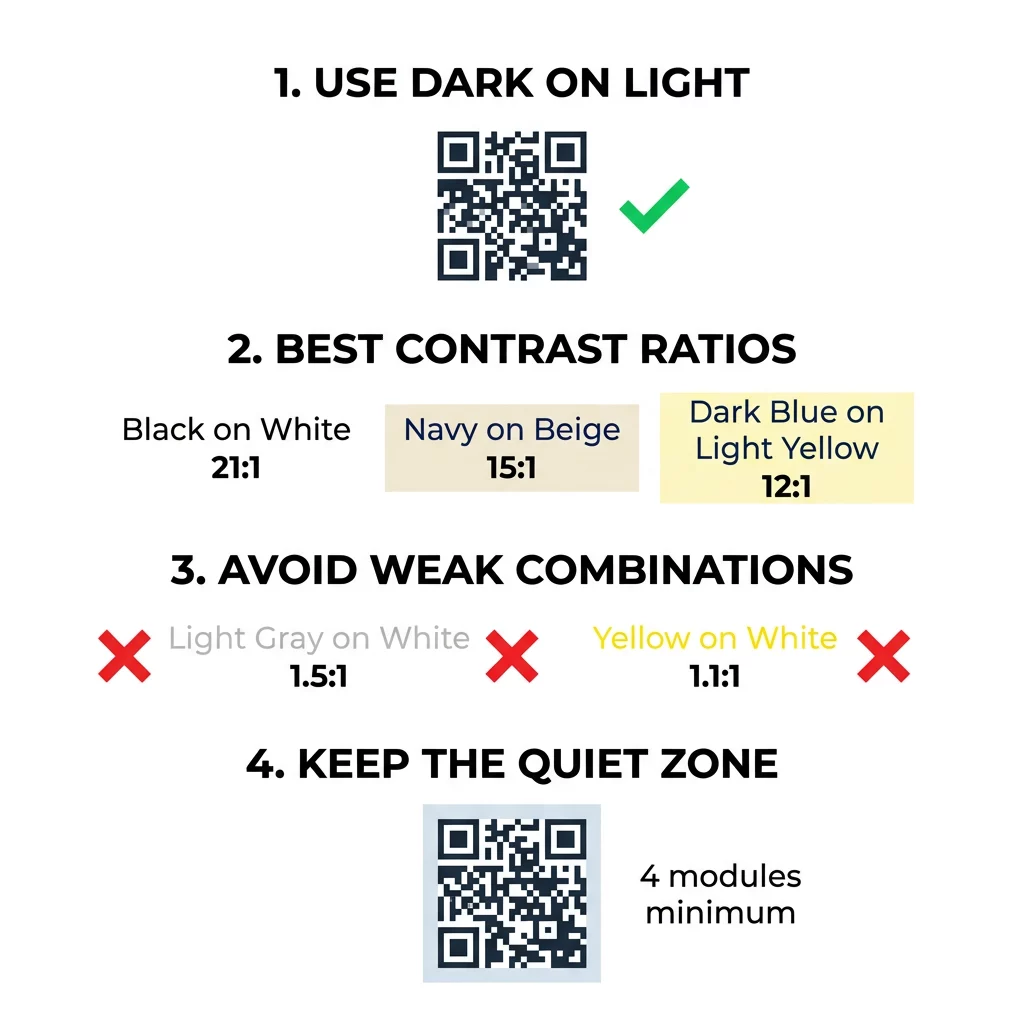
Gunakan target ini. Minimal 4:1 adalah standar minimum untuk cetakan dan layar dalam ruangan. 7:1 atau lebih aman untuk kemasan, selebaran, dan apa pun yang difoto dalam cahaya bervariasi. 10:1 atau lebih adalah target untuk papan reklame luar ruangan. Rasio di bawah ini bersifat perkiraan dan bergantung pada corak warna yang tepat.
| Kombinasi Warna | Rasio Kontras Perkiraan | Penilaian Kemampuan Pindai |
|---|---|---|
| Hitam di Atas Putih | 21:1 | Optimal (standar industri) |
| Biru Dongker di Atas Krem | ~15:1 | Luar biasa |
| Biru Tua di Atas Kuning Muda | ~12:1 | Sangat Bagus |
| Cokelat Tua di Atas Putih Pudar | ~8:1 | Baik |
| Merah Murni (#FF0000) di Atas Putih | ~4:1 | Batas, uji sebelum mencetak |
| Merah Tua (#8B0000) di Atas Putih | ~11:1 | Sangat Bagus |
| Abu-abu Muda di Atas Putih | ~1.5:1 | Buruk (sering gagal pindai) |
| Kuning di Atas Putih | ~1.1:1 | Tidak dapat dipindai |
Kustomisasi Kode Tanpa Mengorbankan Kemampuan Pindai Uji warna dan pratinjau desain Anda secara real time menggunakan Generator QR Code dengan Logo untuk menyeimbangkan estetika merek dengan pemindaian yang andal.
Rasio Kontras Kode QR Terbaik untuk Papan Reklame Luar Ruangan
Tidak ada standar yang menetapkan rasio yang dibutuhkan untuk kode QR luar ruangan, tetapi kondisi luar ruangan mengurangi kontras dalam tiga cara: matahari langsung memudarkan area terang, silau menyembunyikan bagian kode, dan jarak mengaburkan modul-modul kecil. Rencanakan margin keamanan yang lebih besar daripada yang Anda lakukan di dalam ruangan.
- Gunakan warna hitam atau warna yang sangat gelap di atas putih. Targetkan rasio 10:1 atau lebih tinggi.
- Cetak pada bahan matte atau tambahkan laminasi matte. Vinil dan kaca yang mengkilap memantulkan matahari dan merusak pola.
- Sesuaikan ukuran kode dengan jarak pemindaian. Aturan umum adalah 1 unit lebar kode untuk setiap 10 unit jarak, jadi kode yang dipindai dari 2 meter (sekitar 6,5 kaki) seharusnya sekitar 20 cm (8 inci) lebarnya.
- Pertahankan zona tenang (quiet zone) penuh, dan letakkan kode pada panel terang polos alih-alih pada foto.
- Hindari menempatkan kode di mana ia menghadap matahari rendah atau berada di belakang kaca, dan pindai tanda yang dicetak di lokasi sebenarnya sebelum memesan cetakan penuh.
Kontras Kode Batang: Kode QR vs Kode Batang Linear
Aturan kontras yang sama berlaku untuk kode batang kontras tinggi lainnya, seperti Code 128 atau EAN. Pemindai ritel sering menggunakan laser merah, dan cahaya merah tidak melihat batang merah atau tinta merah sebagai gelap. Untuk kode batang linear, cetak batang dalam warna hitam, biru tua, atau hijau tua di atas putih, dan jangan pernah dalam warna merah atau oranye. Kode QR yang dibaca oleh kamera ponsel kurang sensitif terhadap rona, tetapi saran yang sama memberikan hasil yang paling dapat diandalkan untuk keduanya.
Menjaga Zona Tenang (Quiet Zone) dan Dimensi Kode
Kontras tinggi harus meluas hingga ke tepi kode. Margin kosong di sekitar pola adalah zona tenang (quiet zone). Ini memberi tahu kamera di mana kode dimulai dan di mana karya seni lainnya berakhir.
- Pertahankan zona tenang setidaknya selebar empat modul di keempat sisinya.
- Jaga agar margin ini bersih dari teks, ilustrasi, dan batas.
- Sesuaikan zona tenang dengan warna latar belakang terang Anda agar batasnya bersih.
- Cetak kode setidaknya 2 x 2 cm (0,8 x 0,8 inci) untuk pemindaian dekat, genggam. Buat lebih besar untuk tautan yang lebih panjang, karena lebih banyak data berarti modul yang lebih kecil.
- Pilih tautan pendek. URL pendek menciptakan pola yang lebih sederhana dengan modul yang lebih besar sehingga lebih mudah dipindai dalam kondisi cahaya redup.
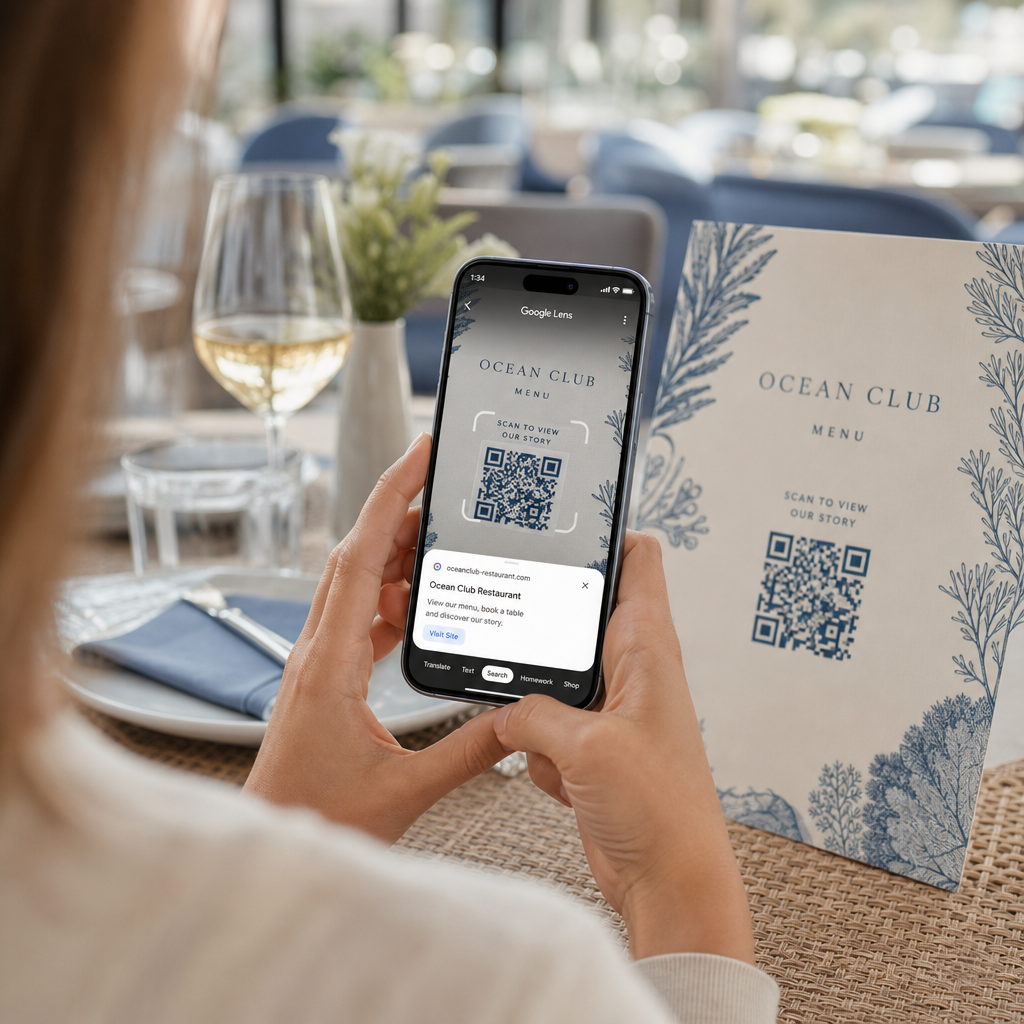
Teks atau karya seni di dalam zona hening sering menjadi penyebab kesalahan pemindaian pada materi bermerek. Panduan kami tentang praktik terbaik untuk keterbacaan kode QR menunjukkan cara menjaga margin sambil menyesuaikan tata letak Anda.
Menghindari Kesalahan Umum Warna dan Gaya
Menyesuaikan kode dapat mengurangi keterbacaan. Kamera mengubah gambar menjadi skala abu-abu, sehingga dua warna berbeda dapat berakhir dengan kecerahan yang sama dan menyatu menjadi satu warna abu-abu.
- Hindari modul pastel seperti biru muda, mint, atau kuning pucat.
- Hindari modul merah terang atau oranye. Pemindai laser membaca merah sebagai terang, dan rasio kontras seringkali di bawah 5:1. Merah gelap seperti marun jauh lebih aman.
- Hindari gradien di mana bagian paling terang dari warna modul dekat dengan latar belakang.
- Hindari latar belakang transparan di atas foto, kertas bertekstur, atau kemasan berpola. Letakkan kode pada panel terang yang solid.
- Hindari desain terbalik dengan modul terang pada latar belakang gelap kecuali Anda telah mengujinya pada ponsel yang digunakan audiens Anda.
- Hindari logo besar. Logo yang menutupi terlalu banyak modul dapat melampaui koreksi kesalahan kode.
Mengetahui batasan ini memungkinkan Anda mempelajari cara membuat kode QR kustom yang menampilkan merek Anda tanpa mengganggu dekode.
Menguji dan Memvalidasi di Berbagai Lingkungan Dunia Nyata
Kode yang dipindai dari monitor terang dapat gagal pada kertas. Cahaya ruangan, sudut pandang, dan tekstur material semuanya mengubah kontras yang mencapai lensa. Sinar matahari langsung menghilangkan perbedaan warna kecil, ruangan redup mengurangi kemampuan sensor untuk memisahkan modul, dan hasil akhir yang mengkilap menambah silau.
Lakukan pemeriksaan ini sebelum setiap pekerjaan cetak:
- Periksa pasangan warna dalam pemeriksa kontras. Rasionya harus minimal 4:1, dan 7:1 atau lebih untuk kemasan dan penggunaan di luar ruangan.
- Cetak bukti pada bahan asli, dengan ukuran asli, dan hasil akhir asli.
- Pindai dengan kamera bawaan di setidaknya satu iPhone dan satu ponsel Android, satu ponsel lama jika memungkinkan, dan berbasis browser Scan QR Code & Barcode.
- Pindai dalam kondisi cahaya terburuk yang akan dihadapi kode: ruangan remang-remang, sinar matahari langsung, dan pada sudut tertentu.
- Jika pemindaian ragu-ragu, tingkatkan kontras, perbesar kode, perpendek tautan, atau kembalikan zona tenang.
Panduan kami tentang Cara menguji kode QR sebelum dicetak membahas ini secara lebih rinci, dan cara meningkatkan keterbacaan kode QR membahas perbaikan untuk kode yang gagal.
Memaksimalkan Keandalan dan Keterlibatan Kode QR
Perlakukan kontras sebagai persyaratan teknis, bukan sentuhan akhir. Pilih warna gelap pada latar belakang terang, pertahankan zona tenang, dan uji cetakan percobaan di bawah cahaya yang akan dihadapinya. Ini melindungi anggaran cetak Anda dari kode yang tidak dapat dipindai.
Buat kode kontras tinggi Anda dengan generator kode QR. Atur warna modul dan latar belakang, lalu unduh dalam format PNG, SVG, atau PDF. Jika Anda mencetak kode dan mungkin perlu mengubah tautan nanti, gunakan kode dinamis: Anda dapat mengedit tujuan setelah mencetak dan melihat statistik pemindaian. Kode dinamis dilengkapi dengan uji coba gratis 14 hari, dan paketnya tercantum di https://pageloot.com/pricing/.
Pertanyaan yang sering diajukan
Targetkan rasio minimal 4:1 antara modul dan latar belakang. Gunakan 7:1 atau lebih untuk kemasan dan pamflet, dan 10:1 atau lebih untuk papan reklame luar ruangan. Hitam di atas putih adalah 21:1.
Ya. Warna apa pun bisa digunakan jika modul-modul tersebut jelas lebih gelap dari latar belakang. Biru dongker gelap, hijau hutan, arang, dan merah marun di atas putih atau krem berfungsi dengan baik. Kuning, abu-abu terang, dan warna pastel tidak.
Modul dan latar belakang dapat memiliki warna yang berbeda, dan Anda dapat menggunakan rona apa pun, tetapi hanya perbedaan kecerahan yang penting. Ponsel membaca kode dalam skala abu-abu, sehingga dua warna dengan kecerahan yang sama akan gagal. Periksa rasio dan pindai cetakan percobaan.
Tidak ada standar resmi. Rasio 10:1 atau lebih tinggi adalah target yang aman, misalnya hitam di atas putih. Gunakan hasil akhir matte untuk mengurangi silau, ukur kode sekitar 1/10 dari jarak pemindaian, dan ujilah di lokasi.
Ya, jika warna merek Anda cukup gelap, seperti biru dongker tua, hijau hutan, atau arang, dan berada di latar belakang terang yang seragam. Jika warna merek Anda terang, gunakan rona gelapnya untuk modul.
Standar QR mendefinisikan modul gelap pada latar belakang terang. Banyak aplikasi kamera mencari pola tersebut terlebih dahulu, dan beberapa tidak dapat membaca modul terang pada latar belakang gelap. Dukungan bervariasi tergantung ponsel, jadi uji sebelum Anda mencetak.
Ya. Barcode linear seperti Code 128 atau EAN juga membutuhkan bilah gelap di latar belakang terang. Pemindai laser ritel menggunakan cahaya merah, jadi jangan pernah mencetak bilah dalam warna merah atau oranye.