Will placing a logo in your QR code prevent smartphones from scanning it? A failed scan on printed campaign materials frustrates potential customers and wastes your marketing budget. Learning how error correction works in editable QR codes helps you build visually striking designs that scan reliably every time.
What QR Code Error Correction Actually Does
Error correction is a technical capability based on the Reed-Solomon algorithm that enables a decoder to restore missing, obscured, or damaged data. When a code is generated, the system creates redundant data units called codewords. If physical wear, dirt, or a graphic overlays part of the symbol, these mathematical backups allow the reader to reconstruct the original payload.
Understanding how a QR code scanner works clarifies why this process is possible. The scanner detects light and dark modules, isolates the data grid, and processes the encoded codewords. Because the algorithm restores damaged data up to a set mathematical limit, designers can intentionally obstruct a portion of the grid with brand elements without corrupting the link.
However, error correction protects only the encoding region of the code. Structural components – such as the three large corner squares, the timing tracks running between them, and the alignment grids – must remain completely unobstructed. If a decoder cannot use these structural elements to locate and orient the symbol, the error correction system never gets the chance to run.
Comparing the Four Error Correction Levels
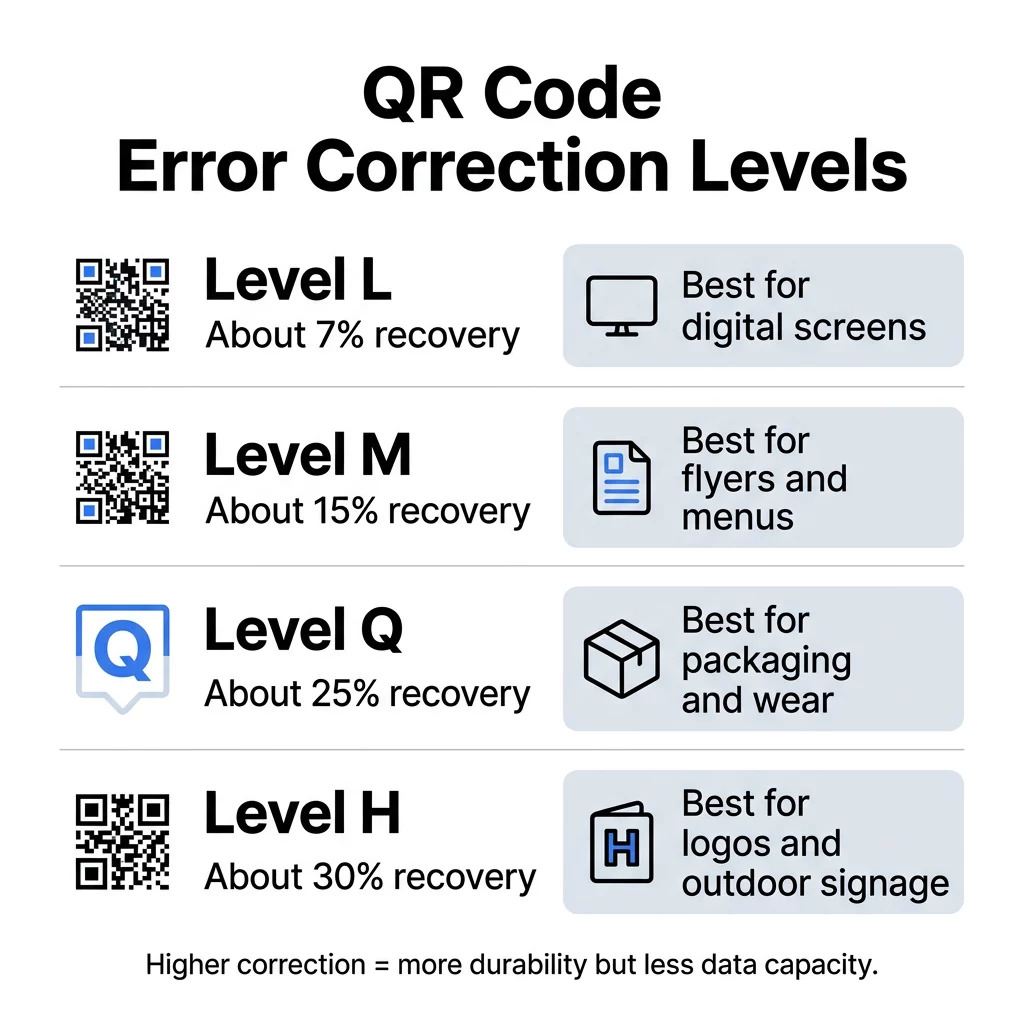
Standard QR codes offer four selectable levels of error correction. Each progressive step provides greater recovery strength, but requires more redundant codewords within the grid.
| Hibajavítási szint | Codeword Recovery Capacity | Primary Use Case |
|---|---|---|
| L szint (Alacsony) | Approximately 7% | Digital displays, clean environments, and high-density text |
| M szint (Közepes) | Approximately 15% | Standard marketing collateral like flyers, menus, and table tents |
| Q szint (Kvartilis) | Approximately 25% | Retail packaging, direct mail, and materials subject to handling |
| H szint (Magas) | Approximately 30% | Branded codes with center logos, outdoor signage, and transit ads |
Selecting an error correction level involves an engineering trade-off. When you review how to megérti a QR-kód adatkorlátait, you find that allocating grid space to redundant codewords reduces the remaining capacity for actual data. For example, a Version 40 code can hold 2,953 binary bytes at Level L, but that capacity drops to 1,273 bytes at Level H. If your payload is large, increasing error correction forces the code to add more rows and columns, resulting in smaller individual modules.
Why Error Correction Works Best with Dynamic QR Codes
The relationship between error correction and code density explains why editable codes are preferred for custom branding. When evaluating statikus vs dinamikus QR-kódok, the primary technical difference lies in what data gets stored directly in the symbol. Static codes store the full, often lengthy URL within the pattern, making the module grid dense. Dynamic codes store only a compact redirect link.
Because dynamic codes encode short URLs, they maintain a low version number with large, easily readable modules. This lower baseline density allows you to select Level H error correction without turning your code into a tightly packed grid that budget smartphone cameras struggle to read.
Furthermore, dynamic architecture provides operational insurance. While you can learn hogyan szerkeszthetők a QR-kódok to redirect destination URLs after printing, the physical pattern – and its embedded error correction level – remains fixed. Using dynamic links ensures that while your visual code stays robust and stable on print media, your back-end destination can adapt to changing campaign goals.
Design Reliable Custom QR Codes Want to feature your company logo without risking failed scans on print materials? Use the Dinamikus QR-kód generátor to build customizable, trackable codes configured for optimal durability.
Rules for Customizing QR Codes Without Scan Failures
Error correction provides a generous safety cushion, but visual customization must still respect technical boundaries. Applying established a QR-kód olvashatóságára vonatkozó legjobb gyakorlatokat ensures your codes perform smoothly under varied real-world conditions.
Positioning Brand Logos Correctly
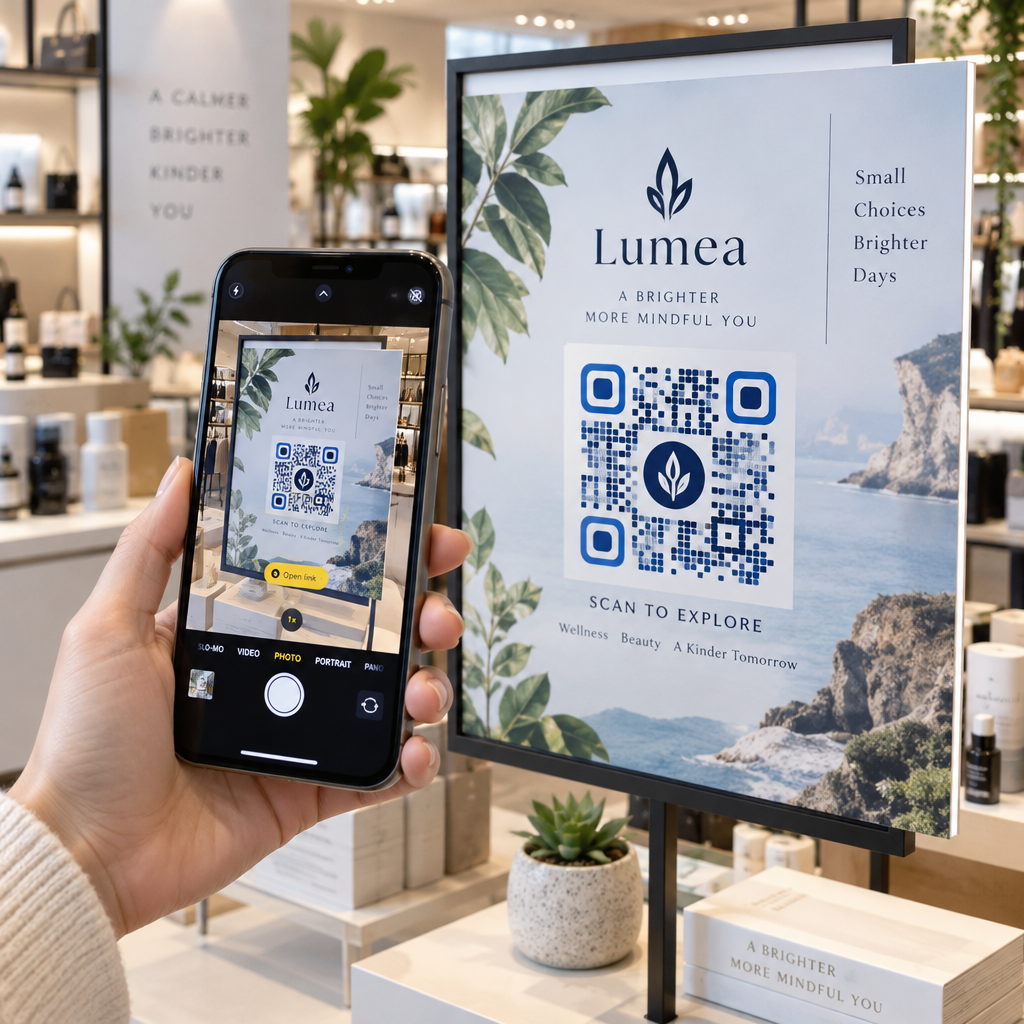
When you study hogyan adhat hozzá logókat a QR-kódokhoz, remember that a scanner treats your image as damaged codewords. If you plan to embed image in QR code designs, configure the error correction to Level Q or Level H.
Place the image strictly in the center of the grid and limit its footprint to 25% or 30% of the overall surface area. Keeping the graphic centered prevents interference with the corner finder markers and preserves a buffer of unused correction capacity to handle real-world dirt or glare.
Maintaining Proper Contrast
A scanner relies on contrast to distinguish dark modules from light spaces. Darker colors absorb light, while lighter backgrounds reflect it back to the sensor. Maintain a contrast ratio of at least 4:1 between the pattern and background. Always place darker patterns on lighter backgrounds, as inverted codes (light modules on dark surfaces) frequently fail on older native camera apps.
Preserving the Quiet Zone
The quiet zone is the solid margin that frames the perimeter of the QR code. This space tells the scanning software where surrounding artwork ends and the data grid begins.
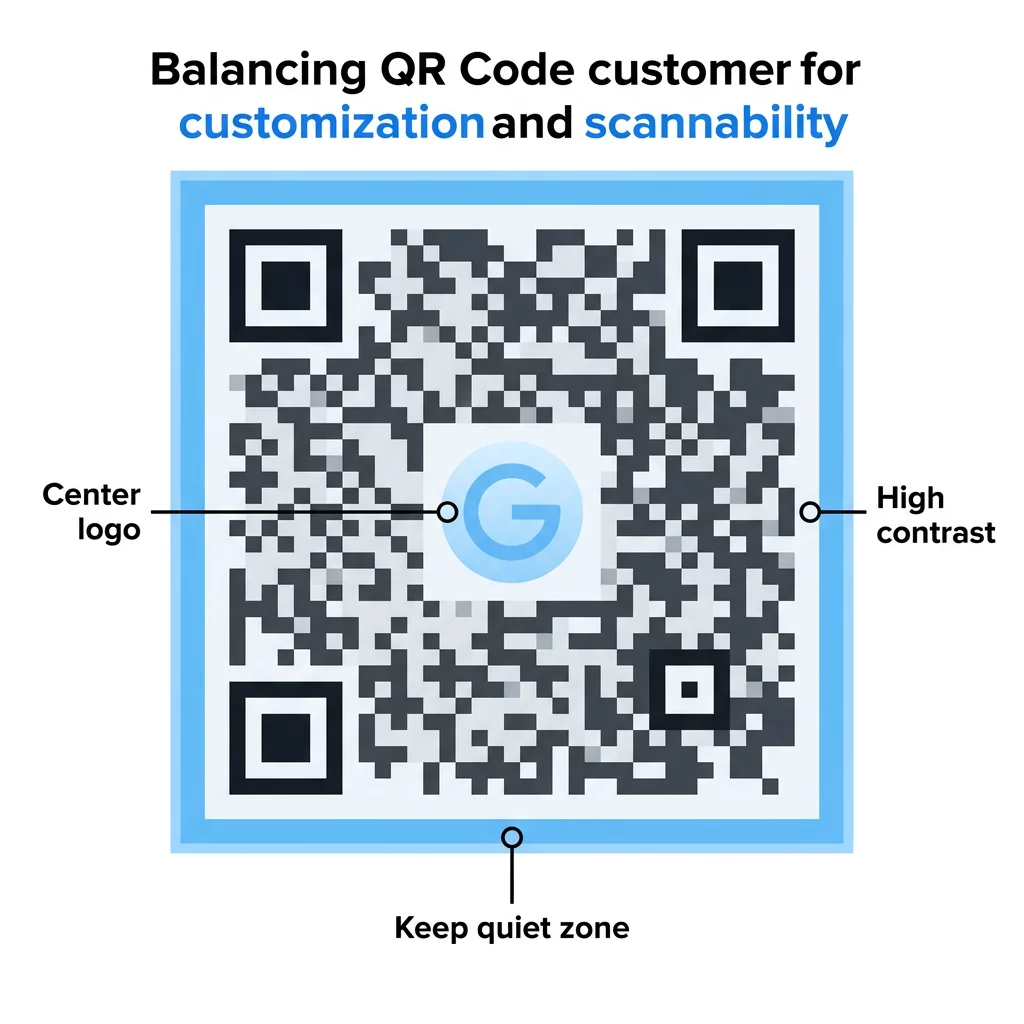
Error correction does not protect the quiet zone. Technical standards require this border to be at least four modules wide on all four sides. Cropping the border too close to graphics, text, or the edge of a print cut will cause instant recognition errors regardless of your chosen error correction level.
Selecting Error Correction Levels for Real-World Media
Choose your error correction level based on the physical environment and expected wear rather than treating one setting as universal:
- Outdoor posters and transit signage require Level H to compensate for direct sunlight, rain damage, scratches, and distant scanning angles.
- Shipping boxes and retail packaging perform best with Level Q to withstand rough transit handling, scuffs, and material creases.
- Table tents and restaurant menus benefit from Level M or Q to handle light spills and surface smudges while keeping designs crisp.
- Digital screens and presentation slides need only Level L or M because screens do not suffer physical abrasion and benefit from larger, simpler modules.
Testing and Deploying Custom QR Codes
Before sending your designs to large-scale print production, always run thorough quality checks. A code might scan smoothly on a high-end flagship phone under office lighting, but fail when read by an older device under dim or reflective conditions. Print sample proofs on the final material substrate to confirm ink absorption has not blurred module edges, and test the code from multiple angles and distances.
Pairing dynamic short links with Level H error correction gives you the ideal combination of creative freedom and technical reliability. To create clean, high-performing codes that highlight your brand, start building with the QR kód generálás logóval még ma.
Gyakori kérdések
No. The error correction level is mathematically baked into the physical arrangement of the modules when the image is created. To adjust the error correction, you must generate a new graphic. However, if you use a dynamic QR code, you can update the destination link at any time without changing the printed symbol.
It does not make the outer dimensions larger on paper, but it increases internal density. Higher error correction levels require additional modules to hold recovery data, which makes individual modules smaller. If you are printing in a compact space, you may need to increase the overall print size to ensure cameras can resolve the tiny squares.
At Level H error correction, a code can theoretically recover up to 30% of damaged codewords. To ensure consistent scannability across all devices and lighting conditions, keep your logo centered and limit its size to roughly 25% of the total code area, leaving a safety margin for physical wear.