תפריט מחולל קוד QR

מִסגֶרֶת

סִגְנוֹן

מִסגֶרֶת

צבע מסגרת

צבע רקע

טקסט מעל צבע

טקסט מתחת לצבע

עיצוב קוד QR

גוּף

צבע גוף

קצוות

סוג מסגרת

צבע מסגרת קצה

סוג כדור

צבע כדור קצה

צור קוד QR עבור תפריטים
דוגמאות

הקש על התמונות כדי להתקרב

מהו קוד QR לתפריט?

A menu QR code is a QR code that opens your restaurant, cafe or bar menu on a guest’s phone. The guest points the phone camera at the code, taps the link that appears and reads the menu. Nobody installs an app or types a web address.

The code does not contain the menu. It contains a link, and the menu is stored online behind that link. That is why a QR code menu generator is useful: you print the code once, and with a dynamic code you can change the menu behind it.

Most places use one code for the whole menu card. Others use separate codes for food, drinks, desserts or a kids menu. Cafes, bars, hotels and food trucks all work the same way. For more ideas see QR codes for menus.

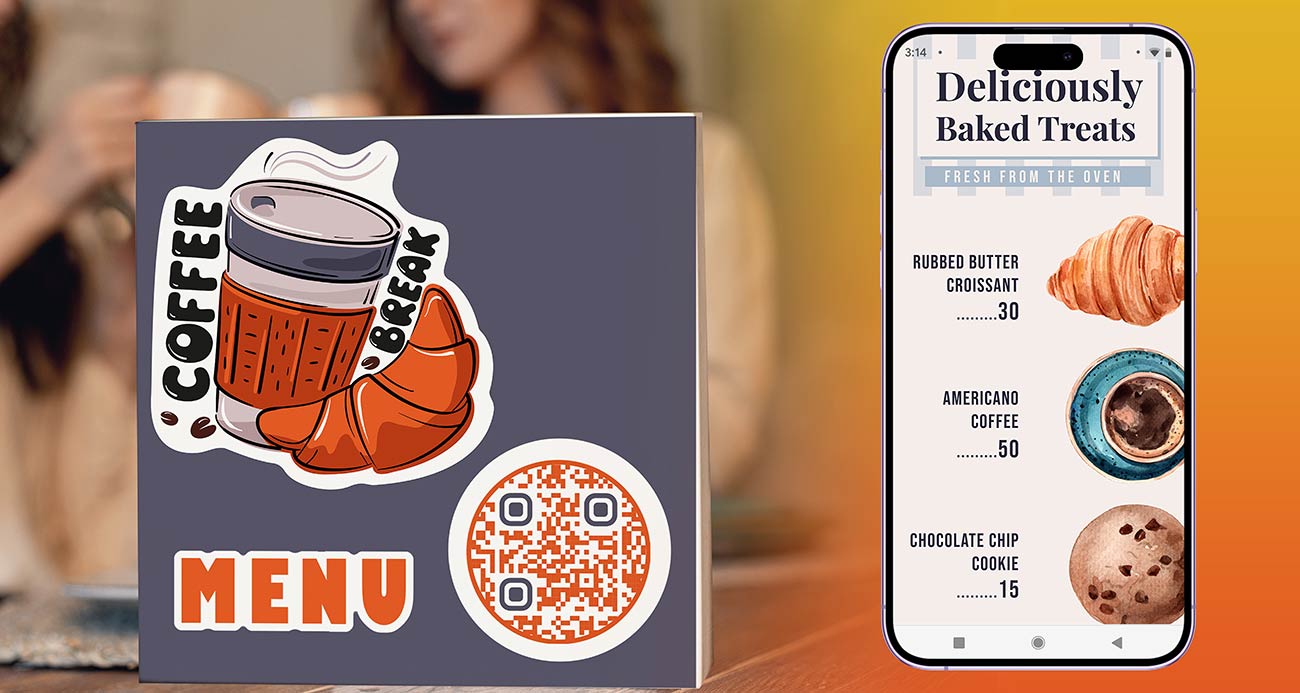
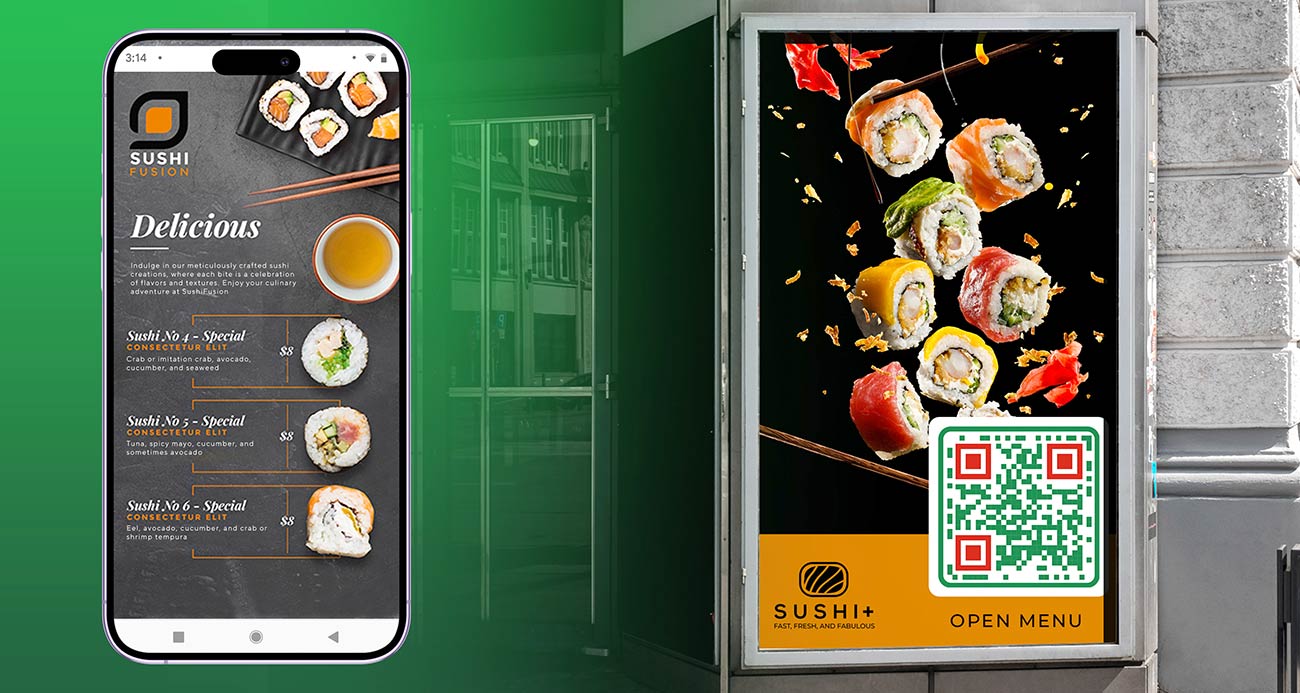
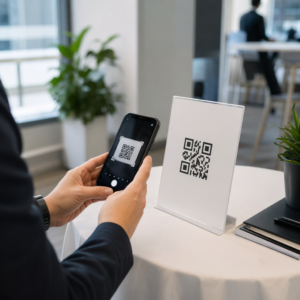
תפריט מחולל קוד QR מוצג בטלפון של מבקר במסעדה

Three ways to connect a QR code to your menu

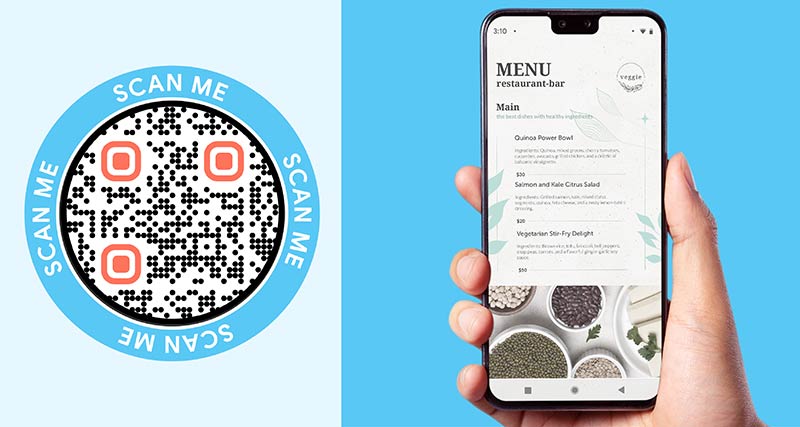
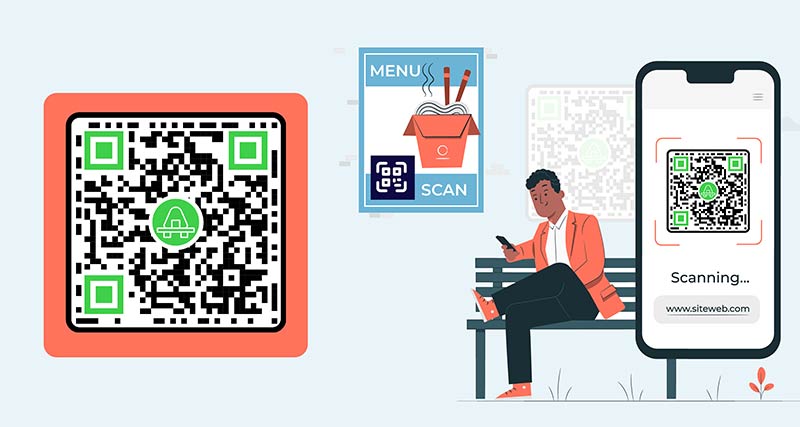
תפריט QR קוד נפתח בסמארטפון
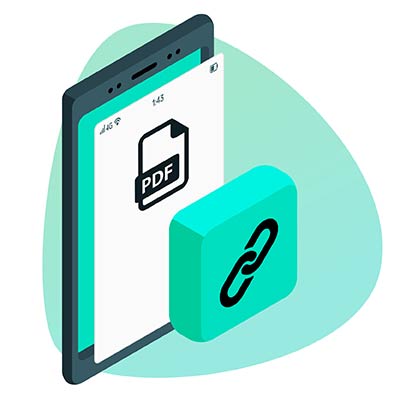
A PDF menu

Upload your menu as a PDF. The PDF is stored online and the code opens it. This is the fastest way if you already have a menu file from Word, Canva or a designer. Export a PDF with real text, not a photo of a printed menu, so guests can zoom in and screen readers can read it.

הוספת פרטי קוד QR וכתובת URL בכלי
A menu web page

The code opens a page on your own website where the menu is normal web text. The text fits the phone screen, loads fast and is easy to read. Choose this if you can edit your website or have many dishes and photos. Make the code with the מחולל קוד QR לקישור.

התאמה אישית של קוד QR של התפריט בכלי
A link to an existing online menu

If your menu already exists online, for example in an ordering system, on a delivery page or in a shared document, paste that link. Open it on a phone that is not yours first. It must load without a login.

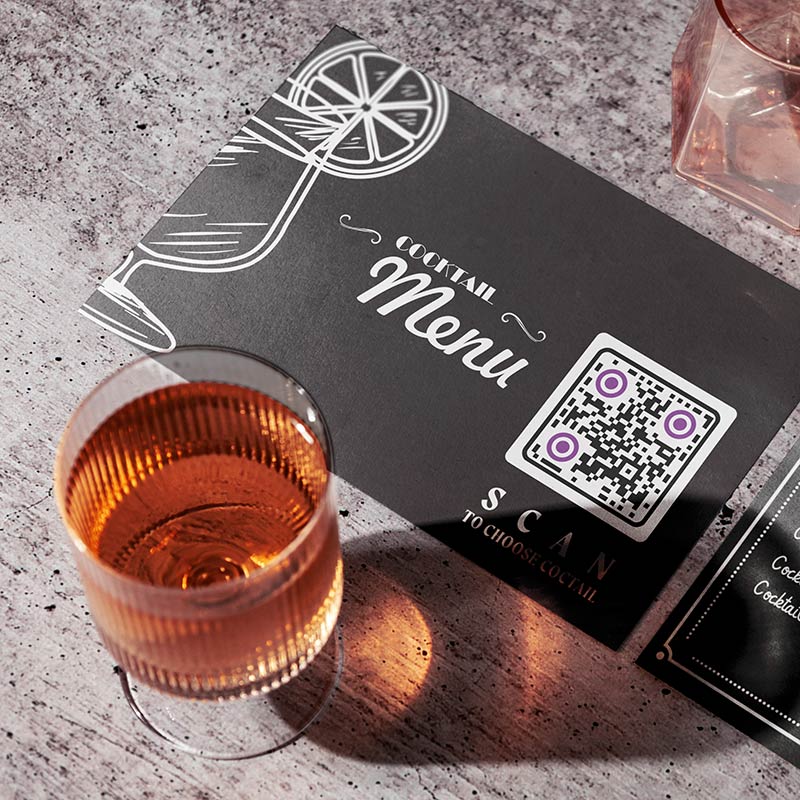
קוד AR של תפריט המוצב על שולחן במסעדה
Which one to pick

Start with a PDF if you want a code today. Use a web page if you can keep one up to date. Use the existing link if ordering is already online. With a dynamic code you can switch from one to another later without reprinting.

How to create a QR code for a menu

הירשם

כדי ליצור קוד QR לתפריט, הירשם ב-Pageloot לניסיון חינם של 14 יום. הפלטפורמה מציעה 4 תוכניות מנוי שונות המספקות כלים שונים למעקב ויצירת קוד ה-QR. אתה יכול גם לבחור ליצור תפריט קוד QR בחינם עם קישור סטטי.
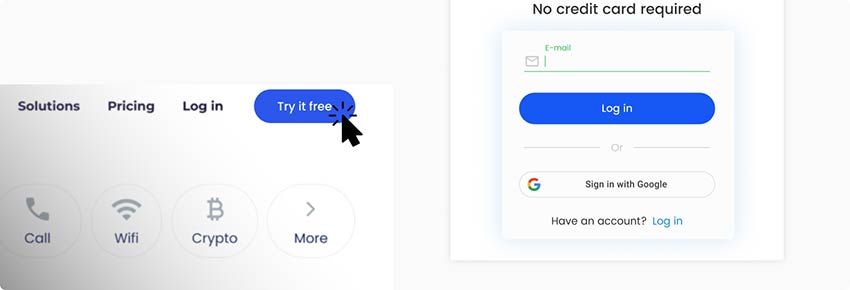
יצירת חשבון בחינם בפלטפורמת מחולל קוד QR של Menu
הוסף את ה-PDF שלך

לאחר ההרשמה, מצא את דף יצירת קוד ה-QR. אתה יכול להעלות את קישור PDF לתפריט שלך בדף או להעלות אותו מהמכשיר שלך. אתה יכול גם לבנות את התפריט שלך מאפס, להפריד ארוחות לקטגוריות.
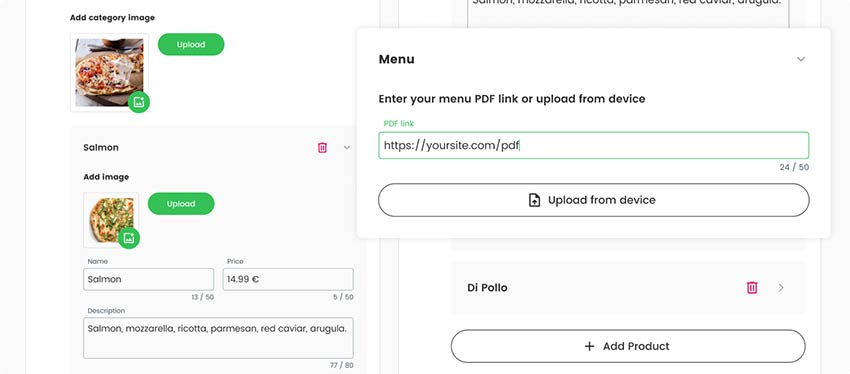
הוספת קישור לתפריט עבור קוד QR
צור את דף הנחיתה שלך

ודא שאתה לא משאיר את דף הנחיתה שלך ריק. הוסף תיאור תפריט או כמה תמונות של הארוחות העונתיות שאתה מציע. אתה יכול גם לכלול קצת מידע על הנחות או הצעות שיש לך בתפריט היומי.
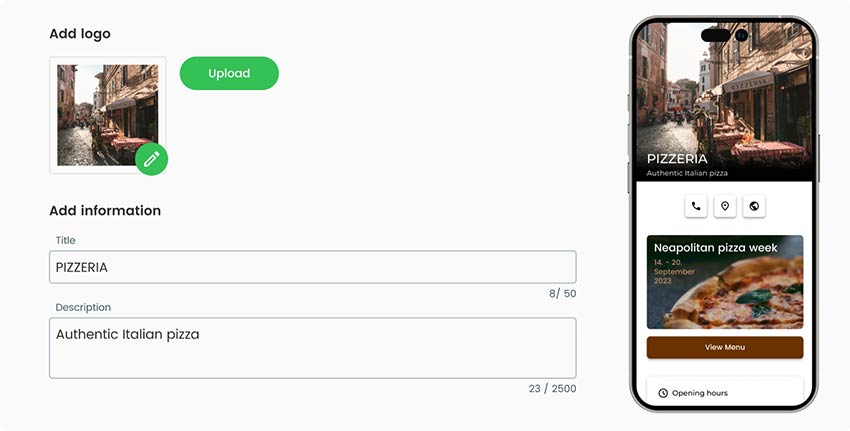
הוספת מידע נוסף על המסעדה והפריטים בתפריט, תוך כדי יצירת קוד QR
בחר סגנון קוד QR

כשתסיימו עם החלק הכללי של קוד ה-QR, תוכלו גם לעצב את המראה החיצוני של קוד ה-QR. ב-QR Menu Creator, אתה יכול להוסיף לוגו מותאמים אישית לקוד, לשנות את הצבעים שלו, להוסיף מסגרות ואפילו לשנות את צורתו.

בקטע סגנון ומסגרת, עריכת הצורה והמסגרת של קוד QR של התפריט
הורד קוד QR

עם סיום כל הפרטים, אתה יכול לשמור ולהוריד את קוד QR התפריט מוכן שלך. קוד ה-QR ניתן להדפסה על כל המשטחים וניתן לשתף אותו בכל מקום באינטרנט.
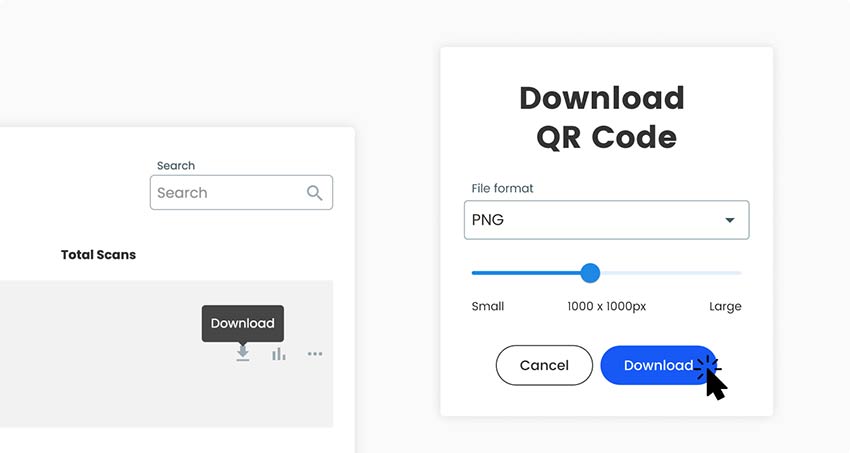
הורדת קוד QR המוגמר לתפריט מפלטפורמת הגנרטור
הכל בוצע!

למה אני צריך יוצר תפריט QR?

איך להכין ברקוד למסעדה המקושר לתפריט

A menu changes more often than almost anything else a restaurant prints. Prices rise, dishes sell out, specials change daily and the drinks list changes with the season. On paper, every change means reprinting or crossing things out by hand.

A QR code menu removes that work. The table tents, stickers and window signs stay where they are, and you change the menu behind the code. Guests always see current prices, and you stop reprinting menus for small changes.

Guests also read the menu before they sit down, zoom in on small text and take their time. Staff hand out fewer menus and wipe fewer of them. A free QR code menu generator like the one at the top of this page is enough to make the code. Whether you need a paid dynamic code depends on how often your menu changes. The section on static and dynamic codes below explains it.

שאלות נפוצות

שאלות נפוצות לגבי אופן יצירת תפריט קוד QR

A menu as a PDF or as a web page, and a phone to test with. If you have no menu file yet, write it in Word, Google Docs or Canva and export it as a PDF. Use real text, not a photo of the menu. That is all you need to use the generator at the top of this page.

Yes. You can make and download a menu QR code for free, as PNG, SVG or PDF. A free code is static: it cannot be edited later and does not track scans. If it points to a page you edit yourself, such as a menu page on your website, the code keeps working when you change the page. For a PDF that changes often, a dynamic code is easier. Tick ערוך מאוחר יותר אוֹ עקוב אחר סריקות למעלה כדי להתחיל ניסיון חינם למשך 14 יום.

Making and downloading a static code costs nothing. Dynamic codes need a Pageloot plan. You get a 14-day free trial, then the Starter plan is EUR 7 a month billed yearly. A one-time lifetime deal also exists. See the עמוד תמחור for current plans. The code NEW30 gives 30% off your first purchase. Dynamic codes stop working when a paid plan ends, except on the lifetime deal, so subscribe before you print.

No, if you use a dynamic code, or if the code points to a page you edit yourself. Change prices, dishes or the whole menu and the printed code keeps working. Yes, if you made a static code from an uploaded PDF and want to use a different PDF. That needs a new code and new prints.

Open the camera app on an iPhone or Android phone, point it at the code and tap the link that appears. Current phones need no extra app. If nothing happens, hold the phone 20 to 30 cm away, make sure the whole code is in view and avoid glare. Older phones may need a אפליקציית סריקת QR.

  1. Get your menu ready as a PDF, a web page or an existing link.
  2. Upload the PDF in the generator at the top of this page, or make a link code from your web page link.
  3. Add a frame with the words “Scan for menu”, your colors and your logo.
  4. Download PNG for screens, or SVG or PDF for print.
  5. Scan it with two phones, on mobile data, from the distance a guest will use.
  6. Print one table tent and test it on a table before you print the rest.

One code for the whole menu is enough for most places. It is easy to print and to keep up to date. Use one code per table if you want to see which table scans, or to match an order to a table. Use separate codes for food and drinks if you want to see which menu guests read.

About 3 to 4 cm wide on a table tent, because guests scan from about 30 cm. A bar-top sticker is the same size. A window sign needs about 10 cm or more. A good rule is 1 cm of code for every 10 cm of scanning distance, and never under 2 x 2 cm.

סמל שאלות נפוצות
שאלות נוספות?

צרו קשר ונשמח לעזור!

מהימנים על ידי המותגים המובילים
דורג 4.8 מתוך 5

דירוג 4.86 / 5 כוכבים

הוגו לורן
הוגו לורן
★★★★★
בעל מסעדה
מחולל קוד QR הקל והאמין ביותר אי פעם. ניתן להעלות קבצי PDF באופן מיידי. תפריטי המסעדה שלנו עכשיו דיגיטליים.
לוקאס יאנסן
לוקאס יאנסן
★★★★★
יזם נדל"ן
זהו כלי מצוין וקודי ה-QR לוקחים אותך בדיוק לאן שאתה רוצה. אנחנו משתמשים רק בקוד QR של המיקום אבל יש כל כך הרבה תכונות שימושיות.
אמה מורטי
אמה מורטי
★★★★★
מוצרים קמעונאיים
קל לשימוש ומהיר. זה עובד נהדר ויוצר תמונה מושלמת, כך שהעובדים יכולים להוריד את ה-vCard שלי.
הוגו לורן
הוגו לורן
★★★★★
בעל מסעדה
מחולל קוד QR הקל והאמין ביותר אי פעם. ניתן להעלות קבצי PDF באופן מיידי. תפריטי המסעדה שלנו עכשיו דיגיטליים.
לוקאס יאנסן
לוקאס יאנסן
★★★★★
יזם נדל"ן
זהו כלי מצוין וקודי ה-QR לוקחים אותך בדיוק לאן שאתה רוצה. אנחנו משתמשים רק בקוד QR של המיקום אבל יש כל כך הרבה תכונות שימושיות.
אמה מורטי
אמה מורטי
★★★★★
מוצרים קמעונאיים
קל לשימוש ומהיר. זה עובד נהדר ויוצר תמונה מושלמת, כך שהעובדים יכולים להוריד את ה-vCard שלי.
צור קוד QR לתפריט

ניסיון חינם ל-14 יום. אין צורך בכרטיס אשראי.

תצוגה מקדימה של לוח המחוונים של מחולל קודי QR

היכן להשתמש בקוד QR של תפריט?
דוגמאות

הקש על התמונות כדי להתקרב

שולחן מסעדה עם כמה קודי QR של תפריט מונחים עליו

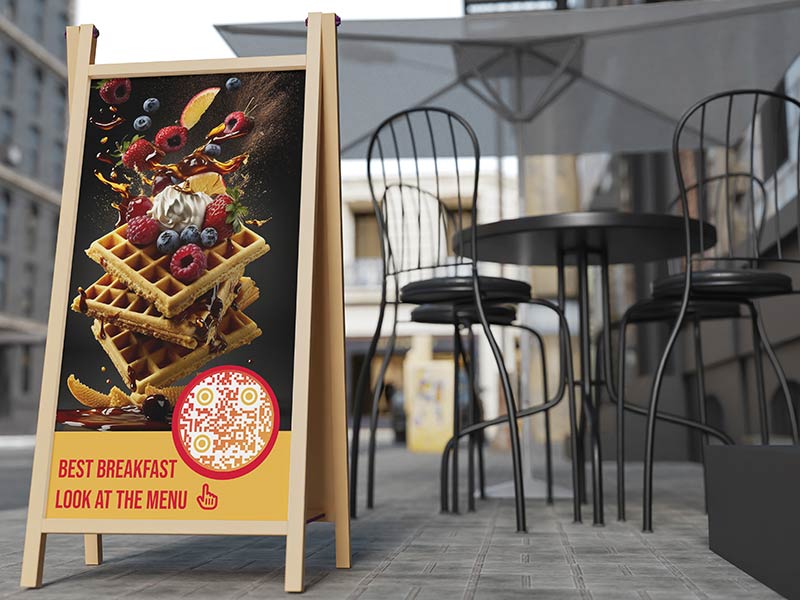
A cafe with 12 tables prints 12 table tents with the same code. Guests scan, read the menu and order at the counter or from the waiter. When the cake of the day changes, the cafe edits the menu behind the code and prints nothing. On a tent, make the table QR code menu 3 to 4 cm wide and put “Scan for menu” above it.

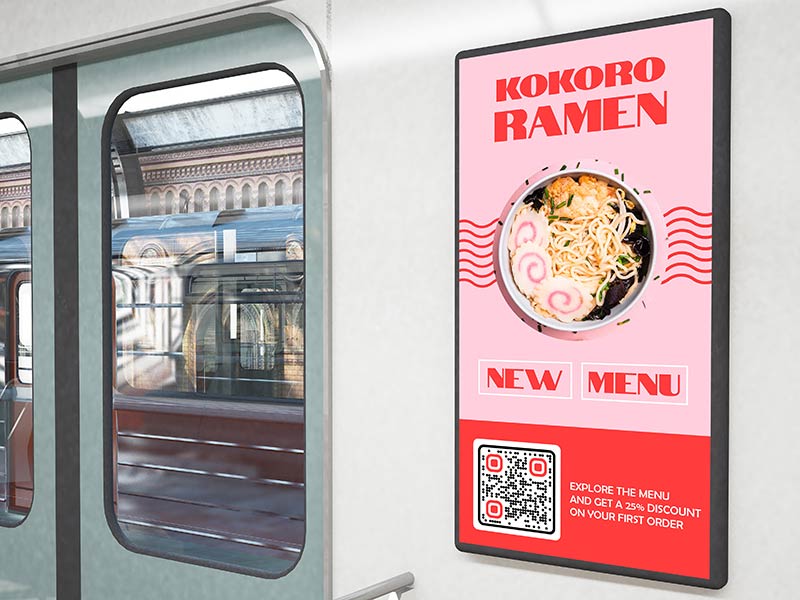
קוד QR של תפריט מודבק על חלון רכבת ציבורית ושלט חוצות

A bar can keep two codes: one for drinks and one for food. Guest beers, cocktail specials and happy hour prices change often, so a QR menu for bars and pubs saves a lot of reprinting. Bars are dim, so use a dark code on a light background and a matte sticker on the bar top. A code on the window also lets people read the drinks list before they walk in.

איך להכין ברקוד למסעדה המקושר לתפריט

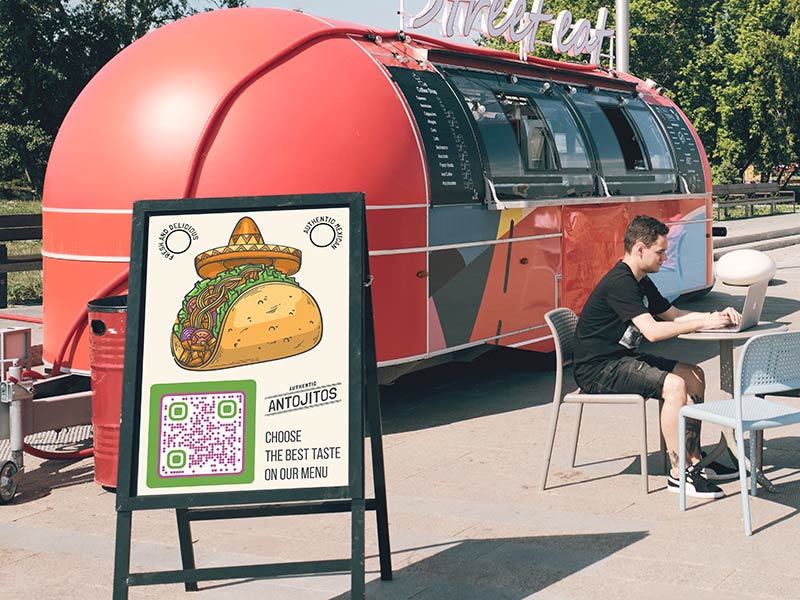
A food truck has little space for paper, and the menu changes with the day and the location. Put a large code, about 10 cm wide, beside the serving window. People in the queue can scan it from 1 m away and decide before they reach the counter. When an item sells out, change the menu behind the code.

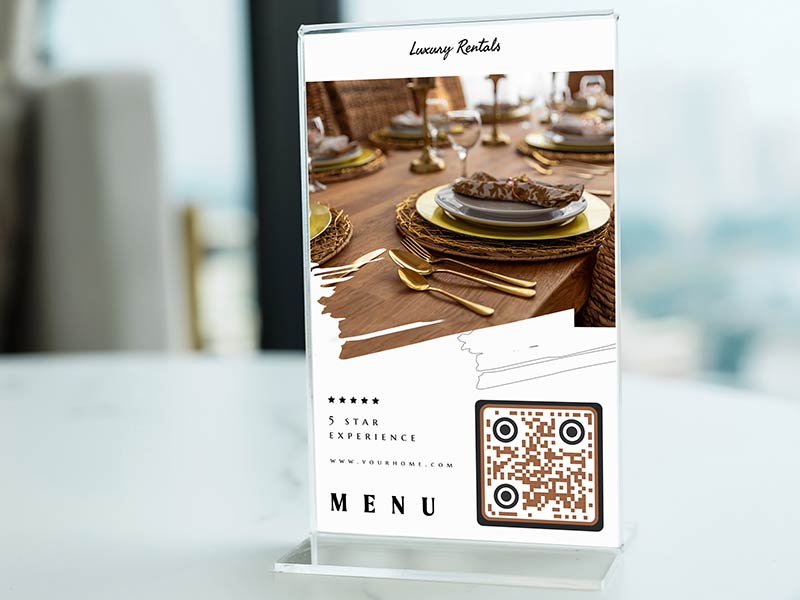
תפריט עלון קוד QR על שידת לילה בחדר מלון

Put a code on the in-room directory or the bedside card that opens the room service menu. Change the menu behind the code for breakfast, all day and late night. Guests read it in the room and order the way your hotel takes orders. Keep a printed menu in the room drawer for guests who prefer paper.

Menu QR code design, size and מיקום

Menu QR code not working or too slow? Check these first

The PDF is too big

A menu PDF full of large photos can be many megabytes. On mobile data that means a long wait, and guests give up. Compress the PDF or use smaller images, and keep it to a few megabytes at most. Test it with Wi-Fi switched off on your own phone.

בעיצוב התפריט קוד QR הוסף תיאור של הקוד
הוספת מזונות חדשים לתפריט QR קוד
The PDF is hard to read on a phone

A PDF made for a printer is often A4 landscape with small text, and guests must pinch and scroll sideways. Export a single-column PDF with large text, or build the menu as a web page, which fits the screen by itself. Use real text so the menu can be searched and enlarged.

Glare on laminated tents

Glossy lamination reflects ceiling lights and windows, and the phone cannot read the code. Use matte lamination or matte paper in a holder, and keep the code away from candles and direct sun. Check the tent from the angle a guest really holds a phone.

שם אוכל בתפריט עם תמונה של האוכל לידו
The restaurant's logo inside of the QR code that is printed on a flyer
Weak signal or Wi-Fi dead zones

Guests need an internet connection to open the menu. In a cellar bar or a building with thick walls, mobile data can be weak. A small file helps. Put the guest Wi-Fi name and password on the tent, or keep printed menus ready for guests who cannot connect.

צור קוד QR לתפריט

ניסיון חינם ל-14 יום. אין צורך בכרטיס אשראי.

נוצרו סגנונות שונים של קודי QR

Update prices, see busy times and stay accessible

ערימה של תפריטי נייר ישנים לעומת תפריט דיגיטלי של קודי QR
Change prices without reprinting

With a dynamic code the printed code stays the same and you change what it opens. Raise a price, remove a sold-out dish or add a seasonal special, and the next scan shows it. A static code cannot be edited after printing.

מבקר סורק את הטלפון שלו עם תפריט QR שנפתח על המסך
See busy times in scan stats

A dynamic code shows when, where and on which device it was scanned, with the detail depending on your plan. Scan times point to your busy hours and days. Use separate codes for food and drinks to see which menu is read most. Scans are a guide, not a sales count.

שימוש במחולל קוד QR של Menu כדי לערוך את רשימת התפריטים
One code per menu or one per table

One code per menu is simplest: one design for every table and one menu to keep up to date. Use one code per table only if you want to know which table scanned, for example to match orders. Each table code can open the same menu and is counted separately. Check the code limit of your plan on the עמוד תמחור.

מסך טלפון עם תפריט ורשימת מרכיבים עליו
Keep a printed menu on request

Some guests have no smartphone, no mobile data or a flat battery. Others find small screens hard to read. Keep a few printed menus at the bar and write “Printed menu on request” under the code. Use large text in the PDF or web page so it zooms well.

קישור מדיה חברתית ליד התפריט
Static or dynamic for a menu

A static code is enough if it points to a page you edit yourself, such as a menu page on your website, or if the menu never changes. Choose a dynamic code if your menu is a PDF that changes, you print many tents or you want scan stats.

A dynamic code works while your plan is active. The lifetime deal is the exception. Subscribe before you print, not after.

אנשים יושבים ליד שולחן במסעדה וסורקים את קוד ה-QR של התפריט
חינם להורדה

Make and download your menu QR code without an account, as PNG, SVG or PDF. Add a frame, change the colors and upload your logo. Use SVG or PDF for print, so the code stays sharp at any size.

GL-34

למידע נוסף על קודי QR בתפריט

Google Drive נפתח בדפדפן
קודי QR עבורגוגל דרייב
קובץ PDF המוצג בטלפון לאחר סריקת קוד ה-QR
קודי QR עבורPDF
סריקת קוד QR של Dropbox
קודי QR עבורדרופבוקס

קבל 30% הנחה על הרכישה הראשונה שלך

השתמש בקוד:

שתף את קבצי ה-MP3 שלך

הירשם ליצירת קודי QR של PDF

העלה והצג את כל מה שאתה צריך:

  • קבצי שמע
  • פודקאסטים
  • מוּסִיקָה

ניסיון חינם למשך 14 יום עם הרשמה.
קודי QR יפוגו לאחר תקופת הניסיון.

הירשם כדי ליצור קוד אודיו mp3 QR

קבל יותר סריקות עם מסגרות

הירשם כדי להוסיף עוד מסגרות לקודי ה-QR שלך

מסגרות קריאה לפעולה עוזרות ללקוחות שלך ליצור אינטראקציה עם קוד ה-QR בקלות. נסה אותם!

ניסיון חינם למשך 14 יום עם הרשמה.
קודי QR יפוגו לאחר תקופת הניסיון.

הירשם כדי להוסיף עוד מסגרות לקודי ה-QR שלך

הוסף עוד סגנון עם צורות

הירשם כדי ליצור צורות נוספות

קודי QR לא חייבים להיות מרובעים. נסה לשנות אותו כך שיתאים לתדמית המותג שלך.

ניסיון חינם למשך 14 יום עם הרשמה.
קודי QR יפוגו לאחר תקופת הניסיון.

הירשם כדי ליצור צורות נוספות

הוסף לוגו לקוד ה-QR שלך

הירשם כדי להוסיף את הלוגו שלך לקודי QR

הפוך את קוד ה-QR שלך לבלוט על ידי הוספת הלוגו והמותג שלך אליו.

ניסיון חינם למשך 14 יום עם הרשמה.
קודי QR יפוגו לאחר תקופת הניסיון.

הירשם כדי להוסיף את הלוגו שלך לקודי QR

הפניות חכמות לחנויות אפליקציות

הירשם כדי ליצור קוד QR של חנות אפליקציות

הוסף את קישורי האפליקציה שלך לקוד QR החכם של App Store. המשתמשים מופנים מחדש על סמך המכשיר שלהם.

ניסיון חינם למשך 14 יום עם הרשמה.
קודי QR יפוגו לאחר תקופת הניסיון.

הירשם כדי ליצור קוד QR של חנות אפליקציות

העלה תמונה לקוד QR

הירשם כדי ליצור קודי QR לתמונה

שתף את התמונות שלך בקלות. שנה כל תמונה באופן דינמי תוך שניות.

ניסיון חינם למשך 14 יום עם הרשמה.
קודי QR יפוגו לאחר תקופת הניסיון.

הירשם כדי ליצור קודי QR לתמונה

שתף את קבצי ה-PDF שלך

הירשם ליצירת קודי QR של PDF

העלה והצג את כל מה שאתה צריך:

  • תפריטים ומחירונים
  • הוראות
  • כל המסמכים

ניסיון חינם למשך 14 יום עם הרשמה.
קודי QR יפוגו לאחר תקופת הניסיון.

הירשם ליצירת קודי QR של PDF

ערוך מאוחר יותר ללא הדפסה

הירשם כדי לערוך את קודי ה-QR שלך מבלי להדפיס שוב

קודי QR דינמיים מאפשרים לך לשנות את התוכן של קוד ה-QR שלך מבלי להדפיס חדשים.

ניסיון חינם למשך 14 יום עם הרשמה.
קודי QR יפוגו לאחר תקופת הניסיון.

הירשם כדי לערוך את קודי ה-QR שלך מבלי להדפיס שוב

מתי? איפה? עקוב אחר סריקות קוד ה-QR שלך

הירשם כדי לעקוב אחר קודי ה-QR שלך

גלה אילו מקודי ה-QR שלך מקבלים הכי הרבה סריקות ומה הכי מרגש את הלקוחות שלך.

ניסיון חינם למשך 14 יום עם הרשמה.
קודי QR יפוגו לאחר תקופת הניסיון.

הירשם כדי לעקוב אחר קודי ה-QR שלך

קבצים מוכנים להדפסה זמינים

הירשם כדי ליצור קודי QR וקטורים כמו PDF ו-SVG

.EPS, .PDF, .SVG

רוצה להוריד את קודי ה-QR שלך ברזולוציית HD? קבל פורמטים וקטוריים או פיקסלים שמוכנים להדפסה.

ניסיון חינם למשך 14 יום עם הרשמה.
קודי QR יפוגו לאחר תקופת הניסיון.

הירשם כדי ליצור קודי QR וקטורים כמו PDF ו-SVG

המתן בבקשה. קוד ה-QR שלך הוא טוען... טוען...

הפוך אותו לשלך

הירשם כדי לשמור את קוד ה-QR שלך למועד מאוחר יותר

קבל סריקות נוספות על ידי יצירת קודי QR מדהימים עם צבעים שונים, לוגואים ומסגרות קריאה לפעולה.

ניסיון חינם למשך 14 יום עם הרשמה.
קודי QR יפוגו לאחר תקופת הניסיון.

הירשם כדי לשמור את קוד ה-QR שלך למועד מאוחר יותר