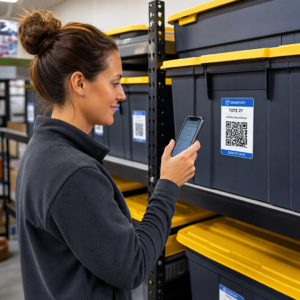
צריכים דרך מהירה וסריקה לחבר חומרים פיזיים לתוכן דיגיטלי? מדבקות קוד QR הופכות כל משטח לנקודת מגע אינטראקטיבית – וכדי להצליח איתן, צריך להבין את החומרים, בחירות העיצוב וסוגי הקודים שקובעים אם לקוחות אכן יסרקו אותן.
מהן מדבקות קוד QR?
מדבקות קוד QR הן תוויות דביקות המודפסות עם קוד QR הניתן לסריקה. כאשר לקוח מכוון מצלמת סמארטפון אל אחת מהן, הקוד מפנה אותו באופן מיידי לאתר אינטרנט, תפריט דיגיטלי, דף יצירת קשר, הצעת קידום מכירות, או כל תוכן אחר שקישרתם. עסקים משתמשים בהן על אריזות מוצרים, חלונות ראווה, כלי רכב, שולחנות מסעדה, שילוט אירועים וחומרי משלוח – בכל מקום שבו משטח פיזי יכול להתחיל אינטראקציה דיגיטלית.
ההבחנה המרכזית שחשובה לפני שאתם מדפיסים מדבקה אחת: האם הקוד שלכם הוא סטטי או דינמי.
- א קוד QR סטטי מקודד את היעד שלו לצמיתות. לאחר ההדפסה, לא ניתן לשנות אותו, והוא אינו עוקב אחר סריקות.
- א קוד QR דינמי מפנה לכתובת URL קצרה להפניה מחדש שתוכלו לעדכן בכל עת – ללא צורך בהדפסה חוזרת. הוא גם מתעד נתוני סריקה הכוללים זמן, נפח ומיקום גיאוגרפי.
עבור יישומי מדבקות שבהם תדפיסו בכמויות גדולות או תנהלו קמפיינים מוגבלים בזמן, ה- מחולל QR דינמי היא הבחירה המעשית. שינוי מבצע או עדכון כתובת URL אינו עולה דבר כאשר המדבקות כבר נמצאות על מדפים או כלי רכב.
עקבו אחר כל סריקה מהמדבקות שלכם רוצים לדעת בדיוק אילו מיקומי מדבקות מניעים מעורבות? השתמשו ב- מחולל QR דינמי כדי ליצור קודים ניתנים לעריכה ולמעקב עם לוח מחוונים מלא של אנליטיקה – ללא צורך בהדפסה חוזרת כאשר התוכן שלכם משתנה.
איך ליצור קוד QR למדבקות שלכם
קבלת קוד QR מוכן להדפסה דורשת שלושה שלבים:
- צרו את קוד ה-QR שלכם. תשתמש ב מחולל קודי QR כדי ליצור קוד המקשר לתוכן היעד שלכם – כתובת URL, קובץ PDF, תפריט דיגיטלי, vCard או יעד אחר. אם אתם מצפים לעדכן יעד זה או לעקוב אחר ביצועי סריקה, צרו קוד דינמי.
- התאימו אישית את העיצוב. הוסף את הלוגו שלך, צבעי המותג ומסגרת קריאה לפעולה כדי להפוך את המדבקה לזיהויה וכדאית לסריקה. ה- יצירת QR מעוצב עם לוגו מאפשר לך להטמיע לוגו ישירות בתוך הקוד, מה שמגביר את זיהוי המותג ושיעורי הסריקה בהשוואה לקודים רגילים בשחור-לבן.
- הורד בפורמט מוכן להדפסה. ייצא את הקוד שלך כ-SVG, EPS או PDF עבור שינוי קנה מידה וקטורי, או כ- PNG ברזולוציה גבוהה אם אתה משלב אותו בעיצוב תווית. מסור קבצים אלה למדפיס המדבקות שלך או השתמש בהם עם גיליונות מדבקה הניתנים להדפסה בבית.
בחירת חומר המדבקה הנכון
בחירת החומר משפיעה ישירות על האם קוד ה-QR שלך ייסרק באופן אמין בסביבתו המיועדת. האפשרויות העיקריות שתפגוש אצל מדפיסי מדבקות הן:
- למינציה מבריקה של BOPP או PET – מתאים לשימוש פנימי וחיצוני, צבעים בהירים, אך יכול להחזיר אור תחת תאורת תקרה ולהקשות על הסריקה בזוויות מסוימות.
- למינציה מט של BOPP – מפחית סנוור תחת תאורת חנויות ואור שמש, מה שהופך אותו לבחירה מועדפת עבור מדבקות שייסרקו בחנות או בקופה. מותגים ומעצבים רבים מעדיפים גם את המראה המעודן.
- חומר מדבקה שקוף – מודפס עם דיו לבן מאחורי הצבעים כדי לשמור על נראות העיצובים; עובד היטב עבור תוויות בקבוקים ואריזות שבהן רוצים מראה “ללא תווית”.
- ויניל עם למינציה – עמיד ועמיד בפני מזג אוויר, מומלץ ליישומים חיצוניים, מדבקות לרכב, וכל משטח החשוף ללחות או לאור UV. מדבקות קוד QR מויניל מחזיקות מעמד זמן רב יותר באופן משמעותי מתוויות נייר סטנדרטיות בתנאים אלה.
- מלאי תוויות BOPP דק – גמיש מספיק כדי להתאים למשטחים מעוקלים, מה שהופך אותו לבחירה מעשית עבור בקבוקים ואריזות מוצרים.
גימורים מט בדרך כלל נסרקים מהר יותר ובאופן אמין יותר מאשר גימורים מבריקים כאשר קודים ייסרקו תחת אור בהיר או ישיר. אם המדבקות שלך יהיו בחוץ או על כלי רכב, תעדיף ויניל עמיד למים על פני חומרים מבוססי נייר.
מפרטי גודל ועיצוב המשפיעים על יכולת הסריקה
מדבקת קוד QR שאינה נסרקת באופן אמין גרועה יותר מאף מדבקה בכלל. לפני שליחת קבצים להדפסה, ודא שדרישות אלו מתקיימות:
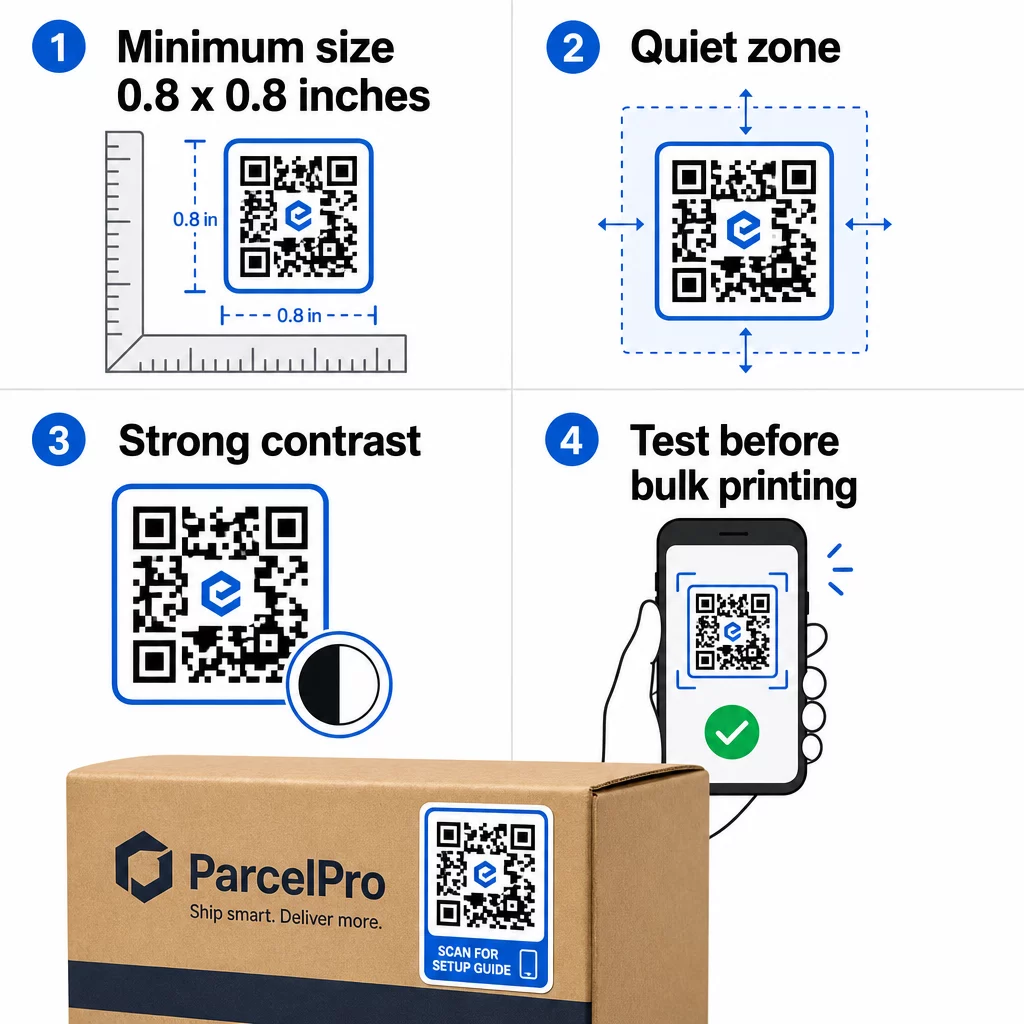
- גודל מינימלי: 0.8 × 0.8 אינץ' (2 × 2 ס"מ) עבור כתובת URL פשוטה. קודים גדולים יותר עם צפיפות נתונים גבוהה יותר צריכים להיות מוגדלים באופן פרופורציונלי.
- אזור שקט: השאר לפחות ארבעה מודולים של שטח נקי ולא מודפס סביב כל ארבעת צידי הקוד. טקסט, לוגואים או גבולות הממוקמים בתוך שוליים אלו גורמים לכשלים בסריקה.
- יחס ניגודיות: שמור על יחס ניגודיות של לפחות 4:1 בין המודולים הכהים לרקע הבהיר. שחור על לבן נשאר השילוב האמין ביותר. הימנע מהיפוכי צבע (בהיר על כהה) – סורקים רבים נכשלים על ערכות צבעים הפוכות.
- ללא מעברי צבע (גרדיאנטים) על מודולי הקוד: מעברי צבע יוצרים גווני ביניים שסורקים מתקשים לקרוא. השתמש בצבעים אחידים בלבד.
- בדוק לפני הדפסה בכמות גדולה: סרוק את הקוד שלך עם מספר מכשירים – טלפונים שונים, אפליקציות מצלמה שונות – ובדוק בתנאי התאורה שבהם המדבקה תשמש בפועל. עבור מדבקות חיצוניות, בדוק באור שמש. עבור מדבקות מדף קמעונאיות, בדוק תחת תאורת פלואורסנט.
לפירוט מלא של גדלים על פני חומרי הדפסה שונים, עיין במדריך בנושא גודל קוד QR עבור חומרי הדפסה שונים. For contrast and color guidance, שיטות עבודה מומלצות לניגודיות צבעי קוד QR . להנחיות ניגודיות וצבע,.
היכן להשתמש במדבקות קוד QR
מדבקות קוד QR עובדות במגוון רחב של יישומים עסקיים. הנה המיקומים הנפוצים והיעילים ביותר:
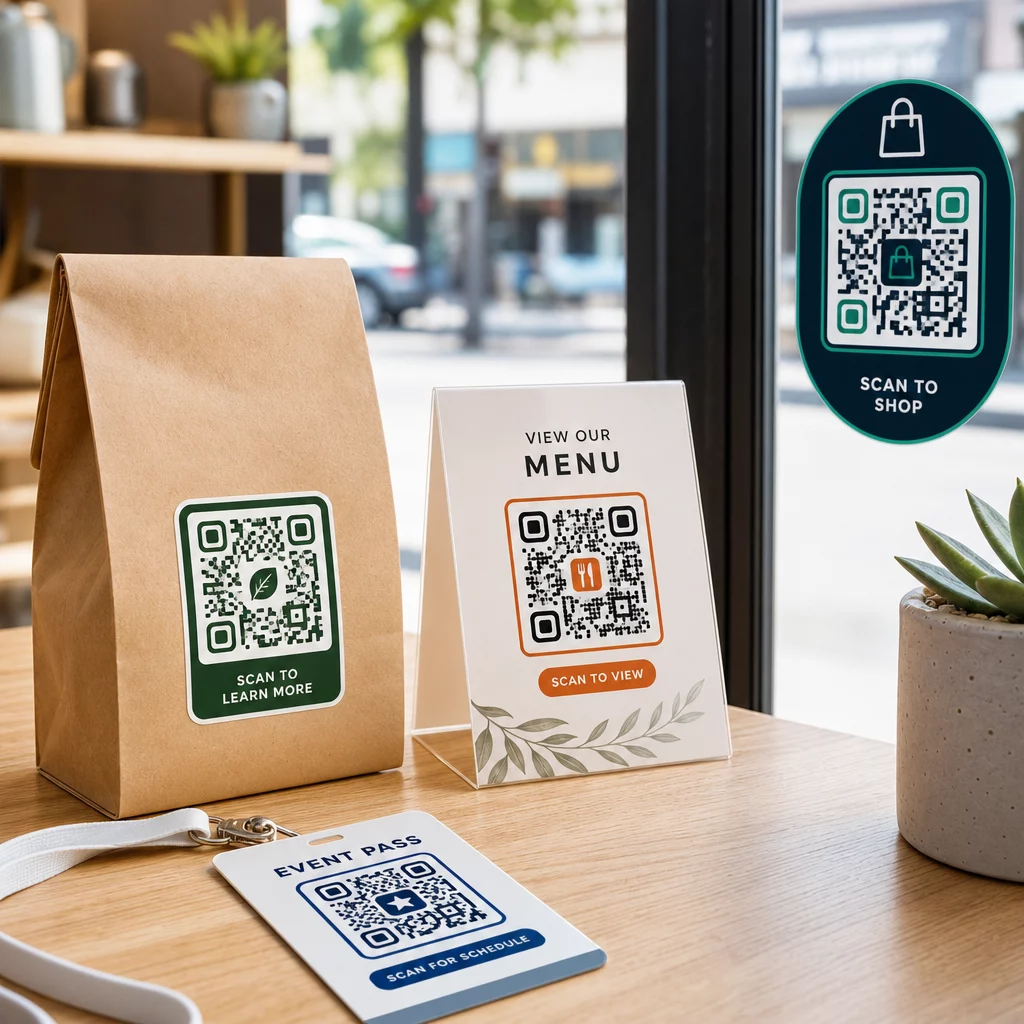
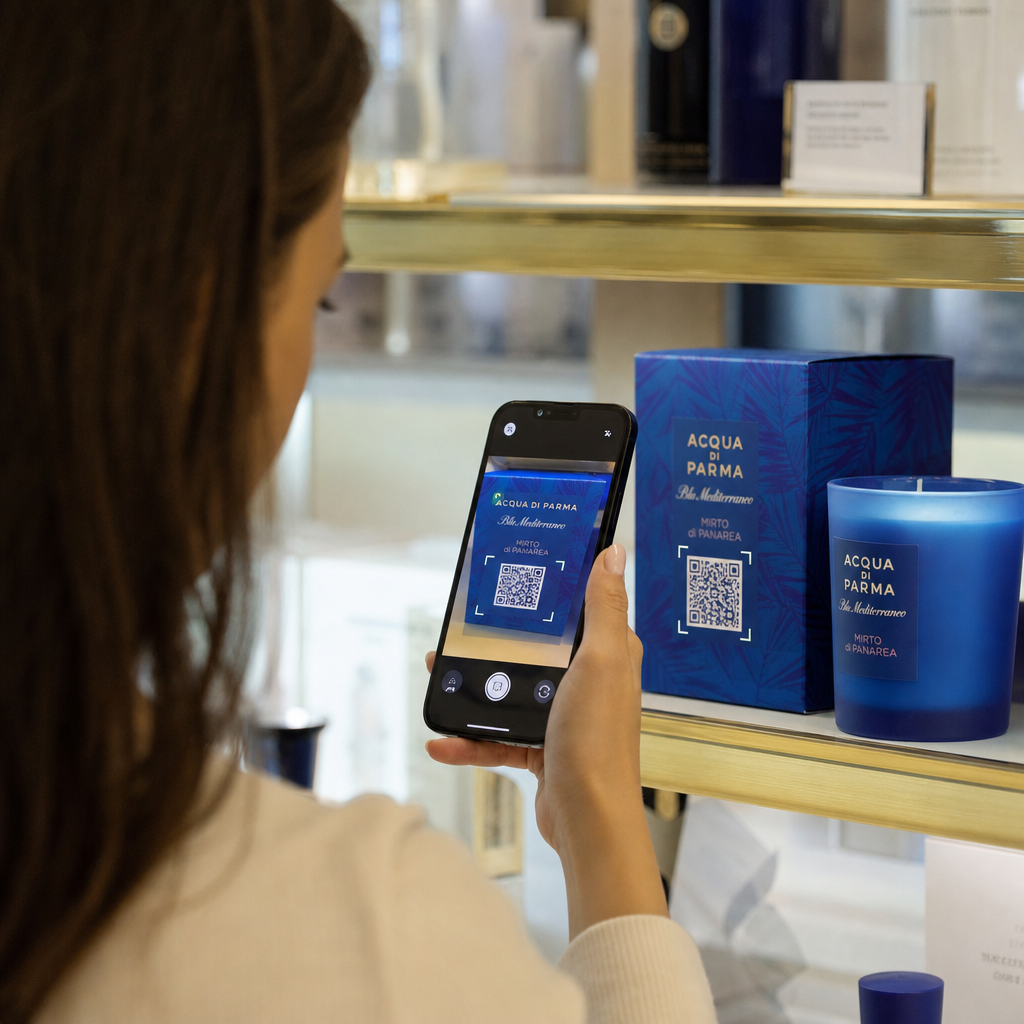
אריזות מוצרים ותוויות – קשרו לקוחות להוראות מוצר, פרטי רכיבים, מדריכי וידאו, קודי הנחה או דפי ביקורת. מדבקות עובדות גם על אריזה ראשונית (המוצר עצמו) וגם על אריזה משנית (קופסאות, שרוולים). למבט מעמיק יותר על האפשרויות, ראו קודי QR על אריזות מוצרים ו- מדריך אולטימטיבי לקודי QR עבור תוויות מוצרים.
שולחנות מסעדות ואירוח – מדבקת קוד QR על שולחן או דלת מקשרת אורחים ל- תפריט דיגיטלי, סיסמת Wi-Fi, או פלטפורמת ביקורות. קודים דינמיים מאפשרים לכם לעדכן את התפריט או המבצע מבלי להחליף כל מדבקה.
חלונות ודלתות חנויות – מדבקות חלון הנושאות קוד QR הן דרך יעילה לשתף שעות פעילות, מבצעים או קישורים למדיה חברתית עם עוברי אורח העוברים מחוץ לשעות הפעילות.
מדבקות רכב – מדבקת קוד QR על רכב חברה הופכת אותו לפרסומת ניידת, המקשרת כל מי שסורק אותה לדף הזמנות, רשימת שירותים או טופס יצירת קשר.
אריזות קמעונאות ומסחר אלקטרוני – מדבקות על משלוחים יוצאים או קופסאות מוצרים יכולות להפנות לקוחות לסרטוני פתיחת אריזה, תוכניות נאמנות או דפי מכירה צולבת מבלי להוסיף נפח לאריזה.
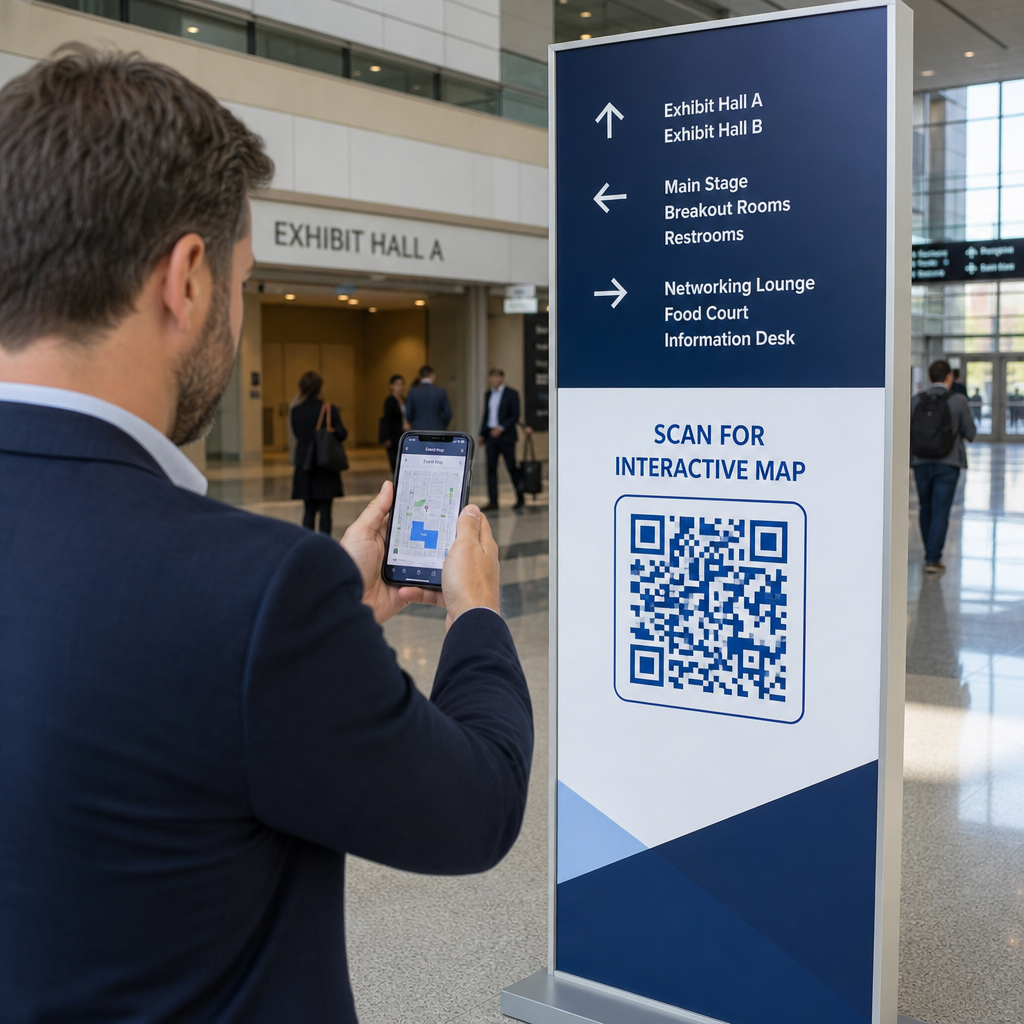
שילוט וכרטיסים לאירועים – הוסיפו מדבקות QR לתגים, שילוט או כרטיסים כדי לקשר משתתפים ללוחות זמנים, תהליכי צ'ק-אין או משאבי מרצים.
| סוג מדבקה | החומר הטוב ביותר | שימוש אופייני |
|---|---|---|
| מדבקה ממותגת בהתאמה אישית | BOPP מט או מבריק | אריזות מוצרים, מבצעים |
| מדבקת חוץ עמידה למים | ויניל עם למינציה | מדבקות לרכב, שילוט חוץ |
| מדבקת חלון נצמדת או מדבקה | ויניל שקוף או לבן | חלונות ראווה, חלונות קמעונאיים |
| מדבקת תווית קטנה | BOPP דק | בקבוקים, תגי מוצר, כרטיסי ביקור |
| מדבקת שולחן למסעדה | למינציה מט | קישורי תפריט, קישורי דף ביקורות |
שימוש בקודי QR דינמיים לקמפיינים של מדבקות
לכל קמפיין שבו היעד עשוי להשתנות – מבצעים עונתיים, עדכוני תפריט, הצעות מתחלפות – קודי QR דינמיים חיוניים. המדבקה עצמה אינה משתנה; רק כתובת ה-URL של היעד שמאחוריה משתנה. זה חשוב כאשר הדפסתם אלפי מדבקות וכתובת URL של דף נחיתה משתנה, או כאשר מבצע מסתיים ואתם רוצים להפנות סורקים להצעה חדשה.
קודים דינמיים גם מספקים לכם נתוני סריקה: סך סריקות, תזמון סריקה ונתונים גיאוגרפיים. זה מאפשר לכם להעריך אילו מיקומים באמת מניעים מעורבות ולהתאים בהתאם. מדבקה על אריזת מוצר מתפקדת באופן שונה ממדבקה בחלון ראווה, וניתוח נתונים עוזר לכם לראות את ההבדל הזה בבירור.
ל קודי QR על אריזות המשמשים לקמפיינים קמעונאיים, קודים דינמיים גם מאפשרים לכם לבצע בדיקות A/B על ידי הפניית קבוצות קוד שונות לדפי נחיתה שונים והשוואת תוצאות.
עדכן את קמפיין המדבקות שלך ללא הדפסה מחדש מנהל מבצע מוגבל בזמן? ה- מחולל QR דינמי מאפשר לך להפנות את המדבקות שלך לכתובת URL חדשה ברגע שקמפיין מסתיים – ללא מדבקות חדשות, ללא הדפסות מבוזבזות.
שאלות נפוצות
הגודל המינימלי האמין עבור כתובת URL פשוטה הוא 0.8 × 0.8 אינץ' (2 × 2 ס"מ). עבור מדבקות הממוקמות רחוק יותר מהסורק – על שלטים או מדבקות רכב – הגדל באופן פרופורציונלי. כלל אצבע הוא ליצור את הקוד בגודל של לפחות עשירית ממרחק הסריקה. השאר תמיד אזור שקט וברור של לפחות ארבעה מודולים מסביב לקוד מכל הצדדים, ובדוק את הגודל הסופי במכשירים אמיתיים לפני הדפסה בכמויות גדולות.
לא אם זה קוד QR סטטי – אלה מקודדים את היעד שלהם לצמיתות. עם קוד QR דינמי, לעומת זאת, תוכל לשנות את כתובת ה-URL המקושרת, הקובץ או התוכן בכל עת דרך לוח המחוונים של חשבונך מבלי לגעת במדבקה. זה הופך קודים דינמיים לבחירה הפרקטית עבור כל יישום שבו כתובות URL או מבצעים עשויים להשתנות, כולל אריזות מוצרים, קמפיינים עונתיים ותפריטי מסעדות.
מדבקות ויניל עם גימור למינציה הן האפשרות העמידה ביותר לשימוש חיצוני.