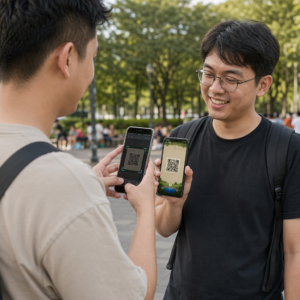
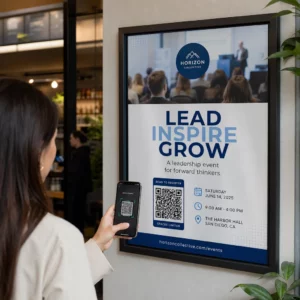
Ali vaši naročniki e-pošte ignorirajo besedilne povezave, ko berejo sporočila na zaslonih namiznih računalnikov? Ko prejemniki odprejo e-pošto v računalniku, jih to sili v ročno iskanje mobilnih aplikacij ali vnašanje dolgih spletnih naslovov, kar ustvarja nepotrebno trenje. Vključitev skeniranih kod v vaše e-poštno trženje zagotavlja neposredno povezavo med ogledom na namiznih računalnikih in izvajanjem na mobilnih napravah.
Kako QR kode premostijo vrzel med namiznimi in mobilnimi računalniki
Večina e-poštnih kampanj se sooča z oviro pri uporabi več naprav: naročniki pogosto berejo promocijska e-poštna sporočila na namiznem ali prenosnem računalniku, vendar se predvideno dejanje – kot je namestitev mobilne aplikacije, shranjevanje vizitke ali dodajanje vstopnice za dogodek – izvede na pametnem telefonu.
Z namestitvijo grafike, ki jo je mogoče skenirati, v e-poštno sporočilo prejemnikom omogoči, da odprejo kamero pametnega telefona, jo usmerijo v zaslon računalnika in takoj sprožijo dejanje na svoji mobilni napravi. Ta interakcija med napravami zmanjšuje stopnjo opustitve delovnih procesov, ki zahtevajo mobilno sodelovanje. Tržniki lahko to strategijo med kanali uporabijo tudi za povežete družbene medije in e-poštno trženje, ki bralce namiznih novic usmerja neposredno do aktivnih profilov na družbenih omrežjih.
Praktični primeri uporabe za e-poštne marketinške kampanje
Vključitev elementa za skeniranje v e-poštno sporočilo mora vedno služiti jasnemu funkcionalnemu namenu. Tukaj so ključni scenariji, kjer dodajanje kode za skeniranje prekaša standardne besedilne povezave same po sebi:
- Prenosi aplikacij za vožnjo: Namizne bralnike usmerite neposredno v trgovino iOS App Store ali Google Play Store glede na operacijski sistem njihovega telefona.
- Dodajanje kartic zvestobe za Denarnico: Prenesite vstopnice za dogodke, vstopnice ali digitalne kupone z namiznih računalnikov neposredno v Apple Wallet ali Google Wallet.
- Posodabljanje kontaktnih podatkov: Poslovnim stikom omogočite shranjevanje podatkov prodajnih predstavnikov neposredno v telefonski imenik prek vCards.
- Sproženje vnaprej izpolnjenih sporočil: Odprite mobilne e-poštne odjemalce ali aplikacije za sporočanje, ki so predhodno izpolnjeni s podatki o prejemniku in besedilom poizvedbe.
- Poenostavitev oddaje obrazcevUsmerite bralce na ankete, optimizirane za mobilne naprave, ali strani za upravljanje naročnin. Če izvajate kampanje z glasili, lahko brezhibno povežete elemente, ki jih je mogoče pregledovati, z Delovni postopki e-pošte v Mailchimpu za poenostavitev registracije naročnikov.
Ustvarite prilagodljive kode za e-poštne kampanje Ali morate posodobiti promocijsko povezavo po pošiljanju e-pošte? Uporabite QR generator za dinamične QR kode kadar koli spremeniti ciljne povezave in spremljati učinkovitost skeniranja v realnem času.
Ključne najboljše prakse za preglednost in dostopnost e-pošte
Pri vstavljanju skeniranih grafik v predloge e-poštnih sporočil tehnična izvedba določa, ali lahko naročniki uspešno komunicirajo z vašo vsebino. Upoštevanje uveljavljenih vizualnih standardov in standardov dostopnosti zagotavlja, da lahko vsak naročnik sodeluje brez tehničnih ovir.
Vedno navedite enakovredno besedilno povezavo
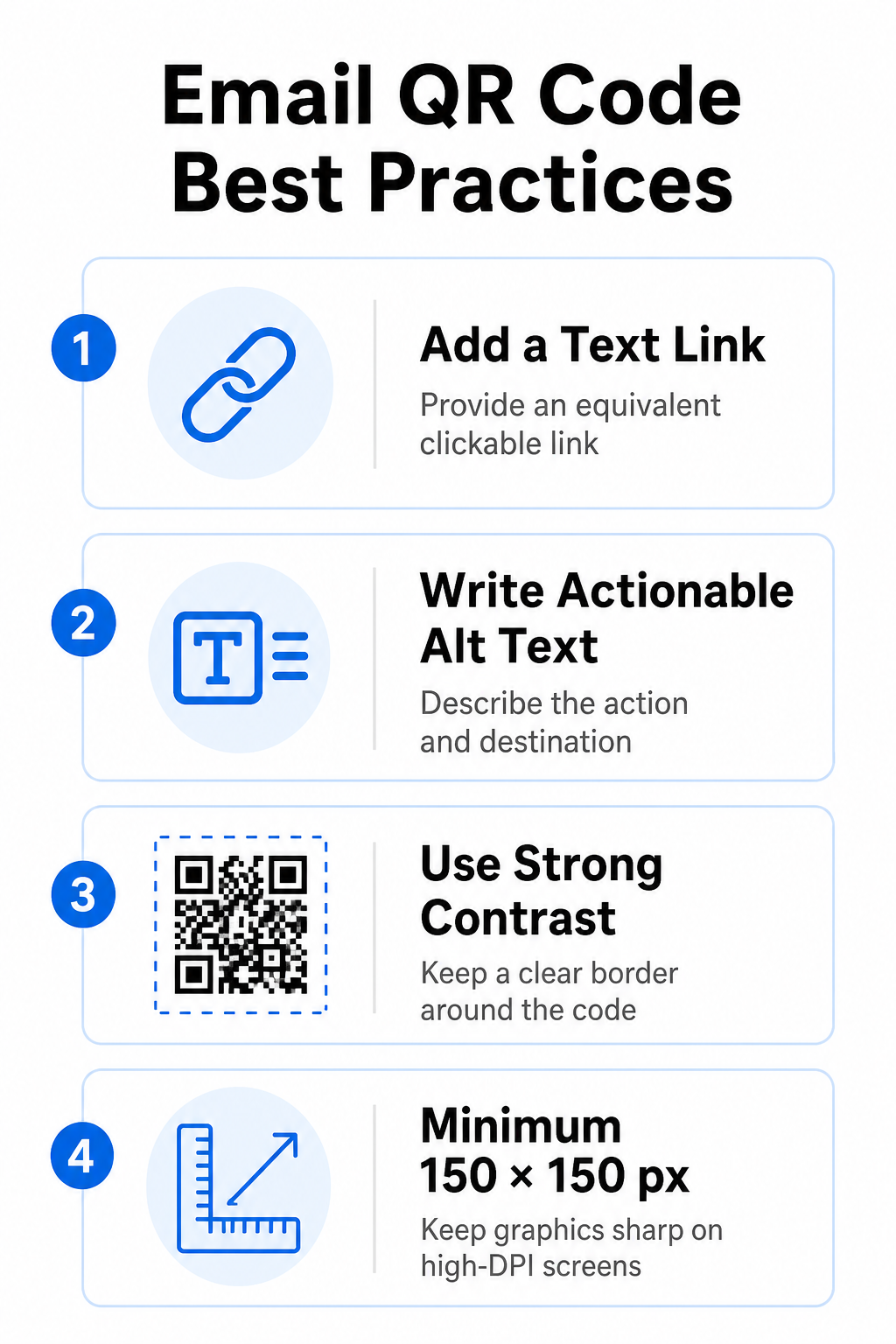
Grafika, ki jo je mogoče skenirati, ne sme biti edini način dostopa do informacij v e-poštnem sporočilu. Standardi dostopnosti zahtevajo standardno hiperpovezavo, na katero je mogoče klikniti, ki je nameščena poleg grafike ali neposredno pod njo. To zagotavlja, da lahko naročniki, ki berejo e-pošto na mobilni napravi – kjer skeniranje lastnega zaslona ni mogoče – ali tisti, ki uporabljajo bralnike zaslona, enostavno dostopajo do ciljne povezave.
Vključi uporabno nadomestno besedilo
E-poštni odjemalci pogosto privzeto blokirajo slike. Če se vaša grafika ne naloži takoj, se bralniki zaslona in naročniki za razumevanje vsebine zanašajo na alternativno besedilo. Namesto vizualnega opisa grafike uporabite opisno alternativno besedilo, ki pojasnjuje določeno dejanje in cilj, na primer `alt="Skenirajte kodo QR, da uveljavite svoj kupon za popust 20%"`.
Zagotovite visok barvni kontrast in mirna območja
Skenerji zahtevajo visok kontrast med temnimi vzorci v ospredju in svetlimi prostori v ozadju. Temne kode, nameščene na svetlih ozadjih, maksimizirajo absorpcijo svetlobe in zagotavljajo hitro zaznavanje s kamero. Izogibajte se uporabi svetlih kod na svetlih ozadjih ali temnih vzorcev na temnih delih predloge e-pošte. Poleg tega ohranite neoviran rob – znan kot tiho območje – okoli oboda kode, da preprečite, da bi okoliški elementi oblikovanja e-pošte motili prepoznavanje s strani skenerja. Preglejte te strukturne parametre v našem vodniku o najboljšim praksam za berljivost QR kod preden ustvarite predloge.
Velikost grafike za zaslone z visoko ločljivostjo
Da bi zagotovili jasnost grafike na zaslonih z visoko ločljivostjo brez zamegljenosti ali pikselizacije, prikažite sliko v najmanjši velikosti 150 x 150 slikovnih pik (2 cm x 2 cm). Izvoz slik v vektorskih formatih visoke ločljivosti z uporabo zanesljivega generator QR kod za povezave ohranja obvladljivo gostoto podatkov in ostre črte na zaslonih namiznih računalnikov.
| Oblikovni parameter | Priporočilo | Tehnični razlog |
|---|---|---|
| Minimalne dimenzije | 150 x 150 slikovnih pik (2 x 2 cm) | Preprečuje napake v ostrenju kamere in pikselizacijo na zaslonih namiznih računalnikov z visoko ločljivostjo (DPI). |
| Barva ospredja | Temno (npr. črna, mornarsko modra) | Maksimizira absorpcijo svetlobe za hitro zaznavanje s kamero. |
| Barva ozadja | Svetla (npr. bela, svetlo siva) | Zagotavlja potreben kontrast glede na podatkovne module v ospredju. |
| Vsebina nadomestnega besedila | “Skeniraj QR kodo za [dejanje]” | Zagotavlja jasen kontekst povezave, ko e-poštni odjemalci onemogočijo slike. |
Izdelajte QR kode po meri z blagovno znamko Ste pripravljeni integrirati kode za skeniranje v svoje e-novice? Brezplačno ustvarite visokoločljivostne, prilagojene kode z uporabo našega glavnega Generator QR kod danes.
Statične in dinamične QR kode v e-poštnih kampanjah
Izbira pravilne tehnične oblike za skeniranje grafike vpliva tako na prilagodljivost kampanje kot na natančnost poročanja.
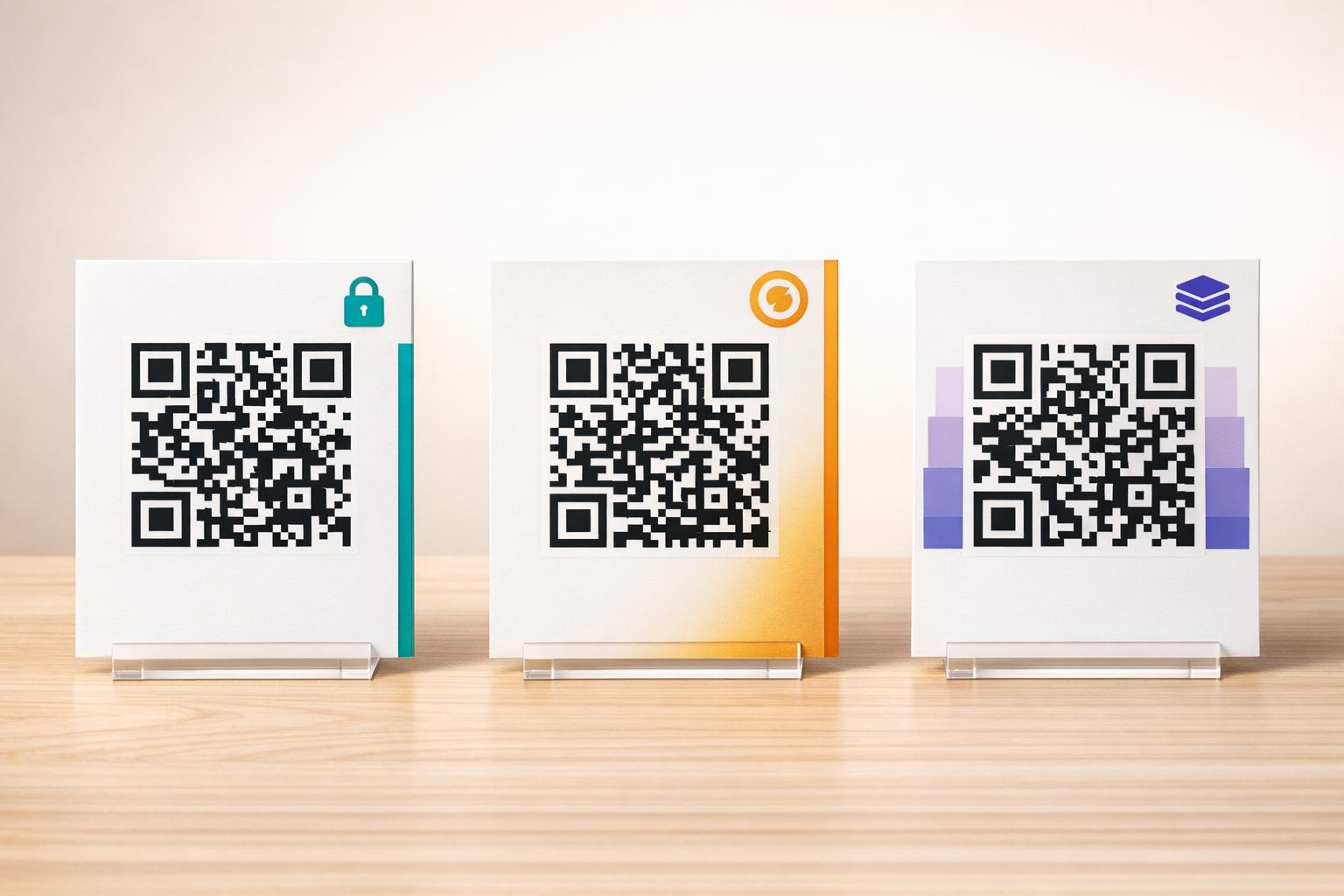
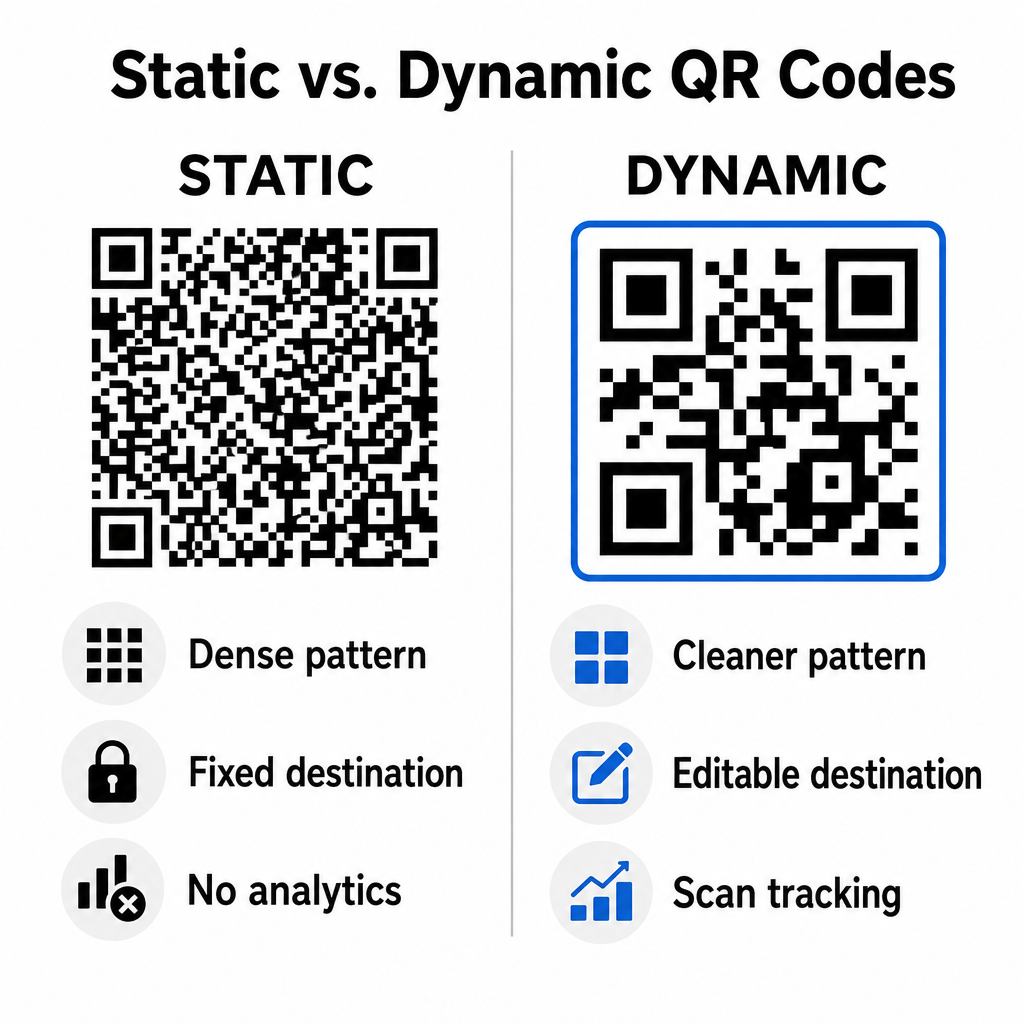
Statične kode shranijo vaš ciljni URL neposredno v vizualno matriko. Ker dolgi spletni naslovi zahtevajo več podatkovnih modulov, statične kode prikazujejo goste, kompleksne vzorce, ki jih kamere pametnih telefonov težje dekodirajo z zaslonov računalnikov. Poleg tega statične kode ne ponujajo meritev sledenja in jih ni mogoče urejati, ko je e-poštno glasilo poslano.
Dinamične kode vdelajo kratek URL za preusmeritev namesto celotnega naslova ciljne strani. Ta strukturna razlika ustvarja čistejši vizualni vzorec z manjšo gostoto, ki je takoj viden tudi pri manjših velikostih. Dinamične kode omogočajo vodjem kampanj, da po uvedbi posodobijo ciljne povezave in zajamejo celovito analitiko. Razumevanje razlik med statičnimi in dinamičnimi kodami QR vam pomaga izbrati pravo obliko za ponavljajoča se zaporedja novic. Z uporabo dinamičnih URL-jev za preusmeritev dobite dostop do bistvenih Metrike sledenja QR kod vključno s skupnim številom pregledov, operacijskimi sistemi naprav, časovnimi žigi pregledov in geografsko porazdelitvijo.
Pogoste napake, ki se jim je treba izogniti pri e-poštnih kampanjah
Izogibanje predvidljivim napakam v oblikovanju in uporabniški izkušnji ščiti stopnje angažiranosti vaše kampanje in ohranja zaupanje naročnikov:
- Izpuščanje jasnih navodil za skeniranjePrikaz neoznačene kode brez razlage nagrade ali naslednjega koraka zmanjšuje angažiranost.
- Usmerjanje uporabnikov na neodzivne straniPošiljanje mobilnih skenerjev na ciljne strani, ki so namenjene samo namiznim računalnikom, ustvarja trenje in povečuje stopnjo obiskov brez povezave.
- Pretirano prilagajanje vizualnih elementovPostavitev težkih logotipov ali nizkokontrastnih gradientov ozadja čez podatkovno matriko ogroža preglednost s kamero.
- Preskakovanje testov upodabljanja med odjemalciČe videza kode v Gmailu, Outlooku in Apple Mailu ne preizkusimo tako v svetlem kot temnem načinu, pride do nedelujočih postavitev.
Strategija za zagon vaše e-poštne strategije s QR kodo
Kombinacija besedilnih hiperpovezav z dinamično grafiko, ki jo je mogoče pregledovati, vzpostavlja učinkovito pot od branja e-pošte na namizju do delovanja na mobilnih napravah. Ohranjanje močnega barvnega kontrasta, zagotavljanje opisnega alternativnega besedila in preverjanje, ali so ciljne strani optimizirane za mobilne zaslone, zagotavljajo nemoteno potovanje med napravami za vaše občinstvo. Te standarde implementirajte v naslednjem zaporedju z uporabo QR generator za dinamične QR kode za ustvarjanje, prilagajanje in sledenje povezav, ki jih je mogoče skenirati, v vseh vaših e-poštnih marketinških kampanjah.
Pogosta vprašanja
Mobilni bralci ne morejo enostavno skenirati kode, prikazane na zaslonu njihove naprave. Vedno združite grafiko, ki jo je mogoče skenirati, s sosednjo povezavo, na katero je mogoče klikniti, da lahko mobilni uporabniki preprosto tapnejo, da pridejo do cilja.
Sliko prikažite v minimalni velikosti 150 x 150 slikovnih pik (ali 2 cm x 2 cm). To zagotavlja, da lahko kamere pametnih telefonov dekodirajo matriko pri skeniranju zaslona prenosnika ali namiznega računalnika.
Da, če uporabljate generator dinamičnih QR kod. Dinamične kode beležijo metrike skeniranja, vključno s časi skeniranja, operacijskimi sistemi naprave in geografsko lokacijo, ne da bi zahtevale zapletene parametre URL-ja.