Adakah poskad mel langsung anda tidak dijejaki sebaik sahaja ia meninggalkan pencetak? Tanpa pautan yang boleh diukur antara mel fizikal anda dan hasil digital, anda membelanjakan bajet tanpa cara untuk membuktikan ROI. Panduan ini merangkumi cara menambah kod QR pada poskad dengan berkesan – daripada reka bentuk dan saiz kepada penjejakan prestasi kempen dalam masa nyata.
Mengapa Kod QR Milik pada Poskad Mel Langsung
Mel langsung sentiasa menghadapi satu masalah berterusan: mengukur respons. Anda menghantar ribuan kepingan dan bergantung pada bukti anekdot atau penebusan kupon untuk meneka apa yang berkesan.
Kod QR menyelesaikan masalah ini. Perkhidmatan Pos A.S. mengiktiraf kod QR sebagai cara langsung untuk menghubungkan penerima mel kepada kandungan digital yang memajukan perjalanan pelanggan mereka – dan malah telah menawarkan diskaun pos kepada penghantar mel yang menyertakan kod bar dua dimensi yang boleh diimbas pada kepingan mereka. Di kalangan organisasi yang menjejaki respons mel langsung, 82% menggunakan kaedah penjejakan dalam talian yang memanfaatkan kod QR, URL tertentu, atau mekanisme digital lain.
Kesnya jelas: jika anda menghantar poskad tanpa kod QR, anda meninggalkan kedua-dua penglibatan dan data yang boleh diukur diabaikan.
Memilih Jenis Kod QR yang Betul untuk Poskad
Sebelum menjana kod anda, putuskan sama ada anda memerlukan satu statik atau Dinamik kod QR – pilihan itu mempunyai akibat yang signifikan terhadap cara kempen anda berjalan.
Kod QR statik secara kekal mengekod URL ke dalam corak kod itu sendiri. Setelah dicetak, destinasi tidak boleh diubah. Ia berfungsi dengan baik untuk kandungan malar hijau yang tidak akan memerlukan kemas kini, seperti penyenaraian produk kekal atau halaman hubungan perniagaan.
Kod QR dinamik menunjuk kepada pautan pengalihan pendek yang anda kawal. Kod yang dicetak kekal sama, tetapi anda boleh mengemas kini URL destinasi pada bila-bila masa – walaupun selepas poskad sudah berada dalam peti mel penerima. Kod dinamik juga membuka kunci analitik imbasan penuh, termasuk kiraan imbasan, masa imbasan, lokasi geografi, dan jenis peranti.
Untuk kebanyakan kempen poskad, kod dinamik adalah pilihan yang tepat. Jika tawaran anda berubah di tengah kempen, anda boleh mengalihkan pengimbas ke halaman pendaratan baharu tanpa mencetak semula. Jika satu versi poskad mengatasi yang lain, analitik anda akan menunjukkan kepada anda dengan tepat mengapa.
Jejaki Setiap Imbasan Daripada Kempen Poskad Anda Menggunakan Penjana dynamic QR code untuk mencipta kod yang boleh dijejaki yang boleh anda kemas kini pada bila-bila masa – tiada pencetakan semula diperlukan. Akses papan pemuka analitik imbasan penuh dari saat poskad anda tiba di peti mel.
Apa yang Perlu Dipautkan Kod QR Poskad Anda
Destinasi itu penting sama seperti kod itu sendiri. Pengimbasan harus terasa segera memberi ganjaran, bukan mengelirukan. Pilih destinasi berdasarkan matlamat kempen anda:
- A halaman pendaratan promosi disesuaikan dengan tawaran atau mesej khusus poskad
- A borang penangkapan petunjuk untuk mengumpul nama, e-mel, atau permintaan sebut harga daripada penerima yang berminat
- A halaman produk atau perkhidmatan yang membawa penerima kepada apa yang anda jual tanpa navigasi tambahan
- A video atau demo yang membolehkan penceritaan yang lebih mendalam melakukan kerja yang tidak dapat ditampung sepenuhnya oleh format poskad
- A halaman hubungan atau tempahan yang memberi penerima cara segera untuk menjadualkan panggilan atau janji temu
- A muat turun PDF berkongsi brosur, menu, atau katalog dengan lebih banyak butiran daripada yang dibenarkan oleh poskad
Apa sahaja yang anda pautkan, pastikan destinasi itu adalah dioptimumkan untuk mudah alih. Penerima poskad mengimbas dengan telefon mereka, dan halaman yang tidak dipaparkan dengan baik pada mudah alih akan segera kehilangan mereka. Prinsip yang sama berlaku apabila menambah kod QR pada risalah dan brosur – pengalaman destinasi sama pentingnya dengan kod itu sendiri.
Menentukan Saiz Kod QR Anda untuk Pencetakan Poskad
Mendapatkan saiz yang betul adalah kritikal. Kod QR yang terlalu kecil tidak akan mengimbas dengan boleh dipercayai. Pageloot mengesyorkan satu saiz cetakan minimum 0.8 × 0.8 inci (2 × 2 cm) untuk pengimbasan jarak dekat, seperti apabila seseorang memegang poskad pada jarak lengan.
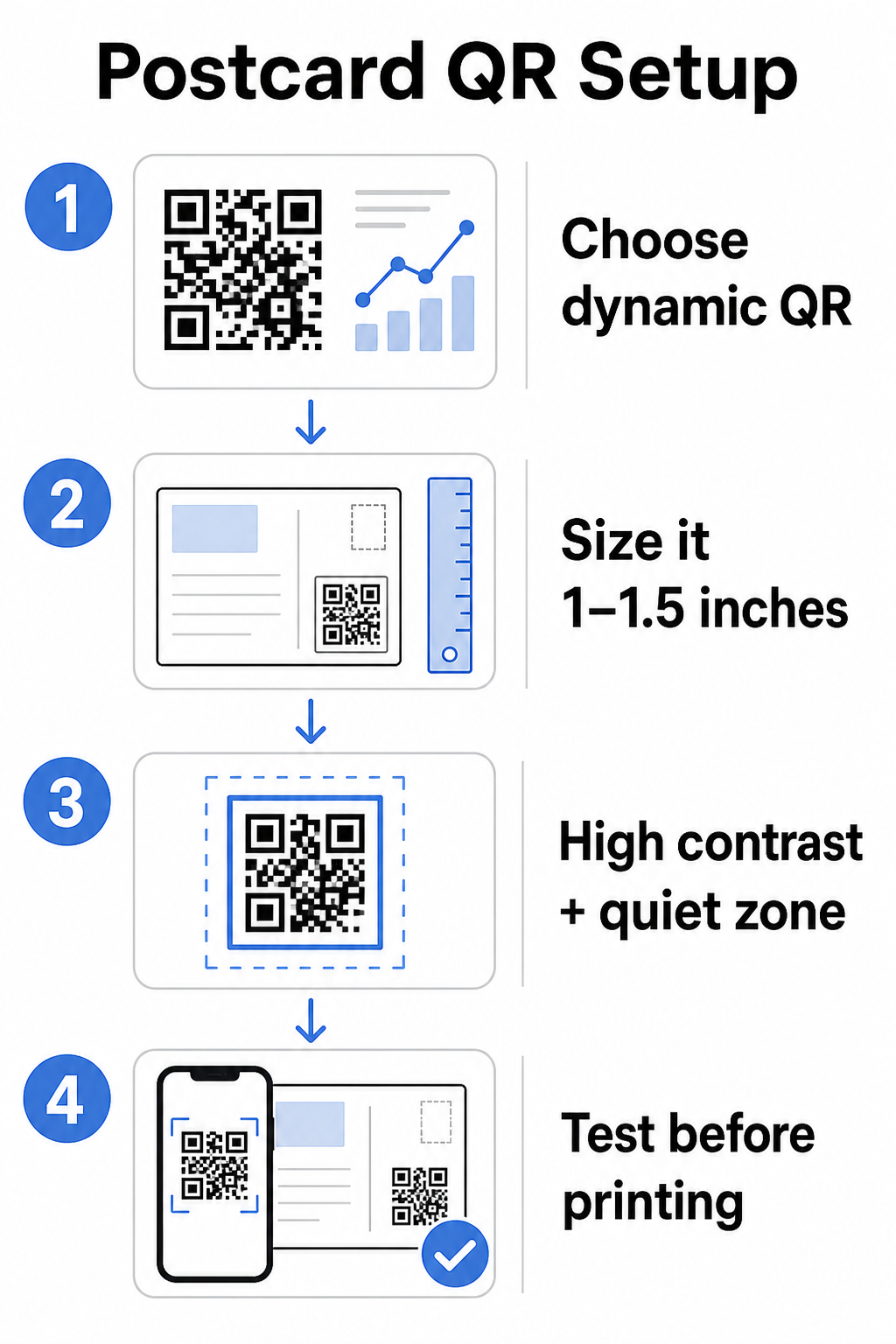
Untuk poskad, yang biasanya dipegang pada jarak kira-kira 10–20 inci dari kamera telefon, gunakan nisbah jarak imbasan-ke-saiz 10:1: lebar kod QR hendaklah kira-kira satu per sepuluh daripada jarak imbasan yang dijangkakan. Penerima yang mengimbas dari jarak 12 inci memerlukan kod yang sekurang-kurangnya 1.2 inci lebar.
Dalam praktiknya, sasarkan kod QR antara 1 dan 1.5 inci (25–38 mm) pada poskad standard. Ini dengan selesa menampung jarak imbasan biasa sambil meninggalkan ruang yang cukup untuk reka bentuk anda yang lain. Untuk panduan terperinci merentasi format lain, lihat garis panduan saiz kod QR untuk bahan bercetak.
Garis Panduan Reka Bentuk untuk Kod QR Poskad yang Boleh Diimbas
Kontras dan warna
Pengimbas berfungsi dengan mengesan kontras antara modul gelap dan latar belakang cerah. Kontras tinggi tidak boleh dirunding. Hitam pada putih menyediakan pengimbasan yang paling boleh dipercayai dan merupakan tetapan lalai yang paling selamat. Warna tersuai boleh berfungsi – dan mengekalkan kontras tinggi dengan warna berjenama boleh meningkatkan penglibatan secara bermakna – tetapi anda perlu mengekalkan kontras yang mencukupi antara latar depan dan latar belakang, dengan nisbah minimum sekurang-kurangnya 3:1 dan idealnya 4:1 atau lebih tinggi. Panduan lengkap tentang padanan warna secara berkesan tersedia dalam amalan terbaik kontras warna kod QR panduan kami.
Elakkan perangkap biasa ini:
- Modul berwarna cerah pada latar belakang cerah
- Kecerunan yang mencipta kontras tidak sekata merentasi kod
- Membalikkan kod (corak cerah pada latar belakang gelap) – sesetengah pengimbas gagal pada skema warna terbalik
Zon Senyap
Yang zon senyap ialah sempadan putih yang jelas mengelilingi corak kod QR. Mengikut piawaian ISO/IEC 18004, ia mestilah sekurang-kurangnya empat modul lebar pada semua sisi. Pada poskad, ini bermakna meninggalkan kira-kira suku inci (0.25 inci) ruang kosong di sekeliling kod dan tidak meletakkan teks, imej, atau elemen reka bentuk bersebelahan dengannya. Penampan ini membantu pengimbas mengenali di mana kod bermula dan berakhir – tanpanya, walaupun kod yang direka dengan baik boleh gagal diimbas dengan boleh dipercayai.
Menambah Logo
Menambah logo jenama anda ke tengah kod QR menjadikannya lebih mudah dikenali dan boleh dipercayai pada poskad. Jika anda membenamkan logo, gunakan tahap pembetulan ralat yang lebih tinggi (Q atau H) untuk mengekalkan kebolehimbasan, dan pastikan logo tidak melebihi 30% daripada jumlah kawasan kod. Anda boleh mencipta kod berjenama menggunakan QR code with logo.
Kualiti Cetakan
Eksport kod QR anda sebagai fail vektor (SVG atau PDF) daripada JPEG resolusi rendah sebelum dihantar ke pencetak. Format vektor mengekalkan tepi modul yang tajam pada sebarang saiz cetakan. Minta sekurang-kurangnya 300 DPI daripada vendor cetakan anda dan gunakan kemasan matte jika boleh – poskad berkilat boleh menghasilkan silau yang mengganggu pengimbasan di bawah cahaya terang.
Di Mana Untuk Meletakkan Kod QR pada Poskad Anda
Penempatan mempengaruhi berapa ramai penerima sebenarnya mengimbas. Ikuti prinsip-prinsip ini:
- Letakkan kod pada bahagian mesej, bukan bahagian alamat – ini adalah tempat penerima meluangkan masa membaca
- Letakkannya pada titik akhir bacaan semula jadi, seperti sudut kanan bawah atau betul-betul di bawah seruan tindakan utama anda, supaya ia muncul selepas penerima telah memahami mesej anda
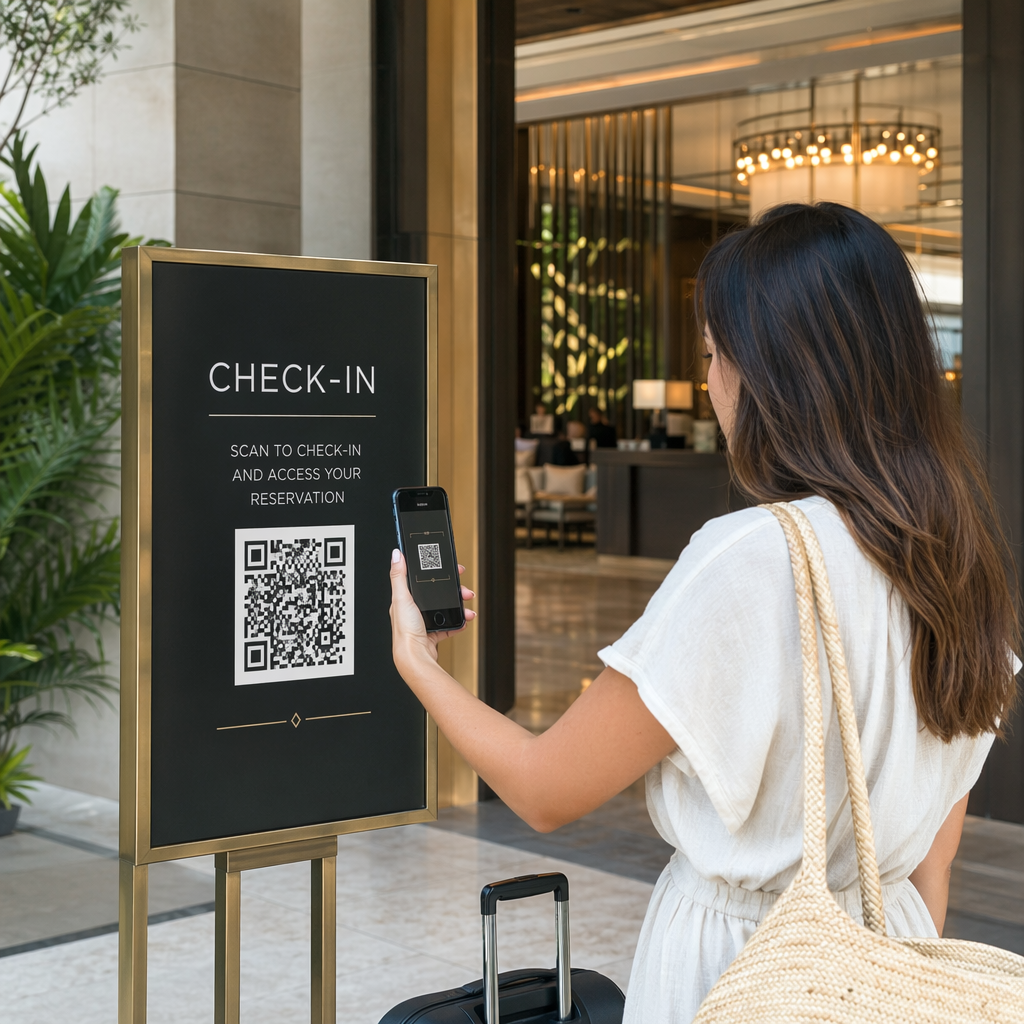
- Kelilinginya dengan seruan tindakan yang jelas – frasa seperti “Imbas untuk tawaran eksklusif anda” atau “Imbas untuk menempah janji temu anda” memberitahu penerima dengan tepat apa yang perlu dilakukan dan apa yang akan mereka dapat
- Berikan ruang bernafas – jangan sesakkan kod dengan elemen reka bentuk lain; zon senyap mesti kekal jelas pada semua sisi
Kod QR tanpa seruan tindakan adalah peluang yang terlepas. Penerima yang tidak faham mengapa mereka perlu mengimbas hanya tidak akan.
Menambah Parameter UTM untuk Penjejakan Kempen
Kod QR dinamik memberi anda data imbasan. Tetapi untuk menyambungkan imbasan tersebut ke analitik pemasaran anda yang lebih luas – termasuk apa yang dilakukan penerima selepas mereka mendarat di halaman anda – anda memerlukan parameter UTM ditambah pada URL destinasi anda.
Parameter UTM ialah tag pendek yang ditambahkan pada URL yang memberitahu Google Analytics di mana trafik berasal. Parameter standard adalah:
| Parameter | Apa Yang Dijejaki | Nilai Contoh |
|---|---|---|
| `utm_source` | Di mana trafik berasal | `mel-langsung` |
| `utm_medium` | Saluran pemasaran | `poskad` |
| `utm_campaign` | Nama kempen tertentu | `jualan-musim-panas-2025` |
| `utm_content` | Versi poskad yang mana | `versi-a` |
URL bertag lengkap kelihatan seperti ini:
`https://yoursite.com/offer?utm``sumber=mel-langsung&utm``medium=poskad&utm_kempen=jualan-musim-panas-2025`
Bina URL anda menggunakan Pembina URL Kempen Google, kemudian tampal URL bertag itu ke destinasi kod QR dinamik anda. Dalam GA4, anda boleh menyemak trafik ini di bawah Laporan > Pemerolehan > Pemerolehan trafik, di mana Sumber sesi, Medium sesi, dan Kempen sesi akan mencerminkan nilai UTM anda. Ini membolehkan anda mengaitkan sesi laman web, penyelesaian borang, dan pembelian terus kembali kepada kempen poskad tertentu – menutup gelung antara prestasi cetakan dan digital.
Menguji Sebelum Anda Mencetak
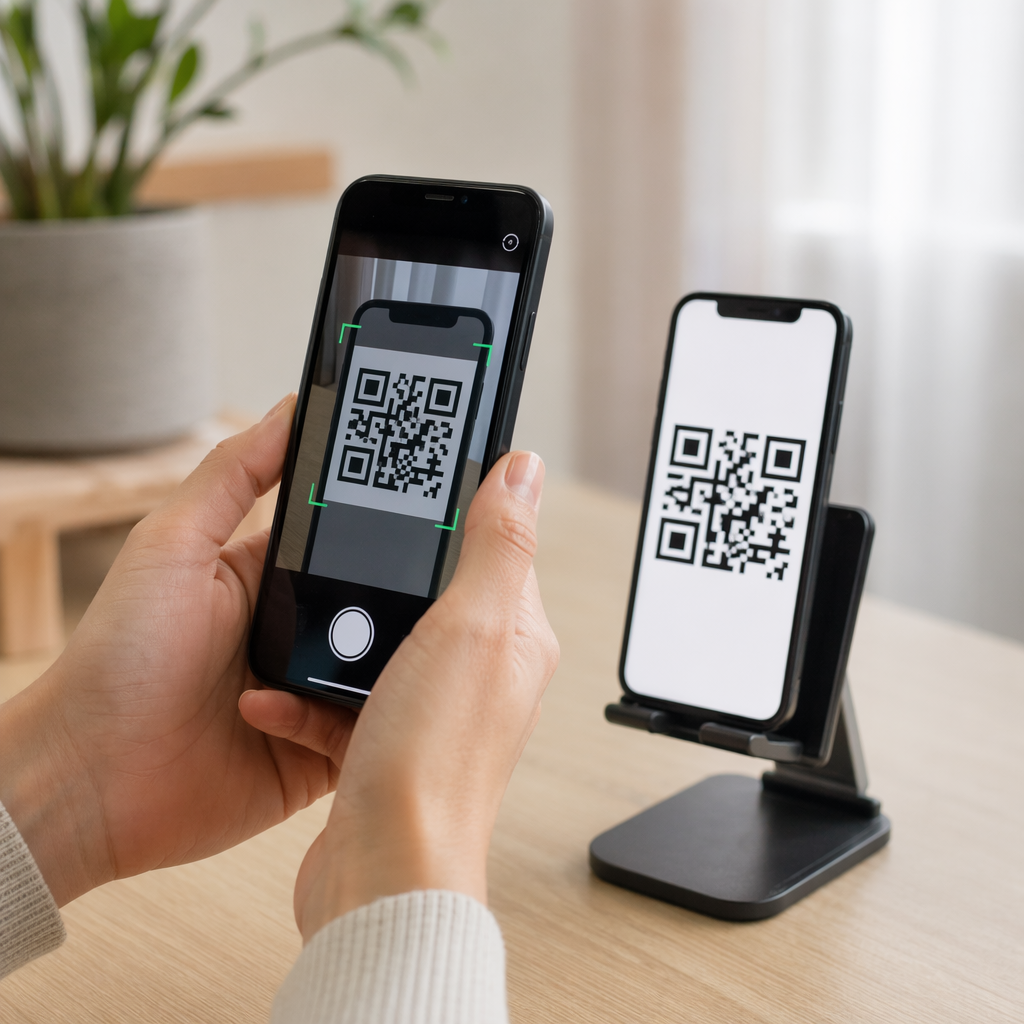
Jangan sekali-kali menghantar poskad untuk dicetak tanpa mengimbas kod QR akhir terlebih dahulu. Ujinya merentasi pelbagai peranti – kedua-dua iOS dan Android – dan di bawah keadaan pencahayaan yang berbeza. Sahkan bahawa:
- Kod mengimbas dengan cepat dan boleh dipercayai pada percubaan pertama
- URL destinasi dimuatkan dengan betul dan dioptimumkan untuk mudah alih
- Pengalihan semula untuk kod dinamik menyelesaikan ke halaman yang betul
- Kod masih mengimbas selepas reka bentuk poskad akhir anda telah digunakan, terutamanya jika warna atau tindihan logo ditambahkan
Jika anda mencetak kumpulan ujian, imbas bukti fizikal di bawah keadaan yang mungkin dialami oleh penerima – pencahayaan dalaman biasa, dipegang pada jarak lengan. Ini mengesan isu kualiti cetakan sebelum ia menjejaskan cetakan penuh anda. Panduan amalan terbaik untuk kebolehbacaan kod QR meliputi senarai semak ujian pra-cetak yang lengkap.
Penjejakan dan Pengoptimuman Selepas Pengeposan
Setelah poskad anda dalam edaran, kempen anda baru bermula. Kod QR dinamik menyediakan data imbasan masa nyata, membolehkan anda memantau:
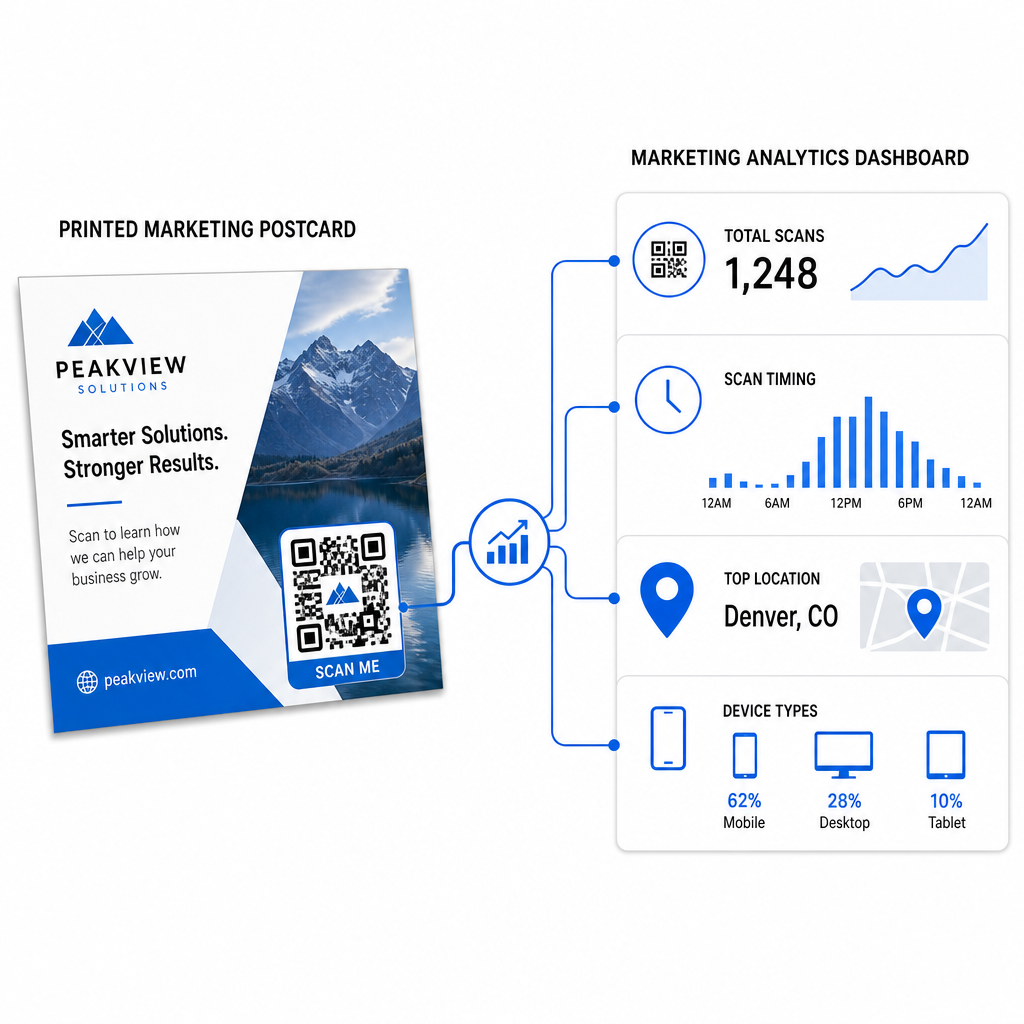
- Jumlah imbasan dan pengguna unik – berapa ramai penerima yang terlibat, dan berapa ramai yang mengimbas lebih daripada sekali
- Masa imbasan – hari dan masa mana yang mendorong aktiviti paling banyak selepas penghantaran mel
- Taburan geografi – kod pos atau kawasan mana yang bertindak balas paling kuat
- Jenis peranti – sama ada penerima mengimbas pada iOS atau Android, yang boleh memaklumkan keputusan halaman pendaratan mudah alih
Gunakan data ini untuk memperhalusi pengeposan masa hadapan. Jika kawasan tertentu menunjukkan kadar imbasan yang tinggi, tingkatkan jumlah di sana pada masa akan datang. Jika imbasan memuncak pada hari ketiga selepas penghantaran, jadualkan susulan e-mel anda sewajarnya.
Untuk kempen berbilang versi – di mana anda menguji tawaran, reka bentuk, atau seruan bertindak yang berbeza – berikan setiap versi poskad kod QR dinamiknya sendiri. Analitik imbasan akan menunjukkan kepada anda versi mana yang mendorong lebih banyak penglibatan tanpa menunggu data penukaran sahaja.
Mula Mengukur Prestasi Mel Langsung Anda Yang Penjana Kod Pageloot QR membolehkan anda mencipta, menyesuaikan, dan mengurus kod QR untuk kempen mel langsung – dengan analitik terbina dalam dan keupayaan untuk mengemas kini destinasi tanpa mencetak semula.
Kesilapan Biasa yang Perlu Dielakkan
Memaut ke halaman utama dan bukannya halaman kempen. Halaman utama membuat penerima melakukan kerja tambahan untuk mencari tawaran yang disebut pada poskad. Setiap langkah tambahan mengurangkan penukaran.
Menggunakan kod QR statik untuk tawaran masa terhad. Jika tawaran tamat tempoh atau URL berubah, kod statik akan menunjuk ke halaman yang rosak atau tidak relevan tanpa cara untuk membetulkannya selepas mencetak.
Membuat kod QR terlalu kecil. Apa-apa sahaja di bawah 0.8 × 0.8 inci adalah berisiko, terutamanya jika reka bentuk poskad sibuk atau kod menggunakan warna tersuai.
Melangkau seruan bertindak. Kod QR tunggal pada poskad tidak memberi penerima sebab untuk mengimbas. Beritahu mereka apa yang akan mereka dapat.
Tidak menguji pada kepingan cetakan fizikal. Bukti digital tidak selalu meramalkan bagaimana kod akan diimbas selepas melalui pencetak komersial. Sentiasa sahkan pada output sebenar.
Prinsip teras yang sama berlaku merentasi format cetakan – panduan kod QR pada risalah meliputi cara menyesuaikan amalan ini untuk bahan tindak balas langsung yang lain.
Poskad dengan kod QR yang dilaksanakan dengan baik melakukan dua perkara sekaligus: ia memberi penerima cara segera, tanpa geseran untuk bertindak atas tawaran anda, dan ia memberi anda data yang boleh diukur tentang bagaimana kempen anda sebenarnya berprestasi. Gabungan kod QR dinamik, destinasi yang dioptimumkan untuk mudah alih, URL bertanda UTM, dan analitik imbasan menutup gelung antara cetakan luar talian dan hasil digital.
Mulakan dengan menjana kod QR dinamik melalui Penjana Kod QR Dinamik Pageloot, saizkannya dengan betul untuk format poskad anda, gunakan penjenamaan kontras tinggi, tulis seruan bertindak yang jelas, dan uji pada bukti fizikal sebelum cetakan penuh. Dari saat penerima mula mengimbas, papan pemuka anda akan menunjukkan kepada anda dengan tepat apa yang berkesan.
Soalan lazim
Sasarkan sekurang-kurangnya 0.8 × 0.8 inci (2 × 2 cm) sebagai minimum mutlak, tetapi untuk jarak imbasan poskad biasa 10–20 inci, saiz antara 1 dan 1.5 inci (25–38 mm) adalah lebih dipercayai. Gunakan peraturan 10:1: jadikan lebar kod kira-kira satu per sepuluh daripada jarak imbasan yang dijangkakan.
Ya, tetapi hanya jika anda menggunakan kod QR dinamik sebelum mencetak. Kod QR dinamik menunjuk kepada pautan ubah hala yang anda kawal, jadi anda boleh mengemas kini URL destinasi pada bila-bila masa tanpa mencetak semula. Kod QR statik mengekod destinasi secara kekal dan tidak boleh diubah selepas itu.
Gunakan kod QR dinamik daripada platform seperti Pageloot, yang menyediakan analitik terbina dalam yang menunjukkan jumlah imbasan, pengguna unik, masa imbasan, lokasi geografi, dan jenis peranti. Untuk atribusi yang lebih mendalam dalam Google Analytics, lampirkan parameter UTM (utmsource, utmmedium, utm_campaign) ke URL destinasi anda sebelum menjana kod – imbasan kemudian akan muncul sebagai sesi yang boleh dijejak dalam laporan pemerolehan Trafik GA4 anda.