Adakah kod QR anda diabaikan? Kebanyakan perniagaan meletakkan kod pada bahan bercetak tanpa strategi yang jelas, dan hasilnya adalah imbasan yang rendah serta tiada pulangan yang boleh diukur. Panduan ini membimbing anda melalui langkah-langkah praktikal – daripada perancangan hingga penjejakan – yang mengubah kod QR asas menjadi aset pemasaran yang tulen.
Mulakan dengan Matlamat dan Khalayak yang Jelas
Meletakkan kod QR tanpa matlamat adalah kesilapan paling biasa yang dilakukan oleh pemasar. Sebelum anda menjana apa-apa, tentukan apa yang anda ingin kod itu capai. Adakah anda memacu trafik ke halaman produk? Mengembangkan senarai e-mel anda? Mengumpul ulasan Google? Mendorong muat turun aplikasi?
Pada masa yang sama, fikirkan tentang khalayak anda. Tanya diri anda:
- Adakah pelanggan anda sudah tahu cara mengimbas kod QR, atau adakah mereka memerlukan arahan ringkas berdekatan?
- Di mana mereka akan menemui kod itu – meja restoran, gerai pameran perdagangan, pakej produk?
- Apa yang akan mendorong mereka untuk mengimbas pada saat tertentu itu?
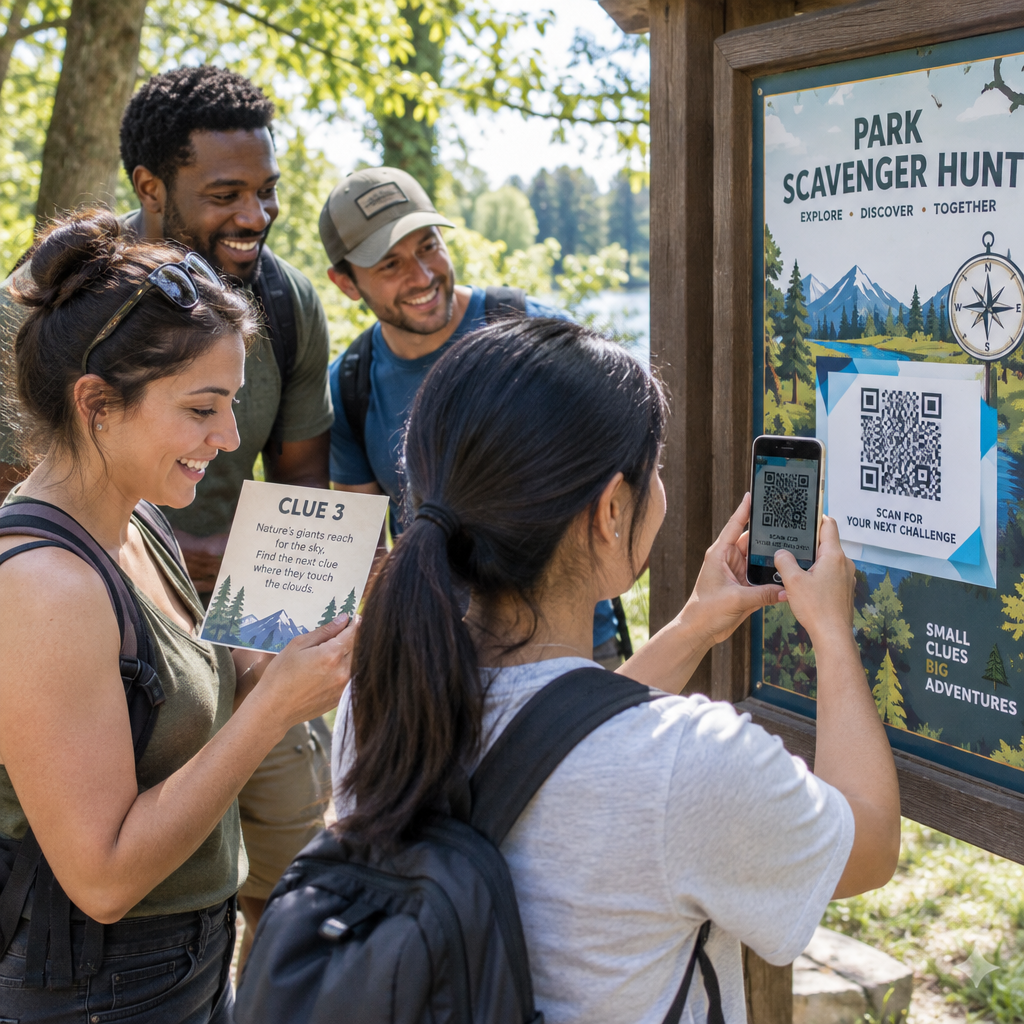
Insentif membuat perbezaan yang ketara. Kod QR yang dikaitkan dengan diskaun, sumber percuma, kandungan eksklusif, atau peraduan memberikan orang sebab yang konkrit untuk bertindak. Tanpa nilai itu, walaupun kod yang diletakkan dengan baik akan diabaikan. Untuk titik permulaan yang berstruktur, Senarai semak pemasaran kod QR untuk perniagaan kecil meliputi penetapan matlamat dan pemilihan kod secara terperinci.
Pilih Jenis Kod QR yang Tepat untuk Kempen Anda
Tidak semua kod QR berfungsi dengan cara yang sama. Kod QR statik mengekod maklumat secara langsung ke dalam corak. Setelah dicetak, ia tidak boleh diubah, dan ia tidak menyediakan data penjejakan. Ia berfungsi dengan baik untuk kandungan kekal seperti kelayakan Wi-Fi atau butiran hubungan tetap.
Kod QR dinamik menggunakan URL pengalihan pendek, yang bermaksud anda boleh mengemas kini destinasi pada bila-bila masa tanpa mencetak semula kod fizikal. Ia juga menangkap analitik terperinci – kiraan imbasan, cap masa, jenis peranti, dan data geografi. Untuk sebarang kempen pemasaran di mana anda memerlukan fleksibiliti atau pengukuran, kod dinamik adalah pilihan yang tepat.
Untuk memahami pertukaran sepenuhnya, perbandingan kod QR statik vs dinamik menerangkan bila setiap jenis sesuai dan ciri-ciri apa yang disokong oleh setiap satu.
Cipta dan Urus Kod QR Dinamik di Satu Tempat Kemas kini destinasi tanpa mencetak semula, jejak prestasi imbasan, dan urus setiap kod dari satu papan pemuka dengan Penjana dynamic QR code.
Reka Bentuk untuk Kebolehimbasan
Kod QR yang gagal diimbas merosakkan kepercayaan sama seperti pautan yang rosak – pelawat pergi dan tidak kembali. Keputusan reka bentuk secara langsung mempengaruhi sama ada kod anda berfungsi dengan andal merentasi peranti dan keadaan pencahayaan.
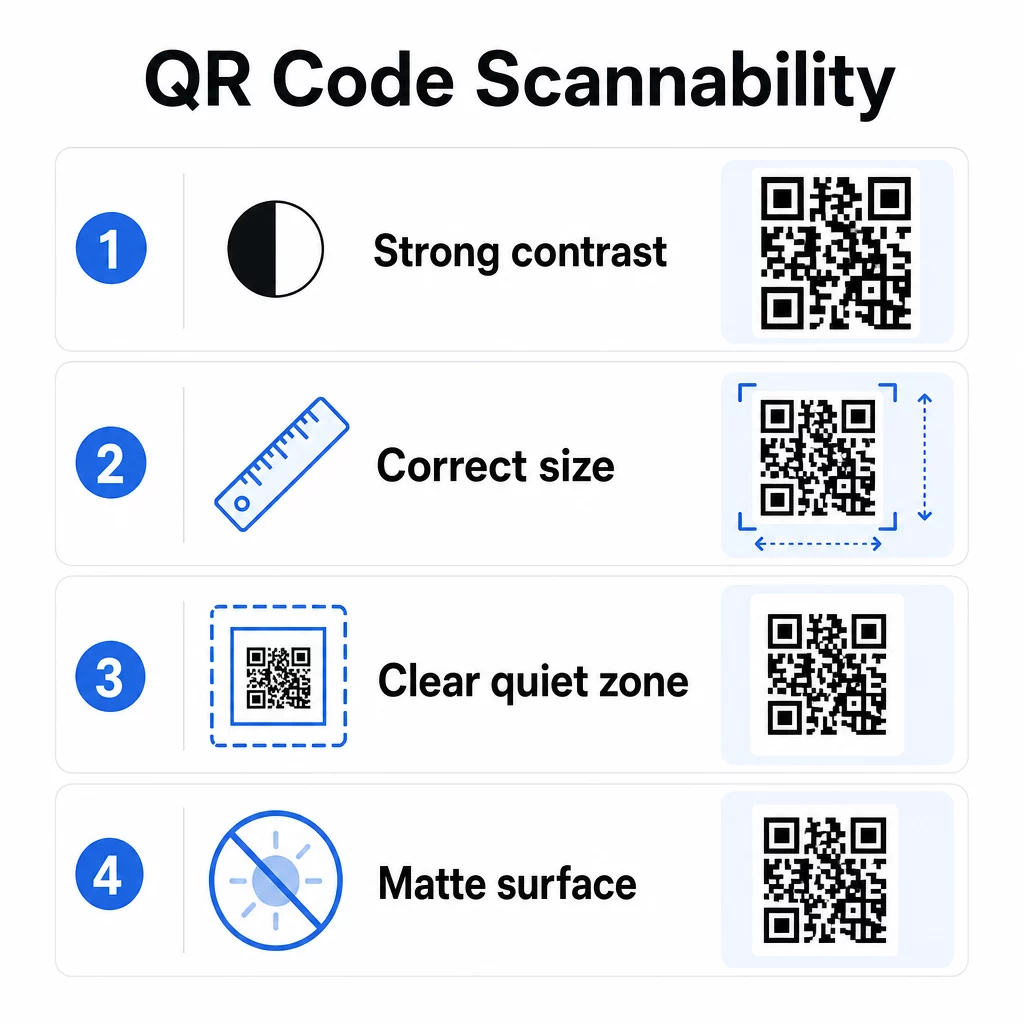
Berbeza adalah faktor tunggal yang paling penting. Pengimbas berfungsi dengan membezakan modul gelap daripada latar belakang terang. Nisbah kontras minimum 4:1 diperlukan untuk kebolehbacaan standard, dan kontras yang lebih tinggi disyorkan untuk penempatan luar atau persekitaran cahaya malap. Elakkan warna terbalik, pasangan kontras rendah seperti kelabu muda di atas putih, dan permukaan berkilat yang menghasilkan silau.
Saiz menentukan sama ada kod boleh dibaca pada jarak imbasan di mana orang akan benar-benar menemuinya. Garis panduan praktikal ialah nisbah 10:1: lebar kod dalam sentimeter sepatutnya kira-kira satu persepuluh daripada jarak imbasan yang dijangkakan dalam sentimeter. Untuk bahan jarak dekat seperti kad perniagaan, minimum mutlak ialah 2 × 2 cm (0.8 × 0.8 in). Untuk kebanyakan brosur bercetak, 3 × 3 cm (1.2 × 1.2 in) adalah garis dasar yang lebih selamat.
Faktor reka bentuk lain yang perlu diingat:
- Kekalkan zon senyap yang jelas – sempadan putih yang mengelilingi kod – supaya pengimbas dapat mengasingkan corak daripada elemen reka bentuk di sekelilingnya
- Gunakan permukaan matte dan bukannya kemasan berkilat untuk mengurangkan pantulan
- Jana kod pada resolusi tinggi untuk mengelakkan pikselasi apabila dicetak
- Elakkan meletakkan kod pada permukaan melengkung seperti botol di mana herotan mengganggu pengimbasan
Untuk melihat dengan lebih mendalam garis panduan warna dan kontras, yang panduan untuk meningkatkan kebolehbacaan kod QR merangkumi keperluan teknikal secara terperinci.
Jenamakan Kod QR Anda
Kod QR hitam-putih biasa adalah berfungsi, tetapi ia tidak mengukuhkan identiti anda atau menonjol di halaman yang sesak. Kod tersuai – dengan warna jenama, logo di tengah, dan bingkai bergaya – menarik lebih banyak perhatian dan menyampaikan profesionalisme.
Apabila menambah logo, pastikan ia ringkas dan bersaiz supaya tidak menghalang kawasan imbasan kod. Jika anda menyertakan logo, tingkatkan tahap pembetulan ralat kepada Q atau H untuk mengimbangi modul yang dilindungi. Sentiasa uji kod berjenama pada pelbagai peranti sebelum memuktamadkannya untuk dicetak.
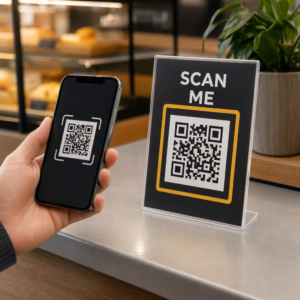
Menambah bingkai seruan bertindak – teks seperti “Imbas untuk menu” atau “Dapatkan diskaun anda” – merapatkan jurang antara rasa ingin tahu dan tindakan dengan memberitahu orang ramai dengan tepat apa yang akan mereka peroleh. Bingkai secara konsisten meningkatkan kadar imbasan kerana ia menghilangkan kekaburan.
Terokai pilihan untuk kod QR dengan logo dan pelajari bagaimana Bingkai QR Code boleh digunakan untuk meningkatkan penglibatan merentasi konteks yang berbeza.
Letakkan Kod di Mana Pengimbasan Praktikal
Kebolehlihatan dan konteks adalah sama pentingnya dengan reka bentuk. Kod QR yang diletakkan di mana orang ramai tidak mempunyai masa, tiada sambungan, atau tiada sebab yang jelas untuk mengimbas akan berprestasi rendah tanpa mengira betapa baiknya ia direka.
Penempatan yang berkesan mengikut beberapa prinsip yang konsisten:
- Letakkan kod pada paras mata – biasanya antara 3.5 dan 5.5 kaki dari tanah untuk poster dan papan tanda
- Elakkan kawasan yang berselerak di mana kod bersaing dengan visual sekeliling untuk mendapatkan perhatian
- Pertimbangkan sama ada audiens anda akan mempunyai sambungan internet di lokasi tersebut (kereta api bawah tanah dengan isyarat lemah adalah persekitaran yang tidak sesuai untuk kod yang memuatkan halaman web)
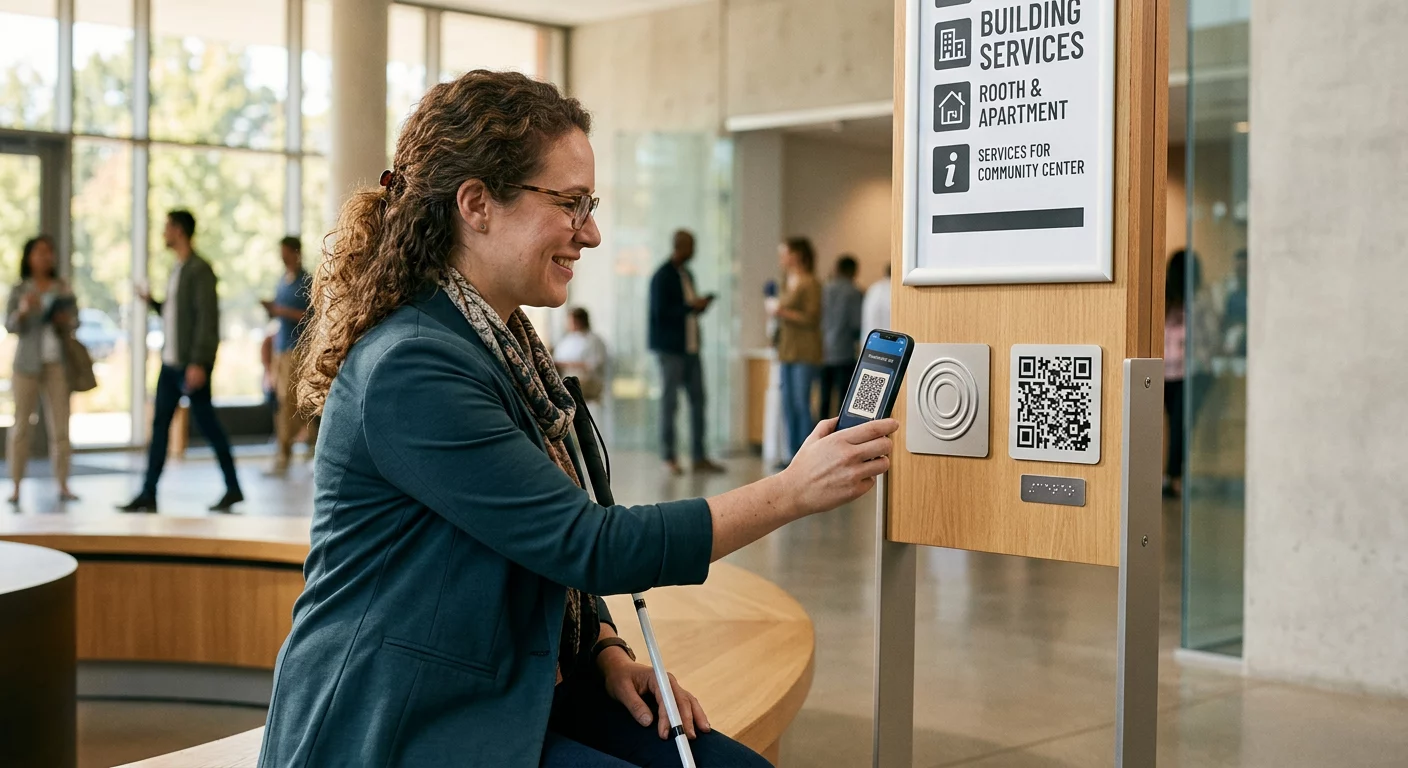
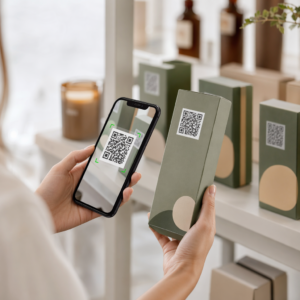
- Letakkan kod di mana orang ramai mempunyai masa untuk berhenti seketika – kad meja, pembungkusan produk, kawasan menunggu, dan meja pendaftaran acara semuanya berfungsi dengan baik
- Uji penempatan yang berbeza untuk kandungan kod yang sama untuk mencari apa yang menjana imbasan terbanyak
Untuk penempatan khusus cetakan, yang panduan penempatan kod QR dalam pemasaran merangkumi amalan terbaik mengikut jenis bahan, daripada kad perniagaan dan risalah kepada sepanduk dan skrin digital. Panduan mengenai menggunakan kod QR dalam media cetak membincangkan saiz dan penempatan dalam konteks pengiklanan fizikal secara khusus.
Hantar Pengimbas ke Destinasi yang Dioptimumkan untuk Mudah Alih
Kod QR diimbas hampir secara eksklusif pada telefon pintar. Menghantar seseorang ke halaman yang tidak dioptimumkan untuk mudah alih serta-merta menjejaskan pengalaman dan meningkatkan kadar lantunan.
Halaman pendaratan mudah alih yang baik untuk kempen QR:
- Memuatkan dengan pantas, walaupun pada sambungan selular dengan lebar jalur terhad
- Memaparkan kandungan yang boleh dibaca tanpa mencubit atau mengezum
- Menumpukan pada satu tindakan yang jelas daripada susun atur yang berselerak
- Pautan terus ke kandungan yang relevan – menu, produk, tawaran atau borang tertentu – bukan halaman utama generik
Jika anda menggunakan kod QR dinamik, anda boleh mengemas kini URL destinasi tanpa mencetak semula, yang bermaksud anda boleh membetulkan halaman pendaratan yang berprestasi rendah atau menukar promosi bermusim tanpa mengeluarkan kod baharu.
Pautkan Kod QR Anda ke Mana-mana URL Arahkan pengimbas ke mana-mana halaman web, halaman pendaratan atau destinasi kempen dengan Penjana Kod QR Pautan.
Jejaki Prestasi dan Optimumkan
Salah satu hujah terkuat untuk menggunakan kod QR dalam pemasaran ialah data yang dijana olehnya. Menjejaki imbasan kod QR memberi anda gambaran tentang bila, di mana, dan berapa kerap kod anda digunakan – maklumat yang tidak dapat disediakan oleh saluran pengiklanan statik.
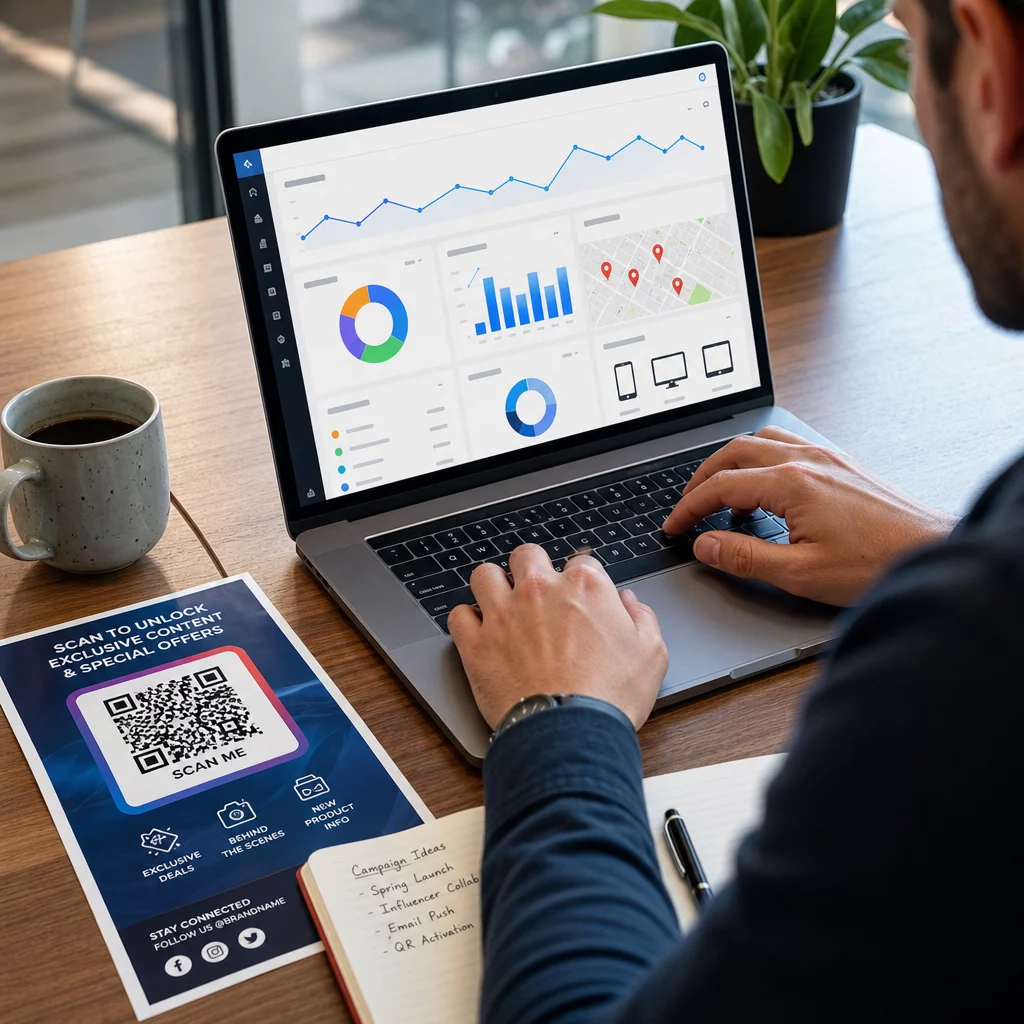
Kod QR dinamik menangkap metrik termasuk:
- Jumlah imbasan dan imbasan unik
- Cap masa imbasan (corak hari dan masa)
- Lokasi geografi mengikut bandar atau wilayah
- Jenis peranti dan sistem pengendalian
Menambah parameter UTM ke URL destinasi anda menghubungkan data imbasan kod QR ke akaun Google Analytics anda, membolehkan anda mengukur tingkah laku selepas imbasan seperti halaman yang dilawati, masa di tapak, dan penukaran. Untuk panduan persediaan praktikal, artikel mengenai parameter UTM untuk kod QR membimbing melalui konvensyen penamaan dan pelaporan GA4.
Anda juga boleh menjalankan ujian A/B berstruktur dengan mencipta variasi dengan CTA, reka bentuk, atau penempatan yang berbeza dan membandingkan kadar imbasan dan penukaran. Panduan tentang cara ujian A/B meningkatkan penukaran kod QR menerangkan cara untuk menyediakan dan menganalisis ujian ini secara sistematik.
Lihat Setiap Imbasan dalam Masa Nyata Akses analitik terperinci termasuk lokasi imbasan, jenis peranti, dan corak masa hari dengan alat penjejakan Kod QR Pageloot.
Uji Sebelum Anda Mengedar
Pengujian tidak boleh dirunding. Kod yang gagal diimbas selepas 10,000 risalah dicetak adalah kesilapan mahal yang boleh dikesan dalam masa lima minit.
Sebelum sebarang kempen dilancarkan:
- Imbas kod pada pelbagai peranti (kedua-dua iOS dan Android, termasuk model lama)
- Uji dalam keadaan pencahayaan di mana kod akan dipaparkan
- Sahkan destinasi dimuatkan dengan betul dan berfungsi sepenuhnya pada mudah alih
- Jika anda menggunakan parameter UTM, sahkan ia muncul dengan betul dalam akaun analitik anda
Kod QR dinamik memudahkan untuk membaiki masalah selepas pelancaran kerana anda boleh mengemas kini destinasi tanpa mencetak semula. Walau bagaimanapun, pengujian kebolehimbasan fizikal kod masih perlu dilakukan sebelum pengedaran.
Gunakan Kod QR Merentasi Industri Anda
Kod QR sedang digunakan secara aktif merentasi kebanyakan industri yang berhadapan dengan pelanggan. Restoran menggunakannya untuk menu tanpa sentuh dan pesanan. Peruncit menghubungkan pembungkusan kepada maklumat produk, tutorial video, dan ulasan pelanggan. Profesional hartanah menghubungkan papan tanda kepada lawatan maya dan penyenaraian langsung. Penganjur acara menggunakannya untuk pendaftaran, daftar masuk, dan jadual sesi.
Yang Hab penyelesaian industri Pageloot meliputi kes penggunaan khusus untuk sektor anda, dan perpustakaan ciri menggariskan pelbagai jenis kod QR yang tersedia – daripada penghantaran PDF dan perkongsian vCard kepada pengumpulan ulasan Google dan pengalihan semula kedai aplikasi.
Beberapa alat khusus yang patut diketahui:
- Cara buat QR code untuk dokumen PDF – kongsi menu, katalog, manual, dan dokumen tanpa masalah pengehosan
- Kad perniagaan digital dengan kod QR – berikan kenalan akses segera kepada butiran anda di acara rangkaian
- Cara buat QR Google review – kurangkan geseran dalam proses semakan dan kumpulkan lebih banyak maklum balas pelanggan
Soalan lazim
Kod QR statik mengekod maklumat secara langsung ke dalam corak dan tidak boleh diubah selepas penciptaan. Ia tidak menyediakan data penjejakan. Kod QR dinamik menggunakan URL pengalihan pendek, yang bermaksud anda boleh mengemas kini destinasi pada bila-bila masa tanpa mencetak semula kod, dan ia menangkap analitik seperti kiraan imbasan, lokasi, dan jenis peranti. Untuk kebanyakan kempen pemasaran, kod dinamik adalah pilihan yang lebih baik kerana ia membenarkan pengoptimuman dan pengukuran berterusan.
Gunakan kod QR dinamik yang digandingkan dengan parameter UTM untuk menjejaki prestasi kempen. Kod dinamik menangkap data imbasan – termasuk berapa kali kod diimbas, di mana, pada peranti apa, dan pada masa bila. Parameter UTM menghubungkan data tersebut ke Google Analytics supaya anda boleh mengukur apa yang berlaku selepas imbasan, termasuk penukaran dan masa di halaman. Membandingkan metrik ini merentasi penempatan dan tempoh masa membantu anda mengenal pasti apa yang berkesan dan di mana untuk membuat pelarasan.
Sentiasa hantar pengimbas ke halaman yang dioptimumkan untuk mudah alih yang berkaitan secara langsung dengan konteks di mana kod itu muncul. Elakkan menghantar orang ke halaman utama generik. Jika kod itu berada di meja restoran, pautkan ke menu. Jika ia berada pada pakej produk, pautkan ke panduan persediaan atau halaman ulasan. Destinasi itu harus dimuatkan dengan cepat, dipaparkan dengan betul pada skrin telefon, dan menumpukan pada satu tindakan yang jelas. Pautan dalam ke halaman yang paling relevan mengurangkan geseran dan meningkatkan kadar penukaran.