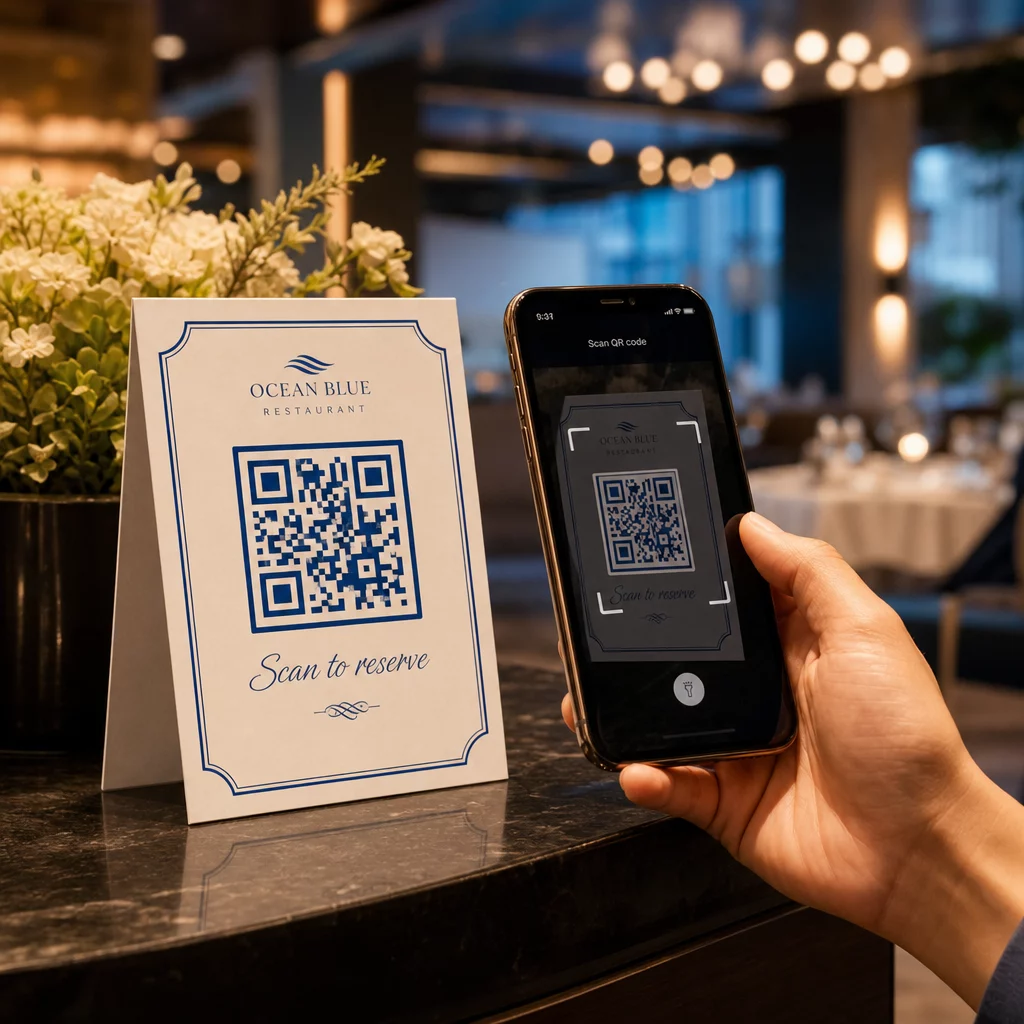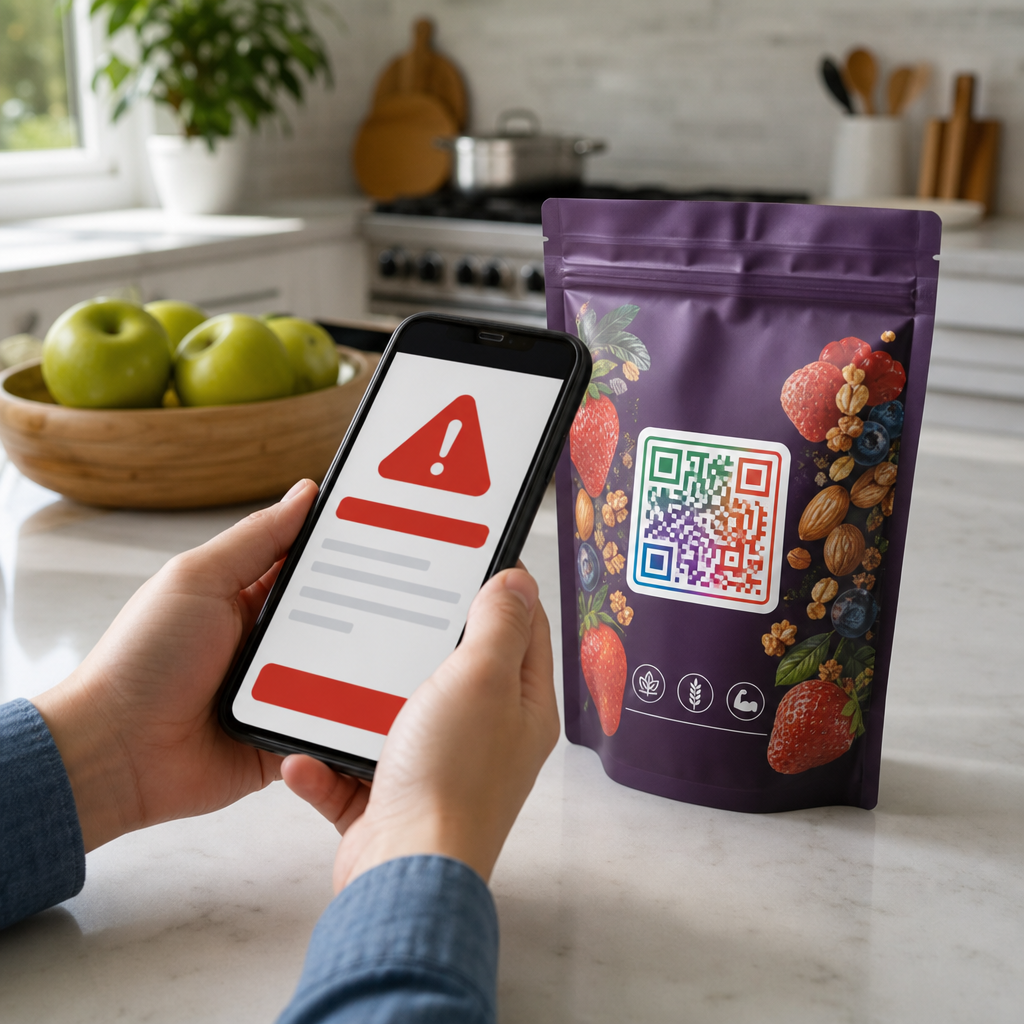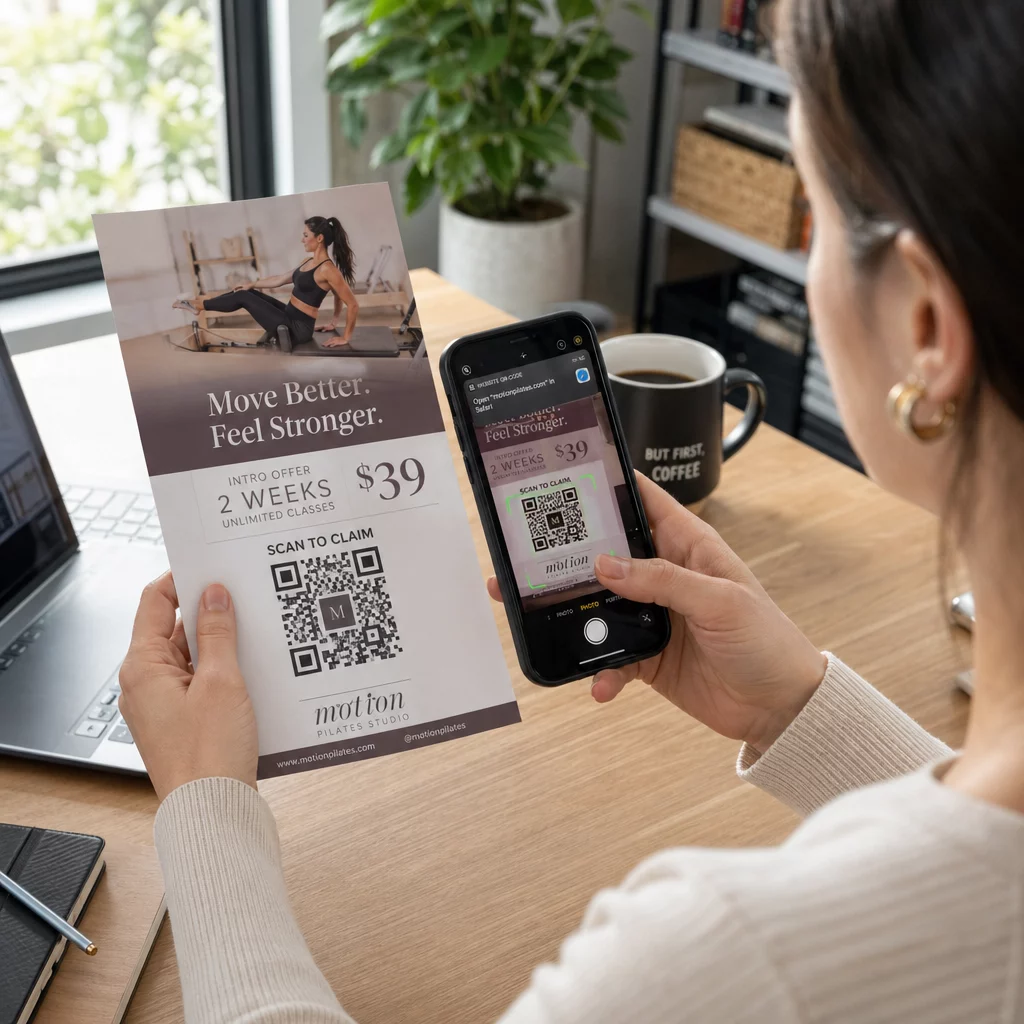
Kod QR risalah ialah kod pada risalah bercetak anda yang membuka halaman web, borang atau fail apabila pembaca mengimbasnya. Untuk membuatnya, ciptakan kod tersebut dalam satu penjana kod QR, muat turun sebagai SVG atau PDF, letakkannya dalam susun atur anda sekurang-kurangnya 0.8 inci (2 cm) lebar dengan sempadan putih yang jelas, dan tambahkan seruan tindakan yang ringkas di sebelahnya. Ujinya dengan dua telefon sebelum anda mencetak. Langkah-langkah, saiz dan peraturan penempatan adalah di bawah.
Mengapa Kod QR Perlu Ada pada Risalah
Risalah mempunyai ruang yang terhad. Jika anda cuba memuatkan setiap butiran produk atau jadual acara di dalamnya, reka bentuk akan menjadi padat dan sukar dibaca. Kod QR memberikan pembaca akses sekali ketik ke menu digital, borang pendaftaran, kupon atau katalog penuh, sementara risalah kekal bersih. Beginilah cara kod QR menghubungkan pemasaran cetak dan digital: risalah mendapat perhatian, dan imbasan menggerakkan pembaca ke langkah seterusnya.
Kod QR juga membolehkan anda mengukur kempen bercetak. Dengan kod dinamik anda boleh melihat bila, di mana dan pada peranti mana setiap imbasan berlaku, jadi anda tahu risalah dan lokasi mana yang menarik orang ramai.
Kod QR Statik lwn. Dinamik: Yang Mana Patut Anda Gunakan?
Pilih jenis sebelum anda mereka bentuk risalah. Kod QR statik dan dinamik berkelakuan berbeza selepas percetakan.
Kod QR statik menyimpan destinasi terus dalam corak. Destinasi tidak boleh diubah selepas percetakan, dan kod tidak pernah luput. Statik sudah mencukupi apabila pautan tidak akan berubah, contohnya log masuk Wi-Fi atau halaman laman web kekal, dan apabila anda tidak memerlukan bilangan imbasan.
Kod QR dinamik merujuk kepada pautan ubah hala pendek yang anda uruskan dalam akaun. Anda boleh menukar destinasi selepas risalah diedarkan, tanpa perlu mencetak semula. Jika anda mempromosikan acara mingguan, anda menukar halaman pendaftaran setiap minggu. Kod dinamik juga mengandungi lebih sedikit data, jadi coraknya lebih ringkas dan selalunya lebih mudah diimbas dalam keadaan cahaya malap.
Untuk risalah yang diedarkan di lebih daripada satu tempat atau selama lebih daripada satu minggu, dinamik selalunya berbaloi kerana anda mendapat Penjejakan kod QR dengan kiraan imbasan, lokasi dan peranti. Kod dinamik disertakan dengan percubaan percuma selama 14 hari, dan pelan disenaraikan di halaman harga Pageloot. Imbasan adalah tanpa had, dan terdapat jaminan wang dikembalikan 30 hari untuk pelan. Kod dinamik berhenti berfungsi apabila pelan bulanan atau tahunan tamat, jadi pastikan pelan sentiasa aktif selagi risalah diedarkan.
Cara Membuat Kod QR Risalah dalam 5 Langkah
Ikuti langkah-langkah ini untuk menambah kod QR pada risalah:
- Pilih apa yang dibuka oleh kod. Pilih satu destinasi yang berfungsi pada telefon: URL laman web, atau dokumen PDF, sebuah Google Form, atau a halaman kenalan vCard. Gunakan penjana yang sepadan dengan kandungan.
- Jana dan sesuaikan. Buka penjana kod QR dan tampal pautan anda. Jika anda mahu jenama anda pada kod, gunakan QR code with logo. Pastikan logo kecil dan warna gelap pada latar cerah.
- Muat turun untuk dicetak. Muat turun SVG atau PDF jika ada, kerana fail vektor kekal tajam pada sebarang saiz. Jika anda hanya mempunyai PNG, muat turun pada saiz besar (peluncur penjana pergi sehingga 2000 px) dan jangan besarkannya dalam susun atur anda.
- Letakkannya dalam alat reka bentuk anda. Import fail ke Canva, Adobe Illustrator atau aplikasi susun atur lain. Tetapkan saiz, tinggalkan sempadan putih di sekelilingnya, dan letakkan seruan tindakan anda di sebelahnya.
- Uji sebelum mencetak. Cetak satu salinan pada saiz akhir. Imbasnya dengan iPhone dan telefon Android, dalam cahaya bilik biasa, dari jarak pembaca akan memegang risalah.
Cipta Kod QR Tersuai Anda Bersedia untuk menambah kod QR berjenama, boleh dijejak pada risalah anda yang seterusnya? Gunakan QR code with logo untuk mereka bentuk kod yang sepadan dengan identiti jenama anda.
Piawaian Reka Bentuk untuk Pengimbasan Boleh Dipercayai
Risalah yang direka dengan baik masih gagal jika kod sukar diimbas. Ikuti garis panduan saiz kod QR untuk bahan cetak dan semak tiga perkara ini.
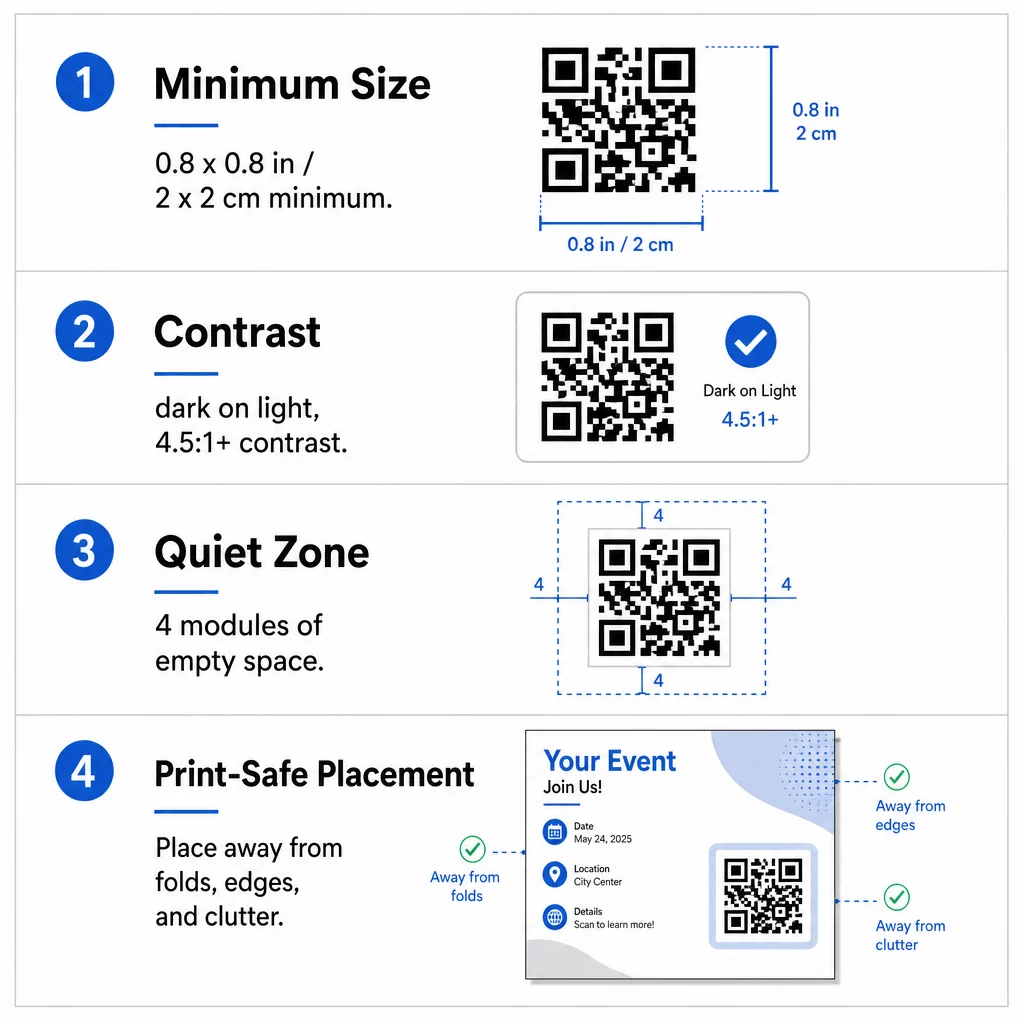
Saiz: Pada risalah tangan (A5, A4 atau US Letter), buat kod sekurang-kurangnya 0.8 × 0.8 inci (2 × 2 cm). Kod yang lebih besar, sekitar 1 hingga 1.5 inci, lebih mudah diimbas dan memerlukan sedikit ruang. Untuk risalah yang diimbas dari jauh, gunakan peraturan 10:1: lebar kod satu inci untuk setiap sepuluh inci jarak imbasan. Risalah di dinding yang diimbas dari jarak 20 inci memerlukan kod selebar sekurang-kurangnya 2 inci.
Kontras: Gunakan modul gelap pada latar belakang cerah. Nisbah nisbah kontras sekurang-kurangnya 4.5:1 disyorkan untuk imbasan yang boleh dipercayai, dan 7:1 atau lebih tinggi adalah lebih baik. Jangan songsangkan warna (kod cerah pada latar belakang gelap) dan jangan letakkan kod pada gambar.
Zon senyap: Biarkan sempadan jelas sekurang-kurangnya empat modul (petak kecil) di keempat-empat sisi. Teks, garisan atau imej di dalam sempadan ini boleh menghalang pengimbas daripada mencari kod.
Penempatan Strategik dan Menulis CTA yang Jelas
Tempat anda meletakkan kod dan apa yang anda tulis di sebelahnya kedua-duanya mengubah bilangan imbasan. kod QR dalam pemasaran mengikuti beberapa peraturan praktikal.
Pada risalah A4 atau A5, tempat yang baik adalah sudut kanan bawah, tengah bawah, atau terus di bawah tawaran utama. Elakkan tempat-tempat ini:
- Lipatan, kedutan dan tepi melengkung, yang membengkokkan corak
- Kertas berkilat atau bertekstur di mana silau atau tekstur mengurangkan kontras
- Tempat di mana elemen reka bentuk lain memenuhi zon senyap
- Bahagian belakang risalah yang mungkin tidak pernah dibalikkan oleh orang ramai
Kod sahaja jarang mendorong tindakan. Tambah satu seruan tindakan (CTA) yang menyatakan apa yang pembaca dapat: “Imbas untuk diskaun 20%”, “Imbas untuk RSVP”, “Imbas untuk melihat menu”. Tambah petunjuk ringkas seperti “Halakan kamera telefon anda ke kod” untuk pembaca yang baru dengan kod QR. Letakkan CTA terus di atas atau di sebelah kod. Ini amalan terbaik untuk kebolehbacaan kod QR membantu semua kumpulan umur. Juga pastikan halaman yang dibuka oleh kod adalah mesra mudah alih dan memuat dengan cepat.
Menjejak dan Menganalisis Prestasi Risalah
Untuk melihat risalah mana yang berfungsi, berikan setiap saluran pengedaran kodnya sendiri atau parameter UTMsendiri. Contohnya, gunakan satu kod untuk pameran perdagangan dan satu lagi untuk kaunter kedai. Google Analytics kemudian menunjukkan trafik setiap risalah, jadi anda boleh membandingkan lokasi.
Dengan kod dinamik anda juga boleh menjejaki imbasan kod QR dalam masa nyata menjejak dan melihat masa, lokasi dan jenis peranti. Jika satu kawasan berprestasi buruk, ubah destinasi kod tersebut kepada tawaran tempatan yang lebih relevan. Risalah yang dicetak kekal sama.
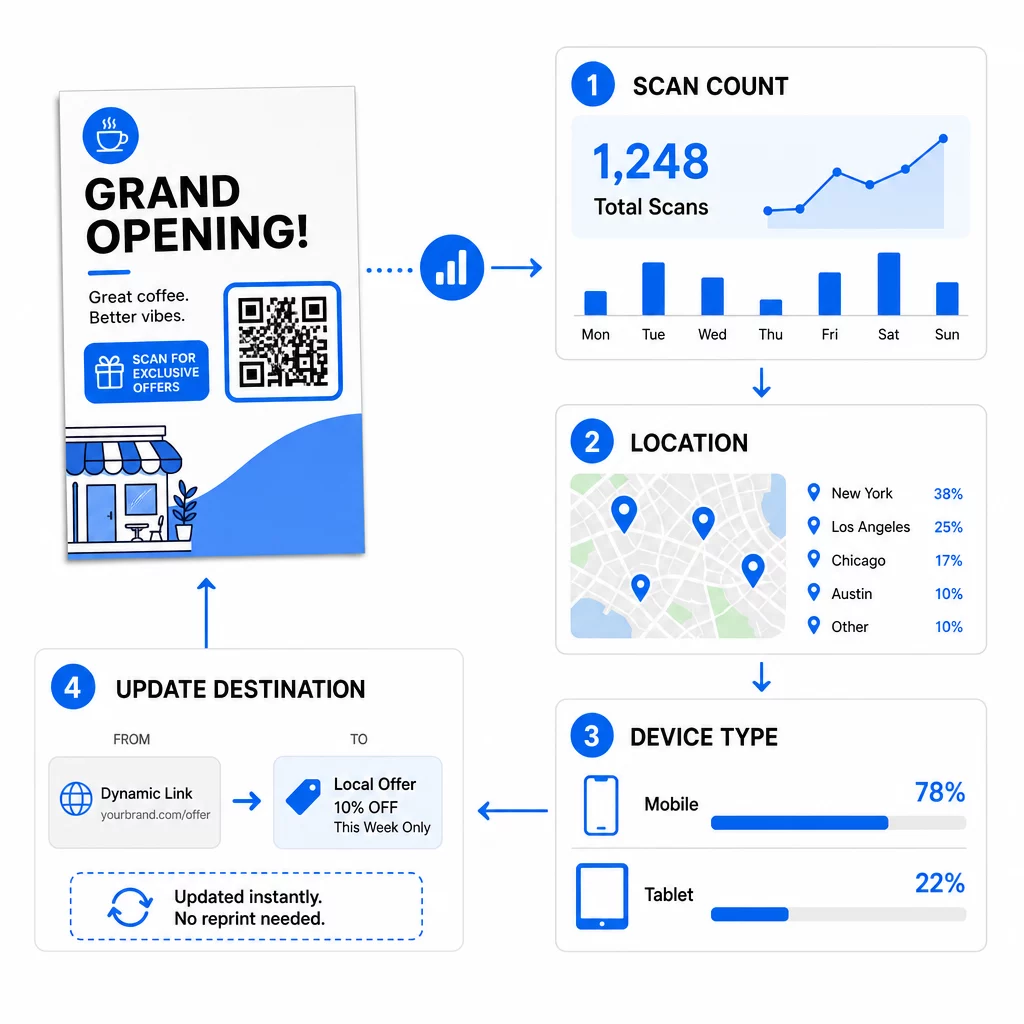
Pantau Prestasi Kempen Anda Ingin melihat risalah mana yang menjana trafik paling banyak? Gunakan Penjana Kod QR untuk mencipta kod dinamik yang boleh dijejak dan melihat data imbasan dalam papan pemuka anda.
Kod QR pada Risalah Tidak Mengimbas? Semak Ini
- Terlalu kecil: Di bawah 0.8 inci (2 cm), banyak telefon gagal. Besarkan kod.
- Kontras rendah atau warna terbalik: Gunakan kod gelap pada latar belakang terang.
- Tiada sempadan putih: Pulihkan zon senyap empat modul.
- Cetakan kabur: PNG kecil yang diregangkan dicetak lembut. Gunakan SVG atau PDF, atau PNG yang lebih besar.
- Terlalu banyak data: Pautan destinasi yang sangat panjang menghasilkan corak yang padat. Gunakan pautan pendek atau kod dinamik.
- Destinasi rosak: Buka pautan sendiri. Halaman yang dipadam atau kod dinamik yang tamat tempoh akan menyebabkan ralat imbasan walaupun kod tersebut baik.
Menambah kod QR pada risalah mengambil masa beberapa minit dan memberikan anda hasil yang boleh diukur. Pilih jenis kod yang betul, ikut peraturan saiz dan kontras, letakkan kod di mana orang akan melihatnya, dan tulis CTA yang jelas.
Soalan lazim
Untuk risalah pegang tangan standard, kod QR hendaklah sekurang-kurangnya 0.8 × 0.8 inci (2 × 2 cm). Jika risalah itu bertujuan untuk diimbas dari jarak jauh, gunakan nisbah 10:1: jadikan kod itu selebar satu inci untuk setiap sepuluh inci jarak imbasan yang dijangkakan.
Ya, tetapi hanya jika anda menggunakan kod QR dinamik. Kod dinamik menghala melalui URL pengalihan pendek yang boleh anda kemas kini dari papan pemuka anda pada bila-bila masa. Kod statik membenamkan destinasi terus ke dalam corak dan tidak boleh diubah selepas dicetak.
Kod QR Dinamik termasuk papan pemuka analitik yang menunjukkan jumlah imbasan, pengguna unik, lokasi geografi, dan penglibatan berdasarkan masa. Anda juga boleh melampirkan parameter UTM ke URL destinasi anda untuk menjejaki interaksi ini secara langsung dalam Google Analytics.
SVG atau PDF, kerana fail vektor kekal tajam pada sebarang saiz cetakan. Jika anda menggunakan PNG, muat turun yang bersaiz besar dan jangan besarkannya dalam susun atur anda.
Kod QR Statik tidak pernah luput. Kod dinamik berhenti berfungsi apabila pelan bulanan atau tahunan yang menghasilkannya tamat tempoh, jadi pastikan pelan tersebut aktif selagi risalah itu dalam edaran.