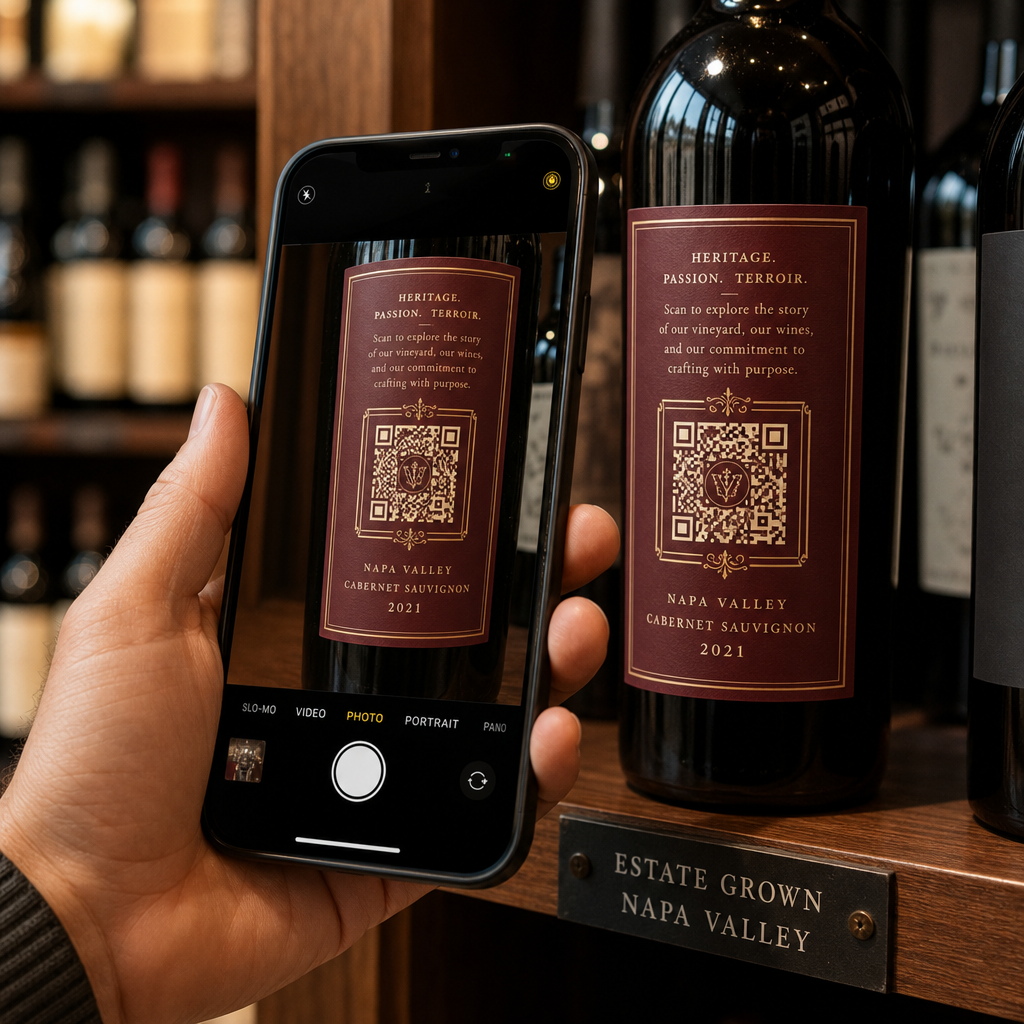
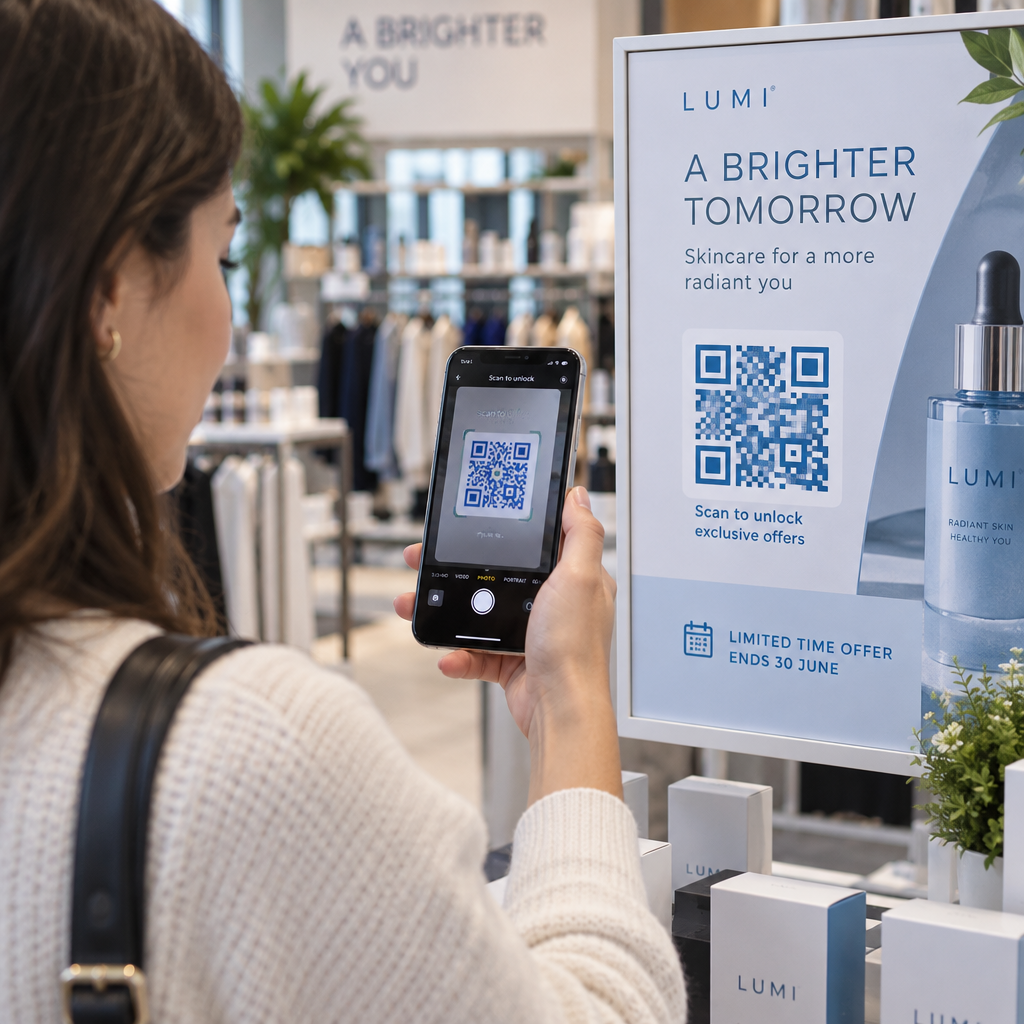
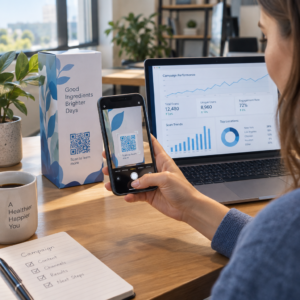
Suas postais de mala direta estão sem rastreamento depois que saem da impressora? Sem um link mensurável entre sua correspondência física e os resultados digitais, você está gastando o orçamento sem ter como comprovar o ROI. Este guia aborda como adicionar códigos QR a postais de forma eficaz – desde o design e dimensionamento até o rastreamento do desempenho da campanha em tempo real.
Por que os Códigos QR Pertencem a Postais de Mala Direta
A mala direta sempre enfrentou um problema persistente: a medição da resposta. Você envia milhares de peças e depende de evidências anedóticas ou resgates de cupons para adivinhar o que funcionou.
Os códigos QR resolvem isso. O Serviço Postal dos EUA reconhece os códigos QR como uma forma direta de conectar os destinatários da correspondência a conteúdo digital que avança sua jornada do cliente – e até ofereceu descontos de postagem para remetentes que incluem códigos de barras bidimensionais escaneáveis em suas peças. Entre as organizações que rastreiam a resposta da mala direta, 82% usam métodos de rastreamento online que aproveitam códigos QR, URLs específicas ou outro mecanismo digital.
O caso é claro: se você está enviando postais sem um código QR, está deixando tanto o engajamento quanto os dados mensuráveis de lado.
Escolhendo o Tipo Certo de Código QR para Postais
Antes de gerar seu código, decida se você precisa de um estático ou Dinâmico código QR – a escolha tem consequências significativas para o funcionamento da sua campanha.
Códigos QR estáticos codificam permanentemente uma URL no próprio padrão do código. Uma vez impresso, o destino não pode ser alterado. Eles funcionam bem para conteúdo perene que nunca precisará de atualização, como uma listagem permanente de produtos ou a página de contato de uma empresa.
Códigos QR dinâmicos apontam para um link de redirecionamento curto que você controla. O código impresso permanece o mesmo, mas você pode atualizar a URL de destino a qualquer momento – mesmo depois que os postais já estiverem nas caixas de correio dos destinatários. Os códigos dinâmicos também desbloqueiam análises completas de escaneamento, incluindo contagem de escaneamentos, hora do escaneamento, localização geográfica e tipo de dispositivo.
Para a maioria das campanhas de postais, os códigos dinâmicos são a escolha certa. Se sua oferta mudar no meio da campanha, você pode redirecionar os scanners para uma nova página de destino sem reimprimir. Se uma versão de postal tiver melhor desempenho que outra, suas análises mostrarão exatamente o porquê.
Rastreie Cada Escaneamento da Sua Campanha de Postais Use o Gerador de QR Code Dinâmico para criar um código rastreável que você pode atualizar a qualquer momento – sem necessidade de reimpressão. Acesse um painel completo de análise de escaneamentos a partir do momento em que seus postais chegam às caixas de correio.
O Que Vincular ao Seu Código QR de Postal
O destino importa tanto quanto o próprio código. O escaneamento deve parecer imediatamente recompensador, não confuso. Escolha um destino com base no seu objetivo de campanha:
- UMA página de destino promocional adaptada à oferta ou mensagem específica do postal
- UMA formulário de captura de leads para coletar nomes, e-mails ou solicitações de orçamento de destinatários interessados
- UMA página de produto ou serviço que leva os destinatários ao que você está vendendo sem navegação extra
- UMA vídeo ou demonstração que permite que uma narrativa mais profunda faça o trabalho que um formato de postal não pode acomodar totalmente
- UMA página de contato ou agendamento que oferece aos destinatários uma maneira imediata de agendar uma chamada ou compromisso
- UMA download de PDF compartilhando um folheto, menu ou catálogo com mais detalhes do que um postal permite
O que quer que você vincule, certifique-se de que o destino seja otimizado para celular. Os destinatários de postais escaneiam com seus telefones, e uma página que não renderiza bem em dispositivos móveis os perderá imediatamente. O mesmo princípio se aplica quando adicionar códigos QR a panfletos e brochuras – a experiência de destino é tão importante quanto o próprio código.
Dimensionando Seu Código QR para Impressão de Postais
Acertar o tamanho é fundamental. Um código QR muito pequeno não escaneará de forma confiável. Pageloot recomenda um tamanho mínimo impresso de 0,8 × 0,8 polegadas (2 × 2 cm) para escaneamento de perto, como quando alguém segura o postal com o braço esticado.
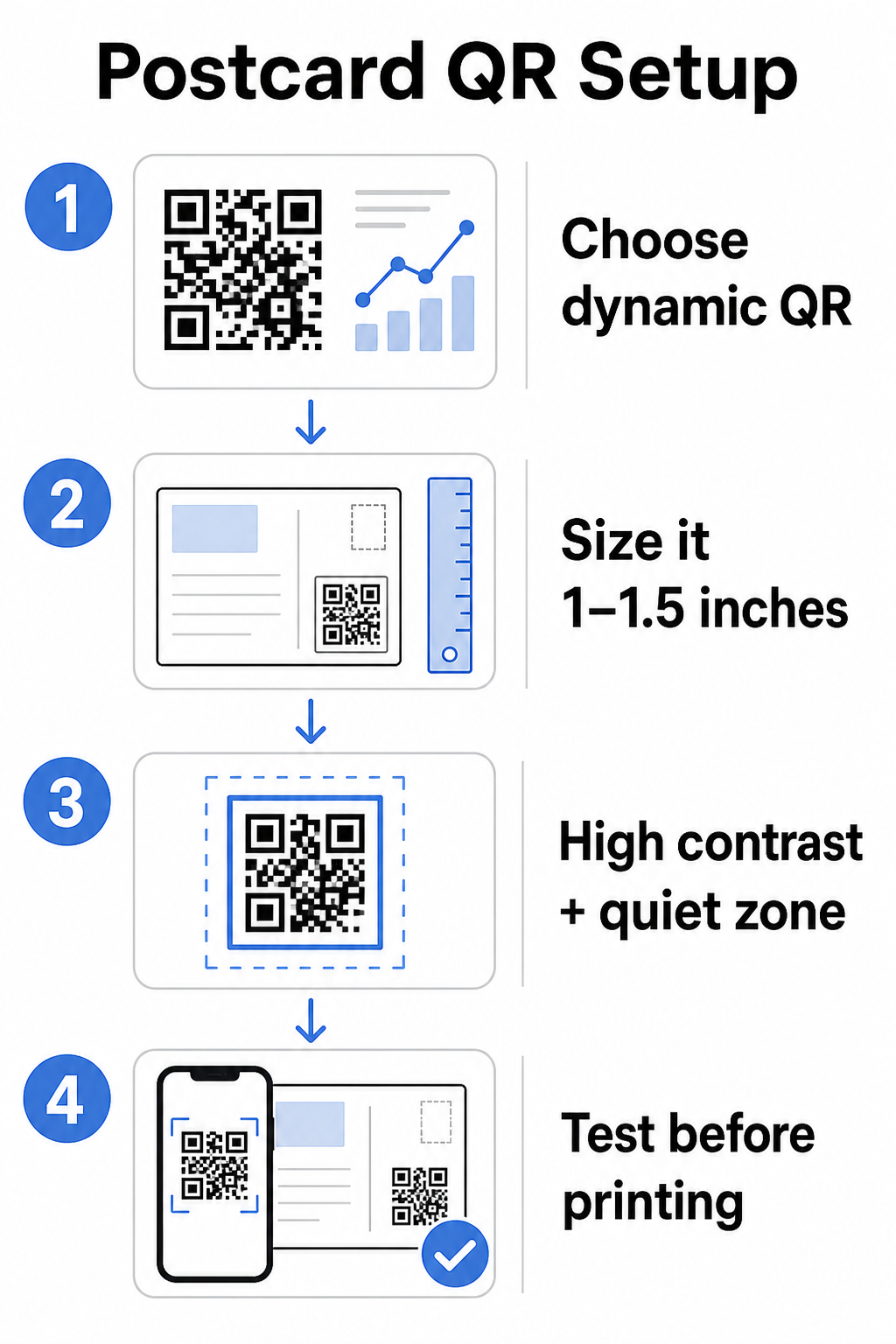
Para postais, que são tipicamente segurados a aproximadamente 10–20 polegadas da câmera do telefone, aplique a proporção de 10:1 entre distância de escaneamento e tamanho: a largura do código QR deve ser aproximadamente um décimo da distância de escaneamento esperada. Um destinatário escaneando a 12 polegadas de distância precisa de um código com pelo menos 1,2 polegadas de largura.
Na prática, mire em um código QR entre 1 e 1,5 polegadas (25–38 mm) em um postal padrão. Isso acomoda confortavelmente as distâncias de escaneamento típicas, deixando espaço suficiente para o resto do seu design. Para orientações detalhadas em outros formatos, consulte as diretrizes de dimensionamento de código QR para materiais impressos.
Diretrizes de Design para Códigos QR de Postais Escaneáveis
Contraste e cor
Os scanners funcionam detetando o contraste entre módulos escuros e um fundo claro. Alto contraste é inegociável. Preto no branco proporciona a leitura mais fiável e é o padrão mais seguro. Cores personalizadas podem funcionar – e manter um alto contraste com cores de marca pode aumentar significativamente o envolvimento – mas é necessário preservar contraste suficiente entre o primeiro plano e o fundo, com uma proporção mínima de pelo menos 3:1 e idealmente 4:1 ou superior. Orientação completa sobre como combinar cores eficazmente está disponível em melhores práticas de contraste de cores para códigos QR guia.
Evite estas armadilhas comuns:
- Módulos de cor clara em um fundo claro
- Gradientes que criam contraste irregular no código
- Inverter o código (padrão claro em fundo escuro) – alguns scanners falham em esquemas de cores invertidos
A Zona Silenciosa
O zona de silêncio é a borda branca clara que rodeia o padrão do código QR. De acordo com as normas ISO/IEC 18004, deve ter pelo menos quatro módulos de largura em todos os lados. Em um postal, isto significa deixar aproximadamente um quarto de polegada (0,25 polegadas) de espaço livre à volta do código e não colocar texto, imagens ou elementos de design diretamente adjacentes a ele. Este buffer ajuda os scanners a reconhecer onde o código começa e termina – sem ele, mesmo um código bem desenhado pode falhar na leitura de forma fiável.
Adicionar um Logótipo
Adicionar o logótipo da sua marca ao centro do código QR torna-o mais reconhecível e fiável em um postal. Se incorporar um logótipo, utilize um nível de correção de erros mais elevado (Q ou H) para manter a capacidade de leitura, e mantenha o logótipo em não mais de 30% da área total do código. Pode criar um código de marca utilizando o Gerador de QR Code com Logo.
Qualidade de Impressão
Exporte o seu código QR como um ficheiro vetorial (SVG ou PDF) em vez de um JPEG de baixa resolução antes de enviar para a impressora. Os formatos vetoriais preservam as bordas nítidas dos módulos em qualquer tamanho de impressão. Solicite pelo menos 300 DPI ao seu fornecedor de impressão e utilize um acabamento mate sempre que possível – postais brilhantes podem produzir reflexos que interferem com a leitura sob luz forte.
Onde Colocar o Código QR no Seu Postal
A colocação afeta quantos destinatários realmente digitalizam. Siga estes princípios:
- Coloque o código no lado da mensagem, não no lado do endereço – é aqui que os destinatários passam tempo a ler
- Posicione-o em um ponto final de leitura natural, como o canto inferior direito ou logo abaixo da sua principal chamada para ação, para que apareça depois que o destinatário tiver absorvido a sua mensagem
- Rodeie-o com uma chamada para ação clara – frases como “Digitalize para a sua oferta exclusiva” ou “Digitalize para marcar a sua consulta” dizem aos destinatários exatamente o que fazer e o que vão obter
- Dê-lhe espaço para respirar – não sobrecarregue o código com outros elementos de design; a zona de silêncio deve permanecer clara em todos os lados
Um código QR sem uma chamada para ação é uma oportunidade perdida. Os destinatários que não entendem por que devem digitalizar simplesmente não o farão.
Adicionar Parâmetros UTM para Rastreamento de Campanha
Os códigos QR dinâmicos fornecem dados de leitura. Mas para conectar essas leituras à sua análise de marketing mais ampla – incluindo o que os destinatários fazem depois de chegarem à sua página – você precisa de parâmetros UTM anexado ao seu URL de destino.
Os parâmetros UTM são tags curtas adicionadas a um URL que informam ao Google Analytics a origem do tráfego. Os parâmetros padrão são:
| Parâmetro | O Que Rastreia | Valor de Exemplo |
|---|---|---|
| `utm_source` | Onde o tráfego se originou | `mala-direta` |
| `utm_medium` | O canal de marketing | `cartão-postal` |
| `utm_campaign` | O nome específico da campanha | `promoção-de-verão-2025` |
| `utm_content` | Qual versão do postal | `versão-a` |
Um URL completo com tags tem esta aparência:
`https://yoursite.com/offer?utm``source=direct-mail&utm``medium=postcard&utm_campaign=summer-sale-2025`
Crie o seu URL utilizando o Campaign URL Builder do Google e, em seguida, cole esse URL com tags no destino do seu código QR dinâmico. No GA4, pode rever este tráfego em Relatórios > Aquisição > Aquisição de tráfego, onde a origem da sessão, o meio da sessão e a campanha da sessão refletirão os seus valores UTM. Isto permite-lhe atribuir sessões de website, preenchimentos de formulários e compras diretamente a campanhas de postais específicas – fechando o ciclo entre o desempenho impresso e digital.
Testando Antes de Imprimir
Nunca envie postais para impressão sem digitalizar o código QR final primeiro. Teste-o em vários dispositivos – tanto iOS quanto Android – e sob diferentes condições de iluminação. Confirme que:
- O código digitaliza rápida e fiávelmente na primeira tentativa
- O URL de destino carrega corretamente e está otimizado para dispositivos móveis
- Os redirecionamentos para códigos dinâmicos resolvem para a página correta
- O código ainda digitaliza depois de o seu design final do postal ter sido aplicado, especialmente se cores ou uma sobreposição de logótipo foram adicionadas
Se você estiver imprimindo um lote de teste, escaneie a prova física sob as condições que os destinatários provavelmente experimentarão – iluminação interna típica, segurada à distância de um braço. Isso detecta problemas de qualidade de impressão antes que afetem sua tiragem completa. O melhores práticas para legibilidade de códigos QR guia abrange uma lista de verificação completa de testes pré-impressão.
Rastreamento e Otimização Após o Envio
Uma vez que seus cartões postais estejam em circulação, sua campanha está apenas começando. Códigos QR dinâmicos fornecem dados de escaneamento em tempo real, permitindo que você monitore:
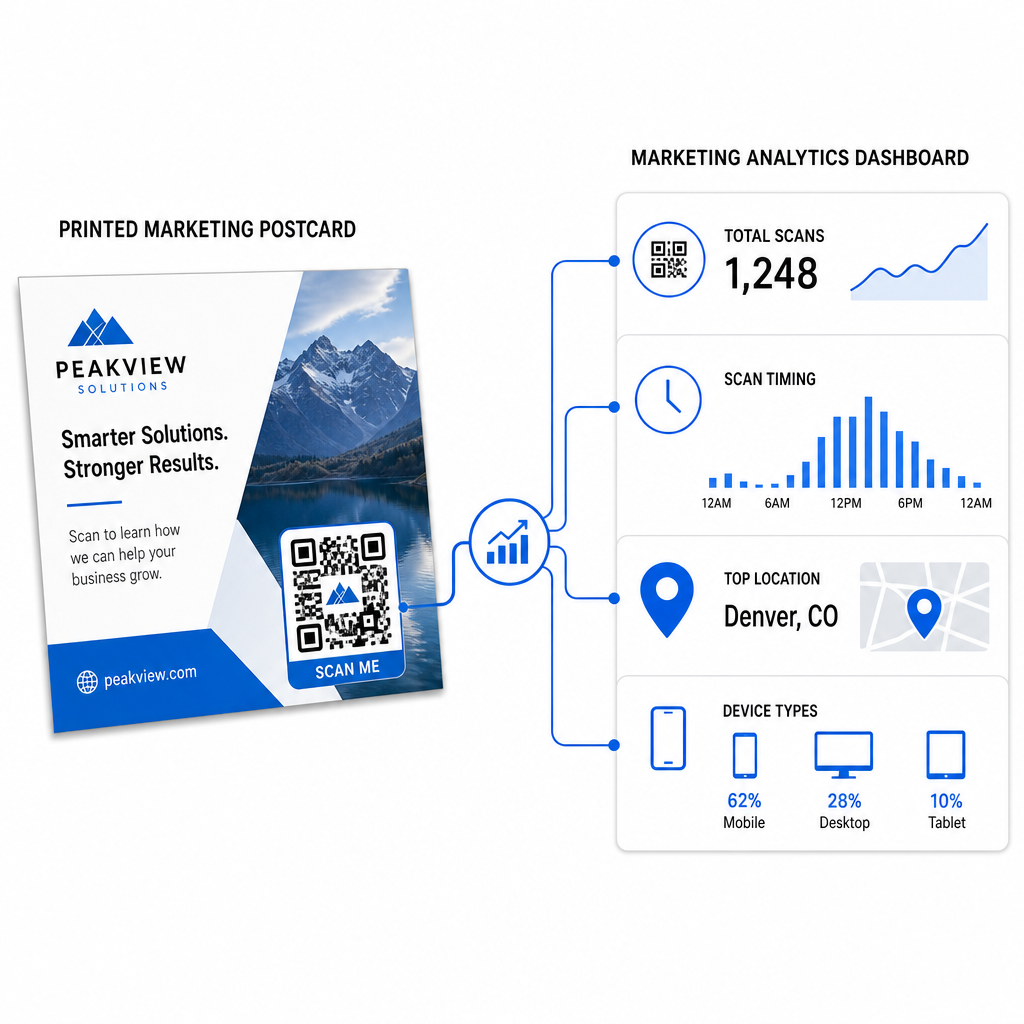
- Total de escaneamentos e usuários únicos – quantos destinatários engajaram e quantos escanearam mais de uma vez
- Horário da leitura – quais dias e horários impulsionaram a maior atividade após o envio da correspondência
- Distribuição geográfica – quais códigos postais ou regiões responderam mais fortemente
- Tipo de dispositivo – se os destinatários escanearam em iOS ou Android, o que pode informar decisões de página de destino móvel
Use esses dados para refinar futuros envios. Se uma área específica mostrou altas taxas de escaneamento, aumente o volume lá da próxima vez. Se os escaneamentos atingiram o pico no terceiro dia após a entrega, programe seu acompanhamento por e-mail de acordo.
Para campanhas de várias versões – onde você está testando diferentes ofertas, designs ou chamadas para ação – atribua a cada versão do cartão postal seu próprio código QR dinâmico. A análise de escaneamento mostrará qual versão gerou mais engajamento sem esperar apenas pelos dados de conversão.
Comece a Medir o Desempenho do Seu Marketing Direto O Gerador de Código QR Pageloot permite que você crie, personalize e gerencie códigos QR para campanhas de marketing direto – com análises integradas e a capacidade de atualizar destinos sem reimprimir.
Erros comuns a serem evitados
Linkar para uma página inicial em vez de uma página de campanha. Uma página inicial faz o destinatário ter trabalho extra para encontrar a oferta mencionada no cartão postal. Cada passo extra reduz as conversões.
Usar um código QR estático para uma oferta por tempo limitado. Se a oferta expirar ou a URL mudar, um código estático apontará para uma página quebrada ou irrelevante sem nenhuma maneira de corrigi-lo após a impressão.
Tornar o código QR muito pequeno. Qualquer coisa abaixo de 0,8 × 0,8 polegadas é arriscada, particularmente se o design do cartão postal for muito carregado ou se o código usar cores personalizadas.
Pular a chamada para ação. Um código QR solitário em um cartão postal não dá aos destinatários nenhuma razão para escanear. Diga a eles o que eles receberão.
Não testar na peça física impressa. Provas digitais nem sempre preveem como um código escaneará depois de passar por uma impressora comercial. Sempre verifique na saída real.
Os mesmos princípios centrais se aplicam a todos os formatos de impressão – o guia de códigos QR em folhetos abrange como adaptar essas práticas para outros materiais de resposta direta.
Um cartão postal com um código QR bem executado faz duas coisas ao mesmo tempo: ele dá aos destinatários uma maneira imediata e sem atrito de agir sobre sua oferta, e ele lhe dá dados mensuráveis sobre como sua campanha está realmente performando. A combinação de um código QR dinâmico, um destino otimizado para celular, URLs com tags UTM e análises de escaneamento fecha o ciclo entre a impressão offline e os resultados digitais.
Comece gerando um código QR dinâmico através do Gerador de Código QR Dinâmico Pageloot, dimensione-o corretamente para o formato do seu cartão postal, aplique uma marca de alto contraste, escreva uma chamada para ação clara e teste em uma prova física antes da tiragem completa. A partir do momento em que os destinatários começam a escanear, seu painel mostrará exatamente o que está funcionando.
Perguntas frequentes
Procure ter pelo menos 0.8 × 0.8 polegadas (2 × 2 cm) como um mínimo absoluto, mas para distâncias típicas de digitalização de cartões postais de 10–20 polegadas, um tamanho entre 1 e 1.5 polegadas (25–38 mm) é mais confiável. Aplique a regra 10:1: faça a largura do código aproximadamente um décimo da distância de digitalização esperada.
Sim, mas apenas se você usou um código QR dinâmico antes de imprimir. Códigos QR dinâmicos apontam para um link de redirecionamento que você controla, então você pode atualizar o URL de destino a qualquer momento sem reimprimir. Códigos QR estáticos codificam permanentemente o destino e não podem ser alterados após o fato.
Use um código QR dinâmico de uma plataforma como Pageloot, que fornece análises integradas mostrando o total de digitalizações, usuários únicos, tempo de digitalização, localização geográfica e tipo de dispositivo. Para uma atribuição mais profunda no Google Analytics, adicione parâmetros UTM (utmsource, utmmedium, utm_campaign) à sua URL de destino antes de gerar o código – as digitalizações aparecerão então como sessões rastreáveis no seu relatório de aquisição de tráfego do GA4.