Adakah anda berkongsi dokumen sensitif atau kandungan eksklusif melalui kod QR, tetapi bimbang tentang akses tanpa kebenaran? Apabila kod fizikal muncul di kawasan awam, sesiapa sahaja boleh mengimbasnya untuk melihat fail sulit atau halaman pendaratan dalaman. Menambah perlindungan kata laluan pada pautan destinasi dan fail anda memastikan hanya pengguna yang dibenarkan mengakses kandungan anda.
Bolehkah Kod QR Itu Sendiri Dilindungi Kata Laluan?
Kod QR statik standard tidak boleh menyimpan kata laluan di dalam corak pikselnya. Kod statik hanya menterjemahkan teks biasa atau pautan web tetap menjadi grafik yang boleh diimbas, bermakna mana-mana pembaca telefon pintar menyahkod data titik akhir yang sama serta-merta selepas mengimbas.
Untuk mendapatkan akses, perlindungan kata laluan mesti berlaku sama ada di peringkat pengalihan atau di destinasi sasaran. Anda boleh mencapai ini menggunakan dua pendekatan utama:
- Perlindungan peringkat pengalihan: Menggunakan Penjana dynamic QR code untuk memintas imbasan dan memerlukan pengesahan kata laluan sebelum mengarahkan pelawat ke sumber sasaran.
- Perlindungan peringkat destinasi: Mengamankan persekitaran hos atau melindungi fail secara langsung (seperti mencipta dokumen berpagar kata laluan) sebelum memautkannya.
Kedua-dua kaedah ini menghalang pengguna tanpa kebenaran daripada melihat sumber sulit, walaupun kod QR fizikal anda dipaparkan di lokasi awam.
Kaedah Utama untuk Mengamankan Kandungan Kod QR
Memilih pelaksanaan yang betul bergantung pada sama ada anda mengamankan pautan laman web, dokumen dalaman, atau kandungan acara sementara.
Kawalan Akses Kod QR Dinamik
Kod QR dinamik bergantung pada pautan pengalihan pendek dan bukannya mengekod URL akhir ke dalam imej. Pautan pendek ini membolehkan anda mengurus tetapan keselamatan pada platform yang mengehos kod tersebut. Anda boleh mendayakan keperluan kata laluan, mengemas kini pautan destinasi pada bila-bila masa, atau membatalkan akses sepenuhnya tanpa mencetak semula bahan fizikal anda.
Muat Naik Fail Dilindungi Kata Laluan
Jika anda berkongsi fail secara langsung, anda boleh melindungi fail dengan kata laluan sebelum menukarkannya menjadi grafik yang boleh diimbas. Apabila menggunakan Cara buat QR code untuk dokumen PDF, anda boleh memuat naik PDF yang disulitkan atau mengehoskan dokumen anda pada platform selamat yang memerlukan pengesahan. Pengguna yang mengimbas kod tersebut akan mencapai pemapar dokumen tetapi mesti memasukkan kelayakan yang betul untuk membuka dan membaca fail.
Tarikh Luput dan Had Penggunaan
Kawalan akses melangkaui kata laluan. Anda boleh menggabungkan keperluan kelayakan dengan peraturan seperti tarikh luput kalendar atau had imbasan maksimum. Penetapan parameter ini memastikan bahawa setelah tawaran atau mesyuarat dalaman tamat, pautan tersebut akan dinyahaktifkan secara automatik. Ketahui lebih lanjut tentang mengawal kitaran hayat kandungan dalam panduan kami tentang cara menetapkan tarikh luput untuk kod QR.
Lindungi Kandungan Digital Anda Hari Ini Lindungi fail sensitif dan pautan terhad anda dengan kawalan akses fleksibel dengan mencipta kod menggunakan Penjana dynamic QR code.
Cara Menyediakan Kod QR yang Dilindungi Kata Laluan Langkah demi Langkah
Ikuti langkah-langkah ini untuk mencipta aliran akses berpagar kata laluan untuk bahan perniagaan atau pemasaran anda:
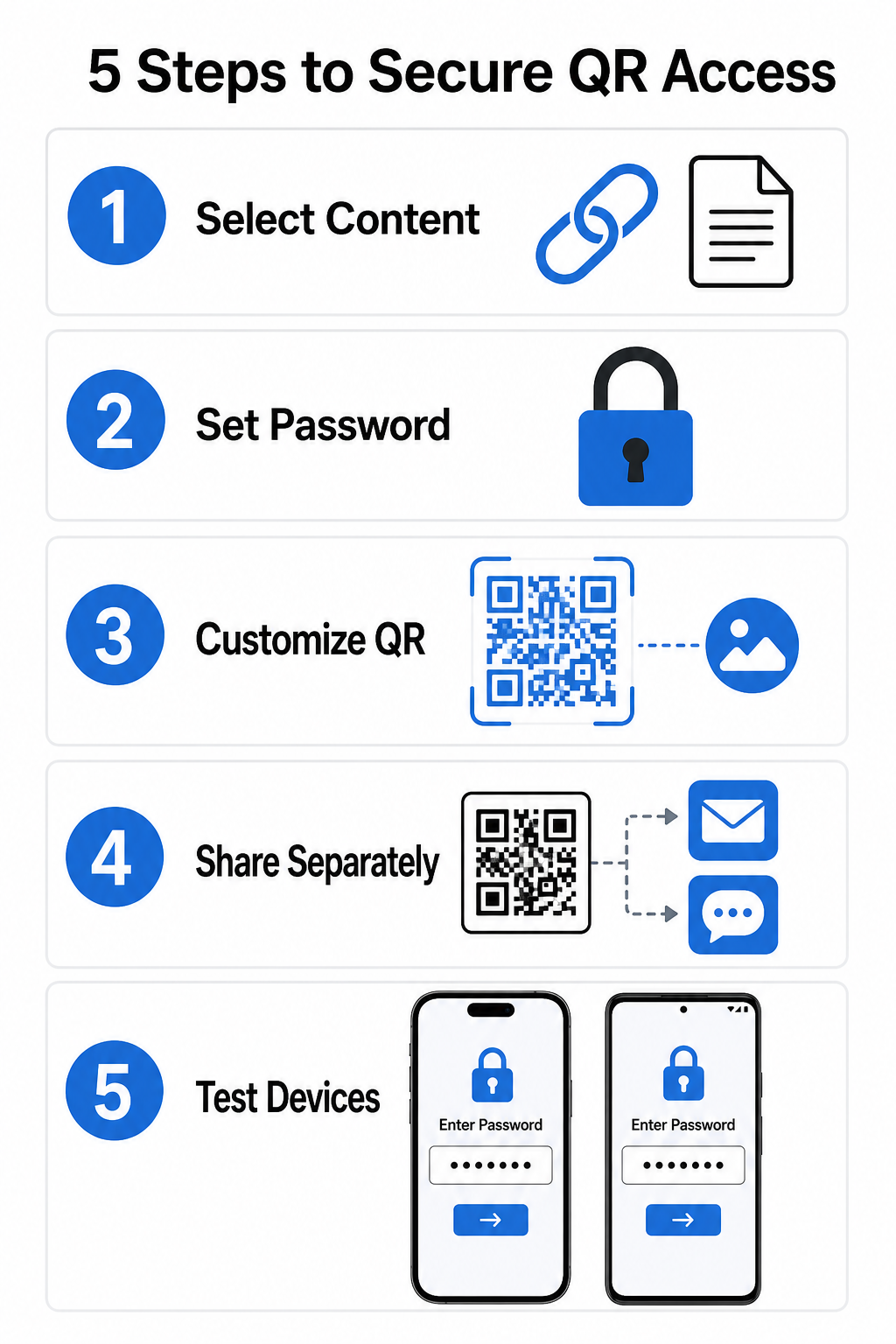
- Pilih jenis kandungan anda: Pilih format yang ingin anda kongsi, seperti URL laman web menggunakan penjana kod QR pautan atau fail dokumen.
- Konfigurasi keselamatan akses: Dayakan keperluan kata laluan dalam papan pemuka pengurusan dinamik anda atau gunakan perlindungan kata laluan secara langsung pada fail sasaran anda sebelum memuat naik.
- Sesuaikan reka bentuk visual: Tambahkan warna jenama, bingkai tersuai dan logo rasmi menggunakan penjana kod QR untuk membina kepercayaan pengguna dan mengurangkan risiko penipuan.
- Agihkan kelayakan secara berasingan: Kongsikan kata laluan dengan pengguna yang dibenarkan melalui saluran berasingan, seperti pengesahan e-mel, pakej alu-aluan, atau mesej langsung, daripada meletakkannya berhampiran kod.
- Uji merentasi pelbagai peranti: Imbas kod menggunakan aplikasi kamera iOS dan Android untuk mengesahkan bahawa gesaan kata laluan dicetuskan dengan betul sebelum mencetak atau menerbitkan.
Amalan Terbaik untuk Pelaksanaan Kod QR Selamat
Melaksanakan perlindungan akses memerlukan pematuhan piawaian keselamatan siber untuk mencegah kebocoran data dan imbasan tanpa kebenaran:
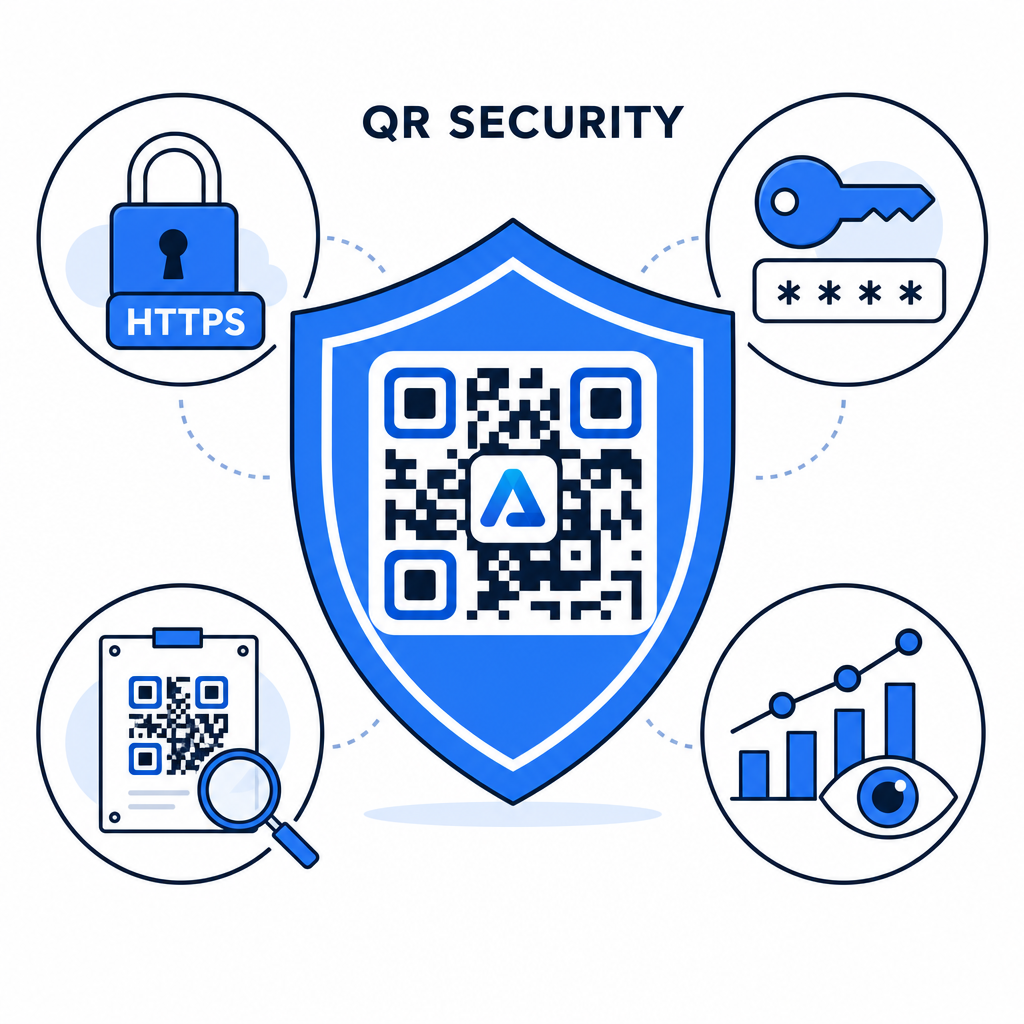
- Gunakan piawaian kata laluan yang kukuh: Perlukan kata laluan sekurang-kurangnya 15 aksara panjang untuk perlindungan satu faktor bagi mengelakkan percubaan tekaan automatik.
- Perlukan titik akhir HTTPS: Pastikan pelayan destinasi menggunakan penyulitan SSL untuk melindungi data dalam transit. Anda boleh membaca lebih lanjut tentang bagaimana penyulitan melindungi data kod QR untuk cerapan keselamatan yang lebih mendalam.
- Periksa paparan fizikal secara berkala: Pantau titik sentuh bercetak di kawasan awam secara rutin untuk memastikan kod fizikal tidak diubah atau ditutup oleh tindanan yang tidak dibenarkan, mengurangkan risiko utama risiko privasi kod QR.
- Pantau analisis akses: Jejaki kekerapan imbasan, lokasi, dan data ejen pengguna dalam papan pemuka pengurusan anda untuk mengenal pasti corak trafik yang mencurigakan atau percubaan akses tanpa kebenaran.
Urus dan Lindungi Fail Anda dengan Mudah Tukar manual dan dokumen sulit anda menjadi pautan digital yang boleh dijejaki dan selamat dengan kami Cara buat QR code untuk dokumen PDF.
Lindungi Titik Sentuh Anda dengan Kawalan Akses Kata Laluan
Menggandingkan titik sentuh QR fizikal dengan kawalan akses digital memberikan pengalaman pengguna yang lancar sambil memastikan dokumen proprietari, borang dalaman dan aset pemasaran eksklusif kekal peribadi. Dengan menggunakan kod dinamik dengan gesaan kata laluan, titik akhir yang disulitkan, dan pemantauan proaktif, anda mengekalkan kuasa penuh ke atas kandungan yang anda kongsi.
Terokai panduan komprehensif kami mengenai amalan terbaik penjanaan kod QR selamat untuk melaksanakan keselamatan hujung-ke-hujung di seluruh titik sentuh cetak dan digital anda hari ini.
Soalan lazim
Tidak. Kod QR statik mengekod data tetap terus ke dalam corak dan tidak boleh mencetuskan permintaan kata laluan. Untuk menyekat akses, gunakan platform kod QR dinamik atau lindungi halaman destinasi atau fail itu sendiri.
Hantar kata laluan melalui saluran komunikasi yang berasingan, seperti pengesahan e-mel, SMS, lencana acara, atau pakej orientasi selamat. Jangan sekali-kali mencetak kata laluan di sebelah kod QR fizikal.
Kod QR Dinamik membolehkan anda mengemas kini pautan destinasi, tetapan keselamatan, atau peraturan akses kata laluan terus dari papan pemuka anda pada bila-bila masa tanpa perlu mencetak semula bahan fizikal.