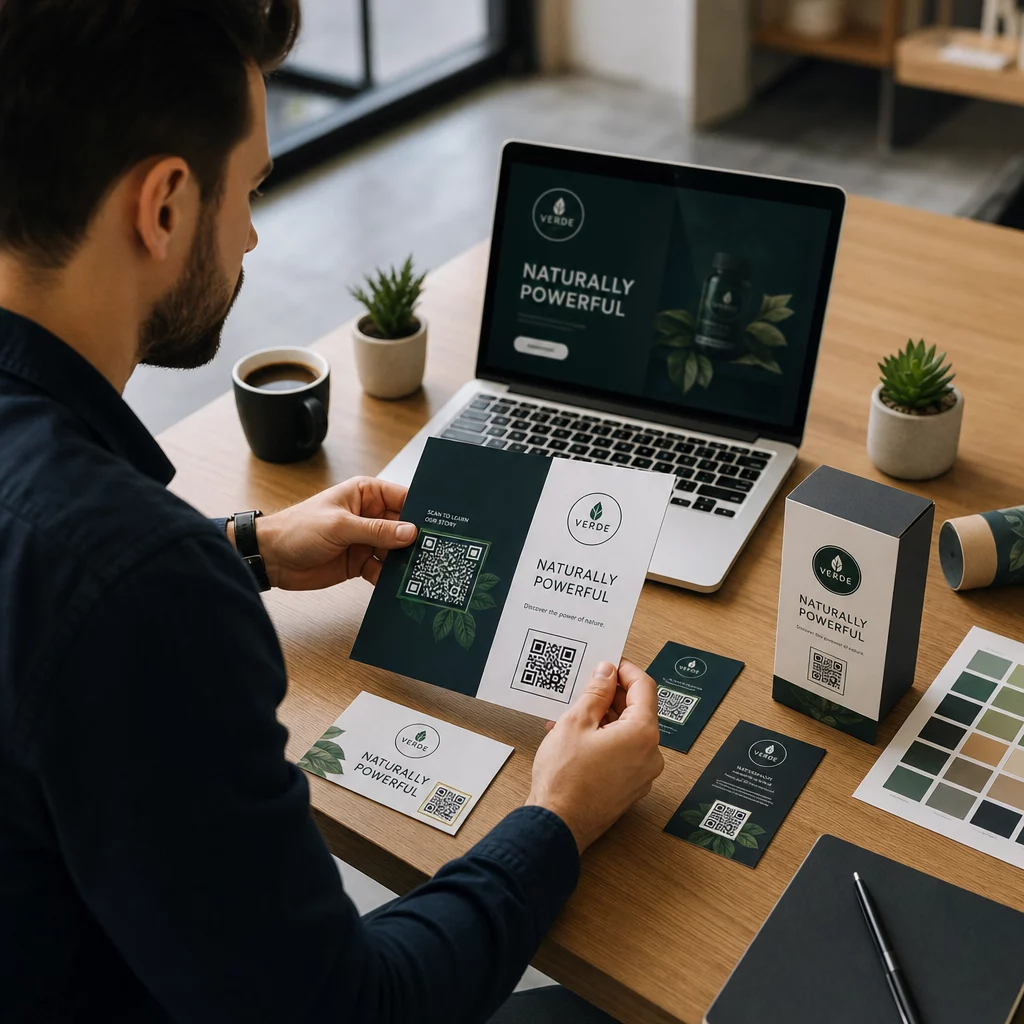
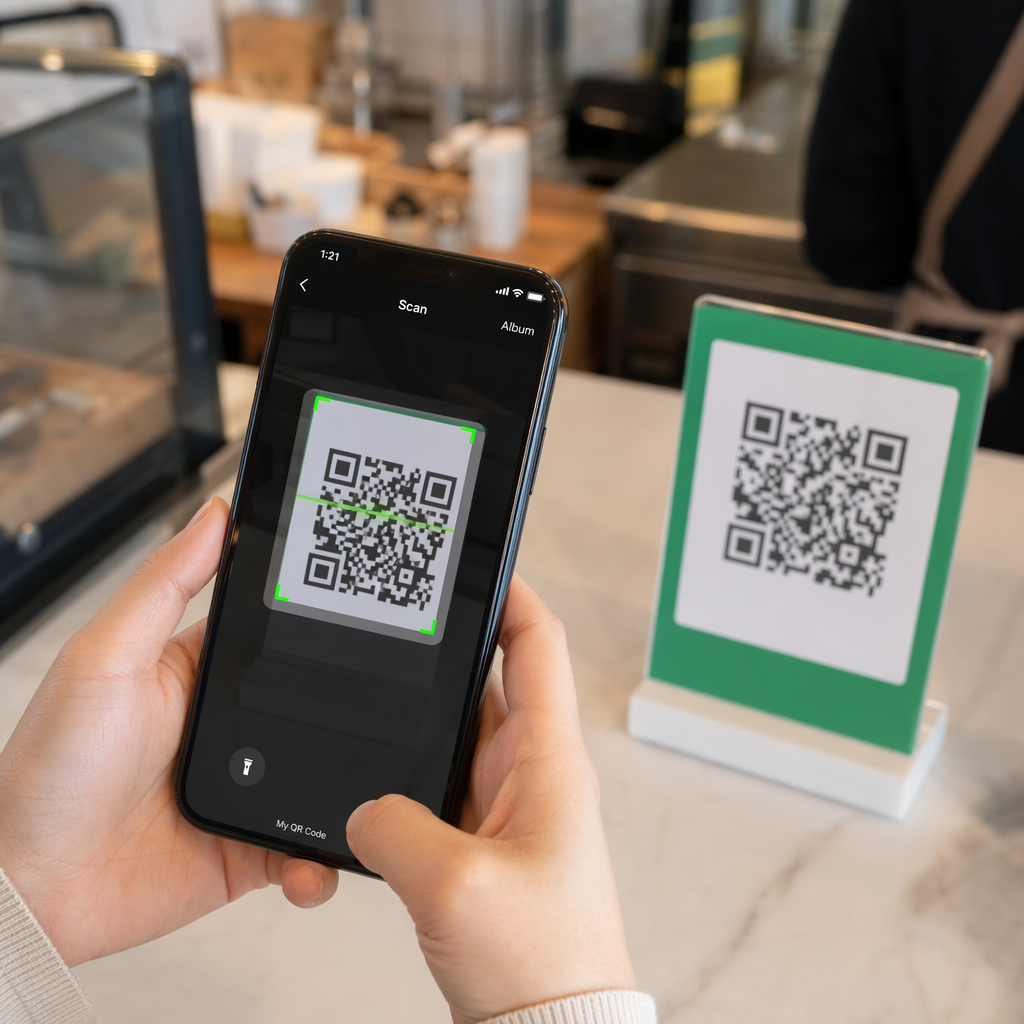
Worden uw direct mail-ansichtkaarten niet gevolgd zodra ze de printer verlaten? Zonder een meetbare link tussen uw fysieke post en digitale resultaten, geeft u budget uit zonder de ROI te kunnen bewijzen. Deze gids behandelt hoe u QR-codes effectief aan ansichtkaarten kunt toevoegen – van ontwerp en formaat tot het in realtime volgen van campagneprestaties.
Waarom QR-codes thuishoren op direct mail-ansichtkaarten
Direct mail heeft altijd één hardnekkig probleem gekend: het meten van respons. U verstuurt duizenden stukken en vertrouwt op anekdotisch bewijs of couponinwisselingen om te raden wat werkte.
QR-codes lossen dit op. De U.S. Postal Service erkent QR-codes als een directe manier om postontvangers te verbinden met digitale inhoud die hun klantreis bevordert – en heeft zelfs portokortingen aangeboden aan verzenders die scanbare tweedimensionale barcodes op hun stukken plaatsen. Onder organisaties die de respons op direct mail wel volgen, gebruikt 82% online trackingmethoden die gebruikmaken van QR-codes, specifieke URL's of een ander digitaal mechanisme.
De zaak is duidelijk: als u ansichtkaarten verstuurt zonder QR-code, laat u zowel betrokkenheid als meetbare gegevens liggen.
De juiste QR-codetype kiezen voor ansichtkaarten
Voordat u uw code genereert, beslist u of u een statisch of Dynamisch QR-code nodig heeft – de keuze heeft aanzienlijke gevolgen voor hoe uw campagne verloopt.
Statische QR-codes coderen permanent een URL in het codepatroon zelf. Eenmaal afgedrukt kan de bestemming niet meer worden gewijzigd. Ze werken prima voor 'evergreen' inhoud die nooit hoeft te worden bijgewerkt, zoals een permanente productvermelding of de contactpagina van een bedrijf.
Dynamische QR-codes verwijzen naar een korte omleidingslink die u beheert. De afgedrukte code blijft hetzelfde, maar u kunt de bestemmings-URL op elk moment bijwerken – zelfs nadat de ansichtkaarten al in de brievenbussen van de ontvangers liggen. Dynamische codes ontgrendelen ook volledige scananalyses, inclusief aantal scans, scantijd, geografische locatie en apparaattype.
Voor de meeste ansichtkaartcampagnes zijn dynamische codes de juiste keuze. Als uw aanbod midden in de campagne verandert, kunt u scanners omleiden naar een nieuwe landingspagina zonder opnieuw te printen. Als de ene ansichtkaartversie beter presteert dan de andere, laten uw analyses u precies zien waarom.
Volg elke scan van uw ansichtkaartcampagne Gebruik de Dynamische QR code generator om een traceerbare code te maken die u op elk moment kunt bijwerken – opnieuw printen is niet nodig. Krijg toegang tot een volledig scananalyse-dashboard vanaf het moment dat uw ansichtkaarten in de brievenbus vallen.
Waar u uw ansichtkaart QR-code aan moet koppelen
De bestemming is net zo belangrijk als de code zelf. Scannen moet onmiddellijk lonend aanvoelen, niet verwarrend. Kies een bestemming op basis van uw campagnedoel:
- EEN promotionele landingspagina afgestemd op de specifieke aanbieding of boodschap van de ansichtkaart
- EEN leadgeneratieformulier om namen, e-mails of offerteaanvragen van geïnteresseerde ontvangers te verzamelen
- EEN product- of servicepagina die ontvangers direct naar wat u verkoopt leidt zonder extra navigatie
- EEN video of demo die diepere storytelling het werk laat doen dat een ansichtkaartformaat niet volledig kan accommoderen
- EEN contact- of boekingspagina die ontvangers een directe manier biedt om een gesprek of afspraak te plannen
- EEN PDF-download het delen van een brochure, menu of catalogus met meer details dan een ansichtkaart toelaat
Waar u ook naar linkt, zorg ervoor dat de bestemming mobiel-geoptimaliseerd. is. Ansichtkaartontvangers scannen met hun telefoon, en een pagina die niet goed wordt weergegeven op mobiel, zal hen onmiddellijk verliezen. Hetzelfde principe geldt wanneer QR-codes toe te voegen aan flyers en brochures u een QR-code maakt – de bestemmingservaring is net zo belangrijk als de code zelf.
Het formaat van uw QR-code voor ansichtkaartafdrukken
Het juiste formaat is cruciaal. Een te kleine QR-code scant niet betrouwbaar. Pageloot beveelt een minimale afgedrukte grootte van 0,8 × 0,8 inch (2 × 2 cm) aan voor scannen op korte afstand, zoals wanneer iemand de ansichtkaart op armlengte houdt.
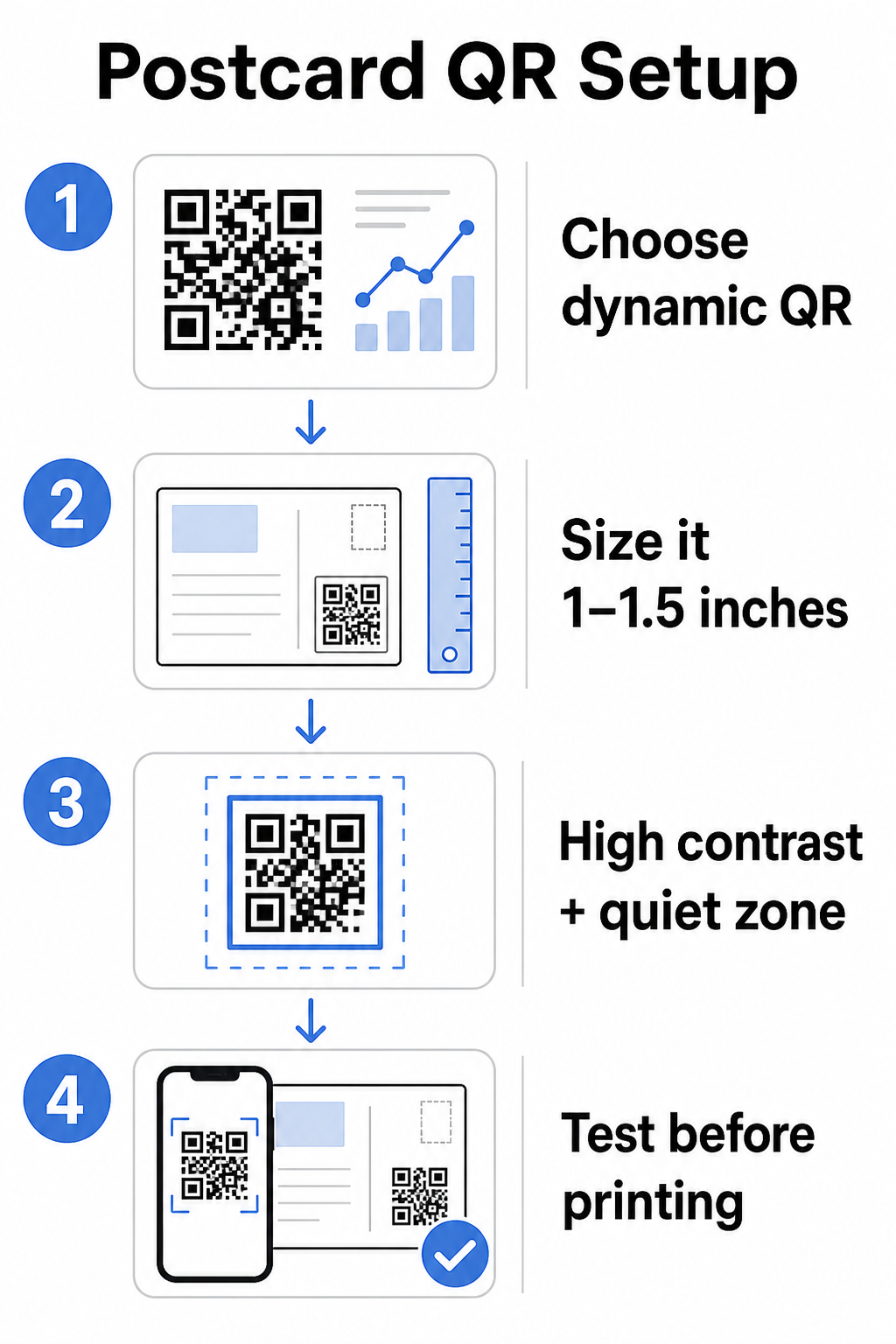
Voor ansichtkaarten, die doorgaans op ongeveer 10–20 inch van de telefooncamera worden gehouden, past u de 10:1 scanafstand-tot-formaatverhoudingtoe: de breedte van de QR-code moet ongeveer een tiende zijn van de verwachte scanafstand. Een ontvanger die vanaf 12 inch scant, heeft een code nodig die minstens 1,2 inch breed is.
In de praktijk streeft u naar een QR-code tussen 1 en 1,5 inch (25–38 mm) op een standaard ansichtkaart. Dit biedt voldoende ruimte voor typische scanafstanden en laat tegelijkertijd genoeg ruimte over voor de rest van uw ontwerp. Voor gedetailleerde richtlijnen voor andere formaten, zie de richtlijnen voor het formaat van QR-codes voor gedrukt materiaal.
Ontwerprichtlijnen voor scanbare QR-codes op ansichtkaarten
Contrast en kleur
Scanners werken door het contrast tussen donkere modules en een lichte achtergrond te detecteren. Hoog contrast is niet onderhandelbaar. Zwart op wit biedt de meest betrouwbare scanning en is de veiligste standaard. Aangepaste kleuren kunnen werken – en het handhaven van hoog contrast met merkgebonden kleuren kan de betrokkenheid zinvol vergroten – maar u moet voldoende contrast behouden tussen de voorgrond en achtergrond, met een minimale verhouding van ten minste 3:1 en idealiter 4:1 of hoger. Volledige richtlijnen voor het effectief combineren van kleuren zijn beschikbaar in de best practices voor kleurcontrast van QR-codes gids.
Vermijd deze veelvoorkomende valkuilen:
- Lichtgekleurde modules op een lichte achtergrond
- Gradiënten die ongelijkmatig contrast creëren over de code
- De code omkeren (licht patroon op donkere achtergrond) – sommige scanners falen op omgekeerde kleurenschema's
De Stille Zone
De stille zone is de duidelijke witte rand rond het QR-codepatroon. Volgens ISO/IEC 18004-normen moet deze aan alle zijden ten minste vier modules breed zijn. Op een ansichtkaart betekent dit dat u ongeveer een kwart inch (0,25 inch) vrije ruimte rond de code moet laten en geen tekst, afbeeldingen of ontwerpelementen direct ernaast moet plaatsen. Deze buffer helpt scanners te herkennen waar de code begint en eindigt – zonder deze kan zelfs een goed ontworpen code niet betrouwbaar scannen.
Een logo toevoegen
Het toevoegen van uw merklogo aan het midden van de QR-code maakt deze herkenbaarder en betrouwbaarder op een ansichtkaart. Als u een logo insluit, gebruik dan een hoger foutcorrectieniveau (Q of H) om de scanbaarheid te behouden, en houd het logo tot niet meer dan 30% van de totale oppervlakte van de code. U kunt een merkgebonden code maken met de QR code met logo maken.
Afdrukkwaliteit
Exporteer uw QR-code als een vectorbestand (SVG of PDF) in plaats van een JPEG met lage resolutie voordat u deze naar de printer stuurt. Vectorformaten behouden scherpe module-randen bij elke afdrukmaat. Vraag ten minste 300 DPI aan bij uw drukker en gebruik waar mogelijk een matte afwerking – glanzende ansichtkaarten kunnen schittering veroorzaken die het scannen onder fel licht verstoort.
Waar de QR-code op uw ansichtkaart te plaatsen
Plaatsing beïnvloedt hoeveel ontvangers daadwerkelijk scannen. Volg deze principes:
- Plaats de code op de berichtzijde, niet de adreszijde – dit is waar ontvangers tijd besteden aan lezen
- Positioneer het op een natuurlijk leeseindpunt, zoals de rechterbenedenhoek of net onder uw belangrijkste call-to-action, zodat het verschijnt nadat de ontvanger uw bericht heeft opgenomen
- Omring het met een duidelijke call-to-action – zinnen zoals “Scan voor uw exclusieve aanbieding” of “Scan om uw afspraak te boeken” vertellen ontvangers precies wat ze moeten doen en wat ze zullen krijgen
- Geef het ademruimte – overlaad de code niet met andere ontwerpelementen; de rustzone moet aan alle zijden vrij blijven
Een QR-code zonder call-to-action is een gemiste kans. Ontvangers die niet begrijpen waarom ze moeten scannen, zullen dat eenvoudigweg niet doen.
UTM-parameters toevoegen voor campagnetracking
Dynamische QR-codes geven u scangegevens. Maar om die scans te verbinden met uw bredere marketinganalyses – inclusief wat ontvangers doen nadat ze op uw pagina terechtkomen – heeft u UTM-parameters toegevoegd aan uw bestemmings-URL.
UTM-parameters zijn korte tags die aan een URL worden toegevoegd en Google Analytics vertellen waar verkeer vandaan kwam. De standaardparameters zijn:
| Parameter | Wat het bijhoudt | Voorbeeldwaarde |
|---|---|---|
| `utm_source` | Waar het verkeer vandaan kwam | `direct-mail` |
| `utm_medium` | Het marketingkanaal | `ansichtkaart` |
| `utm_campaign` | De specifieke campagnenaam | `summer-sale-2025` |
| `utm_content` | Welke ansichtkaartversie | `versie-a` |
Een complete getagde URL ziet er zo uit:
`https://yoursite.com/offer?utm``source=direct-mail&utm``medium=postcard&utm_campaign=summer-sale-2025`
Bouw uw URL met Google's Campagne-URL-builder en plak die getagde URL vervolgens in de bestemming van uw dynamische QR-code. In GA4 kunt u dit verkeer bekijken onder Rapporten > Acquisitie > Verkeersacquisitie, waar Sessiebron, Sessiemedium en Sessiecampagne uw UTM-waarden zullen weerspiegelen. Dit stelt u in staat om websitesessies, formulierinvullingen en aankopen direct toe te schrijven aan specifieke ansichtkaartcampagnes – waarmee de cirkel tussen print- en digitale prestaties wordt gesloten.
Testen voordat u print
Stuur nooit ansichtkaarten naar de drukker zonder eerst de uiteindelijke QR-code te scannen. Test het op meerdere apparaten – zowel iOS als Android – en onder verschillende lichtomstandigheden. Bevestig dat:
- De code scant snel en betrouwbaar bij de eerste poging
- De bestemmings-URL laadt correct en is mobiel-geoptimaliseerd
- Omleidingen voor dynamische codes leiden naar de juiste pagina
- De code scant nog steeds nadat uw uiteindelijke ansichtkaartontwerp is toegepast, vooral als kleuren of een logo-overlay zijn toegevoegd
Als u een testbatch afdrukt, scan dan de fysieke proef onder de omstandigheden die ontvangers waarschijnlijk zullen ervaren – typische binnenverlichting, op armlengte gehouden. Dit vangt problemen met de afdrukkwaliteit op voordat ze uw volledige oplage beïnvloeden. De best practices voor de leesbaarheid van QR-codes gids behandelt een complete pre-print testchecklist.
Volgen en optimaliseren na verzending
Zodra uw ansichtkaarten in omloop zijn, begint uw campagne pas. Dynamische QR-codes bieden real-time scangegevens, zodat u kunt monitoren:
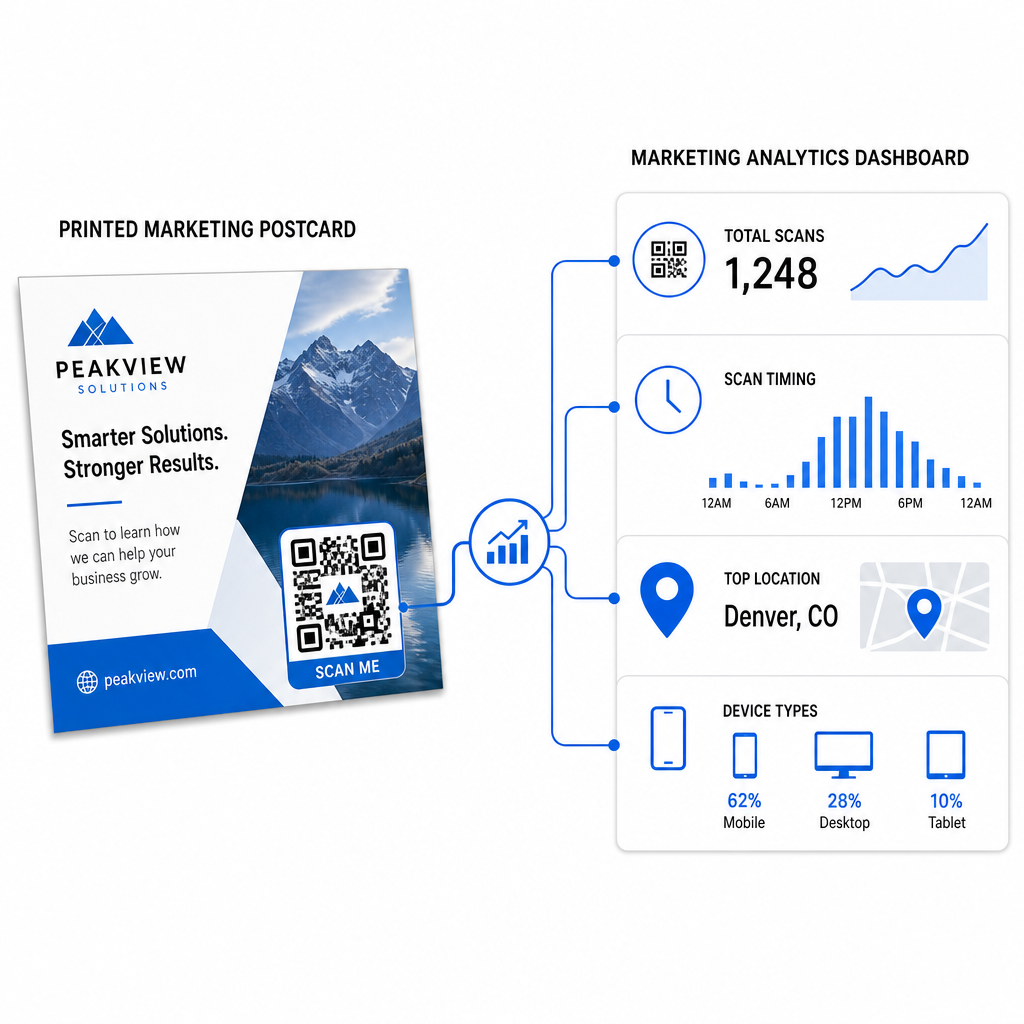
- Totaal aantal scans en unieke gebruikers – hoeveel ontvangers betrokken waren, en hoeveel meer dan eens hebben gescand
- Scantiming – welke dagen en tijden de meeste activiteit genereerden na de postbezorging
- Geografische spreiding – welke postcodegebieden of regio's het sterkst reageerden
- Apparaattype – of ontvangers scanden op iOS of Android, wat mobiele landingspagina-beslissingen kan informeren
Gebruik deze gegevens om toekomstige mailings te verfijnen. Als een bepaald gebied hoge scanpercentages liet zien, verhoog dan de volgende keer het volume daar. Als scans piekten op dag drie na levering, plan uw e-mailfollow-up dienovereenkomstig.
Voor campagnes met meerdere versies – waar u verschillende aanbiedingen, ontwerpen of calls-to-action test – wijs elke ansichtkaartversie zijn eigen dynamische QR-code toe. De scananalyse zal u laten zien welke versie meer betrokkenheid genereerde zonder alleen te wachten op conversiegegevens.
Begin met het meten van uw direct mail prestaties De Pageloot QR-codegenerator stelt u in staat QR-codes te maken, aan te passen en te beheren voor direct mail campagnes – met ingebouwde analyses en de mogelijkheid om bestemmingen bij te werken zonder opnieuw af te drukken.
Veelvoorkomende fouten die je moet vermijden
Linken naar een homepage in plaats van een campagnepagina. Een homepage laat de ontvanger extra werk doen om de aanbieding te vinden die op de ansichtkaart wordt vermeld. Elke extra stap vermindert conversies.
Een statische QR-code gebruiken voor een tijdelijke aanbieding. Als de aanbieding verloopt of de URL verandert, zal een statische code verwijzen naar een kapotte of irrelevante pagina zonder mogelijkheid om dit na het afdrukken te herstellen.
De QR-code te klein maken. Alles onder 0,8 × 0,8 inch is riskant, vooral als het ansichtkaartontwerp druk is of de code aangepaste kleuren gebruikt.
De call-to-action overslaan. Een losse QR-code op een ansichtkaart geeft ontvangers geen reden om te scannen. Vertel ze wat ze zullen krijgen.
Niet testen op het fysiek afgedrukte exemplaar. Digitale proeven voorspellen niet altijd hoe een code zal scannen na het doorlopen van een commerciële printer. Controleer altijd op de daadwerkelijke uitvoer.
Dezelfde kernprincipes zijn van toepassing op alle afdrukformaten – de gids voor QR-codes op flyers behandelt hoe deze praktijken aan te passen voor andere direct-response materialen.
Een ansichtkaart met een goed uitgevoerde QR-code doet twee dingen tegelijk: het geeft ontvangers een onmiddellijke, wrijvingsloze manier om op uw aanbieding in te gaan, en het geeft u meetbare gegevens over hoe uw campagne daadwerkelijk presteert. De combinatie van een dynamische QR-code, een mobiel-geoptimaliseerde bestemming, UTM-getagde URL's en scananalyse sluit de lus tussen offline print en digitale resultaten.
Begin met het genereren van een dynamische QR-code via de Pageloot Dynamische QR-code Generator, formatteer het correct voor uw ansichtkaartformaat, pas branding met hoog contrast toe, schrijf een duidelijke call-to-action, en test op een fysieke proef vóór de volledige afdruk. Vanaf het moment dat ontvangers beginnen met scannen, zal uw dashboard u precies laten zien wat werkt.
Veelgestelde vragen
Streef naar ten minste 0,8 × 0,8 inches (2 × 2 cm) als een absoluut minimum, maar voor typische scan afstanden van ansichtkaarten van 10–20 inches, is een grootte tussen 1 en 1,5 inches (25–38 mm) betrouwbaarder. Pas de 10:1 regel toe: maak de codebreedte ruwweg een tiende van de verwachte scanafstand.
Ja, maar alleen als je vóór het afdrukken een dynamische QR-code hebt gebruikt. Dynamische QR-codes verwijzen naar een omleidingslink die je beheert, zodat je de bestemmings-URL op elk moment kunt bijwerken zonder opnieuw af te drukken. Statische QR-codes coderen de bestemming permanent en kunnen achteraf niet worden gewijzigd.
Gebruik een dynamische QR-code van een platform zoals Pageloot, dat ingebouwde analyses biedt die het totale aantal scans, unieke gebruikers, scantijd, geografische locatie en apparaattype tonen. Voor diepere attributie in Google Analytics, voeg UTM-parameters (utmsource, utmmedium, utm_campaign) toe aan uw bestemmings-URL voordat u de code genereert – scans verschijnen dan als traceerbare sessies in uw GA4 Verkeersacquisitierapport.