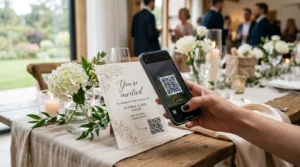
Ingin berkongsi butiran hubungan anda sebaik sahaja anda bertemu seseorang yang baharu? Kad kertas tradisional hilang, dibuang, atau ditaip secara manual dengan salah. Kod QR kad nama menyelesaikan semua itu – satu imbasan serta-merta menyimpan profil hubungan penuh anda ke mana-mana telefon pintar.
Apakah kod QR kad nama?
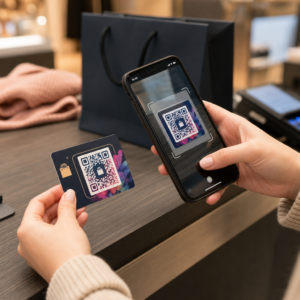
Kod QR kad nama ialah kod boleh imbas yang dicetak atau dipaparkan pada kad perniagaan anda yang mengekod butiran hubungan anda dalam format vCard (VCF). Apabila seseorang menghalakan kamera telefon pintar mereka ke arahnya, peranti membaca corak tersebut dan serta-merta menggesa mereka untuk menyimpan nama, jawatan, syarikat, nombor telefon, alamat e-mel, laman web, dan pautan sosial anda terus ke kenalan mereka – tiada penaipan diperlukan.
Dua jenis utama ialah statik dan Dinamik. Kod statik menyimpan data secara kekal di dalam corak. Kod dinamik menggunakan pautan ubah hala, yang bermaksud anda boleh mengemas kini maklumat hubungan anda pada bila-bila masa tanpa mencetak semula kad anda – satu kelebihan yang ketara jika nombor telefon atau jawatan anda berubah.
Cipta Kod QR vCard untuk Kad Nama Anda Masukkan butiran hubungan anda, sesuaikan reka bentuk agar sepadan dengan jenama anda, dan muat turun fail sedia cetak dalam beberapa minit dengan Kod QR vCard: apa itu vCard?.
Mengapa menambah kod QR pada kad nama anda?
Kad perniagaan fizikal masih penting – tinjauan menunjukkan bahawa 78% profesional masih menggunakannya dan lebih separuh mengedarkannya setiap minggu. Tetapi hampir 88% kad kertas dibuang dalam masa seminggu. Menambah kod QR memberikan penerima cara yang serta-merta dan lancar untuk menyimpan butiran anda secara digital, mengurangkan kemungkinan maklumat anda berakhir di tong sampah.
Berikut adalah kelebihan utama:
- Penyimpanan kenalan segera – Penerima mengimbas sekali dan vCard penuh anda sedia untuk disimpan, menghapuskan kemasukan data manual dan ralat transkripsi.
- Kemas kini dinamik – Tukar nombor telefon, jawatan, atau syarikat anda tanpa menempah cetakan baharu; kod QR sentiasa menunjuk kepada butiran semasa anda.
- Analitik imbasan – Jejaki berapa kali kod anda diimbas, bila, dan dari lokasi mana melalui papan pemuka prestasi terbina dalam.
- Reka bentuk boleh disesuaikan – Padankan warna, bentuk, dan logo kod QR dengan jenama peribadi atau syarikat anda supaya ia terasa seperti sebahagian semula jadi daripada reka bentuk kad.
- Rangkaian mesra alam – Kurang cetakan semula dan kurang pembaziran stok kad apabila maklumat anda berkembang.
- Pautan melangkaui butiran hubungan – Sambungkan penerima terus ke profil LinkedIn, portfolio, e-mel, atau mana-mana URL anda dengan satu imbasan.
Apa yang anda boleh kodkan pada kod QR kad nama
Kod QR anda tidak semestinya terhad kepada nombor telefon dan e-mel. Bergantung pada matlamat anda, anda boleh mengekod:
- A vCard dengan profil hubungan penuh anda (nama, jawatan, syarikat, telefon, e-mel, laman web, pautan sosial)
- Pautan terus ke profil LinkedIn anda untuk rangkaian profesional
- A URL menunjuk ke portfolio, halaman pendaratan, atau kalendar tempahan anda
- A praisi emel supaya penerima boleh menghantar mesej kepada anda serta-merta selepas mengimbas
- A halaman kad perniagaan yang memaparkan profil digital penuh anda pada halaman pendaratan mesra mudah alih
Memilih jenis yang betul bergantung pada konteks rangkaian anda. Bagi kebanyakan profesional, kod QR vCard adalah lalai yang paling kukuh kerana ia berfungsi secara asli dengan setiap kamera telefon pintar moden – iOS 11 dan ke atas serta kebanyakan peranti Android menghuraikan fail VCF secara automatik dan menggesa pengguna untuk menambah kenalan.
Cara membuat kod QR kad nama dengan Pageloot
Proses ini hanya mengambil masa beberapa minit:
- Masukkan butiran anda – Buka Kod QR vCard: apa itu vCard? dan isikan nama anda, jawatan, syarikat, nombor telefon, alamat e-mel, dan laman web. Sekurang-kurangnya anda memerlukan nama dan satu kaedah hubungan.
- Sesuaikan reka bentuk – Pilih warna yang sepadan dengan jenama anda, pilih gaya badan dan bentuk tepi, dan muat naik logo anda untuk diletakkan di tengah kod. Ini QR code with logo menjadikan kod berjenama lebih menonjol secara visual dan boleh meningkatkan kadar imbasan.
- Jana dan uji – Pageloot menghasilkan kod dengan serta-merta. Imbas sendiri pada pelbagai peranti sebelum memuktamadkan sebarang fail cetakan untuk mengesahkan ia berfungsi dengan betul.
- Muat turun fail sedia cetak – Eksport dalam PNG, SVG, EPS, atau PDF. Untuk percetakan kad perniagaan, format vektor (SVG atau EPS) disyorkan kerana ia boleh diskalakan tanpa kehilangan kualiti. Anda juga boleh muat turun PNG lutsinar untuk ditindih pada latar belakang kad yang kompleks.
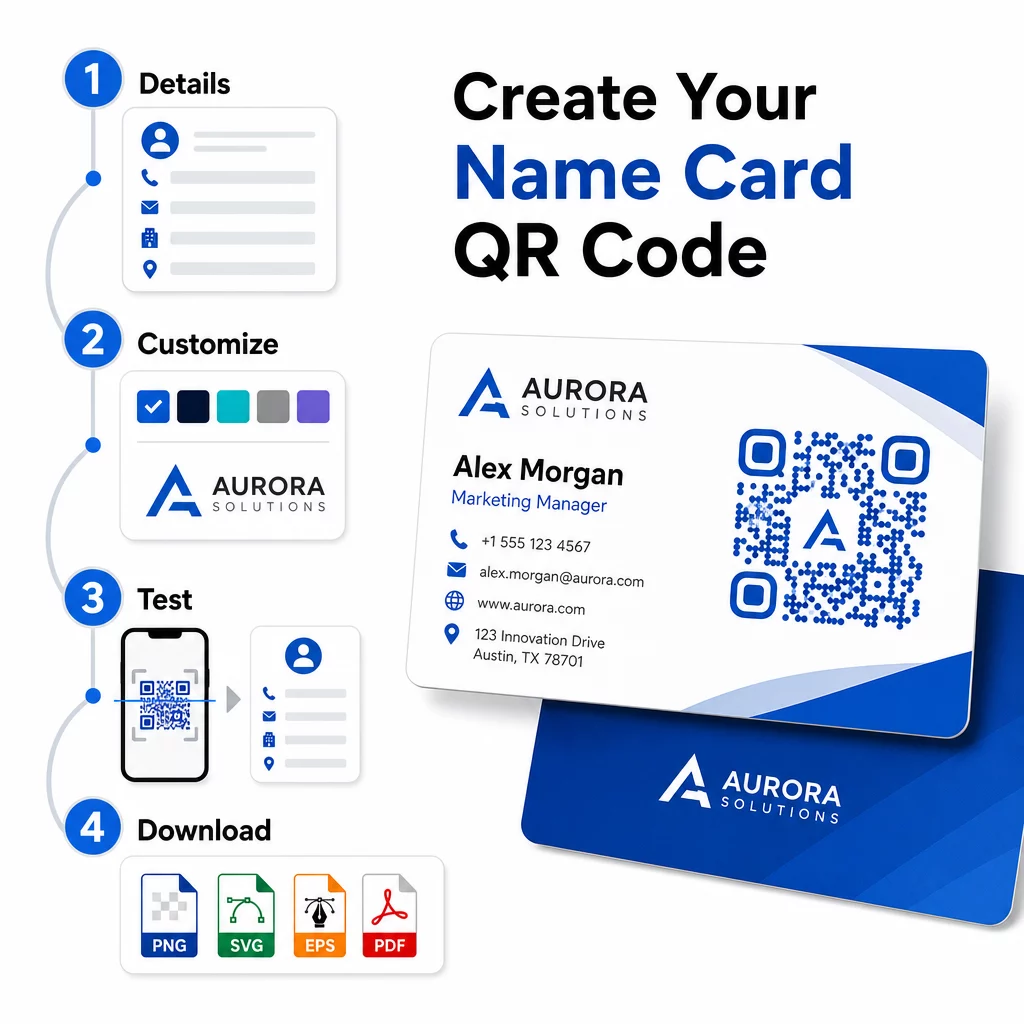
Inginkan kod QR kad nama berjenama penuh? Tambah logo anda, pilih warna jenama, dan eksport fail sedia cetak menggunakan Penjana Kod QR – percuma untuk bermula, tiada kad kredit diperlukan.
Saiz cetakan dan garis panduan penempatan
Mendapatkan dimensi fizikal yang betul adalah penting untuk pengimbasan yang boleh dipercayai. Garis panduan Pageloot untuk kod QR kad perniagaan mengesyorkan:
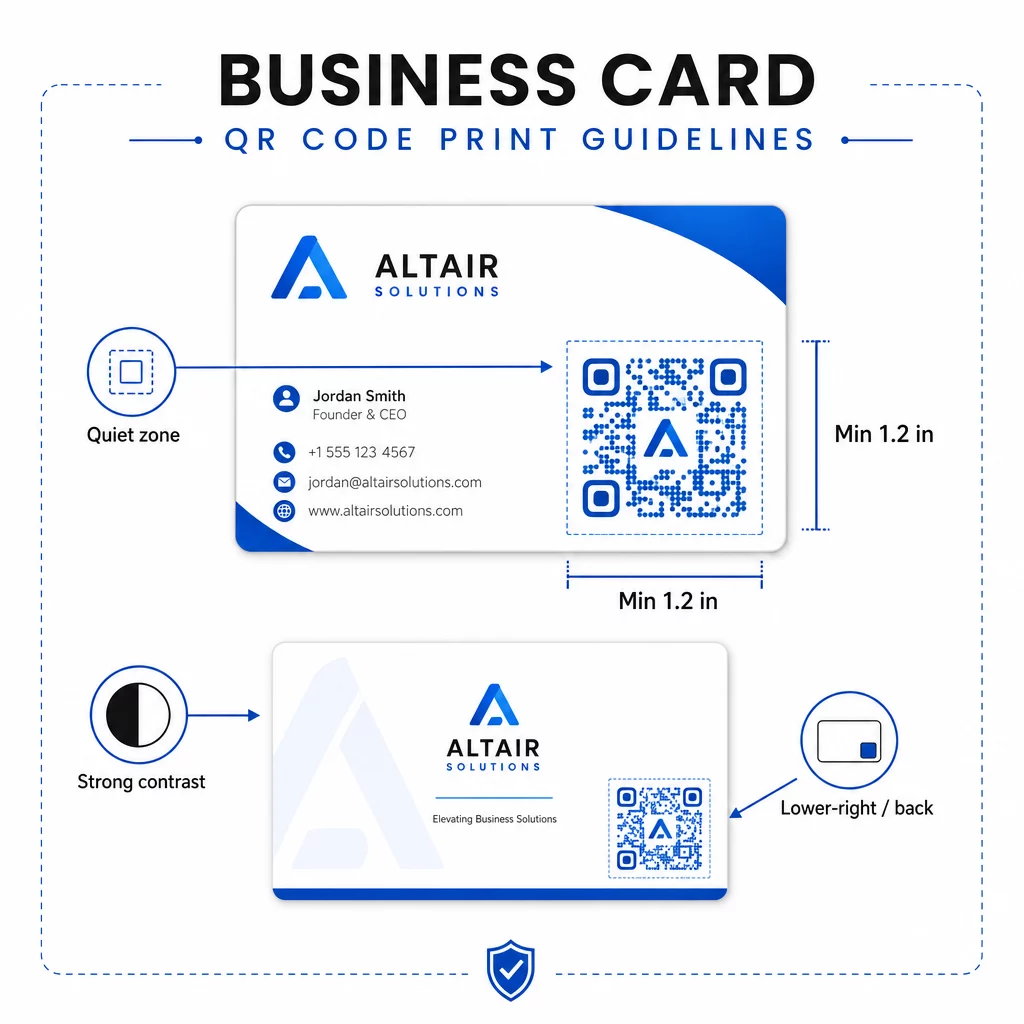
- Saiz minimum: 0.8 × 0.8 inci (2 × 2 cm) untuk data ringkas seperti URL atau vCard pendek
- Saiz yang disyorkan untuk vCard terperinci: sekurang-kurangnya 1.2 × 1.2 inci (3 × 3 cm) untuk memastikan modul individu cukup besar untuk diimbas dengan bersih
- Zon senyap: tinggalkan sekurang-kurangnya 0.25 inci ruang putih kosong di sekeliling keempat-empat sisi kod – sempadan kosong ini membantu aplikasi pengimbas mencari tepi corak
- Kontras: sasarkan nisbah kontras minimum 4:1 antara kod dan latar belakangnya; elakkan reka bentuk terang-atas-gelap (terbalik), yang gagal dibaca oleh banyak aplikasi pengimbas lama
- Resolusi cetakan: eksport pada 300–600 DPI untuk percetakan ofset atau digital
Kebanyakan profesional meletakkan kod QR di belakang kad untuk memastikan reka bentuk hadapan tidak berserabut, atau di sudut kanan bawah hadapan untuk keterlihatan segera. Kod tersebut sepatutnya menduduki kira-kira 20% daripada kawasan kad – cukup menonjol untuk diperhatikan tanpa mengatasi nama dan gelaran anda.
Untuk melihat dengan lebih mendalam tentang saiz merentasi bahan cetakan yang berbeza, lihat yang penuh Garis panduan saiz kod QR untuk kad perniagaan dan panduan kepada reka bentuk kad perniagaan dengan kod QR.
Menjejaki prestasi dengan kod QR kad nama dinamik
Kod QR statik berfungsi dengan baik jika butiran hubungan anda tidak pernah berubah dan anda tidak memerlukan data penggunaan. Kod dinamik menambah dua keupayaan kritikal:
- Destinasi boleh diedit – Kemas kini vCard, URL, atau halaman yang dipautkan anda pada bila-bila masa melalui papan pemuka Pageloot. Kod yang dicetak kekal sama; hanya destinasi yang berubah.
- Analitik imbasan – Lihat kiraan imbasan, cap masa, lokasi geografi, dan jenis peranti dalam masa nyata, memberikan anda pandangan yang boleh diukur tentang sejauh mana keberkesanan bahan rangkaian anda berfungsi.
Jika anda kerap menghadiri persidangan, pameran perdagangan, atau acara industri, kod dinamik membolehkan anda memahami acara mana yang menjana susulan paling banyak dan melaraskan pengedaran anda dengan sewajarnya. Daftar untuk percubaan percuma 14 hari untuk mengakses kod dinamik dan papan pemuka analitik – tiada kad kredit diperlukan.
Untuk konteks lanjut tentang penggunaan kod QR dinamik dan kempen penjejakan, lihat panduan muktamad untuk kod QR vCard dan panduan mengenai saiz kod QR untuk bahan cetakan yang berbeza.
Soalan lazim
Anda boleh menyertakan butiran vCard penuh anda – nama, jawatan, syarikat, nombor telefon, alamat e-mel, laman web, dan pautan media sosial. Anda juga boleh memautkan terus ke profil LinkedIn, halaman portfolio, atau e-mel yang telah diisi. Format vCard adalah pilihan yang paling serba boleh kerana telefon pintar moden membacanya secara asli dan menggesa pengguna untuk menyimpan kenalan dalam satu ketikan.
Ya, jika anda menggunakan kod QR dinamik. Kod dinamik menggunakan pengalihan, jadi anda boleh menukar maklumat hubungan yang dipautkan atau URL destinasi pada bila-bila masa melalui papan pemuka Pageloot tanpa menyentuh kod yang dicetak. Kod statik menyimpan data secara kekal dalam corak dan tidak boleh diedit selepas penciptaan.
Untuk data ringkas seperti URL, minimum 0.8 × 0.8 inci (2 × 2 cm) adalah mencukupi. Untuk vCard terperinci dengan pelbagai medan, gunakan sekurang-kurangnya 1.2 × 1.2 inci (3 × 3 cm) untuk memastikan modul cukup besar untuk diimbas dengan andal. Sentiasa tinggalkan sempadan putih yang jelas sekurang-kurangnya 0.25 inci di sekeliling kod, dan ujinya pada pelbagai peranti sebelum mencetak keseluruhan cetakan anda.