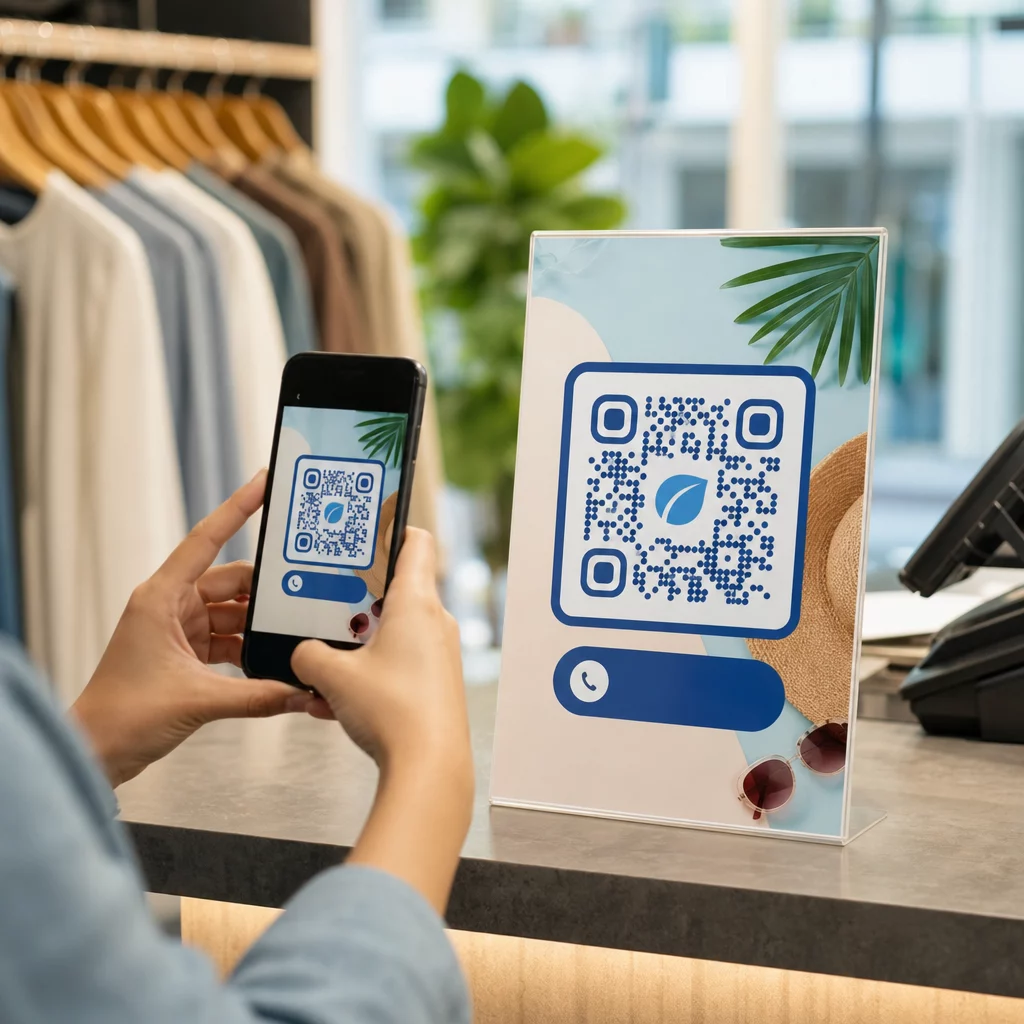
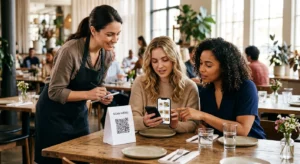
Vil du dele dine kontaktoplysninger i det øjeblik, du møder en ny person? Traditionelle papirkort bliver væk, smidt ud eller manuelt indtastet forkert. En navnekort QR-kode løser alt det – én scanning gemmer øjeblikkeligt din fulde kontaktprofil på enhver smartphone.
Hvad er en navnekort QR-kode?
En navnekort QR-kode er en scanningsbar kode, der er printet eller vist på dit visitkort, og som koder dine kontaktoplysninger i vCard (VCF) format. Når nogen retter deres smartphone-kamera mod den, læser enheden mønsteret og beder dem øjeblikkeligt om at gemme dit navn, din stilling, virksomhed, telefonnummer, e-mailadresse, hjemmeside og sociale links direkte i deres kontakter – ingen indtastning påkrævet.
De to hovedtyper er statisk og Dynamisk. Statiske koder gemmer data permanent inde i mønsteret. Dynamiske koder bruger et omdirigeringslink, hvilket betyder, at du kan opdatere dine kontaktoplysninger når som helst uden at genprinte dine kort – en betydelig fordel, hvis dit telefonnummer eller din titel ændres.
Opret en vCard QR-kode til dit navnekort Indtast dine kontaktoplysninger, tilpas designet, så det matcher dit brand, og download en printklar fil på få minutter med vCard QR-kode generator.
Hvorfor tilføje en QR-kode til dit navnekort?
Fysiske visitkort har stadig vægt – undersøgelser tyder på, at 78% af professionelle stadig bruger dem, og mere end halvdelen uddeler dem ugentligt. Men næsten 88% af papirkort kasseres inden for en uge. Tilføjelse af en QR-kode giver modtagere en øjeblikkelig, friktionsfri måde at gemme dine oplysninger digitalt på, hvilket reducerer chancen for, at dine oplysninger ender i skraldespanden.
Her er de primære fordele:
- Øjeblikkelig kontaktlagring – Modtagere scanner én gang, og dit fulde vCard er klar til at blive gemt, hvilket eliminerer manuel dataindtastning og transskriptionsfejl.
- Dynamiske opdateringer – Skift dit telefonnummer, din titel eller virksomhed uden at bestille en ny trykning; QR-koden peger altid på dine aktuelle oplysninger.
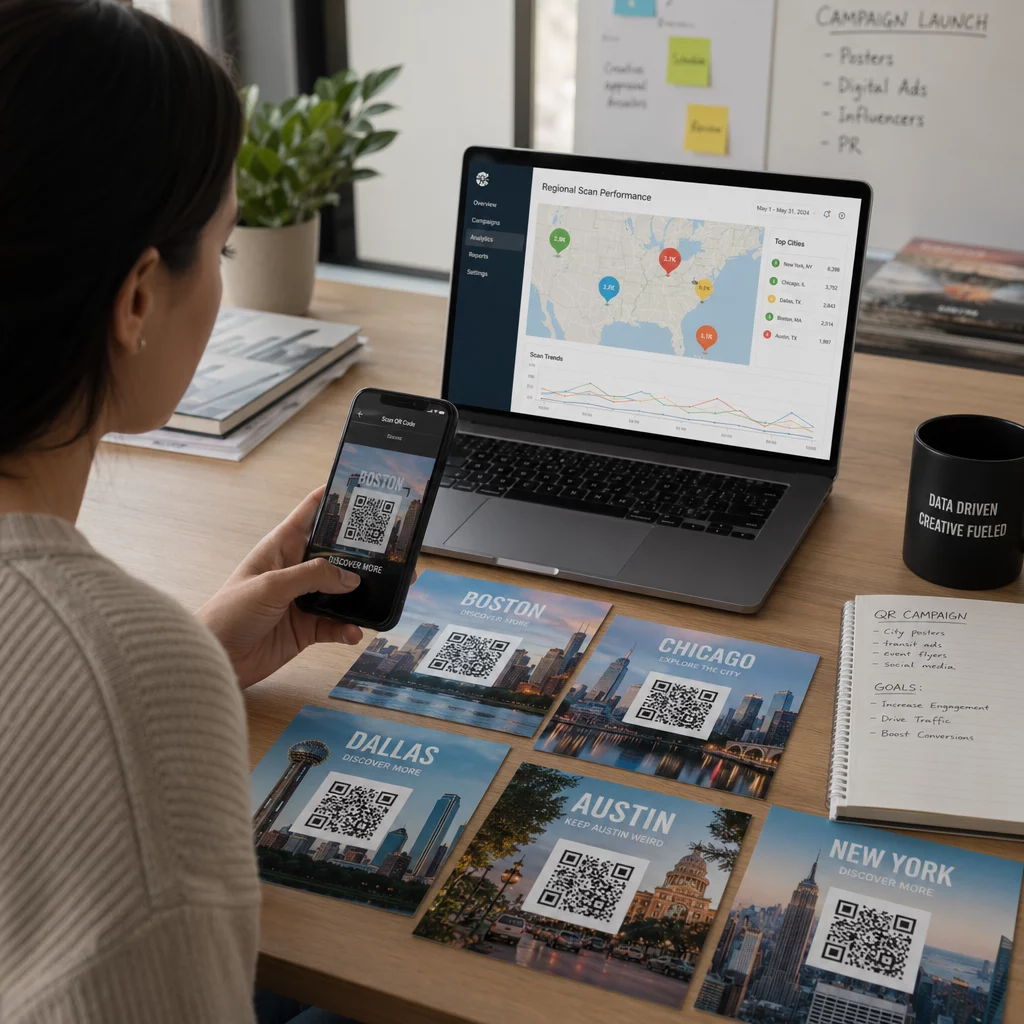
- Scanningsanalyser – Spor hvor mange gange din kode blev scannet, hvornår og fra hvilke steder via et indbygget ydeevnedashboard.
- Tilpasseligt design – Match QR-kodens farver, form og logo med dit personlige eller virksomhedsbrand, så det føles som en naturlig del af kortdesignet.
- Miljøvenligt netværk – Færre genoptryk og mindre spild af karton, når dine oplysninger udvikler sig.
- Links ud over kontaktoplysninger – Forbind modtagere direkte til din LinkedIn-profil, portfolio, e-mail eller enhver URL med en enkelt scanning.
Hvad du kan kode på en navnekort QR-kode
Din QR-kode behøver ikke at være begrænset til et telefonnummer og en e-mail. Afhængigt af dine mål kan du kode:
- EN vCard med din fulde kontaktprofil (navn, titel, virksomhed, telefon, e-mail, hjemmeside, sociale links)
- Et direkte link til din LinkedIn-profil til professionelt netværk
- EN URL der peger på din portfolio, landingsside eller bookingkalender
- EN forududfyldt e-mail så modtagere kan sende dig en besked umiddelbart efter scanning
- EN visitkortside der viser din fulde digitale profil på en mobilvenlig landingsside
Valg af den rigtige type afhænger af din netværkskontekst. For de fleste professionelle er en vCard QR-kode den stærkeste standard, fordi den fungerer indbygget med ethvert moderne smartphonekamera – iOS 11 og nyere og de fleste Android-enheder parser VCF-filen automatisk og beder brugeren om at tilføje kontakten.
Sådan opretter du en visitkort QR-kode med Pageloot
Processen tager kun få minutter:
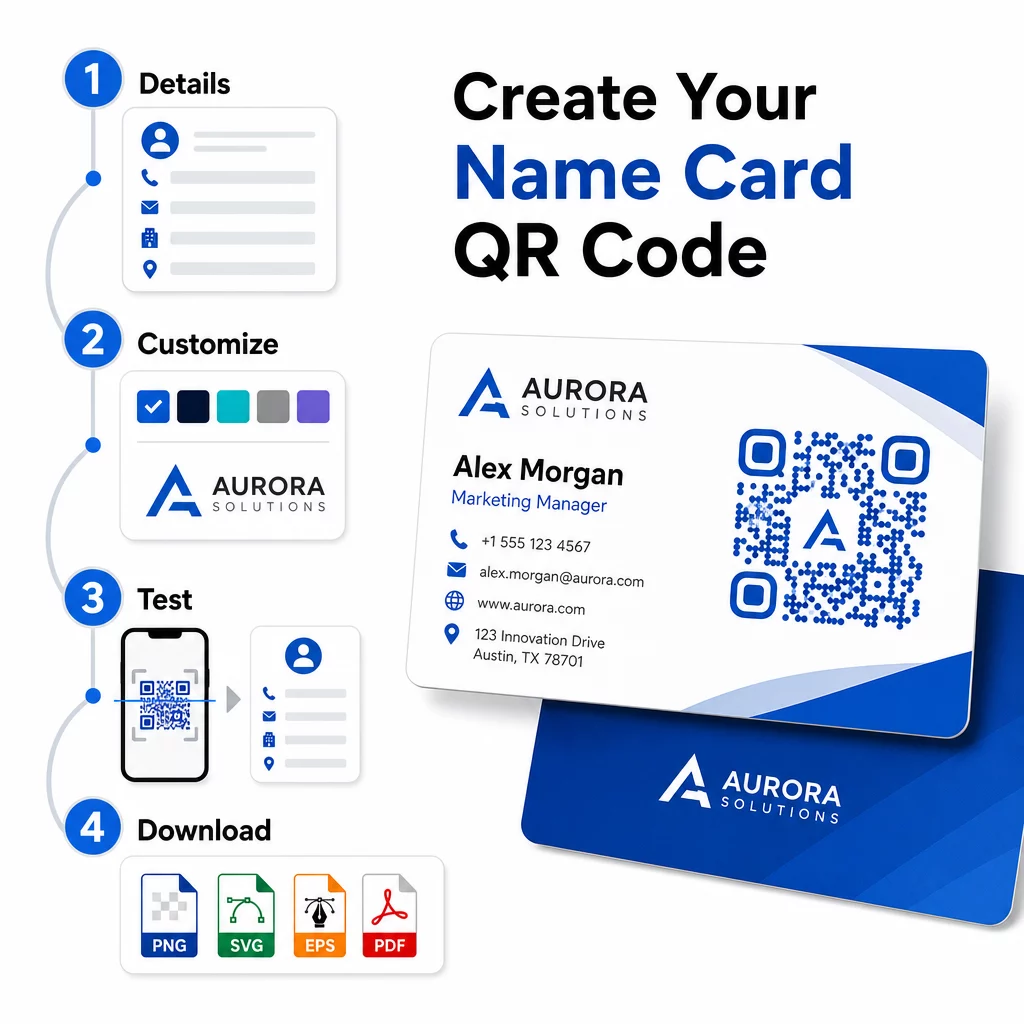
- Indtast dine oplysninger – Åbn vCard QR-kode generator og udfyld dit navn, stilling, firma, telefonnummer, e-mailadresse og hjemmeside. Som minimum skal du bruge et navn og én kontaktmetode.
- Tilpas designet – Vælg farver, der matcher dit brand, vælg en kropsstil og kantform, og upload dit logo for at placere det i midten af koden. Den QR-kode generator med logo gør brandede koder mere visuelt særprægede og kan øge scanningshastigheden.
- Generer og test – Pageloot producerer koden øjeblikkeligt. Scan den selv på flere enheder, før du færdiggør printfiler, for at bekræfte, at den fungerer korrekt.
- Download en printklar fil – Eksporter i PNG, SVG, EPS eller PDF. Til visitkortprint anbefales vektorformater (SVG eller EPS), da de skalerer uden kvalitetstab. Du kan også downloade en gennemsigtig PNG til at lægge ovenpå komplekse kortbaggrunde.
Ønsker du en fuldt brandet visitkort QR-kode? Tilføj dit logo, vælg brandfarver, og eksporter en printklar fil ved hjælp af QR-kodegenerator – gratis at starte, intet kreditkort påkrævet.
Udskriftsstørrelse og placeringsretningslinjer
At få de fysiske dimensioner rigtige er afgørende for pålidelig scanning. Pageloots retningslinjer for QR-koder på visitkort anbefaler:
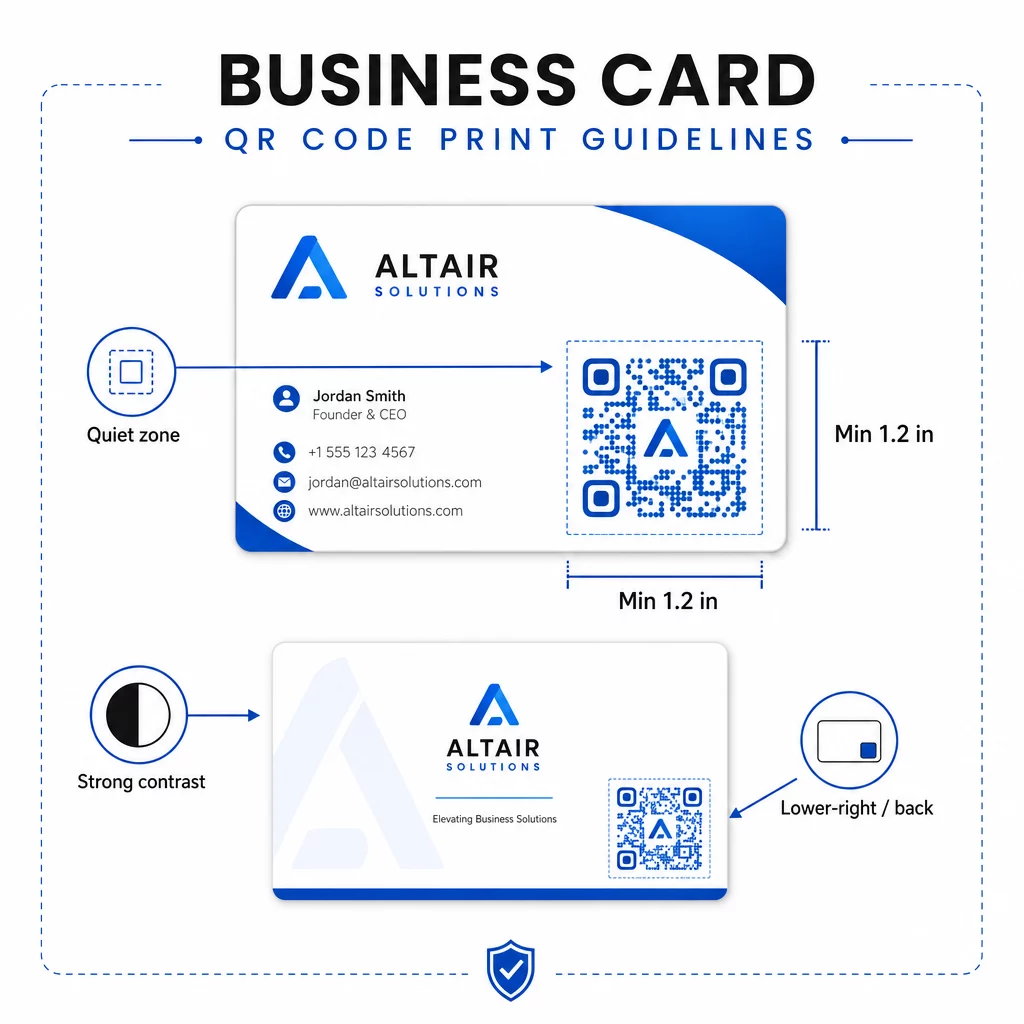
- Minimumstørrelse: 0,8 × 0,8 tommer (2 × 2 cm) for simple data som en URL eller et kort vCard
- Anbefalet størrelse for detaljerede vCards: mindst 1,2 × 1,2 tommer (3 × 3 cm) for at holde individuelle moduler store nok til at scanne rent
- Stillezone: lad mindst 0,25 tommer frit hvidt rum være omkring alle fire sider af koden – denne tomme kant hjælper scanningsapps med at lokalisere mønsterets kanter
- Kontrast: stræb efter et minimum kontrastforhold på 4:1 mellem koden og dens baggrund; undgå lyse-på-mørke (inverterede) designs, som mange ældre scannerapps ikke kan læse
- Udskriftsopløsning: eksportér med 300–600 DPI til offset- eller digitaltryk
De fleste professionelle placerer QR-koden på bagsiden af kortet for at holde forsiden ryddelig, eller i nederste højre hjørne af forsiden for øjeblikkelig synlighed. Koden bør optage cirka 20% af kortets areal – fremtrædende nok til at blive bemærket uden at overdøve dit navn og din titel.
For et dybere kig på størrelse på tværs af forskellige printmaterialer, se de fulde Retningslinjer for QR-kodestørrelse til visitkort og guiden til visitkortdesign med QR-koder.
Sporing af ydeevne med dynamiske navnekort QR-koder
Statiske QR-koder fungerer fint, hvis dine kontaktoplysninger aldrig ændres, og du ikke har brug for brugsdata. Dynamiske koder tilføjer to kritiske funktioner:
- Redigerbar destination – Opdater dit vCard, URL eller linkede side når som helst via Pageloots dashboard. Den printede kode forbliver den samme; kun destinationen ændres.
- Scanningsanalyser – Se scanningsantal, tidsstempler, geografiske placeringer og enhedstyper i realtid, hvilket giver dig målbar indsigt i, hvor effektivt dit netværksmateriale fungerer.
Hvis du regelmæssigt deltager i konferencer, messer eller branchearrangementer, giver dynamiske koder dig mulighed for at forstå, hvilke begivenheder der genererer mest opfølgning, og justere din distribution derefter. Tilmeld dig en 14-dages gratis prøveperiode for at få adgang til dynamiske koder og analyse-dashboardet – intet kreditkort påkrævet.
For mere kontekst om brug af dynamiske QR-koder og sporing af kampagner, se ultimative guide til vCard QR-koder og guiden om QR-kodestørrelse til forskellige printmaterialer.
Ofte stillede spørgsmål
Du kan inkludere dine fulde vCard-detaljer – navn, stilling, firma, telefonnummer, e-mailadresse, hjemmeside og links til sociale medier. Du kan også linke direkte til en LinkedIn-profil, en porteføljeside eller en forududfyldt e-mail. vCard-formatet er den mest alsidige mulighed, fordi moderne smartphones læser det indbygget og beder brugere om at gemme kontakten med ét tryk.
Ja, hvis du bruger en dynamisk QR-kode. Dynamiske koder bruger en omdirigering, så du kan ændre de tilknyttede kontaktoplysninger eller destinations-URL'en når som helst via Pageloot-dashboardet uden at røre ved den printede kode. Statiske koder gemmer dataene permanent i mønsteret og kan ikke redigeres efter oprettelse.
For simple data som en URL er minimum 0,8 × 0,8 tommer (2 × 2 cm) tilstrækkeligt. For et detaljeret vCard med flere felter, brug mindst 1,2 × 1,2 tommer (3 × 3 cm) for at holde modulerne store nok til at scanne pålideligt. Efterlad altid en klar hvid kant på mindst 0,25 tommer omkring koden, og test den på flere enheder, før du udskriver hele oplaget.