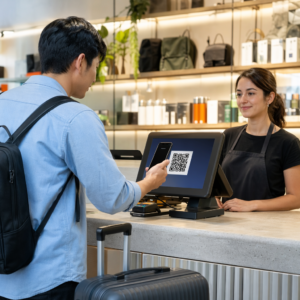
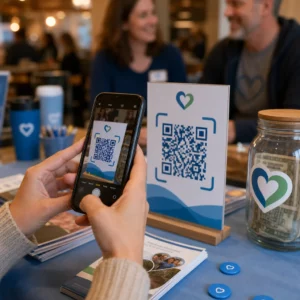
Vill du dela dina kontaktuppgifter i samma ögonblick som du träffar någon ny? Traditionella papperskort tappas bort, slängs eller skrivs in fel manuellt. En QR-kod för visitkort löser allt detta – en enda skanning sparar omedelbart din fullständiga kontaktprofil till vilken smartphone som helst.
Vad är en QR-kod för visitkort?
En QR-kod för visitkort är en skanningsbar kod som skrivs ut eller visas på ditt visitkort och som kodar dina kontaktuppgifter i vCard (VCF)-format. När någon riktar sin smartphonekamera mot den läser enheten mönstret och uppmanar dem omedelbart att spara ditt namn, din befattning, ditt företag, telefonnummer, e-postadress, webbplats och sociala länkar direkt till deras kontakter – ingen inmatning krävs.
De två huvudtyperna är statiska och Dynamisk. Statiska koder lagrar data permanent i mönstret. Dynamiska koder använder en omdirigeringslänk, vilket innebär att du kan uppdatera din kontaktinformation när som helst utan att trycka om dina kort – en betydande fördel om ditt telefonnummer eller din titel ändras.
Skapa en vCard QR-kod för ditt visitkort Ange dina kontaktuppgifter, anpassa designen för att matcha ditt varumärke och ladda ner en utskriftsklar fil på några minuter med vCard QR-kodgenerator.
Varför lägga till en QR-kod på ditt visitkort?
Fysiska visitkort har fortfarande betydelse – undersökningar tyder på att 78% av yrkesverksamma fortfarande använder dem och mer än hälften delar ut dem varje vecka. Men nästan 88% av papperskorten kasseras inom en vecka. Att lägga till en QR-kod ger mottagarna ett omedelbart, friktionsfritt sätt att spara dina uppgifter digitalt, vilket minskar risken att din information hamnar i papperskorgen.
Här är de viktigaste fördelarna:
- Omedelbar kontaktsparande – Mottagare skannar en gång och ditt fullständiga vCard är redo att sparas, vilket eliminerar manuell datainmatning och transkriptionsfel.
- Dynamiska uppdateringar – Ändra ditt telefonnummer, din titel eller ditt företag utan att beställa en ny tryckning; QR-koden pekar alltid på dina aktuella uppgifter.
- Skanningsanalys – Spåra hur många gånger din kod skannades, när och från vilka platser via en inbyggd prestandaöversikt.
- Anpassningsbar design – Matcha QR-kodens färger, form och logotyp med ditt personliga eller företagets varumärke så att den känns som en naturlig del av kortdesignen.
- Miljövänligt nätverkande – Färre omtryck och mindre slöseri med kortmaterial när din information utvecklas.
- Länkar utöver kontaktuppgifter – Koppla mottagare direkt till din LinkedIn-profil, portfolio, e-post eller valfri URL med en enda skanning.
Vad du kan koda på en namnkorts-QR-kod
Din QR-kod behöver inte begränsas till ett telefonnummer och e-post. Beroende på dina mål kan du koda:
- A vCard med din fullständiga kontaktprofil (namn, titel, företag, telefon, e-post, webbplats, sociala länkar)
- En direktlänk till din LinkedIn-profil för professionellt nätverkande
- A URL som pekar på din portfolio, landningssida eller bokningskalender
- A förifylld e-post så att mottagare kan skicka meddelanden till dig omedelbart efter skanning
- A visitkortssida som visar din fullständiga digitala profil på en mobilvänlig landningssida
Att välja rätt typ beror på ditt nätverkskontext. För de flesta yrkesverksamma är en vCard QR-kod det starkaste standardalternativet eftersom den fungerar inbyggt med varje modern smartphonekamera – iOS 11 och senare samt de flesta Android-enheter tolkar VCF-filen automatiskt och uppmanar användaren att lägga till kontakten.
Hur man skapar en QR-kod för visitkort med Pageloot
Processen tar bara några minuter:
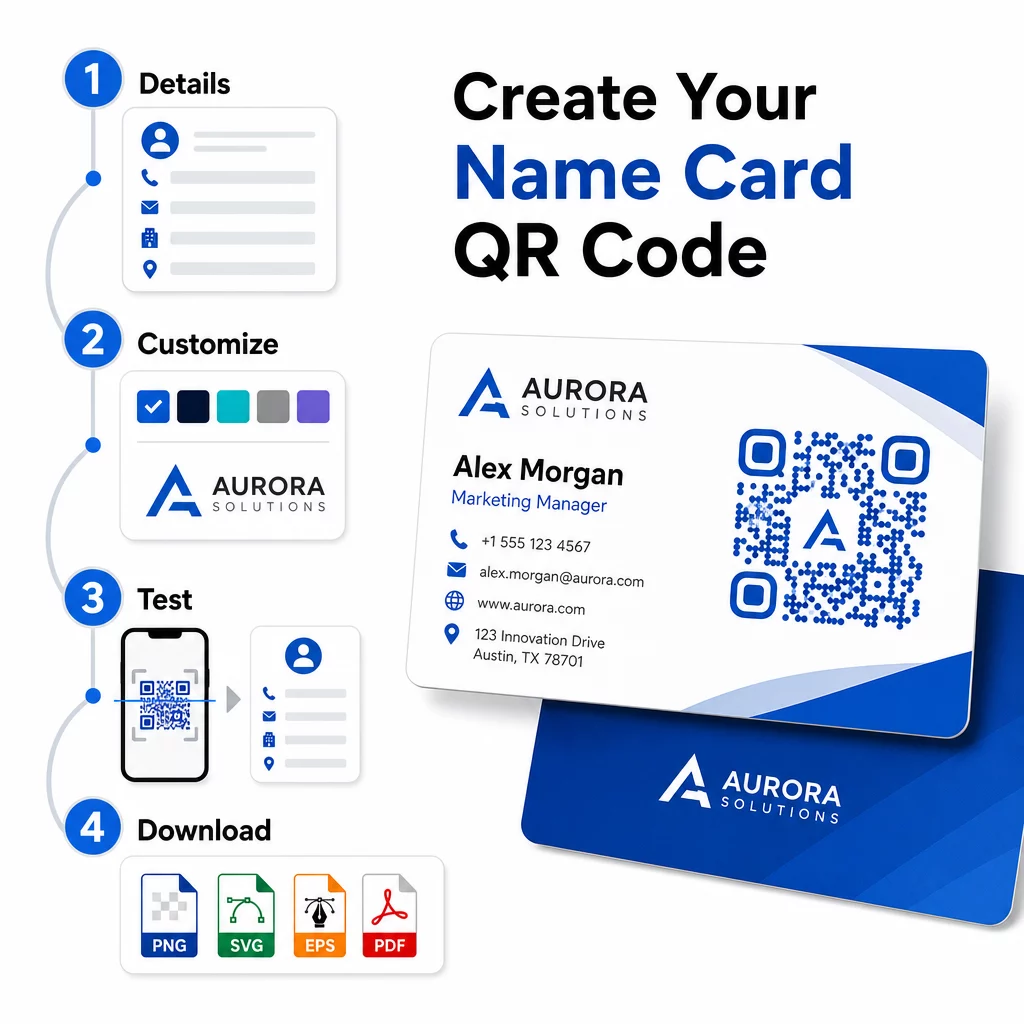
- Ange dina uppgifter – Öppna vCard QR-kodgenerator och fyll i ditt namn, befattning, företag, telefonnummer, e-postadress och webbplats. Minst behöver du ett namn och en kontaktmetod.
- Anpassa designen – Välj färger som matchar ditt varumärke, välj en kroppsstil och kantform, och ladda upp din logotyp för att placera i mitten av koden. Den QR-kodgenerator med logotyp gör varumärkta koder mer visuellt distinkta och kan öka skanningsfrekvensen.
- Generera och testa – Pageloot genererar koden omedelbart. Skanna den själv på flera enheter innan du slutför några utskriftsfiler för att bekräfta att den fungerar korrekt.
- Ladda ner en utskriftsklar fil – Exportera i PNG, SVG, EPS eller PDF. För visitkortsutskrift rekommenderas vektorformat (SVG eller EPS) eftersom de skalas utan kvalitetsförlust. Du kan också ladda ner en transparent PNG för att lägga över på komplexa kortbakgrunder.
Vill du ha en helt varumärkt QR-kod för visitkort? Lägg till din logotyp, välj varumärkesfärger och exportera en utskriftsklar fil med QR-kodgenerator – gratis att börja, inget kreditkort krävs.
Utskriftsstorlek och placeringsriktlinjer
Att få de fysiska dimensionerna rätt är avgörande för tillförlitlig skanning. Pageloots riktlinjer för visitkorts-QR-koder rekommenderar:
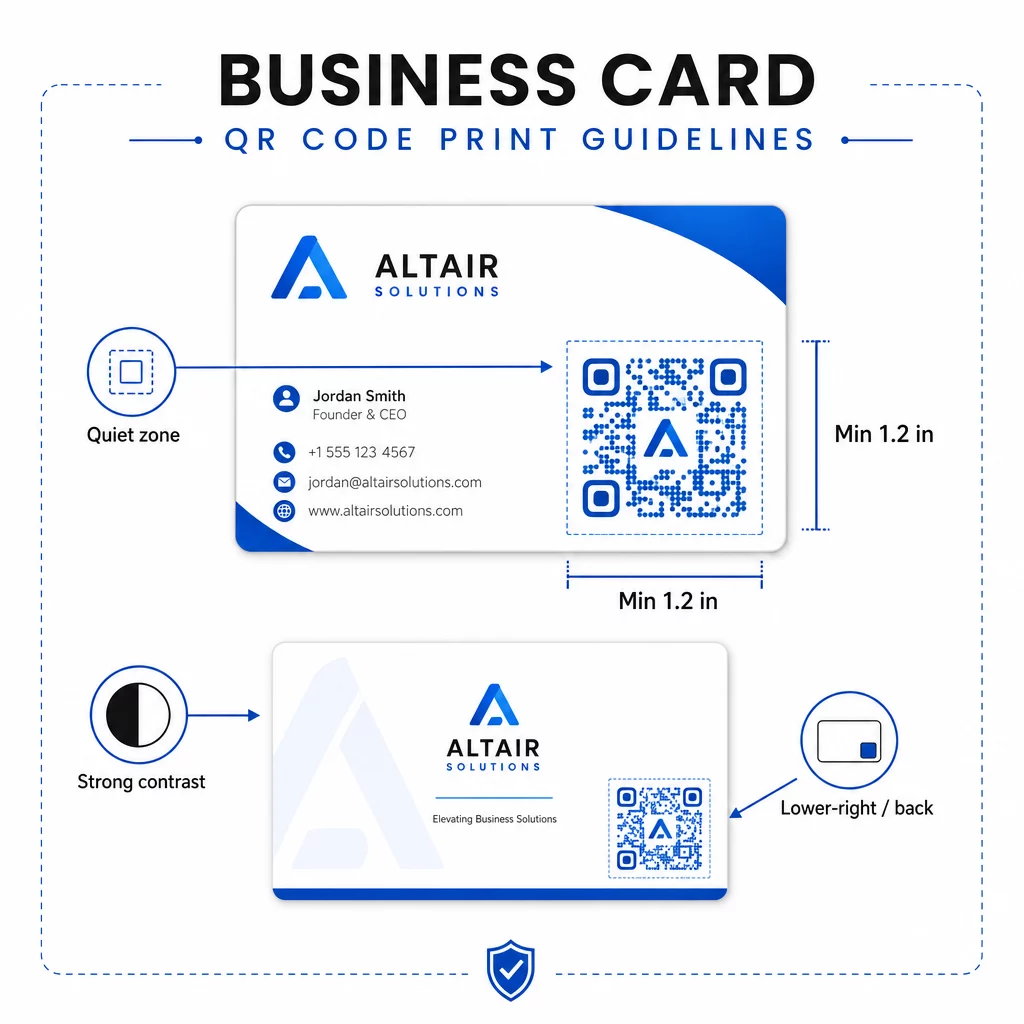
- Minsta storlek: 0,8 × 0,8 tum (2 × 2 cm) för enkel data som en URL eller ett kort vCard
- Rekommenderad storlek för detaljerade vCard: minst 1,2 × 1,2 tum (3 × 3 cm) för att hålla enskilda moduler tillräckligt stora för att skannas rent
- Tyst zon: lämna minst 0,25 tum rent vitt utrymme runt kodens alla fyra sidor – denna tomma kant hjälper skanningsappar att lokalisera mönstrets kanter
- Kontrast: sträva efter ett kontrastförhållande på minst 4:1 mellan koden och dess bakgrund; undvik ljus-på-mörk (inverterad) design, som många äldre skannerappar inte kan läsa
- Utskriftsupplösning: exportera i 300–600 DPI för offset- eller digitaltryck
De flesta professionella placerar QR-koden på baksidan av kortet för att hålla framsidans design ren, eller i det nedre högra hörnet på framsidan för omedelbar synlighet. Koden bör uppta ungefär 20% av kortets yta – tillräckligt framträdande för att märkas utan att överväldiga ditt namn och din titel.
För en djupare titt på storleksanpassning för olika tryckmaterial, se de fullständiga riktlinjerna för QR-kodstorlek för visitkort och guiden till visitkortsdesign med QR-koder.
Spåra prestanda med dynamiska visitkorts-QR-koder
Statiska QR-koder fungerar bra om dina kontaktuppgifter aldrig ändras och du inte behöver användningsdata. Dynamiska koder lägger till två kritiska funktioner:
- Redigerbar destination – Uppdatera ditt vCard, din URL eller länkade sida när som helst via Pageloots kontrollpanel. Den tryckta koden förblir densamma; endast destinationen ändras.
- Skanningsanalys – Visa antal skanningar, tidsstämplar, geografiska platser och enhetstyper i realtid, vilket ger dig mätbar insikt i hur effektivt ditt nätverksmaterial presterar.
Om du regelbundet deltar i konferenser, mässor eller branschevenemang, låter dynamiska koder dig förstå vilka evenemang som genererar mest uppföljning och anpassa din distribution därefter. Registrera dig för en 14-dagars gratis provperiod för att få tillgång till dynamiska koder och analyspanelen – inget kreditkort krävs.
För mer sammanhang om att använda dynamiska QR-koder och spåra kampanjer, se ultimata guide till vCard QR-koder och guiden om QR-kodstorlek för olika tryckmaterial.
Vanliga frågor
Du kan inkludera dina fullständiga vCard-detaljer – namn, befattning, företag, telefonnummer, e-postadress, webbplats och länkar till sociala medier. Du kan också länka direkt till en LinkedIn-profil, en portföljsida eller ett förifyllt e-postmeddelande. vCard-formatet är det mest mångsidiga alternativet eftersom moderna smartphones läser det inbyggt och uppmanar användare att spara kontakten med ett enda tryck.
Ja, om du använder en dynamisk QR-kod. Dynamiska koder använder en omdirigering, så att du kan ändra den länkade kontaktinformationen eller destinations-URL:en när som helst via Pageloot-panelen utan att röra den utskrivna koden. Statiska koder lagrar data permanent i mönstret och kan inte redigeras efter skapandet.
För enkel data som en URL räcker ett minimum av 0,8 × 0,8 tum (2 × 2 cm). För ett detaljerat vCard med flera fält, använd minst 1,2 × 1,2 tum (3 × 3 cm) för att hålla modulerna tillräckligt stora för att skannas pålitligt. Lämna alltid en tydlig vit kant på minst 0,25 tum runt koden, och testa den på flera enheter innan du skriver ut hela upplagan.