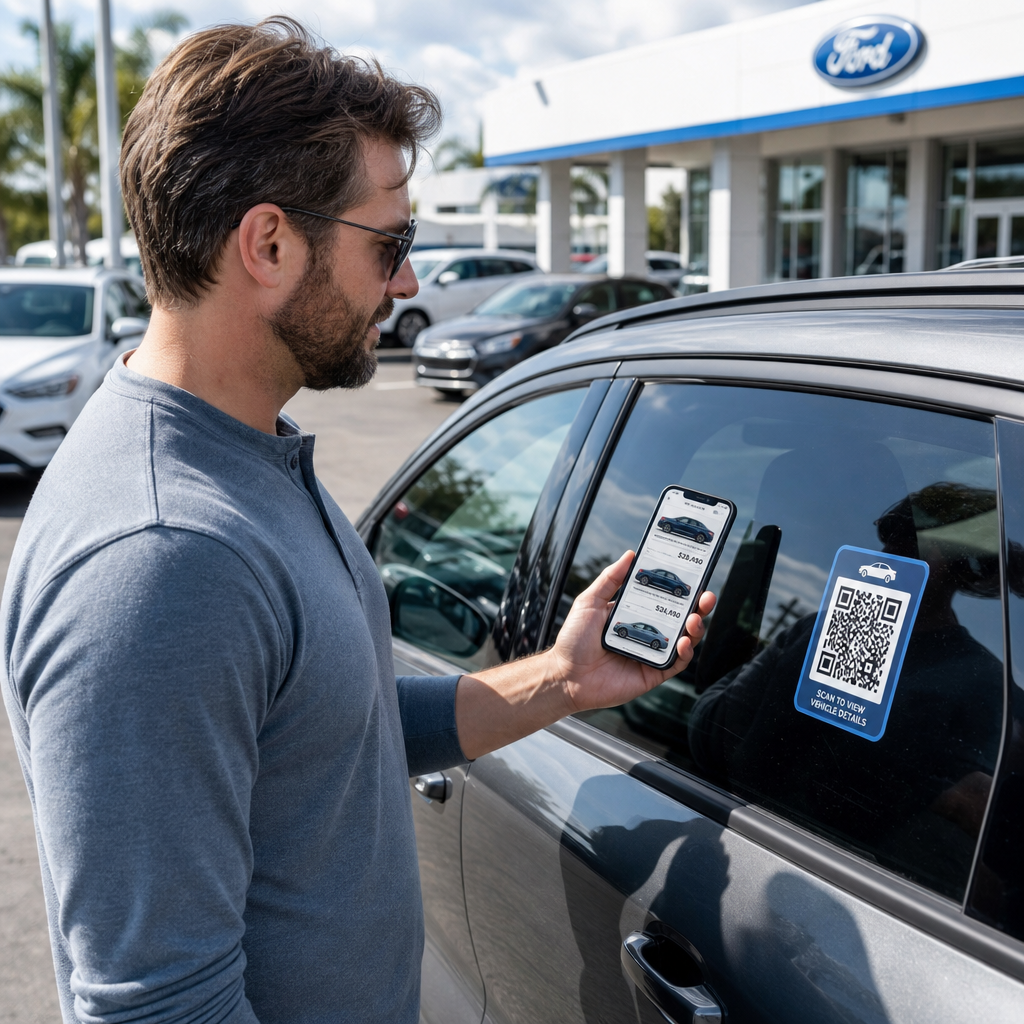
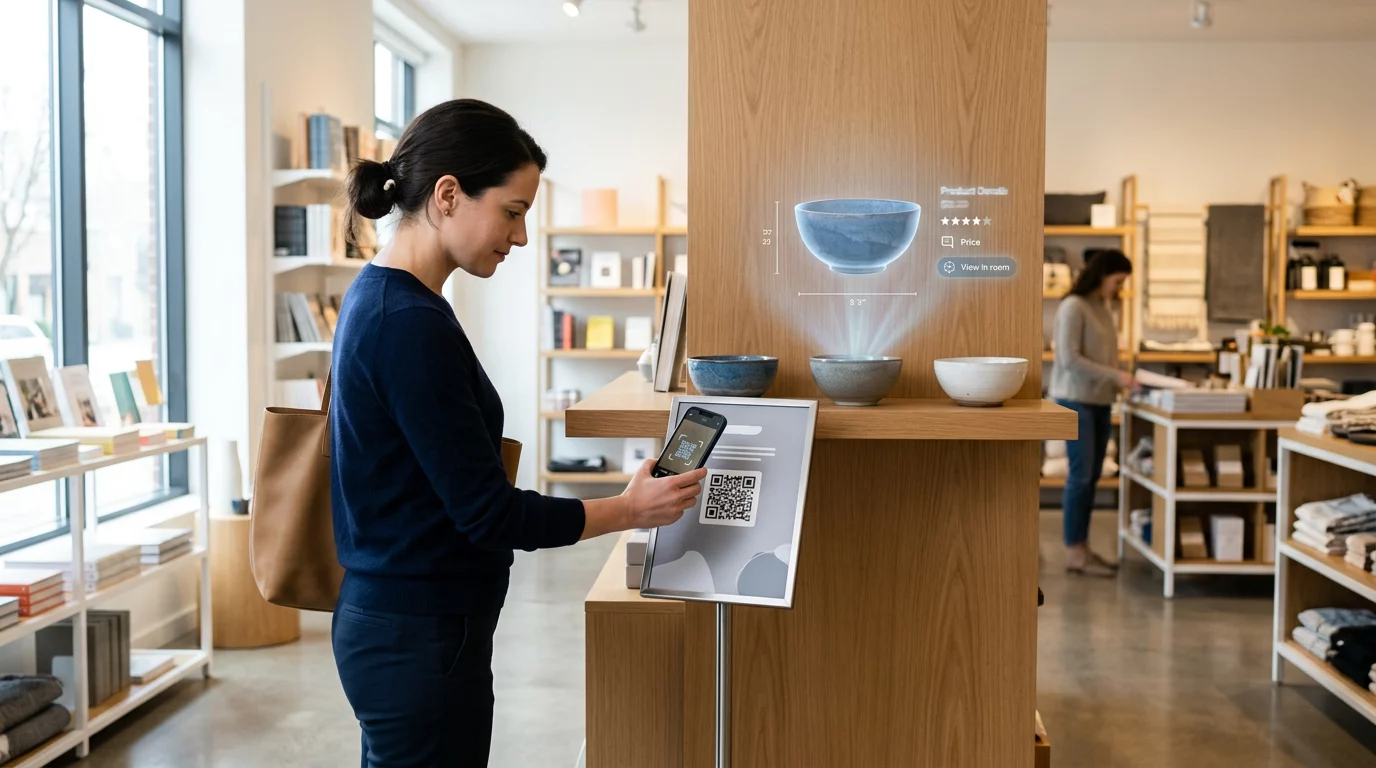
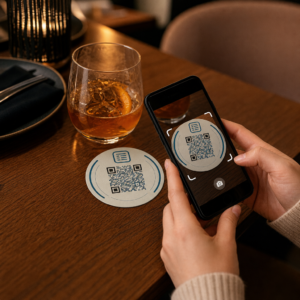
Norite pasidalinti savo kontaktiniais duomenimis vos susitikę su nauju žmogumi? Tradicinės popierinės kortelės pasimeta, išmetamos arba neteisingai įvedamos rankiniu būdu. Vardinės kortelės QR kodas išsprendžia visa tai – vienas nuskaitymas akimirksniu išsaugo visą jūsų kontaktinį profilį bet kuriame išmaniajame telefone.
Kas yra vardinės kortelės QR kodas?
Vardinės kortelės QR kodas yra nuskaitomas kodas, atspausdintas arba rodomas jūsų vizitinėje kortelėje, kuris užkoduoja jūsų kontaktinius duomenis vCard (VCF) formatu. Kai kas nors nukreipia savo išmaniojo telefono kamerą į jį, įrenginys nuskaito raštą ir nedelsdamas pasiūlo išsaugoti jūsų vardą, pareigas, įmonę, telefono numerį, el. pašto adresą, svetainę ir socialinių tinklų nuorodas tiesiai į jų kontaktus – nereikia nieko vesti.
Du pagrindiniai tipai yra statiniai ir Dinaminis. Statiniai kodai saugo duomenis nuolat rašto viduje. Dinaminiai kodai naudoja peradresavimo nuorodą, o tai reiškia, kad galite bet kada atnaujinti savo kontaktinę informaciją neperspausdinant kortelių – tai didelis privalumas, jei pasikeičia jūsų telefono numeris ar pareigos.
Sukurkite vCard QR kodą savo vardinei kortelei Įveskite savo kontaktinius duomenis, pritaikykite dizainą, kad jis atitiktų jūsų prekės ženklą, ir atsisiųskite spausdinimui paruoštą failą per kelias minutes su vCard QR kodo generatorius.
Kodėl verta pridėti QR kodą prie savo vardinės kortelės?
Fizinės vizitinės kortelės vis dar turi svorio – apklausos rodo, kad 78% profesionalų vis dar jas naudoja, o daugiau nei pusė jas dalija kas savaitę. Tačiau beveik 88% popierinių kortelių išmetamos per savaitę. Pridėjus QR kodą, gavėjai gauna greitą ir patogų būdą skaitmeniniu būdu išsaugoti jūsų duomenis, sumažinant tikimybę, kad jūsų informacija atsidurs šiukšlių dėžėje.
Štai pagrindiniai privalumai:
- Momentinis kontaktų išsaugojimas – Gavėjai nuskaito vieną kartą ir jūsų visa vCard yra paruošta išsaugoti, pašalinant rankinį duomenų įvedimą ir transkripcijos klaidas.
- Dinaminiai atnaujinimai – Pakeiskite savo telefono numerį, pareigas ar įmonę neužsakydami naujo spausdinimo; QR kodas visada nukreipia į jūsų dabartinius duomenis.
- Nuskaitymų analizė – Stebėkite, kiek kartų jūsų kodas buvo nuskaitytas, kada ir iš kokių vietų, naudodami integruotą našumo prietaisų skydelį.
- Pritaikomas dizainas – Pritaikykite QR kodo spalvas, formą ir logotipą prie savo asmeninio ar įmonės prekės ženklo, kad jis atrodytų kaip natūrali kortelės dizaino dalis.
- Ekologiškas tinklų kūrimas – Mažiau perspausdinimų ir mažiau iššvaistyto kortelių popieriaus, kai jūsų informacija keičiasi.
- Nuorodos, neapsiribojančios kontaktiniais duomenimis – Susiekite gavėjus tiesiogiai su savo „LinkedIn“ profiliu, portfolio, el. paštu ar bet kokiu URL adresu vienu nuskaitymu.
Ką galite užkoduoti ant vizitinės kortelės QR kodo
Jūsų QR kodas neturi apsiriboti telefono numeriu ir el. paštu. Priklausomai nuo jūsų tikslų, galite užkoduoti:
- A vCard su visu jūsų kontaktiniu profiliu (vardas, pareigos, įmonė, telefonas, el. paštas, svetainė, socialinės nuorodos)
- Tiesioginę nuorodą į jūsų „LinkedIn“ profilį profesionaliam tinklų kūrimui
- A URL nukreipiančią į jūsų portfolio, nukreipimo puslapį ar rezervavimo kalendorių
- A iš anksto užpildytą el. paštas kad gavėjai galėtų jums iš karto parašyti po nuskaitymo
- A vizitinės kortelės puslapį kuriame rodomas visas jūsų skaitmeninis profilis mobiliesiems pritaikytame nukreipimo puslapyje
Tinkamo tipo pasirinkimas priklauso nuo jūsų tinklų kūrimo konteksto. Daugumai profesionalų vCard QR kodas yra stipriausias numatytasis variantas, nes jis veikia natūraliai su kiekviena modernia išmaniojo telefono kamera – „iOS 11“ ir naujesnės versijos bei dauguma „Android“ įrenginių automatiškai apdoroja VCF failą ir ragina vartotoją pridėti kontaktą.
Kaip sukurti vizitinės kortelės QR kodą su Pageloot
Procesas užtrunka vos kelias minutes:
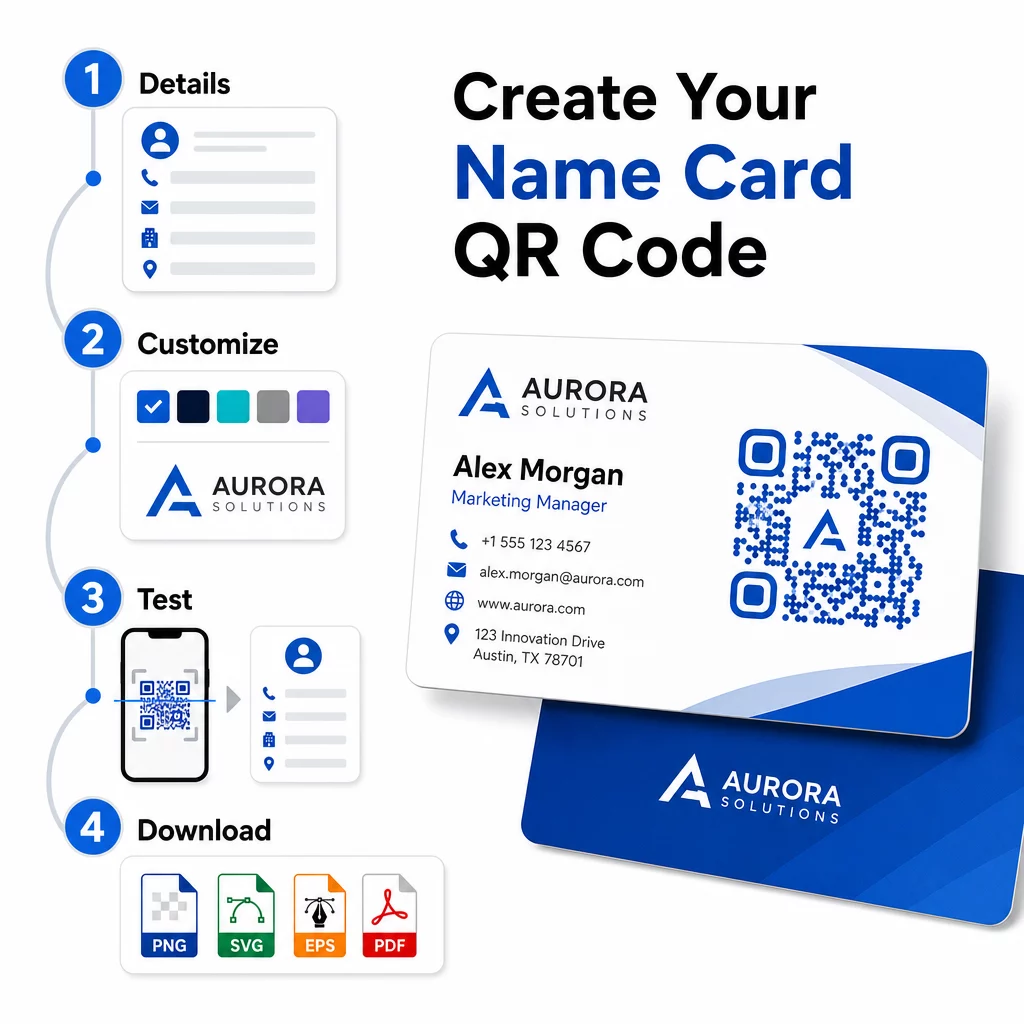
- Įveskite savo duomenis – Atidarykite vCard QR kodo generatorius ir įveskite savo vardą, pareigas, įmonę, telefono numerį, el. pašto adresą ir svetainę. Minimaliai jums reikia vardo ir vieno kontaktinio metodo.
- Pritaikykite dizainą – Pasirinkite spalvas, atitinkančias jūsų prekės ženklą, pasirinkite korpuso stilių ir kraštų formą bei įkelkite savo logotipą, kad jis būtų kodo centre. The QR kodo generatorius su logotipu padaro prekės ženklo kodus vizualiai išskirtinesnius ir gali padidinti nuskaitymo dažnumą.
- Generuoti ir išbandyti – Pageloot sukuria kodą akimirksniu. Nuskaitykite jį patys keliais įrenginiais prieš baigdami ruošti spausdinimo failus, kad įsitikintumėte, jog jis veikia teisingai.
- Atsisiųskite spausdinimui paruoštą failą – Eksportuokite PNG, SVG, EPS arba PDF formatu. Vizitinių kortelių spausdinimui rekomenduojami vektoriniai formatai (SVG arba EPS), nes jie keičiasi be kokybės praradimo. Taip pat galite atsisiųsti permatomą PNG kad uždėtumėte ant sudėtingų kortelių fonų.
Norite visiškai prekės ženklo vizitinės kortelės QR kodo? Pridėkite savo logotipą, pasirinkite prekės ženklo spalvas ir eksportuokite spausdinimui paruoštą failą naudodami QR kodo generatorius – nemokama pradėti, nereikia kredito kortelės.
Spausdinimo dydžio ir išdėstymo gairės
Tinkami fiziniai matmenys yra būtini patikimam nuskaitymui. „Pageloot“ gairės vizitinių kortelių QR kodams rekomenduoja:
- Minimalus dydis: 0,8 × 0,8 colio (2 × 2 cm) paprastiems duomenims, pvz., URL arba trumpai vCard
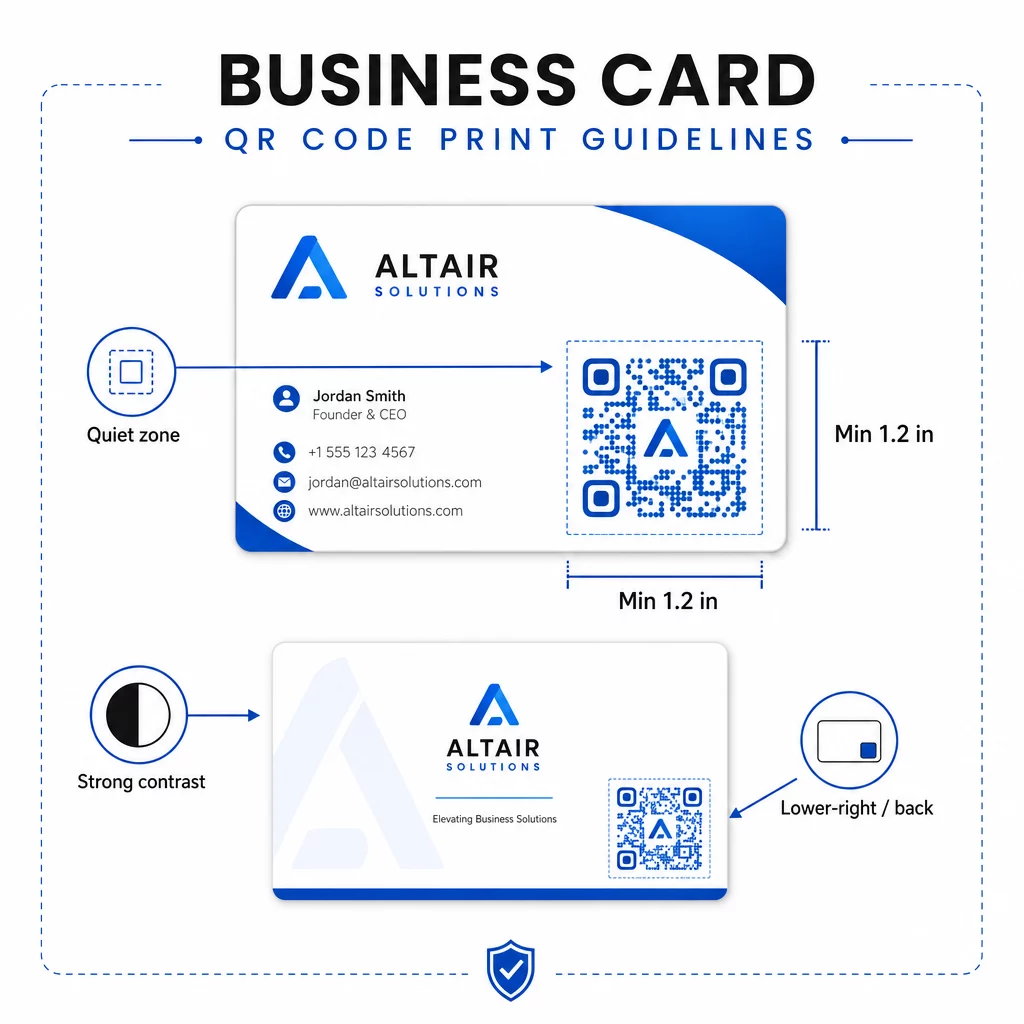
- Rekomenduojamas dydis išsamioms vCard: bent 1,2 × 1,2 colio (3 × 3 cm), kad atskiri moduliai būtų pakankamai dideli ir juos būtų galima aiškiai nuskaityti
- Tylioji zona: palikite bent 0,25 colio (0,635 cm) laisvos baltos erdvės aplink visas keturias kodo puses – ši tuščia kraštinė padeda nuskaitymo programėlėms nustatyti rašto kraštus
- Kontrastas: siekite bent 4:1 kontrasto santykio tarp kodo ir jo fono; venkite šviesių ant tamsių (invertuotų) dizainų, kurių daugelis senesnių skaitytuvų programėlių negali perskaityti
- Spausdinimo raiška: eksportuokite 300–600 DPI raiškos ofsetinei arba skaitmeninei spaudai
Dauguma profesionalų QR kodą deda ant kortelės nugarėlės, kad priekinė pusė nebūtų perkrauta, arba apatiniame dešiniajame priekinės pusės kampe, kad būtų iškart matomas. Kodas turėtų užimti maždaug 20% kortelės ploto – pakankamai ryškus, kad būtų pastebimas, bet neužgožtų jūsų vardo ir pareigų.
Norėdami išsamiau susipažinti su dydžiais įvairioms spausdinimo medžiagoms, žr. visą QR kodo dydžio gaires vizitinėms kortelėms ir vadovą, skirtą vizitinės kortelės dizainas su QR kodais.
Našumo stebėjimas naudojant dinaminius vizitinių kortelių QR kodus
Statiniai QR kodai puikiai veikia, jei jūsų kontaktiniai duomenys niekada nesikeičia ir jums nereikia naudojimo duomenų. Dinaminiai kodai suteikia dvi svarbias galimybes:
- Redaguojama paskirties vieta – Atnaujinkite savo vCard, URL arba susietą puslapį bet kuriuo metu per „Pageloot“ prietaisų skydelį. Atspausdintas kodas lieka tas pats; keičiasi tik paskirties vieta.
- Nuskaitymų analizė – Peržiūrėkite nuskaitymų skaičių, laiko žymas, geografines vietas ir įrenginių tipus realiuoju laiku, suteikdami jums išmatuojamą įžvalgą, kaip efektyviai veikia jūsų tinklo medžiaga.
Jei reguliariai lankotės konferencijose, parodose ar pramonės renginiuose, dinaminiai kodai leidžia suprasti, kurie renginiai sugeneruoja daugiausiai tęstinių veiksmų, ir atitinkamai koreguoti platinimą. Užsiregistruokite 14 dienų nemokamai bandomajai versijai, kad gautumėte prieigą prie dinaminių kodų ir analizės prietaisų skydelio – kredito kortelė nereikalinga.
Norėdami gauti daugiau informacijos apie dinaminių QR kodų naudojimą ir kampanijų stebėjimą, žr. išsamiame vCard QR kodų vadove ir vadovą apie QR kodo dydžio nustatymas skirtingoms spausdinimo medžiagoms.
Dažniausiai užduodami klausimai
Galite įtraukti visą savo vCard informaciją – vardą, pareigas, įmonę, telefono numerį, el. pašto adresą, svetainę ir socialinės žiniasklaidos nuorodas. Taip pat galite tiesiogiai susieti su „LinkedIn“ profiliu, portfolio puslapiu arba iš anksto užpildytu el. laišku. vCard formatas yra universaliausias pasirinkimas, nes šiuolaikiniai išmanieji telefonai jį skaito natūraliai ir ragina vartotojus išsaugoti kontaktą vienu palietimu.
Taip, jei naudojate dinaminį QR kodą. Dinaminiai kodai naudoja nukreipimą, todėl galite bet kada pakeisti susietą kontaktinę informaciją arba paskirties URL per Pageloot prietaisų skydelį, neliesdami atspausdinto kodo. Statiniai kodai duomenis šablone saugo visam laikui ir negali būti redaguojami po sukūrimo.
Paprastiems duomenims, tokiems kaip URL, pakanka mažiausiai 0.8 × 0.8 colio (2 × 2 cm). Išsamiai vCard kortelei su keliais laukais naudokite bent 1.2 × 1.2 colio (3 × 3 cm), kad moduliai būtų pakankamai dideli patikimam nuskaitymui. Visada palikite aiškų baltą kraštą bent 0.25 colio aplink kodą ir išbandykite jį keliuose įrenginiuose prieš spausdindami visą tiražą.