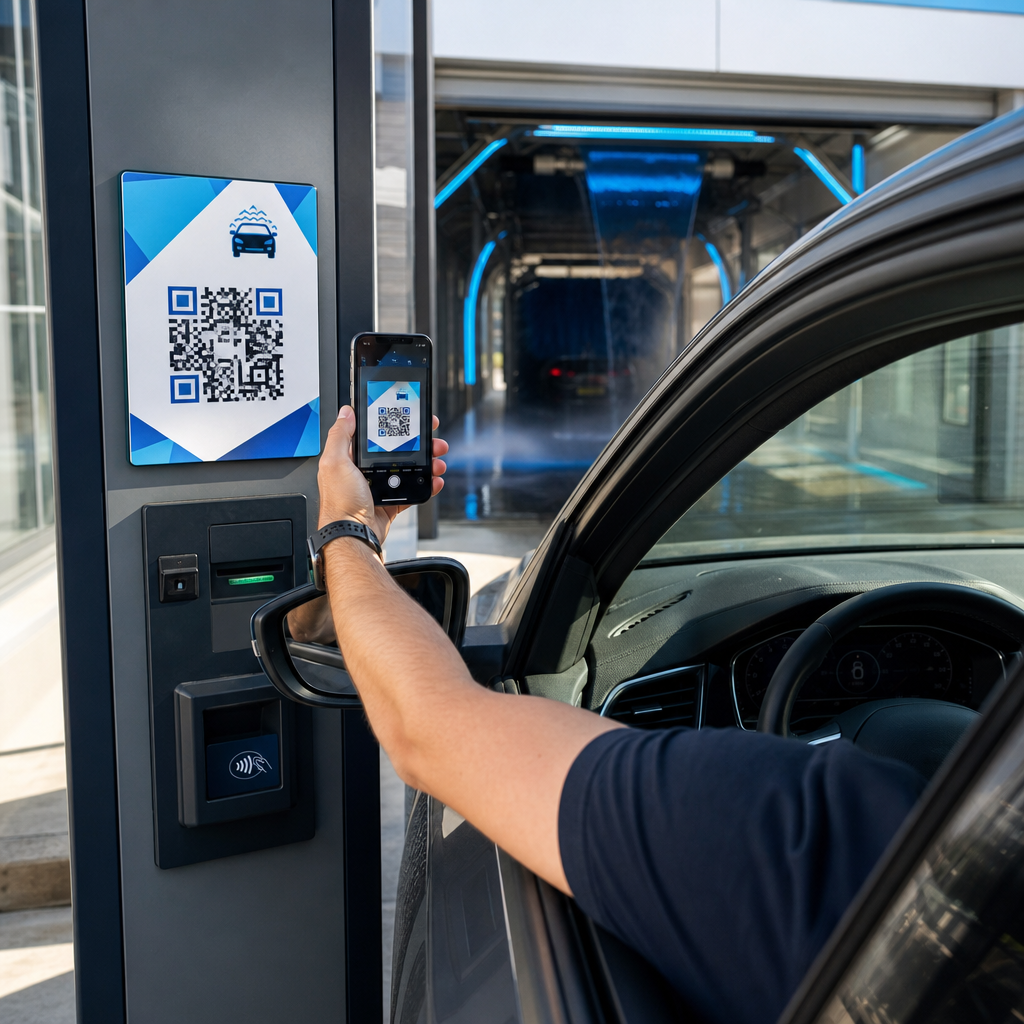
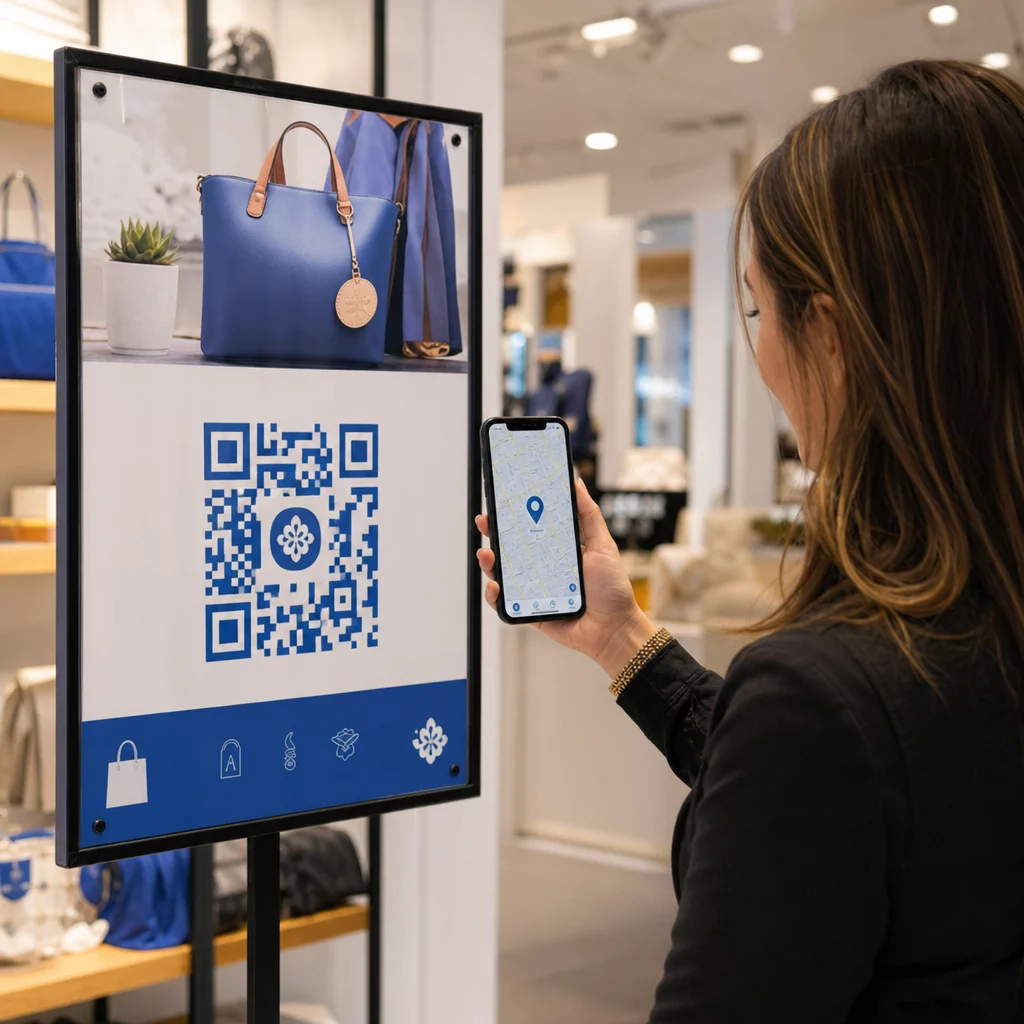
Želite da podelite svoje kontakt podatke čim upoznate nekoga novog? Tradicionalne papirne kartice se izgube, bace ili pogrešno ručno unesu. QR kod vizit karte rešava sve to – jedno skeniranje trenutno čuva vaš kompletan kontakt profil na bilo kom pametnom telefonu.
Šta je QR kod vizit karte?
QR kod vizit karte je kod koji se može skenirati, odštampan ili prikazan na vašoj vizit karti, koji kodira vaše kontakt podatke u vCard (VCF) formatu. Kada neko usmeri kameru svog pametnog telefona na njega, uređaj čita obrazac i odmah ih podstiče da sačuvaju vaše ime, radno mesto, kompaniju, broj telefona, e-mail adresu, veb sajt i linkove ka društvenim mrežama direktno u svoje kontakte – bez potrebe za kucanjem.
Dva glavna tipa su statički и Dinamički. Statički kodovi trajno čuvaju podatke unutar obrasca. Dinamički kodovi koriste link za preusmeravanje, što znači da možete ažurirati svoje kontakt informacije u bilo kom trenutku bez ponovnog štampanja kartica – značajna prednost ako se vaš broj telefona ili zvanje promene.
Kreirajte vCard QR kod za svoju vizit kartu Unesite svoje kontakt podatke, prilagodite dizajn tako da odgovara vašem brendu i preuzmite datoteku spremnu za štampu za nekoliko minuta uz vCard QR kod generator.
Zašto dodati QR kod na svoju vizit kartu?
Fizičke vizit karte i dalje imaju težinu – istraživanja pokazuju da ih 78% profesionalaca i dalje koristi, a više od polovine ih deli nedeljno. Ali skoro 88% papirnih kartica se odbaci u roku od nedelju dana. Dodavanje QR koda pruža primaocima trenutni, besprekorni način da digitalno sačuvaju vaše podatke, smanjujući šansu da vaše informacije završe u kanti.
Evo ključnih prednosti:
- Trenutno čuvanje kontakata – Primaoci skeniraju jednom i vaša kompletna vCard je spremna za čuvanje, eliminišući ručni unos podataka i greške u transkripciji.
- Dinamička ažuriranja – Promenite svoj broj telefona, zvanje ili kompaniju bez naručivanja novog tiraža; QR kod uvek pokazuje na vaše trenutne podatke.
- Analitika skeniranja – Pratite koliko puta je vaš kod skeniran, kada i sa kojih lokacija putem ugrađene kontrolne table performansi.
- Prilagodljiv dizajn – Uskladite boje, oblik i logo QR koda sa vašim ličnim ili korporativnim brendom tako da izgleda kao prirodni deo dizajna kartice.
- Ekološko umrežavanje – Manje ponovnih štampanja i manje bačenog kartona kada se vaše informacije razvijaju.
- Linkovi izvan kontakt detalja – Povežite primaoce direktno sa vašim LinkedIn profilom, portfoliom, imejlom ili bilo kojim URL-om jednim skeniranjem.
Šta možete kodirati na QR kodu vizit karte
Vaš QR kod ne mora biti ograničen na broj telefona i imejl. U zavisnosti od vaših ciljeva, možete kodirati:
- А. vCard sa vašim kompletnim kontakt profilom (ime, titula, kompanija, telefon, imejl, veb-sajt, linkovi ka društvenim mrežama)
- Direktna veza ka vašem LinkedIn profilu za profesionalno umrežavanje
- А. УРЛ usmeravajući na vaš portfolio, odredišnu stranicu ili kalendar rezervacija
- А. unapred popunjeno имејл tako da primaoci mogu odmah da vam pošalju poruku nakon skeniranja
- А. stranica vizit karte koja prikazuje vaš kompletan digitalni profil na odredišnoj stranici prilagođenoj mobilnim uređajima
Odabir pravog tipa zavisi od vašeg konteksta umrežavanja. Za većinu profesionalaca, vCard QR kod je najjača podrazumevana opcija jer radi izvorno sa svakom modernom kamerom pametnog telefona – iOS 11 i noviji, kao i većina Android uređaja automatski parsiraju VCF datoteku i podstiču korisnika da doda kontakt.
Kako kreirati QR kod vizit karte sa Pageloot-om
Proces traje samo nekoliko minuta:
- Unesite svoje podatke – Otvorite vCard QR kod generator i popunite svoje ime, radno mesto, kompaniju, broj telefona, adresu e-pošte i veb-sajt. Minimalno vam je potrebno ime i jedan metod kontakta.
- Прилагодите дизајн – Izaberite boje koje odgovaraju vašem brendu, izaberite stil tela i oblik ivice, i otpremite svoj logo da ga postavite u centar koda. Ovo QR kod generator sa logom čini brendirane kodove vizuelno prepoznatljivijim i može povećati stope skeniranja.
- Generišite i testirajte – Pageloot odmah generiše kod. Skenirajte ga sami na više uređaja pre finalizacije bilo kakvih datoteka za štampu da potvrdite da se ispravno učitava.
- Preuzmite datoteku spremnu za štampu – Izvezite u PNG, SVG, EPS ili PDF formatu. Za štampanje vizit karti, vektorski formati (SVG ili EPS) se preporučuju jer se skaliraju bez gubitka kvaliteta. Takođe možete preuzeti transparentni PNG da ga preklopite preko složenih pozadina kartica.
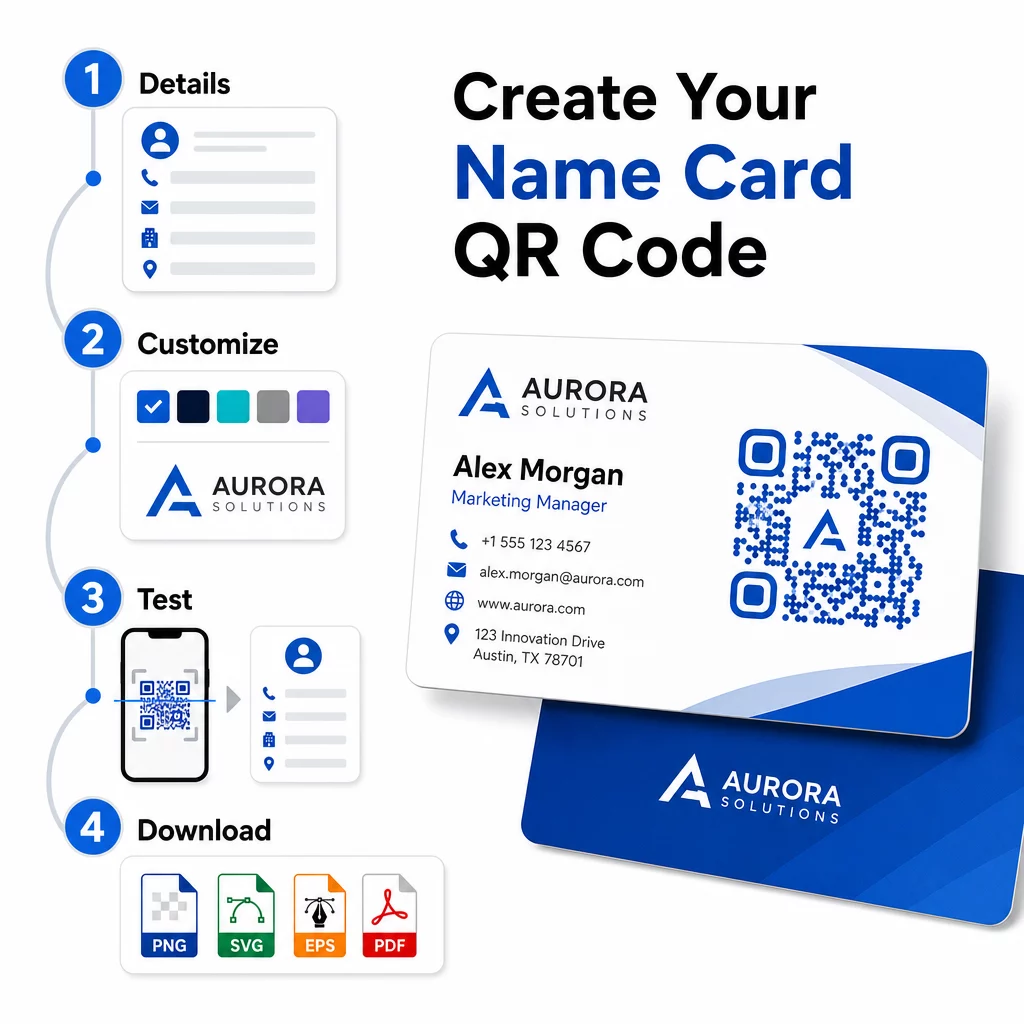
Želite potpuno brendiran QR kod vizit karte? Dodajte svoj logo, izaberite boje brenda i izvezite datoteku spremnu za štampu koristeći Генератор QR kodova – besplatno za početak, nije potrebna kreditna kartica.
Smernice za veličinu i postavljanje štampanja
Pravilno određivanje fizičkih dimenzija je ključno za pouzdano skeniranje. Pageloot-ove smernice za QR kodove na vizit kartama preporučuju:
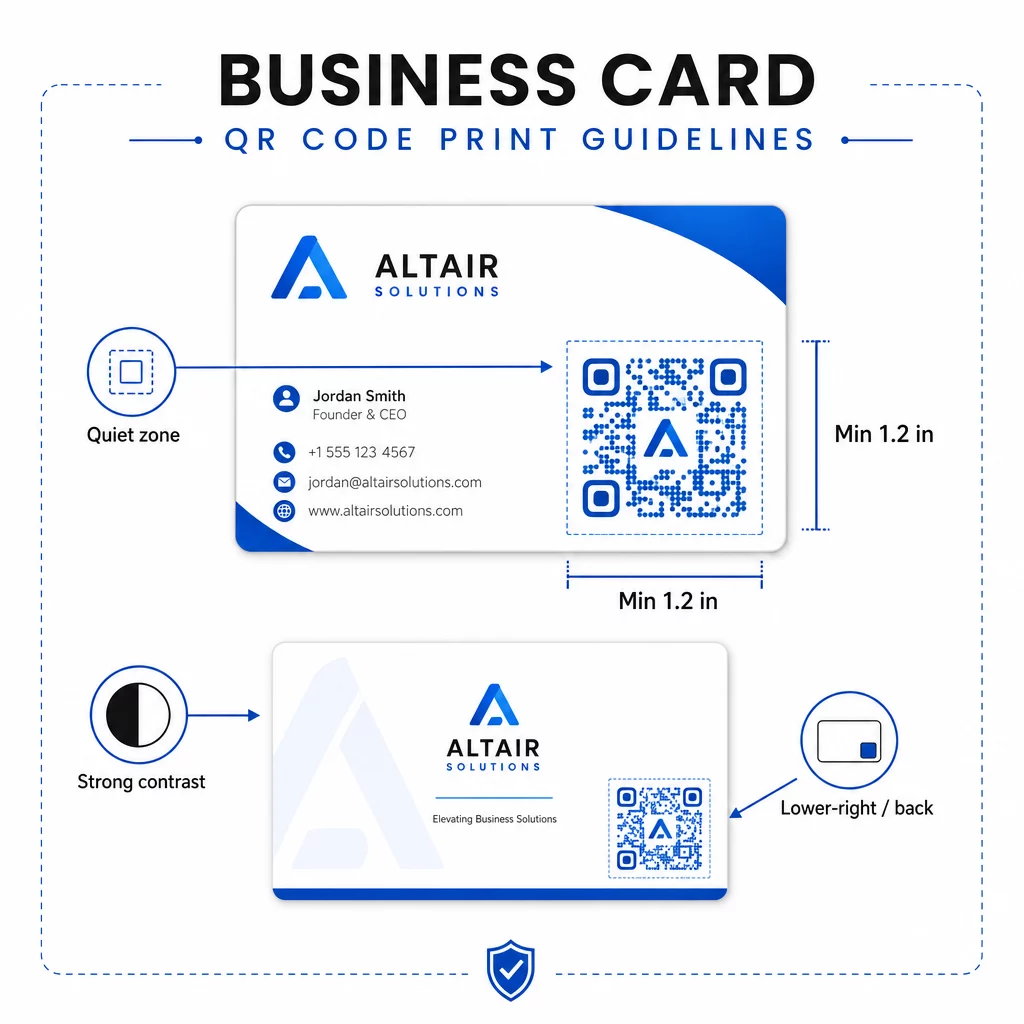
- Minimalna veličina: 0,8 × 0,8 inča (2 × 2 cm) za jednostavne podatke kao što su URL ili kratka vCard
- Preporučena veličina za detaljne vCard-ove: najmanje 1,2 × 1,2 inča (3 × 3 cm) kako bi pojedinačni moduli bili dovoljno veliki za čisto skeniranje
- Tiha zona: ostavite najmanje 0,25 inča čistog belog prostora oko sve četiri strane koda – ova prazna ivica pomaže aplikacijama za skeniranje da lociraju ivice obrasca
- Kontrast: težite minimalnom kontrastnom odnosu 4:1 između koda i njegove pozadine; izbegavajte svetle na tamnim (invertovanim) dizajnima, koje mnoge starije aplikacije za skeniranje ne uspevaju da pročitaju
- Rezolucija štampanja: izvezite na 300–600 DPI za ofset ili digitalnu štampu
Većina profesionalaca postavlja QR kod na poleđinu kartice kako bi prednji dizajn ostao neopterećen, ili u donji desni ugao prednje strane radi trenutne vidljivosti. Kod bi trebalo da zauzima otprilike 20% površine kartice – dovoljno istaknut da se primeti, a da ne preplavi vaše ime i titulu.
Za detaljniji pregled dimenzionisanja na različitim materijalima za štampu, pogledajte kompletne Smernice za veličinu QR koda za vizit karte i vodič za dizajn vizit karte sa QR kodovima.
Praćenje performansi sa dinamičkim QR kodovima za vizit karte
Statički QR kodovi funkcionišu dobro ako se vaši kontakt podaci nikada ne menjaju i ne trebaju vam podaci o korišćenju. Dinamički kodovi dodaju dve kritične mogućnosti:
- Odredište koje se može uređivati – Ažurirajte svoju vCard, URL ili povezanu stranicu u bilo kom trenutku putem Pageloot-ove kontrolne table. Odštampani kod ostaje isti; menja se samo odredište.
- Analitika skeniranja – Pregledajte broj skeniranja, vremenske oznake, geografske lokacije i tipove uređaja u realnom vremenu, dajući vam merljiv uvid u to koliko efikasno funkcionišu vaši materijali za umrežavanje.
Ako redovno posećujete konferencije, sajmove ili industrijske događaje, dinamički kodovi vam omogućavaju da razumete koji događaji generišu najviše praćenja i da shodno tome prilagodite svoju distribuciju. Prijavite se za 14-dnevnu besplatnu probu da biste pristupili dinamičkim kodovima i analitičkoj kontrolnoj tabli – kreditna kartica nije potrebna.
Za više konteksta o korišćenju dinamičkih QR kodova i praćenju kampanja, pogledajte ultimativnom vodiču za vCard QR kodove i vodič o dimenzionisanju QR koda za različite materijale za štampu.
Često postavljana pitanja
Možete uključiti sve svoje vCard detalje – ime, radno mesto, kompanija, broj telefona, adresa e-pošte, veb-sajt i linkovi ka društvenim mrežama. Takođe možete direktno povezati sa LinkedIn profilom, stranicom portfolija ili unapred popunjenom e-poštom. Format vCard je najsvestranija opcija jer ga moderni pametni telefoni čitaju izvorno i podstiču korisnike da sačuvaju kontakt jednim dodirom.
Da, ako koristite dinamički QR kod. Dinamički kodovi koriste preusmeravanje, tako da možete promeniti povezane kontakt informacije ili odredišni URL u bilo kom trenutku preko Pageloot kontrolne table bez dodirivanja odštampanog koda. Statički kodovi trajno čuvaju podatke u obrascu i ne mogu se uređivati nakon kreiranja.
Za jednostavne podatke kao što je URL, dovoljan je minimum od 0,8 × 0,8 inča (2 × 2 cm). Za detaljnu vCard karticu sa više polja, koristite najmanje 1,2 × 1,2 inča (3 × 3 cm) kako bi moduli bili dovoljno veliki za pouzdano skeniranje. Uvek ostavite jasan beli obrub od najmanje 0,25 inča oko koda i testirajte ga na više uređaja pre nego što odštampate ceo tiraž.