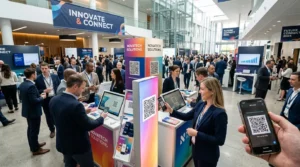
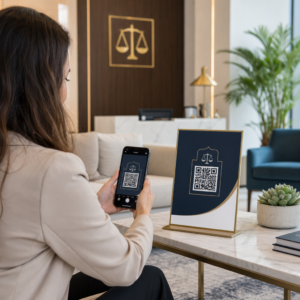
Хотите поделиться своими контактными данными в момент знакомства с новым человеком? Традиционные бумажные визитки теряются, выбрасываются или вводятся вручную с ошибками. QR-код визитной карточки решает все эти проблемы – одно сканирование мгновенно сохраняет ваш полный контактный профиль на любой смартфон.
Что такое QR-код визитной карточки?
QR-код визитной карточки — это сканируемый код, напечатанный или отображаемый на вашей визитке, который кодирует ваши контактные данные в формате vCard (VCF). Когда кто-то наводит на него камеру своего смартфона, устройство считывает шаблон и немедленно предлагает сохранить ваше имя, должность, компанию, номер телефона, адрес электронной почты, веб-сайт и ссылки на социальные сети непосредственно в их контакты – ввод текста не требуется.
Два основных типа: статические и Динамический. Статические коды хранят данные постоянно внутри шаблона. Динамические коды используют ссылку перенаправления, что означает, что вы можете обновлять свою контактную информацию в любое время без перепечатки визиток – значительное преимущество, если ваш номер телефона или должность меняются.
Создайте QR-код vCard для вашей визитной карточки Введите свои контактные данные, настройте дизайн в соответствии с вашим брендом и загрузите готовый к печати файл за считанные минуты с помощью QR код с контактами vCard.
Зачем добавлять QR-код на вашу визитную карточку?
Физические визитные карточки по-прежнему имеют значение – опросы показывают, что 78% профессионалов все еще используют их, и более половины раздают их еженедельно. Но почти 88% бумажных визиток выбрасываются в течение недели. Добавление QR-кода дает получателям мгновенный, беспрепятственный способ сохранить ваши данные в цифровом виде, уменьшая вероятность того, что ваша информация окажется в мусорной корзине.
Вот основные преимущества:
- Мгновенное сохранение контактов – Получатели сканируют один раз, и ваша полная vCard готова к сохранению, что исключает ручной ввод данных и ошибки транскрипции.
- Динамические обновления – Изменяйте свой номер телефона, должность или компанию без заказа нового тиража; QR-код всегда указывает на ваши текущие данные.
- Аналитика сканирований – Отслеживайте, сколько раз ваш код был отсканирован, когда и из каких мест, с помощью встроенной панели мониторинга производительности.
- Настраиваемый дизайн – Подберите цвета, форму и логотип QR-кода к вашему личному или корпоративному бренду, чтобы он выглядел как естественная часть дизайна визитной карточки.
- Экологичный нетворкинг – Меньше перепечаток и меньше потраченного картона, когда ваша информация меняется.
- Ссылки помимо контактных данных – Подключайте получателей напрямую к вашему профилю LinkedIn, портфолио, электронной почте или любому URL-адресу с помощью одного сканирования.
Что можно закодировать в QR-коде визитной карточки
Ваш QR-код не обязательно должен ограничиваться номером телефона и электронной почтой. В зависимости от ваших целей, вы можете закодировать:
- A vCard с вашим полным контактным профилем (имя, должность, компания, телефон, электронная почта, веб-сайт, ссылки на социальные сети)
- Прямая ссылка на ваш профиль LinkedIn для профессионального нетворкинга
- A URL-адрес указывающая на ваше портфолио, целевую страницу или календарь бронирования
- A предзаполненное e-mail чтобы получатели могли немедленно отправить вам сообщение после сканирования
- A страница визитной карточки которая отображает ваш полный цифровой профиль на мобильной целевой странице
Выбор правильного типа зависит от вашего контекста нетворкинга. Для большинства профессионалов QR-код vCard является наиболее надежным вариантом по умолчанию, поскольку он работает нативно с каждой современной камерой смартфона – iOS 11 и более поздние версии, а также большинство устройств Android автоматически анализируют файл VCF и предлагают пользователю добавить контакт.
Как создать QR-код визитной карточки с помощью Pageloot
Процесс занимает всего несколько минут:
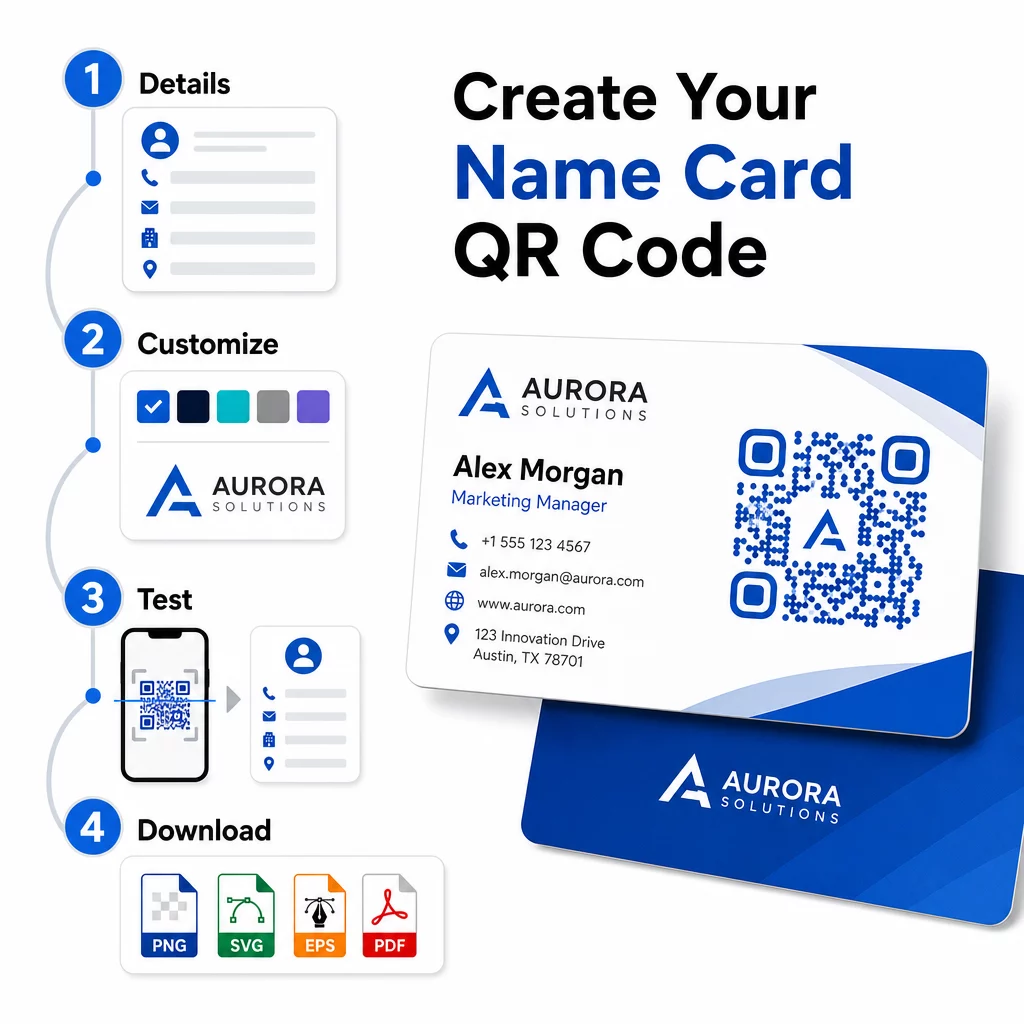
- Введите свои данные – Откройте QR код с контактами vCard и введите свое имя, должность, компанию, номер телефона, адрес электронной почты и веб-сайт. Как минимум, вам потребуется имя и один способ связи.
- Настраивай дизайн – Выберите цвета, соответствующие вашему бренду, выберите стиль тела и форму края, а также загрузите свой логотип, чтобы разместить его в центре кода. QR код с логотипом делает брендированные коды более визуально отличительными и может увеличить количество сканирований.
- Сгенерируйте и протестируйте – Pageloot мгновенно создает код. Отсканируйте его самостоятельно на нескольких устройствах, прежде чем завершать подготовку любых файлов для печати, чтобы убедиться, что он работает правильно.
- Загрузите файл, готовый к печати – Экспортируйте в PNG, SVG, EPS или PDF. Для печати визитных карточек рекомендуются векторные форматы (SVG или EPS), поскольку они масштабируются без потери качества. Вы также можете загрузить прозрачный PNG для наложения на сложные фоны карточек.
Хотите полностью брендированный QR-код визитной карточки? Добавьте свой логотип, выберите фирменные цвета и экспортируйте файл, готовый к печати, используя Генератор QR-кодов – бесплатно для начала, кредитная карта не требуется.
Рекомендации по размеру и размещению при печати
Правильный выбор физических размеров имеет решающее значение для надежного сканирования. Рекомендации Pageloot для QR-кодов на визитных карточках:
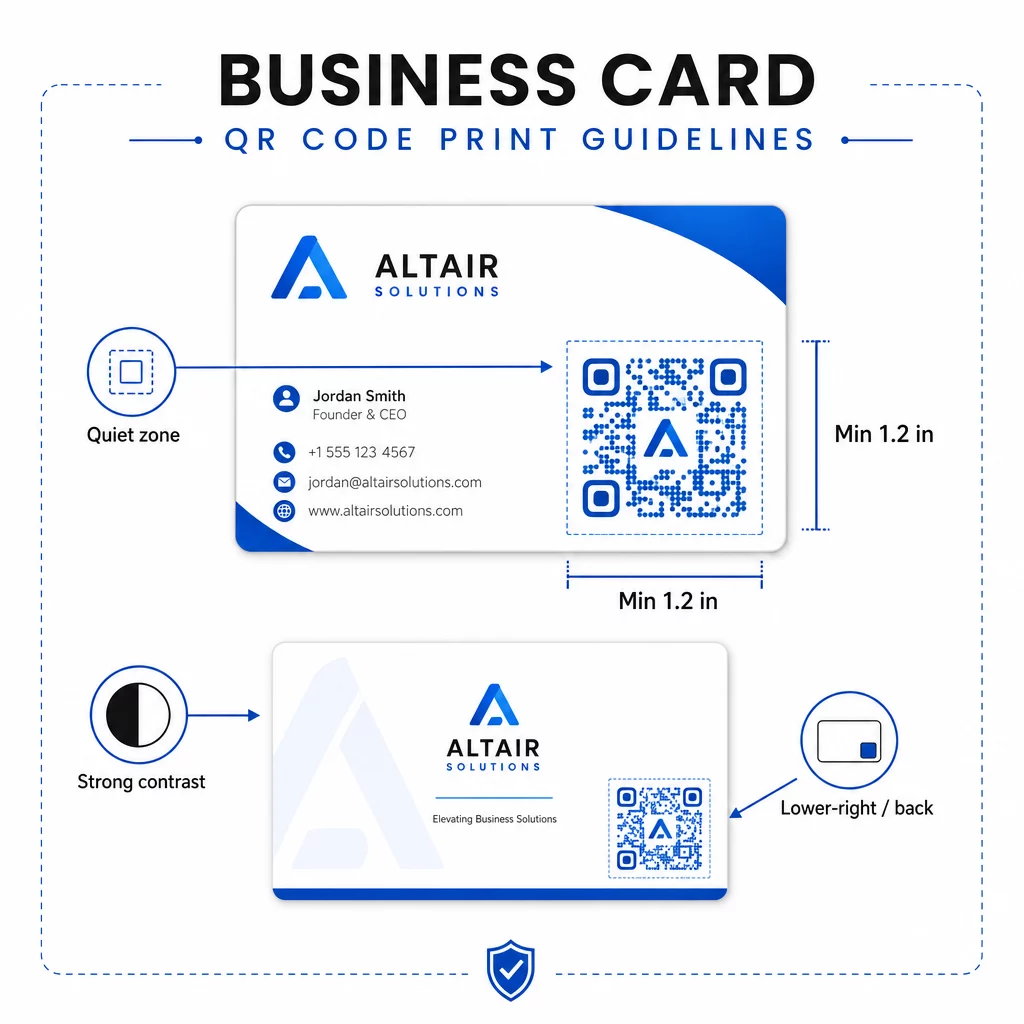
- Минимальный размер: 0,8 × 0,8 дюйма (2 × 2 см) для простых данных, таких как URL или короткая vCard
- Рекомендуемый размер для подробных vCard: не менее 1,2 × 1,2 дюйма (3 × 3 см), чтобы отдельные модули были достаточно большими для чистого сканирования
- Тихая зона: оставьте не менее 0,25 дюйма чистого белого пространства со всех четырех сторон кода – эта пустая граница помогает приложениям для сканирования определять края шаблона
- Контрастность: стремитесь к минимальному коэффициенту контрастности 4:1 между кодом и его фоном; избегайте светлых на темном (инвертированных) дизайнов, которые многие старые приложения для сканирования не могут прочитать
- Разрешение печати: экспортируйте с разрешением 300–600 DPI для офсетной или цифровой печати
Большинство профессионалов размещают QR-код на обратной стороне визитки, чтобы сохранить дизайн лицевой стороны незагроможденным, или в нижнем правом углу лицевой стороны для немедленной видимости. Код должен занимать примерно 20% площади визитки – достаточно заметно, чтобы его можно было заметить, не перегружая ваше имя и должность.
Для более подробного изучения размеров для различных печатных материалов см. полные Рекомендации по размеру QR-кода для визитных карточек и руководство по дизайн визитной карточки с QR-кодами.
Отслеживание производительности с помощью динамических QR-кодов для визитных карточек
Статические QR-коды отлично работают, если ваши контактные данные никогда не меняются и вам не нужны данные об использовании. Динамические коды добавляют две важные возможности:
- Редактируемое назначение – Обновляйте свою vCard, URL или связанную страницу в любое время через панель управления Pageloot. Напечатанный код остается прежним; меняется только назначение.
- Аналитика сканирований – Просматривайте количество сканирований, временные метки, географические местоположения и типы устройств в реальном времени, получая измеримую информацию о том, насколько эффективно работают ваши сетевые материалы.
Если вы регулярно посещаете конференции, выставки или отраслевые мероприятия, динамические коды позволяют понять, какие события генерируют наибольшее количество последующих действий, и соответствующим образом скорректировать ваше распространение. Зарегистрируйтесь для получения 14-дневной бесплатной пробной версии, чтобы получить доступ к динамическим кодам и аналитической панели – кредитная карта не требуется.
Для получения дополнительной информации об использовании динамических QR-кодов и отслеживании кампаний см. исчерпывающем руководстве по QR-кодам vCard и руководство по размеру QR-кода для различных печатных материалов.
Часто задаваемые вопросы
Вы можете включить все свои данные vCard – имя, должность, компания, номер телефона, адрес электронной почты, веб-сайт и ссылки на социальные сети. Вы также можете напрямую ссылаться на профиль LinkedIn, страницу портфолио или предварительно заполненное электронное письмо. Формат vCard является наиболее универсальным вариантом, потому что современные смартфоны считывают его нативно и предлагают пользователям сохранить контакт одним касанием.
Да, если вы используете динамический QR-код. Динамические коды используют перенаправление, поэтому вы можете изменить связанную контактную информацию или целевой URL в любое время через панель управления Pageloot, не затрагивая напечатанный код. Статические коды хранят данные постоянно в шаблоне и не могут быть отредактированы после создания.
Для простых данных, таких как URL, достаточно минимума 0.8 × 0.8 дюйма (2 × 2 см). Для подробной визитной карточки (vCard) с несколькими полями используйте как минимум 1.2 × 1.2 дюйма (3 × 3 см), чтобы модули были достаточно большими для надежного сканирования. Всегда оставляйте четкую белую рамку не менее 0.25 дюйма вокруг кода и протестируйте его на нескольких устройствах перед печатью всего тиража.