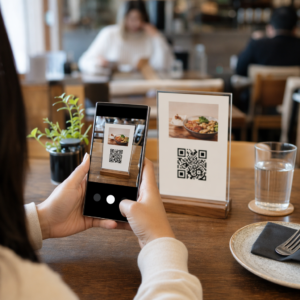
Want to share your contact details the moment you meet someone new? Traditional paper cards get lost, thrown away, or manually typed in wrong. A name card QR code solves all of that – one scan instantly saves your full contact profile to any smartphone.
What is a name card QR code?
A name card QR code is a scannable code printed or displayed on your business card that encodes your contact details in vCard (VCF) format. When someone points their smartphone camera at it, the device reads the pattern and immediately prompts them to save your name, job title, company, phone number, email address, website, and social links directly to their contacts – no typing required.
The two main types are 静态 和 动态的. Static codes store the data permanently inside the pattern. Dynamic codes use a redirect link, which means you can update your contact information at any time without reprinting your cards – a significant advantage if your phone number or title changes.
Create a vCard QR Code for Your Name Card Enter your contact details, customize the design to match your brand, and download a print-ready file in minutes with the vCard QR 码生成器.
Why add a QR code to your name card?
Physical business cards still carry weight – surveys suggest that 78% of professionals still use them and more than half hand them out weekly. But nearly 88% of paper cards are discarded within a week. Adding a QR code gives recipients an instant, frictionless way to save your details digitally, reducing the chance your information ends up in the bin.
Here are the core advantages:
- Instant contact saving – Recipients scan once and your full vCard is ready to save, eliminating manual data entry and transcription errors.
- Dynamic updates – Change your phone number, title, or company without ordering a new print run; the QR code always points to your current details.
- 扫描分析 – Track how many times your code was scanned, when, and from which locations through a built-in performance dashboard.
- Customizable design – Match the QR code’s colors, shape, and logo to your personal or company brand so it feels like a natural part of the card design.
- Eco-friendly networking – Fewer reprints and less wasted card stock when your information evolves.
- Links beyond contact details – Connect recipients directly to your LinkedIn profile, portfolio, email, or any URL with a single scan.
What you can encode on a name card QR code
Your QR code does not have to be limited to a phone number and email. Depending on your goals, you can encode:
- 一种 电子名片 with your full contact profile (name, title, company, phone, email, website, social links)
- A direct link to your LinkedIn profile for professional networking
- 一种 网址 pointing to your portfolio, landing page, or booking calendar
- 一种 prefilled 电子邮件 so recipients can message you immediately after scanning
- 一种 business card page that displays your full digital profile on a mobile-friendly landing page
Choosing the right type depends on your networking context. For most professionals, a vCard QR code is the strongest default because it works natively with every modern smartphone camera – iOS 11 and later and most Android devices parse the VCF file automatically and prompt the user to add the contact.
How to create a name card QR code with Pageloot
The process takes only a few minutes:
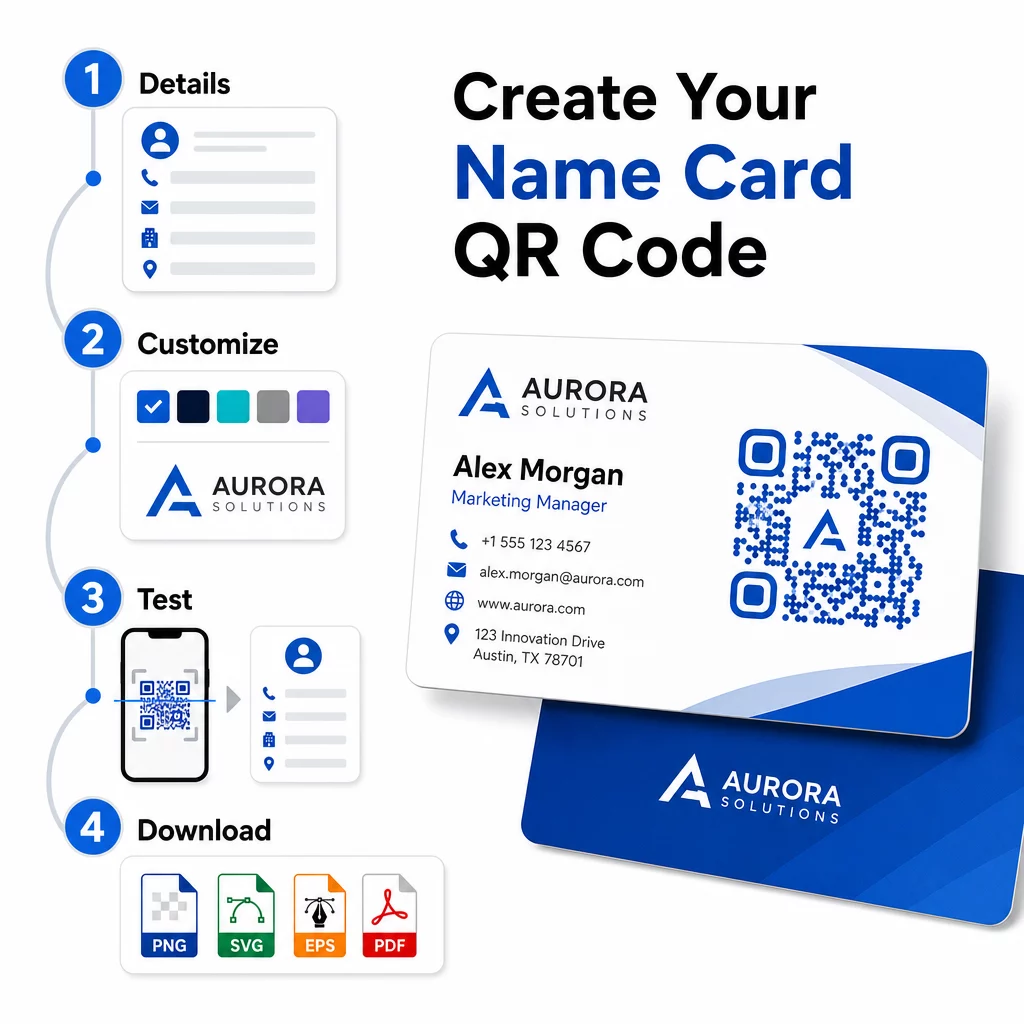
- Enter your details – Open the vCard QR 码生成器 and fill in your name, job title, company, phone number, email address, and website. At minimum you need a name and one contact method.
- 定制设计 – Choose colors that match your brand, select a body style and edge shape, and upload your logo to place in the center of the code. The 带标志的二维码生成器 makes branded codes more visually distinctive and can increase scan rates.
- Generate and test – Pageloot produces the code instantly. Scan it yourself on multiple devices before finalizing any print files to confirm it resolves correctly.
- Download a print-ready file – Export in PNG, SVG, EPS, or PDF. For business card printing, vector formats (SVG or EPS) are recommended because they scale without quality loss. You can also download a transparent PNG to overlay on complex card backgrounds.
Want a fully branded name card QR code? Add your logo, pick brand colors, and export a print-ready file using the 二维码生成器 – free to start, no credit card required.
Print size and placement guidelines
Getting the physical dimensions right is essential for reliable scanning. Pageloot’s guidelines for business card QR codes recommend:
- 最小尺寸: 0.8 × 0.8 inches (2 × 2 cm) for simple data like a URL or short vCard
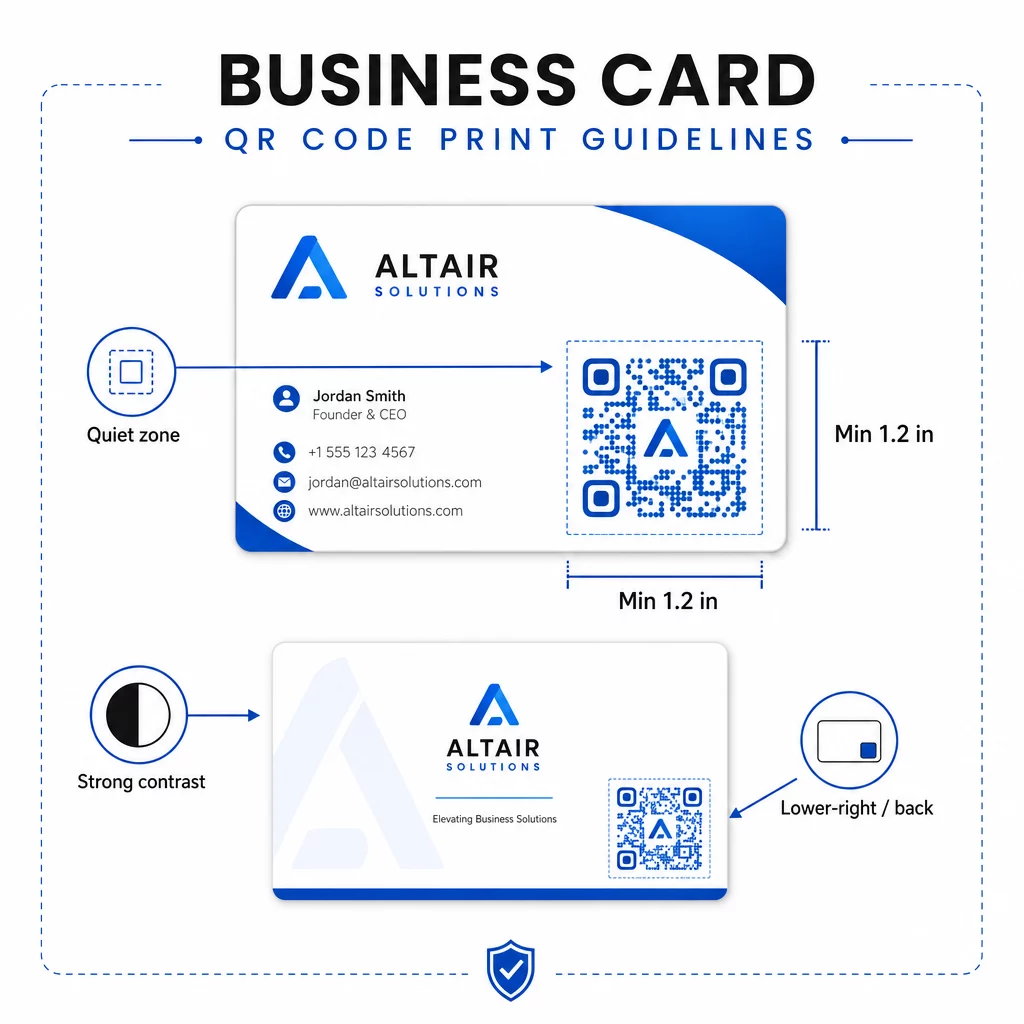
- Recommended size for detailed vCards: at least 1.2 × 1.2 inches (3 × 3 cm) to keep individual modules large enough to scan cleanly
- 静区: leave at least 0.25 inches of clear white space around all four sides of the code – this empty border helps scanning apps locate the pattern’s edges
- 对比度: aim for a minimum 4:1 contrast ratio between the code and its background; avoid light-on-dark (inverted) designs, which many older scanner apps fail to read
- Print resolution: export at 300–600 DPI for offset or digital printing
Most professionals place the QR code on the back of the card to keep the front design uncluttered, or in the lower-right corner of the front for immediate visibility. The code should occupy roughly 20% of the card area – prominent enough to notice without overwhelming your name and title.
For a deeper look at sizing across different print materials, see the full QR code size guidelines for business cards and the guide to 带有二维码的名片设计.
Tracking performance with dynamic name card QR codes
Static QR codes work fine if your contact details never change and you do not need usage data. Dynamic codes add two critical capabilities:
- Editable destination – Update your vCard, URL, or linked page at any time through Pageloot’s dashboard. The printed code stays the same; only the destination changes.
- 扫描分析 – View scan counts, timestamps, geographic locations, and device types in real time, giving you measurable insight into how effectively your networking materials are performing.
If you attend conferences, trade shows, or industry events regularly, dynamic codes let you understand which events generate the most follow-through and adjust your distribution accordingly. Sign up for a 14-day free trial to access dynamic codes and the analytics dashboard – no credit card required.
For more context on using dynamic QR codes and tracking campaigns, see the vCard二维码终极指南 and the guide on 不同印刷材料的二维码尺寸.
常见问题
You can include your full vCard details – name, job title, company, phone number, email address, website, and social media links. You can also link directly to a LinkedIn profile, a portfolio page, or a prefilled email. The vCard format is the most versatile option because modern smartphones read it natively and prompt users to save the contact in one tap.
Yes, if you use a dynamic QR code. Dynamic codes use a redirect, so you can change the linked contact information or destination URL at any time through the Pageloot dashboard without touching the printed code. Static codes store the data permanently in the pattern and cannot be edited after creation.
For simple data like a URL, a minimum of 0.8 × 0.8 inches (2 × 2 cm) is sufficient. For a detailed vCard with multiple fields, use at least 1.2 × 1.2 inches (3 × 3 cm) to keep the modules large enough to scan reliably. Always leave a clear white border of at least 0.25 inches around the code, and test it on multiple devices before printing your full run.