Želite deliti svoje kontaktne podatke takoj, ko spoznate nekoga novega? Tradicionalne papirnate vizitke se izgubijo, zavržejo ali pa se podatki ročno napačno vpišejo. QR koda za vizitko reši vse to – eno skeniranje takoj shrani vaš celoten kontaktni profil na kateri koli pametni telefon.
Kaj je QR koda za vizitko?
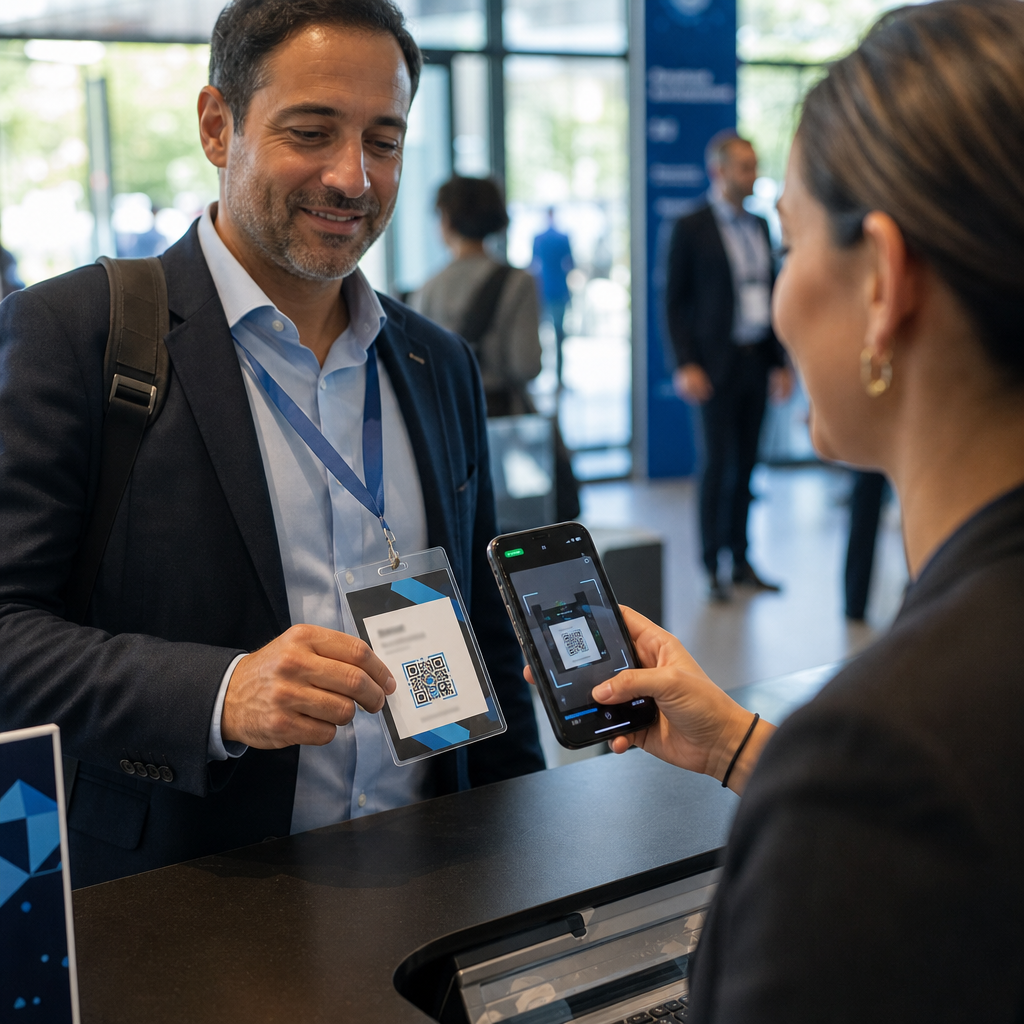
QR koda za vizitko je koda, ki jo je mogoče skenirati, natisnjena ali prikazana na vaši vizitki, ki kodira vaše kontaktne podatke v formatu vCard (VCF). Ko nekdo usmeri kamero svojega pametnega telefona vanjo, naprava prebere vzorec in jih takoj pozove, da shranijo vaše ime, delovno mesto, podjetje, telefonsko številko, e-poštni naslov, spletno stran in povezave do družabnih omrežij neposredno v svoje stike – brez tipkanja.
Dva glavna tipa sta statične in Dinamična. Statične kode trajno shranijo podatke znotraj vzorca. Dinamične kode uporabljajo preusmeritveno povezavo, kar pomeni, da lahko svoje kontaktne podatke kadar koli posodobite, ne da bi ponovno tiskali svoje vizitke – pomembna prednost, če se vaša telefonska številka ali naziv spremeni.
Ustvarite QR kodo vCard za svojo vizitko Vnesite svoje kontaktne podatke, prilagodite dizajn, da se ujema z vašo blagovno znamko, in prenesite datoteko, pripravljeno za tisk, v nekaj minutah z Ustvari QR kodo vCard.
Zakaj dodati QR kodo na svojo vizitko?
Fizične vizitke še vedno imajo težo – raziskave kažejo, da jih 78% strokovnjakov še vedno uporablja in več kot polovica jih razdeli tedensko. Vendar je skoraj 88% papirnatih vizitk zavrženih v enem tednu. Dodajanje QR kode prejemnikom omogoča takojšen, brezhiben način za digitalno shranjevanje vaših podatkov, kar zmanjšuje možnost, da bi vaši podatki končali v smeteh.
Tukaj so glavne prednosti:
- Takojšnje shranjevanje stikov – Prejemniki skenirajo enkrat in vaša celotna vCard je pripravljena za shranjevanje, kar odpravlja ročni vnos podatkov in napake pri prepisovanju.
- Dinamične posodobitve – Spremenite svojo telefonsko številko, naziv ali podjetje, ne da bi naročili nov tisk; QR koda vedno kaže na vaše trenutne podatke.
- Analitika skeniranj – Spremljajte, kolikokrat je bila vaša koda skenirana, kdaj in s katerih lokacij prek vgrajene nadzorne plošče uspešnosti.
- Prilagodljiv dizajn – Uskladite barve, obliko in logotip QR kode z vašo osebno ali korporativno blagovno znamko, tako da se zdi kot naraven del dizajna vizitke.
- Okolju prijazno mreženje – Manj ponatisov in manj zapravljenega kartonskega papirja, ko se vaše informacije razvijajo.
- Povezave poleg kontaktnih podatkov – Povežite prejemnike neposredno z vašim profilom LinkedIn, portfeljem, e-pošto ali katerim koli URL-jem z enim samim skeniranjem.
Kaj lahko kodirate na QR kodi vizitke
Vaša QR koda ni nujno omejena na telefonsko številko in e-pošto. Odvisno od vaših ciljev, lahko kodirate:
- A vCard z vašim celotnim kontaktnim profilom (ime, naziv, podjetje, telefon, e-pošta, spletna stran, povezave do družabnih omrežij)
- Neposredna povezava do vašega profila LinkedIn za profesionalno mreženje
- A URL ki kaže na vaš portfelj, pristajalno stran ali koledar rezervacij
- A vnaprej izpolnjeno e-pošta tako da vam lahko prejemniki takoj po skeniranju pošljejo sporočilo
- A stran vizitke ki prikazuje vaš celoten digitalni profil na mobilni pristajalni strani
Izbira pravega tipa je odvisna od vašega konteksta mreženja. Za večino strokovnjakov je QR koda vCard najmočnejša privzeta možnost, saj deluje izvorno z vsako sodobno kamero pametnega telefona – iOS 11 in novejši ter večina naprav Android samodejno razčleni datoteko VCF in uporabnika pozove k dodajanju kontakta.
Kako ustvariti QR kodo za vizitko s Pagelootom
Postopek traja le nekaj minut:
- Vnesite svoje podatke – Odprite Ustvari QR kodo vCard in vnesite svoje ime, delovno mesto, podjetje, telefonsko številko, e-poštni naslov in spletno stran. Minimalno potrebujete ime in eno kontaktno metodo.
- Prilagodite zasnovo – Izberite barve, ki se ujemajo z vašo blagovno znamko, izberite slog telesa in obliko robov ter naložite svoj logotip, da ga postavite v sredino kode. Generator QR kod z logotipom naredi kodirane kode vizualno bolj prepoznavne in lahko poveča stopnjo skeniranja.
- Ustvarite in preizkusite – Pageloot takoj ustvari kodo. Skenirajte jo sami na več napravah, preden dokončate morebitne datoteke za tisk, da potrdite, da se pravilno razreši.
- Prenesite datoteko, pripravljeno za tisk – Izvozite v PNG, SVG, EPS ali PDF. Za tiskanje vizitk so priporočljivi vektorski formati (SVG ali EPS), ker se skalirajo brez izgube kakovosti. Lahko tudi prenesete prozoren PNG za prekrivanje na kompleksnih ozadjih kartic.
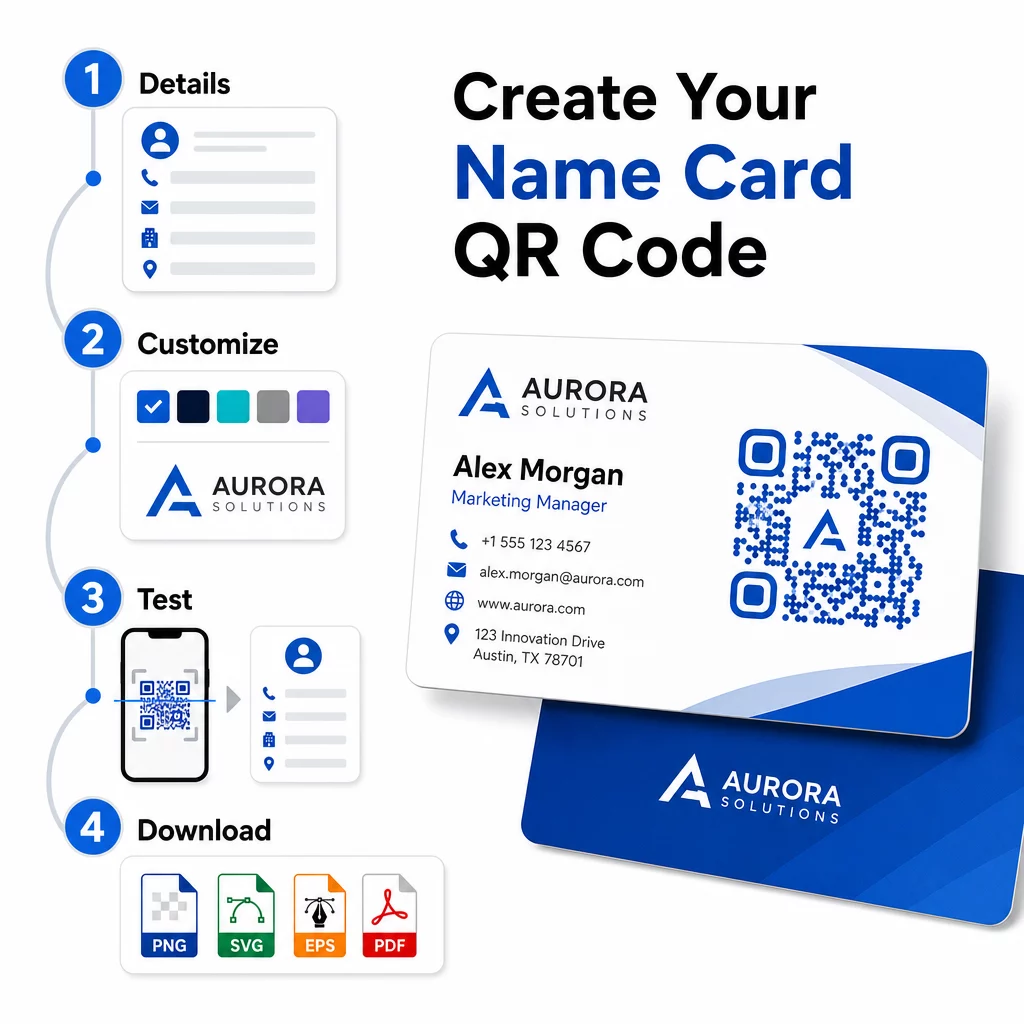
Želite popolnoma blagovno znamko QR kodo za vizitko? Dodajte svoj logotip, izberite barve blagovne znamke in izvozite datoteko, pripravljeno za tisk, z uporabo Generator QR kod – brezplačno za začetek, kreditna kartica ni potrebna.
Smernice za velikost in postavitev tiska
Pravilne fizične dimenzije so bistvene za zanesljivo skeniranje. Pagelootove smernice za QR kode na vizitkah priporočajo:
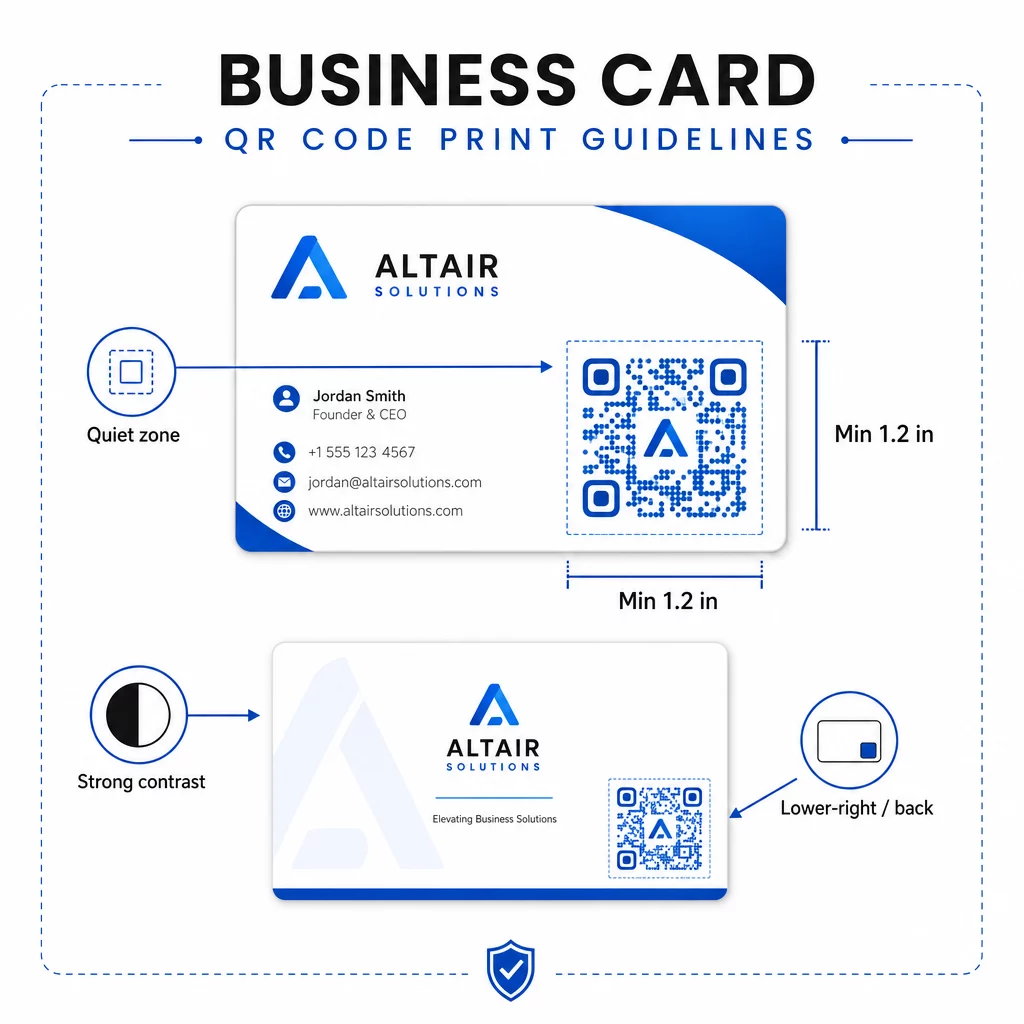
- Minimalna velikost: 0,8 × 0,8 palca (2 × 2 cm) za preproste podatke, kot so URL ali kratka vCard
- Priporočena velikost za podrobne vCarde: vsaj 1,2 × 1,2 palca (3 × 3 cm), da so posamezni moduli dovolj veliki za čisto skeniranje
- Tiha cona: pustite vsaj 0,25 palca praznega belega prostora okoli vseh štirih strani kode – ta prazen rob pomaga aplikacijam za skeniranje najti robove vzorca
- Kontrast: stremite k minimalnemu kontrastnemu razmerju 4:1 med kodo in njenim ozadjem; izogibajte se svetlim na temnih (invertiranih) dizajnih, ki jih mnoge starejše aplikacije za skeniranje ne morejo prebrati
- Ločljivost tiska: izvozite pri 300–600 DPI za ofsetni ali digitalni tisk
Večina strokovnjakov postavi QR kodo na zadnjo stran vizitke, da sprednja zasnova ostane neobremenjena, ali v spodnji desni kot sprednje strani za takojšnjo vidljivost. Koda naj zaseda približno 20% površine vizitke – dovolj izrazita, da jo opazite, ne da bi preobremenila vaše ime in naziv.
Za podrobnejši pregled velikosti na različnih tiskovinah si oglejte celotne smernice za velikost QR kode za vizitke in vodnik za oblikovanje vizitk s QR kodami.
Sledenje uspešnosti z dinamičnimi QR kodami za vizitke
Statične QR kode delujejo dobro, če se vaši kontaktni podatki nikoli ne spremenijo in ne potrebujete podatkov o uporabi. Dinamične kode dodajo dve ključni zmožnosti:
- Urejanje destinacije – Posodobite svojo vCard, URL ali povezano stran kadar koli prek Pagelootove nadzorne plošče. Natisnjena koda ostane enaka; spremeni se le destinacija.
- Analitika skeniranj – Oglejte si število skeniranj, časovne žige, geografske lokacije in vrste naprav v realnem času, kar vam daje merljiv vpogled v to, kako učinkovito delujejo vaši mrežni materiali.
Če redno obiskujete konference, sejme ali industrijske dogodke, vam dinamične kode omogočajo, da razumete, kateri dogodki ustvarjajo največ nadaljnjih ukrepov in temu primerno prilagodite svojo distribucijo. Prijavite se za 14-dnevno brezplačno preizkusno obdobje za dostop do dinamičnih kod in analitične nadzorne plošče – kreditna kartica ni potrebna.
Za več konteksta o uporabi dinamičnih QR kod in sledenju kampanj, glejte ultimativnem vodniku po QR kodah vCard in vodnik o velikosti QR kode za različne tiskane materiale.
Pogosta vprašanja
Vključite lahko vse podrobnosti svoje vCard – ime, delovno mesto, podjetje, telefonsko številko, e-poštni naslov, spletno stran in povezave do družabnih medijev. Povežete se lahko tudi neposredno s profilom LinkedIn, stranjo portfelja ali vnaprej izpolnjenim e-poštnim sporočilom. Format vCard je najbolj vsestranska možnost, saj ga sodobni pametni telefoni berejo izvorno in uporabnike pozovejo, naj shranijo stik z enim dotikom.
Da, če uporabljate dinamično QR kodo. Dinamične kode uporabljajo preusmeritev, tako da lahko kadar koli spremenite povezane kontaktne informacije ali ciljni URL prek nadzorne plošče Pageloot, ne da bi se dotaknili natisnjene kode. Statične kode trajno shranijo podatke v vzorcu in jih po ustvarjanju ni mogoče urejati.
Za preproste podatke, kot je URL, zadostuje najmanj 0,8 × 0,8 palca (2 × 2 cm). Za podrobno vCard z več polji uporabite vsaj 1,2 × 1,2 palca (3 × 3 cm), da bodo moduli dovolj veliki za zanesljivo skeniranje. Vedno pustite jasen bel rob vsaj 0,25 palca okoli kode in jo preizkusite na več napravah, preden natisnete celotno serijo.