Adakah bakal pelanggan anda mengabaikan panggilan kerana menaip nombor telefon yang panjang dari media cetak adalah menjengkelkan? Kesilapan pendailan manual secara langsung mengurangkan petunjuk jualan masuk dan pertanyaan sokongan. Mencipta kod QR nombor telefon membolehkan prospek mengisi pendail mudah alih mereka dengan nombor anda dalam satu imbasan.
Cara Kod QR Panggilan Telefon Berfungsi
Apabila kamera telefon pintar mengimbas kod QR panggilan telefon, ia membaca protokol komunikasi piawai yang dikenali sebagai Pengenal Sumber Seragam (URI) `tel:`. Didefinisikan oleh piawaian IETF RFC 3966, rentetan ini mengekod nombor telefon ke dalam struktur yang segera dikenal pasti oleh sistem operasi mudah alih sebagai permintaan panggilan telefon.
Untuk memastikan kod anda berfungsi dengan lancar merentasi semua pembawa mudah alih dan rangkaian antarabangsa, sentiasa format nombor anda menggunakan piawaian antarabangsa E.164. Format ini bermula dengan tanda tambah (`+`), diikuti oleh kod negara, kod kawasan, dan nombor pelanggan tanpa ruang, sengkang, atau kurungan (contohnya, `+12025550123`).
Keselamatan dan Tingkah Laku Sistem Operasi
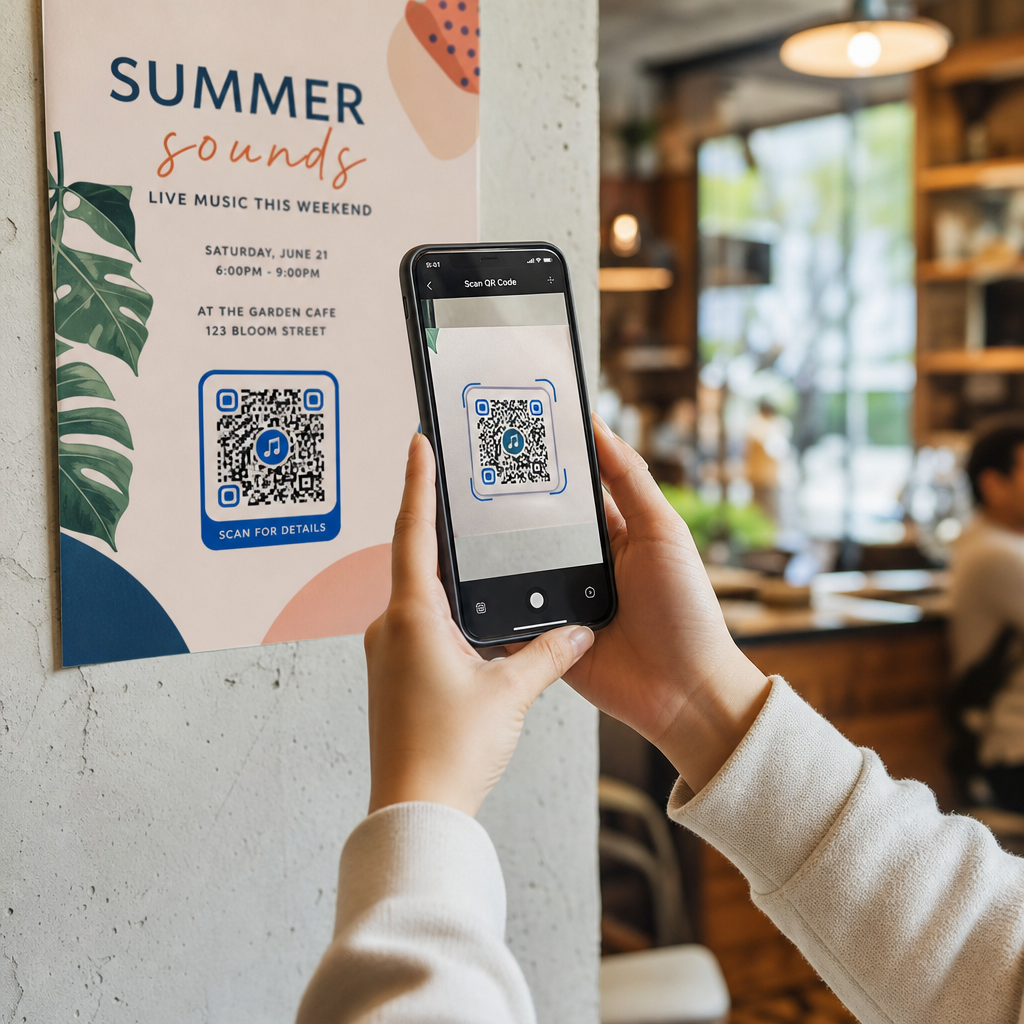
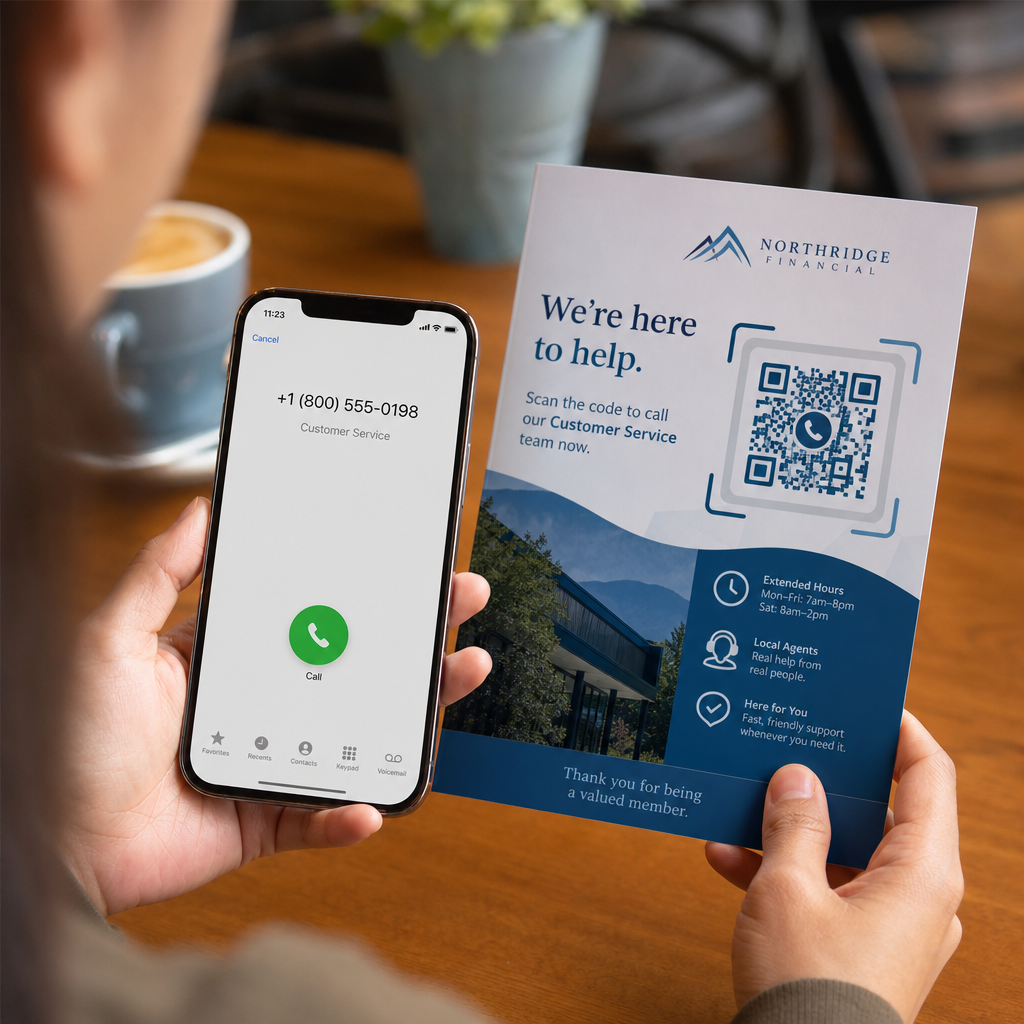
Sistem operasi mudah alih sengaja menghalang kod QR daripada membuat panggilan secara automatik tanpa interaksi langsung pengguna. Lapisan keselamatan terbina dalam ini melindungi pengguna daripada pendailan tidak sengaja atau caj tol berniat jahat:
- iOS (iPhone): Mengimbas kod memaparkan gesaan pada skrin yang menunjukkan nombor telefon dan meminta pengesahan jelas sebelum mendail.
- Android: Mengimbas kod membuka aplikasi Telefon asli peranti dengan nombor yang telah diisi dalam pendail, memerlukan pengguna mengetik butang panggil.
Kedua-dua platform memerlukan ketikan manual terakhir daripada pengguna, memastikan kawalan penuh ke atas proses panggilan.
Panduan Langkah Demi Langkah untuk Menjana Kod QR Panggilan
Menjana kod QR telefon resolusi tinggi tidak memerlukan kepakaran teknikal. Ikuti langkah-langkah mudah ini untuk membina kod anda:
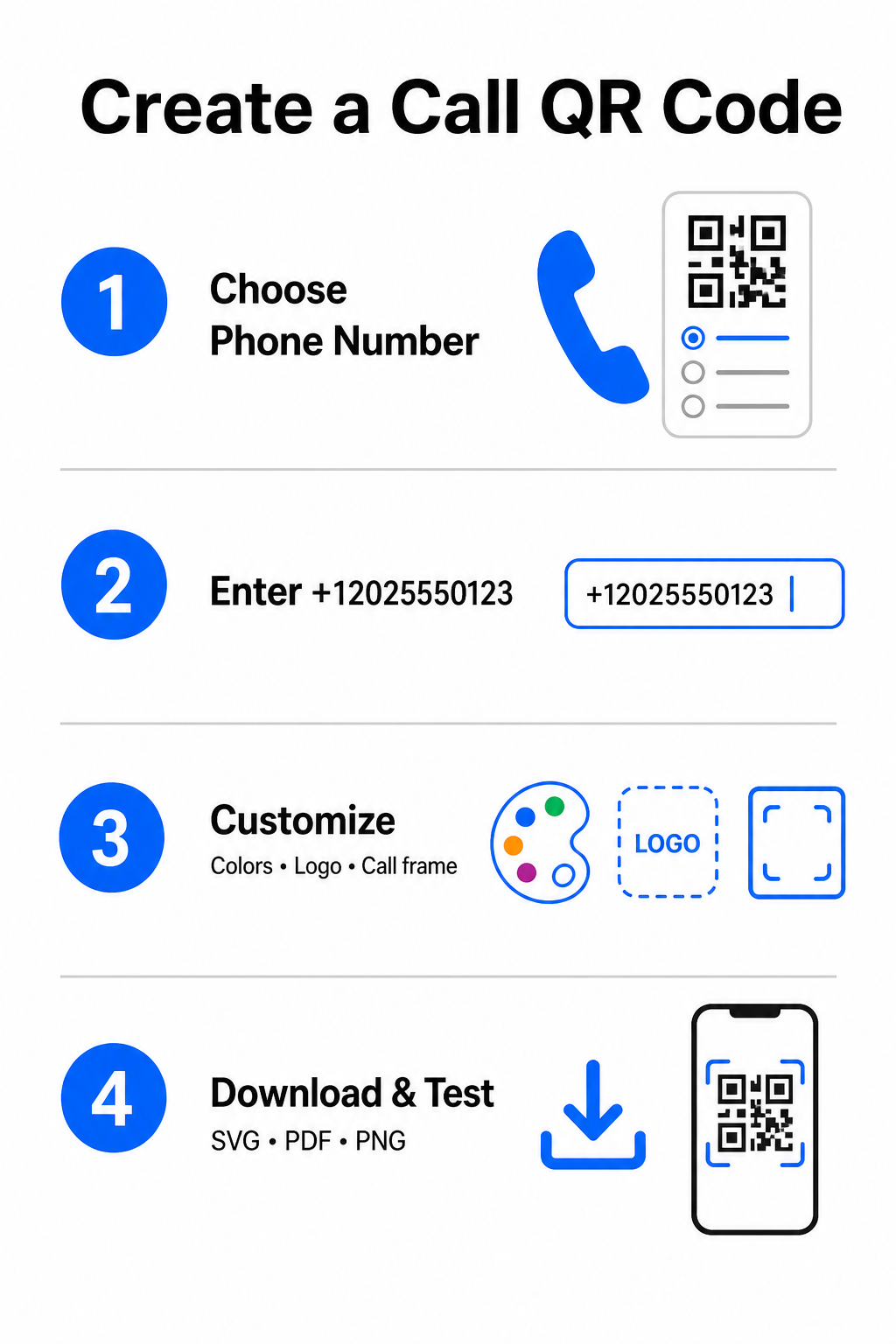
- Buka penjana: Pergi ke dalam talian Penjana Kod Pageloot QR.
- Pilih pilihan telefon: Pilih yang Nombor Telefon atau Panggil pilihan dari jenis kod yang tersedia.
- Masukkan nombor telefon: Masukkan nombor hubungan penuh anda dalam format E.164, termasuk kod negara anda (seperti `+1` untuk Amerika Utara).
- Sesuaikan reka bentuk visual: Pilih warna jenama tersuai, muat naik logo syarikat, atau tambah bingkai pelindung dengan frasa panggilan untuk bertindak yang jelas.
- Muat turun fail yang telah siap: Muat turun kod anda dalam format vektor seperti .SVG atau .PDF untuk percetakan komersial, atau .PNG untuk paparan digital.
Jika anda perlu berkongsi set butiran profesional yang lebih luas – termasuk nama penuh, alamat e-mel, alamat fizikal, dan jawatan anda – gunakan Kod QR vCard: apa itu vCard? sebaliknya. Anda juga boleh meneroka panduan kami tentang cara berkongsi maklumat hubungan menggunakan kod QR untuk memutuskan format mana yang sesuai dengan kempen promosi anda.
Kod QR Telefon Statik lawan Dinamik
Memilih struktur asas yang betul untuk kod QR anda bergantung kepada sama ada anda perlu mengemas kini nombor telefon anda atau menjejak penglibatan dari masa ke masa.
| CIRI | Kod QR Telefon Statik | Kod QR Telefon Dinamik |
|---|---|---|
| Penyimpanan Data | Nombor dikodkan terus ke dalam corak kod | URL perantaraan pendek dihoskan pada pelayan |
| Penyuntingan Selepas Cetak | Kekal (Tidak boleh diubah selepas dicipta) | Kemas kini nombor telefon destinasi pada bila-bila masa |
| Analitik Imbasan | Tidak disokong | Jejak jumlah imbasan, lokasi, dan corak masa |
| Penggunaan Disyorkan | Talian hubungan kekal (Pejabat utama, meja bebas tol) | Kempen pemasaran, pusat panggilan bermusim |
Mula Mendorong Panggilan Telefon Segera Ingin menjejak berapa banyak imbasan yang bertukar menjadi panggilan pelanggan sebenar? Gunakan Penjana Kod Pageloot QR untuk mencipta kod panggilan yang boleh disesuaikan dan dijejak hari ini.
Amalan Terbaik untuk Cetakan dan Kebolehpengimbasan
Kod QR telefon hanya akan menjana pertanyaan jika kamera telefon pintar boleh mengimbasnya dengan andal di bawah keadaan realistik. Patuhi piawaian cetakan teras ini sebelum menghantar reka bentuk anda untuk pengeluaran:
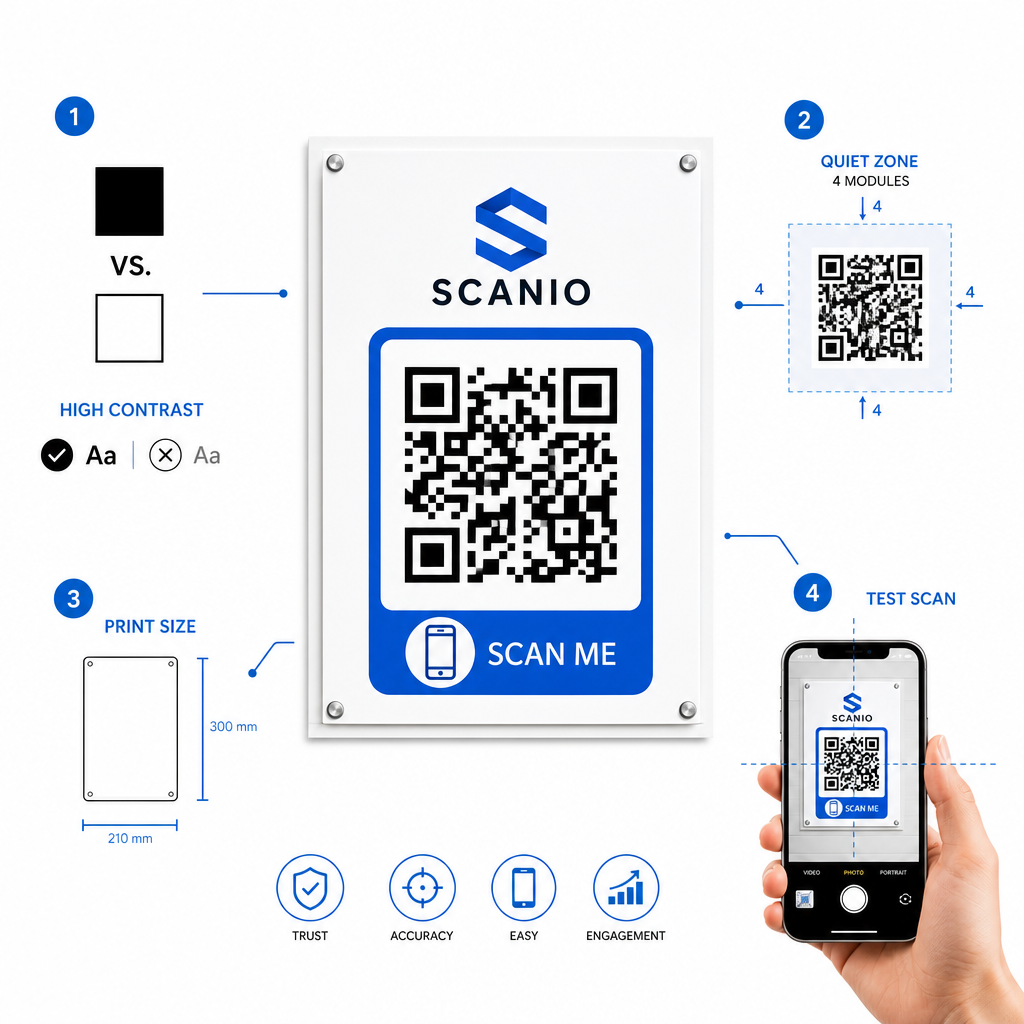
- Kekalkan kontras warna yang tinggi: Pilih modul gelap pada latar belakang cerah, seperti hitam pada putih. Pengimbas sukar membaca warna terbalik atau kombinasi kontras rendah seperti kelabu cerah pada putih.
- Kekalkan zon senyap: Kekalkan jidar yang jelas bersamaan dengan sekurang-kurangnya 4 modul (petak individu dalam corak kod) yang bebas sepenuhnya daripada teks, sempadan, atau grafik di keempat-empat sisi.
- Skala untuk jarak pandang: Cetak bahan jarak dekat (seperti kad perniagaan atau khemah meja) pada saiz minimum 0.8 × 0.8 inci (2 × 2 cm). Untuk papan tanda jarak jauh, gunakan peraturan jarak 10:1, bermakna kod yang diimbas dari jarak 10 kaki hendaklah berukuran sekurang-kurangnya 1 kaki lebar.
- Lakukan ujian dunia sebenar: Cetak bukti ujian fizikal pada substrat sasaran dan cuba untuk imbas kod QR dengan telefon pintar pada kedua-dua platform iOS dan Android di bawah keadaan pencahayaan yang berbeza.
Menghubungkan Khalayak Luar Talian ke Talian Telefon Anda
Dengan menghapuskan ralat penaipan manual, kod QR nombor telefon menghilangkan geseran daripada saluran pemasaran luar talian dan menghubungkan prospek yang berminat secara terus kepada pasukan anda. Sama ada anda menggunakan kod statik pada papan tanda pejabat kekal atau bergantung pada penjejakan dinamik untuk kempen pengiklanan bermusim, memastikan reka bentuk anda boleh diimbas menjamin laluan yang lancar dari titik sentuhan fizikal ke perbualan telefon.
Bersedia untuk memudahkan jangkauan pelanggan? Lawati Penjana Kod Pageloot QR hari ini untuk mencipta, menyesuaikan, dan menggunakan kod QR panggilan tersuai anda.
Soalan lazim
Tidak. Sistem pengendalian seperti iOS dan Android memerlukan pengesahan pengguna untuk mencegah panggilan tidak sengaja atau tidak dibenarkan. Pengimbasan mengisi pra-pendail telefon asli atau memaparkan gesaan pengesahan, tetapi pengguna mesti mengetuk butang panggilan.
Gunakan standard antarabangsa E.164, yang bermula dengan tanda tambah (+), diikuti oleh kod negara, kod kawasan, dan nombor pelanggan tanpa sempang, ruang, atau kurungan (contohnya, +12025550123).
Ya, jika anda membuat kod QR dinamik. Kod dinamik menghala lalu lintas melalui pautan pendek, membolehkan anda mengedit nombor telefon destinasi pada bila-bila masa tanpa mencetak semula bahan fizikal.