
Adakah anda kehilangan bakal pelanggan kerana rantaian e-mel yang panjang semasa menjadualkan janji temu? Memerlukan kenalan untuk menyalin atau menaip pautan web secara manual menimbulkan geseran yang tidak perlu yang menyebabkan tempahan dibatalkan. Menghubungkan kod QR terus ke halaman tempahan Calendly anda membolehkan sesiapa sahaja mengimbas dan menjadualkan mesyuarat serta-merta.
Cara Mengambil Pautan Penjadualan Calendly Anda
Sebelum menjana kod QR anda, anda perlu mencari URL tempahan khusus anda dalam akaun anda. Pastikan ketersediaan anda, penimbal mesyuarat, peraturan notis minimum, dan soalan jemputan tersuai dikonfigurasi dengan betul supaya halaman penjadualan anda sedia untuk pengunjung.
- Kongsi jenis acara tertentu: Log masuk ke akaun Calendly anda, navigasi ke Penjadualan papan pemuka, layangkan tetikus di atas kad untuk jenis mesyuarat yang anda inginkan (seperti perundingan 30 minit), dan klik Salin pautan.
- Kongsi halaman utama anda: Pergi ke Penjadualan papan pemuka, pilih tiga titik di penjuru kanan atas, dan klik Salin pautan untuk berkongsi halaman pusat yang memaparkan semua jenis acara anda yang tersedia.
Jana Kod QR Calendly Anda
Sebaik sahaja anda menyalin URL anda, anda boleh menukarnya menjadi imej yang boleh diimbas yang membuka kalendar anda sebaik sahaja diimbas.
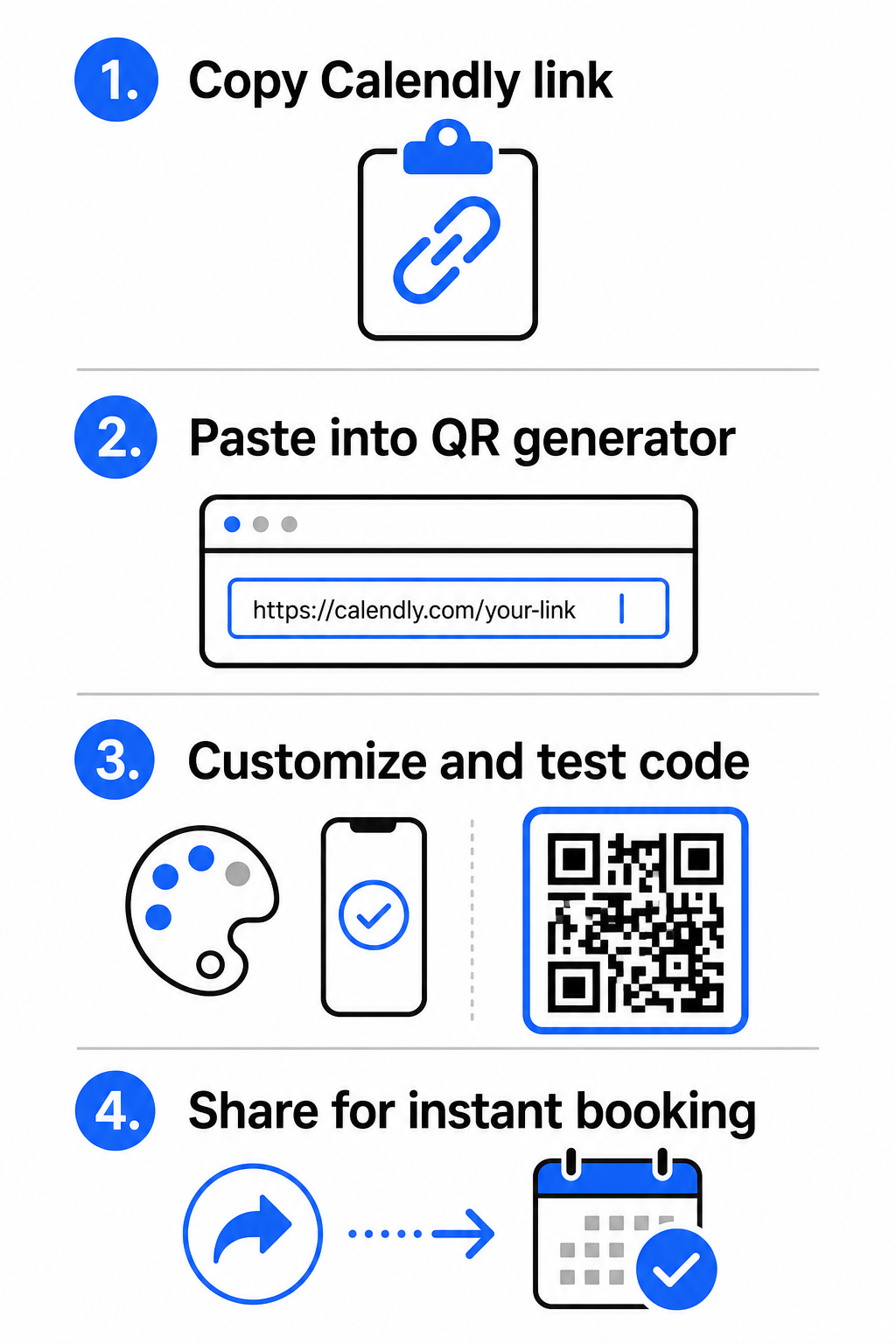
- Buka penjana kod QR pautan dalam pelayar web anda.
- Tampal URL Calendly yang anda salin terus ke dalam medan input destinasi.
- Klik Seterusnya untuk membina corak kod QR awal anda.
Cipta Kod QR Tempahan Tersuai Anda Permudahkan aliran kerja penjadualan anda hari ini dengan menukar pautan Calendly anda dengan penjana kod QR pautan.
Sesuaikan Reka Bentuk Visual untuk Kebolehimbasan Tinggi
Menyesuaikan kod QR anda mengintegrasikan penjenamaan anda sambil mengekalkan pengesanan kamera yang pantas. Sensor cahaya di dalam kamera telefon pintar bergantung pada corak geometri yang jelas untuk menyahkod data terbenam dengan cepat.
- Kekalkan kontras tinggi: Gunakan warna latar depan gelap pada latar belakang cerah, seperti hitam di atas putih. Elakkan gandingan kontras rendah seperti kuning di atas putih atau biru muda di atas kelabu, yang menghalang sensor optik daripada membaca matriks.
- Gabungkan logo jenama anda: Tambahkan logo syarikat anda ke tengah kod QR untuk membina kepercayaan visual dan menggalakkan pengguna mengimbas.
- Lindungi zon senyap: Kekalkan sempadan yang tidak terhalang di sekeliling tepi luar kod yang sekurang-kurangnya empat modul lebar (kira-kira 0.15 inci untuk kod 1 inci). Pastikan ruang ini sepenuhnya bebas daripada teks, corak latar belakang atau elemen visual.
Optimumkan Saiz, Bahan, dan Kualiti Cetakan
Menguji kod anda pada pelbagai bahan fizikal dan persekitaran skrin memastikan prestasi yang boleh dipercayai sebelum mengedarkan bahan anda kepada pelanggan.
- Patuhi dimensi cetakan minimum: Kekalkan kod fizikal pada saiz minimum 0.8 × 0.8 inci (2 × 2 cm) untuk pengimbasan jarak dekat, mengikuti butiran kami panduan saiz kod QR.
- Gunakan nisbah jarak: Gunakan peraturan nisbah pengimbasan 10:1 untuk papan tanda dan sepanduk, memastikan kod yang direka untuk diimbas dari jarak 10 kaki berukuran sekurang-kurangnya 1 kaki lebar.
- Pilih bahan cetakan tidak memantul: Pilih kemasan kertas matte atau penutup vinil kusam berbanding permukaan berkilat untuk mengelakkan pantulan cahaya, dan pelajari lebih lanjut tentang cara teknik pencetakan memberi kesan kepada kebolehimbasan kod QR.
- Lakukan ujian peranti secara langsung: Uji prototaip cetakan fizikal anda menggunakan aplikasi kamera iOS dan Android di bawah keadaan cahaya terang dan malap untuk mengesahkan pemuatan segera.
Tempat Meletakkan Kod QR Tempahan Anda
Meletakkan kod QR anda merentasi titik sentuh luar talian dan dalam talian utama menukar komunikasi harian kepada peluang pertemuan langsung.
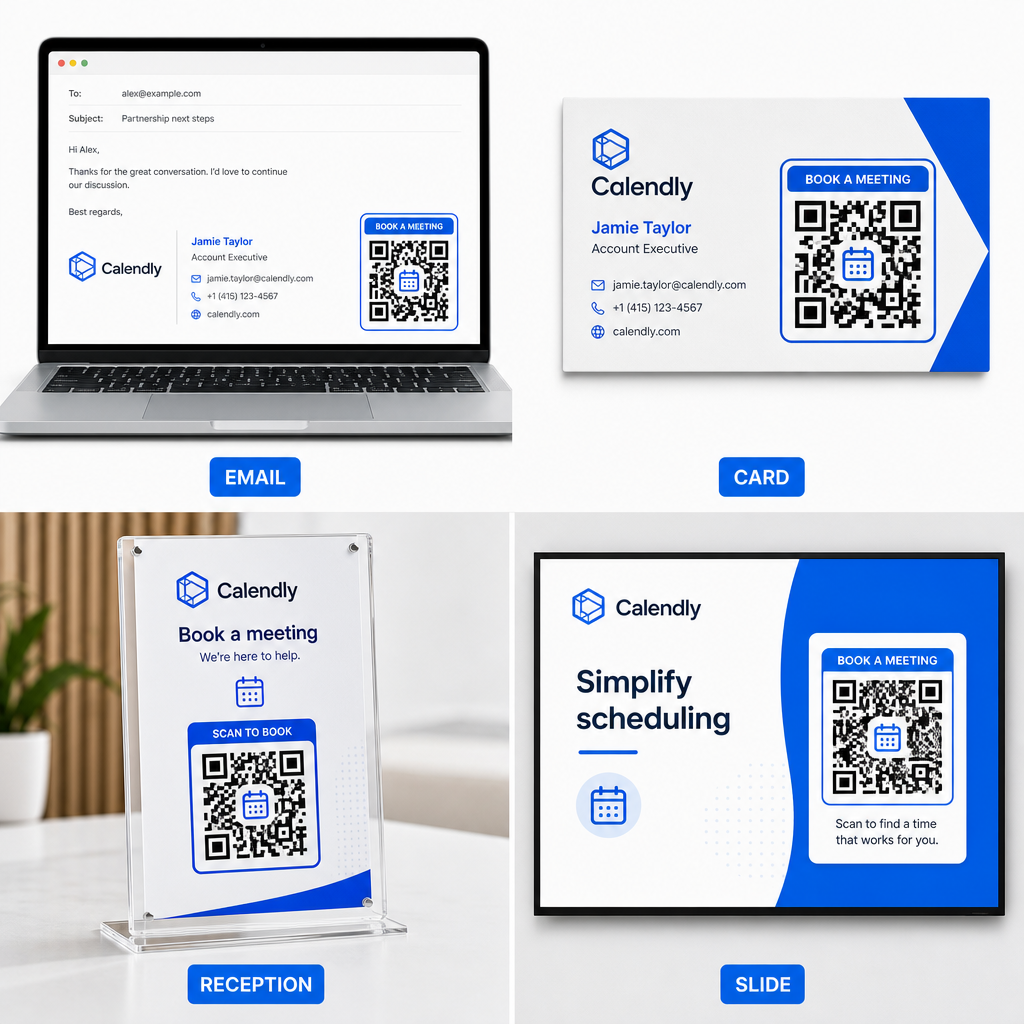
- Tandatangan e-mel: Letakkan kod penjadualan di bawah butiran hubungan anda, mengikuti panduan praktikal kami tentang cara menyediakan Kod QR untuk tandatangan e-mel.
- Kad perniagaan: Berikan prospek pintasan tempahan langsung serta-merta selepas acara rangkaian atau pameran perdagangan.
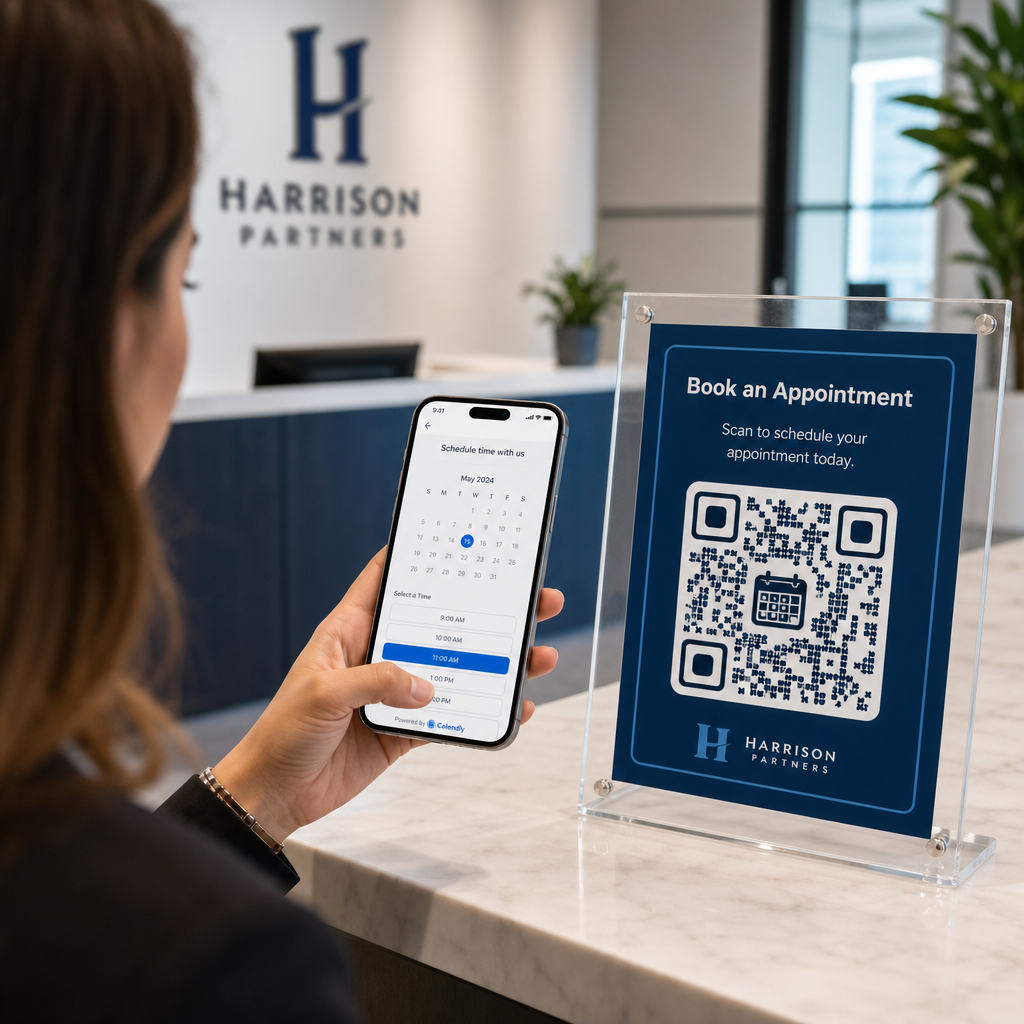
- Paparan Sambutan: Bingkaikan kod QR pada kaunter pejabat supaya pelanggan dan pesakit boleh menjadualkan temu janji susulan sebelum beredar.
- Slaid Pembentangan: Paparkan kod QR anda pada slaid terakhir dek anda supaya ahli audiens boleh menempah konsultasi susulan semasa ceramah anda masih segar dalam ingatan.
Kelebihan Menggunakan Kod QR Dinamik
Sementara kod QR statik secara kekal membenamkan satu URL destinasi ke dalam matriks pikselnya, menggunakan sebuah Penjana dynamic QR code mengarahkan pengimbas melalui pautan pengalihan yang boleh diedit.
- Kemas kini pautan destinasi tanpa perlu mencetak semula: Jika anda mengemas kini nama pengguna Calendly anda atau menukar perisian penjadualan, anda boleh mengemas kini URL destinasi di dalam papan pemuka pengurusan anda tanpa menggantikan bahan bercetak anda. Semak panduan kami tentang cara mengedit kod QR untuk arahan langkah demi langkah.
- Jejak analitik imbasan: Kod dinamik menangkap data penglibatan masa nyata, termasuk kiraan imbasan dan lokasi geografi, membantu anda mengetahui saluran pemasaran mana yang paling berkesan.
Perkemas Penjadualan Temu Janji Anda
Menggantikan URL yang panjang dengan kod QR terus menghilangkan kesulitan tempahan dan menghubungkan pelanggan terus ke kalendar anda. Bina kod dinamik peribadi anda dengan Pageloot untuk menjejak penglibatan, mengemas kini pautan destinasi dengan mudah, dan mengautomasikan aliran kerja temu janji anda.
Soalan lazim
Ya, dengan syarat anda menggunakan kod QR dinamik. Kod dinamik menunjuk ke URL pengalihan pendek, membolehkan anda mengemas kini pautan Calendly sasaran anda di dalam papan pemuka pengurusan anda pada bila-bila masa tanpa mencetak semula bahan fizikal.
Untuk pengimbasan jarak dekat pada kad perniagaan atau risalah, cetak kod QR anda sekurang-kurangnya 0.8 × 0.8 inci (2 × 2 cm). Untuk paparan yang lebih besar, skalakan kod menggunakan nisbah 10:1 berdasarkan jarak pengimbasan yang dijangka.
Kegagalan pengimbasan biasanya berpunca daripada kontras warna yang rendah, ruang yang hilang di zon senyap, pautan destinasi yang rosak, atau silau permukaan pada bahan cetakan berkilat.