
> 가이드 > How to Link a QR Code to a Calendly Booking Page
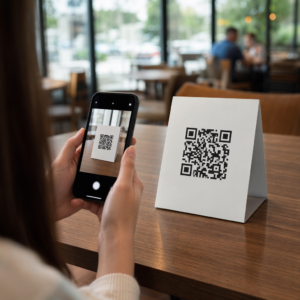
Scanning a booking code

How to Link a QR Code to a Calendly Booking Page

Learn how to link a QR code to your Calendly booking page. Follow this guide to generate, customize, and place dynamic QR codes to simplify scheduling.
Updated on 8월 29, 2026
목차

Are you losing prospective clients to long email threads when scheduling appointments? Requiring contacts to manually copy or type web links creates unnecessary friction that leads to dropped bookings. Connecting a QR code directly to your Calendly booking page allows anyone to scan and schedule a meeting instantly.

Before generating your QR code, you need to locate your specific booking URL within your account. Make sure your availability, meeting buffers, minimum notice rules, and custom invitee questions are properly configured so your scheduling page is ready for visitors.

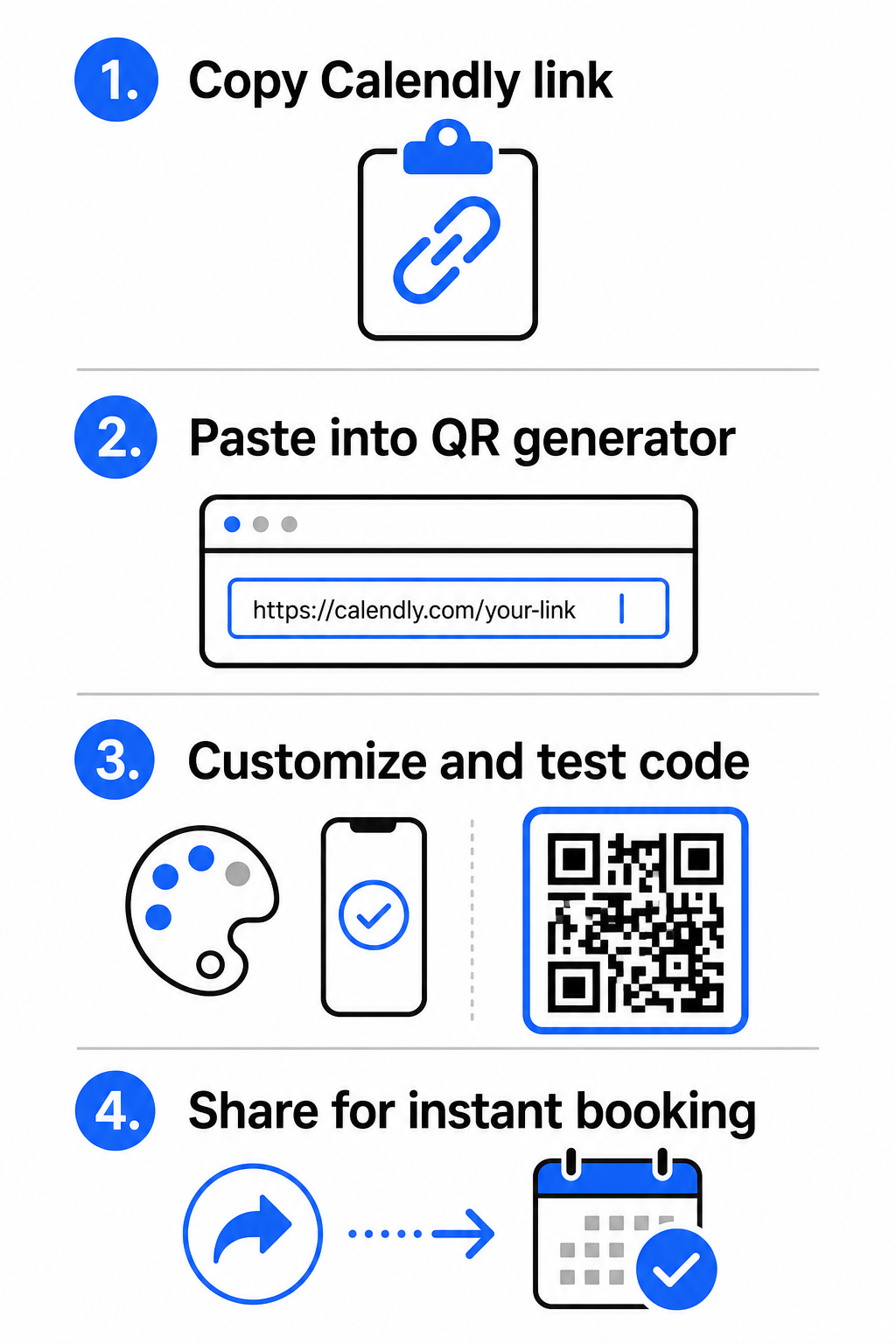
  • Share a specific event type: Log in to your Calendly account, navigate to the Scheduling dashboard, hover over the card for your desired meeting type (such as a 30-minute consultation), and click 링크 복사.
  • Share your main landing page: Go to the Scheduling dashboard, select the three dots in the top-right corner, and click 링크 복사 to share a central page displaying all your available event types.

Generate Your Calendly QR Code

Once you have copied your URL, you can convert it into a scannable image that opens your calendar upon scanning.

Calendly QR creation steps
  • 열기 링크 QR 코드 생성기 in your web browser.
  • Paste your copied Calendly URL directly into the destination input field.
  • Click 다음 to build your initial QR code pattern.

Create Your Custom Booking QR Code Simplify your scheduling workflow today by converting your Calendly link with our 링크 QR 코드 생성기.

Customize Visual Design for High Scannability

Customizing your QR code integrates your branding while preserving rapid camera detection. Light sensors inside smartphone cameras depend on clear geometric patterns to decode embedded data quickly.

  • Maintain high contrast: Use a dark foreground color on a light background, such as black on white. Avoid low-contrast pairings like yellow on white or light blue on gray, which prevent optical sensors from reading the matrix.
  • Incorporate your brand logo: Add your company logo to the center of the QR code to build visual trust and encourage users to scan.
  • 콰이어트 존 보호: Maintain an unobstructed border around the outer edges of the code that is at least four modules wide (approximately 0.15 inches for a 1-inch code). Keep this space entirely free of text, background patterns, or visual elements.

Optimize Sizing, Materials, and Print Quality

Testing your code across physical materials and screen environments ensures reliable performance before distributing your materials to clients.

  • Adhere to minimum print dimensions: Keep physical codes at a minimum size of 0.8 × 0.8인치 (2 × 2 cm) for close-range scanning, following our detailed QR 코드 크기 가이드.
  • Apply the distance ratio: Use the 10:1 scanning ratio rule for signage and banners, ensuring a code designed to be scanned from a distance of 10 feet measures at least 1 foot wide.
  • Select non-reflective print materials: Choose matte paper finishes or dull vinyl covers over glossy surfaces to prevent light reflections, and learn more about how printing techniques impact QR code scannability.
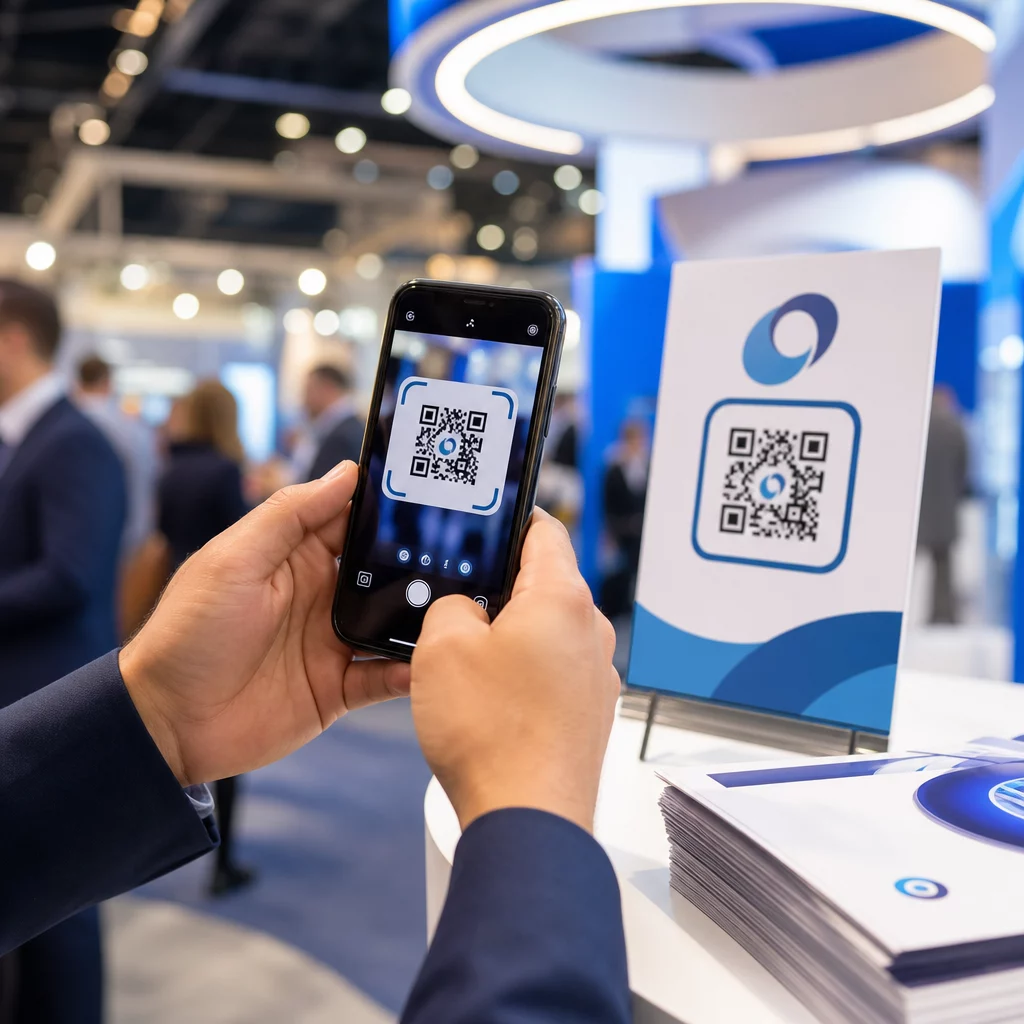
  • Perform live device testing: Test your physical print prototypes using both iOS and Android camera apps under bright and low-light conditions to confirm immediate loading.

Where to Place Your Booking QR Code

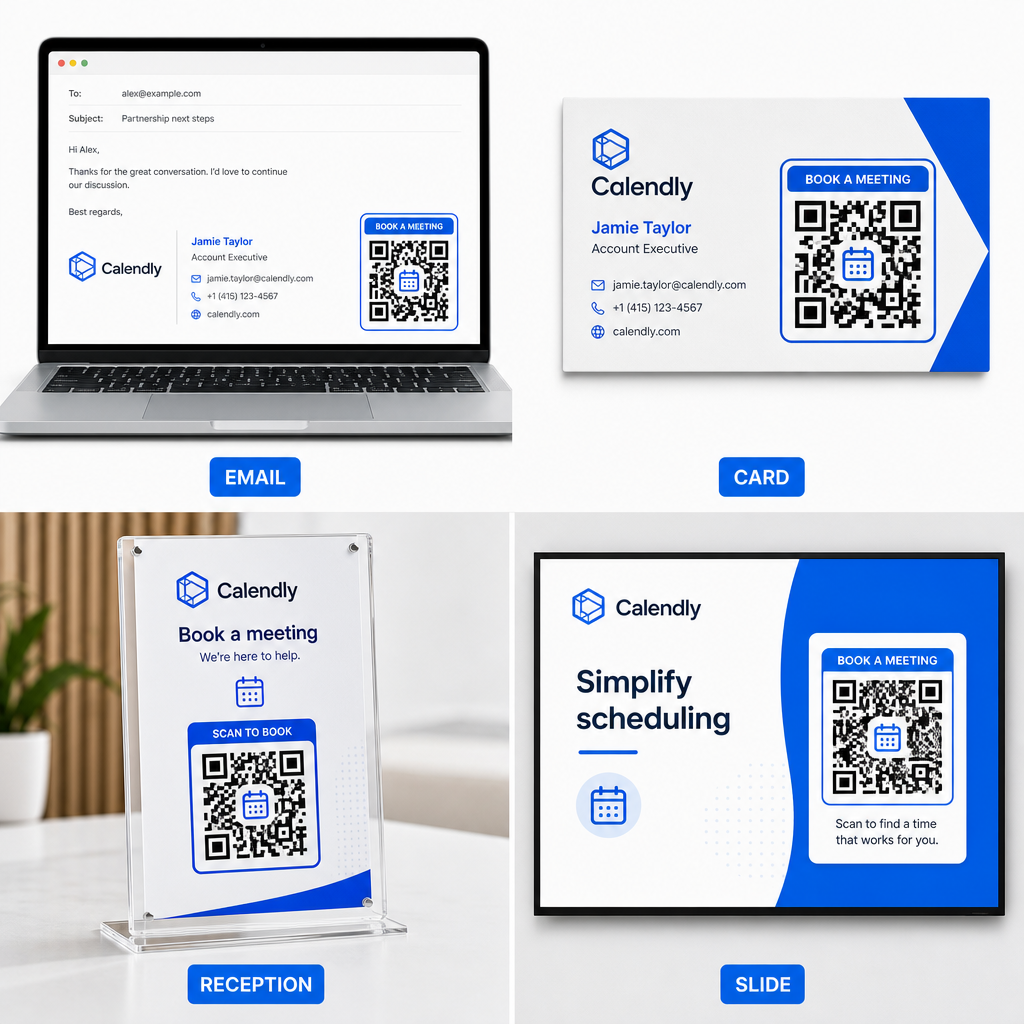
Positioning your QR code across key offline and online touchpoints turns everyday communications into direct meeting opportunities.

Booking QR placement ideas
  • 이메일 서명: Place a scheduling code beneath your contact details, following our practical guide on setting up a QR code for email signature.
  • 명함: Provide prospects with a direct booking shortcut immediately after networking events or trade shows.
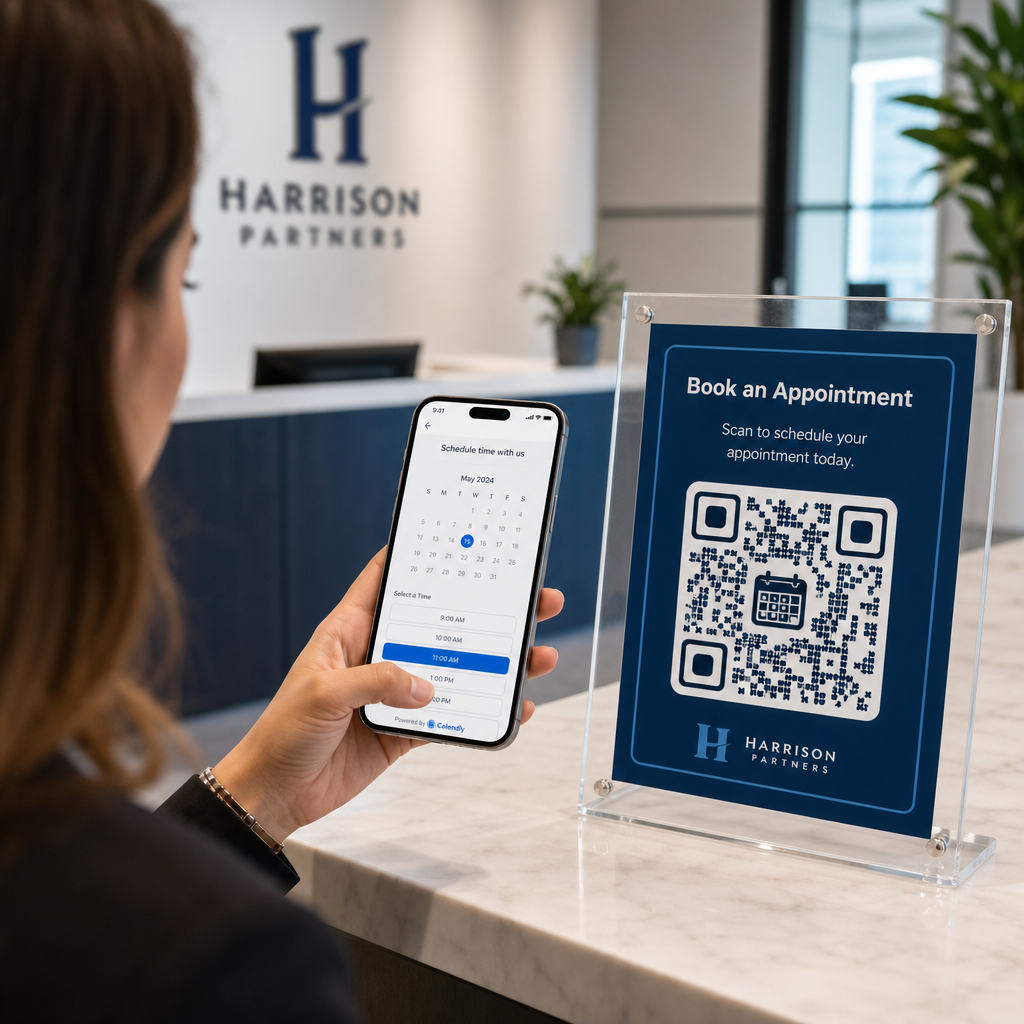
  • Reception Displays: Frame QR codes on office counters so clients and patients can schedule follow-up appointments before leaving.
  • Presentation Slides: Feature your QR code on the final slide of your decks so audience members can book follow-up consultations while your talk is top of mind.

Advantages of Using Dynamic QR Codes

While static QR codes permanently embed a single destination URL into their pixel matrix, using a 동적 QR 코드 생성기 routes scanners through an editable redirect link.

  • Update destination links without reprinting: If you update your Calendly username or switch scheduling software, you can update the destination URL inside your management dashboard without replacing your printed collateral. Review our guide on how to edit QR codes for step-by-step instructions.
  • Track scan analytics: Dynamic codes capture real-time engagement data, including scan counts and geographic locations, helping you discover which marketing channels convert best.

Streamline Your Appointment Scheduling

Replacing long URLs with a direct QR code removes booking friction and connects clients directly to your calendar. Build your personalized dynamic code with Pageloot to track engagement, update destination links easily, and automate your appointment workflow.

자주 묻는 질문

Can I change the Calendly link attached to my QR code after printing?

Yes, provided you use a dynamic QR code. Dynamic codes point to a short redirect URL, allowing you to update your target Calendly link inside your management dashboard at any time without reprinting physical materials.

What is the minimum recommended size for a printed booking QR code?

For close-range scanning on business cards or flyers, print your QR code at least 0.8 × 0.8 inches (2 × 2 cm). For larger displays, scale the code using a 10:1 ratio based on the expected scanning distance.

Why does my QR code fail to open my Calendly page when scanned?

Scanning failures usually stem from low color contrast, missing space in the quiet zone, broken destination links, or surface glare on glossy printed materials.

작성자 정보

시임 코스타비는 페이지루트의 콘텐츠 책임자입니다. 그는 페이지루트의 혁신적인 QR 코드 생성 서비스에 대한 글을 쓰고 있습니다. 5년 이상 QR 코드 분야에서 쌓아온 깊이 있는 전문 지식을 바탕으로, 시임은 이 분야의 전문가로 인정받고 있습니다. 그는 QR 기술을 활용하여 디지털 상호작용을 간소화하고 향상시키는 데 크게 기여하고 있습니다.

범주
에 대해 자세히 알아보기
Wedding QR code
QR 코드 결혼식

온라인으로 QR 코드를 생성해야하는 경우 QR 코드 만들기 무료로 여기!
Pageloot는 #1 Go-To 솔루션 QR 코드를 만들고 스캔합니다.

BL-0364

블로그 세대

20,000개 이상의 브랜드로부터 신뢰를 받아 더 많은 매출, 리뷰, 팔로워를 확보했습니다.

클라이언트 로고
최고 브랜드의 신뢰
5 중 4.8 평가

4.86 / 5 별점

휴고 로랑
휴고 로랑
레스토랑 주인
가장 쉽고 안정적인 QR 코드 생성기. PDF 파일을 즉시 업로드할 수 있습니다. 이제 레스토랑 메뉴가 디지털화되었습니다.
루카스 얀센
루카스 얀센
부동산 개발사
이것은 훌륭한 도구이며 QR 코드를 사용하면 원하는 곳으로 이동할 수 있습니다. 우리는 위치 QR 코드만 사용하지만 유용한 기능이 너무 많습니다.
엠마 모레티
엠마 모레티
소매 제품
사용하기 쉽고 빠릅니다. 그것은 훌륭하게 작동하고 완벽한 이미지를 생성하므로 직원들이 내 vCard를 다운로드할 수 있습니다.
휴고 로랑
휴고 로랑
레스토랑 주인
가장 쉽고 안정적인 QR 코드 생성기. PDF 파일을 즉시 업로드할 수 있습니다. 이제 레스토랑 메뉴가 디지털화되었습니다.
루카스 얀센
루카스 얀센
부동산 개발사
이것은 훌륭한 도구이며 QR 코드를 사용하면 원하는 곳으로 이동할 수 있습니다. 우리는 위치 QR 코드만 사용하지만 유용한 기능이 너무 많습니다.
엠마 모레티
엠마 모레티
소매 제품
사용하기 쉽고 빠릅니다. 그것은 훌륭하게 작동하고 완벽한 이미지를 생성하므로 직원들이 내 vCard를 다운로드할 수 있습니다.
더 많은 QR 코드보기
QR 코드 생성기가 관광 산업을 보호하는 방법
QR 코드 구조 관광 산업
교회 QR 코드 스캔
QR 코드 교회에
무엇이든 디지털 경험으로 전환하세요 3분 이내에.

14일 무료 체험.

신용카드는 필요 없습니다.

첫 구매 시 30% 할인

코드를 사용하세요:

MP3 파일 공유

PDF QR 코드를 생성하려면 가입하세요

필요한 모든 것을 업로드하고 표시합니다.

  • 오디오 파일
  • 팟캐스트
  • 음악

가입 시 14일 무료 체험.
체험 기간 후 QR 코드 만료.

오디오 mp3 QR 코드를 생성하려면 가입하세요

프레임으로 더 많은 스캔 확보

QR 코드에 더 많은 프레임을 추가하려면 가입하세요

클릭 유도 문안 프레임은 고객이 QR 코드와 쉽게 상호 작용할 수 있도록 도와줍니다. 사용해 보세요!

가입 시 14일 무료 체험.
체험 기간 후 QR 코드 만료.

QR 코드에 더 많은 프레임을 추가하려면 가입하세요

도형으로 더 많은 스타일 추가

더 많은 도형을 만들려면 가입하세요

QR 코드는 정사각형일 필요가 없습니다. 브랜드 이미지에 맞게 전환해 보세요.

가입 시 14일 무료 체험.
체험 기간 후 QR 코드 만료.

더 많은 도형을 만들려면 가입하세요

QR 코드에 로고 추가

QR 코드에 로고를 추가하려면 가입하세요

로고와 브랜드를 추가하여 QR 코드를 돋보이게 만드세요.

가입 시 14일 무료 체험.
체험 기간 후 QR 코드 만료.

QR 코드에 로고를 추가하려면 가입하세요

스마트 앱 스토어 리디렉션

앱 스토어 QR 코드를 생성하려면 가입하세요

스마트 앱 스토어 QR 코드에 앱 링크를 추가하세요. 사용자는 장치에 따라 리디렉션됩니다.

가입 시 14일 무료 체험.
체험 기간 후 QR 코드 만료.

앱 스토어 QR 코드를 생성하려면 가입하세요

QR 코드에 이미지 업로드

이미지 QR 코드를 생성하려면 가입하세요

이미지를 쉽게 공유하세요. 몇 초 안에 동적으로 이미지를 변경하십시오.

가입 시 14일 무료 체험.
체험 기간 후 QR 코드 만료.

이미지 QR 코드를 생성하려면 가입하세요

PDF 파일 공유

PDF QR 코드를 생성하려면 가입하세요

필요한 모든 것을 업로드하고 표시합니다.

  • 메뉴 및 가격표
  • 명령
  • 모든 문서

가입 시 14일 무료 체험.
체험 기간 후 QR 코드 만료.

PDF QR 코드를 생성하려면 가입하세요

인쇄 없이 나중에 편집

다시 인쇄하지 않고 QR 코드를 편집하려면 가입하세요

동적 QR 코드를 사용하면 새 QR 코드를 인쇄하지 않고도 QR 코드의 내용을 변경할 수 있습니다.

가입 시 14일 무료 체험.
체험 기간 후 QR 코드 만료.

다시 인쇄하지 않고 QR 코드를 편집하려면 가입하세요

언제? 어디서? QR 코드 스캔 추적

QR 코드를 추적하려면 가입하세요

어떤 QR 코드가 가장 많이 스캔되고 무엇이 고객을 가장 흥분시키는지 알아보십시오.

가입 시 14일 무료 체험.
체험 기간 후 QR 코드 만료.

QR 코드를 추적하려면 가입하세요

인쇄 준비 파일 제공

PDF 및 SVG와 같은 벡터 QR 코드를 생성하려면 가입하세요.

.EPS, .PDF, .SVG

HD 해상도로 QR 코드를 다운로드하고 싶으신가요? 인쇄할 준비가 된 벡터 또는 픽셀 형식을 가져옵니다.

가입 시 14일 무료 체험.
체험 기간 후 QR 코드 만료.

PDF 및 SVG와 같은 벡터 QR 코드를 생성하려면 가입하세요.

기다리세요. 귀하의 QR 코드는 로드 중... 로드 중...

나만의 것으로 만들기

나중을 위해 QR 코드를 저장하려면 가입하세요.

다양한 색상, 로고 및 클릭 유도문안 프레임으로 멋진 QR 코드를 만들어 더 많은 스캔을 받으세요.

가입 시 14일 무료 체험.
체험 기간 후 QR 코드 만료.

나중을 위해 QR 코드를 저장하려면 가입하세요.