
בית > מדריכים > How to Link a QR Code to a Calendly Booking Page
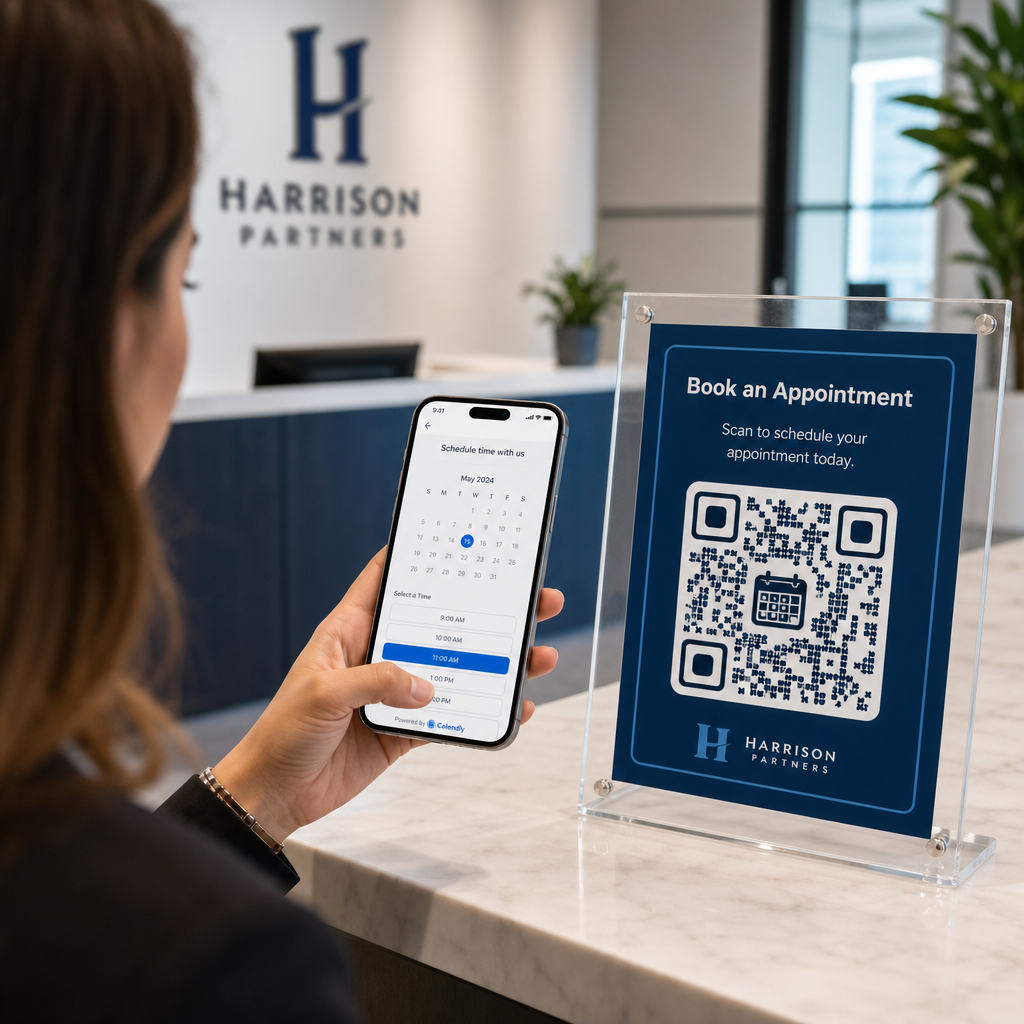
Scanning a booking code

How to Link a QR Code to a Calendly Booking Page

Learn how to link a QR code to your Calendly booking page. Follow this guide to generate, customize, and place dynamic QR codes to simplify scheduling.
Updated on אוגוסט 29, 2026
תוכן העניינים

Are you losing prospective clients to long email threads when scheduling appointments? Requiring contacts to manually copy or type web links creates unnecessary friction that leads to dropped bookings. Connecting a QR code directly to your Calendly booking page allows anyone to scan and schedule a meeting instantly.

Before generating your QR code, you need to locate your specific booking URL within your account. Make sure your availability, meeting buffers, minimum notice rules, and custom invitee questions are properly configured so your scheduling page is ready for visitors.

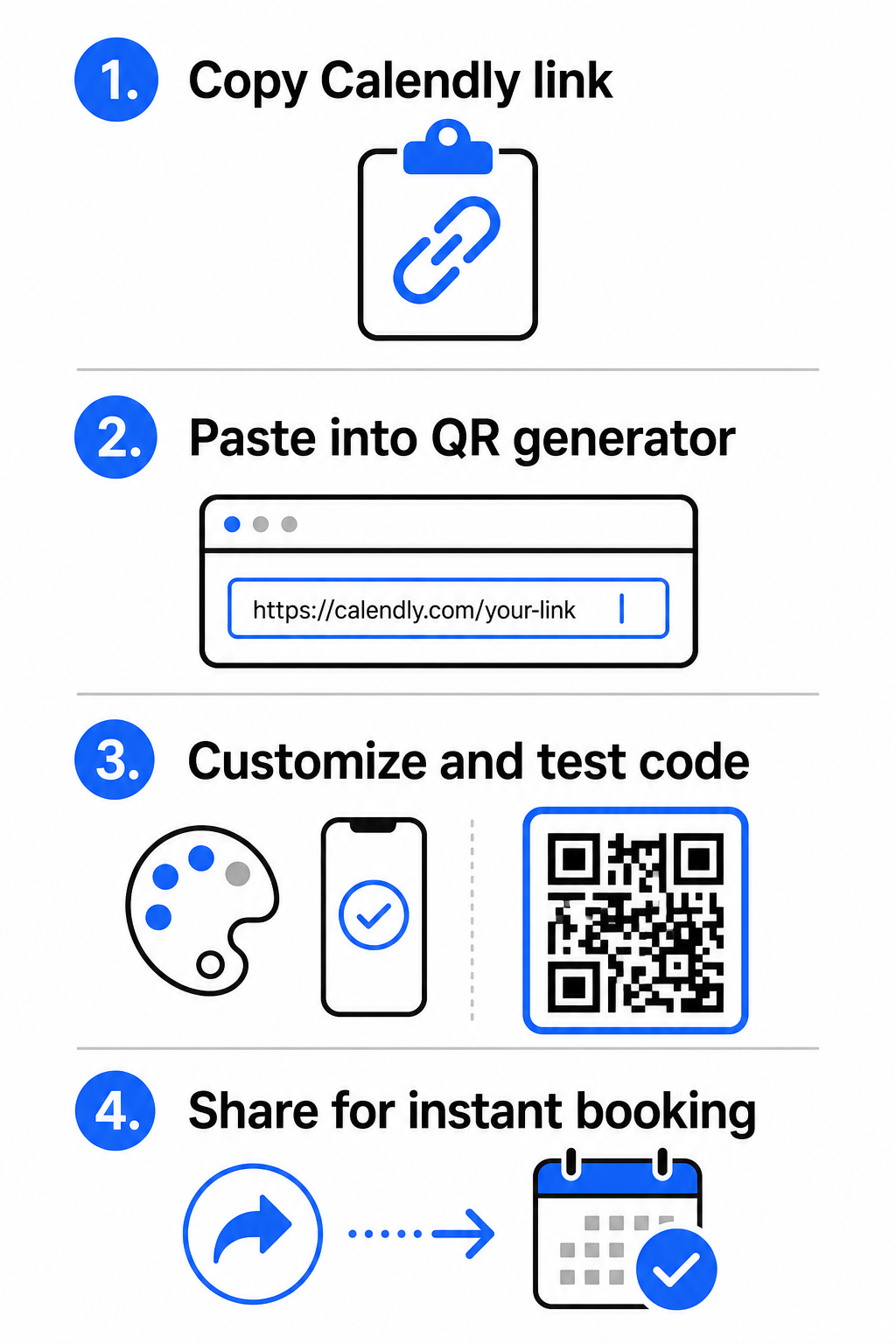
  • Share a specific event type: Log in to your Calendly account, navigate to the Scheduling dashboard, hover over the card for your desired meeting type (such as a 30-minute consultation), and click העתק קישור.
  • Share your main landing page: Go to the Scheduling dashboard, select the three dots in the top-right corner, and click העתק קישור to share a central page displaying all your available event types.

Generate Your Calendly QR Code

Once you have copied your URL, you can convert it into a scannable image that opens your calendar upon scanning.

Calendly QR creation steps
  • פתח את ה מחולל קוד QR לקישור in your web browser.
  • Paste your copied Calendly URL directly into the destination input field.
  • Click הַבָּא to build your initial QR code pattern.

Create Your Custom Booking QR Code Simplify your scheduling workflow today by converting your Calendly link with our מחולל קוד QR לקישור.

Customize Visual Design for High Scannability

Customizing your QR code integrates your branding while preserving rapid camera detection. Light sensors inside smartphone cameras depend on clear geometric patterns to decode embedded data quickly.

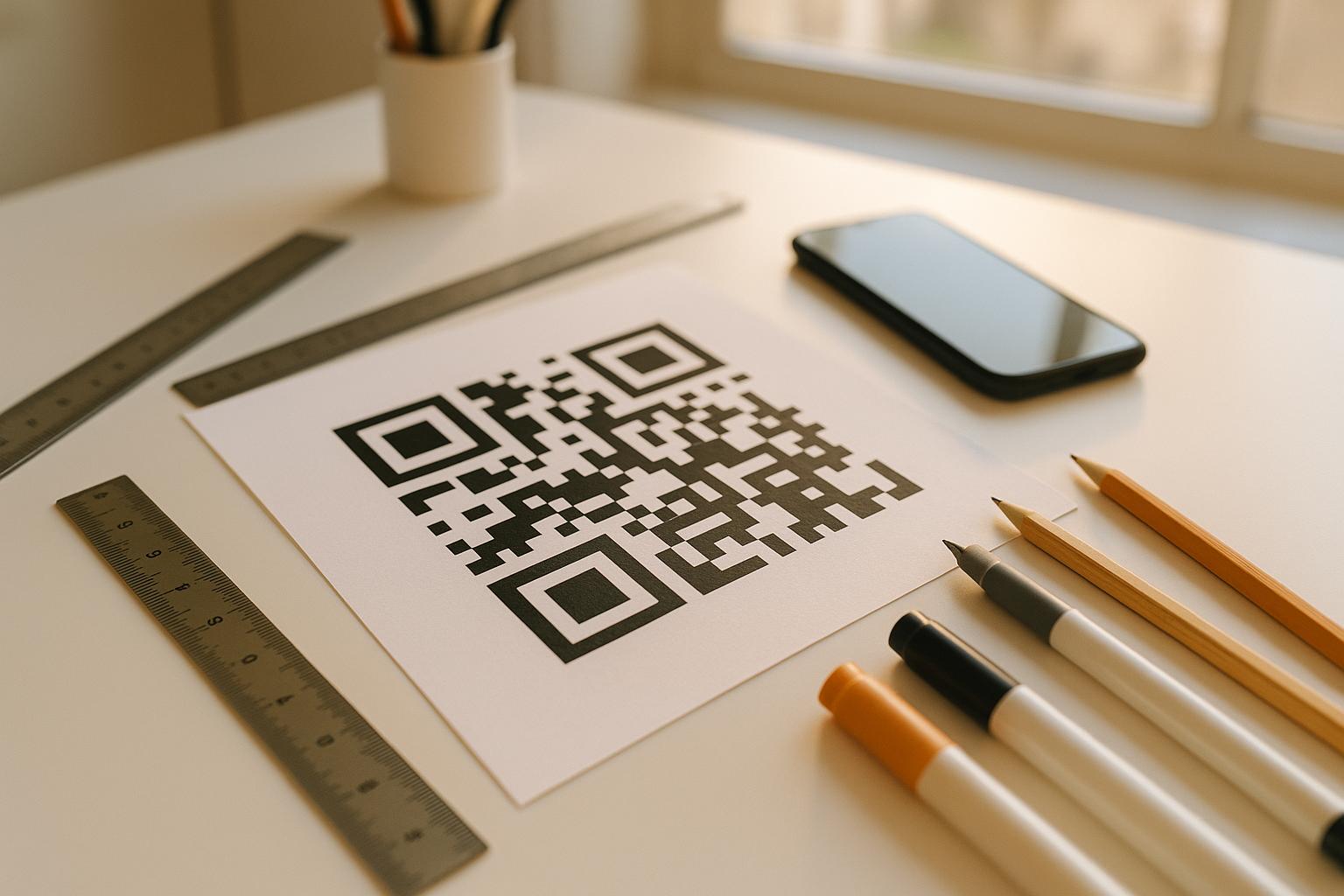
  • Maintain high contrast: Use a dark foreground color on a light background, such as black on white. Avoid low-contrast pairings like yellow on white or light blue on gray, which prevent optical sensors from reading the matrix.
  • Incorporate your brand logo: Add your company logo to the center of the QR code to build visual trust and encourage users to scan.
  • הגן על האזור השקט: Maintain an unobstructed border around the outer edges of the code that is at least four modules wide (approximately 0.15 inches for a 1-inch code). Keep this space entirely free of text, background patterns, or visual elements.

Optimize Sizing, Materials, and Print Quality

Testing your code across physical materials and screen environments ensures reliable performance before distributing your materials to clients.

  • Adhere to minimum print dimensions: Keep physical codes at a minimum size of 0.8 × 0.8 אינץ' (2 × 2 ס"מ) for close-range scanning, following our detailed מדריך גודל קוד QR.
  • Apply the distance ratio: Use the 10:1 scanning ratio rule for signage and banners, ensuring a code designed to be scanned from a distance of 10 feet measures at least 1 foot wide.
  • Select non-reflective print materials: Choose matte paper finishes or dull vinyl covers over glossy surfaces to prevent light reflections, and learn more about how printing techniques impact QR code scannability.
  • Perform live device testing: Test your physical print prototypes using both iOS and Android camera apps under bright and low-light conditions to confirm immediate loading.

Where to Place Your Booking QR Code

Positioning your QR code across key offline and online touchpoints turns everyday communications into direct meeting opportunities.

Booking QR placement ideas
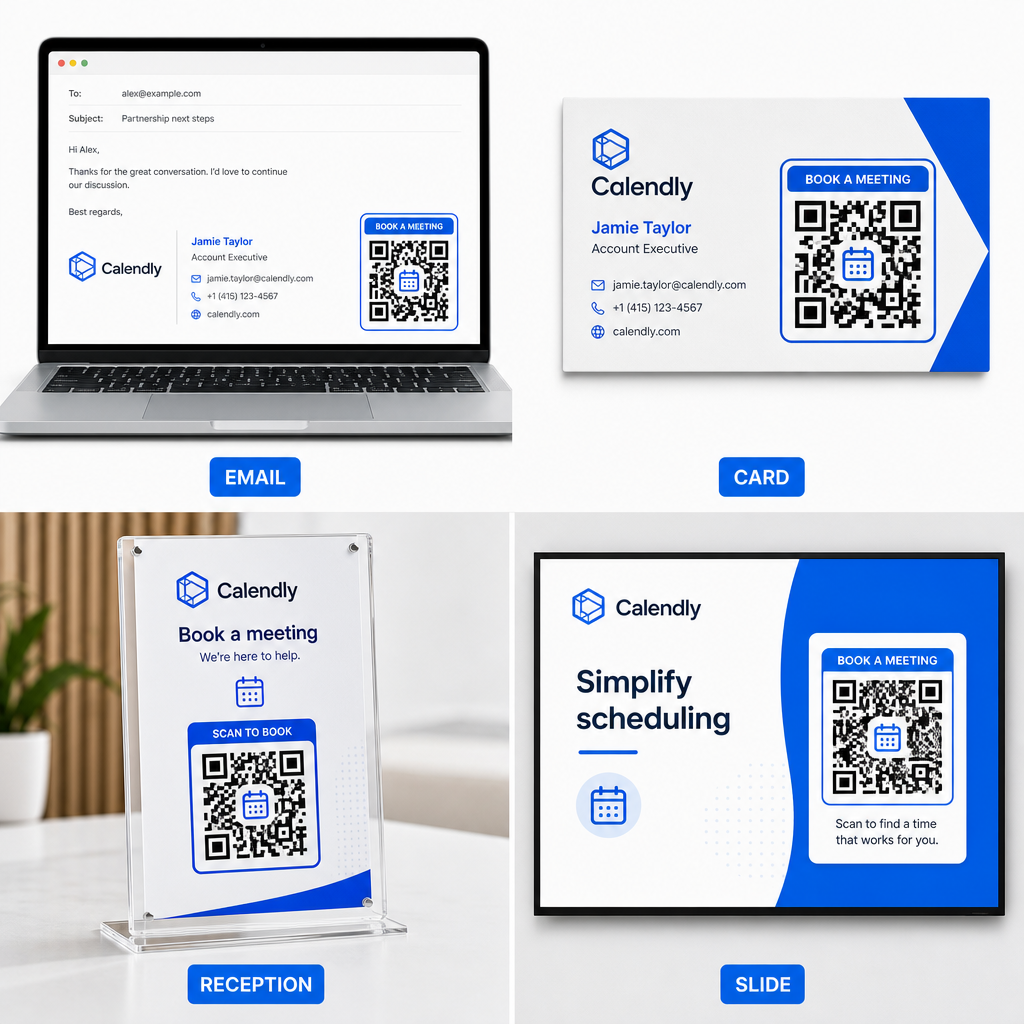
  • חתימות במייל: Place a scheduling code beneath your contact details, following our practical guide on setting up a QR code for email signature.
  • כרטיסי ביקור: Provide prospects with a direct booking shortcut immediately after networking events or trade shows.
  • Reception Displays: Frame QR codes on office counters so clients and patients can schedule follow-up appointments before leaving.
  • Presentation Slides: Feature your QR code on the final slide of your decks so audience members can book follow-up consultations while your talk is top of mind.

Advantages of Using Dynamic QR Codes

While static QR codes permanently embed a single destination URL into their pixel matrix, using a מחולל קודי QR דינמיים routes scanners through an editable redirect link.

  • Update destination links without reprinting: If you update your Calendly username or switch scheduling software, you can update the destination URL inside your management dashboard without replacing your printed collateral. Review our guide on how to edit QR codes for step-by-step instructions.
  • Track scan analytics: Dynamic codes capture real-time engagement data, including scan counts and geographic locations, helping you discover which marketing channels convert best.

Streamline Your Appointment Scheduling

Replacing long URLs with a direct QR code removes booking friction and connects clients directly to your calendar. Build your personalized dynamic code with Pageloot to track engagement, update destination links easily, and automate your appointment workflow.

שאלות נפוצות

Can I change the Calendly link attached to my QR code after printing?

Yes, provided you use a dynamic QR code. Dynamic codes point to a short redirect URL, allowing you to update your target Calendly link inside your management dashboard at any time without reprinting physical materials.

What is the minimum recommended size for a printed booking QR code?

For close-range scanning on business cards or flyers, print your QR code at least 0.8 × 0.8 inches (2 × 2 cm). For larger displays, scale the code using a 10:1 ratio based on the expected scanning distance.

Why does my QR code fail to open my Calendly page when scanned?

Scanning failures usually stem from low color contrast, missing space in the quiet zone, broken destination links, or surface glare on glossy printed materials.

על הסופר

סים קוסטבי הוא ראש התוכן ב-Pageloot. הוא כותב על שירותי יצירת קודי QR החדשניים שלנו. עם מומחיות מעמיקה המשתרעת על פני יותר מחצי עשור בקודי QR, סים הוא מומחה בתחום. הוא עושה צעדים משמעותיים במינוף טכנולוגיית QR כדי לפשט ולשפר אינטראקציות דיגיטליות.

קטגוריה
למידע נוסף על
סריקת קוד QR WeChat
צור קודי QR עבור 8. WeChat
✅ הפתרון #1 עבור קודי QR

אם אתה צריך ליצור קודי QR באופן מקוון, אתה יכול הכינו קוד QR ממש כאן בחינם!
Pageloot הוא פתרון Go-To #1 ליצור ולסרוק קודי QR.

BL-0364

בלוג-מחולל

מהימנים על ידי למעלה מ-20,000 מותגים כדי להשיג יותר מכירות, ביקורות ועוקבים.

לוגו של לקוחות
מהימנים על ידי המותגים המובילים
דורג 4.8 מתוך 5

דירוג 4.86 / 5 כוכבים

הוגו לורן
הוגו לורן
בעל מסעדה
מחולל קוד QR הקל והאמין ביותר אי פעם. ניתן להעלות קבצי PDF באופן מיידי. תפריטי המסעדה שלנו עכשיו דיגיטליים.
לוקאס יאנסן
לוקאס יאנסן
יזם נדל"ן
זהו כלי מצוין וקודי ה-QR לוקחים אותך בדיוק לאן שאתה רוצה. אנחנו משתמשים רק בקוד QR של המיקום אבל יש כל כך הרבה תכונות שימושיות.
אמה מורטי
אמה מורטי
מוצרים קמעונאיים
קל לשימוש ומהיר. זה עובד נהדר ויוצר תמונה מושלמת, כך שהעובדים יכולים להוריד את ה-vCard שלי.
הוגו לורן
הוגו לורן
בעל מסעדה
מחולל קוד QR הקל והאמין ביותר אי פעם. ניתן להעלות קבצי PDF באופן מיידי. תפריטי המסעדה שלנו עכשיו דיגיטליים.
לוקאס יאנסן
לוקאס יאנסן
יזם נדל"ן
זהו כלי מצוין וקודי ה-QR לוקחים אותך בדיוק לאן שאתה רוצה. אנחנו משתמשים רק בקוד QR של המיקום אבל יש כל כך הרבה תכונות שימושיות.
אמה מורטי
אמה מורטי
מוצרים קמעונאיים
קל לשימוש ומהיר. זה עובד נהדר ויוצר תמונה מושלמת, כך שהעובדים יכולים להוריד את ה-vCard שלי.
ראה קודי QR נוספים
סריקת קוד QR של פלייר
קודי QR מופעלים פליירים
סריקת קוד QR מודפס
קוד QR מדריך מידות
Scanning text QR code
קוד QR סוגים שונים
צ'ק-אין QR בבית חולים
קודי QR עבור בתי חולים ובריאות
להפוך כל דבר לחוויה דיגיטלית בפחות מ-3 דקות.

ניסיון חינם למשך 14 יום.

אין צורך בכרטיס אשראי.

קבל 30% הנחה על הרכישה הראשונה שלך

השתמש בקוד:

שתף את קבצי ה-MP3 שלך

הירשם ליצירת קודי QR של PDF

העלה והצג את כל מה שאתה צריך:

  • קבצי שמע
  • פודקאסטים
  • מוּסִיקָה

ניסיון חינם למשך 14 יום עם הרשמה.
קודי QR יפוגו לאחר תקופת הניסיון.

הירשם כדי ליצור קוד אודיו mp3 QR

קבל יותר סריקות עם מסגרות

הירשם כדי להוסיף עוד מסגרות לקודי ה-QR שלך

מסגרות קריאה לפעולה עוזרות ללקוחות שלך ליצור אינטראקציה עם קוד ה-QR בקלות. נסה אותם!

ניסיון חינם למשך 14 יום עם הרשמה.
קודי QR יפוגו לאחר תקופת הניסיון.

הירשם כדי להוסיף עוד מסגרות לקודי ה-QR שלך

הוסף עוד סגנון עם צורות

הירשם כדי ליצור צורות נוספות

קודי QR לא חייבים להיות מרובעים. נסה לשנות אותו כך שיתאים לתדמית המותג שלך.

ניסיון חינם למשך 14 יום עם הרשמה.
קודי QR יפוגו לאחר תקופת הניסיון.

הירשם כדי ליצור צורות נוספות

הוסף לוגו לקוד ה-QR שלך

הירשם כדי להוסיף את הלוגו שלך לקודי QR

הפוך את קוד ה-QR שלך לבלוט על ידי הוספת הלוגו והמותג שלך אליו.

ניסיון חינם למשך 14 יום עם הרשמה.
קודי QR יפוגו לאחר תקופת הניסיון.

הירשם כדי להוסיף את הלוגו שלך לקודי QR

הפניות חכמות לחנויות אפליקציות

הירשם כדי ליצור קוד QR של חנות אפליקציות

הוסף את קישורי האפליקציה שלך לקוד QR החכם של App Store. המשתמשים מופנים מחדש על סמך המכשיר שלהם.

ניסיון חינם למשך 14 יום עם הרשמה.
קודי QR יפוגו לאחר תקופת הניסיון.

הירשם כדי ליצור קוד QR של חנות אפליקציות

העלה תמונה לקוד QR

הירשם כדי ליצור קודי QR לתמונה

שתף את התמונות שלך בקלות. שנה כל תמונה באופן דינמי תוך שניות.

ניסיון חינם למשך 14 יום עם הרשמה.
קודי QR יפוגו לאחר תקופת הניסיון.

הירשם כדי ליצור קודי QR לתמונה

שתף את קבצי ה-PDF שלך

הירשם ליצירת קודי QR של PDF

העלה והצג את כל מה שאתה צריך:

  • תפריטים ומחירונים
  • הוראות
  • כל המסמכים

ניסיון חינם למשך 14 יום עם הרשמה.
קודי QR יפוגו לאחר תקופת הניסיון.

הירשם ליצירת קודי QR של PDF

ערוך מאוחר יותר ללא הדפסה

הירשם כדי לערוך את קודי ה-QR שלך מבלי להדפיס שוב

קודי QR דינמיים מאפשרים לך לשנות את התוכן של קוד ה-QR שלך מבלי להדפיס חדשים.

ניסיון חינם למשך 14 יום עם הרשמה.
קודי QR יפוגו לאחר תקופת הניסיון.

הירשם כדי לערוך את קודי ה-QR שלך מבלי להדפיס שוב

מתי? איפה? עקוב אחר סריקות קוד ה-QR שלך

הירשם כדי לעקוב אחר קודי ה-QR שלך

גלה אילו מקודי ה-QR שלך מקבלים הכי הרבה סריקות ומה הכי מרגש את הלקוחות שלך.

ניסיון חינם למשך 14 יום עם הרשמה.
קודי QR יפוגו לאחר תקופת הניסיון.

הירשם כדי לעקוב אחר קודי ה-QR שלך

קבצים מוכנים להדפסה זמינים

הירשם כדי ליצור קודי QR וקטורים כמו PDF ו-SVG

.EPS, .PDF, .SVG

רוצה להוריד את קודי ה-QR שלך ברזולוציית HD? קבל פורמטים וקטוריים או פיקסלים שמוכנים להדפסה.

ניסיון חינם למשך 14 יום עם הרשמה.
קודי QR יפוגו לאחר תקופת הניסיון.

הירשם כדי ליצור קודי QR וקטורים כמו PDF ו-SVG

המתן בבקשה. קוד ה-QR שלך הוא טוען... טוען...

הפוך אותו לשלך

הירשם כדי לשמור את קוד ה-QR שלך למועד מאוחר יותר

קבל סריקות נוספות על ידי יצירת קודי QR מדהימים עם צבעים שונים, לוגואים ומסגרות קריאה לפעולה.

ניסיון חינם למשך 14 יום עם הרשמה.
קודי QR יפוגו לאחר תקופת הניסיון.

הירשם כדי לשמור את קוד ה-QR שלך למועד מאוחר יותר