
Apakah Anda kehilangan calon klien karena utas email yang panjang saat menjadwalkan janji temu? Meminta kontak untuk menyalin atau mengetik tautan web secara manual menciptakan gesekan yang tidak perlu yang menyebabkan pembatalan pemesanan. Menghubungkan kode QR langsung ke halaman pemesanan Calendly Anda memungkinkan siapa saja untuk memindai dan menjadwalkan rapat secara instan.
Cara Mengambil Tautan Penjadwalan Calendly Anda
Sebelum membuat kode QR Anda, Anda perlu menemukan URL pemesanan spesifik Anda di akun Anda. Pastikan ketersediaan Anda, waktu jeda rapat, aturan pemberitahuan minimum, dan pertanyaan undangan khusus telah dikonfigurasi dengan benar agar halaman penjadwalan Anda siap untuk pengunjung.
- Bagikan jenis acara tertentu: Masuk ke akun Calendly Anda, navigasikan ke Penjadwalan dasbor, arahkan kursor ke kartu untuk jenis rapat yang Anda inginkan (seperti konsultasi 30 menit), lalu klik Salin tautan.
- Bagikan halaman beranda utama Anda: Buka Penjadwalan dasbor, pilih tiga titik di sudut kanan atas, lalu klik Salin tautan untuk membagikan halaman pusat yang menampilkan semua jenis acara yang tersedia.
Buat Kode QR Calendly Anda
Setelah Anda menyalin URL Anda, Anda dapat mengubahnya menjadi gambar yang dapat dipindai yang akan membuka kalender Anda setelah dipindai.
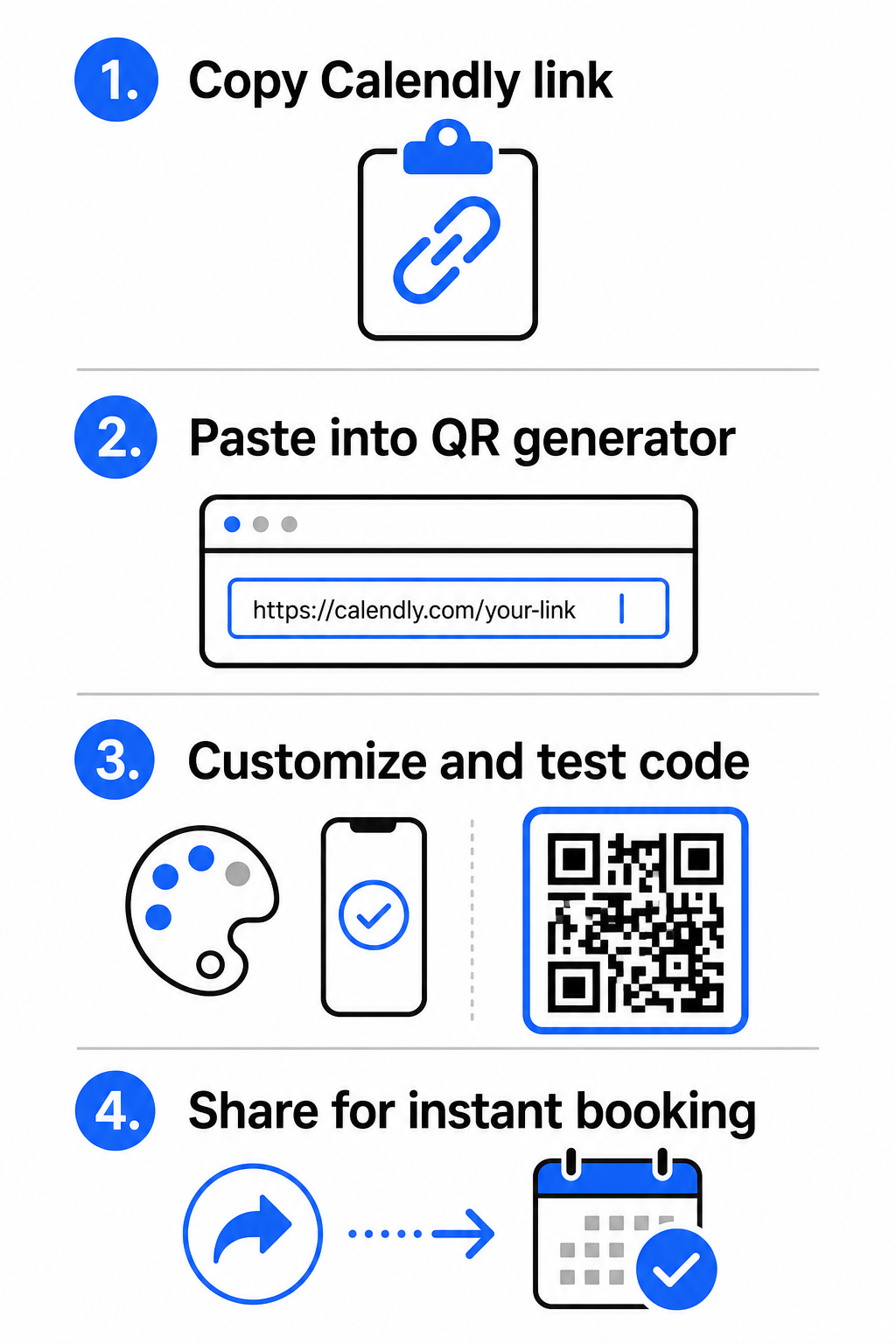
- Buka pembuat kode QR tautan di browser web Anda.
- Tempelkan URL Calendly yang sudah Anda salin langsung ke kolom input tujuan.
- Klik Berikutnya untuk membangun pola kode QR awal Anda.
Buat Kode QR Pemesanan Kustom Anda Sederhanakan alur kerja penjadwalan Anda hari ini dengan mengubah tautan Calendly Anda menggunakan pembuat kode QR tautan.
Sesuaikan Desain Visual untuk Kemudahan Pemindaian Tinggi
Menyesuaikan kode QR Anda mengintegrasikan merek Anda sambil mempertahankan deteksi kamera yang cepat. Sensor cahaya di dalam kamera smartphone bergantung pada pola geometris yang jelas untuk mendekode data yang tertanam dengan cepat.
- Pertahankan kontras tinggi: Gunakan warna latar depan gelap pada latar belakang terang, seperti hitam di atas putih. Hindari kombinasi kontras rendah seperti kuning di atas putih atau biru muda di atas abu-abu, yang mencegah sensor optik membaca matriks.
- Sertakan logo merek Anda: Tambahkan logo perusahaan Anda ke bagian tengah kode QR untuk membangun kepercayaan visual dan mendorong pengguna untuk memindai.
- Lindungi zona tenang: Pertahankan batas tak terhalang di sekitar tepi luar kode setidaknya selebar empat modul (sekitar 0,15 inci untuk kode 1 inci). Jaga agar ruang ini sepenuhnya bebas dari teks, pola latar belakang, atau elemen visual.
Optimalkan Ukuran, Bahan, dan Kualitas Cetak
Menguji kode Anda di berbagai bahan fisik dan lingkungan layar memastikan kinerja yang andal sebelum mendistribusikan materi Anda kepada klien.
- Patuhi dimensi cetak minimum: Jaga kode fisik pada ukuran minimum 0,8 × 0,8 inci (2 × 2 cm) untuk pemindaian jarak dekat, mengikuti panduan terperinci kami panduan ukuran kode QR.
- Terapkan rasio jarak: Gunakan aturan rasio pemindaian 10:1 untuk papan reklame dan spanduk, memastikan kode yang dirancang untuk dipindai dari jarak 10 kaki memiliki lebar setidaknya 1 kaki.
- Pilih bahan cetak non-reflektif: Pilih hasil akhir kertas matte atau penutup vinil kusam daripada permukaan mengkilap untuk mencegah pantulan cahaya, dan pelajari lebih lanjut tentang bagaimana teknik pencetakan memengaruhi kemampuan pindai kode QR.
- Lakukan pengujian perangkat langsung: Uji prototipe cetak fisik Anda menggunakan aplikasi kamera iOS dan Android dalam kondisi terang dan minim cahaya untuk memastikan pemuatan langsung.
Tempat Meletakkan Kode QR Pemesanan Anda
Memosisikan kode QR Anda di berbagai titik kontak offline dan online utama mengubah komunikasi sehari-hari menjadi peluang pertemuan langsung.
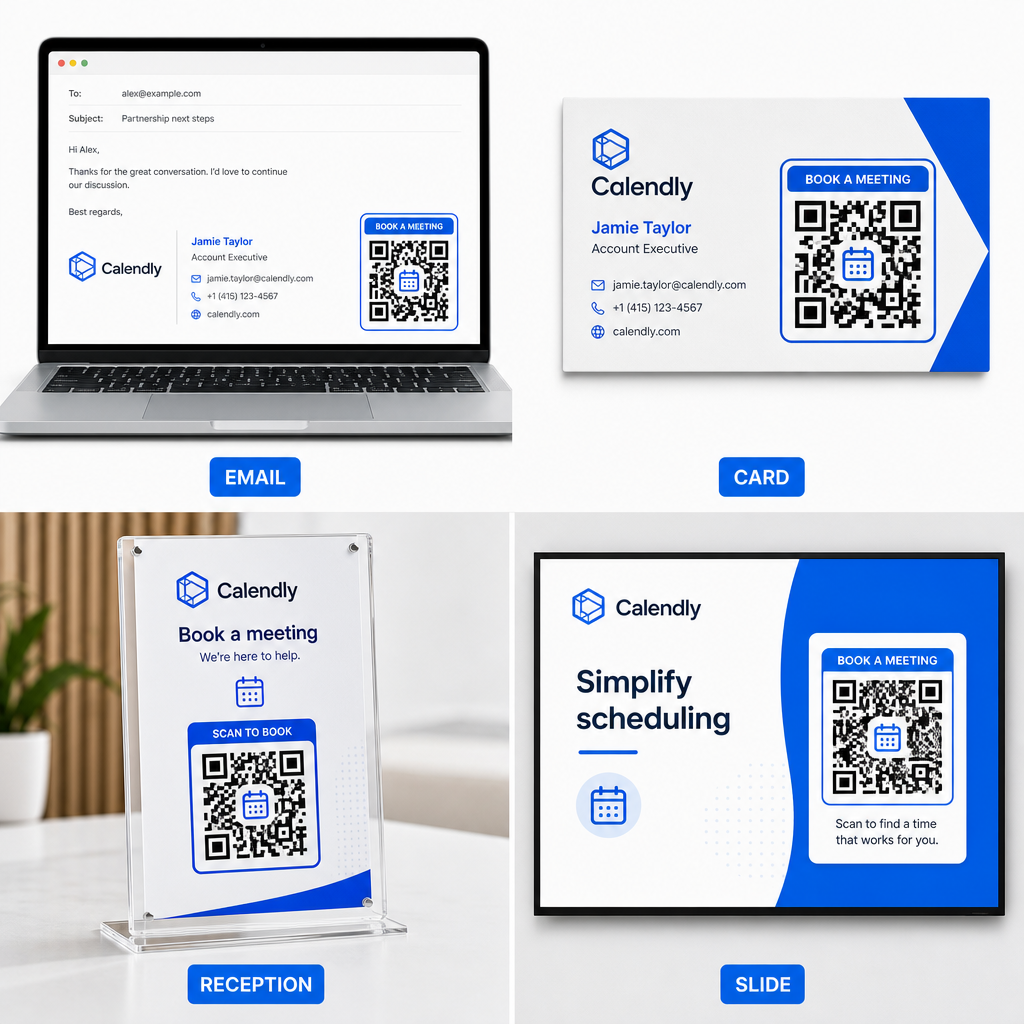
- Tanda tangan email: Tempatkan kode penjadwalan di bawah detail kontak Anda, mengikuti panduan praktis kami tentang cara menyiapkan kode QR untuk tanda tangan email.
- Kartu nama: Berikan prospek jalan pintas pemesanan langsung segera setelah acara jejaring atau pameran dagang.
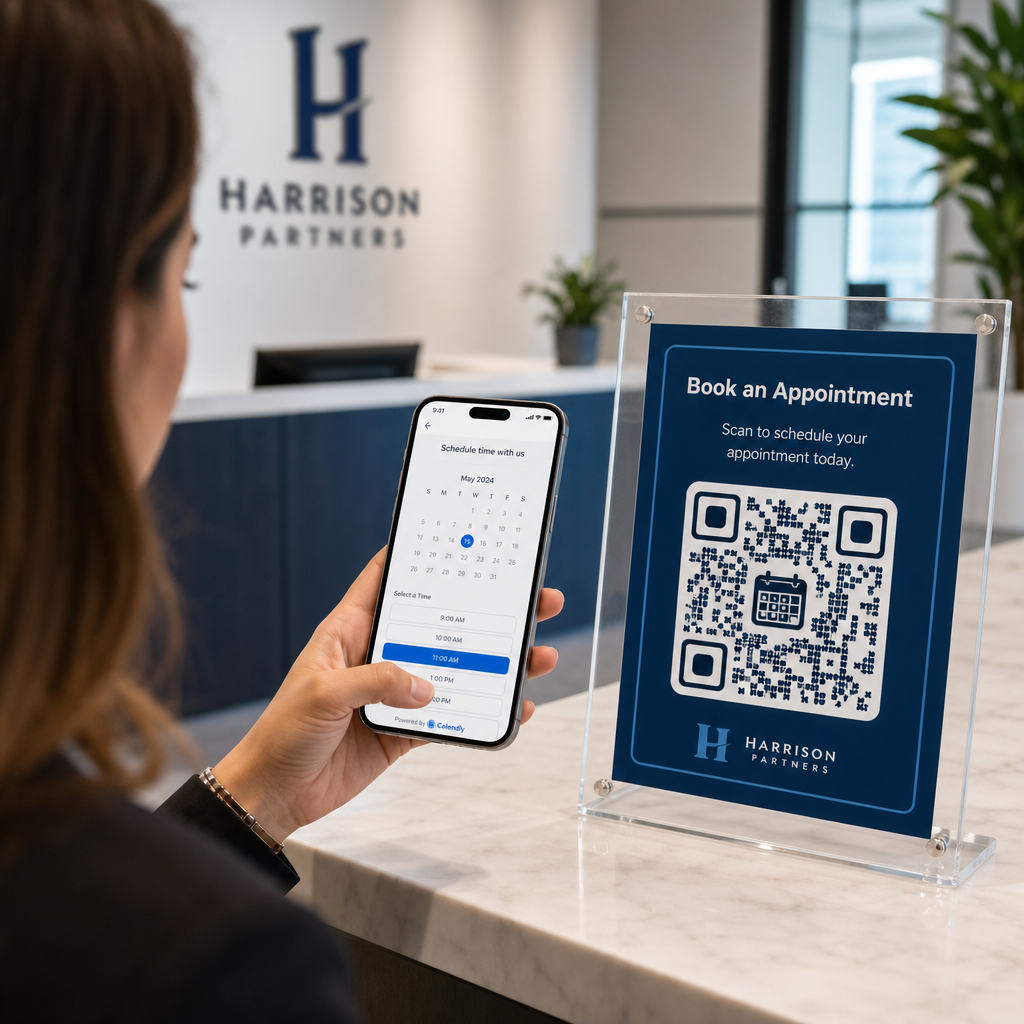
- Tampilan Resepsionis: Bingkai kode QR di konter kantor agar klien dan pasien dapat menjadwalkan janji temu lanjutan sebelum pulang.
- Slide Presentasi: Tampilkan kode QR Anda di slide terakhir presentasi Anda agar audiens dapat memesan konsultasi lanjutan selagi pembicaraan Anda masih segar dalam ingatan.
Keuntungan Menggunakan Kode QR Dinamis
Meskipun kode QR statis secara permanen menyematkan satu URL tujuan ke dalam matriks pikselnya, menggunakan Generator QR Code Dinamis mengarahkan pemindai melalui tautan pengalihan yang dapat diedit.
- Perbarui tautan tujuan tanpa mencetak ulang: Jika Anda memperbarui nama pengguna Calendly Anda atau beralih perangkat lunak penjadwalan, Anda dapat memperbarui URL tujuan di dalam dasbor manajemen Anda tanpa mengganti materi cetak Anda. Tinjau panduan kami tentang cara mengedit kode QR untuk petunjuk langkah demi langkah.
- Lacak analitik pemindaian: Kode dinamis menangkap data interaksi waktu nyata, termasuk jumlah pemindaian dan lokasi geografis, membantu Anda menemukan saluran pemasaran mana yang paling baik berkonversi.
Sederhanakan Penjadwalan Janji Temu Anda
Mengganti URL panjang dengan kode QR langsung menghilangkan hambatan pemesanan dan menghubungkan klien langsung ke kalender Anda. Buat kode dinamis pribadi Anda dengan Pageloot untuk melacak interaksi, memperbarui tautan tujuan dengan mudah, dan mengotomatiskan alur kerja janji temu Anda.
Pertanyaan yang sering diajukan
Ya, asalkan Anda menggunakan kode QR dinamis. Kode dinamis mengarah ke URL pengalihan pendek, memungkinkan Anda untuk memperbarui tautan Calendly target Anda di dalam dasbor manajemen Anda kapan saja tanpa mencetak ulang materi fisik.
Untuk pemindaian jarak dekat pada kartu nama atau pamflet, cetak kode QR Anda setidaknya 0.8 × 0.8 inci (2 × 2 cm). Untuk tampilan yang lebih besar, skalakan kode menggunakan rasio 10:1 berdasarkan jarak pemindaian yang diharapkan.
Kegagalan pemindaian biasanya disebabkan oleh kontras warna yang rendah, ruang yang hilang di zona tenang, tautan tujuan yang rusak, atau silau permukaan pada bahan cetakan yang mengilap.