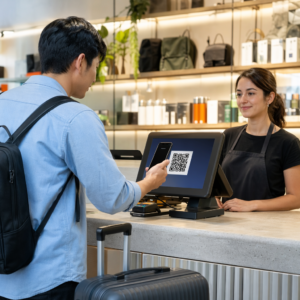
האם מנויי הדוא"ל שלכם מתעלמים מקישורי טקסט בעת קריאת הודעות במסכי שולחן עבודה? כאשר נמענים פותחים הודעות דוא"ל במחשב, אילוץ שלהם לחפש ידנית אפליקציות מובייל או להקליד כתובות אינטרנט ארוכות יוצר חיכוך מיותר. שילוב קודים הניתנים לסריקה בשיווק הדוא"ל שלכם מספק גשר ישיר בין צפייה במחשב לביצוע במובייל.
כיצד קודי QR מגשרים על הפער בין מחשבים שולחניים למובייל
רוב קמפייני הדוא"ל נתקלים במכשול חוצה מכשירים: מנויים קוראים לעתים קרובות דוא"ל פרסומי במחשב שולחני או נייד, אך הפעולה המיועדת - כגון התקנת אפליקציה לנייד, שמירת כרטיס איש קשר או הוספת אישור כניסה לאירוע - שייכת לסמארטפון.
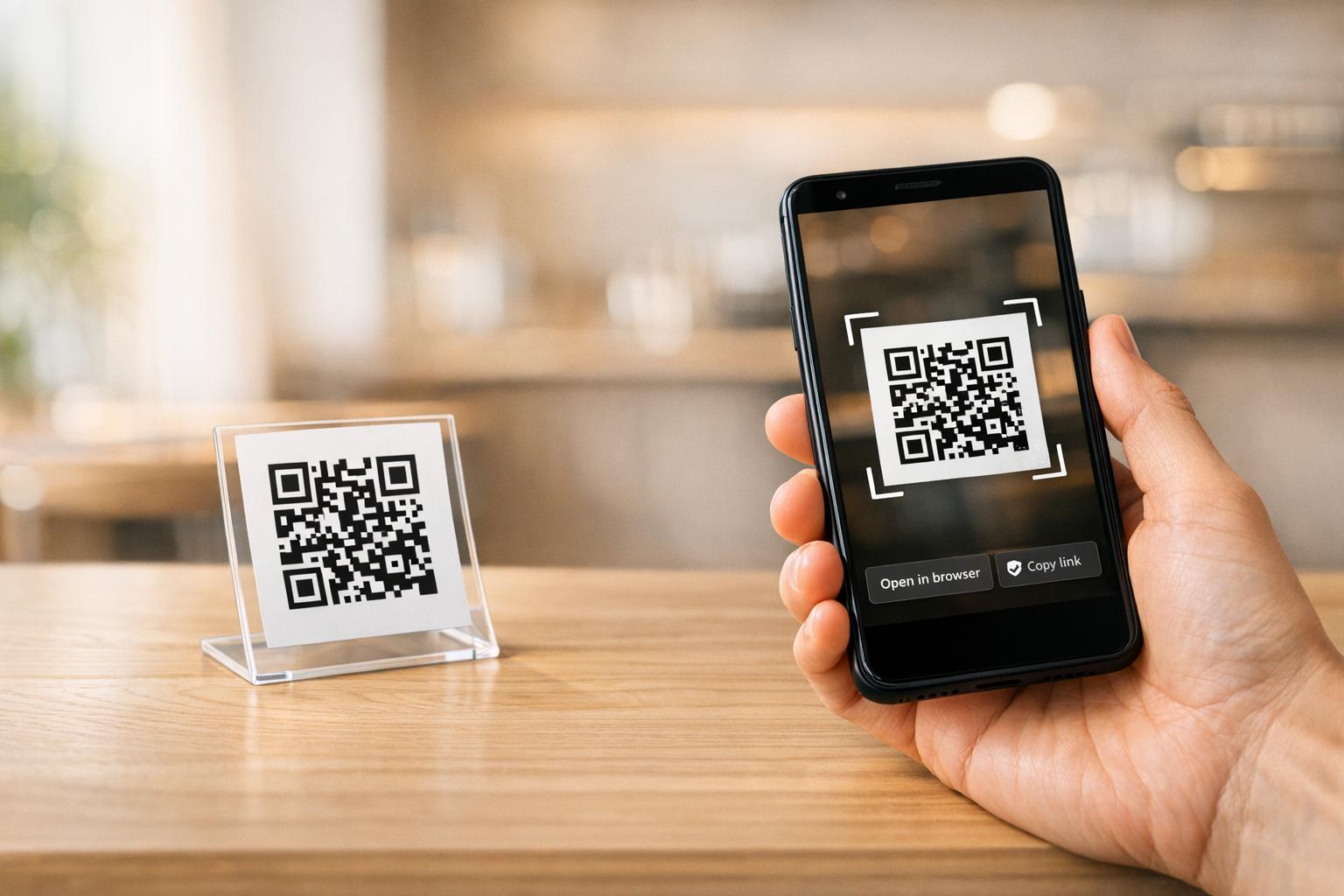
הצבת גרפיקה הניתנת לסריקה בתוך אימייל מאפשרת לנמענים לפתוח את מצלמת הטלפון החכם שלהם, לכוון אותה למסך המחשב שלהם ולהפעיל באופן מיידי פעולה במכשיר הנייד שלהם. אינטראקציה חוצת מכשירים זו מפחיתה את שיעורי הנשירה בזרימות עבודה הדורשות השתתפות בנייד. משווקים יכולים גם להשתמש באסטרטגיה חוצת ערוצים זו כדי לחבר בין מדיה חברתית ושיווק בדוא"ל, ומכוון את קוראי הניוזלטר במחשב שולחני ישירות לפרופילים חברתיים פעילים.
מקרי שימוש מעשיים לקמפיינים של שיווק בדוא"ל
הכללת אלמנט הניתן לסריקה באימייל צריכה תמיד לשרת מטרה פונקציונלית ברורה. להלן תרחישים מרכזיים שבהם הוספת קוד הניתן לסריקה עולה על ביצועיו של קישורי טקסט סטנדרטיים בלבד:
- הורדות אפליקציות נהיגהניתוב קוראי מחשבים שולחניים ישירות לחנות האפליקציות של iOS או לחנות Google Play בהתבסס על מערכת ההפעלה של הטלפון שלהם.
- הוספת כרטיסי מועדון לארנקהעברת כרטיסים, כרטיסים או קופונים דיגיטליים לאירועים ממסכים במחשבים שולחניים ישירות לארנק Apple או לארנק Google.
- עדכון פרטי קשר: אפשרו לאנשי קשר עסקיים לשמור פרטי נציגי מכירות ישירות בפנקס הכתובות שלהם באמצעות כרטיסי vCard.
- הפעלת הודעות מלאות מראשפתחו לקוחות דוא"ל ניידים או אפליקציות העברת הודעות המאוכלסות מראש בפרטי הנמען ובטקסט פנייה.
- פישוט הגשת טפסים: הפנה את הקוראים לסקרים המותאמים למובייל או לדפי ניהול מנויים. אם אתה מפעיל קמפיינים של ניוזלטר, תוכל לחבר בצורה חלקה אלמנטים הניתנים לסריקה עם זרימות עבודה של דוא"ל ב-Mailchimp כדי לייעל את תהליך הרשמת המנויים.
צור קודי קמפיין גמישים בדוא"ל צריך לעדכן את קישור הקידום שלך לאחר שליחת אימייל? השתמש ב מחולל QR דינמי כדי לשנות קישורי יעד בכל עת ולנטר את ביצועי הסריקה בזמן אמת.
שיטות עבודה מומלצות קריטיות לסריקת דוא"ל ונגישות
בעת שילוב גרפיקה הניתנת לסריקה בתבניות דוא"ל, הביצוע הטכני קובע האם המנויים יוכלו לקיים אינטראקציה מוצלחת עם התוכן שלכם. עמידה בסטנדרטים חזותיים ונגישות קבועים מבטיחה שכל מנוי יוכל להשתתף ללא מחסומים טכניים.
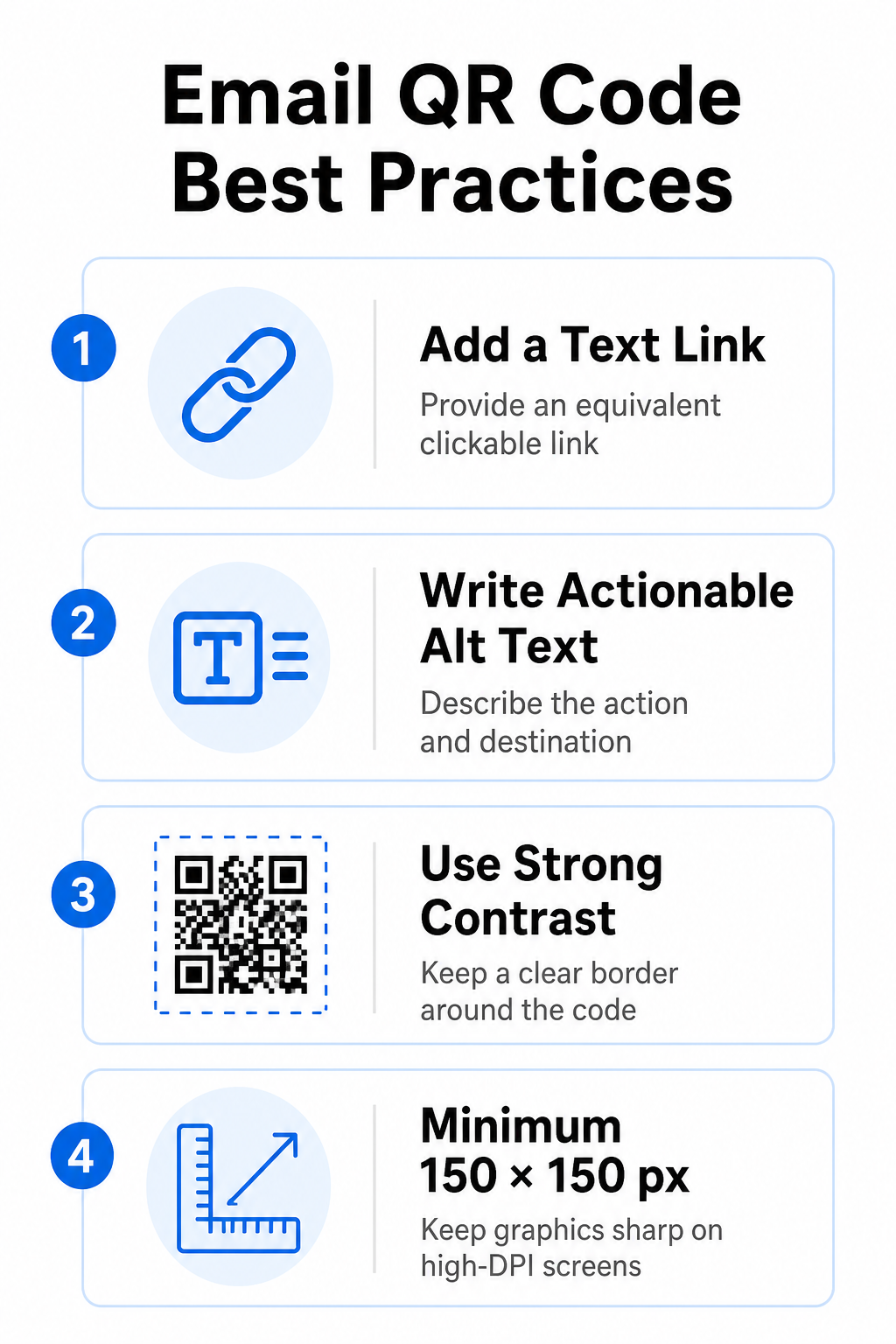
תמיד ספק קישור טקסט שווה ערך
אסור שגרפיקה הניתנת לסריקה תהיה השיטה הבלעדית לגישה למידע בהודעת דוא"ל. תקני נגישות דורשים היפר-קישור סטנדרטי הניתן ללחיצה הממוקם בסמוך לגרפיקה או ישירות מתחתיה. זה מבטיח שמנויים הקוראים את הדוא"ל במכשיר נייד - כאשר סריקת המסך שלהם אינה אפשרית - או אלו המשתמשים בקוראי מסך יוכלו לגשת בקלות לקישור היעד.
כלול טקסט חלופי שניתן לפעול עליו
לקוחות דוא"ל חוסמים לעתים קרובות תמונות כברירת מחדל. אם הגרפיקה שלך לא נטענת באופן מיידי, קוראי מסך ומנויים מסתמכים על טקסט חלופי כדי להבין את התוכן. השתמש בטקסט חלופי תיאורי המסביר את הפעולה והיעד הספציפיים, כגון `alt=”סרוק קוד QR כדי לתבוע את קופון ההנחה 20% שלך”`, במקום לתאר את הגרפיקה באופן ויזואלי.
ודא ניגודיות צבעים גבוהה ואזורים שקטים
סורקים דורשים ניגודיות גבוהה בין תבניות כהות בחזית לבין מרחבי רקע בהירים. קודים כהים הממוקמים על רקעים בהירים ממקסמים את ספיגת האור ומבטיחים זיהוי מהיר של המצלמה. הימנעו משימוש בקודים בצבעים בהירים על רקעים בהירים או בתבניות כהות כנגד מקטעי תבנית דוא"ל כהים. בנוסף, שמרו על גבול פתוח - המכונה אזור שקט - סביב היקף הקוד כדי למנוע מאלמנטים עיצוביים של דוא"ל מסביב להפריע לזיהוי הסורק. עיינו בפרמטרים מבניים אלה במדריך שלנו בנושא שיטות עבודה מומלצות לקריאות קודי QR לפני בניית התבניות שלך.
גודל גרפיקה עבור צגים בעלי DPI גבוה
כדי להבטיח שהגרפיקה מוצגת בבירור על מסכים ברזולוציה גבוהה ללא טשטוש או פיקסלים, הצג את התמונה בגודל מינימלי של 150 x 150 פיקסלים (2 ס"מ x 2 ס"מ). ייצוא התמונות שלך בפורמטים וקטוריים ברזולוציה גבוהה באמצעות שרת אמין מחולל קוד QR לקישור שומר על צפיפות נתונים ניתנת לניהול וקווים חדים על פני צגי שולחן עבודה.
| פרמטר עיצוב | המלצה | סיבה טכנית |
|---|---|---|
| מידות מינימליות | 150 x 150 פיקסלים (2 x 2 ס"מ) | מונע כשל בפוקוס המצלמה ופיקסלים על מסכי שולחן עבודה בעלי DPI גבוה. |
| צבע חזית | כהה (למשל, שחור, כחול נייבי) | ממקסם את ספיגת האור לזיהוי מהיר של המצלמה. |
| צבע רקע | בהיר (למשל, לבן, אפור בהיר) | מספק ניגודיות נחוצה מול מודולי נתונים בחזית. |
| תוכן טקסט חלופי | “"סרוק את קוד ה-QR כדי [פעולה]"” | מספק הקשר ברור של קישורים כאשר תמונות מושבתות על ידי לקוחות דוא"ל. |
בנה קודי QR ממותגים בהתאמה אישית מוכנים לשלב קודים הניתנים לסריקה בעיצובי הניוזלטר שלכם בדוא"ל? צרו קודים מותאמים אישית ברזולוציה גבוהה בחינם באמצעות הדף הראשי שלנו. מחולל קודי QR היום.
קודי QR סטטיים לעומת דינמיים בקמפיינים בדוא"ל
בחירת הפורמט הטכני הנכון עבור הגרפיקה הניתנת לסריקה משפיעה הן על גמישות הקמפיין והן על דיוק הדיווח.
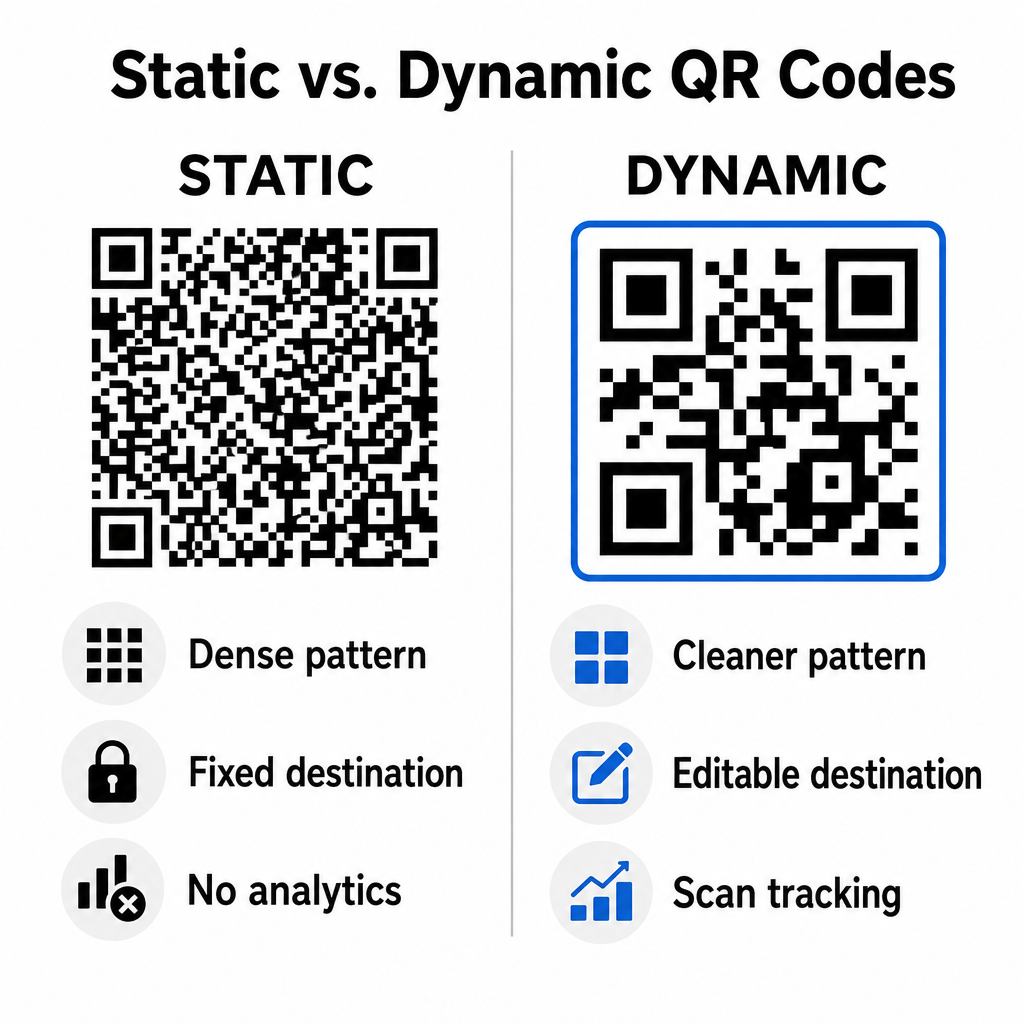
קודים סטטיים מאחסנים את כתובת היעד שלך ישירות בתוך המטריצה החזותית. מכיוון שכתובות אינטרנט ארוכות דורשות יותר מודולי נתונים, קודים סטטיים מציגים דפוסים צפופים ומורכבים שהופכים קשים יותר לפענוח עבור מצלמות סמארטפונים מתצוגות מחשב. יתר על כן, קודים סטטיים אינם מציעים מדדי מעקב ולא ניתן לערוך אותם לאחר שליחת ניוזלטר בדוא"ל.
קודים דינמיים מטמיעים כתובת URL קצרה להפניה במקום כתובת דף הנחיתה המלאה. הבדל מבני זה יוצר דפוס ויזואלי נקי יותר ובעל צפיפות נמוכה יותר, שנסרק באופן מיידי גם בגדלים קטנים יותר. קודים דינמיים מאפשרים למנהלי קמפיינים לעדכן קישורי יעד לאחר הפריסה וללכוד ניתוחים מקיפים. הבנת ההבדלים בין קודי QR סטטיים לעומת דינמיים עוזר לך לבחור את הפורמט הנכון עבור סדרות ניוזלטרים חוזרות. באמצעות כתובות URL דינמיות להפניה, אתה מקבל גישה למידע חיוני מדדי מעקב אחר קוד QR כולל ספירת סריקות כוללת, מערכות הפעלה של מכשירים, חותמות זמן של סריקה ופיזור גיאוגרפי.
טעויות נפוצות שיש להימנע מהן בקמפיינים של דוא"ל
הימנעות משגיאות עיצוב וחוויית משתמש צפויות מגנה על שיעורי המעורבות בקמפיין שלך ומשמרת את אמון המנויים:
- השמטת הוראות סריקה ברורותהצגת קוד לא מתויג מבלי להסביר את התגמול או השלב הבא מפחיתה את המעורבות.
- הפניית משתמשים לדפים שאינם רספונסיבייםשליחת סורקים ניידים לדפי נחיתה המיועדים למחשבים שולחניים בלבד יוצרת חיכוך ומגדילה את שיעורי הנטישה.
- התאמה אישית יתר של אלמנטים חזותייםהצבת לוגואים כבדים או גרדיאנטים ברקע בעלי ניגודיות נמוכה מעל מטריצת הנתונים פוגעת ביכולת הסריקה של המצלמה.
- דילוג על בדיקות רינדור בין לקוחותאי בדיקת מראה הקוד ב-Gmail, Outlook ו-Apple Mail במצב בהיר וגם במצב כהה מובילה לפריסות פגומות.
השקת אסטרטגיית קוד QR בדוא"ל שלך
שילוב היפר-קישורים טקסטואליים עם גרפיקה דינמית הניתנת לסריקה יוצר נתיב יעיל מקריאת דוא"ל במחשב שולחני לפעולה בנייד. שמירה על ניגודיות צבעים חזקה, מתן טקסט חלופי תיאורי ואימות שדפי נחיתה מותאמים למסכים ניידים מבטיחים מסע חלק בין מכשירים עבור הקהל שלכם. הטמע סטנדרטים אלה ברצף הבא שלכם באמצעות ה- מחולל QR דינמי לבנות, להתאים אישית ולעקוב אחר קישורים הניתנים לסריקה בכל קמפייני שיווק הדוא"ל שלך.
שאלות נפוצות
קוראים ניידים אינם יכולים לסרוק בקלות קוד המוצג על מסך המכשיר שלהם. יש תמיד לשלב גרפיקה הניתנת לסריקה עם קישור טקסט סמוך שניתן ללחוץ עליו, כך שמשתמשים ניידים יוכלו פשוט להקיש כדי להגיע ליעד.
הצג את התמונה בגודל מינימלי של 150 x 150 פיקסלים (או 2 ס"מ x 2 ס"מ). זה מבטיח שמצלמות סמארטפון יוכלו לפענח את המטריצה בעת סריקת מסך של מחשב נייד או שולחן עבודה.
כן, בתנאי שאתם משתמשים במחולל קודי QR דינמי. קודים דינמיים רושמים מדדי סריקה, כולל זמני סריקה, מערכות הפעלה של המכשיר ומיקום גיאוגרפי, מבלי לדרוש פרמטרים מורכבים של כתובת URL.