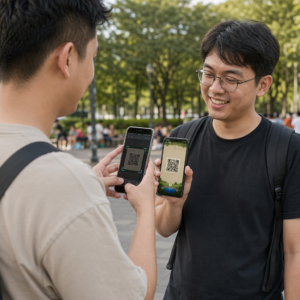
Negeert uw e-mailabonnees tekstlinks wanneer ze berichten op een desktopscherm lezen? Wanneer ontvangers e-mails op een computer openen, zorgt het voor onnodige frustratie als ze handmatig moeten zoeken naar mobiele apps of lange webadressen moeten intypen. Door scanbare codes in uw e-mailmarketing te verwerken, creëert u een directe verbinding tussen weergave op een desktop en gebruik op mobiele apparaten.
Hoe QR-codes de kloof tussen desktop en mobiel overbruggen
De meeste e-mailcampagnes stuiten op een probleem met de verschillende apparaten: abonnees lezen promotionele e-mails vaak op een desktop- of laptopcomputer, maar de beoogde actie – zoals het installeren van een mobiele app, het opslaan van een contactkaart of het toevoegen van een toegangsbewijs voor een evenement – hoort op een smartphone plaats te vinden.
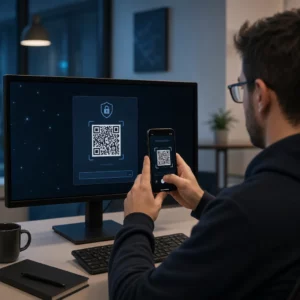
Door een scanbare afbeelding in een e-mail te plaatsen, kunnen ontvangers de camera van hun smartphone openen, deze op hun computerscherm richten en direct een actie op hun mobiele apparaat uitvoeren. Deze interactie tussen verschillende apparaten verlaagt het aantal afhakers bij workflows die mobiele deelname vereisen. Marketeers kunnen deze cross-channelstrategie ook gebruiken om sociale media en e-mailmarketing verbinden, waardoor lezers van de nieuwsbrief op hun desktop rechtstreeks naar actieve sociale profielen worden geleid.
Praktische voorbeelden van hoe e-mailmarketingcampagnes gebruikt kunnen worden
Het toevoegen van een scanbaar element aan een e-mail moet altijd een duidelijk functioneel doel dienen. Hieronder volgen enkele belangrijke scenario's waarin het toevoegen van een scanbare code beter presteert dan alleen standaard tekstlinks:
- Downloads van rij-apps: Leid desktopgebruikers rechtstreeks door naar de iOS App Store of Google Play Store, afhankelijk van het besturingssysteem van hun telefoon.
- Loyaliteitskaarten voor de portemonnee toevoegen: Zet toegangskaarten, tickets of digitale kortingsbonnen rechtstreeks vanaf uw computerscherm over naar Apple Wallet of Google Wallet.
- Contactgegevens bijwerken: Geef zakelijke contacten de mogelijkheid om de gegevens van verkoopvertegenwoordigers rechtstreeks in hun telefoonboek op te slaan via vCards.
- Vooraf ingevulde berichten activerenOpen mobiele e-mailclients of berichtenapps die al zijn ingevuld met de gegevens van de ontvanger en de tekst van uw vraag.
- Het invullen van formulieren vereenvoudigenLeid lezers door naar mobielvriendelijke enquêtes of pagina's voor abonnementsbeheer. Als u nieuwsbriefcampagnes uitvoert, kunt u scanbare elementen naadloos koppelen aan Mailchimp e-mailworkflows om het aanmeldingsproces voor abonnees te stroomlijnen.
Maak flexibele e-mailcampagnecodes aan. Moet je je promotielink bijwerken nadat je een e-mail hebt verzonden? Gebruik dan de Dynamische QR code generator Om bestemmingslinks op elk gewenst moment te wijzigen en de scanprestaties in realtime te monitoren.
Essentiële best practices voor scanbaarheid en toegankelijkheid van e-mails
Bij het integreren van scanbare afbeeldingen in e-mailtemplates is de technische uitvoering bepalend voor de vraag of abonnees succesvol met uw content kunnen interageren. Door de vastgestelde visuele en toegankelijkheidsnormen te volgen, zorgt u ervoor dat elke abonnee zonder technische belemmeringen kan deelnemen.
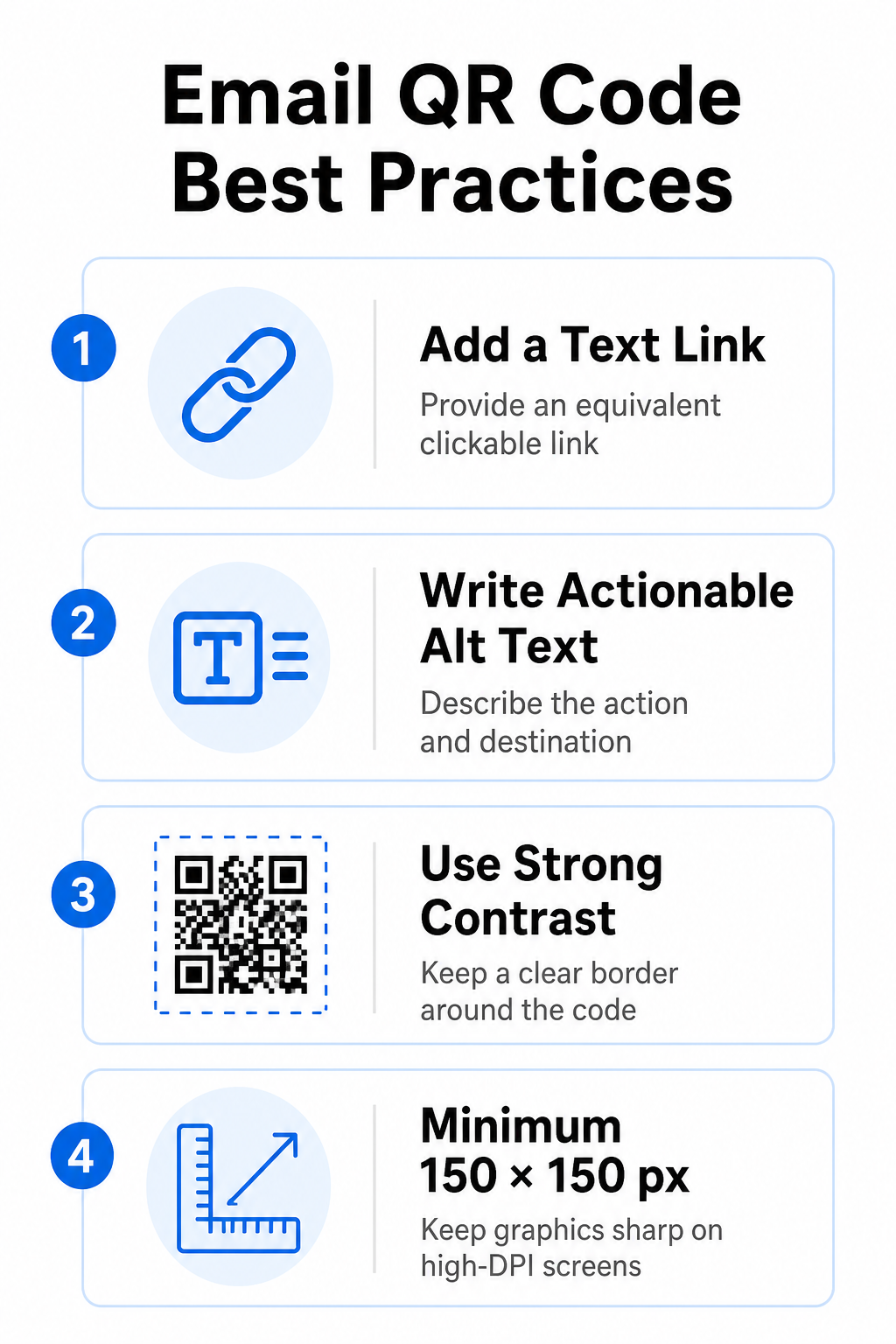
Geef altijd een gelijkwaardige tekstlink op.
Een scanbare afbeelding mag nooit de enige manier zijn om toegang te krijgen tot informatie in een e-mailbericht. Toegankelijkheidsnormen vereisen een standaard, klikbare hyperlink naast of direct onder de afbeelding. Dit zorgt ervoor dat abonnees die de e-mail op een mobiel apparaat lezen – waar het scannen van hun eigen scherm onmogelijk is – of die een schermlezer gebruiken, de bestemmingslink gemakkelijk kunnen bereiken.
Voeg actiegerichte alternatieve tekst toe.
E-mailprogramma's blokkeren afbeeldingen vaak standaard. Als uw afbeelding niet direct laadt, vertrouwen schermlezers en abonnees op alternatieve tekst om de inhoud te begrijpen. Gebruik beschrijvende alt-tekst die de specifieke actie en bestemming uitlegt, zoals `alt="Scan de QR-code om uw 20%-kortingsbon te claimen"`, in plaats van de afbeelding zelf te beschrijven.
Zorg voor een hoog kleurcontrast en stille zones.
Scanners vereisen een hoog contrast tussen donkere patronen op de voorgrond en lichte achtergrondvlakken. Donkere codes op een lichte achtergrond maximaliseren de lichtabsorptie en zorgen voor snelle detectie door de camera. Vermijd het gebruik van lichtgekleurde codes op een lichte achtergrond of donkere patronen tegen donkere gedeelten van e-mailtemplates. Zorg bovendien voor een onbelemmerde rand – een zogenaamde rustzone – rondom de code om te voorkomen dat omringende e-mailontwerpelementen de herkenning door de scanner belemmeren. Bekijk deze structurele parameters in onze handleiding over best practices voor de leesbaarheid van QR-codes voordat je je sjablonen maakt.
Grootte van afbeeldingen voor schermen met hoge DPI
Om ervoor te zorgen dat de afbeelding scherp en zonder onscherpte of pixelatie wordt weergegeven op schermen met een hoge resolutie, dient u de afbeelding minimaal op een formaat van 150 x 150 pixels (2 cm x 2 cm) weer te geven. Exporteer uw afbeeldingen in vectorformaten met hoge resolutie met behulp van een betrouwbare exporttool. link QR-codegenerator Houdt de gegevensdichtheid beheersbaar en de lijnen scherp op desktopschermen.
| Ontwerpparameter | Aanbeveling | Technische reden |
|---|---|---|
| Minimale afmetingen | 150 x 150 pixels (2 x 2 cm) | Voorkomt problemen met de camerafocus en pixelatie op desktopschermen met een hoge DPI. |
| Voorgrondkleur | Donker (bijv. zwart, marineblauw) | Maximaliseert de lichtabsorptie voor snelle detectie door de camera. |
| Achtergrondkleur | Licht (bijv. wit, lichtgrijs) | Biedt het nodige contrast ten opzichte van de datamodules op de voorgrond. |
| Alternatieve tekstinhoud | “Scan de QR-code om [actie] uit te voeren” | Biedt duidelijke linkcontext wanneer afbeeldingen door e-mailclients zijn uitgeschakeld. |
Maak QR-codes met uw eigen merklogo Klaar om scanbare codes in je e-mailnieuwsbrieven te integreren? Genereer gratis gepersonaliseerde codes met hoge resolutie met behulp van onze belangrijkste tool. QR-codegenerator vandaag.
Statische versus dynamische QR-codes in e-mailcampagnes
De keuze voor het juiste technische formaat voor uw scanbare afbeeldingen is van invloed op zowel de flexibiliteit van uw campagne als de nauwkeurigheid van uw rapportage.
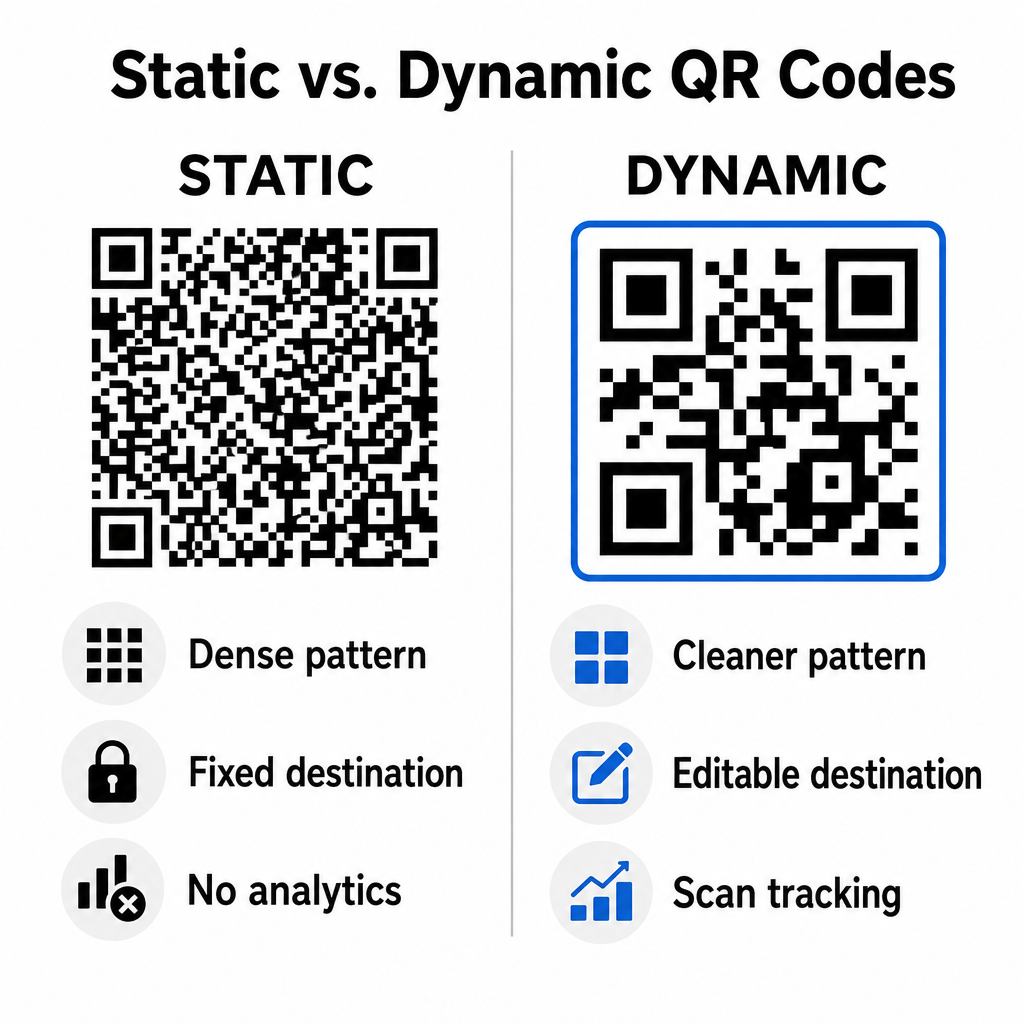
Statische codes slaan uw bestemmings-URL direct op in de visuele matrix. Omdat lange webadressen meer datamodules vereisen, tonen statische codes dichte, complexe patronen die moeilijker te decoderen zijn voor smartphonecamera's vanaf computerschermen. Bovendien bieden statische codes geen trackinggegevens en kunnen ze niet meer worden bewerkt nadat een e-mailnieuwsbrief is verzonden.
Dynamische codes bevatten een korte redirect-URL in plaats van het volledige adres van de landingspagina. Dit structurele verschil zorgt voor een schoner, minder druk visueel patroon dat zelfs op kleinere formaten direct leesbaar is. Met dynamische codes kunnen campagnemanagers bestemmingslinks na de implementatie bijwerken en uitgebreide analyses uitvoeren. Inzicht in de verschillen tussen statische versus dynamische QR-codes Helpt u bij het selecteren van het juiste formaat voor terugkerende nieuwsbriefreeksen. Door gebruik te maken van dynamische redirect-URL's krijgt u toegang tot essentiële informatie. QR-code tracking statistieken inclusief het totale aantal scans, de besturingssystemen van de apparaten, de tijdstempels van de scans en de geografische spreiding.
Veelgemaakte fouten die je in e-mailcampagnes moet vermijden
Door voorspelbare ontwerp- en gebruikerservaringsfouten te vermijden, bescherm je de betrokkenheidspercentages van je campagnes en behoud je het vertrouwen van je abonnees:
- Het weglaten van duidelijke scaninstructiesHet weergeven van een code zonder label en zonder uitleg over de beloning of de volgende stap vermindert de betrokkenheid.
- Gebruikers doorverwijzen naar pagina's die niet reagerenHet doorsturen van mobiele scanners naar landingspagina's die alleen voor desktops bedoeld zijn, zorgt voor wrijving en verhoogt het bouncepercentage.
- Overmatige aanpassing van visuele elementenHet plaatsen van grote logo's of contrastarme achtergrondkleuren over de datamatrix bemoeilijkt de scanbaarheid door de camera.
- Het overslaan van tests voor rendering over meerdere clients.Het niet testen van de weergave van code in Gmail, Outlook en Apple Mail in zowel de lichte als de donkere modus leidt tot onjuiste lay-outs.
Je e-mail QR-code strategie lanceren
Door tekstlinks te combineren met dynamische, scanbare afbeeldingen creëer je een efficiënt pad van het lezen van e-mails op desktops naar actie op mobiele apparaten. Sterk kleurcontrast, beschrijvende alt-tekst en geoptimaliseerde landingspagina's voor mobiele schermen zorgen voor een soepele gebruikerservaring op verschillende apparaten. Dynamische QR code generator Om scanbare links te maken, aan te passen en te volgen in al uw e-mailmarketingcampagnes.
Veelgestelde vragen
Mobiele gebruikers kunnen een code die op hun eigen scherm wordt weergegeven niet gemakkelijk scannen. Combineer scanbare afbeeldingen daarom altijd met een naastgelegen, aanklikbare tekstlink, zodat mobiele gebruikers er simpelweg op kunnen tikken om de bestemming te bereiken.
Geef de afbeelding weer met een minimale afmeting van 150 x 150 pixels (of 2 cm x 2 cm). Dit zorgt ervoor dat smartphonecamera's de matrix kunnen decoderen bij het scannen van een laptop- of desktopscherm.
Ja, mits u een dynamische QR-codegenerator gebruikt. Dynamische codes registreren scanstatistieken zoals scantijden, besturingssystemen van apparaten en geografische locatie, zonder dat complexe URL-parameters nodig zijn.