> 블로그 > Guidelines for Using QR Codes in Email Marketing
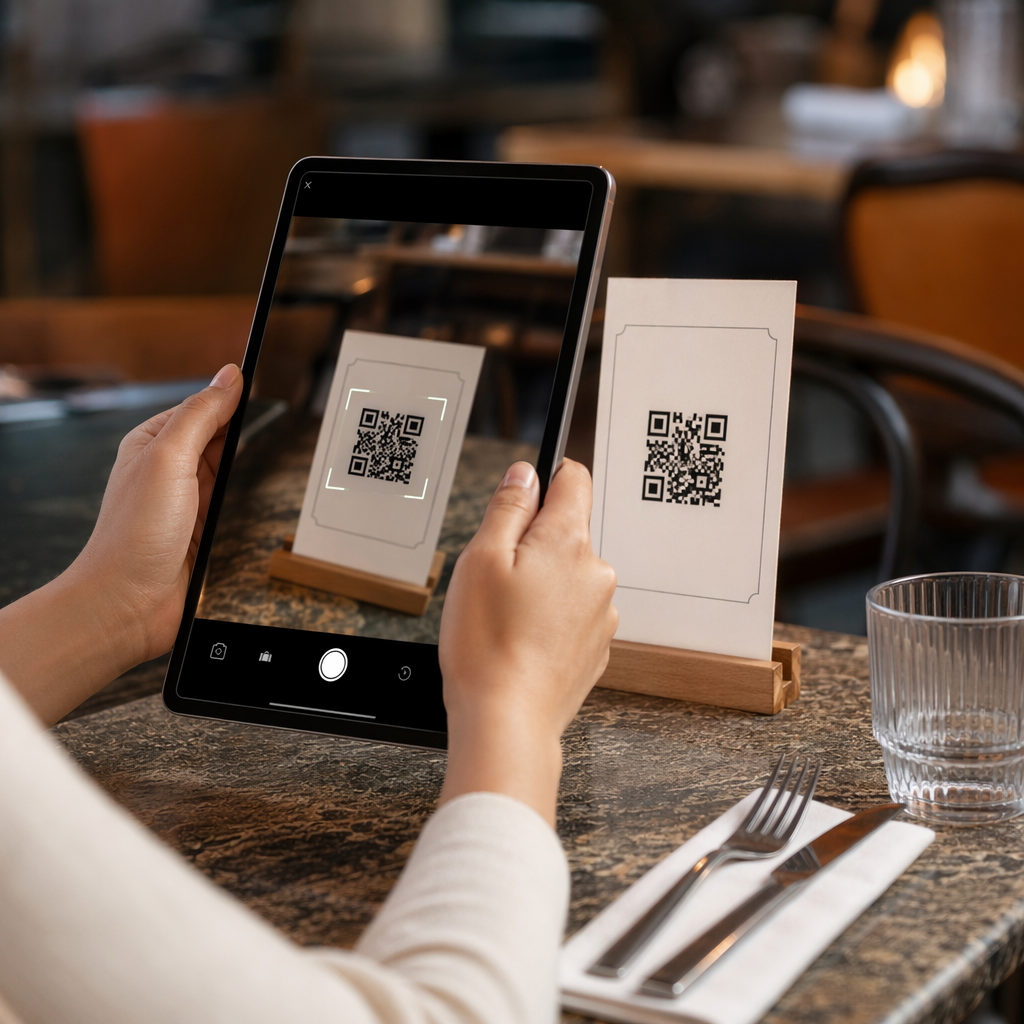
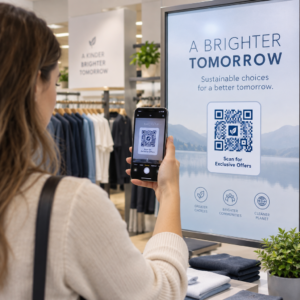
Scanning an email QR code

Guidelines for Using QR Codes in Email Marketing

Learn how to use QR codes in email marketing to bridge the desktop-to-mobile gap. Discover best practices for design, tracking, and accessibility.
Updated on 7월 27, 2026
목차

Are your email subscribers ignoring text links when reading messages on desktop screens? When recipients open emails on a computer, forcing them to manually search for mobile apps or type long web addresses creates unnecessary friction. Incorporating scannable codes into your email marketing provides a direct bridge between desktop viewing and mobile execution.

How QR Codes Bridge the Desktop-to-Mobile Gap

Most email campaigns face a cross-device hurdle: subscribers frequently read promotional emails on a desktop or laptop computer, but the intended action – such as installing a mobile app, saving a contact card, or adding an event pass – belongs on a smartphone.

Placing a scannable graphic inside an email allows recipients to open their smartphone camera, point it at their computer screen, and immediately trigger an action on their mobile device. This cross-device interaction reduces drop-off rates for workflows that require mobile participation. Marketers can also use this cross-channel strategy to 소셜 미디어와 이메일 마케팅 연결, guiding desktop newsletter readers straight to active social profiles.

Practical Use Cases for Email Marketing Campaigns

Including a scannable element in an email should always serve a clear functional purpose. Here are key scenarios where adding a scannable code outperforms standard text links alone:

  • Driving App Downloads: Route desktop readers directly to the iOS App Store or Google Play Store based on their phone’s operating system.
  • Adding Wallet Loyalty Cards: Transfer event passes, tickets, or digital coupons from desktop displays straight into Apple Wallet or Google Wallet.
  • Updating Contact Details: Allow business contacts to save sales representative details directly into their phone address book via vCards.
  • Triggering Pre-Filled Messages: Open mobile email clients or messaging apps pre-populated with recipient information and inquiry text.
  • Simplifying Form Submissions: Direct readers to mobile-optimized surveys or subscription management pages. If you run newsletter campaigns, you can seamlessly connect scannable elements with Mailchimp email workflows to streamline subscriber sign-ups.

Create Flexible Email Campaign Codes Need to update your promotional link after sending an email? Use the 동적 QR 코드 생성기 to modify destination links anytime and monitor scan performance in real time.

Critical Best Practices for Email Scannability and Accessibility

When placing scannable graphics into email templates, technical execution determines whether subscribers can successfully interact with your content. Following established visual and accessibility standards ensures every subscriber can participate without technical barriers.

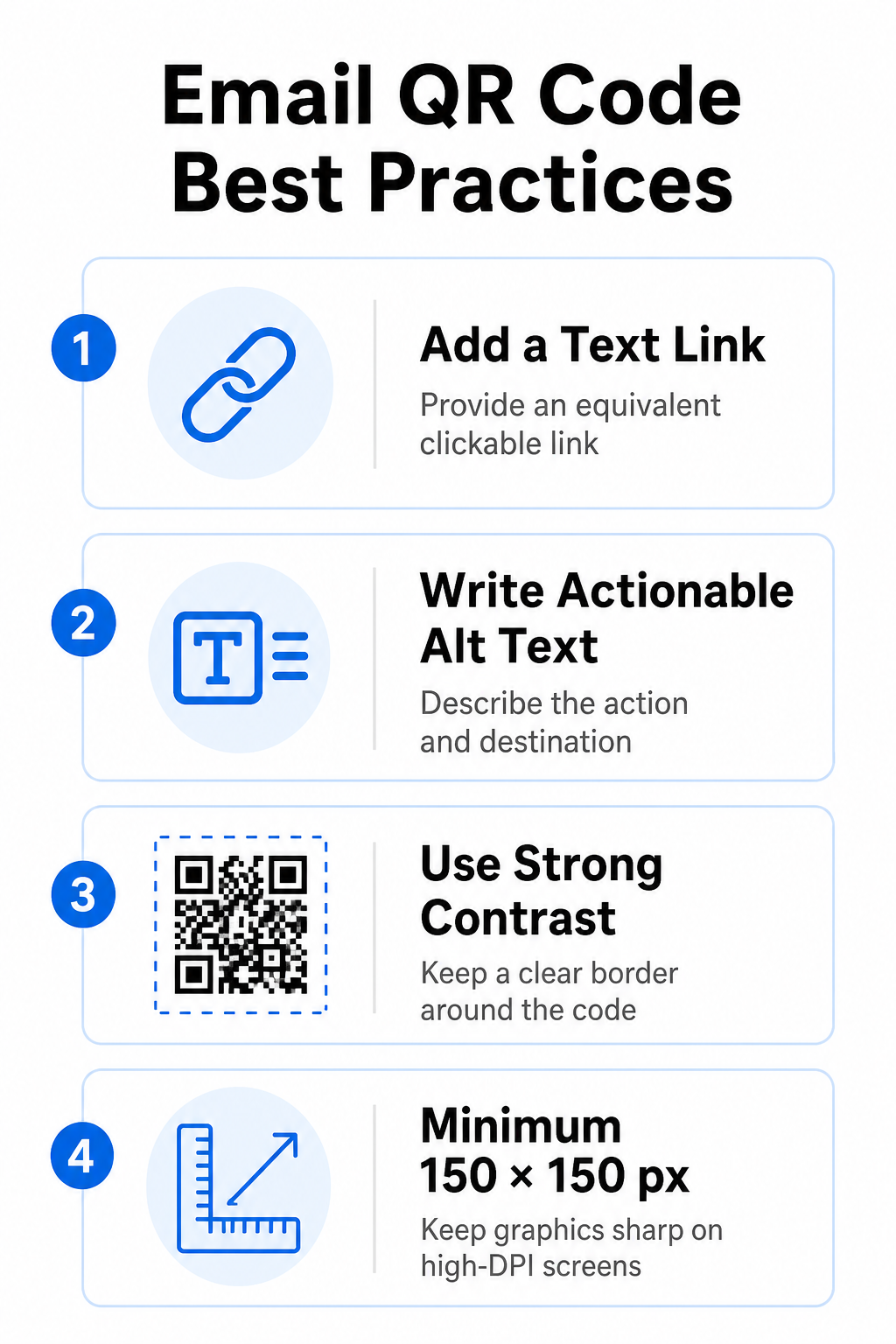
Email QR code best practices

Always Provide an Equivalent Text Link

A scannable graphic must never be the exclusive method for accessing information in an email message. Accessibility standards require a standard, clickable hyperlink placed adjacent to or directly beneath the graphic. This ensures that subscribers reading the email on a mobile device – where scanning their own screen is impossible – or those using screen readers can easily access the destination link.

Include Actionable Alt Text

Email clients frequently block images by default. If your graphic fails to load immediately, screen readers and subscribers rely on alternative text to understand the content. Use descriptive alt text that explains the specific action and destination, such as `alt=”Scan QR code to claim your 20% discount coupon”`, rather than describing the graphic visually.

Ensure High Color Contrast and Quiet Zones

Scanners require high contrast between dark foreground patterns and light background spaces. Dark codes placed on light backgrounds maximize light absorption and ensure rapid camera detection. Avoid using light-colored codes on light backgrounds or dark patterns against dark email template sections. Additionally, maintain an unobstructed border – known as a quiet zone – around the perimeter of the code to prevent surrounding email design elements from interfering with scanner recognition. Review these structural parameters in our guide on QR 코드 가독성을 위한 모범 사례 before building your templates.

Size Graphics for High-DPI Displays

To ensure the graphic renders clearly on high-resolution screens without blurriness or pixelation, display the image at a minimum size of 150 x 150 pixels (2 cm x 2 cm). Exporting your images in high-resolution vector formats using a reliable 링크 QR 코드 생성기 keeps data density manageable and lines sharp across desktop displays.

Design Parameter 권장 사항 Technical Reason
최소 치수 150 x 150 pixels (2 x 2 cm) Prevents camera focus failure and pixelation on high-DPI desktop screens.
Foreground Color Dark (e.g., Black, Navy) Maximizes light absorption for rapid camera detection.
Background Color Light (e.g., White, Light Gray) Provides necessary contrast against foreground data modules.
Alt Text Content “Scan QR code to [action]” Delivers clear link context when images are disabled by email clients.

Build Custom Branded QR Codes Ready to integrate scannable codes into your email newsletter designs? Generate high-resolution, customized codes for free using our main QR 코드 생성기 에서 지금 바로 시작하세요.

Static vs. Dynamic QR Codes in Email Campaigns

Choosing the correct technical format for your scannable graphics affects both campaign flexibility and reporting accuracy.

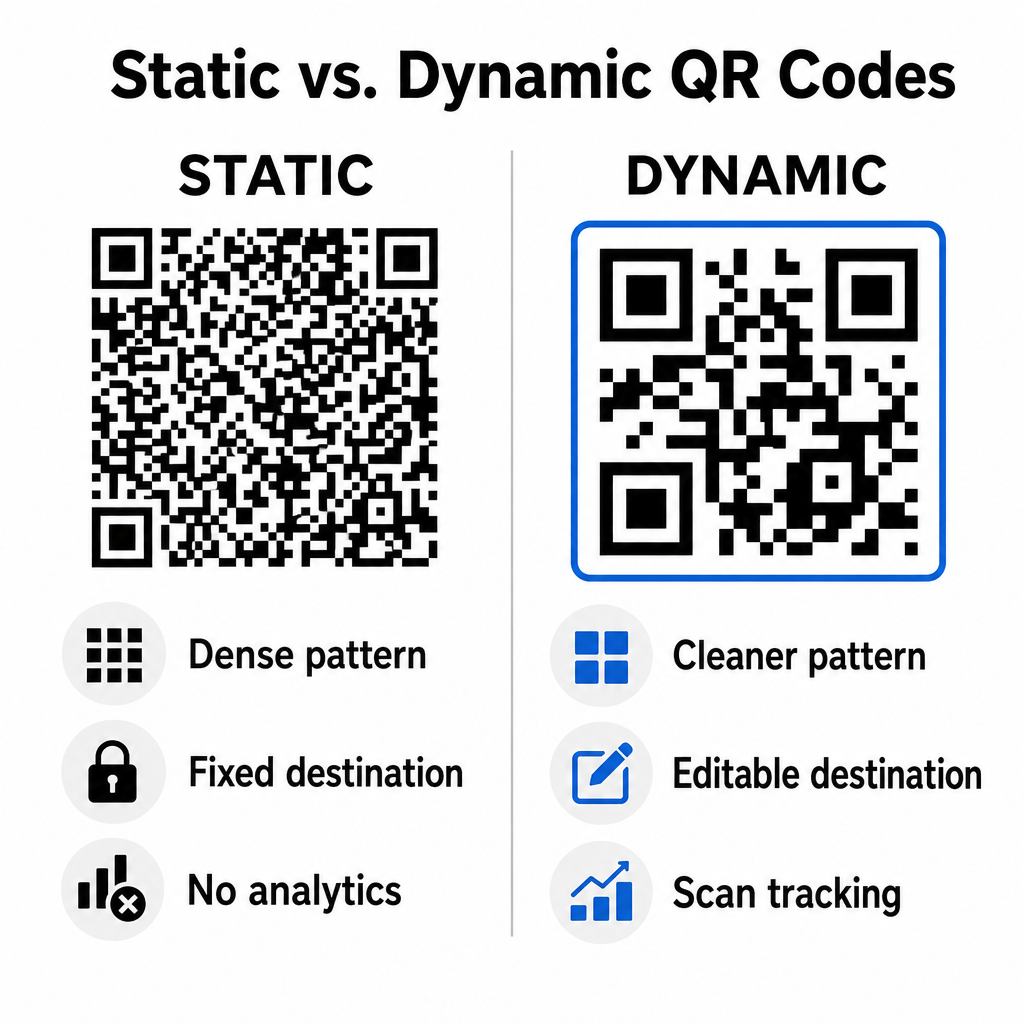
Static codes store your destination URL directly inside the visual matrix. Because long web addresses require more data modules, static codes display dense, complex patterns that become harder for smartphone cameras to decode off computer displays. Furthermore, static codes offer no tracking metrics and cannot be edited once an email newsletter is sent out.

Dynamic codes embed a short redirect URL instead of the full landing page address. This structural difference creates a cleaner, lower-density visual pattern that scans instantly even at smaller sizes. Dynamic codes allow campaign managers to update destination links after deployment and capture comprehensive analytics. Understanding the differences between 정적 vs 동적 QR 코드 helps you select the right format for recurring newsletter sequences. By utilizing dynamic redirect URLs, you gain access to essential QR code tracking metrics including total scan counts, device operating systems, scan timestamps, and geographic distribution.

Static versus dynamic QR codes

Common Mistakes to Avoid in Email Campaigns

Avoiding predictable design and user experience errors protects your campaign engagement rates and preserves subscriber trust:

  • Omitting clear scanning instructions: Displaying an unlabelled code without explaining the reward or next step reduces engagement.
  • Directing users to non-responsive pages: Sending mobile scanners to desktop-only landing pages creates friction and drives bounce rates higher.
  • Over-customizing visual elements: Placing heavy logos or low-contrast background gradients over the data matrix compromises camera scannability.
  • Skipping cross-client rendering tests: Failing to test code appearances across Gmail, Outlook, and Apple Mail in both light and dark modes leads to broken layouts.

Launching Your Email QR Code Strategy

Combining text hyperlinks with dynamic scannable graphics establishes an efficient path from desktop email reading to mobile action. Maintaining strong color contrast, providing descriptive alt text, and verifying that destination landing pages are optimized for mobile screens ensures a smooth cross-device journey for your audience. Implement these standards in your next sequence by using the 동적 QR 코드 생성기 to build, customize, and track scannable links across all your email marketing campaigns.

자주 묻는 질문

Should I put a QR code in an email meant for mobile readers?

Mobile readers cannot easily scan a code displayed on their own device screen. Always pair scannable graphics with an adjacent, clickable text link so mobile users can simply tap to reach the destination.

What is the minimum size for a QR code inside an email template?

Display the image at a minimum size of 150 x 150 pixels (or 2 cm x 2 cm). This ensures smartphone cameras can decode the matrix when scanning a laptop or desktop screen.

Can I track how many subscribers scan the QR code in my email?

Yes, provided you use a dynamic QR code generator. Dynamic codes record scan metrics including scan times, device operating systems, and geographic location without requiring complex URL parameters.

작성자 정보

시임 코스타비는 페이지루트의 콘텐츠 책임자입니다. 그는 페이지루트의 혁신적인 QR 코드 생성 서비스에 대한 글을 쓰고 있습니다. 5년 이상 QR 코드 분야에서 쌓아온 깊이 있는 전문 지식을 바탕으로, 시임은 이 분야의 전문가로 인정받고 있습니다. 그는 QR 기술을 활용하여 디지털 상호작용을 간소화하고 향상시키는 데 크게 기여하고 있습니다.

범주
에 대해 자세히 알아보기
고객이 추첨 QR 스캔
QR 코드 공짜 콘테스트
QR 코드 책 스캔
QR 코드 사용 도서 및 출판물

온라인으로 QR 코드를 생성해야하는 경우 QR 코드 만들기 무료로 여기!
Pageloot는 #1 Go-To 솔루션 QR 코드를 만들고 스캔합니다.

BL-0318

블로그 세대

20,000개 이상의 브랜드로부터 신뢰를 받아 더 많은 매출, 리뷰, 팔로워를 확보했습니다.

클라이언트 로고
최고 브랜드의 신뢰
5 중 4.8 평가

4.86 / 5 별점

휴고 로랑
휴고 로랑
레스토랑 주인
가장 쉽고 안정적인 QR 코드 생성기. PDF 파일을 즉시 업로드할 수 있습니다. 이제 레스토랑 메뉴가 디지털화되었습니다.
루카스 얀센
루카스 얀센
부동산 개발사
이것은 훌륭한 도구이며 QR 코드를 사용하면 원하는 곳으로 이동할 수 있습니다. 우리는 위치 QR 코드만 사용하지만 유용한 기능이 너무 많습니다.
엠마 모레티
엠마 모레티
소매 제품
사용하기 쉽고 빠릅니다. 그것은 훌륭하게 작동하고 완벽한 이미지를 생성하므로 직원들이 내 vCard를 다운로드할 수 있습니다.
휴고 로랑
휴고 로랑
레스토랑 주인
가장 쉽고 안정적인 QR 코드 생성기. PDF 파일을 즉시 업로드할 수 있습니다. 이제 레스토랑 메뉴가 디지털화되었습니다.
루카스 얀센
루카스 얀센
부동산 개발사
이것은 훌륭한 도구이며 QR 코드를 사용하면 원하는 곳으로 이동할 수 있습니다. 우리는 위치 QR 코드만 사용하지만 유용한 기능이 너무 많습니다.
엠마 모레티
엠마 모레티
소매 제품
사용하기 쉽고 빠릅니다. 그것은 훌륭하게 작동하고 완벽한 이미지를 생성하므로 직원들이 내 vCard를 다운로드할 수 있습니다.
더 많은 QR 코드보기
무엇이든 디지털 경험으로 전환하세요 3분 이내에.

14일 무료 체험.

신용카드는 필요 없습니다.

첫 구매 시 30% 할인

코드를 사용하세요:

MP3 파일 공유

PDF QR 코드를 생성하려면 가입하세요

필요한 모든 것을 업로드하고 표시합니다.

  • 오디오 파일
  • 팟캐스트
  • 음악

가입 시 14일 무료 체험.
체험 기간 후 QR 코드 만료.

오디오 mp3 QR 코드를 생성하려면 가입하세요

프레임으로 더 많은 스캔 확보

QR 코드에 더 많은 프레임을 추가하려면 가입하세요

클릭 유도 문안 프레임은 고객이 QR 코드와 쉽게 상호 작용할 수 있도록 도와줍니다. 사용해 보세요!

가입 시 14일 무료 체험.
체험 기간 후 QR 코드 만료.

QR 코드에 더 많은 프레임을 추가하려면 가입하세요

도형으로 더 많은 스타일 추가

더 많은 도형을 만들려면 가입하세요

QR 코드는 정사각형일 필요가 없습니다. 브랜드 이미지에 맞게 전환해 보세요.

가입 시 14일 무료 체험.
체험 기간 후 QR 코드 만료.

더 많은 도형을 만들려면 가입하세요

QR 코드에 로고 추가

QR 코드에 로고를 추가하려면 가입하세요

로고와 브랜드를 추가하여 QR 코드를 돋보이게 만드세요.

가입 시 14일 무료 체험.
체험 기간 후 QR 코드 만료.

QR 코드에 로고를 추가하려면 가입하세요

스마트 앱 스토어 리디렉션

앱 스토어 QR 코드를 생성하려면 가입하세요

스마트 앱 스토어 QR 코드에 앱 링크를 추가하세요. 사용자는 장치에 따라 리디렉션됩니다.

가입 시 14일 무료 체험.
체험 기간 후 QR 코드 만료.

앱 스토어 QR 코드를 생성하려면 가입하세요

QR 코드에 이미지 업로드

이미지 QR 코드를 생성하려면 가입하세요

이미지를 쉽게 공유하세요. 몇 초 안에 동적으로 이미지를 변경하십시오.

가입 시 14일 무료 체험.
체험 기간 후 QR 코드 만료.

이미지 QR 코드를 생성하려면 가입하세요

PDF 파일 공유

PDF QR 코드를 생성하려면 가입하세요

필요한 모든 것을 업로드하고 표시합니다.

  • 메뉴 및 가격표
  • 명령
  • 모든 문서

가입 시 14일 무료 체험.
체험 기간 후 QR 코드 만료.

PDF QR 코드를 생성하려면 가입하세요

인쇄 없이 나중에 편집

다시 인쇄하지 않고 QR 코드를 편집하려면 가입하세요

동적 QR 코드를 사용하면 새 QR 코드를 인쇄하지 않고도 QR 코드의 내용을 변경할 수 있습니다.

가입 시 14일 무료 체험.
체험 기간 후 QR 코드 만료.

다시 인쇄하지 않고 QR 코드를 편집하려면 가입하세요

언제? 어디서? QR 코드 스캔 추적

QR 코드를 추적하려면 가입하세요

어떤 QR 코드가 가장 많이 스캔되고 무엇이 고객을 가장 흥분시키는지 알아보십시오.

가입 시 14일 무료 체험.
체험 기간 후 QR 코드 만료.

QR 코드를 추적하려면 가입하세요

인쇄 준비 파일 제공

PDF 및 SVG와 같은 벡터 QR 코드를 생성하려면 가입하세요.

.EPS, .PDF, .SVG

HD 해상도로 QR 코드를 다운로드하고 싶으신가요? 인쇄할 준비가 된 벡터 또는 픽셀 형식을 가져옵니다.

가입 시 14일 무료 체험.
체험 기간 후 QR 코드 만료.

PDF 및 SVG와 같은 벡터 QR 코드를 생성하려면 가입하세요.

기다리세요. 귀하의 QR 코드는 로드 중... 로드 중...

나만의 것으로 만들기

나중을 위해 QR 코드를 저장하려면 가입하세요.

다양한 색상, 로고 및 클릭 유도문안 프레임으로 멋진 QR 코드를 만들어 더 많은 스캔을 받으세요.

가입 시 14일 무료 체험.
체험 기간 후 QR 코드 만료.

나중을 위해 QR 코드를 저장하려면 가입하세요.