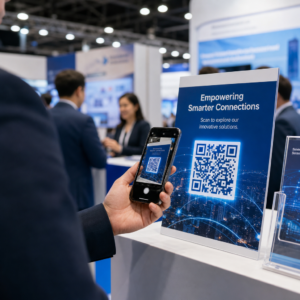
Ignorujú vaši odberatelia e-mailov textové odkazy pri čítaní správ na obrazovkách počítačov? Keď príjemcovia otvárajú e-maily na počítači, nútenie manuálne vyhľadávať mobilné aplikácie alebo zadávať dlhé webové adresy vytvára zbytočné trenie. Začlenenie skenovateľných kódov do vášho e-mailového marketingu poskytuje priame prepojenie medzi zobrazením na počítači a mobilným zobrazením.
Ako QR kódy preklenujú priepasť medzi počítačmi a mobilnými zariadeniami
Väčšina e-mailových kampaní čelí prekážke pri čítaní naprieč zariadeniami: odberatelia si často čítajú propagačné e-maily na stolnom počítači alebo notebooku, ale zamýšľaná akcia – ako je inštalácia mobilnej aplikácie, uloženie vizitky alebo pridanie vstupenky na udalosť – patrí do smartfónu.
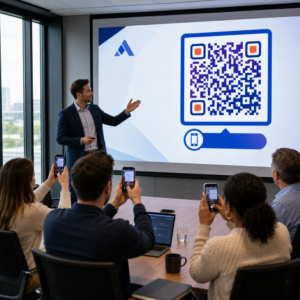
Umiestnenie skenovateľnej grafiky do e-mailu umožňuje príjemcom otvoriť fotoaparát smartfónu, namieriť ho na obrazovku počítača a okamžite spustiť akciu na svojom mobilnom zariadení. Táto interakcia naprieč zariadeniami znižuje mieru odchodov z pracovných postupov, ktoré vyžadujú účasť z mobilných zariadení. Marketéri môžu túto stratégiu naprieč kanálmi využiť aj na… prepojiť sociálne médiá a e-mailový marketing, ktorý nasmeruje čitateľov newslettera na počítači priamo k aktívnym profilom na sociálnych sieťach.
Praktické prípady použitia pre e-mailové marketingové kampane
Zahrnutie skenovateľného prvku do e-mailu by malo vždy slúžiť jasnému funkčnému účelu. Tu sú kľúčové scenáre, v ktorých pridanie skenovateľného kódu prekoná štandardné textové odkazy samotné:
- Stiahnutia aplikácií pre šoférovanie: Presmerujte čítačky pre počítače priamo do obchodu iOS App Store alebo Google Play Store na základe operačného systému ich telefónu.
- Pridanie vernostných kariet PeňaženkyPrenášajte vstupenky na podujatia, lístky alebo digitálne kupóny z displejov na počítači priamo do Apple Wallet alebo Google Wallet.
- Aktualizácia kontaktných údajovUmožnite obchodným kontaktom ukladať si údaje obchodných zástupcov priamo do svojho telefónneho adresára prostredníctvom súborov vCard.
- Spúšťanie predvyplnených správOtvorte mobilné e-mailové klienty alebo aplikácie na odosielanie správ s vopred vyplnenými informáciami o príjemcovi a textom dopytu.
- Zjednodušenie odosielania formulárovNasmerujte čitateľov na prieskumy optimalizované pre mobilné zariadenia alebo stránky na správu odberov. Ak prevádzkujete kampane s newslettermi, môžete bezproblémovo prepojiť skenovateľné prvky s Pracovné postupy e-mailov v Mailchimp zefektívniť registráciu predplatiteľov.
Vytvorte flexibilné kódy e-mailových kampaní Potrebujete aktualizovať svoj propagačný odkaz po odoslaní e-mailu? Použite Dynamický QR kód generátor kedykoľvek upraviť cieľové odkazy a sledovať výkon skenovania v reálnom čase.
Dôležité osvedčené postupy pre skenovateľnosť a prístupnosť e-mailov
Pri umiestňovaní skenovateľnej grafiky do šablón e-mailov technické prevedenie určuje, či môžu odberatelia úspešne interagovať s vaším obsahom. Dodržiavanie stanovených vizuálnych a prístupových štandardov zabezpečuje, že každý odberateľ sa môže zapojiť bez technických bariér.
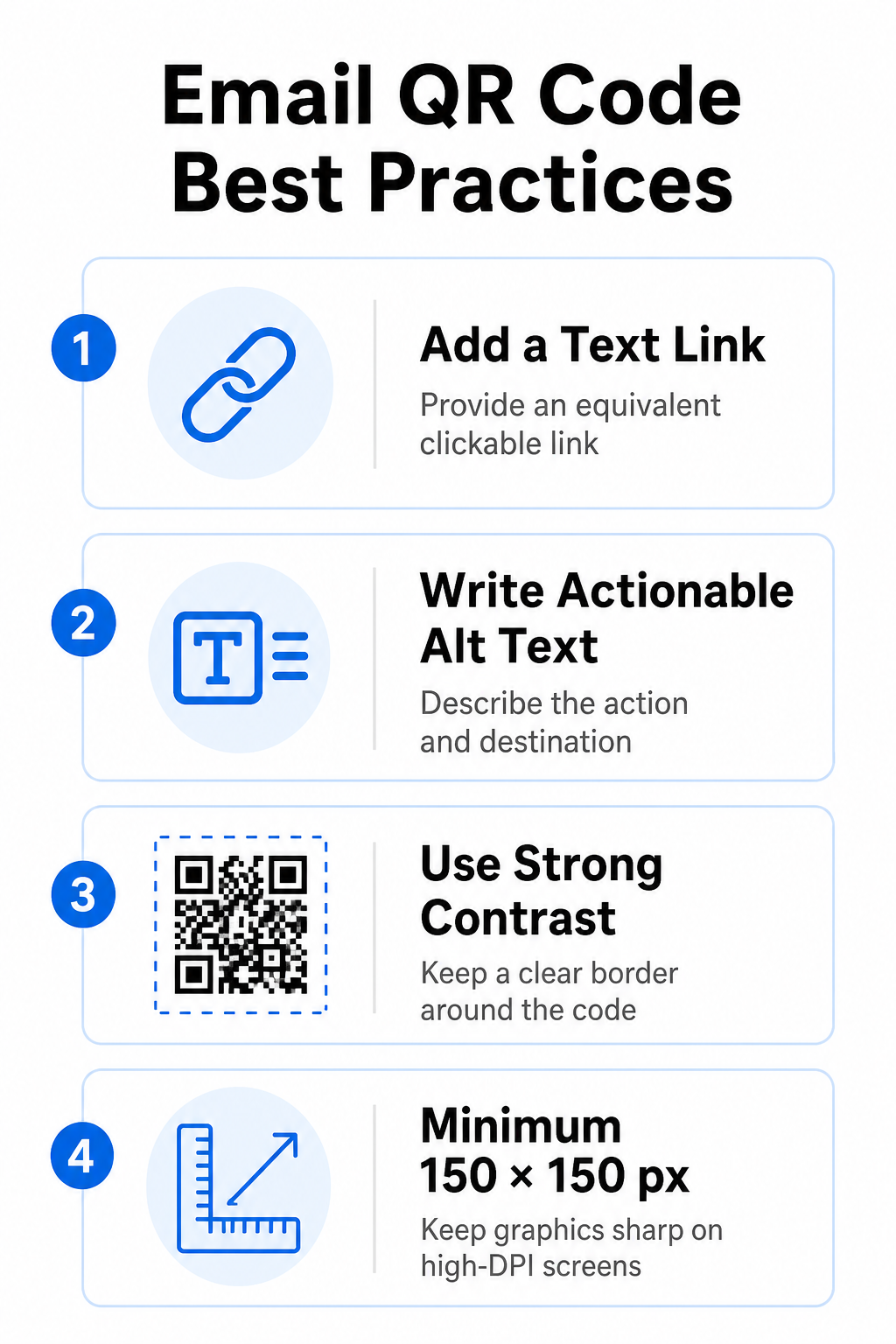
Vždy uveďte ekvivalentný textový odkaz
Skenovateľná grafika nesmie byť nikdy výhradnou metódou prístupu k informáciám v e-mailovej správe. Normy prístupnosti vyžadujú štandardný klikateľný hypertextový odkaz umiestnený vedľa grafiky alebo priamo pod ňou. To zabezpečuje, že odberatelia čítajúci e-mail na mobilnom zariadení – kde nie je možné skenovať vlastnú obrazovku – alebo tí, ktorí používajú čítačky obrazovky, majú jednoduchý prístup k cieľovému odkazu.
Zahrnúť akčný alternatívny text
E-mailoví klienti často štandardne blokujú obrázky. Ak sa grafika nenačíta okamžite, čítačky obrazovky a odberatelia sa spoliehajú na alternatívny text, aby pochopili obsah. Namiesto vizuálneho opisu grafiky použite popisný alternatívny text, ktorý vysvetľuje konkrétnu akciu a cieľ, napríklad ”alt="Naskenujte QR kód a získajte zľavový kupón 20%"”.
Zabezpečte vysoký farebný kontrast a tiché zóny
Skenery vyžadujú vysoký kontrast medzi tmavými vzormi v popredí a svetlými priestormi na pozadí. Tmavé kódy umiestnené na svetlom pozadí maximalizujú absorpciu svetla a zabezpečujú rýchlu detekciu kamerou. Vyhnite sa používaniu svetlých kódov na svetlom pozadí alebo tmavých vzorov na tmavých častiach šablóny e-mailov. Okrem toho udržiavajte okolo obvodu kódu nerušený okraj – známy ako tichá zóna, aby ste zabránili tomu, aby okolité prvky dizajnu e-mailu rušili rozpoznávanie skenerom. Tieto štrukturálne parametre si pozrite v našom sprievodcovi. osvedčených postupov pre čitateľnosť QR kódov pred vytvorením šablón.
Veľkosť grafiky pre displeje s vysokým rozlíšením
Aby sa grafika na obrazovkách s vysokým rozlíšením zobrazovala jasne a bez rozmazania alebo pixelizácie, zobrazte obrázok s minimálnou veľkosťou 150 x 150 pixelov (2 cm x 2 cm). Export obrázkov vo vektorových formátoch s vysokým rozlíšením pomocou spoľahlivého generátor QR kódov odkazov udržiava zvládnuteľnú hustotu dát a ostré čiary na obrazovkách stolových počítačov.
| Dizajnový parameter | Odporúčanie | Technický dôvod |
|---|---|---|
| Minimálne rozmery | 150 x 150 pixelov (2 x 2 cm) | Zabraňuje zlyhaniu zaostrenia kamery a pixelizácii na obrazovkách stolných počítačov s vysokým rozlíšením. |
| Farba popredia | Tmavá (napr. čierna, námornícka modrá) | Maximalizuje absorpciu svetla pre rýchlu detekciu kamerou. |
| Farba pozadia | Svetlá (napr. biela, svetlosivá) | Poskytuje potrebný kontrast oproti modulom údajov v popredí. |
| Alternatívny textový obsah | “Naskenujte QR kód pre [akciu]” | Poskytuje jasný kontext odkazu, keď e-mailoví klienti zakážu obrázky. |
Vytvorte si vlastné značkové QR kódy Ste pripravení integrovať skenovateľné kódy do dizajnu vašich e-mailových newsletterov? Vygenerujte si prispôsobené kódy s vysokým rozlíšením zadarmo pomocou nášho hlavného Generátor QR kódov dnes.
Statické vs. dynamické QR kódy v e-mailových kampaniach
Výber správneho technického formátu pre vašu skenovateľnú grafiku ovplyvňuje flexibilitu kampane aj presnosť prehľadov.
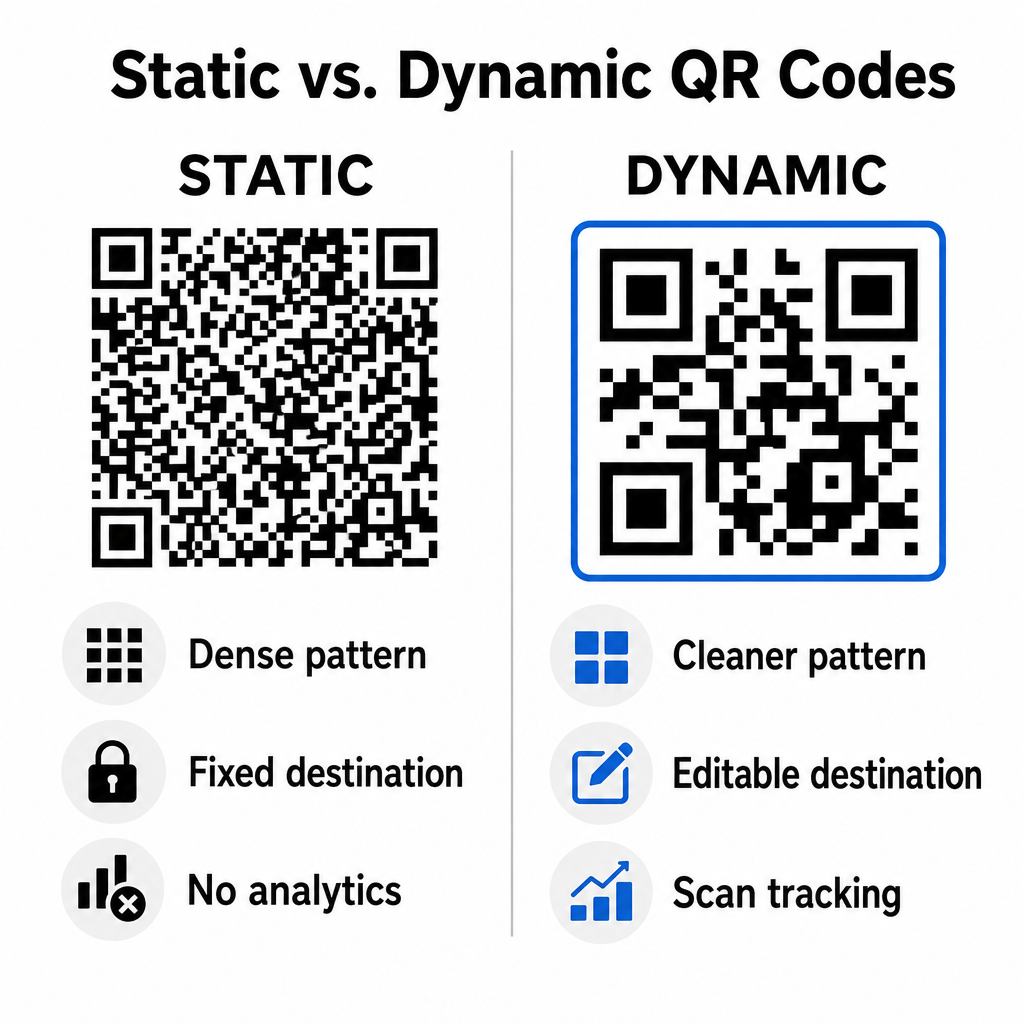
Statické kódy ukladajú vašu cieľovú URL priamo do vizuálnej matice. Keďže dlhé webové adresy vyžadujú viac dátových modulov, statické kódy zobrazujú husté, zložité vzory, ktoré je pre fotoaparáty smartfónov ťažšie dekódovať z displejov počítačov. Okrem toho statické kódy neponúkajú žiadne metriky sledovania a po odoslaní e-mailového newslettera ich nemožno upravovať.
Dynamické kódy vkladajú krátku URL adresu presmerovania namiesto celej adresy vstupnej stránky. Tento štrukturálny rozdiel vytvára čistejší vizuálny vzor s nižšou hustotou, ktorý sa okamžite skenuje aj pri menších veľkostiach. Dynamické kódy umožňujú správcom kampaní aktualizovať cieľové odkazy po nasadení a zachytiť komplexnú analýzu. Pochopenie rozdielov medzi statickými a dynamickými QR kódmi vám pomôže vybrať správny formát pre opakujúce sa sekvencie newsletterov. Využitím dynamických presmerovacích adries URL získate prístup k základným Metriky sledovania QR kódov vrátane celkového počtu skenovaní, operačných systémov zariadení, časových pečiatok skenovania a geografického rozloženia.
Bežné chyby, ktorým sa treba vyhnúť v e-mailových kampaniach
Vyhýbanie sa predvídateľným chybám v dizajne a používateľskej skúsenosti chráni mieru zapojenia vašej kampane a zachováva dôveru odberateľov:
- Vynechanie jasných pokynov na skenovanieZobrazenie neoznačeného kódu bez vysvetlenia odmeny alebo ďalšieho kroku znižuje mieru zapojenia.
- Presmerovanie používateľov na neresponzívne stránkyOdosielanie mobilných skenerov na vstupné stránky určené iba pre počítače vytvára trenie a zvyšuje mieru okamžitých odchodov.
- Nadmerné prispôsobovanie vizuálnych prvkovUmiestnenie silných log alebo nízkokontrastných gradientov pozadia na dátovú maticu zhoršuje skenovateľnosť kamery.
- Preskakovanie testov vykresľovania medzi klientmiAk sa neotestuje vzhľad kódu v Gmaile, Outlooku a Apple Maile v svetlom aj tmavom režime, vedie to k poškodeniu rozložení.
Spustenie stratégie QR kódu pre váš e-mail
Kombinácia textových hypertextových odkazov s dynamickou skenovateľnou grafikou vytvára efektívnu cestu od čítania e-mailov na počítači k akcii na mobilnom zariadení. Udržiavanie silného farebného kontrastu, poskytovanie popisného alternatívneho textu a overenie, či sú cieľové vstupné stránky optimalizované pre mobilné obrazovky, zabezpečuje pre vaše publikum plynulú cestu naprieč zariadeniami. Implementujte tieto štandardy vo svojej ďalšej sekvencii pomocou Dynamický QR kód generátor vytvárať, prispôsobovať a sledovať skenovateľné odkazy vo všetkých vašich e-mailových marketingových kampaniach.
Často kladené otázky
Mobilné čítačky nedokážu ľahko naskenovať kód zobrazený na obrazovke ich vlastného zariadenia. Vždy spojte skenovateľnú grafiku s priľahlým klikateľným textovým odkazom, aby sa mobilní používatelia mohli jednoducho klepnúť a dostať sa na miesto určenia.
Zobrazte obrázok s minimálnou veľkosťou 150 x 150 pixelov (alebo 2 cm x 2 cm). To zabezpečí, že fotoaparáty smartfónov dokážu dekódovať matricu pri skenovaní obrazovky notebooku alebo stolného počítača.
Áno, za predpokladu, že používate generátor dynamických QR kódov. Dynamické kódy zaznamenávajú metriky skenovania vrátane časov skenovania, operačných systémov zariadenia a geografickej polohy bez nutnosti zložitých parametrov URL.