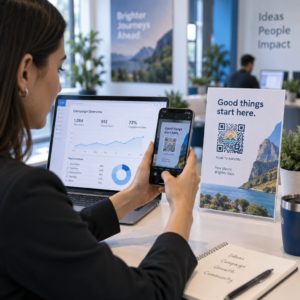
Apakah pelanggan email Anda mengabaikan tautan teks saat membaca pesan di layar desktop? Ketika penerima membuka email di komputer, memaksa mereka untuk mencari aplikasi seluler secara manual atau mengetik alamat web yang panjang menciptakan hambatan yang tidak perlu. Menggabungkan kode yang dapat dipindai ke dalam pemasaran email Anda menyediakan jembatan langsung antara tampilan desktop dan eksekusi seluler.
Bagaimana Kode QR Menjembatani Kesenjangan Antara Komputer Desktop dan Perangkat Seluler
Sebagian besar kampanye email menghadapi kendala lintas perangkat: pelanggan sering membaca email promosi di komputer desktop atau laptop, tetapi tindakan yang dimaksud – seperti menginstal aplikasi seluler, menyimpan kartu kontak, atau menambahkan tiket acara – seharusnya dilakukan di ponsel pintar.
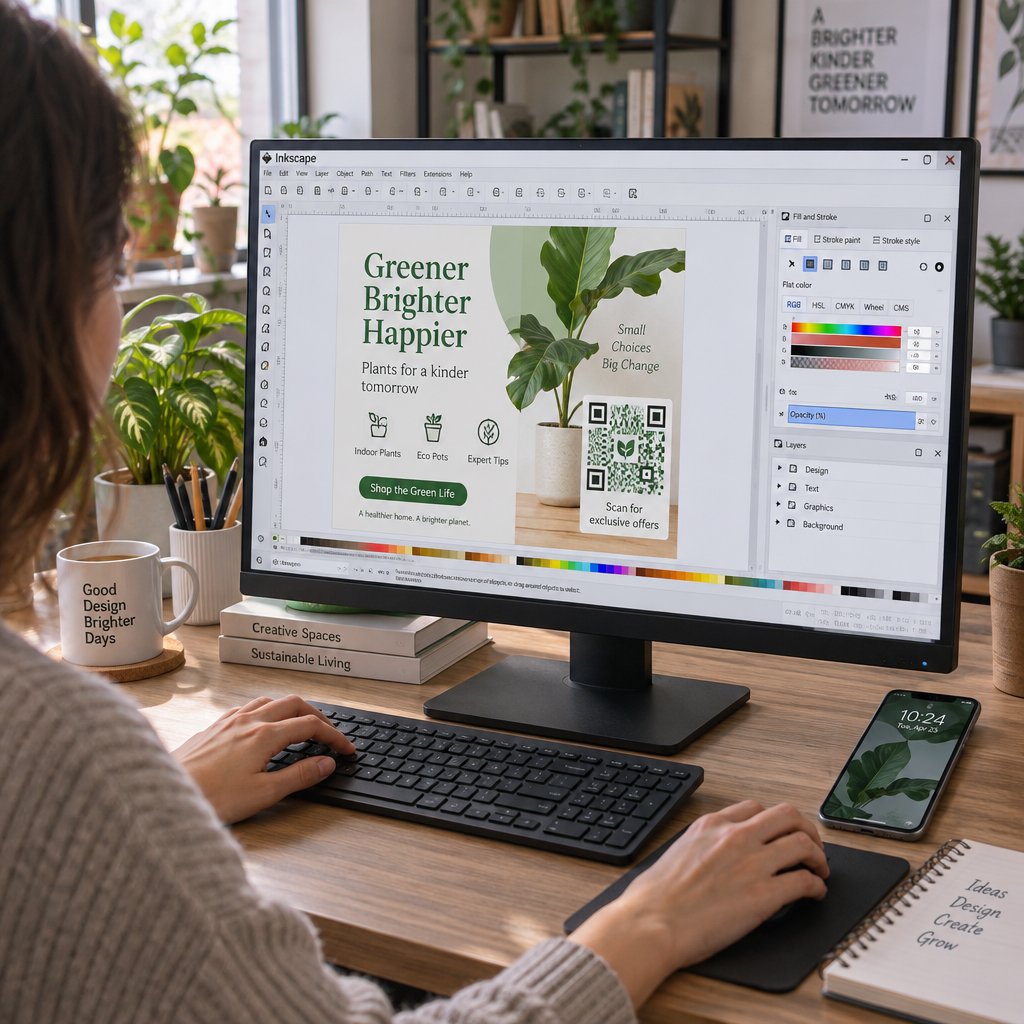
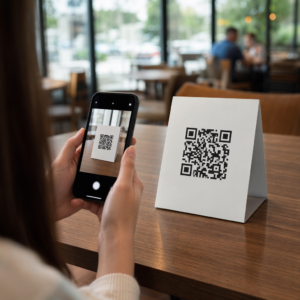
Menempatkan grafik yang dapat dipindai di dalam email memungkinkan penerima untuk membuka kamera ponsel cerdas mereka, mengarahkannya ke layar komputer mereka, dan langsung memicu tindakan di perangkat seluler mereka. Interaksi lintas perangkat ini mengurangi tingkat pengabaian untuk alur kerja yang membutuhkan partisipasi seluler. Pemasar juga dapat menggunakan strategi lintas saluran ini untuk menghubungkan media sosial dan pemasaran email, mengarahkan pembaca buletin desktop langsung ke profil media sosial aktif.
Studi Kasus Praktis untuk Kampanye Pemasaran Email
Menyertakan elemen yang dapat dipindai dalam email harus selalu memiliki tujuan fungsional yang jelas. Berikut adalah skenario utama di mana menambahkan kode yang dapat dipindai lebih unggul daripada tautan teks standar saja:
- Unduhan Aplikasi MengemudiArahkan pembaca desktop langsung ke iOS App Store atau Google Play Store berdasarkan sistem operasi ponsel mereka.
- Menambahkan Kartu Loyalitas DompetTransfer tiket acara, tiket masuk, atau kupon digital dari layar desktop langsung ke Apple Wallet atau Google Wallet.
- Memperbarui Detail KontakIzinkan kontak bisnis untuk menyimpan detail perwakilan penjualan langsung ke buku alamat telepon mereka melalui vCards.
- Memicu Pesan yang Sudah Terisi SebelumnyaBuka aplikasi email atau pesan di ponsel Anda yang sudah terisi informasi penerima dan teks pertanyaan.
- Menyederhanakan Pengiriman FormulirArahkan pembaca ke survei yang dioptimalkan untuk perangkat seluler atau halaman manajemen langganan. Jika Anda menjalankan kampanye buletin, Anda dapat menghubungkan elemen yang dapat dipindai dengan mudah. Alur kerja email Mailchimp untuk menyederhanakan proses pendaftaran pelanggan.
Buat Kode Kampanye Email yang Fleksibel Perlu memperbarui tautan promosi Anda setelah mengirim email? Gunakan Generator QR Code Dinamis untuk memodifikasi tautan tujuan kapan saja dan memantau kinerja pemindaian secara real-time.
Praktik Terbaik Penting untuk Kemudahan Pemindaian dan Aksesibilitas Email
Saat menyisipkan grafik yang dapat dipindai ke dalam templat email, eksekusi teknis menentukan apakah pelanggan dapat berinteraksi dengan konten Anda secara sukses. Mengikuti standar visual dan aksesibilitas yang telah ditetapkan memastikan setiap pelanggan dapat berpartisipasi tanpa hambatan teknis.
Selalu Berikan Tautan Teks yang Setara
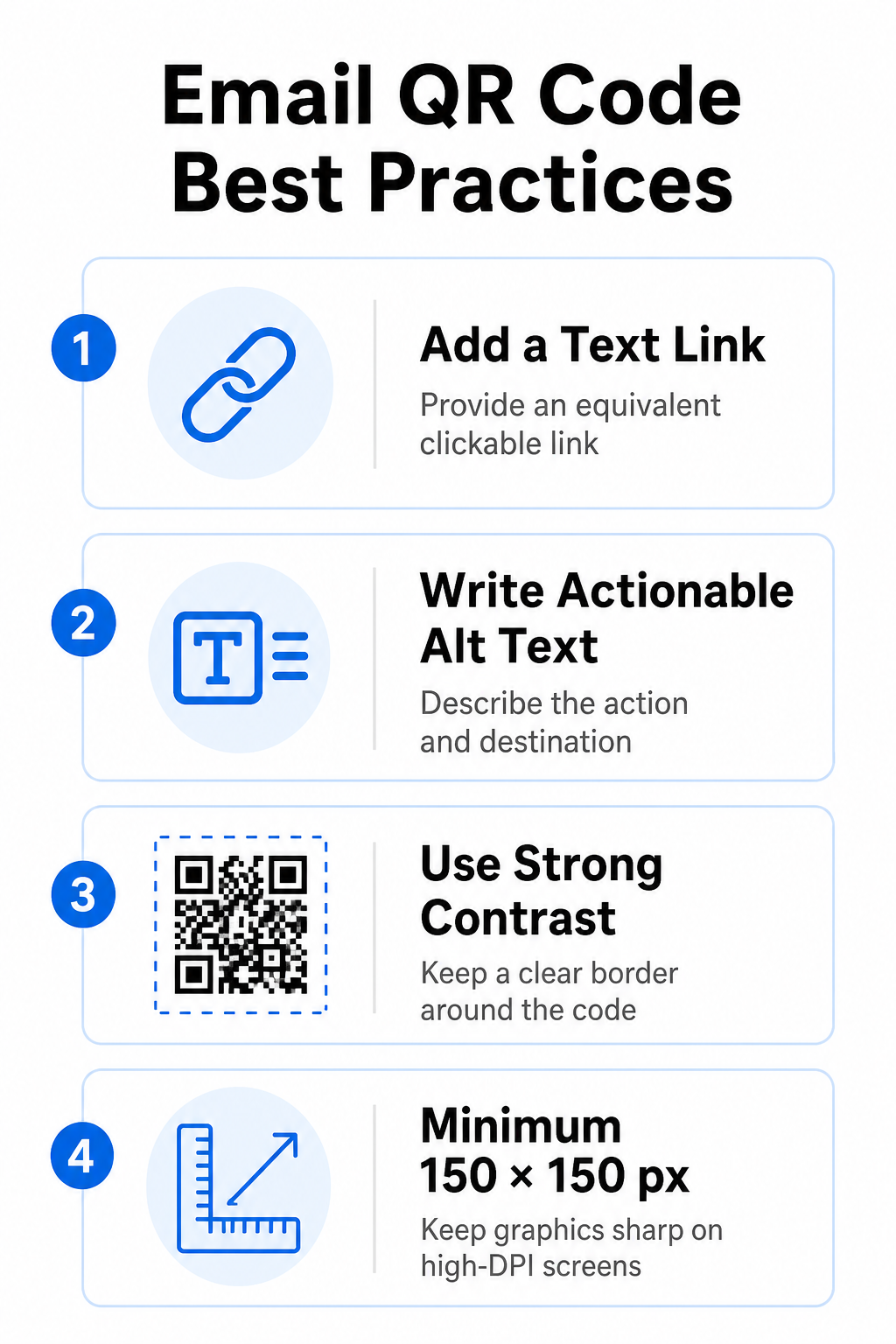
Grafik yang dapat dipindai tidak boleh menjadi satu-satunya metode untuk mengakses informasi dalam pesan email. Standar aksesibilitas mensyaratkan adanya hyperlink standar yang dapat diklik, ditempatkan di samping atau tepat di bawah grafik. Hal ini memastikan bahwa pelanggan yang membaca email di perangkat seluler – di mana pemindaian layar mereka sendiri tidak memungkinkan – atau mereka yang menggunakan pembaca layar dapat dengan mudah mengakses tautan tujuan.
Sertakan Teks Alternatif yang Dapat Ditindaklanjuti
Klien email sering kali memblokir gambar secara default. Jika gambar Anda gagal dimuat dengan segera, pembaca layar dan pelanggan mengandalkan teks alternatif untuk memahami kontennya. Gunakan teks alt deskriptif yang menjelaskan tindakan dan tujuan spesifik, seperti `alt=”Pindai kode QR untuk mengklaim kupon diskon 20% Anda”`, daripada mendeskripsikan gambar secara visual.
Pastikan Kontras Warna Tinggi dan Zona Tenang
Pemindai memerlukan kontras tinggi antara pola latar depan gelap dan ruang latar belakang terang. Kode gelap yang ditempatkan pada latar belakang terang memaksimalkan penyerapan cahaya dan memastikan deteksi kamera yang cepat. Hindari menggunakan kode berwarna terang pada latar belakang terang atau pola gelap pada bagian templat email yang gelap. Selain itu, pertahankan batas yang tidak terhalang – yang dikenal sebagai zona tenang – di sekitar perimeter kode untuk mencegah elemen desain email di sekitarnya mengganggu pengenalan pemindai. Tinjau parameter struktural ini dalam panduan kami tentang praktik terbaik untuk keterbacaan kode QR sebelum membuat templat Anda.
Ukuran Grafis untuk Layar Berresolusi Tinggi (High-DPI)
Untuk memastikan gambar ditampilkan dengan jelas pada layar beresolusi tinggi tanpa buram atau pikselasi, tampilkan gambar dengan ukuran minimal 150 x 150 piksel (2 cm x 2 cm). Ekspor gambar Anda dalam format vektor beresolusi tinggi menggunakan layanan yang andal. pembuat kode QR tautan Menjaga kepadatan data tetap terkendali dan garis tetap tajam di seluruh layar desktop.
| Parameter Desain | Rekomendasi | Alasan Teknis |
|---|---|---|
| Dimensi Minimum | 150 x 150 piksel (2 x 2 cm) | Mencegah kegagalan fokus kamera dan pikselasi pada layar desktop beresolusi tinggi (DPI). |
| Warna Latar Depan | Gelap (misalnya, Hitam, Biru Tua) | Memaksimalkan penyerapan cahaya untuk deteksi kamera yang cepat. |
| Warna Latar Belakang | Terang (misalnya, Putih, Abu-abu Muda) | Memberikan kontras yang diperlukan terhadap modul data latar depan. |
| Konten Teks Alternatif | “Pindai kode QR untuk [tindakan]” | Menyajikan konteks tautan yang jelas ketika gambar dinonaktifkan oleh klien email. |
Buat Kode QR Bermerek Kustom Siap mengintegrasikan kode yang dapat dipindai ke dalam desain buletin email Anda? Hasilkan kode kustom beresolusi tinggi secara gratis menggunakan fitur utama kami. Generator Kode QR hari ini.
Kode QR Statis vs. Dinamis dalam Kampanye Email
Memilih format teknis yang tepat untuk grafik yang dapat dipindai akan memengaruhi fleksibilitas kampanye dan akurasi pelaporan.
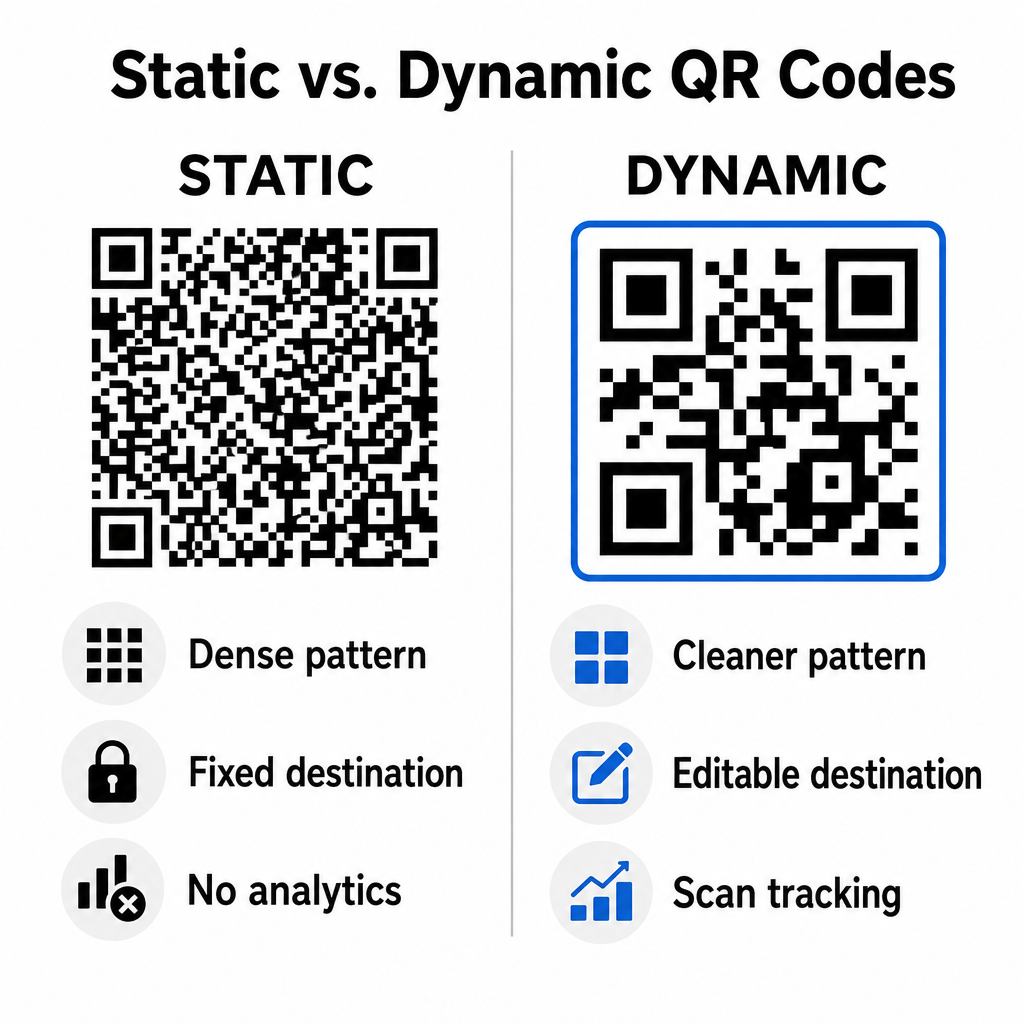
Kode statis menyimpan URL tujuan Anda langsung di dalam matriks visual. Karena alamat web yang panjang membutuhkan lebih banyak modul data, kode statis menampilkan pola yang padat dan kompleks yang menjadi lebih sulit bagi kamera ponsel pintar untuk menguraikannya dari layar komputer. Selain itu, kode statis tidak menawarkan metrik pelacakan dan tidak dapat diedit setelah buletin email dikirim.
Kode dinamis menyematkan URL pengalihan singkat alih-alih alamat halaman arahan lengkap. Perbedaan struktural ini menciptakan pola visual yang lebih bersih dan berdensitas rendah yang langsung dipindai bahkan pada ukuran yang lebih kecil. Kode dinamis memungkinkan pengelola kampanye untuk memperbarui tautan tujuan setelah penerapan dan menangkap analitik komprehensif. Memahami perbedaan antara kode QR statis vs dinamis Membantu Anda memilih format yang tepat untuk rangkaian buletin berkala. Dengan memanfaatkan URL pengalihan dinamis, Anda mendapatkan akses ke hal-hal penting. Metrik pelacakan kode QR termasuk jumlah total pemindaian, sistem operasi perangkat, stempel waktu pemindaian, dan distribusi geografis.
Kesalahan Umum yang Harus Dihindari dalam Kampanye Email
Menghindari kesalahan desain dan pengalaman pengguna yang mudah diprediksi akan melindungi tingkat keterlibatan kampanye Anda dan menjaga kepercayaan pelanggan:
- Menghilangkan instruksi pemindaian yang jelasMenampilkan kode tanpa label dan tanpa menjelaskan hadiah atau langkah selanjutnya akan mengurangi keterlibatan.
- Mengarahkan pengguna ke halaman yang tidak responsifMengarahkan pemindai seluler ke halaman arahan khusus desktop menciptakan hambatan dan meningkatkan rasio pentalan (bounce rate).
- Kustomisasi elemen visual yang berlebihanMenempatkan logo besar atau gradien latar belakang dengan kontras rendah di atas matriks data akan mengganggu kemampuan pemindaian kamera.
- Melewati pengujian rendering lintas klienKegagalan menguji tampilan kode di Gmail, Outlook, dan Apple Mail dalam mode terang dan gelap menyebabkan tata letak yang rusak.
Meluncurkan Strategi Kode QR Email Anda
Menggabungkan hyperlink teks dengan grafik dinamis yang dapat dipindai menciptakan jalur efisien dari membaca email di desktop ke tindakan di perangkat seluler. Mempertahankan kontras warna yang kuat, menyediakan teks alt yang deskriptif, dan memverifikasi bahwa halaman arahan tujuan dioptimalkan untuk layar seluler memastikan perjalanan lintas perangkat yang lancar bagi audiens Anda. Terapkan standar ini dalam rangkaian Anda berikutnya dengan menggunakan Generator QR Code Dinamis untuk membangun, menyesuaikan, dan melacak tautan yang dapat dipindai di semua kampanye pemasaran email Anda.
Pertanyaan yang sering diajukan
Pembaca seluler tidak dapat dengan mudah memindai kode yang ditampilkan di layar perangkat mereka sendiri. Selalu pasangkan grafik yang dapat dipindai dengan tautan teks yang dapat diklik di sebelahnya sehingga pengguna seluler dapat dengan mudah mengetuk untuk mencapai tujuan.
Tampilkan gambar dengan ukuran minimal 150 x 150 piksel (atau 2 cm x 2 cm). Hal ini memastikan kamera ponsel pintar dapat menerjemahkan matriks saat memindai layar laptop atau komputer desktop.
Ya, asalkan Anda menggunakan generator kode QR dinamis. Kode dinamis merekam metrik pemindaian termasuk waktu pemindaian, sistem operasi perangkat, dan lokasi geografis tanpa memerlukan parameter URL yang kompleks.