Ignorují vaši odběratelé e-mailů textové odkazy při čtení zpráv na obrazovkách počítačů? Když příjemci otevírají e-maily na počítači, nutí je ručně vyhledávat mobilní aplikace nebo zadávat dlouhé webové adresy vytváří zbytečné tření. Začlenění skenovatelných kódů do vašeho e-mailového marketingu poskytuje přímé spojení mezi prohlížením na počítači a provedením na mobilních zařízeních.
Jak QR kódy překlenují propast mezi stolními počítači a mobilními telefony
Většina e-mailových kampaní čelí překážce v používání různých zařízení: odběratelé si často čtou propagační e-maily na stolním počítači nebo notebooku, ale zamýšlená akce – jako je instalace mobilní aplikace, uložení kontaktní karty nebo přidání vstupenky na akci – se provádí na chytrém telefonu.
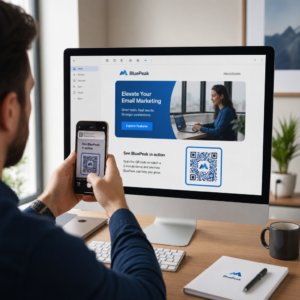
Umístění skenovatelné grafiky do e-mailu umožňuje příjemcům otevřít fotoaparát smartphonu, namířit ho na obrazovku počítače a okamžitě spustit akci na svém mobilním zařízení. Tato interakce napříč zařízeními snižuje míru opuštění pracovních postupů, které vyžadují mobilní účast. Marketéři mohou tuto strategii napříč kanály využít také k… propojit sociální média a e-mailový marketing, který vede čtenáře newsletteru na počítači přímo k aktivním profilům na sociálních sítích.
Praktické případy použití pro e-mailové marketingové kampaně
Zahrnutí skenovatelného prvku do e-mailu by mělo vždy sloužit jasnému funkčnímu účelu. Zde jsou klíčové scénáře, kdy přidání skenovatelného kódu překonává samotné standardní textové odkazy:
- Stahování aplikací pro řízeníSměrujte čtečky pro stolní počítače přímo do obchodu iOS App Store nebo Google Play Store na základě operačního systému jejich telefonu.
- Přidání věrnostních karet PeněženkyPřeneste vstupenky na akce, vstupenky nebo digitální kupóny z displejů na počítači přímo do Apple Wallet nebo Google Wallet.
- Aktualizace kontaktních údajů: Umožněte obchodním kontaktům ukládat údaje o obchodních zástupcích přímo do jejich telefonního adresáře prostřednictvím vCards.
- Spouštění předvyplněných zprávOtevřete mobilní e-mailové klienty nebo aplikace pro zasílání zpráv s předvyplněnými informacemi o příjemci a textem dotazu.
- Zjednodušení odesílání formulářůNasměrujte čtenáře na průzkumy optimalizované pro mobilní zařízení nebo stránky pro správu odběrů. Pokud provozujete newsletterové kampaně, můžete bez problémů propojit skenovatelné prvky s Pracovní postupy pro e-maily v Mailchimpu zefektivnit registraci předplatitelů.
Vytvořte flexibilní kódy pro e-mailové kampaně Potřebujete aktualizovat propagační odkaz po odeslání e-mailu? Použijte Dynamický QR kód kdykoli upravovat cílové odkazy a sledovat výkon skenování v reálném čase.
Důležité osvědčené postupy pro skenovatelnost a přístupnost e-mailů
Při vkládání skenovatelné grafiky do šablon e-mailů určuje technické provedení, zda mohou odběratelé úspěšně interagovat s vaším obsahem. Dodržování zavedených vizuálních a přístupnostních standardů zajišťuje, že se každý odběratel může zapojit bez technických překážek.
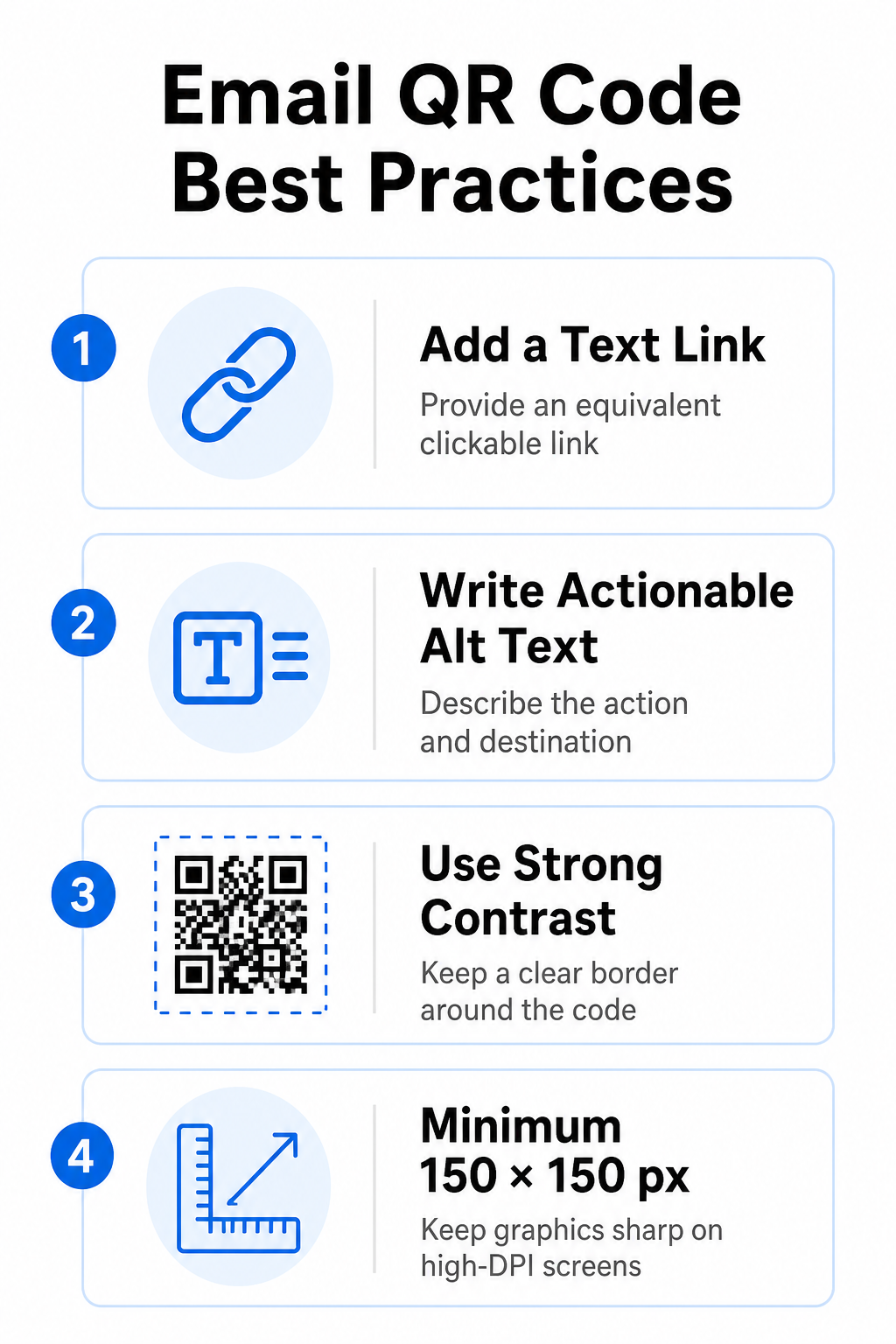
Vždy uveďte ekvivalentní textový odkaz
Naskenovatelná grafika nesmí být nikdy výhradním způsobem přístupu k informacím v e-mailové zprávě. Standardy přístupnosti vyžadují standardní klikatelný hypertextový odkaz umístěný vedle grafiky nebo přímo pod ní. To zajišťuje, že odběratelé čtoucí e-mail na mobilním zařízení – kde není možné naskenovat vlastní obrazovku – nebo ti, kteří používají čtečky obrazovky, mají snadný přístup k cílovému odkazu.
Zahrnout akční alternativní text
E-mailoví klienti často ve výchozím nastavení blokují obrázky. Pokud se grafika nenačte okamžitě, čtečky obrazovky a odběratelé se spoléhají na alternativní text, aby pochopili obsah. Použijte popisný alternativní text, který vysvětluje konkrétní akci a cíl, například ”alt="Naskenujte QR kód a získejte slevový kupón 20%"”, místo vizuálního popisu grafiky.
Zajistěte vysoký barevný kontrast a tiché zóny
Skenery vyžadují vysoký kontrast mezi tmavými vzory v popředí a světlými prostory v pozadí. Tmavé kódy umístěné na světlém pozadí maximalizují absorpci světla a zajišťují rychlou detekci kamerou. Nepoužívejte světlé kódy na světlém pozadí ani tmavé vzory na tmavých částech šablon e-mailů. Kromě toho udržujte kolem obvodu kódu nerušený okraj – známý jako tichá zóna, aby okolní prvky designu e-mailu nerušily rozpoznávání skenerem. Projděte si tyto strukturální parametry v našem průvodci na osvědčené postupy pro čitelnost QR kódů před vytvořením šablon.
Velikost grafiky pro displeje s vysokým rozlišením
Aby se grafika na obrazovkách s vysokým rozlišením zobrazovala jasně a bez rozmazání nebo pixelizace, zobrazujte obrázek v minimální velikosti 150 x 150 pixelů (2 cm x 2 cm). Export obrázků ve vektorových formátech s vysokým rozlišením pomocí spolehlivého generátor QR kódů odkazů udržuje hustotu dat na zvládnutelné úrovni a ostré čáry napříč monitory stolních počítačů.
| Parametr návrhu | Doporučení | Technický důvod |
|---|---|---|
| Minimální rozměry | 150 x 150 pixelů (2 x 2 cm) | Zabraňuje selhání zaostření kamery a pixelizaci na obrazovkách stolních počítačů s vysokým rozlišením. |
| Barva popředí | Tmavá (např. černá, námořnická modrá) | Maximalizuje absorpci světla pro rychlou detekci kamerou. |
| Barva pozadí | Světlá (např. bílá, světle šedá) | Poskytuje potřebný kontrast oproti datovým modulům v popředí. |
| Alternativní textový obsah | “Naskenujte QR kód pro [akci]” | Poskytuje jasný kontext odkazu, i když jsou obrázky zakázány e-mailovými klienty. |
Vytvořte si vlastní značkové QR kódy Jste připraveni integrovat skenovatelné kódy do designu vašich e-mailových newsletterů? Vygenerujte si zdarma přizpůsobené kódy s vysokým rozlišením pomocí našeho hlavního Generátor QR kódů dnes.
Statické vs. dynamické QR kódy v e-mailových kampaních
Výběr správného technického formátu pro skenovatelnou grafiku ovlivňuje jak flexibilitu kampaně, tak přesnost reportů.
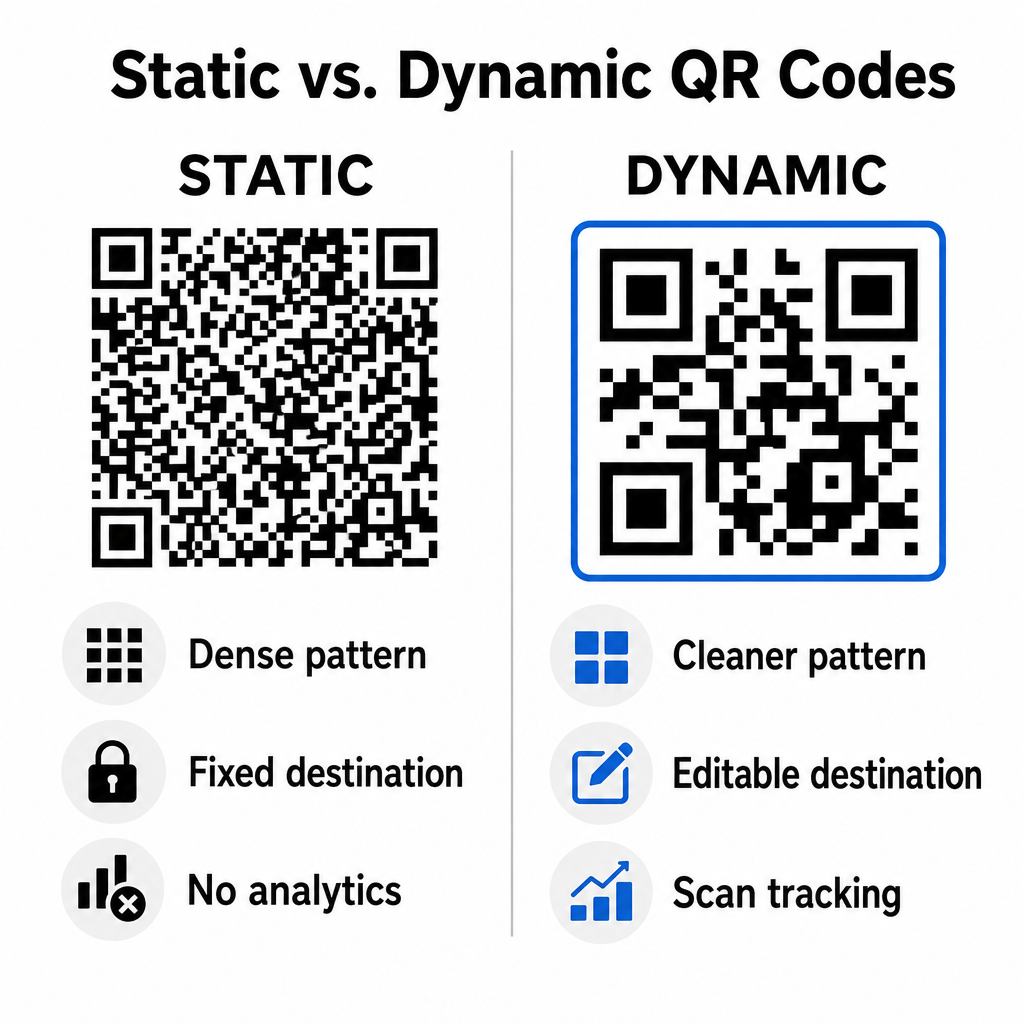
Statické kódy ukládají vaši cílovou URL přímo do vizuální matice. Protože dlouhé webové adresy vyžadují více datových modulů, statické kódy zobrazují husté a složité vzory, které je pro fotoaparáty chytrých telefonů obtížnější dekódovat z displejů počítačů. Statické kódy navíc nenabízejí žádné metriky sledování a po odeslání e-mailového newsletteru je nelze upravovat.
Dynamické kódy vkládají krátkou URL adresu přesměrování namísto celé adresy vstupní stránky. Tento strukturální rozdíl vytváří čistší vizuální vzorec s nižší hustotou, který se okamžitě skenuje i při menších velikostech. Dynamické kódy umožňují správcům kampaní aktualizovat cílové odkazy po nasazení a zaznamenávat komplexní analýzy. Pochopení rozdílů mezi statickými a dynamickými QR kódy vám pomůže vybrat správný formát pro opakující se sekvence newsletterů. Využitím dynamických přesměrovacích adres URL získáte přístup k základním Metriky sledování QR kódů včetně celkového počtu skenů, operačních systémů zařízení, časových razítek skenů a geografického rozložení.
Časté chyby, kterým se vyhnout v e-mailových kampaních
Vyhýbání se předvídatelným chybám v designu a uživatelské zkušenosti chrání míru zapojení vašich kampaní a zachovává důvěru odběratelů:
- Vynechání jasných pokynů pro skenováníZobrazení neoznačeného kódu bez vysvětlení odměny nebo dalšího kroku snižuje zapojení.
- Přesměrování uživatelů na neresponzivní stránkyOdesílání mobilních skenerů na vstupní stránky určené pouze pro počítače vytváří tření a zvyšuje míru okamžitého opuštění.
- Nadměrné přizpůsobení vizuálních prvkůUmístění silných log nebo nízkokontrastních gradientů pozadí na datovou matici snižuje snímatelnost kamery.
- Přeskakování testů vykreslování mezi klientyPokud se nezdaří otestovat vzhled kódu v Gmailu, Outlooku a Apple Mailu ve světlém i tmavém režimu, vede to k nefunkčnímu rozvržení.
Spuštění strategie pro QR kódy v e-mailu
Kombinace textových hypertextových odkazů s dynamickou skenovatelnou grafikou vytváří efektivní cestu od čtení e-mailů na počítači k akci na mobilním zařízení. Zachování silného barevného kontrastu, poskytnutí popisného alternativního textu a ověření, zda jsou cílové stránky optimalizovány pro mobilní obrazovky, zajišťuje pro vaše publikum plynulý průchod mezi zařízeními. Implementujte tyto standardy ve své další sekvenci pomocí… Dynamický QR kód vytvářet, upravovat a sledovat skenovatelné odkazy ve všech vašich e-mailových marketingových kampaních.
Často kladené otázky
Mobilní čtečky nemohou snadno naskenovat kód zobrazený na obrazovce jejich zařízení. Vždy přiřaďte skenovatelnou grafiku k přilehlému klikatelnému textovému odkazu, aby mobilní uživatelé mohli jednoduše klepnout a dostat se k cíli.
Zobrazte obrázek v minimální velikosti 150 x 150 pixelů (nebo 2 cm x 2 cm). To zajistí, že fotoaparáty chytrých telefonů dokáží dekódovat matici při skenování obrazovky notebooku nebo stolního počítače.
Ano, za předpokladu, že používáte generátor dynamických QR kódů. Dynamické kódy zaznamenávají metriky skenování včetně doby skenování, operačních systémů zařízení a geografické polohy, aniž by vyžadovaly složité parametry URL.