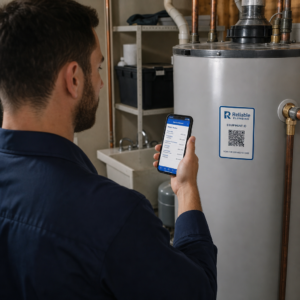
Чи ігнорують ваші підписники електронної пошти текстові посилання, коли читають повідомлення на екранах комп’ютерів? Коли одержувачі відкривають електронні листи на комп’ютері, змушення їх вручну шукати мобільні програми або вводити довгі веб-адреси створює зайві труднощі. Включення сканованих кодів у ваш email-маркетинг забезпечує прямий зв’язок між переглядом на комп’ютері та виконанням на мобільних пристроях.
Як QR-коди долають розрив між комп'ютерами та мобільними пристроями
Більшість email-кампаній стикаються з перешкодою для різних пристроїв: підписники часто читають рекламні листи на настільному комп’ютері або ноутбуці, але цільова дія, така як встановлення мобільного додатка, збереження картки контакту або додавання пропуску на подію, має виконуватися на смартфоні.
Розміщення сканованої графіки в електронному листі дозволяє одержувачам відкрити камеру свого смартфона, направити її на екран комп’ютера та негайно виконати дію на своєму мобільному пристрої. Така взаємодія між пристроями знижує рівень відмов у робочих процесах, які потребують участі з мобільних пристроїв. Маркетологи також можуть використовувати цю міжканальну стратегію для зв'язати соціальні мережі та email-маркетинг, спрямовуючи читачів розсилки для комп’ютерів безпосередньо до активних профілів у соціальних мережах.
Практичні випадки використання для email-маркетингових кампаній
Включення елемента для сканування в електронний лист завжди повинно служити чіткій функціональній меті. Ось ключові сценарії, коли додавання коду для сканування перевершує стандартні текстові посилання:
- Завантаження додатків для водіїв: Спрямовуйте настільні зчитувачі безпосередньо до iOS App Store або Google Play Store залежно від операційної системи їхнього телефону.
- Додавання карток лояльності WalletПереносьте квитки на події, перепустки на них або цифрові купони з дисплеїв комп’ютерів безпосередньо в Apple Wallet або Google Wallet.
- Оновлення контактної інформаціїДозвольте діловим контактам зберігати дані торгових представників безпосередньо в адресній книзі телефону за допомогою vCards.
- Запуск попередньо заповнених повідомленьВідкрийте мобільні поштові клієнти або програми обміну повідомленнями, попередньо заповнені інформацією про одержувача та текстом запиту.
- Спрощення подання формСпрямовуйте читачів на сторінки опитувань, оптимізованих для мобільних пристроїв, або на сторінки керування підписками. Якщо ви проводите розсилки новин, ви можете легко поєднувати елементи, що скануються, з Робочі процеси електронної пошти Mailchimp для оптимізації реєстрації підписників.
Створіть гнучкі коди email-кампаній Потрібно оновити рекламне посилання після надсилання електронного листа? Скористайтеся Динамічний QR код: генератор змінювати цільові посилання будь-коли та відстежувати ефективність сканування в режимі реального часу.
Найважливіші найкращі практики для сканування та доступності електронної пошти
Під час розміщення сканованої графіки в шаблонах електронних листів технічне виконання визначає, чи зможуть передплатники успішно взаємодіяти з вашим контентом. Дотримання встановлених візуальних стандартів та стандартів доступності гарантує, що кожен передплатник може брати участь без технічних бар'єрів.
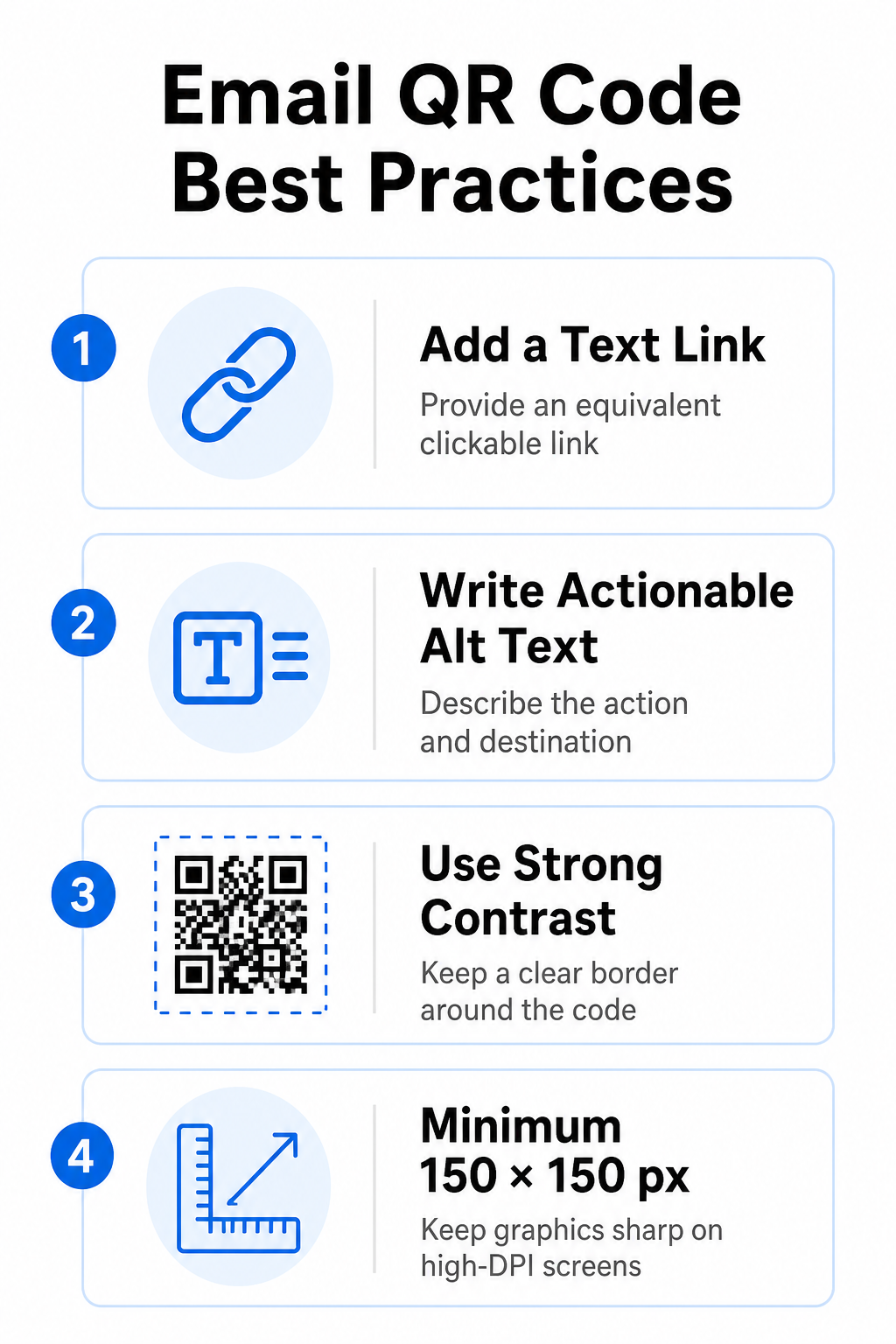
Завжди надавайте еквівалентне текстове посилання
Сканована графіка ніколи не повинна бути єдиним методом доступу до інформації в електронному листі. Стандарти доступності вимагають стандартного інтерактивного гіперпосилання, розміщеного поруч із графікою або безпосередньо під нею. Це гарантує, що абоненти, які читають електронний лист на мобільному пристрої (де сканування власного екрана неможливе), або ті, хто використовує програми зчитування з екрана, можуть легко отримати доступ до цільового посилання.
Додати альтернативний текст, з яким можна працювати
Поштові клієнти часто блокують зображення за замовчуванням. Якщо ваше зображення не завантажується миттєво, програми зчитування з екрана та підписники покладаються на альтернативний текст, щоб зрозуміти вміст. Використовуйте описовий альтернативний текст, який пояснює конкретну дію та пункт призначення, наприклад, `alt="Відскануйте QR-код, щоб отримати купон на знижку 20%"`, а не візуальний опис зображення.
Забезпечення високої контрастності кольорів та тихих зон
Сканери потребують високого контрасту між темними візерунками переднього плану та світлими фоновими просторами. Темні коди, розміщені на світлому фоні, максимізують поглинання світла та забезпечують швидке виявлення камерою. Уникайте використання світлих кодів на світлому фоні або темних візерунків на темних розділах шаблонів електронних листів. Крім того, залишайте безперешкодну межу – відому як тиха зона – по периметру коду, щоб запобігти перешкодам навколишніх елементів дизайну електронних листів розпізнаванню сканером. Перегляньте ці структурні параметри в нашому посібнику з найкращих практик для читабельності QR-кодів перед створенням шаблонів.
Розмір графіки для дисплеїв з високою роздільною здатністю
Щоб забезпечити чітке відображення графіки на екранах високої роздільної здатності без розмиття чи пікселізації, відображайте зображення з мінімальним розміром 150 x 150 пікселів (2 см x 2 см). Експорт зображень у векторні формати високої роздільної здатності за допомогою надійного генератор QR-кодів посилань забезпечує керовану щільність даних та чіткість ліній на дисплеях настільних комп'ютерів.
| Параметр дизайну | Рекомендація | Технічна причина |
|---|---|---|
| Мінімальні розміри | 150 x 150 пікселів (2 x 2 см) | Запобігає збоям фокусування камери та пікселізації на екранах робочих столів з високою роздільною здатністю. |
| Колір переднього плану | Темний (наприклад, чорний, темно-синій) | Максимізує поглинання світла для швидкого виявлення камери. |
| Колір фону | Світлий (наприклад, білий, світло-сірий) | Забезпечує необхідний контраст з модулями даних переднього плану. |
| Вміст альтернативного тексту | “Відскануйте QR-код для [дія]” | Надає чіткий контекст посилання, коли зображення вимкнено клієнтами електронної пошти. |
Створення QR-кодів з власним брендом Готові інтегрувати скановані коди в дизайн ваших електронних розсилок? Створюйте високоякісні, персоналізовані коди безкоштовно, використовуючи наш основний Генератор QR-кодів сьогодні.
Статичні та динамічні QR-коди в email-кампаніях
Вибір правильного технічного формату для сканованої графіки впливає як на гнучкість кампанії, так і на точність звітності.
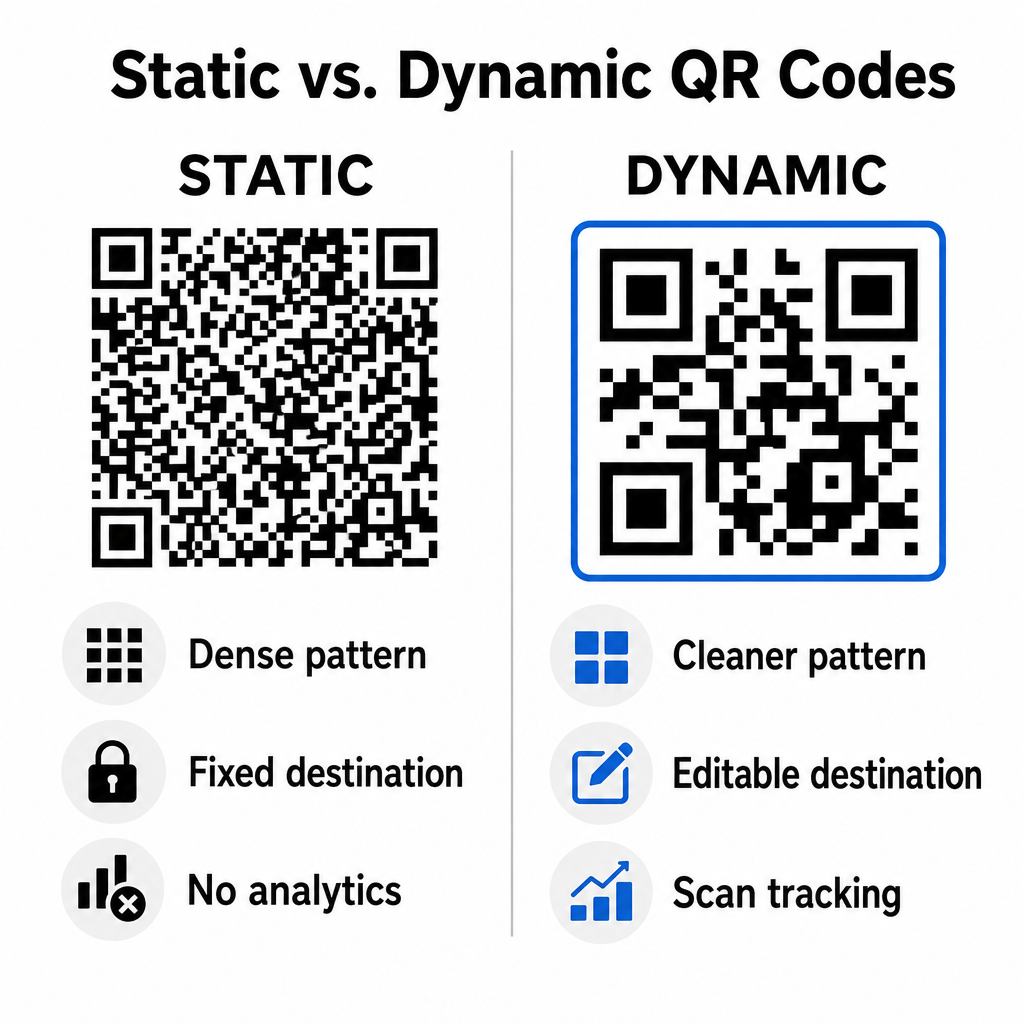
Статичні коди зберігають вашу цільову URL-адресу безпосередньо всередині візуальної матриці. Оскільки довгі веб-адреси вимагають більше модулів даних, статичні коди відображають щільні, складні шаблони, які камерам смартфонів важче декодувати з дисплеїв комп’ютерів. Крім того, статичні коди не пропонують показників відстеження та не можуть бути відредаговані після розсилки електронної розсилки.
Динамічні коди вбудовують коротку URL-адресу перенаправлення замість повної адреси цільової сторінки. Ця структурна відмінність створює чіткіший візуальний шаблон з меншою щільністю, який миттєво сканується навіть за менших розмірів. Динамічні коди дозволяють менеджерам кампаній оновлювати цільові посилання після розгортання та збирати комплексну аналітику. Розуміння відмінностей між статичними та динамічними QR-кодами допомагає вам вибрати правильний формат для повторюваних послідовностей розсилок. Використовуючи динамічні URL-адреси переадресації, ви отримуєте доступ до важливої Метрики відстеження QR-кодів включаючи загальну кількість сканувань, операційні системи пристроїв, позначки часу сканування та географічний розподіл.
Типові помилки, яких слід уникати в email-кампаніях
Уникнення передбачуваних помилок дизайну та взаємодії з користувачем захищає рівень залученості до вашої кампанії та зберігає довіру підписників:
- Пропуск чітких інструкцій зі скануванняВідображення непідписаного коду без пояснення винагороди або наступного кроку знижує залученість.
- Перенаправлення користувачів на неадаптивні сторінкиНадсилання мобільних сканерів на цільові сторінки, призначені лише для комп’ютерів, створює тертя та підвищує показник відмов.
- Надмірне налаштування візуальних елементівРозміщення важких логотипів або низькоконтрастних градієнтів фону поверх матриці даних погіршує сканування камерою.
- Пропуск тестів рендерингу між клієнтамиНеможливість перевірити зовнішній вигляд коду в Gmail, Outlook та Apple Mail як у світлому, так і в темному режимах призводить до пошкодження макетів.
Запуск стратегії QR-кодів вашої електронної пошти
Поєднання текстових гіперпосилань із динамічною графікою, яку можна сканувати, створює ефективний шлях від читання електронної пошти на комп’ютері до дії на мобільному пристрої. Підтримка яскравого колірного контрасту, надання описового альтернативного тексту та перевірка оптимізації цільових сторінок для екранів мобільних пристроїв забезпечують плавну взаємодію між пристроями для вашої аудиторії. Впроваджуйте ці стандарти у своїй наступній послідовності, використовуючи Динамічний QR код: генератор створювати, налаштовувати та відстежувати скановані посилання у всіх ваших маркетингових кампаніях електронною поштою.
Поширені запитання
Мобільні користувачі не можуть легко просканувати код, що відображається на екрані їхнього пристрою. Завжди поєднуйте зображення, що скануються, із сусіднім інтерактивним текстовим посиланням, щоб мобільні користувачі могли просто натиснути, щоб перейти до пункту призначення.
Відображайте зображення з мінімальним розміром 150 x 150 пікселів (або 2 см x 2 см). Це гарантує, що камери смартфонів зможуть декодувати матрицю під час сканування екрана ноутбука або настільного комп'ютера.
Так, за умови використання генератора динамічних QR-кодів. Динамічні коди записують показники сканування, включаючи час сканування, операційні системи пристрою та географічне розташування, без необхідності складних параметрів URL-адреси.