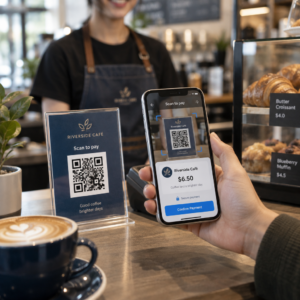
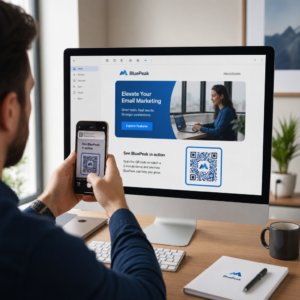
Vai jūsu e-pasta abonenti ignorē teksta saites, lasot ziņojumus datora ekrānos? Kad saņēmēji atver e-pastus datorā, piespiešana manuāli meklēt mobilās lietotnes vai ievadīt garas tīmekļa adreses rada nevajadzīgu berzi. Skenējamu kodu iekļaušana jūsu e-pasta mārketingā nodrošina tiešu saikni starp skatīšanos datorā un izpildi mobilajās ierīcēs.
Kā QR kodi pārvar plaisu starp galddatoriem un mobilajām ierīcēm
Lielākā daļa e-pasta kampaņu saskaras ar vairāku ierīču ierobežojumu šķēršļiem: abonenti bieži lasa reklāmas e-pastus galddatorā vai klēpjdatorā, bet paredzētā darbība, piemēram, mobilās lietotnes instalēšana, kontaktpersonas kartes saglabāšana vai pasākuma caurlaides pievienošana, ir jāveic viedtālrunī.
Ievietojot skenējamu grafiku e-pastā, adresāti var atvērt viedtālruņa kameru, pavērst to pret datora ekrānu un nekavējoties aktivizēt darbību savā mobilajā ierīcē. Šī vairāku ierīču mijiedarbība samazina atteikšanās rādītājus darbplūsmās, kurām nepieciešama mobilā līdzdalība. Mārketinga speciālisti var izmantot arī šo vairāku kanālu stratēģiju, lai savienot sociālos medijus un e-pasta mārketingu, virzot galddatoru informatīvo biļetenu lasītājus tieši uz aktīviem sociālo tīklu profiliem.
Praktiski lietošanas gadījumi e-pasta mārketinga kampaņām
Skenējama elementa iekļaušanai e-pastā vienmēr vajadzētu kalpot skaidram funkcionālam mērķim. Šeit ir galvenie scenāriji, kuros skenējama koda pievienošana pārspēj tikai standarta teksta saites:
- Braukšanas lietotņu lejupielādes: Novirzīt datora lasītājus tieši uz iOS App Store vai Google Play Store atkarībā no viņu tālruņa operētājsistēmas.
- Maka lojalitātes karšu pievienošanaPārsūtiet pasākumu caurlaides, biļetes vai digitālos kuponus no datora displejiem tieši uz Apple Wallet vai Google Wallet.
- Kontaktinformācijas atjaunināšana: Ļaujiet biznesa kontaktiem saglabāt pārdošanas pārstāvja informāciju tieši savā tālruņu adrešu grāmatā, izmantojot vCards.
- Iepriekš aizpildītu ziņojumu aktivizēšana: Atveriet mobilos e-pasta klientus vai ziņojumapmaiņas lietotnes, kas iepriekš aizpildītas ar adresāta informāciju un pieprasījuma tekstu.
- Veidlapu iesniegšanas vienkāršošana: Novirziet lasītājus uz mobilajām ierīcēm optimizētām aptaujām vai abonementu pārvaldības lapām. Ja jūs veicat informatīvo biļetenu kampaņas, varat nemanāmi savienot skenējamus elementus ar Mailchimp e-pasta darbplūsmas lai vienkāršotu abonentu reģistrēšanos.
Izveidojiet elastīgus e-pasta kampaņu kodus Vai pēc e-pasta nosūtīšanas ir jāatjaunina reklāmas saite? Izmantojiet Dinamisks QR kodu ģenerators lai jebkurā laikā mainītu galamērķa saites un reāllaikā uzraudzītu skenēšanas veiktspēju.
Svarīgākā e-pasta skenējamības un pieejamības paraugprakse
Ievietojot skenējamas grafikas e-pasta veidnēs, tehniskā izpilde nosaka, vai abonenti var veiksmīgi mijiedarboties ar jūsu saturu. Ievērojot noteiktos vizuālos un pieejamības standartus, tiek nodrošināts, ka katrs abonents var piedalīties bez tehniskiem šķēršļiem.
Vienmēr norādiet līdzvērtīgu teksta saiti
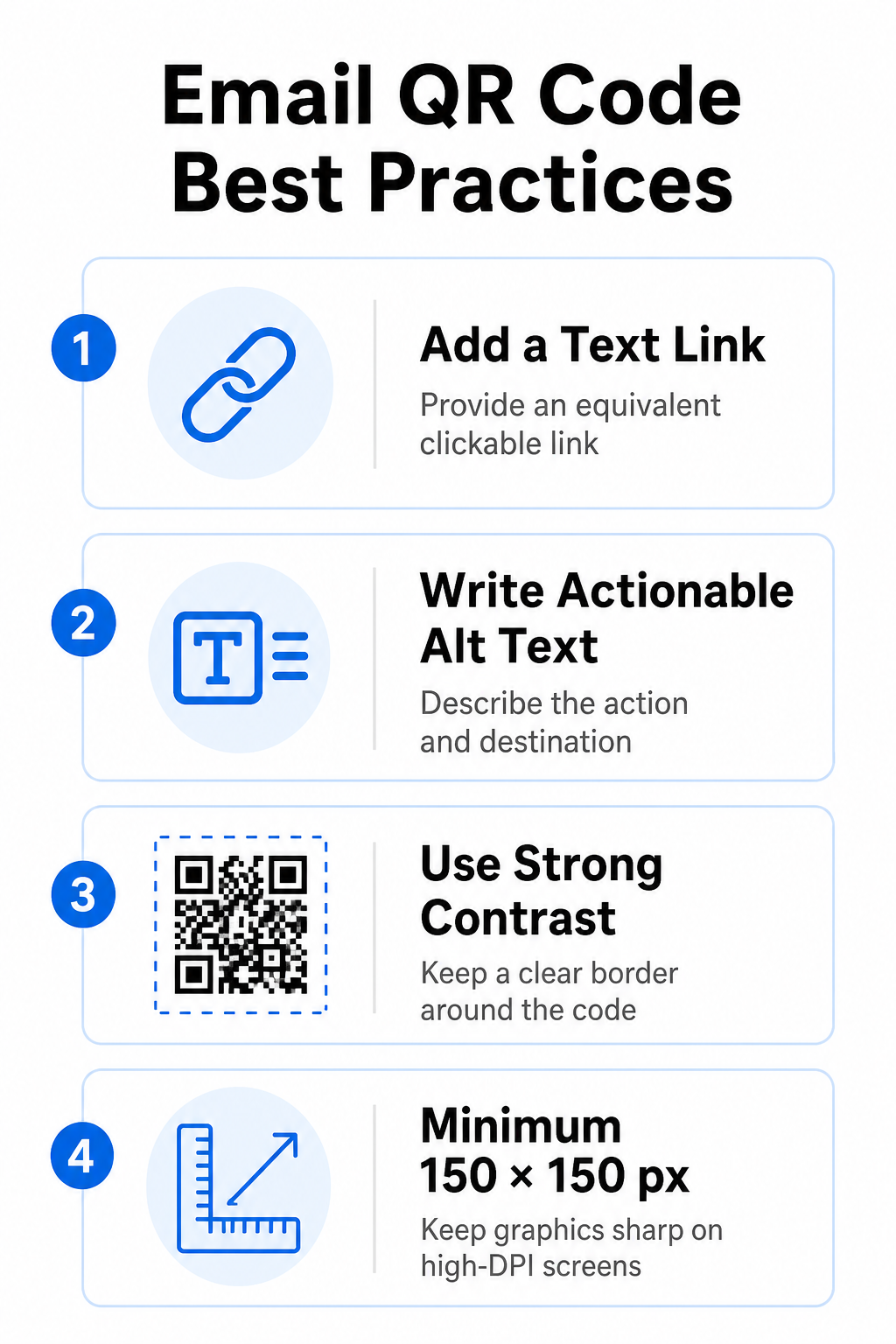
Skenējamam grafikam nekad nevajadzētu būt vienīgajai metodei, lai piekļūtu informācijai e-pasta ziņojumā. Pieejamības standarti pieprasa standarta, noklikšķināmu hipersaiti, kas novietota blakus grafikai vai tieši zem tās. Tas nodrošina, ka abonenti, kas lasa e-pastu mobilajā ierīcē, kur nav iespējams skenēt savu ekrānu, vai tie, kas izmanto ekrāna lasītājus, var viegli piekļūt mērķa saitei.
Iekļaut izmantojamu alternatīvo tekstu
E-pasta klienti bieži vien pēc noklusējuma bloķē attēlus. Ja jūsu grafika neielādējas nekavējoties, ekrāna lasītāji un abonenti paļaujas uz alternatīvo tekstu, lai izprastu saturu. Izmantojiet aprakstošu alternatīvo tekstu, kas izskaidro konkrēto darbību un galamērķi, piemēram, `alt=”Skenējiet QR kodu, lai saņemtu savu 20% atlaižu kuponu”`, nevis vizuāli aprakstiet grafiku.
Nodrošiniet augstu krāsu kontrastu un klusās zonas
Skeneriem ir nepieciešams augsts kontrasts starp tumšiem priekšplāna rakstiem un gaišām fona telpām. Tumši kodi, kas novietoti uz gaiša fona, maksimāli palielina gaismas absorbciju un nodrošina ātru kameras atpazīšanu. Izvairieties no gaišas krāsas kodu izmantošanas uz gaiša fona vai tumšu rakstu izmantošanas uz tumšām e-pasta veidnes sadaļām. Turklāt saglabājiet netraucētu robežu — kluso zonu — ap koda perimetru, lai apkārtējie e-pasta dizaina elementi netraucētu skenera atpazīšanai. Pārskatiet šos strukturālos parametrus mūsu ceļvedī par labāko praksi QR kodu lasāmībā pirms veidņu izveides.
Izmēru grafika augstas izšķirtspējas displejiem
Lai nodrošinātu, ka grafika augstas izšķirtspējas ekrānos ir skaidri atveidota bez izplūduma vai pikseļošanās, attēla minimālais izmērs ir 150 x 150 pikseļi (2 cm x 2 cm). Attēlu eksportēšana augstas izšķirtspējas vektoru formātos, izmantojot uzticamu saites QR koda ģenerators nodrošina pārvaldāmu datu blīvumu un asas līnijas uz galddatoru displejiem.
| Dizaina parametrs | Ieteikums | Tehnisks iemesls |
|---|---|---|
| Minimālie izmēri | 150 x 150 pikseļi (2 x 2 cm) | Novērš kameras fokusēšanas kļūmes un pikseļošanos augstas DPI darbvirsmas ekrānos. |
| Priekšplāna krāsa | Tumšs (piemēram, melns, tumši zils) | Maksimāli palielina gaismas absorbciju ātrai kameras noteikšanai. |
| Fona krāsa | Gaiši (piemēram, balti, gaiši pelēki) | Nodrošina nepieciešamo kontrastu ar priekšplāna datu moduļiem. |
| Alternatīvā teksta saturs | “Skenējiet QR kodu, lai veiktu [darbību]” | Nodrošina skaidru saites kontekstu, ja e-pasta klienti ir atspējojuši attēlus. |
Izveidojiet pielāgotus zīmola QR kodus Vai esat gatavs integrēt skenējamus kodus savos e-pasta biļetenu dizainos? Ģenerējiet augstas izšķirtspējas, pielāgotus kodus bez maksas, izmantojot mūsu galveno QR kodu ģenerators šodien.
Statiskie un dinamiskie QR kodi e-pasta kampaņās
Pareiza tehniskā formāta izvēle skenējamajai grafikai ietekmē gan kampaņas elastību, gan pārskatu precizitāti.
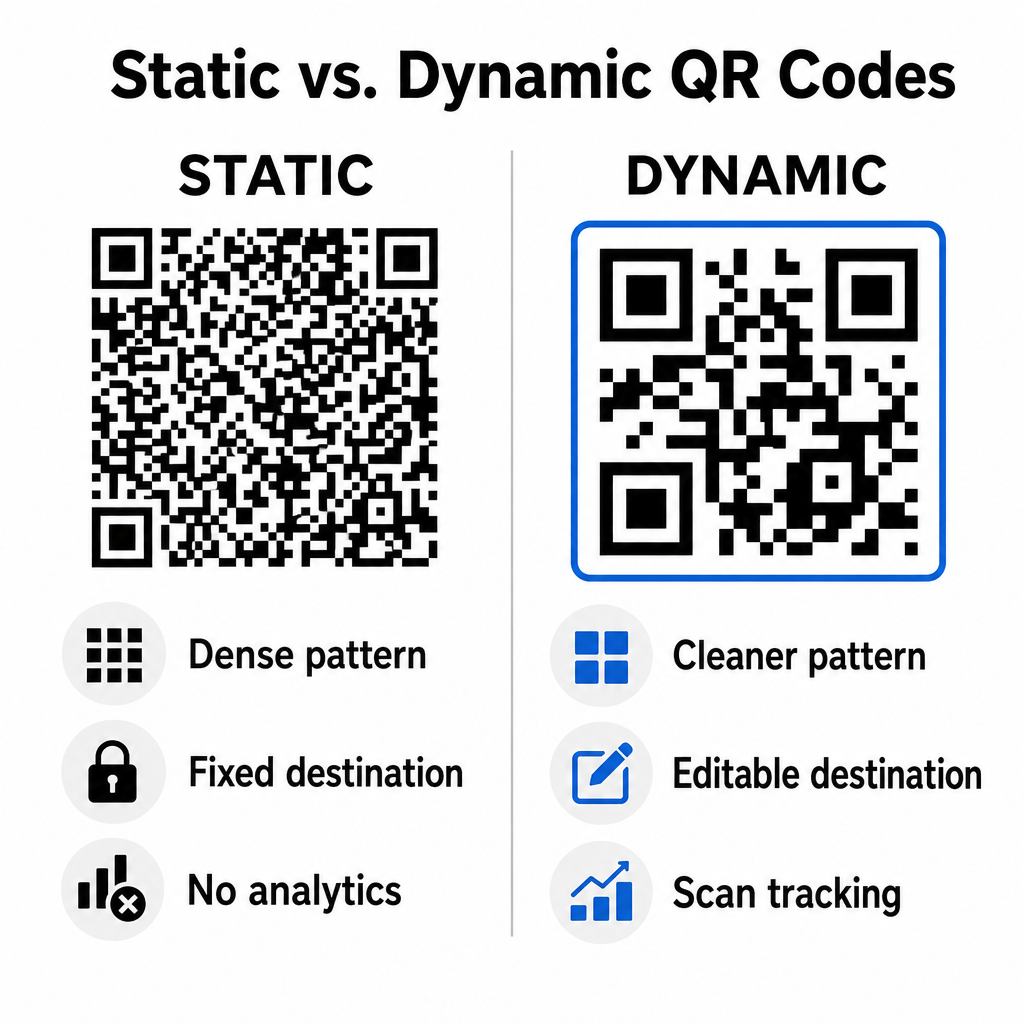
Statiskie kodi saglabā jūsu galamērķa URL tieši vizuālajā matricā. Tā kā garām tīmekļa adresēm ir nepieciešams vairāk datu moduļu, statiskie kodi attēlo blīvus, sarežģītus modeļus, kurus viedtālruņu kamerām ir grūtāk atšifrēt no datoru displejiem. Turklāt statiskie kodi nenodrošina izsekošanas metriku un tos nevar rediģēt pēc e-pasta informatīvā biļetena nosūtīšanas.
Dinamiskie kodi iegulst īsu pāradresācijas URL, nevis pilnu galvenās lapas adresi. Šī strukturālā atšķirība rada tīrāku, mazāka blīvuma vizuālo modeli, kas skenē uzreiz pat mazākos izmēros. Dinamiskie kodi ļauj kampaņu vadītājiem atjaunināt galamērķa saites pēc izvietošanas un apkopot visaptverošu analīzi. Izpratne par atšķirībām starp statiskajiem un dinamiskajiem QR kodiem palīdz izvēlēties pareizo formātu atkārtotiem informatīvajiem biļeteniem. Izmantojot dinamiskās pāradresācijas URL, jūs iegūstat piekļuvi svarīgākajiem elementiem. QR koda izsekošanas metrika tostarp kopējo skenēšanas reižu skaitu, ierīču operētājsistēmas, skenēšanas laika zīmogus un ģeogrāfisko izplatību.
Biežāk pieļautās kļūdas e-pasta kampaņās, no kurām jāizvairās
Izvairoties no paredzamām dizaina un lietotāja pieredzes kļūdām, tiek aizsargāti jūsu kampaņas iesaistes rādītāji un saglabāta abonentu uzticēšanās:
- Skaidru skenēšanas instrukciju izlaišanaNeapzīmēta koda attēlošana, nepaskaidrojot atlīdzību vai nākamo darbību, samazina iesaisti.
- Lietotāju novirzīšana uz nereaģējošām lapāmMobilo skeneru nosūtīšana uz tikai galddatoriem paredzētām galvenajām lapām rada berzi un palielina atteikumu līmeni.
- Vizuālo elementu pārmērīga pielāgošanaBiezu logotipu vai zema kontrasta fona gradientu novietošana virs datu matricas pasliktina kameras skenējamību.
- Starpklientu renderēšanas testu izlaišanaJa netiek pārbaudīts koda izskats pakalpojumos Gmail, Outlook un Apple Mail gan gaišajā, gan tumšajā režīmā, izkārtojumi nedarbojas pareizi.
Jūsu e-pasta QR koda stratēģijas ieviešana
Teksta hipersaišu apvienošana ar dinamisku, skenējamu grafiku nodrošina efektīvu ceļu no e-pasta lasīšanas datorā līdz darbībai mobilajā ierīcē. Spēcīga krāsu kontrasta saglabāšana, aprakstoša alternatīvā teksta nodrošināšana un pārbaude, vai galamērķa lapas ir optimizētas mobilo ierīču ekrāniem, nodrošina vienmērīgu pieredzi dažādās ierīcēs jūsu auditorijai. Ieviesiet šos standartus savā nākamajā secībā, izmantojot Dinamisks QR kodu ģenerators lai veidotu, pielāgotu un izsekotu skenējamas saites visās jūsu e-pasta mārketinga kampaņās.
Biežāk uzdotie jautājumi
Mobilo ierīču lasītāji nevar viegli noskenēt kodu, kas tiek parādīts viņu ierīces ekrānā. Vienmēr savienojiet skenējamus attēlus ar blakus esošu, noklikšķināmu teksta saiti, lai mobilo ierīču lietotāji varētu vienkārši pieskarties, lai sasniegtu galamērķi.
Attēla minimālajam izmēram jābūt 150 x 150 pikseļiem (jeb 2 cm x 2 cm). Tas nodrošina, ka viedtālruņu kameras var atšifrēt matricu, skenējot klēpjdatora vai galddatora ekrānu.
Jā, ja vien izmantojat dinamisko QR kodu ģeneratoru. Dinamiskie kodi reģistrē skenēšanas rādītājus, tostarp skenēšanas laikus, ierīču operētājsistēmas un ģeogrāfisko atrašanās vietu, neprasot sarežģītus URL parametrus.