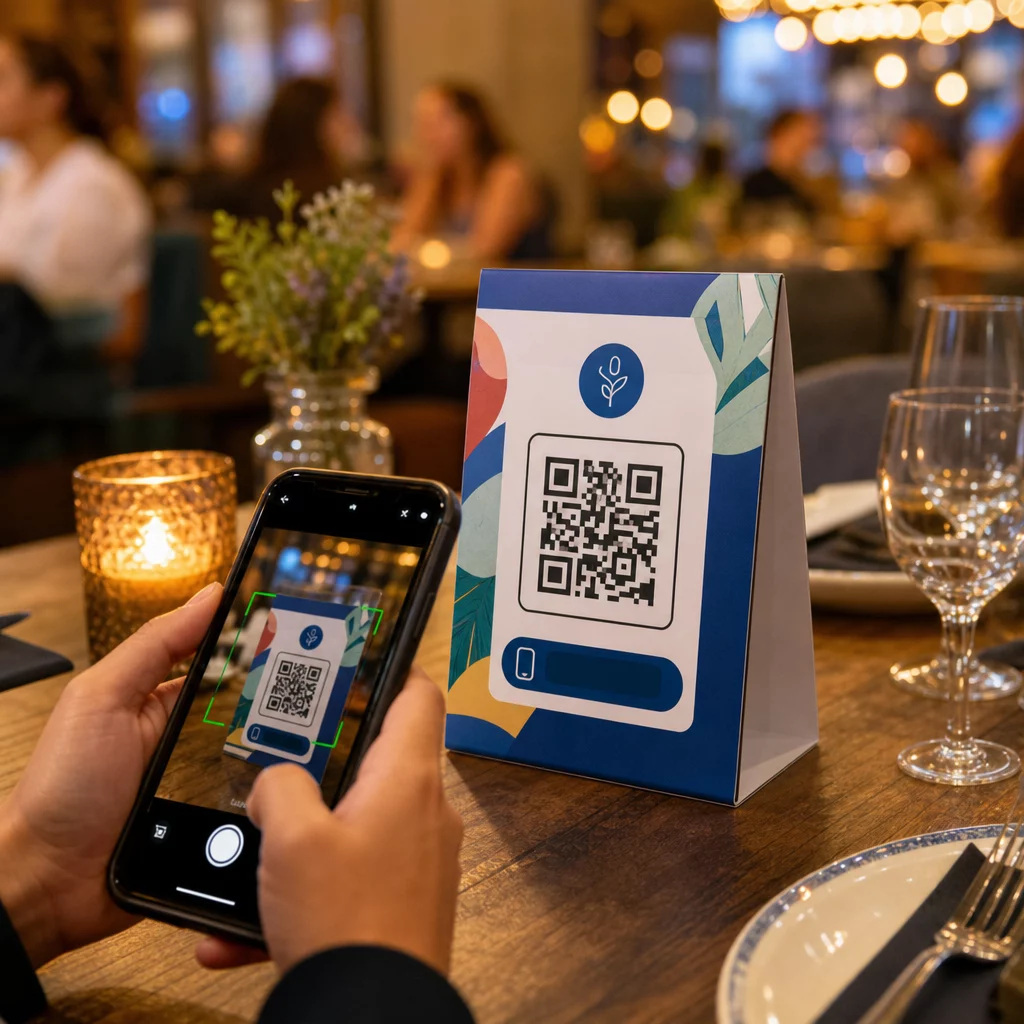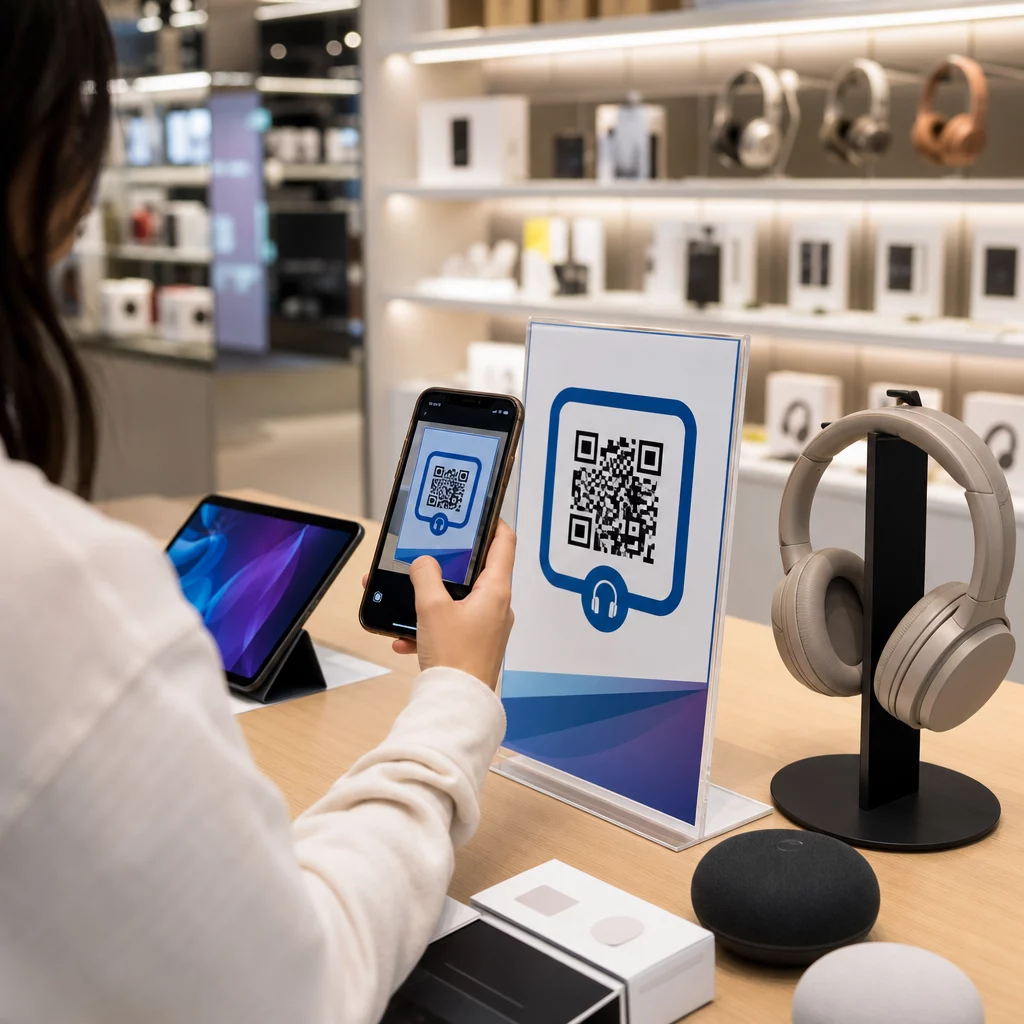
Kā jūs panākat, lai klients, kurš ienāk jūsu elektronikas veikalā, nenopirktu to pašu produktu lētāk Amazon? Problēma ir tā, ka lielākā daļa fizisko veikalu mazumtirgotāju nedod viedtālruņiem bruņotiem pircējiem iemeslu palikt. QR kodi uz produktiem un iepakojuma maina šo vienādojumu, pārvēršot katru plauktu par interaktīvu saskares punktu.
Patērētāju pētījumi liecina, ka 64% pircēju ir skenējuši QR kodu uz produkta, iepērkoties veikalā, un 61% to ir darījuši pēc pirkuma. Šis iesaistes līmenis nav nejaušs – tas atspoguļo patiesas cerības, ka fiziskie produkti savienojas ar digitālo informāciju. Šis ceļvedis iepazīstina ar septiņiem praktiskiem veidiem, kā elektronikas zīmoli un mazumtirgotāji var izmantot QR kodus, lai uzlabotu klientu pieredzi un piesaistītu pārdošanas apjomus, kas citādi varētu aiziet garām.
Kāpēc elektronikas pircēji skenē vairāk nekā citās kategorijās
Patērētāju elektronikas pircēji ir unikāli orientēti uz pētījumiem. Viņi salīdzina specifikācijas, lasa atsauksmes un skatās demonstrācijas pirms pirkuma veikšanas – bieži vien stāvot tieši blakus produktam. Šāda uzvedība rada iespēju: ja jūsu QR kods ir vienkāršākais veids, kā iegūt uzticamu informāciju lēmuma pieņemšanas brīdī, jūs kontrolējat šo brīdi.
Saskaņā ar jaunākajiem patērētāju datiem, 43% patērētāju visbiežāk skenē QR kodus, lai piekļūtu informācijai par produktu. Konkrēti elektronikā pircēji jau sniedzas pēc saviem tālruņiem – QR kodi vienkārši dod šim instinktam noderīgu virzienu.
Visa pamatā ir dinamiskie QR kodi, kas ļauj atjaunināt galamērķa URL pēc drukāšanas. Elektronikas jomā – kur produktu specifikācijas mainās, programmaparatūras atjauninājumi tiek izlaisti un akcijas mainās sezonāli – tas nozīmē, ka jums nekad nav jāpārdrukā iepakojums, lai saglabātu saistītā satura aktualitāti.
Uzturiet savu produktu saturu vienmēr aktuālu Izmantojiet Dinamisks QR kodu ģenerators lai izveidotu izsekojamus, rediģējamus QR kodus jūsu elektronikas produktiem. Atjauniniet galamērķus jebkurā laikā, nepārdrukājot nevienu etiķeti.
7 veidi, kā izmantot QR kodus patērētāju elektronikā
1. Tūlītēja piekļuve atsauksmēm lēmuma pieņemšanas brīdī
Vairāk nekā 70% elektronikas pircēju lasa atsauksmes savos viedtālruņos, pārlūkojot veikalā. Tā vietā, lai ļautu viņiem pazust trešās puses vietnē, kas varētu parādīt konkurenta produktu, QR kods uz jūsu plaukta etiķetes vai produkta kastes var tieši novirzīt uz pārskatītu atsauksmju lapu, ko jūs kontrolējat.
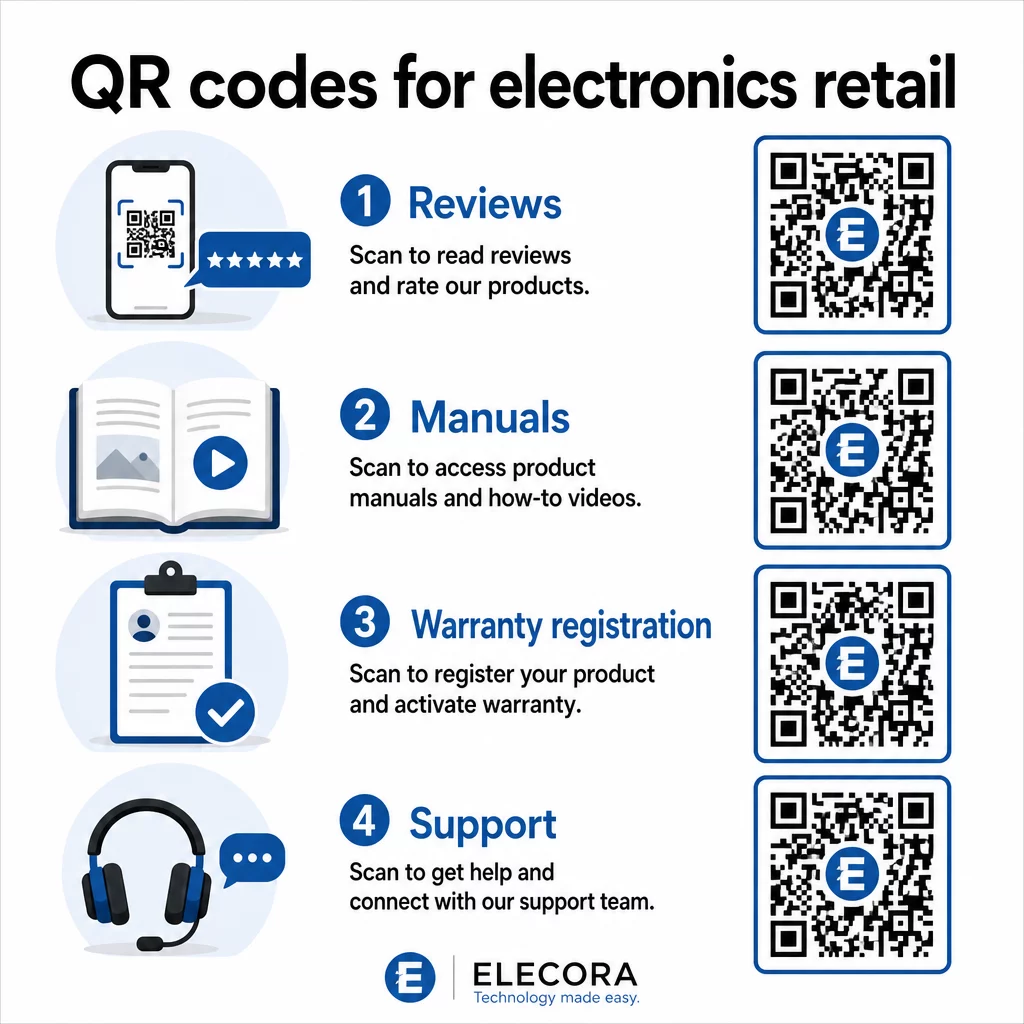
Kad pircēji var apmierināt savas pētījumu vajadzības, neatstājot jūsu vidi, viņi, visticamāk, pabeigs pirkumu uzreiz. Saistiet kodu ar galveno lapu, kas apvieno zvaigžņu vērtējumus, galvenos atsauksmju izcēlumus un skaidru ceļu uz pirkumu.
2. Digitālās produktu rokasgrāmatas un iestatīšanas ceļveži
Pilnkrāsu, daudzvalodu instrukciju rokasgrāmatas drukāšana palielina izmaksas un apjomu katrai vienībai. QR kods uz Produktu iepakojums vai tieši uz ierīces saista ar vienmēr aktuālu digitālo rokasgrāmatu – tādu, kas var ietvert video pamācības, anotētas diagrammas un valodu izvēli.
Šī pieeja atrisina arī atjaunināšanas problēmu. Kad programmaparatūra mainās vai tiek piegādāta jauna funkcija, jūs atjaunināt saistīto PDF vai lapu vienreiz, un katrs klients, kurš skenē šo kodu, saņem jaunāko versiju. The PDF QR kodu ģenerators padara vienkāršu rokasgrāmatu dokumentu mitināšanu un atjaunināšanu, nepieskaroties drukātajam kodam.
Ražotājiem tas ir īpaši praktiski. Kā aplūkots QR kodi ražošanai, QR kodu iegulšana instrukciju materiālos, kas saistīti ar video pamācībām, vienkāršo montāžu un samazina atbalsta kontaktu skaitu.
3. Vienkāršota garantijas un produkta reģistrācija
Papīra garantijas kartēm ir bēdīgi zems aizpildīšanas līmenis. Klienti tās pazaudē, aizmirst nosūtīt pa pastu vai vienkārši nekad neaizpilda. QR kods, kas iespiests kastes iekšpusē vai uz pašas ierīces, tieši saista ar digitālu reģistrācijas veidlapu – pieejamu brīdī, kad klients atver iepakojumu.
Izmantojot Google veidlapas QR kods vai pielāgotu galveno lapu, jūs varat iegūt reģistrācijas datus, preferences un kontaktinformāciju ar daudz mazāku berzi. Skenēšanas analīze arī parāda, cik daudz klientu pabeidz reģistrāciju un kad, lai jūs varētu sekot līdzi programmaparatūras atjauninājumu paziņojumiem vai pagarinātās garantijas piedāvājumiem tieši īstajā laikā.
4. Produkta autentifikācija un viltošanas novēršana
Augstākās klases elektronikai – austiņām, kamerām, viedās mājas ierīcēm – viltošana ir reāla problēma gan zīmoliem, gan patērētājiem. QR kods, kas saistīts ar autentifikācijas lapu, ļauj klientiem pārbaudīt, vai viņu iegādātais produkts ir oriģināls. Skenēšana novirza viņus uz zīmola kontrolētu lapu, kas apstiprina produkta autentiskumu un sērijas numuru.
Šis lietošanas gadījums arī veido uzticību pēc pirkuma. Klients, kurš apstiprina, ka viņa produkts ir oriģināls, visticamāk reģistrēsies, atstās atsauksmi un atgriezīsies pie zīmola nākamajam pirkumam.
5. Veikala kuponu kodi un ierobežota laika piedāvājumi
QR kods pie kases zonas vai uz produkta displeja var nodrošināt atlaidi, kas ir spēkā tikai tad, ja klients pērk šodien. Tas īpaši labi darbojas aksesuāriem vai komplekta papildinājumiem – piemēram, kods uz maršrutētāja displeja, kas piedāvā 20% atlaidi saderīgam tīkla mezglam, rada papildu pārdošanas iespēju ar minimālām izmaksām.
Tā kā dinamiskie QR kodi ļauj mainīt saistīto piedāvājumu, neko nepārprintējot, jūs varat mainīt akcijas katru nedēļu vai sasaistīt tās ar krājumu līmeņiem. Klienti, kuri skenē un kopīgo piedāvājumu ar citiem, organiski paplašina tā sasniedzamību.
Izsekojiet, kuras akcijas nodrošina visvairāk skenējumu Izmantojiet Saites QR koda ģenerators lai izveidotu izsekojamus reklāmas kodus. Precīzi redziet, kuri produktu izvietojumi un piedāvājumi konvertē reāllaikā.
6. Uzvedībā balstīta skenēšanas personalizācija
QR kodi ar skenēšanas izsekošanu laika gaitā nodrošina sarežģītāku pieredzi. Ja klients iepriekš ir skenējis kodus viedajiem skaļruņiem, nākamā skenēšana var atklāt lapu, kas atbilst šai interesei – jauna modeļa paziņojumu, saderīgu piederumu vai ierobežota laika komplektu. Šāda veida uzvedības konteksts pasīvu etiķeti pārvērš personalizētā saskares punktā.
Tādas platformas kā Pageloot nodrošina skenēšanas analītika kas parāda, kad, kur un cik bieži kodi tiek skenēti, sniedzot jūsu mārketinga komandai datus, lai laika gaitā uzlabotu šo pieredzi.
7. Pēcpārdošanas atbalsts un problēmu novēršana
Viens liels sadzīves tehnikas zīmols, kas pārcēla atbalsta resursus uz viedajiem QR kodiem uz produktiem, novēroja 20% samazinājumu zvanu centra apjomā. Patēriņa elektronikai – kur iestatīšanas problēmas un funkciju jautājumi ir bieži sastopami – tas ir nozīmīgs operatīvs ieguvums.
QR kods uz ierīces vai kastē var novirzīt uz atbalsta centru ar problēmu novēršanas rokasgrāmatām, bieži uzdoto jautājumu lapām, tiešsaistes tērzēšanas piekļuvi vai video pamācībām. Kā apspriests QR kodi atbalstam e-komercijā, šie kodi var pat iepriekš ielādēt tērzēšanas logu ar produkta detaļām, ļaujot atbalsta komandām ātrāk atrisināt problēmas.
Tas vienlaikus samazina klientu neapmierinātību un jūsu atbalsta operāciju izmaksas.
Praktiskas vadlīnijas QR kodu drukāšanai uz elektronikas iepakojuma
Pareizu lietošanas gadījumu noteikšana ir tikai puse no darba. QR kods, kas mazumtirdzniecības vidē nav uzticami skenējams, zaudē savu jēgu. Sagatavojot kodus drukāšanai, ņemiet vērā šos pamatprincipus:
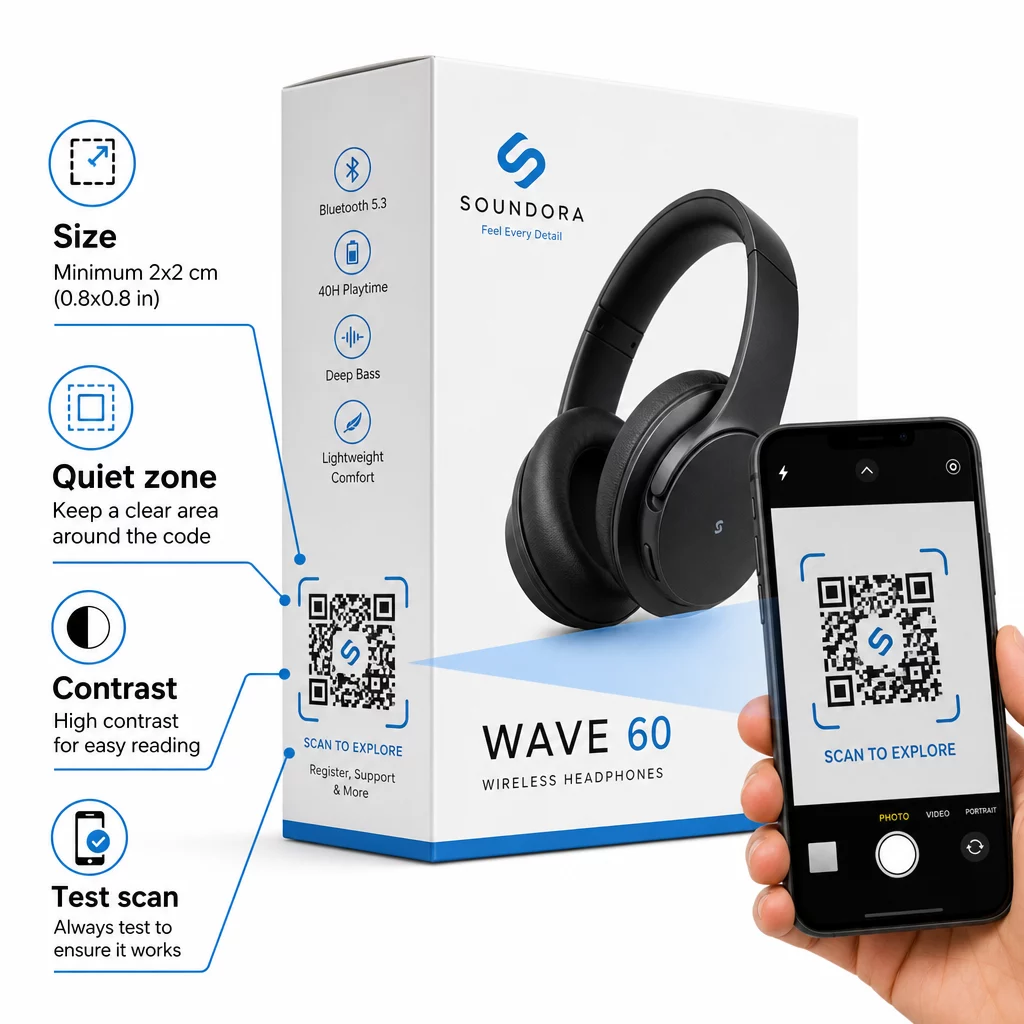
- Minimālais izmērs: Drukājiet ne mazāk kā 2 × 2 cm (aptuveni 0,8 × 0,8 collas) uzticamai skenēšanai tuvumā. Lielāks ir labāks kastēm vai iepakojumam, kas tiek skatīts no attāluma.
- Klusā zona: Saglabājiet skaidru, neapdrukātu malu vismaz četru moduļu platumā visās koda pusēs. Bez šīs bufera skenera atpazīšana ievērojami pasliktinās.
- Kontrasts: Izmantojiet tumšus moduļus uz gaiša fona. Kontrasta attiecība 4:1 starp QR kodu un tā fonu ir uzticams minimums. Izvairieties no sarkaniem vai oranžiem priekšplāna krāsu toņiem, kurus daudzas viedtālruņu kameras grūti nolasīt.
- Kļūdu labošana: Izmantojiet M līmeni (15%) standarta iepakojumam. Ja kodā ievietojat logotipu, pārslēdzieties uz H līmeni (30%) un pārbaudiet vairākās ierīcēs.
- Faila formāts: Nodrošiniet QR koda mākslas darbu vektoru formātā – SVG, EPS vai PDF – un drukājiet ar 300–400 dpi, lai saglabātu moduļu skaidrību.
Lai dziļāk aplūkotu izmērus dažādiem materiāliem, QR koda izmēri dažādiem drukas materiāliem aptver kartonu, papīru un audumu detalizēti. Kontrastam un lasāmības standartiem, labāko praksi QR kodu lasāmībā nodrošina rūpīgu tehnisko atsauci.
Varat arī izpētīt, kā QR kodi uz iepakojuma plaši nāk par labu mazumtirdzniecībai un pārskatīt galīgo ceļvedi QR kodiem produktu etiķetēm etiķetēm specifiskiem ieviešanas padomiem.
Fizisko produktu savienošana ar digitālajām pieredzēm
Septiņi iepriekš minētie lietošanas gadījumi vieno kopīga iezīme: tie samazina berzi tieši tajos brīžos, kad klientiem visvairāk nepieciešama informācija, pārliecība vai atbalsts. Pircējs, kurš var pārbaudīt produkta autentiskumu, lasīt caurspīdīgas atsauksmes un reģistrēt garantiju, veicot vienu skenēšanu uz kastes, ir klients ar mazāk iemesliem vilcināties – un vairāk iemesliem uzticēties jūsu zīmolam.
Dinamiskie QR kodi ir praktiskais pamats tam visam. Atšķirībā no statiskajiem kodiem, kas jūs piesaista vienam galamērķim, dinamiskie kodi ļauj atjaunināt saistīto saturu, mainīt akcijas un izsekot veiktspējai, nemainot neko uz paša iepakojuma.
Sāciet veidot gudrākas produktu pieredzes Izveidojiet zīmolotus, izsekojamus QR kodus saviem elektronikas produktiem ar Pageloot QR kodu ģenerators. Bezmaksas 14 dienu izmēģinājums. Nav nepieciešama kredītkarte.
Biežāk uzdotie jautājumi
Dinamiskie QR kodi ir labāka izvēle produktu iepakojumam, jo tie ļauj atjaunināt saistīto galamērķi – vai tas būtu rokasgrāmata, atbalsta lapa vai akcija – bez atkārtotas drukāšanas. Statiskie QR kodi jūs neatgriezeniski piesaista fiksētam URL, kas rada problēmas, ja saturs mainās vai akcijas beidzas.
Novietojiet QR kodus uz līdzenām, gludām virsmām, prom no krokām, šuvēm un izliektām malām. Primārajam iepakojumam labi der aizmugurējais panelis vai īpašs informācijas panelis. Izvairieties no kodu novietošanas pie drukātām apmalēm vai aizņemtiem grafiskiem elementiem, kas samazina kluso zonu. Īss aicinājums uz darbību tuvumā – piemēram, “Skenēt, lai iegūtu iestatīšanas rokasgrāmatu” vai “Skenēt, lai reģistrētos” – palielina skenēšanas rādītājus, skaidri norādot vērtību, pirms klients paņem savu tālruni.
Dinamiskie QR kodi ietver iebūvētu skenēšanas analītiku, kas reģistrē, cik reižu katrs kods tiek skenēts, kopā ar laiku, atrašanās vietu un ierīces veidu. Šie dati ļauj salīdzināt veiktspēju dažādiem produktiem, izvietojumiem vai kampaņām. Tādas platformas kā Pageloot nodrošina centralizētu informācijas paneli, kur varat vienlaikus pārraudzīt visus savus QR kodus un pielāgot galamērķus vai saturu, pamatojoties uz to, ko rāda dati.